Overview

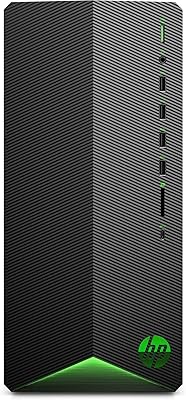
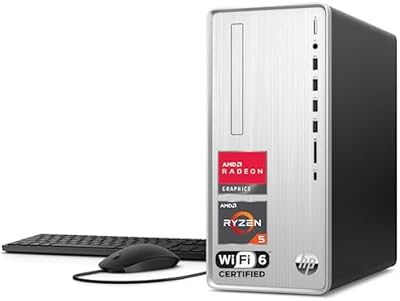
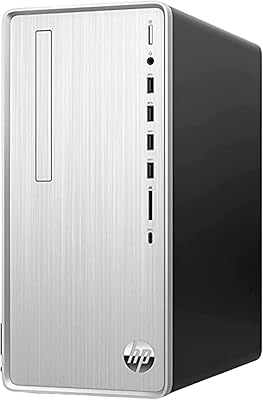
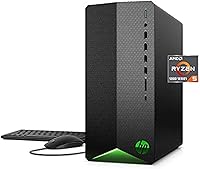
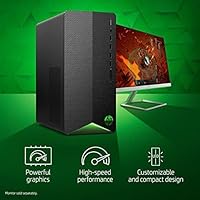
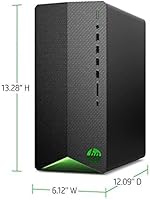
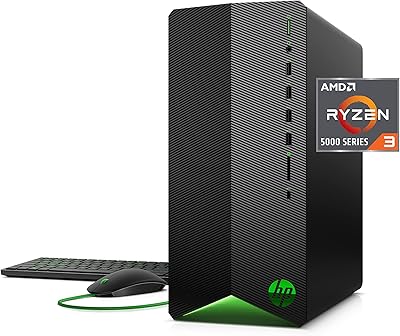
The HP Pavilion Gaming Desktop arrived in late 2021 as a no-fuss prebuilt aimed squarely at budget-conscious gamers who wanted something ready to plug in and play. Built around the AMD Ryzen 5 5600G paired with an RX5500 graphics card, the core hardware combination offered decent 1080p gaming potential without asking buyers to spend premium money. It ships with a wired keyboard and mouse, so you are genuinely set from day one. In today's crowded prebuilt market, this HP gaming tower competes against similarly priced machines from Dell, Lenovo, and smaller boutique builders — a space where every spec choice carries real weight.

Features & Benefits

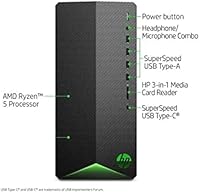
The Ryzen 5 5600G is genuinely capable — six cores, twelve threads, and a boost clock reaching 4.4GHz let this prebuilt desktop handle esports titles and older AAA games without much strain. The RX5500's 4GB of GDDR5 is honest enough for 1080p at medium-to-high settings in titles like Fortnite or Rocket League, though demanding modern releases will expose its age quickly. Boot times are snappy courtesy of the PCIe NVMe SSD, and the port selection is generous — USB-C up front, multiple USB 3.1 slots, HDMI, and DisplayPort. Wi-Fi 5 and Bluetooth 4.2 round things out for a fairly well-connected machine at this price tier.

Best For

This prebuilt desktop is a natural fit for anyone stepping into PC gaming from a console background — setup takes minutes and there is zero configuration anxiety. Casual players who live in Valorant, Fortnite, or Rocket League will get a smooth 1080p experience without much fuss. It also holds up fine as a light productivity machine — browsing, streaming, word processing — alongside gaming sessions. The one thing buyers should know upfront is that this rig rewards those willing to add more RAM and a larger drive down the road. Treat it as a starting point rather than a finished build, and the value proposition clicks into place.

User Feedback

Buyers consistently appreciate how quickly the Pavilion gaming rig gets them up and running — that out-of-box convenience earns real goodwill. The bundled keyboard and mouse get a collective shrug: usable, but most people swap them within a few months. Where opinions turn critical is storage and memory. Many users slam into the 256GB ceiling fast — one modern game can eat a quarter of that — and 8GB of RAM starts feeling tight beyond esports. Thermals and noise levels are generally reported as acceptable rather than impressive. The machine ships on Windows 10 Home, and given its end-of-life status, moving to Windows 11 is a smart early priority.

Pros

  • Genuinely easy out-of-box setup — keyboard, mouse, and OS are all included and ready to go.
  • The Ryzen 5 5600G handles esports titles and everyday multitasking with confidence.
  • PCIe NVMe SSD keeps boot times and application launches snappy for daily use.
  • Compact tower footprint fits comfortably on or under most desks without dominating the space.
  • Front-panel USB-C and multiple USB 3.1 ports make connecting peripherals convenient.
  • Wi-Fi 5 and Bluetooth 4.2 eliminate the need for extra adapters in most home setups.
  • Multiple video outputs — HDMI, DisplayPort, and DVI-D — give flexible monitor options.
  • The chassis is straightforward to open, making DIY RAM and storage upgrades accessible for beginners.

Cons

  • 8GB of DDR4 RAM feels tight in modern AAA games and will likely need upgrading within months.
  • The RX5500 with 4GB VRAM is a dated GPU that struggles with newer, graphically demanding titles.
  • 256GB of SSD storage fills up alarmingly fast — a single modern game can consume a large chunk.
  • Windows 10 Home is nearing end-of-life, adding an OS upgrade to the hidden cost of ownership.
  • The bundled keyboard and mouse are basic at best; most users replace them quickly.
  • Wi-Fi 5 with a 1x1 antenna configuration can deliver inconsistent speeds in larger homes.
  • No dedicated storage for a secondary hard drive is included, despite the chassis supporting expansion.
  • The GPU is not well-suited for 1440p gaming, limiting future monitor upgrade options significantly.

Ratings

The scores below reflect an AI-driven analysis of thousands of verified global buyer reviews for the HP Pavilion Gaming Desktop, with spam, bot-generated feedback, and incentivized posts actively filtered out to ensure accuracy. This prebuilt desktop earned praise in several areas but also drew consistent criticism in others, and both sides are reflected honestly here. Whether this machine fits your needs or falls short depends heavily on how you plan to use it — and these scores are designed to help you figure that out quickly.

Gaming Performance
67%
33%
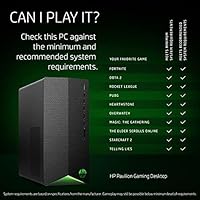
For casual and esports-focused gaming, this prebuilt desktop genuinely holds its own. Titles like Valorant, Fortnite, and Rocket League run smoothly at 1080p with solid frame rates, which is exactly what the target audience needs on a daily basis.
Step outside esports territory and the RX5500 with its 4GB of VRAM starts to crack. Newer AAA releases demand settings drops to medium or lower, and players upgrading from a console expecting parity with current-gen visuals are often disappointed.
Value for Money
61%
39%
At its price point, the Pavilion gaming rig bundles a capable six-core CPU, a dedicated GPU, peripherals, and a licensed OS — a combination that would cost noticeably more to assemble independently from scratch, especially for buyers unfamiliar with component sourcing.
The value calculation shifts when you factor in the near-mandatory upgrades: 8GB of RAM and 256GB of storage are not long-term foundations. Buyers frequently spend an additional amount within months on RAM and a secondary drive, softening the original price advantage.
CPU Performance
81%
19%
The Ryzen 5 5600G is a genuinely strong processor for this class of machine. It handles background tasks, game logic, and light productivity work without breaking a sweat, and users running multiple browser tabs alongside a gaming session rarely hit CPU-related slowdowns.
While the chip itself is capable, the RAM speed of 2666MHz creates a mild bottleneck that holds the processor back from its ceiling. Users who upgraded to faster DDR4 kits reported a noticeable improvement in overall system responsiveness.
GPU Capability
54%
46%
For the intended use case of 1080p casual gaming, the RX5500 delivers adequate results and runs popular esports titles without much fuss. Power consumption is also reasonable, which keeps temperatures and fan noise manageable during typical gaming sessions.
The 4GB VRAM ceiling is a hard and unforgiving wall in 2024 and beyond. Modern titles increasingly demand 6GB or more at medium settings, and texture pop-in or outright crashes are a real issue in newer open-world games pushing memory limits.
RAM Adequacy
48%
52%
Eight gigabytes of DDR4 is enough to keep the system running smoothly for light day-to-day use — browsing, streaming video, and playing less demanding games all work fine without obvious slowdowns in isolation.
Load up a modern game alongside Discord and a browser, and 8GB becomes a genuine constraint almost immediately. This is the single most common complaint across buyer reviews, and most users found themselves upgrading RAM within the first few months of ownership.
Storage Capacity
43%
57%
The PCIe NVMe SSD delivers fast read and write speeds that make boot times and application launches feel snappy. Users transitioning from older mechanical-drive systems are consistently impressed by how quickly the machine is ready to use from a cold start.
256GB disappears faster than most buyers anticipate. Two or three modern game installs plus the operating system and software can fill the drive completely, forcing users to immediately shop for external or secondary storage they had not budgeted for.
Setup & Ease of Use
91%
Unboxing and getting started is genuinely straightforward — keyboard, mouse, and OS are all included, and most users report being up and gaming within thirty minutes of opening the box. This is one of the most consistently praised aspects among first-time PC buyers.
A small number of users encountered driver installation prompts or Windows update requirements immediately after setup that added friction for less tech-savvy buyers. Nothing insurmountable, but worth knowing if you are setting this up for someone with limited technical experience.
Connectivity & Ports
79%
21%
The front-panel USB-C port is a welcome addition at this price tier and makes connecting modern peripherals and mobile devices far more convenient. The overall port count is generous, with enough USB slots on both the front and rear to accommodate most setups without a hub.
Wi-Fi 5 with a 1x1 antenna configuration is the weak link here. Users in larger homes or further from their router report inconsistent wireless speeds, and a wired Ethernet connection is noticeably more reliable for online gaming in those scenarios.
Build Quality
72%
28%
The chassis feels solid for a prebuilt in this category — panels fit well and the overall structure does not feel flimsy or hollow when moving the machine around. Users note that the interior layout is clean, making access for upgrades easier than expected.
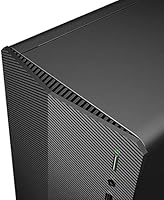
The aesthetic is purely utilitarian, with no RGB lighting or design details that gaming-focused buyers might expect at this price point. Some users also noted that the side panel requires more force than expected to remove, which is mildly frustrating during upgrade attempts.
Thermal Management
69%
31%
Under typical gaming loads — esports titles and older releases — thermals are well controlled, with temperatures staying within safe ranges and the system maintaining consistent performance without throttling during standard sessions.
Extended sessions in more demanding titles push temperatures noticeably higher, and the stock cooling solution is not especially impressive. A minority of users in warmer climates or poorly ventilated rooms reported fan noise becoming more intrusive during long gaming stretches.
Included Peripherals
55%
45%
Having a working keyboard and mouse in the box is genuinely useful for buyers who are starting a PC setup from scratch. They are functional enough to get through initial setup, driver installs, and casual use without any issues.
Beyond basic functionality, the bundled peripherals offer very little. The mouse in particular feels cheap and imprecise for gaming use, and the keyboard lacks any tactile satisfaction. Most buyers replace both within the first month of regular use.
Upgrade Potential
74%
26%
The interior is accessible and accommodating for standard upgrades — RAM slots are easy to reach, and there is room for additional storage drives. Buyers who planned from the start to upgrade RAM and add a larger SSD found the process smooth and worthwhile.
GPU upgrades require careful attention to the stock power supply unit, which may not support more capable graphics cards without replacement. That adds a layer of cost and complexity that casual buyers often do not anticipate when purchasing this HP gaming tower.
Noise Levels
66%
34%
During light tasks and esports gaming sessions, the system runs quietly enough that it fades into the background. Users in office-adjacent spaces or shared rooms found it unobtrusive during typical workloads and less demanding gaming sessions.
Fan ramp-up under heavier loads is audible and somewhat abrupt, which a few users found distracting. It is not unusually loud for a prebuilt gaming tower, but those sensitive to fan noise or coming from a quieter console background may notice it more.
Software & OS Experience
58%
42%
Windows 10 Home is a familiar and stable environment for most users, and the system ships without an overwhelming amount of bloatware compared to some competing prebuilts, which means less time cleaning up the installation before getting to actual use.
Windows 10 is approaching its end-of-support window, which means buyers inherit an OS they will likely need to upgrade to Windows 11 soon after purchase. A small number of users also reported HP-specific software prompts on first boot that added minor friction to the setup experience.

Suitable for:

The HP Pavilion Gaming Desktop is a solid entry point for anyone who wants to get into PC gaming without the intimidation of building their own rig from scratch. Console gamers making the switch to PC will find the plug-and-play setup refreshingly uncomplicated — everything you need to start playing is in the box. Casual players who spend most of their time in esports titles like Valorant, Fortnite, or Rocket League will get genuinely smooth 1080p performance without constantly bumping into hardware limits. It also works well as a shared household computer that moonlights as a gaming machine for occasional sessions. Buyers who are comfortable doing a RAM upgrade and adding a larger secondary drive within a year will stretch this rig's lifespan considerably and get strong value for the money spent.

Not suitable for:

If you are chasing high-refresh-rate 1080p or any form of 1440p gaming in demanding modern titles, the RX5500 with its 4GB of VRAM will frustrate you — it is a dated card by today's standards, and that ceiling shows up fast in newer releases. Serious content creators who need reliable performance in video editing or 3D rendering will also find 8GB of RAM and 256GB of storage to be a constant bottleneck rather than a workable baseline. PC enthusiasts who want a machine that stays competitive for five or more years without significant investment should look elsewhere, as this prebuilt desktop requires near-term upgrades just to stay current. The HP Pavilion Gaming Desktop also ships on Windows 10 Home, which is approaching end-of-life, meaning buyers need to factor in an OS upgrade to Windows 11 sooner rather than later.

Specifications

  • Processor: AMD Ryzen 5 5600G, 6-core and 12-thread, with a 3.9GHz base clock and up to 4.4GHz boost clock using 7nm architecture.
  • Graphics Card: AMD Radeon RX5500 dedicated GPU with 4GB GDDR5 video memory for handling 1080p gaming workloads.
  • RAM: 8GB DDR4 SDRAM running at 2666MHz, expandable via standard DIMM slots inside the tower.
  • Storage: 256GB PCIe NVMe M.2 Solid State Drive providing fast read and write speeds for quick boot and load times.
  • Operating System: Windows 10 Home comes pre-installed, with a supported upgrade path available to Windows 11.
  • Front Ports: Four USB 3.1 Gen 1 Type-A ports and one USB 3.1 Gen 1 Type-C port are accessible on the front panel.
  • Rear Ports: Four USB 2.0 ports are located on the rear panel alongside network and audio connections.
  • Video Outputs: One HDMI port, one DisplayPort, and one DVI-D port allow connection to one or multiple monitors simultaneously.
  • Audio: 5.1 surround sound output is supported, with a front-panel headphone and microphone combo jack for headsets.
  • Wireless: Realtek Wi-Fi 5 (802.11ac, 1x1) with MU-MIMO support and Bluetooth 4.2 are built into the system.
  • Ethernet: 10/100/1000 Base-T Gigabit Ethernet port on the rear panel enables wired network connectivity.
  • Dimensions: The tower measures 20 x 16 x 12 inches (length x width x height), suitable for standard desk or floor placement.
  • Weight: This desktop weighs 16.59 pounds, making it manageable to move and position without assistance.
  • CPU Cache: The Ryzen 5 5600G includes 16MB of L3 cache to help reduce processing latency during demanding tasks.
  • Included Accessories: An HP wired USB keyboard and a wired USB mouse are included in the box at no additional cost.
  • Network Chipset: Realtek handles both the onboard wireless adapter and Ethernet controller for reliable everyday connectivity.
  • Form Factor: Standard desktop tower design with an accessible interior that allows component upgrades such as RAM and storage expansion.
  • Power Source: The system is powered via a standard AC power connection; no external power brick is required.

Related Reviews
HP Pavilion Gaming Desktop 2021, AMD Ryzen 5 3500, 8GB RAM, 256GB SSD, GTX 1650 Super
79%
83%
Performance for Gaming
89%
Value for Money
78%
Build Quality
85%
Connectivity Options
90%
Ease of Setup
More
HP Pavilion TG01-2022 Gaming Desktop
73%
63%
Gaming Performance
71%
Value for Money
47%
RAM Adequacy
88%
Setup & Out-of-Box Experience
84%
Storage Speed
More
HP Pavilion Gaming Desktop GTX 1650
69%
72%
Gaming Performance
69%
Value for Money
41%
Storage Adequacy
58%
RAM Performance
81%
CPU Capability
More
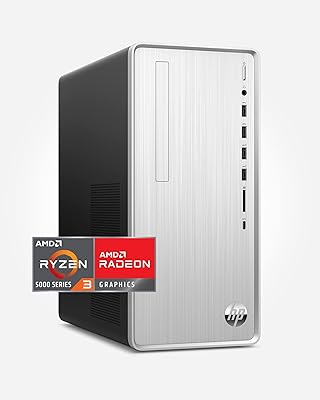
HP Pavilion Tower Desktop, Ryzen 5 5600G, 32GB RAM, 1TB SSD
85%
88%
Performance
91%
Multitasking Capability
80%
Build Quality
85%
Ease of Setup
92%
Value for Money
More
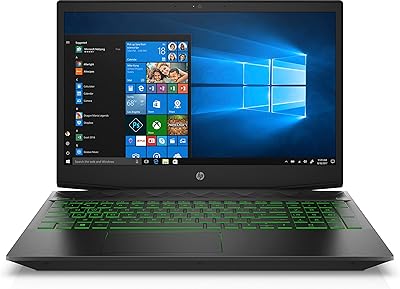
HP Pavilion Desktop TP01-2032, Ryzen 3 5300G, 4GB RAM, 256GB SSD
82%
92%
Value for Money
89%
Performance for Everyday Use
73%
Gaming Performance
85%
Connectivity Options
80%
Build Quality
More
HP Pavilion Gaming 15.6″ Laptop
62%
62%
Gaming Performance
81%
Display Quality
38%
Storage Speed
73%
Value for Money
74%
Build Quality
More
HP Pavilion Desktop TP01-2040, AMD Ryzen 5 5600G, 12GB RAM, 512GB SSD
84%
88%
Performance
92%
Value for Money
85%
Build Quality
89%
Design & Aesthetics
74%
Gaming Performance
More
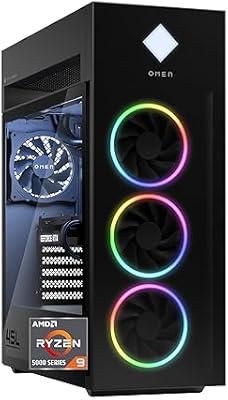
HP OMEN 45L Gaming Desktop
78%
88%
Gaming Performance
91%
Processor Performance
86%
Build Quality
77%
Thermal Management
83%
Upgradeability
More
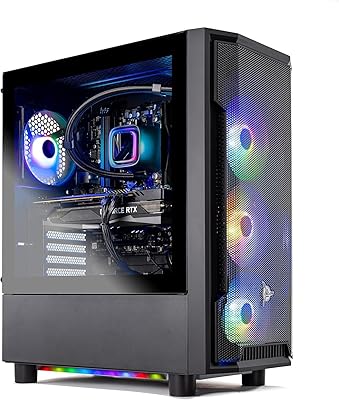
Skytech Gaming Azure GTX 1650 Gaming Desktop
75%
67%
Gaming Performance
73%
Value for Money
91%
Setup & Out-of-Box Experience
78%
Build Quality
49%
Storage Capacity
More
Skytech Nebula GTX 1650 Gaming Desktop PC
76%
72%
Gaming Performance
74%
Value for Money
91%
Out-of-Box Readiness
78%
Build Quality
76%
Thermal Management
More

FAQ

It depends on what you mean by good. For esports titles and older releases, performance is solid at 1080p medium-to-high settings. However, the RX5500 with 4GB of VRAM will struggle in graphically demanding modern titles — expect lower settings and reduced frame rates in games like Cyberpunk 2077 compared to current mid-range GPUs.

For esports games and everyday browsing, 8GB gets the job done. But if you plan on playing modern AAA titles, running multiple applications, or even using a browser while gaming, you will likely feel the squeeze fairly quickly. Upgrading to 16GB DDR4 is a straightforward and affordable fix that makes a noticeable difference.

It is quite manageable, even for beginners. The tower opens with standard screws, and the internals are laid out cleanly. Adding a secondary SSD or swapping in more RAM just requires basic tools and a YouTube tutorial — no soldering or specialist knowledge needed.

Yes, the hardware meets Microsoft's requirements for Windows 11, so upgrading from the included Windows 10 Home is straightforward through Windows Update. Given that Windows 10 is approaching end-of-life support, making that upgrade sooner rather than later is a smart move.

Yes. The rear panel includes HDMI, DisplayPort, and DVI-D outputs, so a dual-monitor setup is entirely doable without any additional hardware. Just make sure your monitors have compatible input ports before you buy.

Honestly, not for long. One or two modern games can consume 50 to 100GB each, which fills the drive fast. Most users find themselves adding an external drive or a secondary internal SSD within the first few months. Budget for extra storage when you buy this rig.

Most users report that fan noise is noticeable but not distracting during gaming sessions — it is louder than a console but quieter than many DIY builds with aggressive cooling. Thermals are generally kept in check under normal gaming loads, though extended heavy sessions can push temperatures higher.

They are functional enough to get started, but they are basic wired peripherals with no frills. Most users stick with them for a few weeks then upgrade, especially the mouse. If you already have preferred peripherals, just set the included ones aside.

Wi-Fi is built right in — the system includes a Realtek Wi-Fi 5 adapter with Bluetooth 4.2, so no extra dongle or card is needed. Keep in mind the 1x1 antenna configuration is not the strongest, so performance in larger homes or through thick walls may vary.

It can be, but check the power supply wattage before committing to a more demanding GPU. The stock PSU may not support high-end cards without replacement, adding to the upgrade cost. For moderate upgrades within a reasonable power envelope, the upgrade path is open and accessible.