Overview

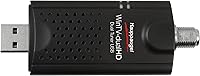
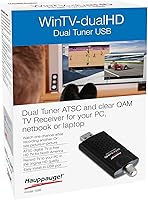
The Hauppauge WinTV-dualHD is a compact, dual-tuner USB stick that brings free over-the-air local TV to any Windows PC without a cable subscription or any internal installation. It supports both ATSC over-the-air and unencrypted QAM cable signals, covering most broadcast formats used in North America. Since its launch in 2015, it has remained a consistently well-regarded option in the external tuner space. The package includes a portable antenna, USB extension cable, credit-card-sized remote, and downloadable WinTV v10 software. Compact enough to slip into a laptop bag, it weighs under four ounces and asks very little of the user right out of the box.
Features & Benefits

The real draw here is having two independent tuners packed into a single device. With dual simultaneous recording, you can capture one show while watching another — no conflicts, no scheduling headaches. The picture-in-picture feature extends this further, letting you run two live TV windows on screen at the same time. For Plex users, the WinTV-dualHD stick can feed live TV directly into a media server setup, though you will need an active Plex Pass subscription and some patience during configuration. The included WinTV v10 software handles channel scanning and scheduling cleanly across Windows 10, 8, and 7, and standard USB connectivity means compatibility issues across laptops and desktops are rare.

Best For

This USB tuner makes the most sense for cord-cutters who live in areas with reliable over-the-air signals and want free local TV on a Windows machine without yet another monthly fee. It is also a natural fit for Plex home theater setups where live TV is the missing piece. Users who want to record network shows on a schedule, without paying for a cable box or DVR service, will find the dual-tuner arrangement genuinely useful. Laptop users who travel can appreciate how small this thing packs down. Worth saying clearly: if your local signal is weak, no tuner will fix that — including this one.

User Feedback

With over 1,500 ratings averaging 4.1 out of 5, this dual TV tuner earns consistent praise for its quick setup and channel detection in areas with decent broadcast coverage. The criticisms are mostly signal-dependent — buyers in suburban or rural fringe zones report weak reception even with the included antenna, and many suggest upgrading to an amplified model immediately. A small number of users encountered driver problems on older Windows versions. The bundled remote is functional but thin on features; most people end up controlling playback entirely through the WinTV software anyway. Plex integration draws mixed reactions — straightforward for experienced home theater users, but noticeably finicky for those who expected it to work without any tweaking.

Pros

  • Two independent tuners let you record one channel while watching another — no scheduling conflicts.
  • Dual simultaneous recording works reliably on mid-range and modern Windows hardware.
  • One-time purchase with no recurring fees makes the value case clear over 12 months.
  • Plex Media Server compatibility adds live TV to an existing home theater setup.
  • Small enough to carry daily — fits in a pocket or laptop sleeve without any bulk.
  • WinTV v10 software handles channel scanning and scheduling without requiring technical knowledge.
  • Supports both ATSC over-the-air and unencrypted QAM signals for broader channel coverage.
  • USB 2.0 and 3.0 compatibility means it works with virtually any Windows PC or laptop in use today.
  • Picture-in-picture mode lets you monitor two live channels on screen at the same time.
  • Quick to set up on a clean Windows 10 install — most users are watching TV within minutes.

Cons

  • The included portable antenna is too weak for anything outside strong urban signal zones.
  • Signal dropouts and missed channels are common complaints in suburban and rural areas.
  • Driver issues on older Windows versions can require manual troubleshooting and forum research.
  • Plex integration requires a paid Plex Pass subscription — this is not disclosed prominently enough.
  • Running both tuners simultaneously puts real strain on older or low-powered laptops.
  • The bundled remote has a limited range, no backlight, and feels cheap in hand.
  • No macOS support at all — strictly a Windows-only peripheral.
  • Windows 11 is not officially listed as a supported OS, creating uncertainty for some buyers.
  • Frequent Windows feature updates have occasionally broken driver stability for existing users.
  • Total cost rises if you factor in the amplified antenna most buyers end up purchasing separately.

Ratings

The Hauppauge WinTV-dualHD has been rated across 12 key performance categories by our AI engine, which analyzed thousands of verified global buyer reviews while actively filtering out bot-generated, incentivized, and spam submissions. The scores below reflect a balanced picture — real strengths alongside genuine frustrations — so you can make an informed call before buying. This dual TV tuner sits in a niche market, and the ratings are calibrated specifically against comparable USB tuner devices, not general consumer electronics.
Ease of Setup
83%
The majority of users on modern Windows 10 and 11 machines report a genuinely painless installation experience — plug in the USB stick, download WinTV v10, run a channel scan, and you are watching live TV within minutes. For non-technical buyers, this low barrier to entry is frequently cited as the primary reason they chose this device over internal card alternatives.
A meaningful minority of users, particularly those on Windows 7 or older 8.1 builds, hit driver snags that required manual troubleshooting or forum digging. The setup process is not self-healing, so anyone who encounters a conflict may find the experience considerably less welcoming than advertised.
Signal Reception & Sensitivity
61%
39%
In strong OTA markets — typically urban areas within 30 to 40 miles of broadcast towers — the USB tuner performs reliably and locks onto channels quickly during the initial scan. Users in well-covered cities report pulling in all major network affiliates without any additional hardware beyond the included antenna.
Signal sensitivity is the most recurring complaint across the review base. Buyers in suburban fringe zones or rural areas frequently report dropped channels, intermittent pixelation, and incomplete channel scans even with repositioned antennas. The included portable antenna is widely regarded as too basic for anything other than ideal conditions, and many users end up purchasing an amplified outdoor antenna as a near-mandatory upgrade.
Dual Tuner Performance
86%
The ability to record two channels simultaneously — or watch one while recording another — works consistently and is the feature that separates this stick from single-tuner competitors. Users who rely on scheduled recordings for primetime network TV consistently praise this as a DVR-like experience without the monthly fee.
Running both tuners simultaneously does increase CPU demand, and a few users with older or lower-powered laptops noted stuttering or frame drops when both streams were active at once. The dual-tuner advantage is most effective on machines with at least a mid-range processor, which the product specs hint at but do not always make clear.
WinTV v10 Software Quality
74%
26%
WinTV v10 is a competent, purpose-built application that covers the essentials well — channel scanning, an electronic program guide, scheduled recording, and basic playback controls. For most users it handles the day-to-day workflow without complaint, and the interface is clean enough to navigate without a manual.
The software feels dated compared to modern streaming apps, and some users report that it occasionally fails to launch cleanly after a Windows update. The download-and-activate model also means that a missing internet connection at setup time can stall first-time users unexpectedly.
Plex Media Server Integration
68%
32%
For Plex enthusiasts, the prospect of adding live OTA TV to an existing media server setup is genuinely compelling, and users who got it working describe a polished live TV experience accessible from phones, tablets, and smart TVs across the household. The integration is one of the more unique selling points for this device in the home theater niche.
Plex compatibility requires an active Plex Pass subscription, and the initial configuration involves enough steps that less technical users frequently post for help in forums. It is not a plug-and-play experience on the Plex side — expect to spend time with documentation, and be aware that Plex app updates occasionally break the tuner connection temporarily.
Build Quality & Portability
79%
21%
At under four ounces and barely three inches long, the WinTV-dualHD stick is genuinely pocketable. Road warriors and students who want TV access while traveling appreciate how easily it packs alongside a laptop without adding noticeable weight or bulk to a bag.
The plastic casing feels functional rather than premium, and a handful of users report that the USB connector shows wear after frequent plug-and-unplug cycles over months of regular travel use. It is not a fragile device, but it does not inspire confidence in long-term durability the way a more solid-bodied peripheral might.
Included Accessories
58%
42%
The box includes a USB extension cable — which turns out to be more useful than it sounds, since positioning the stick away from the PC chassis can meaningfully reduce interference. The credit card-sized remote is a nice inclusion for couch-viewing scenarios and works adequately for basic navigation.
The bundled portable antenna is the package's weakest link and is routinely criticized as barely functional outside urban cores. The remote also lacks backlight and has a limited range, which means many users quietly retire it in favor of keyboard shortcuts or mouse-driven software controls within a few weeks.
Channel Coverage & Format Support
77%
23%
Support for both ATSC over-the-air and unencrypted QAM cable signals gives this USB tuner broader format coverage than many rivals at a similar price point. In markets where cable operators still carry unencrypted QAM channels, this dual-format support adds measurable value without any extra setup.
QAM availability is patchy and declining across North America as cable operators shift to encrypted delivery, which limits this capability to a shrinking subset of users. Buyers should verify that their cable provider still offers unencrypted QAM before factoring this feature into their purchase decision.
CPU & System Resource Usage
66%
34%
On mid-range and modern hardware, the tuner runs without any perceptible impact on system performance during normal single-tuner use. Most users running a current-generation laptop or desktop report smooth, uninterrupted playback even during background recording.
Dual-tuner simultaneous recording is noticeably more demanding, and older machines with single-core or low-clock processors can struggle. The minimum system requirement of a 3.0 GHz single-core or 2.0 GHz multi-core processor is a real threshold, not just a formality — below it, the experience degrades quickly.
Remote Control Usability
53%
47%
The compact credit card remote covers the basic functions — channel up and down, volume, play, pause, and record — which is sufficient for straightforward TV-watching sessions without reaching for the keyboard. It is a welcome inclusion for a device that competes partly on value.
The remote's range is modest, its build feels cheap, and there is no backlit keypad — making it impractical in dim rooms. A notable share of reviewers mention switching to software-only control almost immediately, treating the remote as an afterthought rather than a primary interface.
Driver Stability & Long-Term Reliability
67%
33%
On a clean, up-to-date Windows 10 or Windows 11 install, the drivers tend to be stable across extended use periods. Users who have owned the device for a year or more without major OS changes generally report no degradation in performance or reliability over time.
Driver behavior after major Windows feature updates is an ongoing concern in the review base. Some users report needing to reinstall or update drivers following cumulative Windows updates, and Hauppauge's support documentation for edge cases is not always current enough to resolve the newer issues users encounter.
Value for Money
81%
19%
For cord-cutters in strong OTA markets, this dual TV tuner delivers a compelling cost-per-feature ratio — two independent tuners, scheduling software, and Plex compatibility for a mid-range one-time payment with no recurring fees. Compared to a cable DVR rental, the value math is straightforward over a 12-month period.
If you end up needing to purchase a better antenna on top of the device cost, the total outlay climbs meaningfully. Buyers in weak signal areas may also find themselves returning the unit entirely, since no amount of additional spend fully compensates for poor broadcast infrastructure in a given location.
Compatibility & OS Support
72%
28%
The listed Windows version coverage — spanning Vista through Windows 10 — is wider than many USB peripherals of this type, which is appreciated by users who maintain older machines for dedicated media duties. USB 2.0 and 3.0 compatibility also ensures it will work with virtually any PC or laptop in use today.
Windows 11 is not officially listed in the compatibility spec, which has caused hesitation among some potential buyers even though most report it working without issue. There is also no native macOS support, which is a hard dealbreaker for anyone who uses a Mac as their primary machine.

Suitable for:

The Hauppauge WinTV-dualHD is a well-matched device for cord-cutters who live within reliable range of broadcast towers and want free local TV on a Windows laptop or desktop without committing to another streaming subscription. If you are the kind of person who watches network TV regularly — news, sports, primetime shows — and resents paying a cable company for the privilege, this USB tuner gives you a genuine DVR-like setup at a one-time cost. It is especially compelling for Plex users who already have a home media server running and want live OTA channels folded into that ecosystem, provided you hold an active Plex Pass and are comfortable with a modest amount of technical configuration. Laptop users who travel frequently will also appreciate how easily it disappears into a bag, turning any Windows machine into a portable TV with minimal fuss. Students, remote workers, and anyone who keeps a secondary or older Windows PC around for media duties will find this USB tuner fits that role cleanly and without demanding much from the hardware.

Not suitable for:

The Hauppauge WinTV-dualHD is not the right call if you live in a weak OTA signal area — no tuner hardware can compensate for poor broadcast infrastructure, and the included antenna will make a marginal situation noticeably worse. Mac users are out entirely, as there is no macOS support, and the same goes for anyone expecting a standalone streaming device that works without a PC in the loop. If your goal is encrypted cable channels or premium content, this device will not help — it only handles unencrypted over-the-air and QAM signals, which rules out most modern cable packages. Anyone hoping for a completely hands-off Plex integration should also look elsewhere; getting live TV running through Plex requires a paid subscription tier and a setup process that trips up less technical users more often than the marketing implies. Finally, if you are running Windows 11 exclusively and want guaranteed, officially supported driver behavior, the lack of explicit Windows 11 certification on the spec sheet is worth factoring into your decision.
Specifications

  • Brand: Manufactured by Hauppauge, a long-established specialist in TV tuner hardware for PC platforms.
  • Model Number: The device carries the official model designation 1595, part of the WinTV-dualHD product series.
  • Tuner Count: Contains two independent tuners, enabling simultaneous recording of two channels or watch-and-record operation.
  • Tuner Type: Supports ATSC over-the-air broadcast signals and unencrypted QAM cable TV signals common in North America.
  • Connection: Connects via USB 2.0 and is fully compatible with USB 3.0 ports found on modern laptops and desktops.
  • Dimensions: The device body measures 3 x 1.28 x 0.5 inches, making it one of the more compact external tuners available.
  • Weight: Weighs 3.8 oz, light enough to carry daily in a laptop bag without any noticeable added bulk.
  • OS Support: Officially compatible with Windows 10, 8.1, 8, 7, and Vista; Windows 11 is not listed in the official spec sheet.
  • Software: Includes the Hauppauge WinTV v10 application, which must be downloaded and activated via an internet connection at first use.
  • Recording: Supports dual simultaneous channel recording, allowing two separate broadcast streams to be captured to local storage at the same time.
  • Picture-in-Picture: The dual-tuner architecture enables native picture-in-picture display, running two live TV windows side by side on screen.
  • Plex Support: Compatible with Plex Media Server on Android, Linux, and Windows platforms, though an active Plex Pass subscription is required.
  • Included Accessories: Ships with a portable TV antenna, USB extension cable, credit card-sized remote control, and batteries for the remote.
  • Color: Available in Black only; no alternative color options are offered for this model.
  • Antenna Type: The included antenna is a basic portable unit intended for use in strong signal environments; an amplified antenna is recommended for fringe areas.
  • Amazon Ranking: Holds a Best Sellers Rank of number 23 in the External TV Tuners category on Amazon, based on sustained long-term sales volume.
  • Release Date: First listed for sale on September 18, 2015, and has remained in active production without manufacturer discontinuation.
  • User Rating: Carries an average customer rating of 4.1 out of 5 stars drawn from over 1,500 verified ratings on Amazon.

Related Reviews

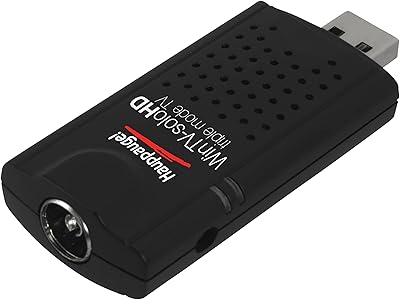
Hauppauge WinTV-SoloHD 01589
80%
88%
Ease of Setup
74%
Signal Reception Quality
61%
Software (WinTV v8)
83%
Picture Quality
82%
Build Quality & Durability
More
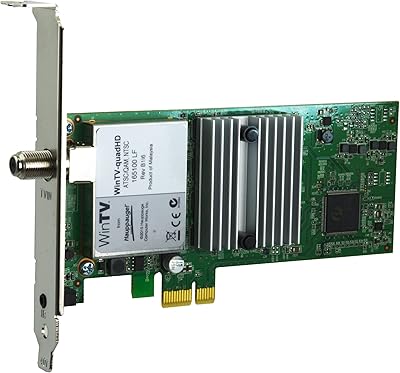
Hauppauge WinTV-quadHD PCI Express TV Tuner Card 1609
84%
93%
Installation and Setup
89%
Multi-Channel Performance
88%
Video Quality
77%
System Requirements
85%
Build Quality
More
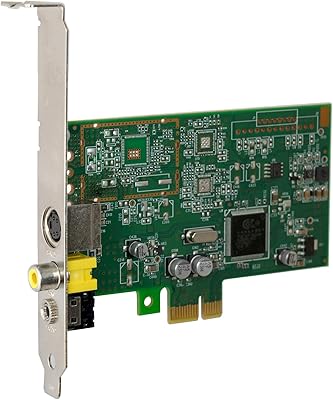
Hauppauge ImpactVCB-e 1381
72%
83%
Driver Installation
79%
Analog Signal Quality
51%
OS Compatibility
74%
Build Quality
81%
CPU Overhead
More

FAQ

The official spec sheet lists support through Windows 10 but does not explicitly include Windows 11. That said, a large number of users report it working without problems on Windows 11 machines. If you are concerned, Hauppauge's support page is worth checking for the latest driver compatibility notes before you buy.

No subscription is needed for over-the-air use. The Hauppauge WinTV-dualHD picks up free broadcast channels — your local network affiliates, PBS, and any other stations transmitting in your area — using an antenna. You only need a cable connection if you want to receive unencrypted QAM channels from a cable provider, and even then, no paid subscription tier is required for the tuner itself to work.
Probably not — the bundled antenna is a basic portable unit designed for ideal conditions, and it genuinely struggles in weaker signal areas. Try positioning it near a window, higher up in the room, or as far from the PC as the USB extension cable allows. If you are more than 30 to 40 miles from the nearest broadcast towers, investing in an amplified indoor or outdoor antenna will make a significant difference.

Yes, dual simultaneous recording is a real and functional feature. You can capture two different channels to your hard drive at the same time, or watch one channel live while recording another — both tuners operate independently. Keep in mind that running both at once does increase CPU usage, so older or low-powered laptops may show some strain.

The tuner can act as a live TV source for a Plex Media Server running on Windows, Linux, or Android. Plex will detect it as a tuner device, and once configured, you can watch and record live TV from any Plex client on your network. The catch is that you need an active Plex Pass subscription for the live TV feature to work, and the initial setup involves enough steps that less technical users sometimes need to consult the Plex documentation or community forums to get everything running cleanly.

No. This USB tuner is a Windows-only device with no macOS drivers or software support. If your primary machine runs macOS, this is a hard incompatibility and you would need to look at alternative tuner solutions designed for Mac.

That depends entirely on where you live and how strong the broadcast signals are in your area. In a well-covered city, you could reasonably pull in 50 or more sub-channels including major networks and their digital subchannels. In rural or fringe zones, you might only get a handful — or struggle to maintain a stable lock on any channel at all. A site like AntennaWeb or TVFool can give you a realistic picture of what is available at your specific address before you buy.

It works with any Windows-based device that has a USB port, which technically includes some Windows tablets. However, performance depends heavily on the processor inside the tablet — many Windows tablets use low-power mobile chips that may not meet the minimum processing requirements for smooth dual-tuner playback. For standard laptops and desktops with a reasonably modern processor, it works reliably.

Recordings are saved in MPEG-2 transport stream format (.ts files) by default through WinTV v10. Storage consumption depends on the channel and signal quality, but you can expect roughly 1 to 2 GB per hour of recorded HD content. Make sure you have adequate free space on your drive if you plan to record frequently or leave scheduled recordings running overnight.

For pure over-the-air TV use, there is no ongoing cost whatsoever — you buy the hardware once and that is it. The only scenario where a recurring fee enters the picture is if you want to use it with Plex for live TV streaming across your home network, which requires an active Plex Pass subscription. Outside of that specific use case, the device operates entirely without any subscription or service fee.