SB Components HackyPi DIY USB Security Tool


Overview
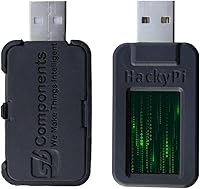
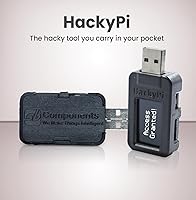
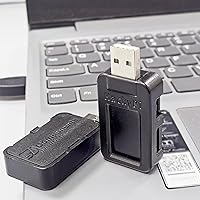
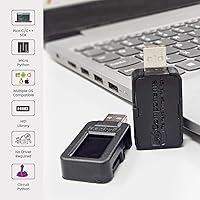
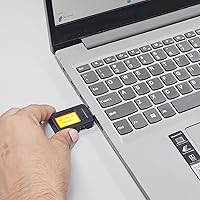
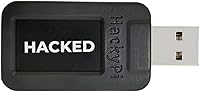
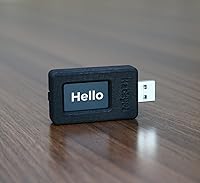
The SB Components HackyPi DIY USB Security Tool is a compact, programmable device built for anyone curious about cybersecurity and hands-on coding — not for professionals running real-world penetration tests. At its core sits the Raspberry Pi RP2040 microcontroller, a chip known for its flexibility and strong community support, meaning you inherit a rich ecosystem of libraries, tutorials, and fellow tinkerers. Plug it into any Windows, Mac, or Linux machine and it's recognized instantly — no driver installation, no setup headaches. The hardware is fully open-source, and Python support is baked in from the start, making it genuinely accessible whether you're writing your first script or experimenting with more advanced automation concepts.
Features & Benefits
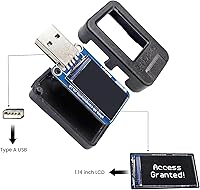
The RP2040 dual-core processor punches above its weight for an embedded learning platform — it handles concurrent tasks cleanly, which matters when you're trying to understand how scripts interact with a host system in real time. The sharp 1.14″ TFT color display is genuinely useful; seeing output directly on the device helps close the feedback loop without constantly switching back to a terminal window. An onboard SD card slot lets you store and swap scripts offline, handy for data logging experiments or carrying multiple payloads to a workshop. HID emulation via the Type-A USB port is where the ethical hacking education angle becomes practical — simulating keyboard input programmatically is a foundational concept in automation and security awareness training. Drag-and-drop programming via USB mass storage keeps the entire setup process friction-free.
Best For
This DIY hacking USB hits a specific sweet spot — best suited to students, self-taught security enthusiasts, and curious makers rather than working professionals. If you're taking an introductory cybersecurity course or working through CTF (Capture The Flag) challenges, the HackyPi gives you a tangible, portable device to test concepts you'd otherwise only read about. Educators will find it a compelling classroom demo tool, especially for lessons around HID attacks or automation scripting. Those already comfortable in the MicroPython or CircuitPython ecosystem will feel right at home, spending less time on setup and more time building. Total beginners should know that some community research will be needed to unlock more advanced features — the official documentation alone won't always get you there.
User Feedback
Buyers generally respond well to this RP2040-based security gadget, with most praise aimed at how painless the initial setup is and how the small TFT display adds a layer of polish you don't usually see at this price tier. Build quality earns solid marks for a hobbyist-grade device — it feels sturdy enough for regular tinkering. On the flip side, the most consistent complaint is sparse official documentation; getting past the basics often means turning to community forums and GitHub repos. A handful of users have flagged minor compatibility hiccups on certain Linux distributions. Experienced security professionals expecting a serious pentesting platform will likely feel constrained — this is firmly a learning tool, and it performs that role well without pretending to be something it isn't.
Pros
- Recognized instantly on Windows, Mac, and Linux with zero driver installation required.
- Drag-and-drop script loading makes getting started genuinely accessible for beginners.
- The onboard 1.14″ TFT color display adds real-time output feedback that most competing tools lack.
- Built on the RP2040, so a vast ecosystem of community tutorials and libraries is immediately available.
- SD card slot enables offline script storage and data logging without any cloud dependency.
- Open-source hardware means you can inspect, modify, and extend everything at the hardware level.
- MicroPython and CircuitPython support keeps the coding barrier low for anyone with basic Python knowledge.
- Portable enough to carry to CTF events or workshops without any dedicated carrying solution.
- HID emulation works reliably across host machines for educational automation demonstrations.
- Competitive value compared to purpose-built alternatives like the USB Rubber Ducky, given the added hardware features.
Cons
- Official documentation is too sparse to support learners past the most basic examples.
- No protective enclosure is included, leaving the bare PCB vulnerable during transport.
- Advancing beyond CircuitPython into HidLibrary or other languages requires significant self-directed research.
- SD card compatibility is not well-specified, and some higher-capacity or off-brand cards cause issues.
- HID injection timing can slip under heavier script loads, requiring manual delay tuning.
- Linux support is inconsistent on non-mainstream distributions, with no official troubleshooting guidance.
- No USB cable is included in the box, which is a minor but irritating omission.
- Product-specific community forums are thin — most support relies on general RP2040 resources that may not map perfectly.
- On-device debugging tools are essentially absent, making error diagnosis a slow trial-and-error process.
- The small display washes out noticeably in bright ambient lighting, reducing usability during outdoor or well-lit demos.
Ratings
Our AI rating engine processed hundreds of verified global purchases of the SB Components HackyPi DIY USB Security Tool, actively filtering out incentivized, duplicate, and bot-generated submissions to surface what real buyers actually experienced. The scores below reflect a balanced synthesis of genuine praise and recurring frustrations — nothing is glossed over. Whether this gadget clicks for you depends heavily on your skill level and expectations, and the ratings make that distinction clear.
Ease of Setup
Documentation & Learning Resources
Build Quality
Display Quality
HID Emulation Performance
Programming Experience
Cross-Platform Compatibility
SD Card Functionality
Value for Money
Processor Performance
Portability & Form Factor
Community & Ecosystem Support
Suitability for Advanced Users
Out-of-Box Content & Packaging
Suitable for:
The SB Components HackyPi DIY USB Security Tool is a natural fit for students, self-taught learners, and curious hobbyists who want a hands-on way to explore cybersecurity concepts beyond just reading about them. If you are working through an introductory ethical hacking course, preparing for CTF competitions, or simply want to understand how HID-based automation works at a practical level, this device turns abstract ideas into something you can actually run and observe. Educators will find real value here too — it is compact enough to pass around a classroom and approachable enough to spark genuine engagement without requiring specialized lab equipment. Makers and coders already comfortable with MicroPython or the broader Raspberry Pi ecosystem will feel at home from day one, spending their time experimenting rather than fighting setup. For anyone who learns best by doing rather than reading, this RP2040-based security gadget offers a surprisingly rich sandbox at a reasonable price point.
Not suitable for:
If you are a working security professional looking for a reliable tool to deploy in real penetration testing engagements, the HackyPi is not the right choice — it simply was not built for that context, and its limitations in throughput, documentation, and tooling support will frustrate anyone expecting professional-grade performance. Buyers who need a fully guided, hand-held learning experience out of the box will also hit a wall quickly; the official documentation is thin enough that progressing past basic examples requires a willingness to dig through community forums and GitHub repos independently. Anyone who needs a rugged, enclosure-protected device for frequent travel or heavy daily use should know the board ships bare, with no protective shell included. If your main interest is passive learning — watching tutorials without writing and deploying your own scripts — this DIY hacking USB offers little incremental value over free online resources alone. And if Linux compatibility on non-mainstream distributions is a requirement, be aware that the plug-and-play experience is considerably less consistent outside of Windows and macOS.
Specifications
- Microcontroller: Powered by the Raspberry Pi RP2040 chip featuring a dual-core ARM Cortex-M0+ architecture running at up to 133 MHz.
- Display: Equipped with a 1.14″ TFT color screen for real-time on-device visual output and script status feedback.
- USB Connector: Uses a standard Type-A USB interface, compatible with virtually any host port or USB hub without adapters.
- Storage: Includes an onboard microSD card slot for local script storage and data logging without requiring a cloud or network connection.
- OS Support: Fully compatible with Windows, macOS, and Linux operating systems without requiring any driver installation.
- Primary Language: Natively supports MicroPython and CircuitPython, making it accessible to anyone with basic Python programming experience.
- Library Support: Compatible with HidLibrary, enabling scripting and HID emulation in programming languages beyond Python.
- Programming Method: Scripts are loaded via drag-and-drop over USB mass storage, eliminating the need for dedicated flashing software or command-line tools.
- Hardware Type: Fully open-source hardware, meaning schematics and firmware are publicly available for inspection, modification, and community contribution.
- Boot Button: Features an onboard Boot button that allows easy access to firmware update mode without additional tools or software.
- Form Factor: Compact USB dongle design with package dimensions of 3.43 x 2.91 x 1.46 inches, sized to fit in a pocket or small kit bag.
- Weight: Weighs just 0.705 ounces, making it one of the lightest programmable HID devices in its category.
- Enclosure: Ships as a bare PCB without a protective case or enclosure included in the package.
- Driver Requirement: Requires no third-party drivers on any supported operating system — the host machine recognizes it natively as a USB HID and mass storage device.
- Manufacturer: Designed and produced by SB Components, a UK-based electronics manufacturer focused on open-source hardware and Raspberry Pi accessories.
- HID Emulation: Capable of emulating a USB keyboard to deliver automated keystroke injection sequences, used in security education and automation scripting.
- Power Source: Draws power directly from the host USB port, requiring no external power supply, battery, or charging cable.
- Package Contents: The package includes the HackyPi board only — no USB cable, enclosure, or printed documentation is included in the box.
Related Reviews
FeiTian A4B USB Security Key
FEITIAN ePass K40 USB Security Key
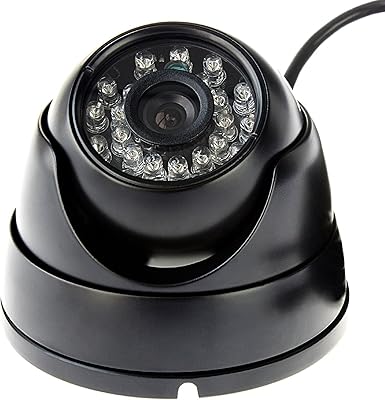
SVPRO 1080P Outdoor Waterproof USB Dome Camera
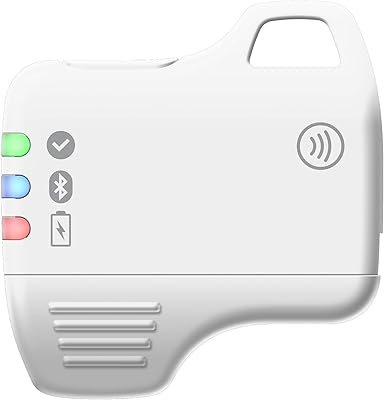
Feitian MultiPass K32 USB Security Key
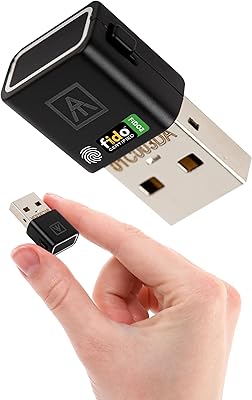
AUTHENTREND ATKey.Pro FIDO2 Fingerprint Security Key
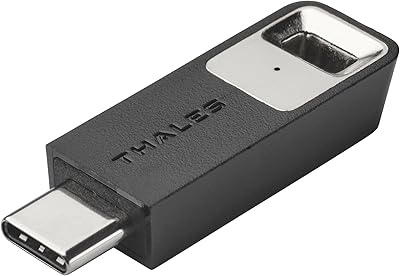
Thales SafeNet eToken FIDO USB-C Security Key
Verbatim Fingerprint Secure 64GB USB Flash Drive
ELP USB Security Camera Module - 1080P HD, 2.1mm Lens

Verbatim Store n Go Secure Pro 32GB USB Drive