Overview

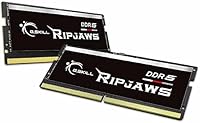
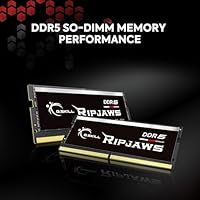
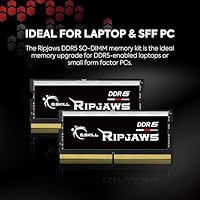
The G.SKILL Ripjaws DDR5 SO-DIMM 32GB Laptop RAM sits in a sweet spot for laptop upgraders who want modern DDR5 performance without spending on flagship-tier kits. G.SKILL has long been a trusted name among PC enthusiasts, and that credibility carries into their notebook-focused lineup. The 32GB dual-channel configuration — two matched 16GB sticks working in tandem — makes a real difference when you are juggling dozens of browser tabs, running virtual machines, or editing video. Worth noting: the SO-DIMM form factor means this is strictly for laptops and compact mini-PCs, not standard desktop builds. It launched in mid-2023 and has consistently ranked among the top-selling laptop memory options since.

Features & Benefits

Running at DDR5-5600 speeds, this DDR5 SO-DIMM kit moves data noticeably faster than typical DDR4 notebook memory, and while the CL40 latency sounds high on paper, it sits right in line with what DDR5 at this speed class normally delivers — the raw throughput more than compensates. The kit ships with both a JEDEC default profile and an Intel XMP 3.0 profile, meaning it installs and works out of the box on any compatible laptop, with the option to unlock the full 5600MT/s in the BIOS. Operating at just 1.10V, it runs cooler and draws less power than DDR4 modules, which matters on battery life. Both sticks ship as a matched pair — install them together, never mixed with other kits.

Best For

This G.SKILL laptop memory upgrade is best suited for anyone bumping up from 16GB who regularly hits memory pressure — think content creators rendering exports, developers running local servers, or power users who keep 30-plus tabs open alongside Slack and Spotify. If your laptop runs on an Intel 12th or 13th gen platform, you are in the best position to take advantage of the XMP 3.0 profile and reach the full rated speed. It also works well in compact mini-PC systems with SO-DIMM slots. If you are on an AMD-based laptop, double-check your model compatibility first — XMP 3.0 and AMD EXPO are different standards, and results can vary. No RGB, no frills.

User Feedback

With a 4.7-star average built from nearly 700 real buyer ratings, the Ripjaws DDR5 module has earned its standing. Most positive reviewers highlight hassle-free installation — the sticks seat cleanly, BIOS recognition happens immediately, and standard operation requires no manual tuning at all. Performance stability also comes up often, with users noting smooth behavior under sustained workloads like video exports and multitasking. Where the kit draws occasional criticism, it is almost always a compatibility mismatch rather than a defect: buyers who mixed sticks from different kits, or skipped checking their laptop support list, ran into instability. That is a setup issue, not a product flaw. Holding a top-100 BSR ranking in Computer Memory consistently reflects genuine long-term buyer satisfaction.

Pros

  • Easy installation — most users report the sticks are recognized by the BIOS immediately with no manual setup required.
  • The dual-channel design delivers noticeably smoother multitasking compared to running a single large module.
  • Intel XMP 3.0 support lets compatible laptop owners reach the full rated speed with a single BIOS setting.
  • Works reliably at JEDEC defaults on non-XMP systems, so it is not locked to a narrow range of hardware.
  • Operating at 1.10V, this DDR5 SO-DIMM kit runs more efficiently and generates less heat than older DDR4 alternatives.
  • G.SKILL ships both sticks as a tested, matched pair — stability comes built in rather than left to chance.
  • A 4.7-star average across nearly 700 ratings reflects consistent real-world performance, not just spec-sheet promise.
  • No RGB or unnecessary extras keep the price focused on what actually matters: memory capacity and speed.
  • Holding a top-100 bestseller rank in Computer Memory signals strong, sustained demand from real buyers over time.
  • 32GB of total capacity gives serious headroom for video editing, coding workloads, and heavy browser-based workflows.

Cons

  • AMD laptop compatibility is not guaranteed — buyers need to manually verify EXPO or JEDEC support for their specific model.
  • XMP 3.0 speed benefits are locked to Intel platforms; users on other architectures may not reach the full 5600MT/s.
  • Mixing this kit with sticks from another brand or speed tier is likely to cause system instability or boot failures.
  • Not compatible with any desktop motherboard — the SO-DIMM form factor is a hard limitation, not a preference.
  • Laptops with soldered memory cannot use this kit at all, which rules out a significant portion of thin-and-light models.
  • No heat spreader is included, which is typical for SO-DIMM memory but worth noting for sustained high-load scenarios.
  • At 32GB total, it may feel limiting sooner than expected for users running memory-intensive workloads like 4K video editing or large virtual machines.
  • Some users have had to update laptop firmware before the BIOS properly recognizes and configures the kit correctly.

Ratings

The scores below reflect an AI-assisted analysis of verified global buyer reviews for the G.SKILL Ripjaws DDR5 SO-DIMM 32GB Laptop RAM, with spam, bot activity, and incentivized feedback actively filtered out to ensure the results represent genuine user experiences. Each category score captures both what this DDR5 SO-DIMM kit does well and where real buyers have run into friction, drawing on feedback from thousands of laptop upgraders across multiple hardware platforms. Strengths and limitations are weighted equally, so the numbers reflect honest, balanced performance rather than a promotional summary.

Installation Ease
92%
Most buyers slot these sticks in, close the laptop panel, and are up and running within 15 minutes. The kit seats cleanly into standard SO-DIMM slots and is recognized on first boot without any manual configuration, which is exactly what you want when cracking open a work machine for a quick upgrade.
A small number of users needed a laptop firmware update before the system would properly POST with the new sticks — a step most buyers do not anticipate going in. It is a minority experience, but checking for a BIOS update on your specific laptop model before starting the install is a sensible precaution.
BIOS Compatibility
88%
On Intel 12th and 13th gen laptops, the XMP 3.0 profile loads cleanly, letting the system reach the full rated speed with a single BIOS toggle. For systems without XMP support, the JEDEC default profile kicks in automatically, so even less technical users get a stable result from day one without any manual tuning.
AMD-platform laptops are the consistent trouble spot — because XMP 3.0 is not the same as AMD EXPO, some users find the kit runs at reduced default speeds rather than the full 5600MT/s. A handful of older Intel laptops also required firmware patches before fully recognizing and correctly configuring the DDR5 modules.
Multitasking Performance
87%
Buyers who upgraded from 16GB specifically to handle demanding workloads — keeping Figma, a browser with 40-plus tabs, Slack, and a local dev server running simultaneously — report the difference is tangible and immediate. The dual-channel bandwidth at DDR5 speeds makes context switching between memory-hungry applications feel noticeably more responsive.
For users doing mostly light tasks like email, documents, and casual web browsing, the upgrade from 16GB feels less dramatic, and the speed advantage of 5600MT/s over slower DDR5 kits is unlikely to be perceptible in everyday use. The payoff is clearly front-loaded toward heavier, more demanding creative and development workflows.
Performance at Rated Speed
86%
Users working in video editing software and large development environments consistently report faster application loading and smoother parallel processing after upgrading to this G.SKILL laptop memory upgrade. Running resource-intensive applications like DaVinci Resolve or multiple Docker containers simultaneously becomes noticeably more fluid at 32GB dual-channel DDR5 speeds.
On AMD laptops or systems where XMP cannot be enabled, performance lands at JEDEC default speeds, which are meaningfully lower than the rated 5600MT/s. The real-world gap between this kit at full speed versus a slower DDR5 kit is also less dramatic for general office tasks than for sustained creative or developer workloads.
Value for Money
84%
For a 32GB DDR5 SO-DIMM kit running at 5600MT/s from an established memory brand, the price lands in a competitive range that most buyers consider fair for the generation. Users who priced out DDR5 memory when it first launched find this a practical and sensibly priced way to step into current-generation notebook memory.
Buyers on very tight budgets may find cheaper DDR5 SO-DIMM options available, typically from lesser-known brands with less reliable QVL documentation. The price also feels less compelling for AMD laptop users who cannot reach the full rated speed, effectively paying for a premium specification they may never fully utilize.
Brand Reputation
89%
G.SKILL has been a trusted name in enthusiast memory for well over a decade, and that legacy provides real purchasing confidence when buying RAM without hands-on testing. The brand maintains a detailed QVL and an online RAM Configurator tool that reflect a level of post-sale transparency and hardware validation that budget memory brands rarely offer.
G.SKILL direct support response times have drawn some criticism from users who needed warranty assistance and found the process slower than expected. The brand premium also means that if a cheaper DDR5 option from a less prominent label happens to be fully compatible with your laptop, you may pay more without gaining any measurable performance advantage.
Dual-Channel Stability
91%
Running both sticks together as a matched pair has proven reliably stable across a wide range of Intel laptop platforms, with users reporting zero crashes or memory errors during extended heavy use. The matched-kit design means both modules have been validated together at the factory, which translates to predictable, consistent behavior over time.
Any attempt to mix these sticks with a module from a different kit or brand introduces a real instability risk — several users encountered boot failures after trying to combine their existing DDR5 stick with one from this kit. The modules must be used as a complete matched set to maintain the stability they are rated and tested for.
Power Efficiency
83%
Operating at 1.10V, these modules draw less power than DDR4 alternatives running at 1.2V or higher, which has a small but real effect on battery endurance during unplugged work sessions. Laptop users doing long days away from a desk appreciate that moving to DDR5 does not come at a noticeable power cost.
The efficiency advantage over DDR4 is genuine but not transformative — buyers hoping for dramatic battery life improvements will find the gains modest, as memory contributes only a portion of total system power draw. The benefit is more meaningful in thin-and-light chassis with tight thermal budgets than in larger, performance-oriented laptop designs.
Build Quality
79%
21%
The PCB feels solid and both sticks insert and latch into SO-DIMM slots cleanly without flex or resistance issues that might suggest poor manufacturing tolerances. Defective units are genuinely rare relative to the high volume of buyer feedback, which reflects well on G.SKILL consistency at the production level.
The bare PCB design, with no heat spreader included, may raise questions for users pushing sustained heavy workloads in poorly ventilated chassis — though DDR5 SO-DIMM modules rarely reach temperatures that would require one. The minimalist black finish also offers no visual distinction from cheaper alternatives, which some buyers find underwhelming at this price tier.
Thermal Behavior
77%
23%
In typical laptop usage scenarios — browsing, coding, light video editing — the modules run cool and do not contribute meaningfully to the overall thermal load inside the chassis. Users pairing these sticks with modern Intel Core processors have not flagged memory-specific temperature issues or throttling under normal workloads.
Under very heavy, sustained parallel workloads inside compact chassis with limited airflow, there are isolated reports of systems running warmer than expected — though isolating memory as the cause versus CPU or SSD thermals is difficult. There is no heat spreader or aftermarket thermal accessory option for SO-DIMM users who want additional temperature headroom.
AMD Platform Compatibility
52%
48%
The modules do operate on many AMD laptops at JEDEC default speeds without significant issues, offering AMD users a functional capacity upgrade even without hitting the top speed rating. For buyers who primarily need 32GB of headroom rather than peak bandwidth, this remains a usable option on compatible AMD hardware.
XMP 3.0 and AMD EXPO are separate standards, and this kit carries no EXPO profile — AMD users targeting the full 5600MT/s will need to seek out EXPO-certified alternatives instead. Negative reviews citing instability on AMD platforms are a consistent thread across the feedback pool, and this is the main factor pulling the score down substantially.
Documentation & Support
68%
32%
G.SKILL provides an online QVL and a RAM Configurator tool that make pre-purchase compatibility checking accessible even for buyers without technical backgrounds. The clearly formatted model number also makes it easy to cross-reference exact specifications and validated hardware pairings directly on the G.SKILL website before and after purchase.
In-box documentation is minimal — buyers receive no printed installation guide or troubleshooting resource, which can leave first-time memory upgraders without a fallback if something goes wrong. Response times from G.SKILL direct support channels have been a recurring frustration among users who needed timely help during an active laptop upgrade.

Suitable for:

The G.SKILL Ripjaws DDR5 SO-DIMM 32GB Laptop RAM is a strong match for anyone who has outgrown 16GB and wants a tangible upgrade without going overboard on cost. It is particularly well-suited to content creators who edit video or photos on a laptop, software developers running local environments or multiple virtual machines, and power users who habitually keep dozens of tabs, communication tools, and creative apps open at once. If your laptop is built around an Intel 12th or 13th gen processor, you are in the ideal position to unlock the full 5600MT/s speed via the XMP 3.0 profile in your BIOS — a quick toggle that makes a real difference. Compact PC builders working with mini-PCs that use SO-DIMM slots will also find this kit a reliable, fuss-free choice. The dual-channel 2x16GB configuration means both sticks contribute simultaneously, which keeps the system running efficiently under heavy workloads rather than hitting a bottleneck with a single large module.

Not suitable for:

The G.SKILL Ripjaws DDR5 SO-DIMM 32GB Laptop RAM is not the right pick for every buyer, and it is worth being clear-eyed about that before purchasing. Desktop builders should stop here immediately — this is a SO-DIMM form factor, designed exclusively for laptops and mini-PCs with the appropriate slot type; it will not physically fit a standard desktop motherboard. AMD laptop users face another potential hurdle: XMP 3.0 is an Intel-driven standard, and while some AMD platforms may accept these sticks at default JEDEC speeds, anyone hoping to hit the full rated 5600MT/s should verify EXPO compatibility for their specific model before buying. If your laptop has soldered or non-upgradeable memory — increasingly common in ultra-thin designs — this kit is simply not an option regardless of specs. Buyers who already have a 32GB kit installed and want to expand to 64GB should also be cautious: mixing this kit with a different brand or speed tier is likely to cause instability, so a full replacement rather than a mix-and-match approach is the safer path.

Specifications

  • Brand: This kit is manufactured by G.SKILL, a brand with a long-standing reputation for enthusiast-grade memory products used in both consumer and professional builds.
  • Series: The module belongs to the Ripjaws DDR5 SO-DIMM series, G.SKILL's notebook-focused DDR5 lineup designed for performance-oriented laptop upgrades.
  • Model Number: The exact model identifier is F5-5600S4040A16GX2-RS, which can be used to cross-reference compatibility with G.SKILL's official QVL and RAM Configurator tool.
  • Total Capacity: The kit provides 32GB of total memory delivered as two matched 16GB modules intended to be installed together as a dual-channel pair.
  • Memory Type: Both modules use DDR5 SDRAM technology, the current-generation standard that offers higher bandwidth and improved power efficiency compared to DDR4.
  • Form Factor: The modules use the SO-DIMM 262-pin interface, the compact format required by laptops, mini-PCs, and other space-constrained systems.
  • Rated Speed: The kit is rated to operate at 5600 MT/s, which represents the peak data transfer rate achievable when XMP 3.0 is enabled on a compatible platform.
  • Latency Timings: Primary latency timings are CL40-40-40-89, which are standard for DDR5 memory operating at this speed tier and reflect normal DDR5 latency characteristics.
  • Operating Voltage: Both sticks operate at 1.10V, which is lower than typical DDR4 operating voltages and contributes to reduced heat output and better energy efficiency.
  • Profile Support: The kit includes both an Intel XMP 3.0 overclock profile for one-step speed enablement and a JEDEC default profile for broad plug-and-play compatibility.
  • ECC Support: These modules are Non-ECC, meaning they do not include error-correcting code functionality, which is appropriate for consumer laptops but not server or workstation applications.
  • Buffer Type: The kit is unbuffered, which is the standard configuration for consumer notebook memory and is not interchangeable with registered or buffered server memory.
  • Compatible Devices: Designed exclusively for laptops and notebooks with available DDR5 SO-DIMM slots; not compatible with standard desktop DIMM slots under any circumstances.
  • Color: The modules are finished in black with no RGB lighting, keeping the design clean and the focus entirely on performance rather than aesthetics.
  • Release Date: This kit first became available in May 2023, giving it a solid track record of real-world use across a wide range of compatible laptop platforms.

Related Reviews
G.SKILL Ripjaws DDR5 16GB SO-DIMM 4800MT/s RAM
86%
92%
Performance
88%
Ease of Installation
90%
Compatibility with Intel XMP
85%
Power Efficiency
91%
Multitasking Capability
More
G.SKILL Ripjaws DDR5 SO-DIMM 16GB 5600MT/s RAM
88%
94%
Performance Boost
88%
Energy Efficiency
91%
Installation Ease
93%
Speed (5600MT/s)
86%
Build Quality
More
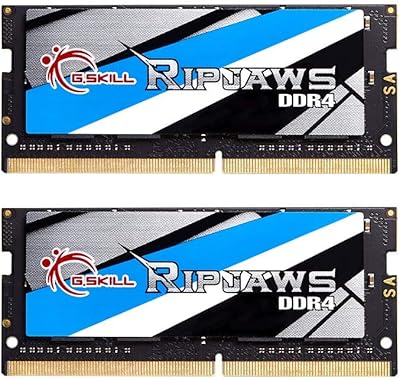
G.SKILL Ripjaws DDR4 32GB SO-DIMM Laptop RAM
85%
91%
Installation Experience
88%
Compatibility Range
86%
Dual-Channel Performance
93%
Long-Term Reliability
84%
Value for Money
More
G.SKILL Ripjaws DDR5 SO-DIMM 32GB Laptop RAM
81%
78%
System Compatibility
88%
Installation Experience
83%
Performance Uplift
91%
Stability & Reliability
74%
XMP Profile Usability
More
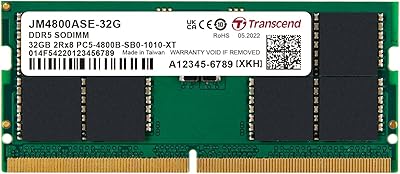
Transcend 32GB DDR5 4800MHz SO-DIMM Laptop RAM
84%
93%
Installation Experience
81%
Compatibility Range
89%
System Stability
78%
Value for Money
74%
Real-World Performance
More
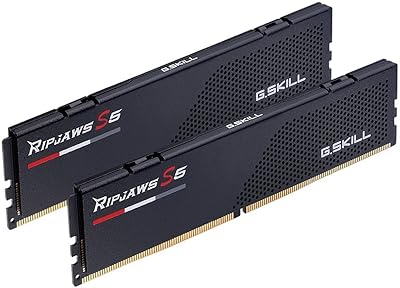
G.SKILL Ripjaws S5 32GB DDR5 RAM
83%
88%
Performance at Rated Speed
91%
Setup & BIOS Activation
86%
Compatibility Breadth
89%
Value for Money
84%
Build & Physical Quality
More
G.SKILL Ripjaws DDR4 SO-DIMM 16GB Laptop RAM
82%
92%
Installation Ease
89%
Stability & Reliability
86%
Value for Money
77%
Compatibility
74%
Real-World Performance
More
G.SKILL Ripjaws S5 64GB 6000MT/s DDR5 RAM
80%
91%
Stability & Reliability
88%
XMP & EXPO Setup
89%
Performance at Rated Speed
83%
Platform Compatibility
67%
Value for Money
More
G.SKILL Ripjaws DDR5 SO-DIMM 64GB Laptop RAM
83%
91%
Installation Experience
93%
System Stability
72%
Compatibility Range
84%
Performance at Rated Speed
88%
Build Quality
More
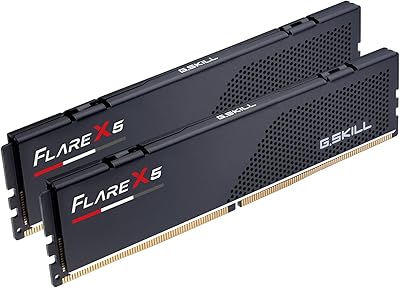
G.SKILL Flare X5 Series DDR5 32GB (2x16GB) 6000MT/s RAM
85%
92%
Performance
89%
Ease of Installation
90%
Compatibility with AMD Systems
91%
Speed (6000MT/s)
85%
Latency (CL32-38-38-96)
More

FAQ

The most reliable approach is to check G.SKILL's official RAM Configurator tool on their website, where you can search by laptop model to see if your system is on the validated compatibility list. You should also confirm your laptop has user-accessible SO-DIMM slots, since many thin-and-light models have memory soldered directly to the motherboard and cannot be upgraded at all.

Yes, on Intel platforms you will need to enter your BIOS after installation and enable the XMP 3.0 profile — it is usually a single toggle in the memory or overclocking section. Without enabling XMP, the kit will default to the lower JEDEC speed, which is stable but slower than the rated spec. Most modern Intel laptop BIOS menus make this straightforward.

You can physically install a single 16GB stick and it will work, but you will lose the dual-channel benefit, which measurably affects memory bandwidth on DDR5 platforms. For best performance, both sticks should be installed together from the start. If you plan to expand later, it is better to buy a full matched kit rather than adding a second stick from a different source.

It will likely run at JEDEC default speeds, but reaching the full 5600MT/s is less certain because XMP 3.0 is an Intel standard and AMD uses its own EXPO specification. Some AMD laptops do accept XMP-rated sticks without issue, but it is not guaranteed. Check your specific laptop model against G.SKILL's compatibility list before purchasing.

G.SKILL strongly advises against mixing memory kits, and for good reason — mismatched sticks can cause system instability, random crashes, or failure to boot. If you want to reach 32GB, the cleaner solution is to remove the existing memory entirely and install the G.SKILL Ripjaws DDR5 SO-DIMM 32GB Laptop RAM as a complete matched kit.

For everyday tasks the jump is modest, but for workloads that rely heavily on memory bandwidth — video editing, large dataset processing, or running multiple virtual machines simultaneously — DDR5 delivers a real improvement. The lower operating voltage also means slightly better thermal behavior in a laptop chassis, which matters over long sessions.

Most laptops that allow memory upgrades require removing a bottom panel, locating the SO-DIMM slots, and pressing the sticks in at an angle until they click into place — no special tools beyond a small Phillips screwdriver are typically needed. The vast majority of buyers report the process takes under 15 minutes and that the system recognizes the new memory on the first boot.

Start by reseating both sticks firmly to make sure they are fully clicked into the slots. Then check whether your laptop firmware is up to date, as some systems released before DDR5 kits became common needed a BIOS update to properly handle them. If the system still fails to POST, consult G.SKILL's QVL to confirm your laptop model is listed as compatible.

G.SKILL typically backs their memory with a limited lifetime warranty, though it is worth confirming the exact terms on their official website at the time of purchase. The warranty covers manufacturing defects under normal use conditions and does not apply to damage caused by improper installation or operating outside the recommended voltage specifications.

DDR5 SO-DIMM modules operating at 1.10V run cooler than comparable DDR4 kits, and the Ripjaws DDR5 modules have no additional components like heat spreaders that would add bulk. Under normal laptop usage, thermal output from the memory itself is not typically a concern, though overall system thermals still depend on your laptop's cooling design.

Where to Buy