Overview

The G.SKILL Ripjaws S5 64GB 6000MT/s DDR5 RAM lands squarely in the sweet spot for builders who are done compromising on capacity or speed. Running as a matched 2x32GB dual-channel pair, it gives multitaskers and content creators breathing room that 32GB kits simply cannot offer. At 6000MT/s with CL36 primary timings, it hits a performance balance that more aggressive DDR5 kits chase at the cost of stability. Compatibility spans Intel 600, 700, and 800-series boards alongside AMD X670, B650, and X870 platforms — broad enough to cover most modern builds. G.SKILL has earned credibility in the enthusiast space over many years, and this kit reflects that track record without needing any marketing fluff to back it up.
Features & Benefits

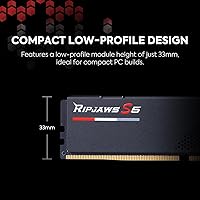
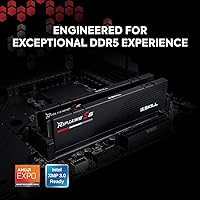
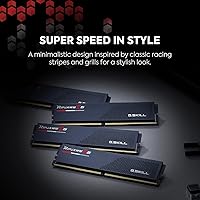
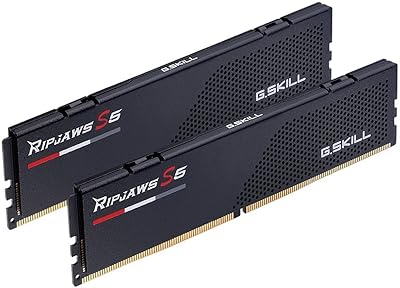
One of the more practical aspects of this DDR5 kit is how little effort it takes to unlock its rated speed. Drop it into a compatible Intel or AMD board, enable XMP 3.0 or EXPO in BIOS, and you are running at 6000MT/s without touching a single timing manually. The CL36-36-36-96 timings at 1.35V are tighter than many DDR5 kits at this speed tier, which translates to real latency gains in demanding workloads. The low-profile matte black heatspreader is a quiet bonus for builders running large air coolers with tight clearances. Worth stating clearly: this is a 288-pin DDR5 module and will not fit DDR4 motherboards — if you are mid-platform-upgrade, confirm your board before ordering.

Best For

The Ripjaws S5 64GB makes the most sense for builders who want a single capable kit that will not cap out at the first sign of multitasking. Gamers running open-world titles alongside streaming software will notice the difference 64GB makes versus a standard 32GB setup. Video editors, 3D artists, and anyone juggling virtual machines will find the 64GB capacity genuinely useful rather than speculative headroom. Builders on Intel Z790, Z890, or AMD X670 and B650 boards get the added benefit of a validated XMP/EXPO-ready kit that needs no BIOS tinkering. Those using a four-slot motherboard also benefit from leaving two slots open for a future upgrade rather than filling all four with smaller modules.

User Feedback

Buyers rate this memory upgrade highly, with most praise centering on out-of-box stability and how reliably XMP enables without requiring multiple BIOS attempts. Many reviewers specifically mention hitting 6000MT/s on the first try with no voltage adjustments — a point that stands out in a category where that is not always guaranteed. On the downside, a handful of users ran into boot issues when XMP was not manually enabled on initial setup, and a few noted compatibility quirks with certain older B-series boards, so checking the G.SKILL QVL is genuinely worthwhile. The no-RGB design draws a split reaction: minimalists appreciate the clean look, but buyers expecting visual flair should know upfront that none is here.

Pros

  • Runs reliably at its rated 6000MT/s speed with XMP or EXPO enabled, no manual tuning required.
  • CL36 timings are tighter than many competing DDR5 kits at this speed, which matters in latency-sensitive workloads.
  • 64GB total capacity covers demanding use cases like video editing, 3D rendering, and heavy multitasking without compromise.
  • Supports both Intel XMP 3.0 and AMD EXPO, making it genuinely versatile across current-gen platforms.
  • Low-profile heatspreader fits comfortably under large air coolers where taller RGB modules may cause clearance issues.
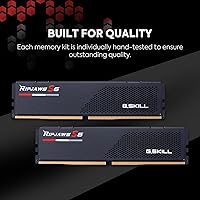
  • Matched dual-channel pair ships tested together, reducing the risk of instability that can come from mixing separate sticks.
  • JEDEC default profile means the kit boots safely at stock speeds even before XMP is configured in BIOS.
  • Broad chipset compatibility covers Intel 600, 700, and 800-series as well as AMD X670, B650, and X870 boards.
  • G.SKILL has a long track record with enthusiast memory, and real-world user stability reports reflect that consistency.

Cons

  • Premium pricing puts this DDR5 kit out of reach for budget-conscious builders who only need 32GB.
  • No RGB lighting at all — buyers wanting visual flair in their build will need to look at other options.
  • A small number of users have reported initial boot failures when XMP was not manually enabled on first startup.
  • Compatibility with certain older B-series boards can be inconsistent; checking the G.SKILL QVL before buying is genuinely necessary.
  • Not backward compatible with DDR4 platforms, which is an easy mistake for buyers mid-upgrade who have not confirmed their board.
  • Cannot be mixed with other memory kits without risking instability — you are locked into using this as a standalone set.
  • 64GB may be overkill and hard to justify for casual users who primarily browse, stream, or play less demanding titles.

Ratings

The scores below reflect an AI-driven analysis of verified global buyer reviews for the G.SKILL Ripjaws S5 64GB 6000MT/s DDR5 RAM, with spam, bot-generated, and incentivized submissions actively filtered out before scoring. Each category captures what real users consistently praised and where genuine frustrations surfaced — nothing is smoothed over to flatter the product. Both the strengths that make this kit stand out and the pain points that caused buyers to hesitate are represented transparently in every scorecard.

Stability & Reliability
91%
Across a wide range of real-world builds, buyers consistently report this DDR5 kit running without crashes, memory errors, or unexpected reboots during extended workloads. Gamers running sessions lasting several hours and editors processing large video files both highlight long-term stability as a standout quality.
A small but recurring cluster of reviews describes instability specifically tied to early BIOS revisions on certain B-series motherboards. In those cases, a BIOS update typically resolved the issue, but it adds a setup hurdle that buyers on newer boards rarely encounter.
XMP & EXPO Setup
88%
Most buyers describe enabling the rated 6000MT/s speed as a straightforward one-step BIOS toggle — no manual timing entry, no voltage adjustments. Intel and AMD users alike note that the profile loaded cleanly on the first attempt on validated motherboards.
A handful of reviewers ran into repeated boot loops after enabling XMP before their board had properly trained the memory, which required a CMOS reset to recover. This is not unique to this kit, but it catches first-time DDR5 builders off guard more than experienced users.
Performance at Rated Speed
89%
Benchmarks and real-world application results from buyers confirm the kit genuinely delivers at 6000MT/s with CL36 timings once the profile is active. Content creators report noticeably faster project renders and reduced application load times compared to their previous DDR4 or slower DDR5 setups.
Users who expected meaningful gaming frame rate improvements over a 5600MT/s kit at similar timings were sometimes underwhelmed — memory speed gains in gaming are real but incremental. The performance advantage is more pronounced in productivity and multitasking scenarios than in pure gaming benchmarks.
Platform Compatibility
83%
The breadth of supported chipsets — spanning multiple generations of both Intel and AMD mainstream platforms — means this kit fits the majority of current-gen desktop builds without any guesswork. Buyers on Z790, X670, and B650 boards in particular report clean compatibility with minimal friction.
Not every motherboard on a supported chipset has been validated, and a few buyers discovered their specific board model was absent from G.SKILL's QVL after purchase. Compatibility is generally strong, but skipping the QVL check beforehand is a gamble that has cost some buyers return shipping time.
Value for Money
67%
33%
For buyers who genuinely need 64GB and want a validated, high-speed DDR5 kit from a reputable brand, the pricing reflects a fair premium over generic alternatives with looser timings. Those coming from DDR4 who are doing a full platform upgrade tend to view this as a justified single-purchase solution.
Buyers who only need 32GB or who are building a mid-range system will find the cost hard to rationalize — capable 32GB DDR5 kits exist at substantially lower prices. The premium tier pricing also means any compatibility miss feels more costly than it would with a budget kit.
Build Quality & Heatspreader
84%
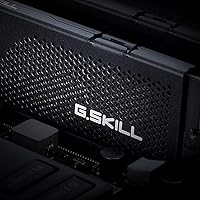
The matte black aluminum heatspreader feels solid and purposeful in hand, and buyers installing it alongside large air coolers appreciate that it does not fight for clearance the way taller RGB modules tend to. The overall finish is clean and consistent across both sticks in the kit.
A few users with very large tower coolers — particularly those with wide heatsinks that overhang the first DIMM slot — reported tighter-than-expected clearance even with this low-profile design. It fits in the vast majority of cases, but extreme cooling setups warrant a measurement check before assuming it clears.
Aesthetics & Design
71%
29%
Builders aiming for a clean, monochrome, or all-black aesthetic find the Ripjaws S5 heatspreader a natural fit — it does not compete visually with other components and looks intentional rather than bland. The understated design holds up well in open-frame and windowed cases where components are on display.
Buyers coming from RGB-equipped kits who expected visual customization are genuinely disappointed — there is no lighting, no addressable header, and no companion software. For a kit at this price point, the absence of RGB is a real trade-off that should be an explicit decision before buying.
Thermal Management
82%
18%
Under sustained workloads like extended rendering or large memory-intensive compilations, buyers report the heatspreader doing a competent job of keeping temperatures in check without requiring active airflow directed specifically at the DIMMs. DDR5 modules run warmer than DDR4 by design, and this kit manages that adequately.
In cases with very restricted airflow — compact ITX builds with minimal case ventilation — some users noted the modules running warmer than expected during prolonged heavy loads. This is a system-level consideration more than a kit flaw, but it is worth accounting for in thermally constrained builds.
Packaging & Delivery Condition
78%
22%
Most buyers report the kit arriving in solid condition with sticks well-seated in the retail tray and no cosmetic damage to the heatspreader. The packaging is functional and protective without being excessive.
A small number of buyers noted that the retail packaging offers minimal protection against shipping mishandling — the tray holds the sticks securely, but there is not much cushioning if the outer box takes a hard impact. Damage on arrival is rare but not unheard of based on review mentions.
Documentation & Setup Guidance
61%
39%
For experienced builders, the included documentation is sufficient — the basics of installing DDR5 and enabling XMP are covered, and G.SKILL's website has a RAM configurator tool that helps with motherboard validation. Buyers with prior PC building experience report no confusion.
First-time DDR5 builders who encountered boot issues after enabling XMP found the included documentation unhelpful for troubleshooting. Several reviewers mentioned turning to community forums rather than official resources to resolve problems, suggesting the guidance falls short for less experienced users.
Dual-Channel Consistency
86%
As a factory-matched pair, both sticks are binned and tested to run together, and buyers consistently confirm that both modules are recognized and running in dual-channel mode without requiring manual intervention. This is something buyers who have had mismatched kit issues in the past specifically call out as reassuring.
The strict matched-pair requirement means you cannot casually add a third or fourth stick later without risking instability — the kit is designed to run as a closed set. Buyers who did not read this caveat and later tried to expand their memory without buying a new matched kit reported frustrating results.
Long-Term Durability
79%
21%
Given G.SKILL's limited lifetime warranty and the brand's track record, buyers express above-average confidence in the long-term reliability of this memory upgrade. Reviewers who have owned G.SKILL products for multiple years tend to extend that trust to newer purchases.
DDR5 as a platform is still relatively young compared to DDR4, so true long-term user data is more limited than for mature product lines. The warranty process, while available, requires users to navigate an RMA procedure that some reviewers describe as slower than they hoped.

Suitable for:

The G.SKILL Ripjaws S5 64GB 6000MT/s DDR5 RAM is a strong match for anyone building or upgrading a high-performance desktop on a modern Intel or AMD platform who wants capacity and speed sorted in one purchase. Content creators working in video editing, 3D rendering, or running virtual machines will get genuine daily value from 64GB — it is not speculative headroom, it is headroom you will actually use. Gamers who also stream, record, or multitask heavily across several applications at once will appreciate not having to revisit their memory situation a year down the road. Builders on Intel Z790, Z890, or AMD X670 and B650 boards benefit from a kit that has validated motherboard support and enables its full 6000MT/s speed through a simple XMP or EXPO toggle in BIOS. Those planning a two-slot build who want to keep the remaining slots open for a future upgrade will also find this a sensible configuration choice.
Not suitable for:

The G.SKILL Ripjaws S5 64GB 6000MT/s DDR5 RAM is not the right call for every buyer, and it is worth being honest about where it falls short. If your motherboard uses DDR4 slots, this kit is physically incompatible — full stop — so anyone who has not yet confirmed their board supports DDR5 should do that before spending anything. Users on tighter budgets who only need 32GB for everyday gaming or light productivity will likely find the cost harder to justify when capable 32GB DDR5 kits exist at a noticeably lower price point. Workstation or server builders requiring ECC memory for error-correcting reliability should look elsewhere entirely, as this is a standard non-ECC consumer kit. Anyone hoping for RGB lighting or a visually expressive build element will also be disappointed — the matte black heatspreader is understated by design, and there is no lighting whatsoever.
Specifications

  • Brand: Manufactured by G.SKILL, a company with a long-standing focus on high-performance desktop memory for enthusiast and gaming markets.
  • Series: Part of the Ripjaws S5 lineup, which is G.SKILL's low-profile DDR5 family designed for clean, no-RGB builds.
  • Model Number: The exact model identifier for this kit is F5-6000J3636F32GX2-RS5K, useful for cross-referencing motherboard QVL lists.
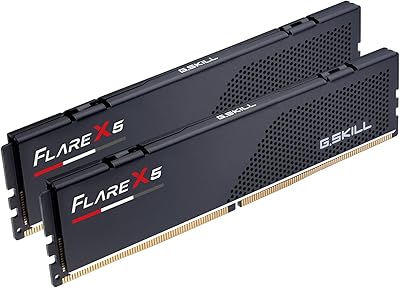
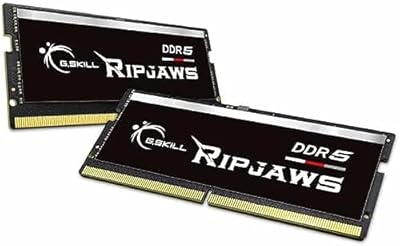
  • Capacity: Total kit capacity is 64GB, supplied as two matched 32GB U-DIMM modules intended to run in dual-channel configuration.
  • Memory Type: Uses DDR5 SDRAM in the standard 288-pin U-DIMM form factor, which is physically incompatible with DDR4 motherboard slots.
  • Rated Speed: Rated for DDR5-6000, equating to 6000MT/s data transfer rate when the XMP or EXPO profile is enabled in BIOS.
  • Primary Latency: CL36-36-36-96 primary timings represent a tighter-than-average latency profile for DDR5 running at this speed tier.
  • Voltage: Operates at 1.35V under the XMP and EXPO overclock profiles, which is within the standard range for DDR5 performance kits.
  • Profile Support: Includes a JEDEC default profile for safe stock-speed booting, plus Intel XMP 3.0 and AMD EXPO overclock profiles.
  • ECC Support: Non-ECC design, meaning it does not include error-correcting code functionality and is not suitable for workstation or server applications requiring ECC.
  • Compatible Chipsets: Validated for Intel Z890, Z790, Z690, B860, B760, and B660, as well as AMD X870, X670, B850, B840, and B650 platforms.
  • Intended Use: Designed exclusively for desktop PC use; not compatible with laptops, all-in-ones, or server platforms.
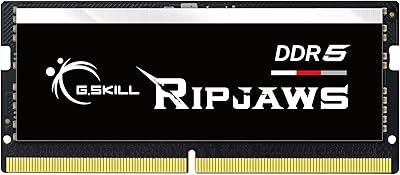
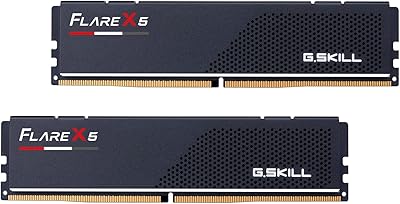
  • Heatspreader: Fitted with a matte black aluminum heatspreader that maintains a low-profile height to preserve cooler clearance in tight builds.
  • RGB Lighting: No RGB or addressable lighting of any kind is present on this kit; the aesthetic is strictly minimal and understated.
  • Kit Configuration: Sold as a factory-matched dual-channel pair; G.SKILL explicitly advises against mixing this kit with modules from other kits.

Related Reviews
G.SKILL Ripjaws S5 32GB DDR5 6000MT/s CL36
88%
94%
Overall Performance
91%
Stability & Reliability
88%
Installation Ease
93%
Compatibility with Intel Systems
90%
Compatibility with AMD Systems
More
G.SKILL Flare X5 DDR5-6000 64GB (2x32GB) CL30
79%
91%
EXPO Compatibility & Setup
88%
Performance at Rated Speed
83%
Capacity Value (64GB)
71%
Platform Compatibility Range
89%
Stability Under Sustained Load
More
G.SKILL Ripjaws S5 DDR5 48GB (2x24GB) 6000MT/s Memory Kit
85%
91%
Performance in Gaming
88%
Ease of Installation
92%
Overclocking Stability
85%
Compatibility with Intel Systems
80%
Aesthetics and Design
More
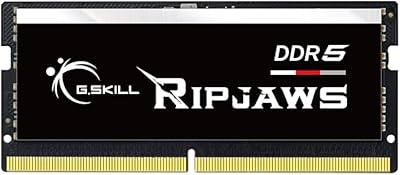
G.SKILL Ripjaws DDR5 SO-DIMM 16GB 5600MT/s RAM
88%
94%
Performance Boost
88%
Energy Efficiency
91%
Installation Ease
93%
Speed (5600MT/s)
86%
Build Quality
More
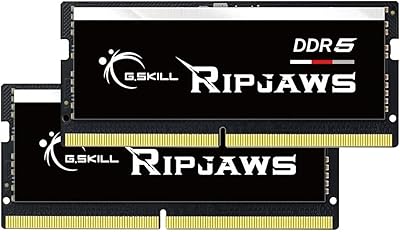
G.SKILL Ripjaws DDR5 16GB SO-DIMM 4800MT/s RAM
86%
92%
Performance
88%
Ease of Installation
90%
Compatibility with Intel XMP
85%
Power Efficiency
91%
Multitasking Capability
More
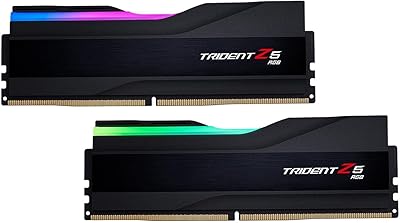
G.SKILL Ripjaws DDR5 SO-DIMM 64GB Laptop RAM
83%
91%
Installation Experience
93%
System Stability
72%
Compatibility Range
84%
Performance at Rated Speed
88%
Build Quality
More
G.SKILL Trident Z5 RGB DDR5 64GB (2x32GB) 6000MT/s
87%
93%
Performance
89%
RGB Lighting
91%
Installation Ease
78%
Compatibility
87%
Value for Money
More
G.SKILL Ripjaws DDR5 SO-DIMM 32GB (2x16GB) 5600MT/s CL40 RAM
86%
93%
Performance
88%
Ease of Installation
91%
Gaming Performance
90%
Compatibility
89%
Overclocking Potential
More
G.SKILL Flare X5 Series DDR5 32GB (2x16GB) 6000MT/s RAM
85%
92%
Performance
89%
Ease of Installation
90%
Compatibility with AMD Systems
91%
Speed (6000MT/s)
85%
Latency (CL32-38-38-96)
More
G.SKILL Flare X5 DDR5 48GB (2x24GB) 6000MT/s
86%
94%
Performance Speed
92%
Compatibility with AMD Platforms
88%
Ease of Installation
90%
Gaming Performance
86%
Latency and Responsiveness
More

FAQ

It will boot at a safe JEDEC default speed the first time — typically around 4800MT/s — without any setup needed. To reach 6000MT/s, you just go into your BIOS, find the memory settings, and enable XMP 3.0 if you are on Intel or EXPO if you are on AMD. That is genuinely a one-step process on most modern boards, and the kit takes care of the rest.

It should in most cases. The Ripjaws S5 heatspreader is intentionally low-profile, which is one of the reasons builders with tall air coolers tend to gravitate toward this series. That said, it is always worth checking the specific clearance measurements for your cooler against your motherboard slot positions, since large coolers can overhang the first DIMM slot on some boards.

You can technically install a single 32GB stick and it will work, but you would be giving up dual-channel bandwidth, which has a measurable impact on DDR5 performance. For the full benefit, install both sticks in the correct paired slots as specified in your motherboard manual — usually slots 2 and 4 on a four-slot board.

Yes, as long as your motherboard uses one of the supported AMD chipsets: X670, X870, B650, B840, or B850. Ryzen 7000 series processors paired with those boards are well-supported, and the EXPO profile is specifically designed for AMD platform one-click speed enabling. Check G.SKILL's online QVL tool with your exact motherboard model to confirm before purchasing.

G.SKILL strongly advises against it, and for good reason. Memory kits are binned and tested as matched sets, so mixing modules from different kits — even if the specs look identical on paper — can lead to instability, random crashes, or failure to POST. If you need 128GB, buy a validated 128GB kit rather than combining two separate 64GB kits.

No, there is no RGB or any lighting on this kit at all. The Ripjaws S5 series is built around a clean matte black heatspreader with no software component required. If lighting matters for your build, you will need to look at a different G.SKILL series or another brand entirely.

Unfortunately not. DDR5 and DDR4 modules are physically different — the pin count and notch position are not the same — so this kit will not seat in a DDR4 motherboard slot. To use DDR5 memory, you need a motherboard and CPU platform that natively supports DDR5, such as Intel 12th gen or newer with a compatible board, or AMD Ryzen 7000 series.

First, do not panic — this occasionally happens when XMP has been set but the board needs a moment to train the memory. Try clearing your CMOS, reseating the sticks, and booting without XMP initially to confirm the kit is recognized at default speeds. From there, re-enable XMP or EXPO. If issues persist, verify your sticks are in the correct slots per your motherboard manual, and check G.SKILL's QVL to confirm your board is validated for this kit.

For pure gaming alone, most titles today still run comfortably on 32GB, so whether 64GB makes sense depends on what else you are doing at the same time. If you game while streaming, have a browser with dozens of tabs open, run a voice chat app, and keep a game capture tool running in the background, 64GB gives you real breathing room. Content creators, developers, and anyone running virtual machines will find it genuinely useful day to day.

G.SKILL backs their memory with a limited lifetime warranty on manufacturing defects, which is standard for their product lines. If a module fails under normal use conditions, you would contact G.SKILL support directly with your purchase details to initiate an RMA. It is worth keeping your original packaging and proof of purchase on hand to make that process straightforward.