Overview

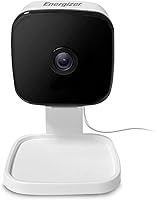
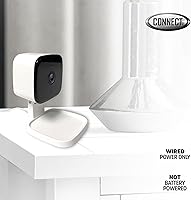
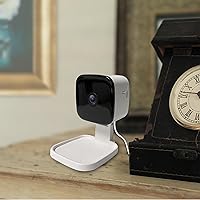
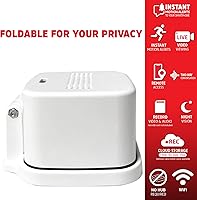
The Energizer Smart Wi-Fi Indoor Security Camera comes from Jem Connected IOT, and it sits firmly in the budget tier of home monitoring gear. There's no battery to manage here — it plugs in and stays powered, which means one less thing to forget about. You can set it on a desk, mount it to a wall, and start streaming through the Energizer Connect App within minutes. What stands out right away is the fold-down body: tilt the lens toward the base and you've got an instant, physical way to block the view. It's clearly built for buyers who want straightforward indoor coverage without a steep learning curve or a long list of accessories to juggle.

Features & Benefits

Image quality is where this indoor camera earns its keep — footage comes through in crisp 1080p, sharp enough to make out faces and details rather than just shapes moving across the frame. The 95-degree lens stretches the field of view nicely, so a single unit can often cover a whole room instead of just one corner. Two-way audio means you can actually talk through the app, handy for checking on pets or greeting someone at the door. Motion alerts get smarter too, since you can draw custom activity zones and skip notifications every time a ceiling fan or curtain moves. For storage, you get a 30-day cloud trial or the option to drop in your own microSD card, and a Night Color mode keeps things visible once the lights go out.

Best For

This Wi-Fi camera makes the most sense for renters and apartment dwellers who don't want to drill holes or commit to a permanent setup — it just plugs in and goes. It's also a solid fit for home offices or nurseries where you just need basic, reliable monitoring rather than a full security system. First-time buyers exploring smart cameras will appreciate the low cost of entry and the simple app pairing process. If you like having a physical privacy option rather than trusting a software toggle alone, the fold-down design adds real peace of mind. One caveat: since it relies entirely on 2.4GHz Wi-Fi, households with spotty coverage in that band may want to check their signal strength before buying.

User Feedback

Early adopters generally describe the setup process as quick, with the app guiding you through Wi-Fi pairing in just a few steps — a relief for anyone who's struggled with clunkier smart home gear before. Where opinions split is storage: some users are happy to pay for cloud access once the free trial ends, while budget-conscious buyers grumble about the added monthly cost and switch to a microSD card instead. Wi-Fi stability draws mixed reactions too; most report a steady connection, though a few mention occasional drops on weaker routers. Night vision performance gets decent marks for a camera at this price, even if it's not flawless in pitch-black rooms. Build quality seems to hold up reasonably well over months of daily use, without major complaints about premature failure.

Pros

  • Delivers genuinely sharp 1080p footage that holds up well for the price.
  • Wide 95-degree lens means fewer blind spots and fewer cameras needed per room.
  • Two-way audio works smoothly for quick check-ins on pets or visitors.
  • Fold-down body gives an actual physical privacy option, not just a software toggle.
  • App setup is quick and beginner-friendly, even for first-time smart home users.
  • Custom activity zones cut down on pointless alerts from fans or curtains.
  • Flexible storage choice between cloud trial and a microSD card.
  • Night Color mode keeps footage usable even after the lights go off.
  • No batteries to monitor or replace, since it runs on constant power.

Cons

  • Requires constant power, so it's useless during an outage with no battery backup.
  • Only supports 2.4GHz Wi-Fi, which can be a dealbreaker on dual-band routers.
  • Cloud storage turns into a recurring cost once the 30-day trial ends.
  • MicroSD card isn't included, meaning an extra purchase for local storage.
  • Strictly indoor-rated, so it can't double as porch or yard monitoring.
  • A few users report occasional Wi-Fi drops when the router signal is weak.
  • Lacks advanced AI features like facial recognition found on pricier models.
  • Wall or desk placement only, with no weatherproof outdoor mounting option.

Ratings

Our scores for the Energizer Smart Wi-Fi Indoor Security Camera come from an AI-driven analysis of verified buyer reviews collected worldwide, with spam, bot activity, and incentivized feedback actively filtered out. Each category below reflects what real owners experienced after weeks or months of daily use, not just first impressions. We've kept both the praise and the frustrations intact so you get a balanced picture before you buy.

Video Quality
86%
Daytime footage comes through sharp and detailed enough to recognize faces across a living room or office, which surprised plenty of buyers given the price point. Recorded clips hold up well when reviewed later in the app, with minimal blur during normal indoor movement.
A handful of users noticed slight graininess in mixed lighting, like a room lit only by a window on an overcast day. Compression on saved clips can also soften finer details compared to the live feed.
Field of View
81%
19%
The 95-degree lens genuinely cuts down on blind spots, letting one camera cover most of a bedroom, nursery, or home office without awkward repositioning. Several buyers mentioned skipping a second unit because the angle was wide enough on its own.
It still falls short of true wide-angle coverage for larger open-concept spaces, leaving corners uncovered in bigger rooms. Anyone monitoring an entire living area may need to angle it carefully or accept some gaps.
Night Vision
72%
28%
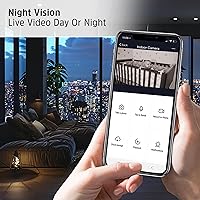
The Night Color mode lets users identify movement and rough shapes after dark, which is reassuring for nighttime nursery checks or keeping tabs on a hallway. It performs noticeably better than basic black-and-white night vision found on similarly priced units.
Clarity drops off in fully dark rooms with no ambient light source nearby, leaving footage murky and harder to interpret. A few reviewers felt it worked best with at least a small nightlight nearby rather than total darkness.
Motion Detection & Alerts
79%
21%
Custom activity zones earned real praise, since users could target a doorway or crib instead of the whole frame, cutting down on pointless notifications. Alerts generally arrived quickly enough to check the live feed in near real time.
Some buyers reported occasional false triggers from shadows or lighting changes even after setting zones. Fine-tuning sensitivity took a bit of trial and error before alerts felt properly dialed in.
Two-Way Audio
83%
Owners liked being able to speak through the camera to check on kids or pets without walking into the room, describing the audio as clear enough for normal conversation. Response time between speaking and the sound coming through felt quick.
A few users noted slight audio lag or a faint echo when both sides spoke at once. Background noise pickup can also be inconsistent depending on the camera's distance from the speaker.
App Experience & Setup
88%
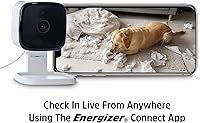
The Energizer Connect App walks new users through Wi-Fi pairing in just a few minutes, which buyers repeatedly called beginner-friendly compared to other smart home gear they'd tried. Navigating between live view and saved recordings felt intuitive without a manual.
Occasional app updates introduced minor glitches, like delayed notifications or a live feed that needed a refresh. Some users wished for more granular settings without digging through several menu layers.
Wi-Fi Connectivity & Stability
74%
26%
Most households with a clean 2.4GHz signal reported a steady, dependable connection day to day, with the camera reconnecting automatically after brief outages. Setup near the router posed no issues for the majority of reviewers.
The 2.4GHz-only requirement frustrated buyers with combined or 5GHz-primary networks, forcing extra router configuration. Users farther from their router also reported intermittent drops or lag in the live stream.
Privacy Design
91%
The fold-down body stood out as a genuine favorite, giving users a tangible way to block the lens instead of just trusting a software toggle. Parents and roommates especially valued having physical proof the camera wasn't watching.
A small number of reviewers found the folding mechanism a bit stiff at first, requiring a firmer push than expected. It's also a manual action, so it's only private when someone remembers to fold it.
Storage & Cloud Value
61%
39%
The 30-day free cloud trial gave new owners a no-pressure way to test recording and playback before committing to anything. Buyers who switched to a microSD card appreciated avoiding subscription fees entirely.
Once the trial ended, the cost of continuing cloud storage was a recurring complaint among budget-focused reviewers. The microSD card isn't included either, adding an unexpected extra purchase for anyone wanting local storage.
Build Quality & Durability
78%
22%
For its price, the housing feels reasonably solid, and most owners reported no issues with the folding hinge or casing after months of regular use. The compact size also makes it easy to tuck onto a shelf without looking bulky.
A few reviewers questioned how the hinge would hold up after years of repeated folding, since it's a moving mechanical part. The plastic build, while functional, doesn't feel especially premium compared to pricier competitors.
Value for Money
84%
Buyers consistently framed this indoor camera as a lot of functionality for a low entry cost, especially compared to subscription-heavy competitors. The combination of decent video, two-way audio, and the privacy fold felt generous for a first smart camera.
The ongoing cloud subscription cost left some feeling the true long-term price was higher than expected. Budget shoppers who skip the microSD card may find the value proposition weakens after the free trial month.
Power & Installation Convenience
85%
The plug-in design with a 6ft cable made placement flexible near outlets, and buyers liked not having to think about charging or swapping batteries. Wall mounting or simple desktop placement both came together without extra tools.
The lack of battery backup means it goes offline immediately during a power outage, which a few reviewers flagged as a real security gap. The fixed cable length also limited placement options in rooms without a nearby outlet.

Suitable for:

The Energizer Smart Wi-Fi Indoor Security Camera is a smart pick for renters and apartment dwellers who want monitoring without drilling into walls or signing up for a complicated system. It also suits parents who need a simple way to keep an eye on a nursery or home office from another room. Anyone buying their first smart camera will appreciate how quickly the app pairs and starts streaming, with no technical background required. The fold-down design appeals to privacy-conscious users who want a physical, tangible way to block the lens rather than trusting a software switch alone. It works best in households that already have steady 2.4GHz Wi-Fi, since that's the only band it connects to. For light, everyday indoor coverage on a tight budget, it gets the job done.

Not suitable for:

Anyone needing outdoor coverage should look elsewhere, since this unit is built strictly for indoor use and isn't rated to handle weather exposure. Buyers who rely on battery backup during power outages will be disappointed too, as the Energizer Smart Wi-Fi Indoor Security Camera must stay plugged in to function at all. Households without a reliable 2.4GHz signal may run into connection drops, since there's no 5GHz support to fall back on. Those who want long-term free cloud recording will also need to budget for a subscription once the 30-day trial wraps up. If you're after multi-camera systems with advanced AI detection or facial recognition, this entry-level option won't keep pace. It's really built for people who want something basic and affordable, not a full smart home security overhaul.

Specifications

  • Resolution: Records and streams video in 1080p Full HD for clear daytime and low-light detail.
  • Field of View: The lens captures a 95-degree wide angle to cover more of a room in a single frame.
  • Connectivity: Connects only to 2.4GHz Wi-Fi networks, with no 5GHz or hub requirement.
  • Audio: Built-in two-way audio allows users to listen and speak through the connected app.
  • Motion Detection: Sends instant alerts when movement is detected, with adjustable activity zones to limit false triggers.
  • Night Vision: Uses a Night Color low-light mode to keep footage visible after dark.
  • Storage Options: Supports a microSD card up to 128GB, sold separately, or a 30-day free cloud storage trial.
  • Privacy Design: Features a foldable camera body that physically blocks the lens when closed.
  • Power Source: Runs on corded electric power through a 6ft USB cable and included adapter, with no battery option.
  • Mounting: Can be placed on a flat surface or mounted to a wall using included hardware.
  • Weather Rating: Carries an IP65 protection rating but is designed strictly for indoor use.
  • Dimensions: Measures 2.75 x 2.75 x 4.75 inches in its folded housing.
  • Weight: Weighs 5.9 ounces, making it light enough for desk or shelf placement.
  • App Compatibility: Works with the Energizer Connect App, available on both Apple and Android devices.
  • Video Format: Saves recordings in MPEG-4 format for playback through the connected app.
  • Brand & Manufacturer: Sold under the Energizer brand and manufactured by Jem Connected IOT.
  • Color: Available in a white finish to blend with most indoor decor.

Related Reviews
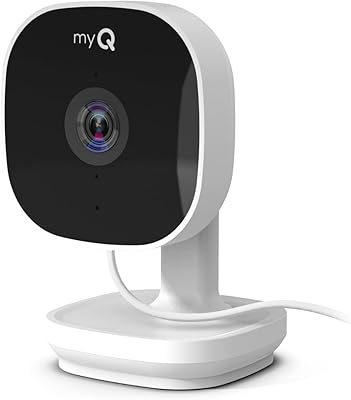
Chamberlain myQ Smart Indoor Security Camera
71%
91%
Ease of Setup
83%
Daytime Video Quality
58%
Night Vision Performance
62%
Motion Detection Accuracy
78%
Two-Way Audio
More
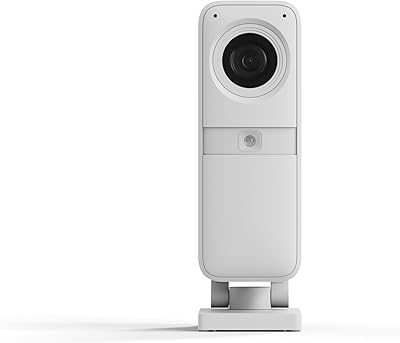
SimpliSafe Smart Alarm Indoor Security Camera
79%
91%
Image Quality
78%
Motion Detection Accuracy
93%
Professional Monitoring Integration
89%
Privacy Shutter
83%
Two-Way Audio
More
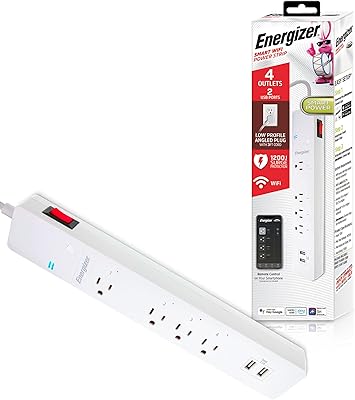
Energizer Smart Wi-Fi 4-Outlet Power Strip
73%
88%
Ease of Setup
67%
App Performance
84%
Voice Control Integration
62%
Outlet Spacing
71%
Surge Protection
More
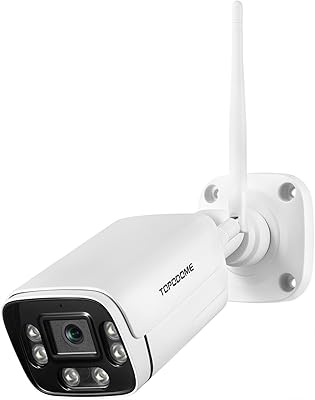
Topodome TD-J10A Outdoor Wi-Fi Bullet Camera
72%
83%
Build Quality
81%
Value for Money
71%
Night Vision
74%
Motion & Humanoid Detection
58%
App Experience
More
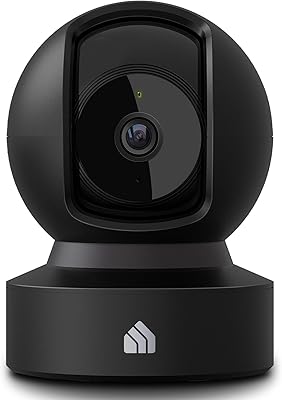
Kasa Smart EC71 Pan-Tilt Security Camera
78%
91%
Value for Money
88%
Setup & Ease of Use
74%
Video Quality
86%
Pan-Tilt Performance
79%
Night Vision
More
Reolink E1 Pro 5MP Pan-Tilt Indoor Camera
78%
88%
Image Quality
79%
Night Vision
76%
Auto-Tracking
73%
AI Detection Accuracy
62%
App Experience
More
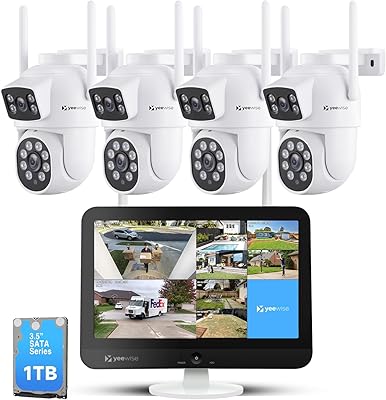
YEEWISE 2K 12″ Monitor Security Camera System
78%
88%
Ease of Setup
83%
Video Quality
79%
Dual-Lens Performance
74%
Night Vision
57%
Remote App Access
More
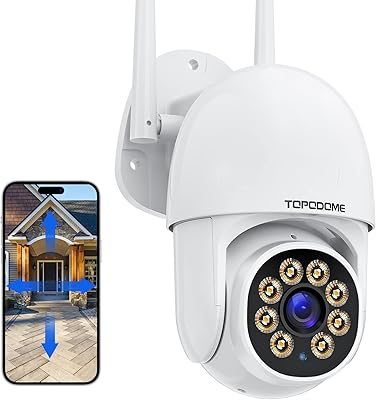
Topodome TD-S50B Outdoor WiFi Security Camera
71%
84%
Value for Money
79%
Night Vision Performance
83%
Pan and Tilt Coverage
71%
Image Quality
54%
App Experience
More
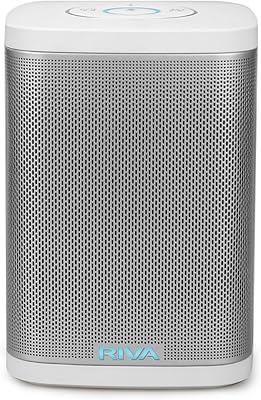
RIVA Concert Wi-Fi Bluetooth Smart Hi-Fi Speaker

85%
93%
Sound Quality
85%
Alexa Integration
88%
Connectivity Options
90%
Ease of Setup
87%
Multiroom Audio Compatibility
More
Gaiexce 2K Security Camera Indoor
83%
91%
Video Quality
88%
Motion Detection Accuracy
90%
Night Vision Performance
85%
Ease of Setup
80%
App Functionality
More

FAQ

No, this is built specifically for indoor use. Even though it carries an IP65 rating, the housing and power setup aren't designed for rain or temperature swings, so stick to inside spaces like a living room, office, or nursery.

It needs constant power through the included USB cable and adapter. There's no battery backup, so if your power goes out, the camera goes offline until power returns.

Most people find it pretty quick to pair. You download the Energizer Connect App, plug in the camera, and follow the prompts to join your 2.4GHz Wi-Fi network. The whole process usually takes just a few minutes.

Not directly. This indoor camera only connects to 2.4GHz networks, so if your router broadcasts a combined or 5GHz-only signal, you may need to create a separate 2.4GHz network or switch your router settings.

You get a free 30-day cloud trial when you first set it up. After that trial ends, continuing cloud storage requires a paid subscription, though you can switch to a microSD card instead if you'd rather avoid ongoing fees.

No, the microSD card is sold separately. The camera supports cards up to 128GB, so you'll need to pick one up if you want local storage instead of relying on the cloud.

The camera body physically tilts and folds down to block its own lens. It's a simple mechanical solution if you want a guaranteed way to stop recording, rather than just trusting an app toggle.

Yes, the two-way audio feature lets you both hear and speak through the app in real time, which is handy for checking on a pet or letting a visitor know you'll be right there.

You can reduce that by setting custom activity zones in the app, which tells the Energizer Smart Wi-Fi Indoor Security Camera to only alert you about motion in specific areas of the frame rather than the whole room.

It uses a Night Color low-light mode, which generally holds up well for a budget camera, though like most devices in this price range, results can vary depending on just how dark the room is.