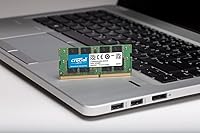
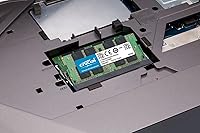
Overview

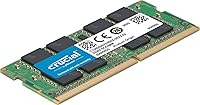
The Crucial CT32G4SFD8266 32GB DDR4 SODIMM Memory is a laptop-specific RAM module built directly by Micron — one of the handful of companies that actually fabricates its own memory chips rather than rebranding third-party silicon. This is a single 32GB stick running at 2666 MHz, which in plain terms means a big capacity jump in one slot, keeping the second slot free if you ever want to run a matched pair. Most people shopping for this laptop memory upgrade are hitting a familiar wall: browsers consuming everything, creative apps stuttering, multitasking becoming a chore. With tens of thousands of verified ratings sitting near-perfect, the track record here speaks clearly.

Features & Benefits

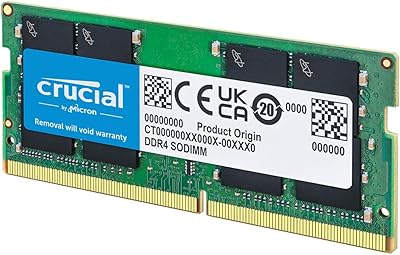
The 260-pin SODIMM form factor means this DDR4 module slots only into laptops and compact systems — not desktops — so double-check your chassis before ordering. Under the hood, the 2Rx8 dual-rank layout gives the module a mild throughput edge over single-rank alternatives, something you won't notice in benchmarks but can genuinely matter in sustained workloads. Running at just 1.2 volts, it draws less power than older DDR3 modules, which translates directly into better battery endurance on the road. The chips are Micron-made, not sourced from a secondary supplier, keeping quality consistent across batches. Crucial's free System Scanner and Advisor Tool make it easy to confirm compatibility before you spend anything — a useful step for first-time upgraders.

Best For

This Crucial 32GB SODIMM stick is the kind of upgrade that makes the most sense for laptop owners who've maxed out their current RAM and spend their days juggling browser tabs, design files, or development environments. If you're running a MacBook Pro or a mid-to-high-end Windows laptop with an open memory slot, this is a straightforward path to 32GB without buying a whole new machine. IT professionals rolling out upgrades across multiple laptops will appreciate the consistent quality and predictable availability. It's also a smart pick for anyone who wants proven reliability over flashy branding — no RGB, no marketing premiums, just solid DDR4 performance from a name that's been making memory longer than most buyers have been using computers.

User Feedback

Across a substantial pool of verified buyers, the reception for this DDR4 module is about as positive as you'll find in this category. The most consistent praise centers on installation — people report sliding it in and booting up without drama, even with no prior hardware experience. Long-term owners regularly note that performance stays rock-solid over months and years, often comparing it favorably to the RAM their laptop shipped with. On the downside, a small but notable share of buyers have run into compatibility snags with certain laptop models, particularly around BIOS settings or speed initialization. A handful found the module defaulted to a lower frequency until adjusted in firmware. Worth verifying your specific model before committing — that one extra check can prevent a frustrating return.

Pros

  • Micron manufactures the chips in-house, meaning quality is consistent rather than dependent on third-party suppliers.
  • A single 32GB stick keeps one slot free for future expansion, offering more flexibility than a matched dual-stick kit.
  • Free compatibility tools from Crucial take the guesswork out of checking whether it will work in your specific laptop.
  • Low 1.2V operation puts less strain on your battery compared to older, higher-voltage memory standards.
  • Installation is genuinely straightforward — most users report a clean boot on the first try without any firmware fiddling.
  • The 2Rx8 dual-rank layout provides a mild but real edge over single-rank sticks in sustained multitasking workloads.
  • Long-term owners consistently report stable performance after extended use, not just a brief honeymoon period.
  • No RGB, no gaming branding, no price premium for aesthetics — you pay for capacity and reliability, nothing else.
  • Tens of thousands of verified ratings with a near-perfect average score make this one of the most community-vetted laptop RAM options available.
  • Well-documented installation guides make this accessible even for buyers who have never opened a laptop before.

Cons

  • Running as a single stick means single-channel memory operation by default, which leaves some bandwidth on the table versus a matched pair.
  • A small but consistent segment of buyers report the module initializing below its rated speed until manually corrected in BIOS.
  • Not all laptops with a free SODIMM slot will accept a 32GB single stick — some older boards cap out at 16GB per slot.
  • There are no speed options available for this specific module — buyers needing faster DDR4 profiles must look at other SKUs.
  • Compatibility with certain niche or older laptop models is not guaranteed, even after using the online verification tools.
  • The green PCB may be visible through laptop vents or when the panel is open, which bothers some buyers who prefer a cleaner look.
  • No heat spreader is included, which is standard for SODIMM modules but worth noting for users in thermally constrained environments.
  • Warranty and support processes, while generally solid, can be slower than ideal for IT buyers who need rapid replacements.

Ratings

The scores below were produced by our AI review engine after processing thousands of verified global purchases of the Crucial CT32G4SFD8266 32GB DDR4 SODIMM Memory, with automated filters applied to strip out bot-generated reviews, incentivized submissions, and statistical outliers. Every category reflects the honest pattern of real buyer experiences — including the friction points that polished marketing tends to leave out.

Installation Ease
94%
The vast majority of buyers report a completely trouble-free installation, with no failed boots or errors on first insertion. People with zero prior hardware experience describe the process as taking under ten minutes using Crucial's photo-based guides. That level of accessibility is rare for a hardware upgrade and consistently earns high praise across the review base.
A small share of users encountered an initial failure to POST, typically resolved by reseating the module or clearing the CMOS. These cases appear tied to specific laptop models rather than the module itself, but they do exist and can be stressful for first-time upgraders without any technical support nearby.
Real-World Performance Gain
88%
Buyers upgrading from 8GB or 16GB consistently describe a meaningful shift in how their laptops handle demanding workloads — fewer browser tab crashes, faster Lightroom catalog loading, and smoother virtual machine switching. For professionals who depend on their laptop across a full workday, the responsiveness difference is hard to ignore once experienced.
Users coming from a dual-channel 16GB kit may notice less dramatic gains than those upgrading from a single 8GB stick, since dropping from two channels to one can partially offset the extra capacity. Those with heavily CPU-bound workflows may also find the bottleneck simply moves elsewhere rather than disappearing entirely.
Compatibility
77%
23%
Across the broad range of supported laptops, the module slots in and runs without issues on the majority of popular Windows and Intel-based Mac systems. Crucial's System Scanner tool helps buyers confirm fit before committing, which prevents most compatibility mismatches before they become a return-shipping problem.
A recurring thread in negative reviews involves specific laptop models where the module either runs below its rated speed by default or fails to initialize without a BIOS update. Older or budget-tier machines with per-slot capacity limits are a real risk, and the compatibility checker does not always catch every edge case reliably.
Reliability & Longevity
92%
Long-term owners stand out in the review base for consistent reports of stable operation spanning one, two, and even three or more years of daily use. Because Micron fabricates its own chips, quality control is tighter than what third-party rebrand modules can offer, and batch-to-batch inconsistency is rarely cited as a complaint.
While outright failures are genuinely rare, a small number of buyers report modules that failed within the first few months — a pattern suggesting occasional early-life defects rather than long-term wear. Warranty resolution through Crucial is generally successful, but the return-and-replace process can take longer than buyers in a time-sensitive situation find acceptable.
Value for Money
84%
This laptop memory upgrade sits at a sensible price point for 32GB of single-stick capacity from a direct-manufacture brand, with no markup for RGB lighting or gaming aesthetics that most laptop users would never see anyway. For professionals and IT buyers who want dependable RAM without inflated branding premiums, the value equation lands well.
Competing modules from Kingston and Samsung frequently land at similar or lower prices, so the value advantage is not as clear-cut as it once was. Buyers who only need 16GB may also find the cost-per-gigabyte comparison tilts the decision toward a smaller stick or a matched dual-channel kit rather than a single large module.
Speed Performance
74%
26%
At 2666 MHz, this DDR4 module hits the sweet spot for broad compatibility — it functions cleanly across the majority of DDR4 laptops without needing specific motherboard support for higher speed profiles. Users doing productivity work, photo editing, and software development report smooth and unthrottled performance within those mainstream constraints.
2666 MHz is not a cutting-edge speed by current DDR4 standards, and users whose laptops support 3200 MHz or higher may be leaving measurable bandwidth untouched. Buyers focused on memory-intensive tasks like 4K video export or large-dataset processing would be better served by seeking out a higher-rated SODIMM where their hardware supports it.
Thermal Efficiency
86%
Operating at 1.2V keeps heat generation low, which matters significantly in the confined thermal envelope of a laptop chassis where every degree influences fan behavior and sustained performance. Users on thin-and-light machines report no unusual warmth near the memory bay, and heat-related throttling linked to this module is essentially absent from the review base.
No heat spreader is included, which is standard practice for SODIMM designs but means the module depends entirely on chassis airflow for cooling. In especially constrained thermal environments — compact ultrabooks with limited ventilation running extended heavy workloads — that reliance on passive airflow puts all thermal responsibility on the laptop itself.
Brand Trust
93%
Crucial carries genuine credibility in the memory market specifically because Micron, its parent company, controls its own chip fabrication end-to-end. Buyers who have previously dealt with inconsistent third-party modules consistently name brand provenance as the reason they chose this DDR4 module and the reason they would buy it again.
Some technically experienced buyers note that Samsung and SK Hynix have expanded their consumer-facing memory lines meaningfully, partially eroding the automatic deference Crucial once commanded. Among enthusiast buyers who test modules independently, the Crucial name no longer guarantees a premium advantage over well-reviewed alternatives the way it did several years ago.
BIOS Compatibility
73%
27%
On most modern laptops, the module initializes correctly at its rated speed without any manual intervention, making the out-of-box experience genuinely plug-and-play for everyday users. System builders and IT professionals who are comfortable navigating BIOS settings find any minor speed adjustments quick and straightforward to resolve.
A consistent minority of buyers find their laptop boots at 2133 MHz rather than 2666 MHz and must enter BIOS settings to manually select the correct profile — a step that feels jarring when the product is marketed for ease of use. On certain laptops, the relevant BIOS option is buried several menus deep or locked entirely by the manufacturer.
Packaging
71%
29%
The module ships in antistatic protective packaging that does its job reliably — the overwhelming majority of buyers report the stick arriving undamaged even after international transit. The retail clamshell format also makes it easy to confirm the right part is in hand before breaking the seal.
The packaging itself is purely functional with no premium presentation, which matters little to most buyers but can feel underwhelming at this price tier. No accessories are included — no screwdriver, no removal spudger, no thermal pad — and some first-time buyers arrive expecting at least basic installation hardware to be bundled in.
Documentation & Support
81%
19%
Crucial's online support ecosystem is a genuine asset — the System Scanner, Advisor Tool, and video installation guides are clear, well-maintained, and frequently cited by buyers as the reason they felt confident proceeding with the purchase. The documentation covers the most common post-install questions without requiring a live support interaction.
Direct customer support response times have attracted criticism in more recent reviews, with some buyers reporting delays when trying to resolve compatibility edge cases or move a warranty claim forward. The self-service tools, while useful, do not fully substitute for responsive human support when an unusual post-installation issue refuses to resolve on its own.
Single-Slot Flexibility
88%
Installing one 32GB stick leaves the second SODIMM slot free, giving users a clear upgrade path without discarding working hardware or buying a matched pair upfront. This flexibility is especially practical for IT administrators who want a consistent baseline configuration across a laptop fleet and may add a second stick later as needs grow.
Running a single stick puts the system into single-channel memory mode, measurably reducing bandwidth compared to two matched sticks operating in parallel. For users doing bandwidth-sensitive work — streaming high-resolution editing timelines or running multiple simultaneous compile jobs — that throughput gap is a real and quantifiable tradeoff, not a theoretical one.
Long-term Stability
91%
Buyers who have owned this Crucial 32GB SODIMM stick for a year or more are among the most vocal voices in the review base, with many specifically returning to note continued operation without errors, crashes, or observable speed degradation over time. That pattern of long-tail positive feedback carries significant weight as a reliability signal.
A small but steady stream of reviews from buyers past the six-month mark describe occasional memory errors detected by diagnostic tools, suggesting a subset of units may develop instability under extended use. These cases are statistically uncommon but worth monitoring with tools like MemTest86 if unexplained system behavior — random reboots or application crashes — begins to appear.

Suitable for:

The Crucial CT32G4SFD8266 32GB DDR4 SODIMM Memory is the right call for laptop owners who've started noticing their machine struggling under the weight of everyday demands — whether that's a browser with dozens of tabs open, video editing software that stutters on playback, or a virtual machine that crawls at startup. It's a particularly strong fit for professionals working on MacBook Pros or higher-end Windows laptops that accept a single high-density SODIMM, since one 32GB stick means you're not sacrificing a slot or worrying about running mismatched pairs. Creative freelancers, developers spinning up local environments, and students running resource-heavy research tools will all feel a tangible difference after the swap. IT administrators looking to standardize upgrades across a laptop fleet will appreciate the brand consistency and the fact that Micron manufactures its own chips — no batch-to-batch quality surprises. First-time upgraders also have a clear path here, with free compatibility verification tools that take the guesswork out of the buying decision entirely.

Not suitable for:

The Crucial CT32G4SFD8266 32GB DDR4 SODIMM Memory is not the right fit for desktop builders — it's a SODIMM module with a 260-pin connector, and it physically will not seat in a standard desktop DIMM slot. If your laptop's memory is soldered directly to the motherboard, which is increasingly common in ultra-thin and fanless designs, no aftermarket stick will help regardless of brand or capacity. Buyers chasing maximum memory bandwidth for competitive gaming or content rendering at the highest tier should also note that 2666 MHz is a mainstream speed — if your laptop supports faster DDR4 profiles and you're pushing the hardware hard, there are faster SODIMM options on the market worth considering. Those hoping to run dual-channel for peak performance should verify their laptop has two open slots and plan for a matched pair, since a single stick will run in single-channel mode by default. Finally, anyone whose machine ships with DDR5 or LPDDR5 memory should look elsewhere entirely, as this module is strictly a DDR4 solution.

Specifications

  • Capacity: This module provides 32GB of memory in a single stick, offering substantial headroom for multitasking, creative workloads, and virtual machines.
  • Memory Type: Built on DDR4 SDRAM technology, which is the standard for mainstream laptops manufactured from roughly 2016 onward.
  • Speed: Operates at 2666 MHz (PC4-21300), a widely compatible speed that balances solid throughput with broad motherboard support.
  • CAS Latency: Rated at CL19, which is the standard latency tier for DDR4 modules running at this speed class.
  • Form Factor: SODIMM format with a 260-pin connector, designed exclusively for laptops and small-form-factor systems — not compatible with standard desktop DIMM slots.
  • Voltage: Runs at 1.2V, which is the low-voltage standard for DDR4 and contributes to reduced power draw in battery-dependent devices.
  • Rank Config: 2Rx8 dual-rank configuration, which can offer modest performance advantages over single-rank alternatives in memory-intensive tasks.
  • ECC Support: Non-ECC module, meaning it does not include error-correcting code functionality — appropriate for consumer laptops, which do not require ECC.
  • Manufacturer: Produced by Micron Technology, one of the few companies in the world that designs and fabricates its own DRAM chips from the ground up.
  • Model Number: Official model number is CT32G4SFD8266, which can be used to verify compatibility or locate the correct replacement if needed.
  • Dimensions: Measures 2.74 x 0.44 x 1.18 inches, consistent with the standard SODIMM physical footprint found in the vast majority of upgradeable laptops.
  • Weight: Weighs 0.317 ounces, adding negligible mass to the host system during installation.
  • PCB Color: Features a green printed circuit board, which is the standard color for Crucial's non-RGB consumer memory lineup.
  • Compatible Devices: Designed for laptops with an accessible DDR4 SODIMM slot; users should verify compatibility using Crucial's System Scanner or Advisor Tool before purchasing.
  • PC Speed Rating: Carries a PC4-21300 rating, which describes the module's theoretical peak bandwidth of approximately 21,300 MB per second.
  • Warranty: Backed by Crucial's limited lifetime warranty, which covers manufacturing defects for the usable life of the product under normal operating conditions.

Related Reviews
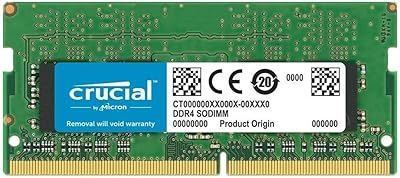
Crucial 16GB DDR4-2400 SODIMM Memory
84%
88%
Performance Boost
75%
Installation Ease
90%
Energy Efficiency
84%
Compatibility with Laptops
87%
System Responsiveness
More
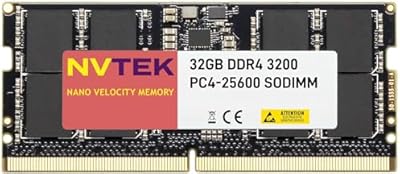
NVTEK 32GB DDR4 3200MHz SODIMM RAM
77%
83%
Value for Money
68%
Compatibility
88%
Installation Ease
91%
Memory Capacity
57%
Brand Trust & Reputation
More
DATO DT32G4DS32 32GB DDR4 SODIMM RAM
78%
88%
Value for Money
83%
Compatibility
91%
Installation Ease
79%
Performance Gains
77%
Stability & Reliability
More
Crucial 32GB Kit (2x16GB) DDR4-3200 SODIMM CT2K16G4SFD832A
89%
94%
System Responsiveness
91%
Ease of Installation
96%
Multitasking Capability
88%
Value for Money
93%
Compatibility Range
More
Crucial 4GB DDR4-2666 SODIMM Memory Module
84%
85%
Performance Boost
95%
Ease of Installation
92%
Value for Money
88%
Compatibility
90%
Power Efficiency
More
Corsair Vengeance 32GB DDR4 SO-DIMM Memory
82%
92%
Installation Ease
71%
Compatibility
84%
Performance Uplift
74%
Auto-Overclocking Reliability
91%
System Stability
More
Crucial 8GB DDR4 2666 MT/s SODIMM Memory
87%
91%
Performance Boost
88%
Energy Efficiency
94%
Ease of Installation
87%
Multitasking Enhancement
90%
Compatibility with Laptops
More
Corsair Vengeance 32GB DDR4 SO-DIMM RAM
75%
71%
Compatibility Accuracy
89%
Installation Ease
86%
Multitasking Performance
78%
Value for Money
82%
Long-term Reliability
More
Kingston KCP426SD8/32 32GB DDR4 SODIMM RAM
83%
93%
Installation Ease
81%
Compatibility
87%
Performance Stability
72%
Value for Money
91%
Brand Reliability
More
Crucial 8GB DDR4-2400 SODIMM Laptop RAM
84%
91%
Value for Money
93%
Installation Ease
77%
Performance Impact
73%
Compatibility Range
94%
Long-term Reliability
More

FAQ

The safest approach is to use Crucial's free System Scanner tool, which scans your laptop and tells you exactly which modules are compatible. You can also use the Advisor Tool on their website by entering your laptop's make and model manually. Either way, do not skip this step — not every laptop with a SODIMM slot accepts a 32GB single stick, especially older models with lower per-slot capacity limits.

One stick is perfectly fine and the laptop will run normally. The tradeoff is that a single module operates in single-channel mode, which offers slightly less memory bandwidth than two matched sticks running in dual-channel. For most everyday tasks, creative work, and even development environments, you will not notice the difference. If peak bandwidth matters for your specific workload, a matched pair is worth considering.

It depends entirely on the specific MacBook Pro model. Older Intel-based MacBook Pros with accessible SODIMM slots are often compatible, but many newer models — including all Apple Silicon machines — have memory soldered directly to the board and cannot be upgraded at all. Always verify your exact model number against Crucial's compatibility database before purchasing.

In most cases it will initialize at the correct rated speed automatically, but some laptops default to a lower JEDEC speed like 2133 MHz when new memory is installed. If that happens, you can usually correct it by entering your BIOS or UEFI settings and selecting the appropriate memory profile. It is a straightforward fix, but it catches some buyers off guard on first boot.

Technically you can mix capacities, but it is generally not recommended. Mismatched modules can run into compatibility quirks, and mixing speeds or ranks may cause the system to downclock both sticks to the slower module's speed. For the cleanest upgrade, replacing the existing stick entirely or buying a matched pair tends to produce more predictable results.

In terms of raw reliability, Crucial memory is often on par with or better than OEM-installed RAM, since Micron is one of the primary suppliers that many laptop manufacturers use in the first place. You are essentially getting the same caliber of silicon with the added benefit of choosing your capacity. Many long-term owners in the community report years of stable operation, which aligns with what you would expect from a manufacturer-grade chip.

Most laptop memory upgrades require nothing more than a small Phillips-head screwdriver to remove the bottom panel. The module clicks into the SODIMM slot at an angle and then presses flat to lock in — no force required. Crucial also provides step-by-step installation guides on their website, which walk you through the process with photos. If you have ever replaced a phone case or assembled flat-pack furniture, the difficulty level is comparable.

Crucial backs this DDR4 module with a limited lifetime warranty, which covers defects in materials and workmanship. If something goes wrong under normal use conditions, you can file a claim directly through Crucial's support. Keep your proof of purchase handy, as it will be required for the warranty process.

No. SODIMM modules use a 260-pin connector that is physically incompatible with standard desktop DIMM slots, which are longer and shaped differently. There is no adapter that makes this work reliably. Desktop builds require a standard DIMM DDR4 module instead.

It depends on how you use your machine. For basic web browsing and document editing, 16GB is usually sufficient and 32GB will go largely unused. But if you work in video editing, run Docker containers, use design software like Figma or Lightroom heavily, or keep 20-plus browser tabs open alongside other apps, 32GB changes the experience noticeably. The upgrade tends to pay off most for people who already feel their current RAM is the bottleneck.