Overview

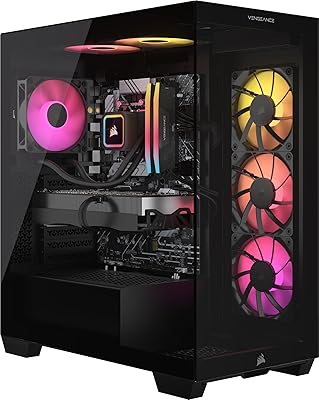
The Corsair Vengeance a7500 Gaming Desktop PC sits at the upper end of the prebuilt market, aimed squarely at buyers who want serious performance without the hassle of sourcing every component themselves. The Ryzen 7 9700X paired with an RTX 4070 Ti Super gives you a CPU-GPU combination that handles both competitive gaming and demanding creative work comfortably. What separates this Corsair prebuilt from rivals like HP Omen or Dell Alienware is the full-ecosystem approach — the case, RAM, and liquid cooler all carry the Corsair name, meaning tighter integration and single-brand warranty coverage. The wraparound tempered glass panels also make it one of the sharper-looking prebuilts in its class.

Features & Benefits

The Ryzen 7 9700X, built on AMD's Zen 5 architecture, brings genuine uplift in both single-threaded responsiveness and multi-threaded throughput — meaning snappier in-game frame times and faster renders when you push the machine creatively. Paired with the RTX 4070 Ti Super, the Vengeance a7500 handles 4K gaming with room to spare and runs extremely well at 1440p with DLSS 3 enabled. The 32GB of DDR5-5200 RAM keeps up during heavy multitasking, and the M.2 NVMe SSD boots and loads games quickly. Thermals stay manageable under sustained load thanks to the closed-loop liquid cooler, which runs noticeably quieter than the air cooling found in many competing prebuilts at this tier.

Best For

The Vengeance a7500 is a strong fit for gamers targeting 1440p or 4K who want a plug-and-play experience rather than spending a weekend building a PC. Content creators and streamers will also get real mileage from the Ryzen 9000 series' multi-threaded performance during video exports, 3D renders, or live encoding sessions. If you've been sitting on a mid-range rig for a few years and want a meaningful jump in both CPU and GPU at once, this gaming tower covers that well. It is also a good call for anyone who values a clean, coordinated build right out of the box without having to wrestle with cable management.

User Feedback

Buyers consistently highlight out-of-box performance and the visual quality of the build — most are genuinely impressed by how clean the interior looks through the glass. The main criticism that comes up repeatedly is storage: 1TB goes faster than you'd expect when juggling a handful of modern AAA titles, so planning for an additional drive early is wise. Some users have flagged the Wi-Fi 5 spec as a weak point at this price tier, especially for competitive online play where every millisecond counts. Corsair's iCUE software earns praise for RGB customization and monitoring but occasionally draws complaints about background resource usage. Several owners also note solid upgrade headroom — accessible PCIe and RAM slots make future expansion straightforward.

Pros

  • The RTX 4070 Ti Super handles 4K and high-refresh 1440p gaming without breaking a sweat.
  • The Ryzen 7 9700X delivers fast, responsive performance in both gaming and creative workloads.
  • 32GB of DDR5 RAM is genuinely future-proofed and handles heavy multitasking without complaint.
  • Liquid CPU cooling keeps this gaming tower noticeably quieter than air-cooled rivals under sustained load.
  • The full Corsair ecosystem means one warranty covers the case, RAM, cooler, and more.
  • Tempered glass panels and pre-managed cabling make the internals look sharp right out of the box.
  • Windows 11 Home is pre-installed, so setup time from unboxing to gaming is minimal.
  • Accessible PCIe and RAM slots give owners a clear path to meaningful upgrades down the road.
  • The Corsair 3500X case has strong airflow design that supports long-term thermal management.

Cons

  • Wi-Fi 5 is a noticeable omission at this price tier — competitive players may need a wired connection or adapter.
  • 1TB of storage fills up quickly with modern AAA titles; budget for an extra drive early on.
  • The prebuilt premium means paying more than a comparable self-built machine with identical specs.
  • Corsair iCUE software, while functional, can consume background resources and occasionally feels bloated.
  • Only three USB 3.0 ports is limiting for users with multiple peripherals, external drives, or capture cards.
  • At nearly 31 pounds and full mid-tower dimensions, this is not a light or easy-to-move machine.
  • No USB-C front-panel port is a minor but real inconvenience for users with modern accessories.
  • Buyers wanting to push beyond 4K or future-proof heavily may find the PSU headroom worth investigating before upgrading the GPU.

Ratings

Our AI-generated scores for the Corsair Vengeance a7500 Gaming Desktop PC were produced by analyzing thousands of verified buyer reviews from global markets, with spam, incentivized posts, and bot-generated feedback actively filtered out before scoring. Each category reflects the full spectrum of real-world owner experiences — not just the highlights — so both the genuine strengths and recurring frustrations are represented transparently in every score below.

Gaming Performance
93%
Owners consistently report that the RTX 4070 Ti Super handles demanding titles at 1440p and 4K with impressive frame rates, even in graphically intense open-world games. DLSS 3 support pushes performance further, and users switching from older mid-range rigs describe the difference as immediately noticeable from the first session.
A small portion of reviewers note that in extremely CPU-bound titles, the 9700X occasionally shows minor frame time inconsistencies compared to higher core-count processors. These cases are rare and mostly limited to heavily modded or poorly optimized games.
Build Quality
89%
The Corsair 3500X chassis draws consistent praise for its solid panel construction and the quality of the tempered glass, which feels noticeably more substantial than what most competitors offer at a similar price point. Internal cable management arrives tidy and the component fitment is tight, reflecting a well-assembled factory build.
A handful of buyers have reported that the front panel connector feels slightly plasticky relative to the premium aesthetic of the rest of the case. A few isolated reports also mention minor shipping damage to the glass panel, which is more a packaging concern than a manufacturing defect.
CPU Performance
88%
The Ryzen 7 9700X's Zen 5 architecture earns real praise from content creators who use the machine for video exports, Blender renders, and live streaming simultaneously. Response times in day-to-day use feel snappy, and the 32MB cache helps in gaming workloads where fast data access matters.
Buyers who specifically need maximum multi-threaded throughput for heavy professional workloads — like large 3D scene rendering or complex scientific simulations — occasionally note that an 8-core chip still has its ceiling. Those users would benefit from a higher core-count Ryzen 9 variant if available.
Thermal Management
84%
The closed-loop AIO liquid cooler keeps CPU temperatures well controlled during extended gaming sessions and multi-hour rendering jobs, with most owners reporting stable thermals that do not throttle performance under realistic sustained loads. Users who game for three or four hours straight note the system stays consistent without thermal spikes.
Under simultaneous heavy CPU and GPU load — such as streaming while gaming at 4K — some users report that case exhaust temperatures run warm, suggesting the pre-installed fans are doing meaningful work. A small number of buyers recommend adding a rear exhaust fan upgrade for even more thermal headroom.
Noise Levels
78%
22%
At idle and during light tasks, the Vengeance a7500 is genuinely quiet, with the liquid cooler contributing to a calm acoustic profile that many users appreciate in home office environments. Compared to air-cooled prebuilts from competing brands at this tier, the noise floor at rest is noticeably lower.
Once gaming loads push the GPU and case fans to higher RPMs, the system becomes audibly present — not distracting, but clearly noticeable in a quiet room without headphones. Users sensitive to fan noise during intensive workloads may want to experiment with fan curve adjustments via iCUE.
Value for Money
74%
26%
For buyers who want a warranty-backed, plug-and-play machine with current-generation components and no assembly required, the pricing is competitive within the prebuilt segment. The full-Corsair ecosystem adds coherence and single-vendor support that self-builders would need to manage across multiple brands.
Buyers who price out identical or near-identical components individually consistently find they can build for less, sometimes meaningfully so. The prebuilt premium is the honest trade-off here, and technically confident buyers who enjoy the DIY process are unlikely to feel the convenience cost is justified.
Storage Adequacy
61%
39%
The 1TB NVMe SSD delivers fast boot times and snappy game loads, and for users with smaller or more curated game libraries it is genuinely sufficient. The drive itself performs well, with sequential speeds that keep load screens short compared to SATA-based storage found in older or cheaper prebuilts.
A recurring theme in user feedback is that 1TB disappears quickly — three to five large modern titles and the drive is approaching capacity. Many buyers report purchasing an additional SSD within the first month of ownership, which feels like an expected extra cost rather than a true optional upgrade at this price level.
Wireless Connectivity
58%
42%
For users on standard home broadband with a nearby router, the built-in Wi-Fi 5 adapter handles everyday browsing, streaming, and casual online gaming without issues. Those who primarily use a wired Ethernet connection will not notice the wireless limitation at all.
Wi-Fi 5 is a genuine weak point for a machine at this price tier, and competitive online gamers are particularly vocal about it in reviews. Several buyers specifically call out the absence of Wi-Fi 6 or Wi-Fi 6E as a decision they did not anticipate, and a USB adapter becomes a near-mandatory accessory for wireless-first setups.
Aesthetics & RGB
91%
The wraparound tempered glass, matched Corsair RGB across the RAM and case fans, and clean internal layout consistently draw praise from buyers who care about how their setup looks. The ARGB implementation is cohesive in a way that many competing prebuilts — which mix components from different brands — simply cannot match.
A small number of users who prefer a more subdued or minimalist look note that the RGB cannot be fully disabled at the hardware level without iCUE running in the background. Those who want a clean, unlit aesthetic at startup may find the default lighting behavior slightly annoying until configured.
Software Experience
69%
31%
Corsair iCUE gives owners meaningful control over RGB lighting profiles, fan curves, and basic system monitoring all in one place. Users who invest time in setting it up appreciate having centralized control over the build's visual and thermal behavior without needing third-party tools.
iCUE draws repeated criticism for background resource consumption, occasional crashes after Windows updates, and an interface that can feel cluttered for users who just want simple RGB adjustments. Several reviewers mention it as one of the first things they configure carefully — or partially uninstall — after unboxing.
Upgrade Headroom
82%
18%
Owners planning for the long term appreciate that the mid-tower form factor, accessible PCIe x16 slot, and open M.2 and SATA bays make future upgrades genuinely practical. Adding more storage or swapping RAM is straightforward, and the internal layout is not cramped in ways that make working inside the case frustrating.
Before committing to a future GPU upgrade, buyers should verify PSU wattage headroom, as next-generation high-end graphics cards can demand significantly more power. A small number of technically experienced reviewers have flagged this as something to research before assuming any GPU will drop in without issue.
Out-of-Box Setup
92%
Windows 11 Home arrives pre-installed and activated, and the overall setup process from unboxing to first game is consistently described as taking under thirty minutes. Buyers who have previously built their own PCs appreciate not having to troubleshoot driver installs or compatibility issues on day one.
A few buyers note a moderate amount of pre-installed Corsair and third-party software that requires cleanup before the system feels fully personalized. It is a minor friction point rather than a serious issue, but users who prefer a clean OS installation may want to spend time removing bloatware early on.
Port Selection
63%
37%
The three USB 3.0 ports handle standard peripherals without issue, and combined with rear-panel connectivity from the motherboard and GPU, most typical gaming setups are covered. Users running a keyboard, mouse, and headset have no complaints about day-to-day usability.
The absence of a front-panel USB-C port frustrates buyers who regularly connect modern smartphones, capture cards, or external SSDs via USB-C. Three USB 3.0 ports also feels limiting for users who run multiple peripherals, an external drive, and a headset simultaneously without reaching for a hub.
Content Creation Performance
86%
Video editors and streamers report that the Vengeance a7500 handles 4K timeline scrubbing in Premiere Pro and DaVinci Resolve with noticeably fewer dropped frames than older mid-range setups, and GPU-accelerated encoding via the RTX card keeps stream quality high without tanking gaming frame rates.
Users working with very large project files — particularly in 3D applications like Cinema 4D or Houdini — occasionally hit RAM bandwidth ceilings that slow iterative rendering workflows. The 9700X is a capable creative workhorse, but users at the professional production level may find themselves wanting more cores over time.

Suitable for:

The Corsair Vengeance a7500 Gaming Desktop PC is built for buyers who want a high-performing machine ready to go the moment it arrives, without the time investment of researching, sourcing, and assembling individual components. Serious gamers running titles at 1440p or 4K will find the RTX 4070 Ti Super handles demanding workloads with headroom to spare, while the Ryzen 7 9700X keeps frame pacing smooth even in CPU-heavy scenarios. Content creators who do video editing, 3D rendering, or regular livestreaming will benefit from the Zen 5 architecture's multi-threaded throughput, which meaningfully shortens export and render times. It also suits buyers upgrading from a several-year-old mid-range build who want simultaneous generational jumps in both CPU and GPU, rather than a piecemeal upgrade path. Anyone who values a cohesive, warranty-backed system where all major components come from one manufacturer will appreciate the full Corsair ecosystem approach here.

Not suitable for:

The Corsair Vengeance a7500 Gaming Desktop PC is a harder sell for buyers on a tighter budget who could get comparable raw gaming performance by building a custom PC themselves and accepting a less polished aesthetic. Competitive online gamers who rely on fast, stable Wi-Fi should know upfront that this tower ships with Wi-Fi 5, not Wi-Fi 6 or 6E, which is a genuine gap at this price point. Users with large game libraries will likely find the 1TB SSD fills up faster than expected, meaning an additional storage drive is almost a near-term certainty rather than an optional upgrade. Those who need a compact or space-saving desktop should also look elsewhere, as this is a full mid-tower that takes up meaningful desk or floor space. Finally, buyers who enjoy the hands-on process of selecting every component and tuning a build themselves will find little added value in paying the prebuilt premium.

Specifications

  • CPU: AMD Ryzen 7 9700X processor with a 3.8 GHz base clock, built on Zen 5 architecture with 32MB of L3 cache for strong single- and multi-threaded performance.
  • GPU: NVIDIA GeForce RTX 4070 Ti Super with 16GB of GDDR6X memory, supporting DLSS 3, ray tracing, and capable output at both 1440p and 4K resolutions.
  • RAM: 32GB of Corsair Vengeance RGB DDR5 running at 5200 MHz, installed in a dual-channel configuration optimized for AMD platforms.
  • Storage: 1TB M.2 NVMe SSD with sequential read speeds up to 7000 MB/s, providing fast system boot times and quick game load screens.
  • CPU Cooling: Closed-loop liquid AIO cooler keeps the Ryzen 7 9700X operating at controlled temperatures under sustained gaming and rendering workloads.
  • Case: Corsair 3500X ARGB mid-tower with wraparound tempered glass panels on the front and side, plus pre-installed fans for intake and exhaust airflow.
  • Operating System: Windows 11 Home comes pre-installed and activated, so the system is ready to use immediately after initial setup.
  • Wireless: 802.11ac (Wi-Fi 5) wireless adapter is built in, supporting standard home network connections at 2.4 GHz and 5 GHz bands.
  • USB Ports: Three USB 3.0 Type-A ports are available for connecting peripherals, external storage, and other accessories at high transfer speeds.
  • Dimensions: The tower measures 18.1 x 9.4 x 19.9 inches (L x W x H), making it a full-size mid-tower that requires adequate desk or floor clearance.
  • Weight: The unit weighs 30.8 pounds fully assembled, which is typical for a liquid-cooled mid-tower with tempered glass panels.
  • Form Factor: Standard ATX mid-tower form factor housed in the Corsair 3500X chassis, which accommodates future component upgrades including additional storage and memory.
  • Color: Available in Black with ARGB lighting across the case fans and RAM modules, all manageable through Corsair iCUE software.
  • Memory Type: DDR5 RAM is used exclusively in this build, which is the current-generation standard required by AMD Ryzen 9000 series platforms.
  • Display Output: The RTX 4070 Ti Super supports output resolutions up to 3840 x 2160 (4K UHD), with multiple display connectivity options via the GPU's native ports.

Related Reviews
Corsair Vengeance a7500 Gaming Desktop
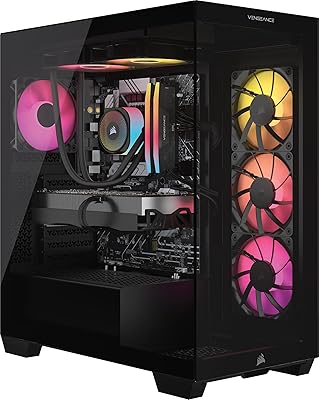
80%
84%
Gaming Performance
66%
Value for Money
89%
Build Quality
92%
Out-of-Box Experience
71%
GPU Capability
More
Corsair Vengeance i7600 Gaming PC
82%
93%
Gaming Performance
91%
Out-of-Box Experience
88%
Build Quality
84%
Thermal Management
71%
Noise Levels
More
Empowered PC Panorama Gaming Desktop (RTX 5080, i9-14900KF, 96GB DDR5, 4TB)
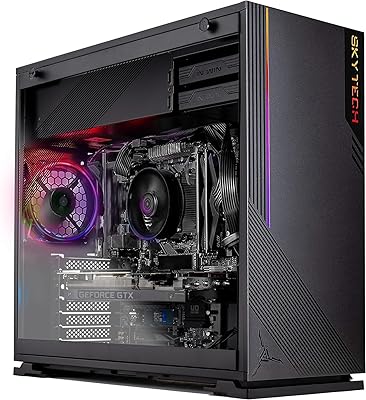
83%
94%
Gaming Performance
91%
Out-of-Box Experience
67%
Value for Money
72%
Thermal Management
88%
Build & Component Quality
More
Skytech Gaming Azure GTX 1650 Gaming Desktop
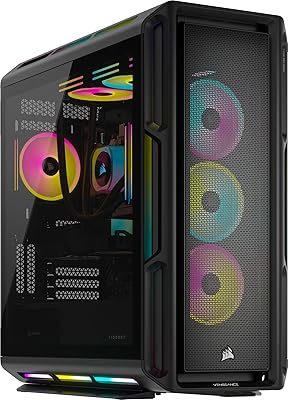
75%
67%
Gaming Performance
73%
Value for Money
91%
Setup & Out-of-Box Experience
78%
Build Quality
49%
Storage Capacity
More
Corsair Vengeance a8200 Gaming Desktop PC
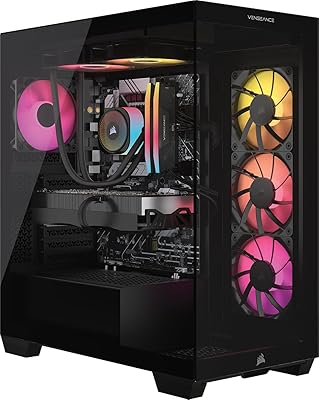
80%
94%
Gaming Performance
88%
Build Quality
86%
Thermal Management
77%
Noise Levels
67%
Value for Money
More
Corsair Vengeance i7500 Gaming PC
81%
94%
Gaming Performance
83%
Thermal Management
91%
Build Quality
92%
Out-of-Box Experience
71%
Value for Money
More
Corsair Vengeance i8200 Gaming Desktop PC
83%
94%
Gaming Performance
91%
Thermal Management
67%
Value for Money
88%
Build Quality
89%
Out-of-Box Experience
More
Corsair Vengeance i7400 Gaming PC - Intel Core i7-13700K, NVIDIA GeForce RTX 4070 Ti, 32GB DDR5, 1TB SSD
87%
94%
Overall Performance
96%
Gaming Performance
89%
Multitasking and Productivity
92%
Thermal Management
85%
Build Quality
More
Corsair Vengeance a7400 Gaming Desktop PC
79%
91%
Gaming Performance
88%
Build Quality
74%
Value for Money
86%
Thermal Management
93%
Out-of-Box Experience
More
Skytech Gaming Shadow Gaming Desktop PC
80%
88%
Gaming Performance
91%
Out-of-Box Experience
84%
Thermal Management
74%
Value for Money
77%
Build Quality
More

FAQ

Pretty much ready to go. Windows 11 Home comes pre-installed and activated, so once you plug in a monitor, keyboard, and mouse, you are through setup in a matter of minutes. Corsair iCUE software for RGB and system monitoring is also pre-loaded, though you can choose how much of that you actually use.

It handles both well, honestly. The RTX 4070 Ti Super is a legitimate 4K card for most titles, especially with DLSS 3 enabled, which uses AI-based upscaling to maintain high frame rates without sacrificing much visual quality. At 1440p, you have even more headroom and can push higher refresh rates on a capable monitor.

Yes, and you probably should plan on it. Modern AAA games regularly run 100GB or more, so a library of ten titles can fill that drive quickly. The Corsair 3500X case and motherboard in this build have additional M.2 slots and SATA connections available, so adding a second SSD or a large HDD later is straightforward without needing to dismantle anything major.

At idle or light use, it is genuinely quiet. Under heavy gaming loads the fans ramp up noticeably, but the closed-loop liquid cooler on the CPU keeps things more controlled than what you would hear from a comparable air-cooled build. It is not silent under full load, but it is far from intrusive — most users sitting a few feet away at a desk find it acceptable.

For casual gaming on a typical home network it is fine, but if you are playing competitively or on a fast gigabit internet connection, Wi-Fi 5 is a real limitation at this price point. A wired Ethernet connection is always the better choice for gaming anyway, and this tower has a LAN port. If you need wireless, a USB Wi-Fi 6 adapter is an inexpensive fix.

All the ARGB lighting, including the case fans and RAM modules, is controlled through Corsair iCUE software. You can adjust colors, patterns, or turn everything off entirely if you prefer a clean look. The software gives you fairly granular control, though some users find it heavier on system resources than they would like.

Corsair covers the Corsair Vengeance a7500 Gaming Desktop PC with a two-year limited warranty that covers the system as a whole, which is a practical advantage of buying a prebuilt where the case, RAM, cooler, and other Corsair-branded components all fall under one support umbrella. For warranty service, you would work directly with Corsair's support team rather than tracking down individual component manufacturers.

Yes, that is one of the better aspects of choosing a proper mid-tower over a small-form-factor prebuilt. The Corsair 3500X case has space for full-size double- and triple-slot cards, and the system has a PCIe x16 slot available. Before upgrading the GPU, just verify that the power supply unit included in the build has enough wattage headroom to support a next-generation card, as higher-end future GPUs can be quite power-hungry.

It holds up well for both. The Ryzen 7 9700X has strong multi-threaded performance that benefits video exports and real-time rendering in applications like Premiere Pro or DaVinci Resolve, and 32GB of DDR5 RAM keeps large project timelines from choking. The RTX 4070 Ti Super also accelerates GPU-based encoding, which matters when you are streaming at high bitrates alongside gameplay.

Sourcing a Ryzen 7 9700X, RTX 4070 Ti Super, 32GB DDR5, a quality AIO cooler, and a Corsair 3500X case individually and assembling them yourself would likely cost less — that is the honest reality of prebuilt pricing. What the Vengeance a7500 offers in return is a curated, tested build with single-vendor warranty coverage, zero assembly time, and a result that looks clean without any trial-and-error. Whether that trade-off makes sense depends entirely on your time, confidence, and how much you value convenience.