
Overview

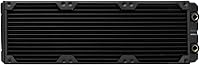
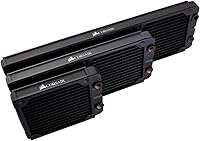
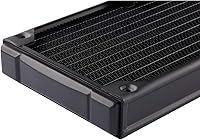
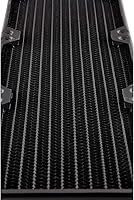
The Corsair Hydro X XR5 420mm Radiator is built for one purpose: soaking up heat from a custom liquid cooling loop and dumping it into the air as efficiently as possible. Pull it out of the box and the first thing you notice is the weight and the copper core underneath that stealth gray shell — this isn't a cooler aimed at casual upgraders. The polyurethane coating gives it a clean, finished look that won't clash with most build themes, and it's clearly designed to sit alongside Corsair's water blocks rather than work as a generic standalone part. It's a serious build component, and it looks the part.

Features & Benefits

Once you get past the looks, this radiator earns its keep through some genuinely thoughtful engineering. The copper fins are just 25 microns thick, which sounds like a tiny detail until you realize it's part of why heat moves so quickly from coolant to air. At 30mm thick, it strikes a sensible balance — thin enough to fit in cases that can't swallow a monster radiator, but substantial enough to still move serious heat. The integrated fan screw guides are a small touch that saves real frustration during assembly, since lining up six fan mounts by hand gets old fast. With mounts on both sides for push, pull, or push-pull setups and a 350-watt thermal ceiling, it's clearly built to handle demanding CPU and GPU combos without breaking a sweat.

Best For

This isn't a cooler for someone dipping a toe into liquid cooling for the first time — it's aimed squarely at builders who already know what a custom loop involves and are ready to commit to one. If you're putting together a high-end gaming rig or a workstation that needs to keep both a power-hungry CPU and GPU in check under sustained load, this cooling unit gives you the surface area to do it properly. The catch is size: a 420mm radiator needs a case with genuine room to spare, so this makes the most sense for full towers or cases specifically chosen with a build like this in mind. Anyone upgrading from an all-in-one cooler and craving more headroom will feel right at home here.

User Feedback

Look through enough owner reviews and a pattern emerges quickly: people are impressed by how much temperatures drop once everything is dialed in, especially under prolonged gaming or rendering sessions. The build quality gets consistent praise too, with buyers describing the finish as tidy and well put together rather than just functional. On the downside, several reviewers admit they underestimated how much space this thing actually needs and had to rethink their case or fan layout mid-build. There's also a recurring theme of buyers specifically choosing it because it pairs cleanly with Corsair's own water blocks, which removes some of the guesswork around compatibility. In short, the feedback paints a picture of a reliable, well-made radiator that rewards careful planning and punishes builders who rush the layout.

Pros

  • Copper core and thin fins move heat away from coolant quickly and efficiently
  • Handles up to 350 watts, giving real headroom for CPU and GPU loops together
  • Integrated fan screw guides make a fiddly mounting process noticeably easier
  • Dual-sided fan mounts support push, pull, or push-pull airflow configurations
  • Owners consistently report a real drop in temperatures under sustained heavy load
  • Finish and build quality feel solid rather than just adequate
  • Pairs cleanly with Corsair's own water blocks, reducing compatibility guesswork
  • Stealth gray coating looks tidy and professional inside a windowed case

Cons

  • Requires a full-size case with genuine clearance for a 420mm footprint
  • Not a beginner-friendly product since it assumes existing custom loop knowledge
  • Adds noticeable weight that some cases and mounting points may struggle with
  • No standalone cooling function; needs pump, tubing, and fittings to actually work
  • Some buyers underestimated spacing needs and had to rework their fan layout
  • Premium positioning means it costs more than basic all-in-one cooler solutions
  • Three fans are needed to fully utilize it, adding further expense and noise considerations
  • Best suited to Corsair's own ecosystem, which may limit flexibility for mixed-brand loops

Ratings

These scores for the Corsair Hydro X XR5 420mm Radiator come from an AI-driven analysis of verified buyer reviews collected across multiple regions, with spam, bot activity, and incentivized feedback filtered out before scoring. The goal is to give a transparent picture of where this cooling unit genuinely excels and where real owners have run into friction. Both the strong points and the recurring complaints are reflected here, not just the highlight reel.

Cooling Performance
91%
Owners running combined CPU and GPU loops consistently report meaningful temperature drops compared to AIO setups, especially during long gaming sessions or render jobs. The copper core and thin fin spacing seem to translate directly into real-world thermal headroom under sustained heavy load.
A few buyers note that performance gains feel less dramatic if you're only cooling a single low-TDP component, since the radiator's capacity goes underutilized. Results also vary noticeably depending on fan choice and loop configuration, which isn't always obvious to first-time builders.
Build Quality
88%
Reviewers frequently describe the construction as solid, with tight seams and a finish that doesn't feel like it's cutting corners. The weight alone gives an impression of durability that buyers say matches the price point.
A small number of owners mention minor cosmetic imperfections on the coating straight out of the box, though these rarely affect function. There's also occasional concern about long-term corrosion resistance depending on coolant choice and maintenance habits.
Case Compatibility & Fit
68%
32%
Builders working with genuinely spacious full towers report no issues at all, with plenty of clearance for fans, tubing, and fittings around the radiator. Dual-sided mounting also gives flexibility for awkward cable or reservoir placement.
This is the most common complaint across reviews, with several buyers admitting they underestimated the footprint and had to rework their fan layout or switch cases entirely. Mid-tower owners in particular should measure twice, since 420mm support is far from universal.
Water Block Compatibility
89%
Buyers already invested in Corsair's Hydro X ecosystem consistently praise how smoothly this radiator integrates with their CPU and GPU water blocks, removing a lot of the guesswork around fittings and thread sizing. It's described as a near plug-and-play experience within that ecosystem.
Builders mixing brands occasionally mention needing extra adapters or double-checking thread standards before assembly. It's not a dealbreaker, but it does add a small extra step for non-Corsair loops.
Value for Money
79%
21%
Given the thermal capacity and build quality on offer, many reviewers feel the price is justified for a serious custom loop centerpiece, especially compared to buying a lower-quality radiator and upgrading later. It's viewed as a long-term investment rather than a quick fix.
Some buyers note the total cost climbs quickly once you factor in fans, fittings, tubing, and a pump, which isn't unique to this radiator but still affects perceived value. Budget-conscious builders sometimes feel the entry cost into a full loop is steep overall.
Installation Ease
74%
26%
The integrated fan screw guides get specific praise for making fan alignment less fiddly than expected, saving real time during assembly. Builders with prior loop experience generally describe the mounting process as straightforward.
First-time custom loop builders report a steeper learning curve, particularly around tubing routing and managing the radiator's size within tight case interiors. It's not a quick swap-in job like an AIO cooler.
Aesthetic Finish
85%
The stealth gray polyurethane coating gets repeated compliments for looking clean and understated inside windowed cases, blending well with a variety of build themes. Several owners specifically chose it for the finish over competing radiators.
A few buyers mention the matte coating can show fingerprints or light scuffing over time if handled frequently during builds. It's a minor cosmetic gripe rather than a functional one.
Noise Potential
77%
23%
Because of its larger surface area, owners note they can run fans at lower speeds while still hitting solid cooling numbers, which keeps overall noise levels more manageable than smaller radiators under similar loads.
Since fans aren't included, actual noise outcomes depend heavily on what the builder pairs it with, and a few reviewers ended up with louder setups than expected after choosing high-static-pressure fans for performance.
Thermal Capacity for High-TDP Builds
90%
Enthusiasts running power-hungry CPU and GPU combinations specifically call out the 350-watt rated capacity as giving real overclocking headroom without temperatures spiking under stress testing or extended gaming.
Casual users with lower-power components sometimes feel they're paying for capacity they don't fully use, making it less efficient a choice for modest single-component loops.
Fan Mount Flexibility
84%
Dual-sided 140mm mounts give builders genuine freedom to configure push, pull, or push-pull setups depending on case airflow direction, which reviewers appreciate when optimizing for either temps or noise.
Push-pull configurations require six fans total, which adds cost and complexity that some buyers didn't initially plan for, leading to budget surprises mid-build.
Long-Term Reliability
82%
18%
Owners running this cooling unit for extended periods report consistent performance without notable degradation, provided the loop is maintained properly with regular coolant changes.
A handful of reviews mention concerns about long-term fin corrosion if incompatible coolants are used, underscoring that reliability depends partly on the builder's maintenance discipline rather than the radiator alone.
Beginner Friendliness
52%
48%
Buyers with some technical confidence appreciate that the included guides and screw alignment features lower the barrier slightly compared to other enthusiast-grade radiators on the market.
Most reviewers agree this isn't designed with newcomers in mind, requiring existing knowledge of loop assembly, bleeding, and leak testing that can feel overwhelming for someone attempting their first custom build.

Suitable for:

The Corsair Hydro X XR5 420mm Radiator makes the most sense for builders who have already decided they want a custom loop and are not just experimenting with the idea. It suits gamers and content creators running power-hungry CPU and GPU combinations that generate enough heat to overwhelm smaller cooling setups. Anyone who has outgrown an all-in-one cooler and wants more thermal headroom for overclocking will appreciate the extra surface area this size provides. It also fits naturally into a Corsair-based ecosystem, since builders already using Hydro X water blocks get straightforward compatibility without extra research. People who care about a clean, finished look inside a windowed case will likely enjoy the stealth gray finish too. Essentially, this is a purchase for someone planning a build around the radiator, not squeezing it into one as an afterthought.

Not suitable for:

This cooling unit is a poor match for anyone new to liquid cooling who just wants a simple, low-maintenance way to keep temperatures in check. The Corsair Hydro X XR5 420mm Radiator demands a case with genuine interior space, so builders working with mid-towers or compact cases will likely run into clearance problems before they even get to mounting fans. It is not a plug-and-play product either, since it requires tubing, fittings, a pump, and other loop components most beginners do not already own. Buyers on a tight budget who just need reliable cooling without the extra cost and complexity of a full loop are better served elsewhere. If quiet, hassle-free operation matters more than maximum thermal performance, a smaller AIO cooler remains the more practical choice.

Specifications

  • Radiator Size: The radiator measures 420mm in length to accommodate three 140mm fans in a single row.
  • Dimensions: Overall dimensions are 17.72 x 5.51 x 1.18 inches (L x W x H).
  • Thickness: The radiator core measures 30mm thick, excluding mounted fans.
  • Weight: The unit weighs approximately 2 pounds unfilled and without fans attached.
  • Core Material: The radiator core is constructed from copper for efficient heat dissipation.
  • Fin Thickness: Cooling fins are 25 microns thick to maximize surface area for heat transfer.
  • Fan Mounts: Triple 140mm fan mounts are available on both sides of the radiator for flexible airflow configurations.
  • Surface Coating: A polyurethane coating is applied over the exterior for a smooth, finished appearance.
  • Color: The radiator is finished in a stealth gray color scheme.
  • Power Connector: A 3-pin connector is used for any electronically controlled components.
  • Voltage: The system operates on a standard 12-volt power supply.
  • Thermal Rating: The radiator is rated to dissipate up to 350 watts of heat output.
  • Cooling Method: This is a passive liquid-to-air radiator designed for water-based custom cooling loops.
  • Compatibility: It is designed to integrate with Corsair Hydro X series water blocks and fittings.
  • Device Compatibility: The radiator is intended for desktop PC builds only.
  • Mounting Feature: Integrated fan screw guides are built into the frame to assist fan alignment during installation.
  • Number of Items: Each package contains one radiator unit.

Related Reviews
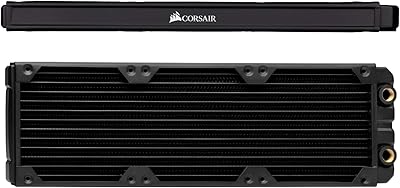
Corsair Hydro X XR5 360mm Radiator
83%
92%
Thermal Performance
94%
Build Quality
91%
Leak Resistance
78%
Installation Experience
83%
Material & Metal Compatibility
More
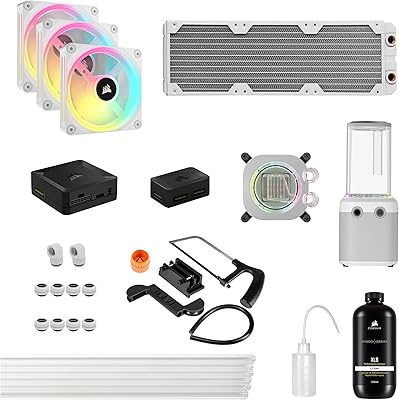
Corsair Hydro X Series iCUE Link XH405i Custom Cooling Kit
87%
92%
Cooling Performance
89%
Installation Ease
91%
Noise Level
88%
RGB Customization
85%
Build Quality
More
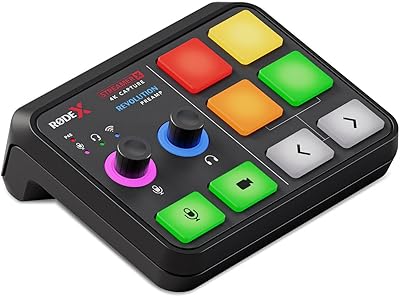
RØDE Streamer X Audio Interface Capture Card
73%
91%
Audio Quality
74%
Video Capture Quality
88%
Build Quality
52%
Driver & Software Stability
86%
Ecosystem Integration
More
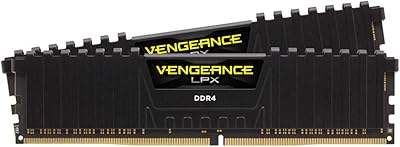
Corsair Vengeance LPX 64GB DDR4 Desktop RAM
82%
93%
Installation Experience
91%
Long-Term Stability
88%
Platform Compatibility
89%
Physical Fit & Clearance
67%
Raw Memory Speed
More
Corsair Vengeance LPX 16GB DDR4 4000MHz RAM
82%
88%
Performance
73%
Compatibility
76%
Value for Money
91%
Build Quality
87%
Overclocking Headroom
More
GDSTIME 200mm 120V AC Axial Fan
82%
93%
Build Quality
91%
Bearing Longevity
88%
Airflow Performance
41%
Noise Level
84%
Ease of Installation
More
GDSTIME 17251 172mm AC Axial Fan
78%
93%
Build Quality
91%
Airflow Performance
41%
Noise Level
89%
Durability & Longevity
67%
Ease of Installation
More
Lineco 4x6 Archival Photo Card Storage Box
80%
91%
Build Quality
93%
Archival Protection
58%
Ease of Assembly
74%
Lid Functionality
77%
Value for Money
More
Amazon Basics 25x30 Photo Studio Light Box
81%
88%
Lighting Quality
93%
Setup & Ease of Use
86%
Image Quality Output
67%
Build Quality & Durability
71%
Interior Size & Capacity
More
Lineco 840-Slide Archival Storage Box
80%
92%
Build Quality
94%
Archival Material Quality
88%
Organizational System
83%
Drop-Front Accessibility
79%
Capacity Practicality
More

FAQ

That depends entirely on your case's radiator mounting space, since a 420mm unit needs roughly 17.7 inches of clearance plus extra room for fans and fittings. Always check your case manufacturer's specs for 420mm radiator support before buying, since not every full tower actually has the room despite looking large enough.

No, fans are sold separately. You'll need to pick up three 140mm fans yourself, which actually works in your favor since it lets you choose fans that match your noise and airflow preferences.

Generally yes, since it uses standard G1/4 threading common across most custom loop components. That said, it's specifically engineered to pair well with Corsair's own Hydro X water blocks if you want guaranteed compatibility and a matched aesthetic.

It can work, but honestly this is better suited to someone who already understands the basics of custom loops, like bleeding air, choosing coolant, and managing tubing runs. If you're brand new to liquid cooling, it might be worth reading a few build guides first or starting with a smaller loop.

Noise depends almost entirely on which fans and pump you pair with it, not the radiator itself. Larger surface area like this actually helps keep things quieter long-term, since the system can move the same amount of heat with lower fan speeds.

Yes, periodic maintenance is part of owning any custom loop. Most builders flush and refill their loop every 6 to 12 months to prevent buildup, and it's worth occasionally checking the fins for dust accumulation since that can reduce airflow efficiency.

Yes, that's actually one of its main strengths. With a 350-watt thermal capacity, the Corsair Hydro X XR5 420mm Radiator has enough headroom to handle a combined CPU and GPU loop under sustained heavy load, assuming the rest of your loop is sized appropriately.

Push mounts fans on the intake side blowing air through the radiator, pull mounts them on the exhaust side pulling air through, and push-pull uses both for maximum airflow at the cost of extra noise and fans. Since this radiator has mounts on both sides, all three configurations are possible depending on your case layout.

No, the polyurethane coating is purely cosmetic and doesn't meaningfully impact thermal performance. It mainly protects the surface finish and gives it that clean, matte look rather than raw metal.

It's noticeably more involved than installing a basic all-in-one cooler. You're not just mounting a radiator, you're also routing tubing, installing fittings, bleeding the loop, and testing for leaks, so budget extra time and patience if this is your first build like it.