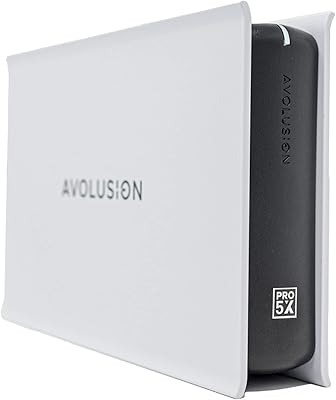
Avolusion PRO-Z 8TB USB 3.0 External Hard Drive
Avolusion PRO-Z 8TB USB 3.0 External Hard Drive — image 1
Avolusion PRO-Z 8TB USB 3.0 External Hard Drive — image 2
Avolusion PRO-Z 8TB USB 3.0 External Hard Drive — image 3
Avolusion PRO-Z 8TB USB 3.0 External Hard Drive — image 4
Avolusion PRO-Z 8TB USB 3.0 External Hard Drive — image 5
Avolusion PRO-Z 8TB USB 3.0 External Hard Drive — image 6
70%
30%

Overview

The Avolusion PRO-Z 8TB USB 3.0 External Hard Drive is built squarely for Windows users who want a serious storage bump without cracking open their PC case. Eight terabytes is a lot of headroom — enough to house years of photos, video projects, or full system backups without constantly juggling files. Avolusion isn't a household name like Seagate or WD, so the honest question is whether this desktop storage drive earns its place through real-world reliability rather than brand recognition alone. It's a mechanical drive, which means inherent tradeoffs exist, but for buyers who prioritize raw capacity at a reasonable cost, that's often exactly the point.

Features & Benefits

Plug this external hard drive into any Windows PC via USB 3.0 and it shows up ready to use — no driver installs, no formatting prompts, no fuss. The mechanical drive spins at 7200 RPM, a step above the slower 5400 RPM drives often found in budget backup enclosures, which translates to noticeably better read and write speeds in day-to-day use. One thing worth knowing upfront: this is an AC-powered drive, meaning it needs a wall outlet, not just your USB port. That's standard for 3.5-inch HDDs but can catch buyers off guard if they're used to compact portable drives. The enclosure is modest in size and light enough to tuck beside a monitor without taking over your desk.

Best For

The Avolusion PRO-Z 8TB is a strong fit for Windows home office users who want a dedicated, always-on backup destination — the kind you plug in, schedule with Windows Backup, and largely forget about. Photographers and video editors with growing local libraries will appreciate the sheer capacity without paying SSD prices. It also works well for small businesses archiving client files or older project folders. That said, it's worth being direct: Mac users will need to reformat before this drive works, and it loses Windows-native compatibility out of the box. The AC power requirement and 3.5-inch form factor also make this a stay-on-the-desk solution, not a travel companion.

User Feedback

With around 116 ratings and a 4.0-star average, this desktop storage drive sits in respectable — if not glowing — territory. Most buyers who leave positive feedback highlight how quickly Windows recognizes it, how painless the initial setup is, and how the available storage justifies the price. On the critical side, a handful of users raise concerns about early drive failures, which is worth noting given that mechanical drives are more vulnerable to shipping damage than solid-state alternatives. A few also mention the enclosure feels somewhat plasticky for a desktop unit. The review pool is still fairly modest, so one bad batch could meaningfully shift the score — treat the overall rating as a reasonable indicator, not a definitive verdict.

Pros

  • 8TB of storage is genuinely substantial — enough to hold years of backups, media libraries, or archived project files.
  • The 7200 RPM spin speed gives this desktop storage drive a performance edge over slower 5400 RPM backup alternatives.
  • USB 3.0 plug-and-play setup means Windows recognizes it immediately with no driver installation required.
  • No need to open your PC case — expansion is completely external and reversible.
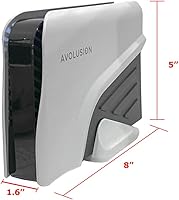
  • The compact 8 x 5 x 1.6-inch footprint fits neatly on a desk without demanding much real estate.
  • At 2 pounds, it is lighter than many comparable 3.5-inch enclosures, making repositioning easy.
  • Most buyers report the setup process is fast and straightforward, even for less technical users.
  • The price-per-terabyte ratio is competitive for mechanical storage, especially compared to SSD alternatives at this capacity.
  • A single USB 3.0 port keeps the connection simple — no proprietary cables or multi-port confusion.

Cons

  • Avolusion is a lesser-known brand with a limited review history, making long-term reliability harder to assess confidently.
  • The AC adapter requirement means this drive is always tied to a wall outlet — no truly portable use.
  • Windows-only out of the box makes this a non-starter for Mac or Linux users who do not want to reformat.
  • Some users have flagged concerns about early failures, which is a real risk with mechanical drives that may have experienced shipping stress.
  • The plastic enclosure feels budget-grade to some buyers, which can undermine confidence in the build quality.
  • With only around 116 ratings, the overall score may not yet reflect a fully representative sample of long-term experiences.
  • Mechanical drives produce audible noise and vibration during heavy read/write operations, which some users find distracting in quiet environments.
  • No bundled backup software is included, so users need to configure Windows Backup or a third-party solution themselves.

Ratings

Our scores for the Avolusion PRO-Z 8TB USB 3.0 External Hard Drive are generated by AI after systematically analyzing verified buyer reviews from multiple global markets, with spam, bot-driven, and incentivized feedback actively filtered from the dataset. Each category reflects a weighted synthesis of what real users consistently reported — not what the product listing claims — so both genuine strengths and recurring frustrations are represented proportionately. The result is an honest, data-grounded snapshot designed to help you make a confident buying decision.

Value for Money
82%
18%
For buyers prioritizing cost-per-terabyte, this external hard drive sits in a genuinely competitive position. Eight terabytes of mechanical storage at this price tier is difficult to match with SSDs, and most Windows users running backup routines or archiving media files find the value proposition straightforward and honest.
The value calculus shifts if you factor in Avolusion's limited brand track record, since a drive failure within the first year negates the savings entirely. Buyers who later discover they need Mac compatibility or USB-C connectivity may also feel the price point less justified after the fact.
Storage Capacity
91%
Eight terabytes is the headline spec and it genuinely delivers for real workloads. Home office workers storing years of project files, photographers building raw image libraries, and users running full Windows system backups all report that the available space feels more than adequate and provides real room to grow over time.
For users with extremely large 4K video collections or data-intensive archiving workflows, even 8TB can fill up faster than expected. A few buyers have also noted the formatted capacity lands slightly below the advertised figure, which is standard for mechanical drives but can still feel surprising to those new to HDD storage.
Transfer Speed
72%
28%
Running at 7200 RPM puts this desktop storage drive ahead of many budget-oriented backup drives that spin at 5400 RPM. For users copying large batches of photos or running nightly backups in the background, the faster platter speed translates to noticeably shorter transfer windows compared to slower alternatives in the same price range.
It is still a mechanical drive, and that ceiling is real — users who have previously used SSDs will feel the difference immediately, especially during random-access tasks or when opening files stored on the drive. Anyone expecting SSD-level responsiveness will be disappointed regardless of the RPM figure.
Ease of Setup
88%
Plug in the USB cable, connect the AC adapter, and Windows recognizes this external hard drive almost immediately — no software to install and no formatting required for Windows users. Most buyers report the entire process takes under two minutes, which is a genuine benefit for less tech-savvy users who just want the drive to work.
A handful of users have reported occasional recognition issues where the drive does not appear in File Explorer and requires a reboot or USB port swap to register correctly. Mac and Linux users also face a more involved setup process, since the NTFS formatting must be changed before the drive operates fully on non-Windows systems.
Reliability & Longevity
67%
33%
A portion of buyers report using this desktop storage drive for extended periods without any issues, particularly in stable desktop environments where the drive is not frequently moved or jostled. Users who run scheduled backups at regular intervals — rather than constant heavy writes — tend to report more stable long-term experiences overall.
Some negative reviews cluster around early drive failures, which is a pattern worth taking seriously even if the aggregate rating holds at 4.0 stars. Mechanical drives are inherently more vulnerable to shipping-related internal damage that only surfaces after initial use, and with a lesser-known brand, warranty support is less proven than with established storage names.
Build Quality
63%
37%
The enclosure is compact and reasonably solid for a drive at this price tier, and the white finish gives it a clean, unobtrusive presence on a desk. For buyers who keep this drive in a fixed location and rarely handle it physically, the construction is generally adequate for the intended use case.
Several reviewers describe the plastic casing as feeling noticeably budget-grade, with a lighter and less rigid feel than enclosures from established brands at similar price points. This is primarily a cosmetic and tactile concern rather than a functional one, but it does contribute to a broader perception that the overall product feels less premium than expected.
Noise Level
57%
43%
During idle periods or light read activity, this external hard drive operates at a consistent background hum that most users in typical home or office environments find easy to tune out. The noise is predictable rather than erratic, which some users find less intrusive than the intermittent clicking produced by older or lower-quality mechanical drives.
During heavy data transfers, the 7200 RPM mechanism produces a noticeable operational hum and some desk vibration that can become distracting in quiet workspaces. Users who work in silent environments — late at night, in shared offices, or in recording-adjacent spaces — have flagged the ambient noise as an ongoing annoyance.
Power Setup
56%
44%
The AC adapter provides stable, consistent power delivery that avoids the voltage dips sometimes associated with bus-powered desktop drives under sustained heavy load. Once the desk setup is established with cables routed and tucked away, the power arrangement becomes largely a non-issue in day-to-day use.
Requiring a wall outlet is an inconvenience that buyers accustomed to compact portable drives may not anticipate before purchase. It also limits physical placement options — if your desk lacks a nearby outlet, an extension cord becomes necessary, adding to cable clutter in an already wired workspace.
Platform Compatibility
74%
26%
For Windows users — which is the drive's intended audience — compatibility is broad and reliable across Windows 10, Windows 11, and most earlier versions. USB 3.0 backward compatibility with USB 2.0 ports also means older Windows desktops and laptops can use the drive without any additional hardware or adapters.
Mac and Linux users are effectively excluded unless they are willing to fully reformat the drive, which erases all existing content and removes the native NTFS structure Windows relies on. Cross-platform households sharing storage between Mac and Windows machines will find this external hard drive poorly suited without significant extra configuration.
Portability
41%
59%
At 2 pounds and with a modest physical footprint, this desktop storage drive is light enough to relocate between rooms or offices on occasion, and the white enclosure does not look out of place in different environments. For users who only need to move it infrequently, that occasional flexibility is workable enough.
The combination of a 3.5-inch enclosure and an AC power adapter makes this a stay-on-the-desk solution, not a travel companion. You cannot slip it into a bag for a commute, use it on an airplane, or power it from a laptop on the go, which rules it out entirely for any mobile workflow.
Brand Trust
61%
39%
Avolusion does maintain a retail presence on major platforms and prices this drive in a way that reflects genuine awareness of the competitive storage market. Buyers who have had smooth experiences report that the brand delivers on its core promise — a functional, large-capacity backup drive for Windows desktop users.
Compared to Seagate, Western Digital, or Toshiba, Avolusion has a much shorter documented history and a far smaller community of long-term users to draw reliability data from. With fewer than 120 ratings on this model, long-term failure patterns are difficult to assess, and the brand's customer support responsiveness remains less well-documented than its larger competitors.
Backup Performance
83%
For its primary intended use — running Windows Backup or scheduled file archiving — this external hard drive performs reliably and consistently for most users. The combination of 8TB headroom and USB 3.0 speeds means large nightly backup jobs complete in the background without interrupting a workday, which is exactly what buyers running regular backup routines need.
No bundled backup software is included, so users must configure Windows Backup or a third-party solution themselves — a minor friction point for buyers who expected a more complete out-of-box experience. Users who attempt to use it as primary active storage for frequently accessed files may also find the mechanical read speeds underwhelming for that particular workload.

Suitable for:

The Avolusion PRO-Z 8TB USB 3.0 External Hard Drive is a practical choice for Windows users who need a large, reliable storage destination without the complexity of an internal installation. Home office workers running scheduled backups, photographers archiving raw image libraries, and video editors managing large project folders will find the 8TB capacity genuinely useful — this is the kind of drive you set up once and let do its job quietly in the background. Small business owners who need an affordable off-site or desk-side archive for client files and older documents will also get solid value here. Buyers who already understand mechanical HDDs and are comfortable with their speed profile — prioritizing cost-per-terabyte over blazing transfer rates — are the natural audience. If your workflow is Windows-centric and your primary goal is bulk storage or backup redundancy rather than speed, this desktop storage drive fits that need without overcomplicating things.

Not suitable for:

The Avolusion PRO-Z 8TB is not the right pick for anyone expecting a truly portable experience — it requires a wall outlet to operate, so it stays tethered to a power source in a way that compact bus-powered drives do not. Mac users should also look elsewhere: this external hard drive ships formatted for Windows only, and while reformatting is technically possible, it voids any out-of-box convenience and may affect compatibility with Time Machine or macOS utilities. Anyone who needs fast random-access speeds for running applications, editing 4K footage directly off the drive, or gaming should consider a solid-state alternative instead, since a mechanical HDD at any RPM cannot match SSD responsiveness. Buyers in rough or high-vibration environments should also be cautious — mechanical drives are physically more fragile than SSDs and more susceptible to damage from drops or poor shipping handling. Finally, those who are brand-conscious or who want the peace of mind that comes with an established storage brand may find Avolusion's limited track record harder to overlook, especially given the modest number of reviews currently available.

Specifications

  • Storage Capacity: This drive provides 8TB of usable mechanical storage, suitable for large backup archives, media libraries, and document collections.
  • Drive Type: The internal mechanism is a traditional mechanical hard disk drive (HDD), not a solid-state drive, which affects speed and vibration characteristics.
  • Rotational Speed: The disk platter spins at 7200 RPM, which is faster than the 5400 RPM found in many consumer backup drives and contributes to better sustained transfer performance.
  • Interface: The drive connects to a host computer via a single USB 3.0 port, offering broad compatibility with any Windows PC that has a standard USB 3.0 or USB 3.1 Type-A port.
  • Form Factor: At 3.5 inches, this is a full desktop-class drive enclosure, not a compact portable unit designed for travel or bag carry.
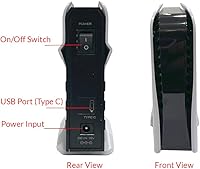
  • Power Source: The drive is powered by an included AC wall adapter, meaning it requires a nearby electrical outlet and cannot draw power from a USB port alone.
  • Dimensions: The physical enclosure measures 8 x 5 x 1.6 inches, keeping its desk footprint relatively contained for a drive of this storage class.
  • Weight: The complete unit weighs approximately 2 pounds, which is lighter than many comparable 3.5-inch desktop enclosures.
  • Compatible OS: Out of the box, the drive is formatted and optimized exclusively for Windows operating systems; Mac or Linux use requires manual reformatting.
  • Connection Ports: One USB 3.0 port is present on the enclosure — there are no additional hub ports, SD card slots, or secondary connectors.
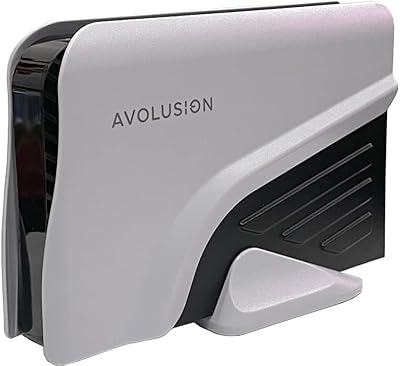
  • Color: The enclosure is finished in white, providing a clean, neutral appearance that suits most desktop setups.
  • Installation Type: Setup is entirely external — no case opening, no screwdriver, and no motherboard access is required at any point during installation.
  • Series: This unit belongs to Avolusion's PRO-Z product line, which is their desktop-oriented external storage series.
  • Model Number: The official model identifier is PROZ-WH-8TB-WIN, which encodes the series, color, capacity, and Windows compatibility in the product code.
  • Market Availability: This product was first listed for sale in April 2022 and is available through Amazon, where it holds a current rating of 4.0 out of 5 across approximately 116 customer ratings.

Related Reviews
Avolusion PRO-Z Series 12TB USB 3.0 External Hard Drive
86%
89%
Performance
94%
Ease of Setup
97%
Storage Capacity
88%
Durability
91%
Reliability for Backup
More
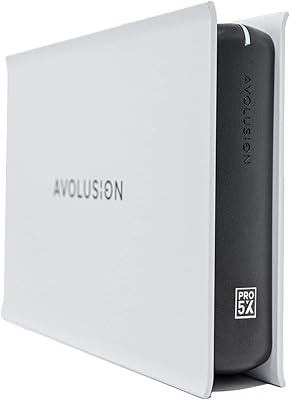
Avolusion PRO-5X 8TB External Hard Drive
78%
94%
Storage Capacity
91%
Value for Money
82%
PS5 Compatibility
76%
Transfer Speed
93%
Ease of Setup
More
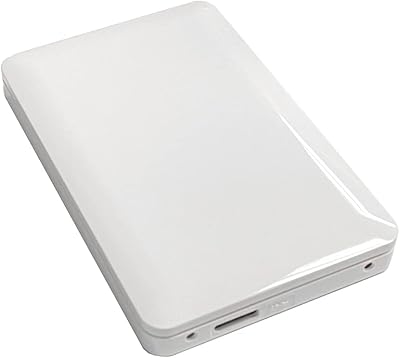
Avolusion PRO-5X 14TB External Hard Drive
67%
91%
Storage Capacity
88%
Ease of Setup
67%
Transfer Speed
82%
Value for Money
58%
Long-term Reliability
More
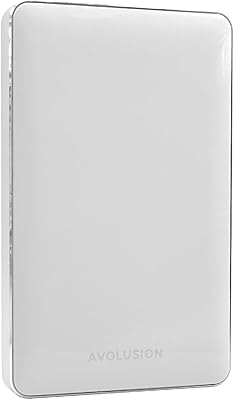
Avolusion HD250U3 1TB Xbox External Hard Drive
71%
91%
Ease of Setup
83%
Compatibility
54%
Transfer Speed
67%
Storage Capacity
61%
Build Quality
More
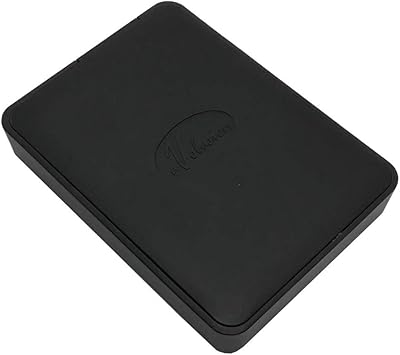
Avolusion T1 2TB Portable External Hard Drive
76%
83%
Value for Money
91%
Ease of Setup
54%
Transfer Speed
67%
Build Quality
88%
Portability
More
Avolusion 1.5TB PS4 Portable External Hard Drive

77%
93%
Ease of Setup
91%
Compatibility
78%
Storage Capacity
89%
Portability
54%
Load Times
More
WAVLINK WL-ST334UA Dual-Bay USB 3.0 Hard Drive Docking Station
72%
83%
Offline Cloning Reliability
74%
Transfer Speed
79%
Build Quality
91%
Ease of Setup
38%
Mac Compatibility
More
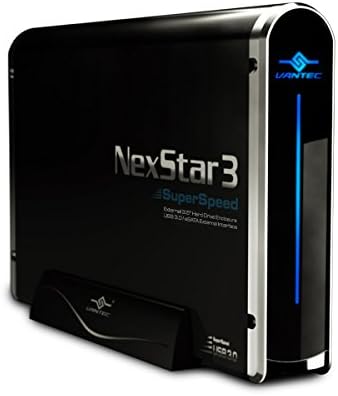
Vantec NexStar3 3.5″ External Hard Drive Enclosure

77%
88%
Build Quality
82%
Transfer Performance
84%
Thermal Management
86%
Ease of Setup
71%
Compatibility
More
ikuai 3.5″ USB 3.0 Hard Drive Enclosure
80%
93%
Ease of Setup
71%
Build Quality
62%
Cable Quality & Reliability
88%
Drive Compatibility
74%
Data Transfer Speed
More
BIPRA S3 500GB USB 3.0 Portable External Hard Drive
85%
94%
Portability & Size
88%
Data Transfer Speed
91%
Ease of Setup
85%
Compatibility
80%
Build Quality
More

FAQ

No, it does not. The drive ships pre-formatted for Windows (NTFS), which means macOS can read it but cannot write to it without third-party software or a full reformat to exFAT or HFS+. If you are primarily a Mac user, you would need to reformat before it becomes fully functional, which also erases any existing content on the drive.

No drivers or software installation is needed on Windows. You simply plug the USB cable into your PC, connect the AC power adapter to the wall, and Windows will recognize the drive within seconds. It shows up in File Explorer like any other storage device.

Smaller 2.5-inch portable drives can draw power directly from a USB port, but this is a 3.5-inch desktop drive with a full-size mechanical platter that demands more power than USB can supply. The AC adapter fills that gap, so plan to have an open outlet near your desk. It is a standard design choice for any desktop-class HDD enclosure, not a flaw.

You will hear some noise. At 7200 RPM, the spinning platters and read/write head produce a soft hum and occasional clicking during active data transfers. Most users find it easy to tune out, but if you work in a very quiet room and are sensitive to ambient noise, it is worth knowing upfront.

Physically, yes — USB 3.0 connectors are backward compatible with USB 2.0 ports. However, your transfer speeds will be significantly slower, capped at USB 2.0 bandwidth rather than the faster USB 3.0 speeds this drive is capable of. For occasional backups this may be acceptable, but for large data transfers it will feel sluggish.

Windows has a built-in tool called Windows Backup (or File History on Windows 10 and 11) that can automatically save copies of your files on a schedule you define. Once the drive is connected and recognized, open Settings, search for Backup, select this desktop storage drive as the destination, and configure your backup frequency. No extra software is required.

For most home and small office users, 8TB is far more than enough. A typical Windows system backup, including the OS and personal files, rarely exceeds a few hundred gigabytes. Where the space gets used up over time is if you store multiple backup versions, large video libraries, or raw photo archives alongside your system backup — but even then, 8TB provides substantial runway.

As soon as you unbox it, connect it and verify that Windows recognizes the full 8TB. Run a quick file copy test — transfer a large folder to the drive and back again — and confirm the files arrive intact. Mechanical drives can sustain internal damage from rough handling during shipping without showing any outward physical signs, so this early check is worthwhile.

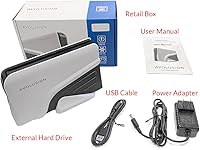
Yes, a USB 3.0 cable and the AC power adapter are included in the box. You should not need to purchase any additional accessories to get started, though it is always a good idea to confirm the contents are present when you unbox it.

Avolusion is a smaller, less-established brand, and that is a fair thing to weigh when buying storage hardware. The drive uses standard mechanical HDD technology inside a branded enclosure, which is common across the industry, but the brand itself has a shorter public track record and fewer reviews to draw confidence from. If brand reputation and established warranty support are priorities for you, larger names offer more history — but if value and capacity are the main criteria and you are comfortable with that tradeoff, this desktop storage drive sits in a reasonable position for its price tier.