
Overview

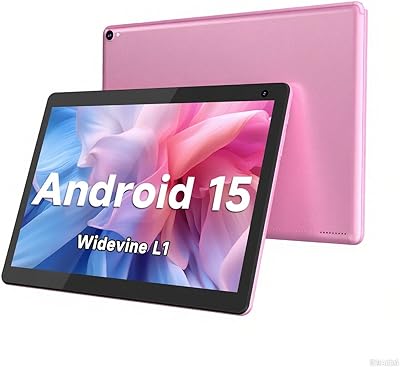
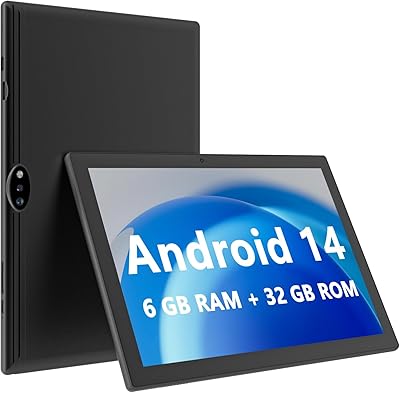
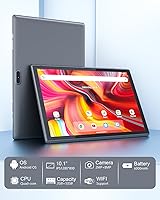
The ZZB ZB10 10-Inch 32GB Android Tablet is a no-frills entry-level device that arrived in mid-2023, squarely targeting casual users who want a functional tablet without spending much. ZZB isn't a household name — you won't find it on carrier shelves or in tech magazines — but that obscurity comes with the territory at this price point. What you get is a 10.1-inch screen that's genuinely useful for watching videos, reading, or light browsing, in a package that doesn't ask you to take a big financial risk. Manage your expectations accordingly, and this entry-level tablet makes a reasonable case for itself.

Features & Benefits

The IPS display runs at 1280x800 pixels — nothing jaw-dropping, but perfectly watchable for YouTube, Netflix, or an e-book before bed. The quad-core processor paired with just 2GB of RAM handles single-app use without much fuss; push it into multitasking territory and you'll feel the ceiling quickly. Where this budget Android tablet genuinely earns points is storage flexibility — 32GB built-in is modest, but the microSD slot accepts cards up to 1TB, which is unusually generous here. The 6000mAh battery is the headline spec: real-world use typically lands between 8 and 10 hours depending on brightness, which is still solid. Cameras cover video calls adequately, nothing beyond that.

Best For

This budget Android tablet isn't trying to compete with premium devices — and it shouldn't. It works well as a kids' first tablet, something that can handle basic apps and the occasional drop without keeping you up at night financially. Students will find it handy for e-books, note-taking, and the occasional lecture stream. For seniors who mainly want a bigger screen for video calls and light news browsing, the ZZB ZB10 fits that need without a steep learning curve. Frequent travelers wanting a secondary screen on long flights will also find it practical. Match your expectations to the price tier, and this entry-level tablet genuinely delivers.

User Feedback

Buyers who've spent a few months with this budget Android tablet tend to land in the same place: battery life and screen size earn real appreciation given what was paid. Out-of-box setup gets consistent praise — Google Play works immediately, which matters more than it sounds for less tech-savvy users. Complaints cluster around sluggish multitasking when several apps run simultaneously, which isn't surprising given the 2GB RAM ceiling. Build quality draws mixed reactions — the plastic shell feels lightweight, but that's expected at this tier. Most buyers feel the value holds up for light, casual use; anyone with heavier demands tends to wish they'd stretched the budget a little further.

Pros

  • The 6000mAh battery regularly delivers a full day of casual use on a single charge.
  • A 10.1-inch IPS screen at this price point gives you genuinely comfortable viewing for streaming and reading.
  • MicroSD expansion up to 1TB is unusually generous for an entry-level tablet.
  • Google Play works out of the box with full GMS certification, so app access is not a concern.
  • At under 1.7 pounds, this budget Android tablet is light enough to hold for extended reading sessions.
  • Setup is straightforward — most buyers report being up and running within minutes.
  • The 8MP rear camera handles video calls and casual snapshots without embarrassing itself.
  • For households sharing a media device, the ZZB ZB10 offers solid value without locking anyone into a premium ecosystem.
  • 32GB of built-in storage is enough to get started, and the SD card slot means you won't hit a wall quickly.
  • The price tier makes it a genuinely low-risk buy for first-time tablet owners or parents buying for kids.

Cons

  • 2GB of RAM makes multitasking noticeably sluggish when more than two or three apps are open simultaneously.
  • The plastic build feels lightweight in a way that raises durability questions after extended daily use.
  • Wi-Fi is limited to 802.11n, meaning no 5GHz band support and slower speeds on congested networks.
  • The 1280x800 resolution looks soft compared to even mid-range competitors released in the same period.
  • ZZB has no established track record for software updates or post-purchase customer support.
  • Real-world battery life under heavier use lands notably below the advertised 12-hour figure.
  • The 2MP front camera produces grainy video in anything less than ideal lighting conditions.
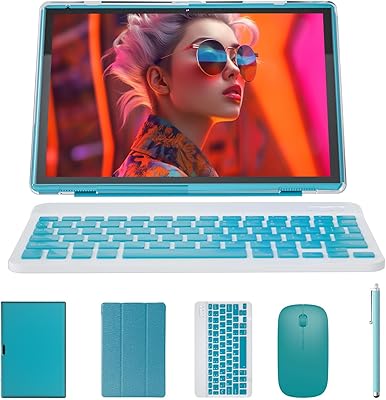
  • No mention of a stylus or keyboard accessory ecosystem limits productivity potential significantly.
  • Performance can feel sluggish over time as app updates increase their system demands beyond what 2GB RAM handles well.
  • The quad-core chip struggles visibly with modern casual games that run fine on better-resourced competitors.

Ratings

Our AI-generated scores for the ZZB ZB10 10-Inch 32GB Android Tablet are built by analyzing verified global buyer reviews, with spam, bot activity, and incentivized feedback actively filtered out before any scoring takes place. The result is an honest, balanced picture that reflects both what real users genuinely appreciate and where this entry-level tablet consistently falls short. Nothing is glossed over — the ratings below capture the full spectrum of buyer experience.

Value for Money
78%
22%
Most buyers feel they got more than they paid for, particularly when judging the screen size and battery capacity against the asking price. For households treating this as a shared casual device or a low-stakes gift, the value equation lands positively more often than not.
Users who stretch the device toward productivity or gaming quickly feel they outgrew its value proposition, and a few buyers noted that slightly higher-priced competitors offer meaningfully better specs for a small additional investment.
Battery Life
81%
19%
The 6000mAh battery genuinely impresses within the context of this price tier, with many users reporting a full day of light use — browsing, streaming, and reading — on a single charge. Travelers and students especially appreciate not having to hunt for an outlet mid-day.
The advertised 12-hour figure is optimistic; under heavier use like sustained video streaming or active app sessions, real-world runtime tends to drop to the 7 to 9 hour range, which some buyers found disappointing relative to expectations set by the listing.
Display Quality
67%
33%
For reading e-books, watching standard-definition YouTube videos, or casual browsing, the 10.1-inch IPS panel delivers a comfortable and adequately bright experience. The wide viewing angle of the IPS panel means the picture holds up reasonably well when sharing the screen with someone beside you.
At 1280x800 pixels, the resolution shows its age quickly when watching higher-quality content or sitting close to the screen — text and images look noticeably soft compared to even modestly priced competitors. Color accuracy is also limited, which matters for anyone using this tablet for photo review or creative work.
Performance
53%
47%
For the single-app use cases this tablet was designed around — reading, streaming one video, or filling out a form — the quad-core processor keeps things moving without embarrassing pauses. First-time tablet users and seniors who work through one task at a time tend to find the experience perfectly acceptable.
Two gigabytes of RAM is a hard ceiling that becomes obvious quickly. Switching between a browser with open tabs and a messaging app causes noticeable lag, and long sessions with demanding apps can trigger stutters or forced app reloads that frustrate users expecting smoother performance.
Build Quality
61%
39%
The slim profile and light weight make it easy to carry in a bag or hold for extended reading, and the overall assembly feels consistent with no obvious gaps or loose components reported by most buyers. For the intended use case, it holds up adequately under careful daily handling.
The all-plastic construction leaves a hollow, lightweight impression that makes the device feel less durable than it might actually be, and a noticeable number of buyers flagged concern about long-term resilience without a protective case. It does not feel like a device that will survive rough treatment.
Storage Flexibility
84%
The microSD expansion support up to 1TB is a standout feature that punches well above this price tier, giving users a practical and affordable way to load the device with movies, music, and offline content without worrying about the 32GB internal limit. Buyers who travel or like offline media libraries rate this aspect highly.
The 32GB of built-in storage fills up faster than many buyers anticipate once Android, Google apps, and a handful of downloaded apps are installed, making the microSD card feel like a necessity rather than a bonus — which means an additional purchase to unlock the tablet's full usability.
App Compatibility
77%
23%
GMS certification is a meaningful differentiator from unbranded budget tablets that ship without proper Google Play access. Buyers report that popular apps including streaming services, social platforms, and productivity tools install and run without compatibility errors straight out of the box.
While app installation works reliably, some heavier or more recently updated apps run sluggishly due to the RAM and processor constraints, so compatibility in theory does not always translate to a satisfying in-app experience in practice.
Camera Quality
44%
56%
The front camera does its job adequately for video calls in good lighting, which is the primary use case most buyers in this segment actually need. A quick FaceTime or WhatsApp call with family comes through clearly enough that conversations are not hindered.
The 8MP rear camera produces images that look soft, oversaturated, and noisy in anything other than bright outdoor conditions, and the 2MP front camera becomes nearly unusable in dim rooms. Anyone hoping to use this tablet for photography beyond basic video calls will be let down.
Setup Experience
82%
18%
Out-of-box setup receives consistent praise from buyers across experience levels — the initial Android setup wizard is clean, Google sign-in works without issue, and most users report being fully operational within ten to fifteen minutes of opening the box.
A small number of buyers encountered pre-installed bloatware apps that required manual removal, and a few noted that the initial software version required a lengthy update process before the device felt properly ready to use.
Wi-Fi Connectivity
58%
42%
For households with a straightforward 2.4GHz router and moderate traffic, the 802.11n connection handles streaming and browsing without dropping or stuttering noticeably during normal sessions.
The absence of 5GHz band support is a real limitation in busy households or apartments with congested 2.4GHz networks, where users report inconsistent speeds and occasional buffering that would not occur on a dual-band capable device.
Screen Size & Ergonomics
76%
24%
The 10.1-inch screen size hits a practical sweet spot for casual media consumption — large enough to watch video comfortably, yet the 1.61-pound weight keeps it manageable for extended handheld use during reading or browsing sessions.
The larger footprint makes one-handed use awkward for users with smaller hands, and the relatively thin bezel leaves limited space to grip the device without accidentally activating the touchscreen, which a few buyers found annoying during long reading sessions.
Durability Over Time
52%
48%
Users who treat this entry-level tablet as a careful daily driver and keep it in a case report that it holds up adequately over several months of light to moderate use without hardware issues emerging.
A segment of longer-term reviewers reported performance degradation after six to twelve months of use, with the device becoming noticeably slower as apps updated to versions demanding more system resources than the hardware can comfortably provide.
Audio Quality
55%
45%
The built-in speaker is loud enough for casual video watching in a quiet room, and buyers using it primarily for personal streaming at home or in bed find the volume level acceptable for solo viewing.
Audio quality is thin and tinny at higher volumes, with limited bass and noticeable distortion when pushed to maximum output. Users planning to share video content in a group or use this as a household entertainment hub will likely want external speakers or headphones.

Suitable for:

The ZZB ZB10 10-Inch 32GB Android Tablet is a practical pick for buyers who need a functional, low-cost device for everyday casual tasks and nothing more demanding than that. Parents shopping for a first tablet for younger kids will find it a sensible choice — affordable enough that a drop or a cracked corner won't be a financial disaster. Students who primarily need something to read e-books, take light notes, or stream lecture recordings will get solid mileage out of it. Seniors who want a larger screen for video calls with family, casual news browsing, or watching shows will appreciate the screen size without being overwhelmed by complexity. It also works well as a secondary travel device for long flights or commutes, where you want entertainment on hand but would rather not carry something expensive.

Not suitable for:

The ZZB ZB10 10-Inch 32GB Android Tablet has clear boundaries, and buyers who push past them will be disappointed. Anyone expecting fluid multitasking — switching between apps, running games alongside a browser, or keeping several tabs alive — will run into the 2GB RAM ceiling fairly quickly, and that frustration compounds over time. This entry-level tablet is not built for productivity-heavy workflows, graphic design, or anything that demands consistent processing headroom. Gamers looking for smooth performance on modern titles should look elsewhere entirely. Users who care about display accuracy for photo editing or video color grading will find the 1280x800 IPS panel falls well short. And if long-term software support or guaranteed security updates matter to you, an obscure brand at this price tier is unlikely to deliver that peace of mind.

Specifications

  • Screen Size: The display measures 10.1 inches diagonally, offering a comfortable viewing area for media consumption and reading.
  • Display Type: An IPS LCD panel provides wider viewing angles and more consistent colors compared to basic TN displays at this price tier.
  • Resolution: The screen runs at 1280x800 pixels, which is adequate for standard-definition video and text but not suited to high-resolution content.
  • Processor: A quad-core ARM-based CPU handles the core processing duties, tuned for light everyday tasks rather than intensive workloads.
  • RAM: 2GB of RAM is onboard, which supports single-app use reliably but becomes a limiting factor when multiple apps run simultaneously.
  • Internal Storage: 32GB of built-in flash storage comes standard, providing enough room for a basic app library and some downloaded media.
  • Expandable Storage: A microSD card slot supports cards up to 1TB, giving users significant flexibility to store movies, music, and documents locally.
  • Battery Capacity: A 6000mAh lithium-ion battery powers the device, with a manufacturer-rated runtime of up to 12 hours under typical conditions.
  • Rear Camera: The rear-facing camera captures images at 8 megapixels, suitable for casual snapshots and scanning documents, but not for detailed photography.
  • Front Camera: A 2-megapixel front camera handles basic video calls and selfies in well-lit environments.
  • Wi-Fi: Wireless connectivity runs on 802.11n, supporting 2.4GHz band networks only — 5GHz band is not supported.
  • Operating System: The tablet ships with Android pre-installed and carries Google Mobile Services (GMS) certification for full Google Play access.
  • Dimensions: The device measures 12 x 7 x 0.3 inches, making it slim enough to slip into a bag or large coat pocket with ease.
  • Weight: At 1.61 pounds, the tablet is light enough for extended handheld reading sessions without significant arm fatigue.
  • Color: The unit reviewed here ships in gray, giving it a neutral, understated appearance that suits most users.
  • Certifications: GMS certification confirms that core Google apps and services function correctly, which is not guaranteed on all low-cost Android devices.
  • Battery Type: The tablet uses a built-in lithium-ion battery that is included in the box and is not user-replaceable.

Related Reviews
VOLENTEX M10 10-Inch Android Tablet
63%
83%
Value for Money
79%
Battery Life
47%
Processing Performance
61%
Display Quality
76%
WiFi Connectivity
More
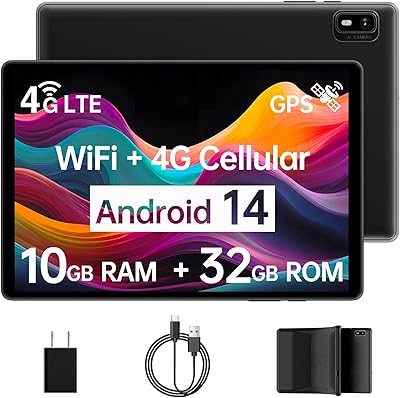
Topsand Android 14 Tablet 10-inch 10GB+32GB
84%
82%
Performance
88%
Build Quality & Durability
85%
Battery Life
70%
Display Quality
91%
Storage Capacity & Expandability
More
HAOVM G12PK14 10-inch Android 14 Tablet, 32GB
83%
91%
Value for Money
85%
Display Quality
88%
Battery Life
80%
Performance Speed
65%
Storage Capacity
More
COOPERS CP10S 10-inch Android Tablet 32GB
72%
88%
Value for Money
76%
Display Quality
61%
Performance & Speed
72%
Battery Life
54%
RAM & Multitasking
More
BAKEN D10A 10-inch Android Tablet, 4GB RAM, 32GB Storage
81%
91%
Value for Money
85%
Battery Life
88%
Display Quality
70%
Performance
89%
Portability
More
NEWISION M10 10-inch Android Tablet
65%
78%
Value for Money
83%
Battery Life
47%
Performance & Speed
66%
Display Quality
51%
Build Quality
More
ATOZEE RM 10-inch 2-in-1 Android Tablet
66%
83%
Value for Money
54%
Performance
67%
Display Quality
71%
Battery Life
49%
Keyboard Quality
More
Aheadthink AHZB11 10.1-inch Android Tablet
65%
83%
Value for Money
79%
Battery Life
51%
Performance
67%
Display Quality
58%
Build Quality
More
NOVOJOY ZB10S3IN1 Android 14 Tablet 10.1-inch, 6GB RAM, 32GB Storage
81%
91%
Value for Money
87%
Display Quality
75%
Battery Life
83%
Performance for Basic Tasks
80%
Build Quality
More
ITMEIPC T-10 10.1-inch Android Tablet
69%
83%
Value for Money
67%
Display Quality
62%
Performance
71%
Battery Life
58%
Build Quality
More

FAQ

Yes, and this is one of the more meaningful specs to verify on any budget tablet. The ZZB ZB10 10-Inch 32GB Android Tablet carries GMS certification, which means Google Play, Gmail, YouTube, and other core Google apps are fully functional right out of the box. Not every cheap Android tablet can say that, so it is a genuine reassurance here.

The 12-hour figure is the best-case scenario — think screen at low brightness, mostly reading or light browsing. In practice, streaming video or running apps will bring that closer to 8 to 10 hours, which is still a solid result for this price tier. Most users find they can get through a full day of casual use on a single charge without issue.

Absolutely. The microSD card slot supports cards up to 1TB, which is unusually generous for an entry-level tablet. If you plan to store a lot of movies, music, or offline content, picking up a 128GB or 256GB microSD card is a straightforward and affordable upgrade.

For basic use — educational apps, YouTube Kids, e-books, and simple games — yes, this budget Android tablet handles those tasks without much trouble. The screen size is comfortable for young users, and the low cost means you are not taking a huge financial risk if it gets dropped or damaged. Just note that parental controls will need to be set up manually through Google Family Link or a third-party app.

Both work fine for standard streaming. The 1280x800 display is not a high-resolution screen, so you won't get the sharpest picture, but video playback is perfectly watchable for casual viewing. If you plan to stream a lot, downloading content via the microSD card for offline viewing is a smart move given the modest internal storage.

Honestly, this is where the 2GB RAM shows its limits. Switching between two or three light apps works well enough, but if you have several tabs open in a browser while also running other apps, you will notice slowdowns and occasional reloads. It is best used as a one-task-at-a-time device rather than a multitasking workhorse.

Unfortunately, the wireless chip here is 802.11n only, which means it runs on the 2.4GHz band exclusively. If your home router has a busy 2.4GHz network with lots of connected devices, you might notice some congestion. It is not a dealbreaker for casual use, but it is worth knowing if you have a particularly crowded wireless environment.

It feels like what it is — a lightweight plastic tablet at an accessible price. It is not going to impress anyone coming from a premium device, but it holds together well enough for daily casual use. The slim profile does make it feel a bit delicate, so a basic protective case is a worthwhile addition, especially if kids will be using it.

At 2 megapixels, the front camera produces adequate picture quality for a FaceTime or Zoom call in decent lighting. In dim conditions, image quality drops off quickly. If video calls are a primary use case, make sure you are in a well-lit room for the best results.

It can work well for seniors who mainly want a bigger screen for browsing, video calls, and streaming. The setup is fairly simple, and since Google Play is fully functional, downloading familiar apps like WhatsApp or YouTube is straightforward. The text size can be adjusted in Android settings to make reading more comfortable, and the light weight makes it easy to hold for long periods.

Where to Buy