Overview

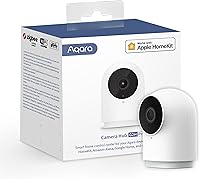
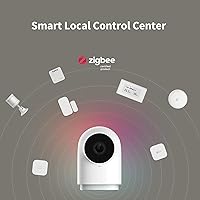
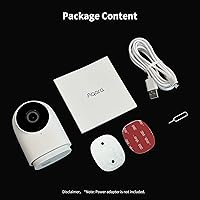
The Aqara G2H Pro Indoor Security Camera Hub is one of those rare devices that genuinely earns its dual identity — it functions as both a capable indoor security camera and a Zigbee 3.0 smart hub in a housing small enough to sit on a shelf or mount flush to a wall. For HomeKit users especially, it fills a specific gap: HomeKit Secure Video support at a mid-range price point, with no mandatory cloud subscription for short clip storage. Worth noting upfront — the G2H Pro ships without a power adapter, and its Wi-Fi is 2.4GHz only, which matters if your home network is congested.

Features & Benefits

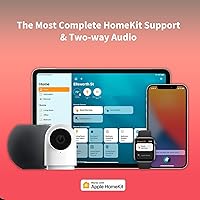
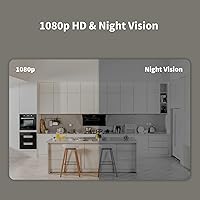
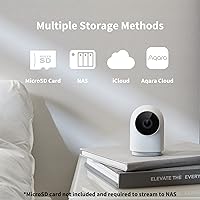
The 1080p sensor paired with a 146-degree wide-angle lens does a solid job covering a full room — living spaces, nurseries, and home offices all fall comfortably within its field of view, and the night vision handles low-light conditions adequately for an indoor camera. What genuinely distinguishes the G2H Pro is its HomeKit Secure Video integration: face and package recognition are processed locally on your Apple hub, not on a remote server, which is a real privacy advantage. The Zigbee hub capability is equally worth attention — it can manage up to 128 Aqara devices, and when a sensor triggers, the corresponding moment is flagged on the video timeline automatically. Storage flexibility rounds things out, with microSD, NAS, and iCloud all supported.

Best For

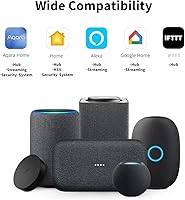
This indoor camera hub hits its stride for a fairly specific buyer profile. If you're deep in the Apple ecosystem and want HomeKit Secure Video without paying for a separate hub, this is one of the more efficient ways to get there. Aqara users consolidating their Zigbee devices will find real value — one fewer plug, one fewer app to juggle. It also suits privacy-conscious households that want local processing and encrypted streams over cloud dependency. Renters and apartment dwellers will appreciate the discreet size and plug-in design. It works with Alexa and Google Assistant, though the full feature set — local recognition, timeline events — is exclusive to HomeKit.

User Feedback

Buyers consistently praise how smoothly the G2H Pro integrates into an existing Aqara setup — pairing new Zigbee devices is reportedly reliable, and the HomeKit Secure Video process earns solid marks for being less painful than expected. The Zigbee hub function gets genuine credit for replacing standalone hubs without a hitch. On the flip side, the missing power adapter comes up repeatedly and strikes many buyers as an odd omission at this price tier. The 2.4GHz-only Wi-Fi draws criticism in apartments or homes with busy networks. Non-HomeKit users relying on Alexa or Google Assistant tend to find the Aqara app experience noticeably more limited, with fewer automation options and less refined notifications.

Pros

  • Doubles as a Zigbee 3.0 hub, managing up to 128 Aqara devices from a single plug-in unit.
  • HomeKit Secure Video support processes face and package recognition locally, keeping data off third-party servers.
  • No mandatory subscription — short clips upload to the cloud automatically at no ongoing cost.
  • Storage is unusually flexible: iCloud, microSD up to 512GB, and NAS via Samba are all supported.
  • The 146-degree wide-angle lens covers large rooms well without needing multiple cameras.
  • WPA3 Wi-Fi encryption and software masking add real layers of privacy protection.
  • Two-way audio and a built-in siren make it useful for active monitoring, not just passive recording.
  • Aqara sensor events are flagged directly on the video timeline, which is a genuinely useful workflow.
  • Compact and lightweight at just 4 ounces — easy to reposition or mount discreetly.
  • Setup within the Aqara ecosystem is consistently praised as reliable and straightforward.

Cons

  • No power adapter in the box — an easy cost-cutter that still frustrates buyers at this price point.
  • 2.4GHz-only Wi-Fi causes real connectivity problems in dense network environments or thick-walled homes.
  • Advanced features like local recognition and timeline events are exclusive to HomeKit — Alexa and Google Assistant users get a stripped-down experience.
  • The Aqara app feels limited and less polished for users who are not routing everything through Apple Home.
  • No 5GHz Wi-Fi support is a meaningful limitation as more routers prioritize that band.
  • Night vision performance is adequate for indoors but not exceptional — do not expect clear detail in very dark rooms.
  • NAS storage requires a compatible microSD card inserted simultaneously, which is an awkward technical dependency.
  • The G2H Pro only supports 2MP still resolution, which may disappoint buyers hoping for sharper image captures.
  • Not weather-resistant — strictly an indoor device, limiting placement flexibility near windows or entryways.
  • Users outside the Aqara device ecosystem get little benefit from the hub functionality and may feel they are paying for features they will never use.

Ratings

The scores below reflect an AI-driven analysis of verified global user reviews for the Aqara G2H Pro Indoor Security Camera Hub, with spam, bot activity, and incentivized feedback actively filtered out to surface what real buyers actually experience. Ratings cover everything from HomeKit integration reliability to the frustrations that come up repeatedly in day-to-day use. Both the genuine strengths and the honest pain points are reflected here without softening either side.

HomeKit Integration
91%
Users who are invested in Apple Home consistently report that setup is surprisingly straightforward, and the HomeKit Secure Video connection holds up reliably over time. The local processing of face and package detection — without sending data to an external server — is a genuine differentiator that resonates strongly with privacy-conscious Apple households.
A small but vocal group of users encounters hiccups when first adding the camera to Apple Home, often tied to router or network configuration rather than the device itself. Firmware updates occasionally cause a brief drop in HomeKit connectivity that requires a manual re-pair.
Zigbee Hub Performance
88%
For existing Aqara users, the built-in Zigbee 3.0 hub performs well enough to replace a standalone hub entirely — device pairing is stable and the 128-device ceiling is more than adequate for most homes. The sensor-to-video-timeline linking, where a door sensor trigger gets marked directly on the footage, is a workflow feature users consistently highlight as genuinely useful.
Range can be a limiting factor in larger homes or multi-floor setups without additional Zigbee repeaters in the network. A handful of users report that non-Aqara Zigbee devices occasionally have pairing inconsistencies, making this hub most reliable when kept within the Aqara ecosystem.
Privacy & Security
93%
WPA3 Wi-Fi encryption, software masking zones, and local on-device video analysis combine to give this camera one of the stronger privacy profiles in its price bracket. Users specifically call out the masking feature as practical for cameras pointed toward workspaces or areas they want to keep off-record.
The privacy advantages are largely contingent on using HomeKit — users running the camera through Alexa or Google Assistant have less visibility into how data is handled at the platform level. A small number of users wanted more granular control over cloud clip uploads and found the options limited.
Video Quality
79%
21%
The 1080p resolution and 146-degree wide-angle lens do a solid job of covering full rooms — living rooms, nurseries, and open office spaces all fit comfortably within the frame without the distortion that plagues cheaper wide-angle sensors. Daytime footage is sharp and well-exposed, and users are generally satisfied with clarity for identification purposes.
Night vision performance draws mixed reactions; in rooms with some ambient light it holds up, but in true darkness the image loses meaningful detail. The 2MP sensor is adequate but falls behind competitors that have moved to higher resolution sensors at a similar price point.
Wi-Fi Connectivity
58%
42%
In homes with a clean, dedicated 2.4GHz network, the camera maintains a stable connection with few reported dropouts. WPA3 support means the wireless link itself is more secure than what most cameras in this category offer.
The 2.4GHz-only limitation is the most consistently cited complaint across user feedback, particularly in apartment buildings where spectrum congestion is unavoidable. Users who have upgraded to Wi-Fi 6 routers and relegated 2.4GHz to a secondary band find setup finicky, and some report periodic disconnections they could not resolve without dedicated network adjustments.
Setup & Installation
82%
18%
Within the Aqara app, the setup process is guided clearly and most users report getting the camera online and connected to their smart home in under ten minutes. Wall mounting hardware is included, and the lightweight build makes solo installation easy without requiring additional tools.
Users who are not already familiar with the Aqara ecosystem find the initial app experience less intuitive, with multiple accounts and permission steps that feel redundant. NAS storage configuration in particular is described as confusing, with the simultaneous microSD requirement catching many buyers off guard.
Storage Flexibility
86%
Offering microSD, iCloud, and NAS storage in a single device at this price tier is genuinely uncommon, and users who take full advantage of all three options appreciate having redundancy built in. The no-subscription cloud clip uploads are a practical bonus that most competitors charge for.
NAS via Samba requires both a compatible microSD card to be inserted and SMB1.0-compatible software, which is an unnecessarily complex dependency that trips up users expecting a clean network storage experience. iCloud storage requires an Apple subscription of 50GB or more, which is an added cost some buyers did not anticipate.
Value for Money
83%
When the Zigbee hub and HomeKit Secure Video capability are factored in together, the overall package represents strong value — buying a dedicated Zigbee hub and a HomeKit-compatible camera separately would cost considerably more. No mandatory cloud subscription keeps the ongoing cost low for most buyers.
The missing power adapter actively erodes the sense of value at purchase, particularly for first-time buyers who are not expecting to need an additional accessory immediately. Users who end up not using the Zigbee hub functionality feel they are paying for hardware they never tap into.
Build Quality
74%
26%
The housing feels solid for its weight class — at just 4 ounces the camera is light but not flimsy, and the compact footprint means it sits or mounts without looking out of place in a home environment. The finish resists fingerprints reasonably well and blends discreetly into most room decors.
Some users note that the plastic housing feels more budget-oriented than the feature list might suggest, and the wall mount bracket has drawn criticism for feeling less secure than expected over extended use. The IP66 rating is listed but the device is strictly indoor-rated, which confuses a portion of buyers.
App Experience
63%
37%
For HomeKit users, the Apple Home app handles most day-to-day interactions cleanly, meaning the Aqara app itself is rarely needed after initial setup. Automation rules that link camera events to other Aqara sensors work reliably once configured.
Non-HomeKit users are fully dependent on the Aqara app, which receives consistent criticism for feeling cluttered, slow to load live view, and behind competing apps in terms of notification customization. Firmware update notifications through the app are inconsistent, and some users miss updates entirely.
Two-Way Audio
71%
29%
For quick communication — checking in on a child in the nursery or alerting someone in another room — the two-way audio does its job without noticeable lag. The built-in siren adds a practical deterrence option that users in security-focused households appreciate.
Audio quality is functional rather than impressive; background noise pickup is higher than expected and the speaker volume is limited in larger rooms. Users comparing it to doorbell cameras with dedicated speaker hardware note a clear quality gap.
Motion Detection
76%
24%
Motion alerts are generally prompt and the configurable activity zones help reduce false triggers from things like ceiling fans or curtains moving. When paired with Aqara sensors through the Zigbee hub, the combined detection workflow is more robust than camera motion detection alone.
Without HomeKit, motion sensitivity tuning is more limited and users report a higher rate of missed or delayed alerts through the Aqara app alone. The camera does not support person detection outside of HomeKit, which is a meaningful gap for buyers using other platforms.
Alexa & Google Compatibility
54%
46%
Basic voice commands work — asking Alexa or Google Assistant to show the camera feed on a compatible display functions reliably. For smart home users who primarily use voice triggers rather than app automation, this basic layer of compatibility is adequate.
The feature gap between HomeKit and the Alexa or Google Assistant experience is significant and frequently underestimated by buyers who assume functionality is equivalent across platforms. Local recognition, timeline events, and deeper automation are all unavailable outside HomeKit, leaving non-Apple users with what amounts to a basic live-view camera.
Night Vision
67%
33%
In typical indoor low-light conditions — a nightlight-lit nursery, a dimly lit hallway, or a room with streetlight coming through a window — the color night mode captures enough detail for monitoring purposes. Users with these kinds of mixed-light environments report being satisfied with nighttime performance.
In complete darkness the image degrades noticeably, and several users comparing it to competing cameras at a similar price point note sharper low-light performance elsewhere. Infrared range and image clarity in true blackout conditions are not standout attributes of this camera.

Suitable for:

The Aqara G2H Pro Indoor Security Camera Hub is built for a specific kind of buyer, and it rewards them well. Apple HomeKit users who want HomeKit Secure Video — the privacy-forward protocol that processes footage on your own Apple devices rather than on a company server — will find this one of the more affordable ways to get there without needing a separate Zigbee hub. That dual-function angle is genuinely useful for anyone already running Aqara sensors around their home: door contacts, motion sensors, water leak detectors all connect through the same device, and events get tagged directly on the camera timeline. Privacy-conscious households will appreciate the local face and package recognition, the WPA3 Wi-Fi encryption, and the software masking that can black out portions of the frame. Renters or anyone setting up a discreet bedroom, nursery, or home office camera will find the small footprint and plug-in design practical, and the flexible storage options — no mandatory subscription required — make it easier to justify the cost.

Not suitable for:

The Aqara G2H Pro Indoor Security Camera Hub is a poor fit for anyone outside the Aqara or Apple ecosystem. Buyers who rely primarily on Alexa or Google Assistant should know upfront that voice assistant support is present, but advanced features like local recognition, sensor-linked timeline events, and deeper automation are locked to HomeKit — so the experience for non-Apple users is noticeably thinner. Anyone living in an apartment building or a home with a congested 2.4GHz network may run into persistent connectivity frustrations, since 5GHz Wi-Fi is not supported. If you need outdoor coverage, look elsewhere — this is strictly an indoor camera. Those expecting a complete out-of-the-box setup will be caught off guard by the missing power adapter, which adds an extra purchase and feels like an unnecessary inconvenience. And buyers who want a standalone security camera without any interest in smart home automation will likely find the Zigbee hub functionality irrelevant and the overall package overbuilt for their needs.

Specifications

  • Video Resolution: Records at 1080p Full HD with an effective still resolution of 2MP via a CMOS sensor.
  • Field of View: Wide-angle lens covers 146 degrees, sufficient to monitor most standard-sized rooms from a single mounting point.
  • Night Vision: Supports color night mode for low-light recording, providing visibility in dimly lit indoor environments.
  • Wi-Fi Connectivity: Connects exclusively via 2.4GHz Wi-Fi with WPA3 security standard; 5GHz networks are not supported.
  • Zigbee Hub: Built-in Zigbee 3.0 hub can connect and manage up to 128 compatible Aqara child devices simultaneously.
  • Storage Options: Supports iCloud (requires 50GB or larger plan), microSD cards up to 512GB, and NAS storage via the Samba SMB protocol.
  • Internal Memory: Includes 8GB of onboard flash memory for short-term clip buffering and local system functions.
  • Audio: Equipped with two-way audio and a built-in siren for live communication and active deterrence.
  • Power Source: Powered via AC plug-in at 5V; a power adapter is not included in the box.
  • Dimensions: Measures 3.24 x 2.22 x 1.99 inches, making it compact enough for shelf placement or discreet wall mounting.
  • Weight: Weighs 4 ounces, keeping the unit lightweight for flexible repositioning without heavy hardware.
  • Mounting: Compatible with wall mount installation; hardware and bracket are included to support fixed placement.
  • Video Format: Records and stores footage in MPEG-4 format for broad compatibility with playback software.
  • Voice Assistants: Works with Apple HomeKit, Amazon Alexa, and Google Assistant, though full feature access requires HomeKit.
  • Privacy Features: Includes configurable software masking zones to block specific areas of the frame from being recorded or transmitted.
  • Protection Rating: Rated IP66, though the device is designed and recommended for indoor use only.
  • Optical Zoom: Supports up to 2x optical zoom for closer inspection of specific areas within the camera's field of view.
  • Video Protocol: Supports HomeKit Secure Video for encrypted, on-device video analysis when used within an Apple Home setup.

Related Reviews
Aqara 2K Security Indoor Camera Hub G3
86%
91%
Video Quality
87%
AI Recognition Accuracy
93%
Smart Home Integration
79%
Ease of Setup
90%
Field of View
More
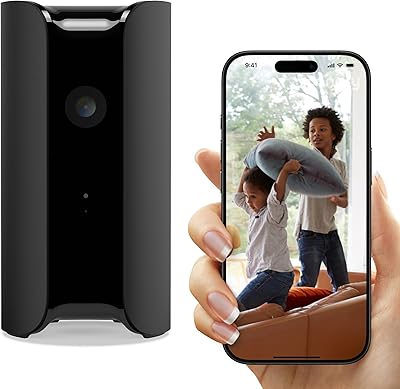
Canary Pro Indoor Home Security Camera
73%
91%
Ease of Setup
78%
Video Quality
63%
Motion Detection
61%
App Experience
87%
Siren Effectiveness
More
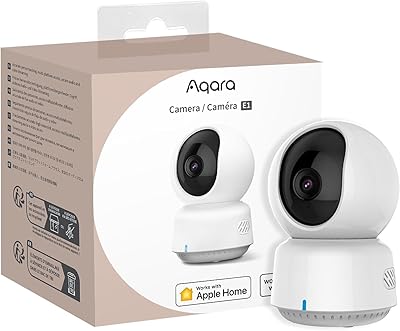
Aqara Camera E1 Pan-Tilt Security Camera
78%
88%
Image Quality
83%
Night Vision
79%
Pan and Tilt Tracking
91%
Smart Home Integration
93%
Privacy and Security
More
Aqara G5 Pro PoE Security Camera Hub
78%
92%
Image Quality
88%
Night Vision Performance
83%
Local AI Detection
86%
Hub & Smart Home Integration
51%
Setup & Installation
More
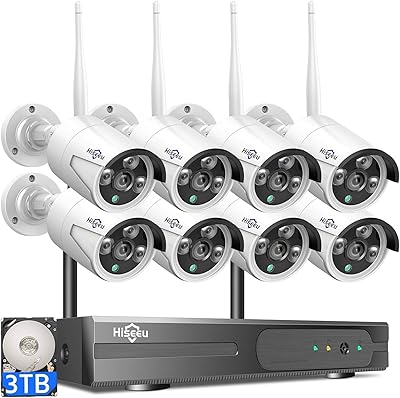
Hiseeu WK-8HB615-CT 8-Camera 5MP NVR Security System
76%
78%
Image Quality
83%
Night Vision
91%
Local Storage Value
71%
AI Human Detection
58%
Ease of Installation
More
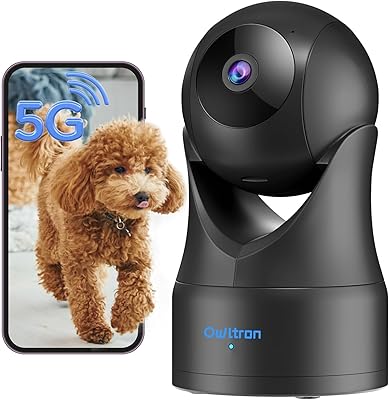
Owltron 5MP Indoor Security Camera
85%
91%
Night Vision Performance
89%
Motion Detection Accuracy
75%
Wi-Fi Connectivity
92%
Ease of Setup
80%
Audio Quality
More
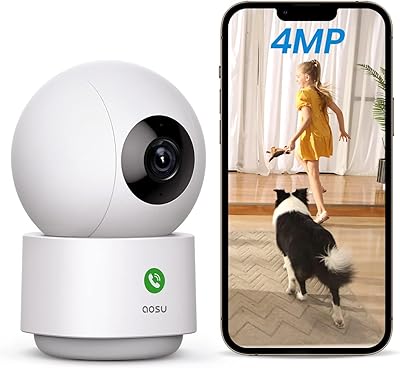
aosu 4MP 360° Indoor Security Camera
76%
83%
Image Quality
78%
Motion Tracking
71%
Night Vision
88%
Setup & Connectivity
74%
One-Touch Call Feature
More
Gaiexce 2K Security Camera Indoor
83%
91%
Video Quality
88%
Motion Detection Accuracy
90%
Night Vision Performance
85%
Ease of Setup
80%
App Functionality
More
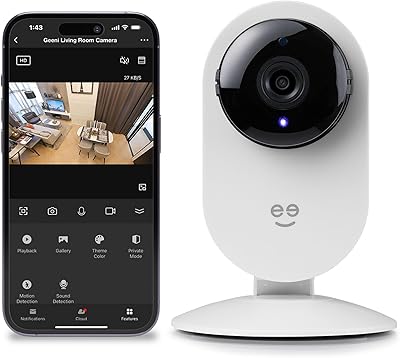
Geeni Glimpse Indoor Security Camera
81%
91%
Value for Money
96%
Ease of Installation
88%
Wi-Fi Connectivity
85%
Motion Detection
65%
Two-Way Audio Quality
More
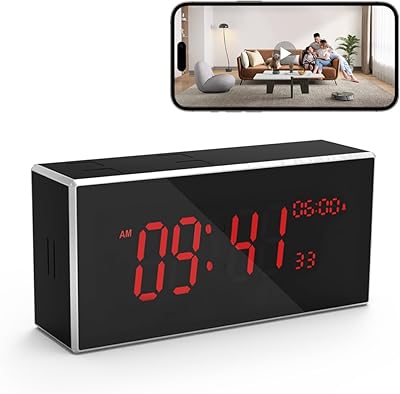
Kelucimy H1 Indoor Clock Security Camera
69%
81%
Video Quality
73%
Night Vision
67%
Motion Detection
78%
Wi-Fi Connectivity
62%
App Experience
More

FAQ

It does work with Alexa and Google Assistant for basic functions like live view and voice commands, but a lot of what makes the G2H Pro compelling — local face recognition, package detection, and sensor-linked video timeline events — is exclusive to Apple HomeKit. If you are not in the Apple ecosystem, the experience is noticeably more limited and you will be relying more heavily on the Aqara app, which users find less refined than the Apple Home interface.

The camera runs on 5V DC, so any USB-A power adapter with at least 1A output will work — a standard phone charger is fine. That said, the omission is a genuine frustration for many buyers, especially at this price point, and it is worth budgeting for one if you don't have a spare.

For most Aqara users, yes — it can fully replace a standalone Zigbee hub. The G2H Pro connects up to 128 Aqara Zigbee devices, and buyers who have made the switch report that device pairing and reliability hold up well. If you are running a very large setup or mixing in non-Aqara Zigbee devices, it is worth checking compatibility first.

Short video clips triggered by motion or sound are uploaded to the cloud at no charge — no subscription needed for that. Full continuous footage is stored locally on a microSD card or NAS. If you want iCloud storage through HomeKit Secure Video, you will need an iCloud plan of 50GB or larger, which does carry Apple's standard monthly fee.

No — the Aqara G2H Pro Indoor Security Camera Hub only supports 2.4GHz Wi-Fi. If your router broadcasts both bands under the same network name, you may need to temporarily separate them or connect your phone to the 2.4GHz band during setup to ensure the camera connects to the right frequency.

It handles low-light conditions reasonably well for an indoor camera — a nursery with a nightlight or a hallway with ambient light from outside will look clear. In complete darkness without any light source, the image quality becomes more limited, so do not expect the same clarity you would get in daylight. It is solid for general indoor monitoring, not forensic-level detail in the dark.

Yes, the software masking feature lets you block out specific zones in the camera's field of view — those areas will not be recorded or transmitted. This is useful for pointing the camera toward an entry point while keeping a desk or personal area off-camera.

NAS storage via Samba (SMB protocol) works, but it does have some quirks. You need a compatible microSD card inserted in the camera at the same time for it to function — it's not a simple standalone option. You also need SMB1.0-compatible software on your NAS. For non-technical users, microSD storage or iCloud will be much simpler.

Both options work. The G2H Pro includes wall mount hardware and a bracket, so you can fix it to a wall for a cleaner installation. It also sits stably on a shelf or counter on its own if you prefer a more flexible, non-permanent setup.

For short, clear communication — telling a family member something quickly or checking in on a child — it works fine. Like most built-in microphones and speakers in compact cameras, it is not going to match a dedicated intercom system, but users generally find it functional and clear enough for its intended use.