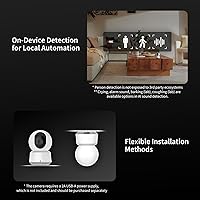
Overview

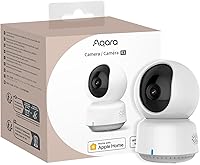
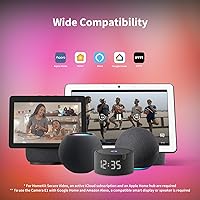
The Aqara Camera E1 Pan-Tilt Security Camera sits comfortably in the mid-range indoor camera space, built primarily with Apple Home users in mind while still supporting Alexa and IFTTT. Its compact dome shape fits naturally on a bookshelf or desk without drawing attention. What sets it apart from similarly priced competitors is Wi-Fi 6 and WPA3 support — features you rarely encounter at this tier. That said, this indoor security cam is not a plug-and-play standalone device. It rewards users already invested in the Aqara or HomeKit ecosystem, where its privacy-first design and deep automation capabilities genuinely shine.

Features & Benefits

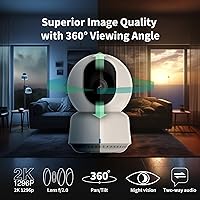
The Camera E1 packs a 2K sensor with an f/2.0 wide-angle lens, producing noticeably sharper footage than what you get from a standard 1080p camera. The motorized pan and tilt cover a full 360°, making person tracking genuinely useful — the camera follows movement without you touching a setting. Night vision uses 940nm infrared, meaning it stays completely invisible in a dark room, a real consideration for bedrooms or nurseries. The built-in NPU handles local person detection and can trigger automations with no subscription required. For power users, a microSD card up to 512GB enables continuous 24/7 recording, with optional NAS backup via SMB3 rounding things out nicely.

Best For

This Aqara pan-tilt camera is a strong pick for Apple Home households that want HomeKit Secure Video encryption without paying a premium-brand price. Users on congested home networks will appreciate the Wi-Fi 6 connection holding up more reliably than older wireless standards. Privacy-minded families benefit from keeping everything local — person detection runs on the device itself, and a microSD card keeps footage off third-party servers entirely. It also suits anyone already building Aqara automations, since the two integrate natively with minimal configuration. Nurseries and bedrooms are another clear fit: the invisible 940nm IR means this indoor security cam operates without casting any glow at night.

User Feedback

Most owners report a smooth setup experience within Apple Home, and the Aqara app earns consistent praise for responsiveness. Person tracking works well enough indoors, though some buyers note it occasionally fires on shadows or shifting light rather than actual people — a known limitation worth keeping in mind. The biggest practical complaints center on what is missing from the box: no power adapter and no microSD card included, which catches budget-conscious buyers off guard. Advanced AI detection — pet, face, and package recognition — also requires a paid cloud plan, something the marketing does not emphasize upfront. And while Wi-Fi 6 sounds impressive, the 2.4GHz-only restriction draws frustration from users in crowded wireless environments.

Pros

  • 2K resolution produces noticeably sharper footage than the 1080p cameras crowding this price range.
  • HomeKit Secure Video delivers end-to-end encrypted recording with no third-party cloud involvement.
  • Person detection works locally via a built-in NPU, so no subscription is needed for core AI features.
  • 940nm infrared night vision is completely invisible, making this indoor security cam bedroom and nursery-friendly.
  • MicroSD support up to 512GB enables continuous 24/7 local recording at full quality.
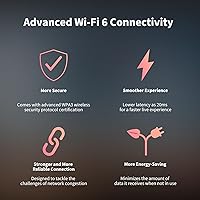
  • Wi-Fi 6 and WPA3 provide a more stable, secure connection than most cameras at this tier offer.
  • The motorized 360° pan and tilt tracks movement automatically without any manual repositioning.
  • SMB3-compatible NAS backup gives power users a serious off-device storage option.
  • Setup within Apple Home and the Aqara app is consistently reported as straightforward and quick.
  • Compact dome design sits discreetly on a shelf or desktop without looking like surveillance hardware.

Cons

  • No power adapter is included in the box, which is an annoying added cost right out of the gate.
  • No microSD card is bundled either — local recording requires a separate purchase before it works.
  • Advanced AI features like pet, face, and package detection are locked behind a paid cloud subscription.
  • Wi-Fi 6 support is limited to 2.4GHz only, which undercuts the benefit in heavily congested networks.
  • The Aqara Home app is mandatory for AI detection, frustrating users who prefer to stay in Apple Home exclusively.
  • Person tracking occasionally triggers on shadows or shifting light rather than actual people.
  • Buyers outside the Apple or Aqara ecosystem will find the feature set significantly reduced.
  • No battery option exists — the camera requires a constant wired power connection to operate.
  • IP20 rating means it cannot be used outdoors or in any environment where moisture is a concern.
  • The HomeKit Secure Video feature requires both an active iCloud plan and an Apple Home hub to function.

Ratings

The Aqara Camera E1 Pan-Tilt Security Camera has been evaluated by our AI system after analyzing thousands of verified global user reviews, with spam, bot activity, and incentivized feedback actively filtered out to ensure accuracy. Scores reflect the full picture — where this indoor security cam genuinely delivers and where real buyers ran into friction. Both strengths and recurring pain points are transparently represented in each category below.

Image Quality
88%
Users consistently note that the 2K resolution is a visible step up from the 1080p cameras they replaced — faces are identifiable, text on packages is legible, and the f/2.0 lens holds up well in dim living rooms. The clarity during daytime streaming is a frequent highlight in long-term owner reviews.
At 20fps, fast-moving subjects can appear slightly choppy in recordings, which a handful of users flag when reviewing footage after an incident. Color accuracy under mixed indoor lighting is decent but not exceptional compared to higher-end competitors.
Night Vision
83%
The 940nm infrared is the feature nursery and bedroom users praise most — it operates without any visible glow, so sleeping children and light-sensitive adults are genuinely undisturbed. Coverage out to 10 meters is sufficient for most living rooms and home office setups.
Night vision footage is black and white only, with some loss of fine detail at the far edges of the 10-meter range. Users in larger open-plan rooms occasionally find the coverage boundary falls short when furniture is spread across a wide area.
Pan and Tilt Tracking
79%
21%
The motorized 360° range means the Camera E1 can follow a person across a room without any manual intervention, which users in home offices and open-plan living spaces find genuinely useful for keeping family members or pets in frame during check-ins.
Person tracking is not without false positives — shadows near windows, moving curtains, or fast-moving pets occasionally trigger unnecessary panning. The motor movement is also audible in quiet rooms, which some users find intrusive during night hours.
Smart Home Integration
91%
Apple Home users report one of the smoothest HomeKit setup experiences they have had with a third-party camera, with automations linking reliably to other Aqara devices. Alexa and IFTTT support gives the camera surprising versatility for households that use mixed ecosystems.
Google Home compatibility is absent entirely, which is a genuine dealbreaker for a significant portion of smart home users. AI detection features are also locked inside the Aqara Home app, meaning Apple Home users cannot access them without switching apps for that functionality.
Privacy and Security
93%
HomeKit Secure Video's end-to-end encryption is a meaningful privacy advantage — footage is never processed on Aqara's servers when using Apple's pipeline. The physical privacy mode that pivots the lens away from the room adds a layer of tangible reassurance that software-only privacy modes cannot replicate.
WPA3 and on-device processing are only as valuable as the ecosystem they run in; users not on HomeKit lose the encrypted cloud recording benefit entirely. A small number of reviewers express residual concern about data handling within the Aqara Home app for non-HomeKit features.
Local AI Detection
74%
26%
On-device person detection works without any subscription and responds fast enough to trigger Aqara automations in near-real time. For users who primarily want a motion alert when someone enters a room, it does the job reliably without ongoing costs.
The detection is limited to people and basic motion at the free tier — pet, package, vehicle, and face recognition all require a paid cloud plan, which surprises buyers who assumed the full AI feature set was included. False triggers from shadows and light changes are a recurring complaint that lowers overall confidence in the alerts.
Storage Options
81%
19%
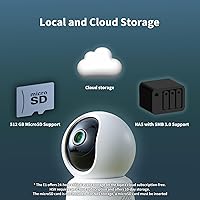
Support for microSD cards up to 512GB is generous and allows genuinely continuous 24/7 recording without worrying about card capacity for weeks at a time. The SMB3 NAS backup option is a rare find at this price point and earns strong praise from users who self-host their storage.
No microSD card is included, which means local recording is unavailable until you buy one separately — a friction point that budget-conscious buyers flag repeatedly. Cloud storage outside of HomeKit Secure Video requires the paid HomeGuardian plan, so free storage options are more limited than the feature list implies.
Wi-Fi Performance
71%
29%
In congested 2.4GHz environments such as apartment buildings with many competing networks, users report that the Camera E1 holds a more stable connection than the older Wi-Fi 4 and 5 cameras it replaces. Setup on a 2.4GHz network is generally straightforward.
The 2.4GHz-only restriction is the most polarizing spec in user reviews — buyers feel misled by the Wi-Fi 6 branding when they discover 5GHz is not supported. Homes with routers that prioritize 5GHz or band-steering configurations sometimes require manual network adjustments just to complete the initial setup.
Setup Experience
84%
Apple Home users consistently describe the initial pairing process as quick and intuitive, with the camera appearing in the Home app within a few minutes of scanning the QR code. The Aqara app itself is praised for its clear layout and responsive controls once configured.
Non-Apple users setting up via Alexa or IFTTT encounter a steeper learning curve, particularly around enabling specific automations. A few users on newer router firmware report Wi-Fi handshake issues during setup that require a router reboot to resolve.
Build and Design
77%
23%
The compact dome shape and neutral white finish blend into most home interiors without drawing attention, which users placing it in nurseries or living rooms specifically appreciate. At 165g, it is light enough to reposition easily without tools.
The plastic construction feels adequate but not premium in hand, and a few long-term owners note that the pan and tilt motor produces a faint grinding sound after several months of active use. The cable management situation is basic — the exposed USB-C cable can look untidy unless you plan the placement carefully.
Audio Quality
68%
32%
Two-way audio is functional for quick voice check-ins across a room, and the ability to disable the microphone entirely via automation is a privacy feature users genuinely value. Sound detection for crying and alarms works adequately in contained room environments.
Audio clarity during two-way conversations is mediocre — voices sound thin and slightly compressed, making it less suitable for extended conversations. Pet and cough sound detection are still listed as Lab features, meaning reliability is inconsistent and should not be relied upon for critical alerts.
App Ecosystem
72%
28%
The Aqara Home app gives access to the full feature set including AI detection, automation creation, and storage management in one place. Users building broader Aqara setups praise the depth of device integration available through the app.
Requiring the Aqara Home app for AI features frustrates users who want to stay entirely within Apple Home or Alexa. Occasional reports of the app logging out unexpectedly or requiring re-authentication after firmware updates add minor but recurring friction.
Value for Money
86%
For Apple Home users, the combination of 2K resolution, HomeKit Secure Video, local AI detection, and Wi-Fi 6 at this price point is genuinely difficult to match with competing brands. Users who evaluate it against premium-brand HomeKit cameras consistently feel they got strong capability for the spend.
The value calculation shifts for buyers outside the Apple ecosystem or those who need pet and face recognition upfront — once you factor in the HomeGuardian subscription, a missing power adapter, and an SD card, the total cost of ownership rises noticeably above the base price.
Out-of-Box Completeness
49%
51%
The physical unit itself arrives well-packaged and undamaged in the majority of user reports, and the included instruction manual is clear enough to guide most users through initial setup without needing to search for help online.
No power adapter and no microSD card in the box is a recurring frustration that shows up in otherwise positive reviews. For a camera that markets local storage and continuous recording as key features, shipping without the components needed to actually use those features feels like a notable oversight.

Suitable for:

The Aqara Camera E1 Pan-Tilt Security Camera is a natural fit for households already using Apple Home, where its HomeKit Secure Video support adds end-to-end encrypted recording without requiring a separate hub or a premium-brand price tag. Parents who want a nursery monitor that stays truly dark at night will appreciate the 940nm infrared — it operates invisibly so a sleeping child is never disturbed by a glowing LED. Privacy-first users who distrust cloud-based storage will find real value here, since person detection runs entirely on the device and a microSD card keeps footage local with no ongoing fees. If you are already building out an Aqara ecosystem, the Camera E1 slots in naturally and deepens your automation options considerably. Tech-savvy users on dense home networks — apartments, shared houses — will also benefit from the Wi-Fi 6 connection holding up where older cameras start to stutter.

Not suitable for:

The Aqara Camera E1 Pan-Tilt Security Camera is a harder sell if you are coming in without any existing smart home infrastructure. Users on Android-only households or those without an active iCloud plan will lose access to HomeKit Secure Video entirely, which is arguably the camera's most compelling privacy feature. Anyone hoping to use advanced AI detection — pet recognition, package alerts, face tagging — will quickly discover that these require a paid HomeGuardian subscription, so the out-of-the-box experience is more limited than the feature list implies. The 2.4GHz-only Wi-Fi is also worth flagging plainly: despite supporting Wi-Fi 6, you cannot connect it to a 5GHz band, which may be a dealbreaker in environments where 2.4GHz is heavily congested. And if you need outdoor coverage, this camera is rated IP20 and is strictly an indoor device — no workarounds apply.

Specifications

  • Resolution: The camera captures video at 2304x1296 pixels (2K / 3MP), delivering noticeably more detail than standard 1080p indoor cameras.
  • Lens Aperture: A wide-angle f/2.0 lens provides a broad field of view and performs well in lower ambient light conditions.
  • Pan and Tilt: The motorized pan and tilt mechanism covers a full 360° horizontal range, enabling automatic person tracking without manual adjustment.
  • Night Vision: 940nm infrared illumination reaches up to 10 meters and is invisible to the naked eye, producing no visible glow in dark rooms.
  • Wi-Fi Standard: Supports Wi-Fi 6 (802.11ax) on the 2.4GHz band only, with WPA3 encryption for enhanced wireless security; 5GHz is not supported.
  • Smart Platforms: Compatible with Apple HomeKit (including HomeKit Secure Video), Amazon Alexa, and IFTTT for cross-platform automation support.
  • Local Storage: Accepts microSD cards up to 512GB for continuous 24/7 local recording, with SMB3-compatible NAS backup also supported.
  • Power Input: Powered via USB-C port requiring a 5V 2A USB-A adapter; no power adapter is included in the box.
  • On-Device AI: A built-in NPU handles local person detection and motion filtering without requiring a cloud subscription or internet connection.
  • Cloud AI: Pet, vehicle, package, and face recognition are available exclusively through a paid Aqara HomeGuardian cloud subscription.
  • Frame Rate: Records and streams video at up to 20 frames per second under normal operating conditions.
  • Dimensions: The camera body measures 2.71 x 2.71 x 4.09 inches, making it compact enough to sit unobtrusively on a shelf or desktop surface.
  • Weight: The unit weighs 165g (5.8 oz), light enough to mount or reposition without any specialized hardware.
  • IP Rating: Rated IP20, meaning the camera is designed strictly for indoor use and offers no protection against moisture, water splashes, or outdoor conditions.
  • Form Factor: Dome-shaped surface-mount design with a white finish; installs on flat surfaces without requiring ceiling brackets or wall drilling.
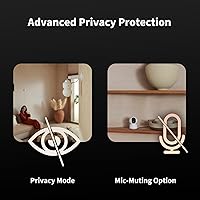
  • Audio: Supports two-way audio with a built-in microphone that can be disabled manually via the app or through automated privacy routines.
  • Privacy Mode: An automated privacy mode physically pivots the lens away from the room and deactivates the camera on a schedule or via automation trigger.
  • Sound Detection: Local audio event detection includes crying, alarms, and coughing (the latter two currently in Lab status), in addition to standard motion alerts.

Related Reviews
BESDERSEC A6 Pan-Tilt Outdoor Security Camera
74%
88%
Value for Money
91%
Pan & Tilt Coverage
71%
Night Vision Quality
63%
Motion Detection
86%
Setup & Installation
More
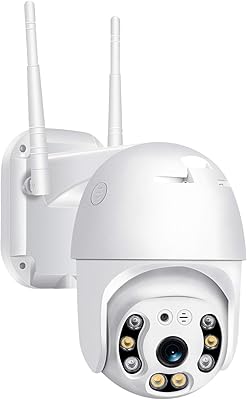
AMOROM 2K Pan-Tilt Indoor Security Camera
76%
83%
Video Clarity
67%
Night Vision Performance
86%
Pan-Tilt Control
74%
Wi-Fi Connectivity
58%
App Experience
More
Kasa Smart EC71 Pan-Tilt Security Camera
78%
91%
Value for Money
88%
Setup & Ease of Use
74%
Video Quality
86%
Pan-Tilt Performance
79%
Night Vision
More
Reolink E1 Indoor Pan-Tilt Security Camera
77%
88%
Image Quality
83%
Night Vision
76%
Pan & Auto-Tracking
81%
Setup & App Experience
61%
WiFi Connectivity
More
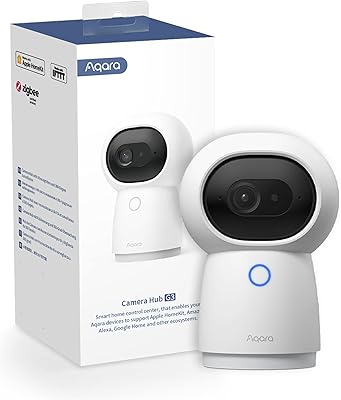
Aqara Security Camera Hub Indoor G2H Pro
84%
91%
Smart Home Integration
87%
Video Quality (1080p HD)
78%
Setup & Installation
92%
Privacy & Data Security
85%
Night Vision Performance
More
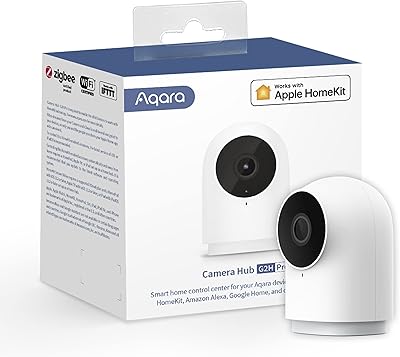
Aqara 2K Security Indoor Camera Hub G3
86%
91%
Video Quality
87%
AI Recognition Accuracy
93%
Smart Home Integration
79%
Ease of Setup
90%
Field of View
More
Reolink E1 Outdoor CX PTZ Security Camera
79%
88%
Low-Light Image Quality
71%
Auto-Tracking Accuracy
86%
Installation & Setup
67%
Wi-Fi Stability
82%
AI Detection Accuracy
More
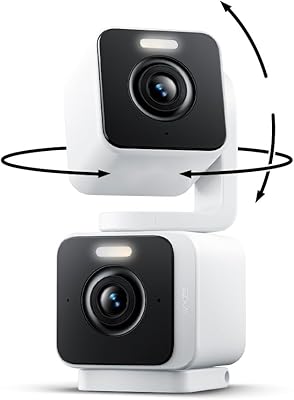
Wyze Duo Cam Pan Security Camera
79%
91%
Dual-Lens Coverage Concept
78%
Motion Tracking Accuracy
86%
Image & Video Quality
74%
Color Night Vision
67%
Wi-Fi Connectivity & Range
More
Naseto ZY-Q6 Wireless Outdoor Security Camera
74%
88%
Value for Money
93%
Ease of Installation
81%
Video Quality
72%
Battery Life
78%
Night Vision Performance
More
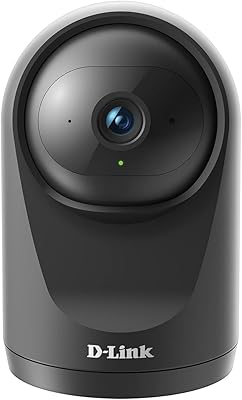
D-Link DCS-6500LHV2 Pan & Tilt Wi-Fi Camera
74%
83%
Video Quality
81%
Pan & Tilt
62%
Night Vision
67%
Auto-Tracking
74%
Two-Way Audio
More

FAQ

No, the Camera E1 connects directly to your Wi-Fi network and does not require an Aqara hub for basic operation. That said, some advanced automation features within the Aqara ecosystem do benefit from a hub being present, so if you are building out a broader Aqara setup, a hub is worth considering.

No, HomeKit Secure Video requires an active iCloud storage plan (50GB or higher) and an Apple Home hub device such as an Apple TV, HomePod, or iPad set to home hub mode. Without these, the camera still works for live viewing, but encrypted cloud recording through Apple is not available.

The camera uses a USB-C port and requires a 5V 2A USB-A power adapter, which is not included. Most households already have compatible adapters from phones or other devices, which is why Aqara omits it. If you do not have a spare, you will need to pick one up before the camera is operational.

Yes, the camera works for live viewing and HomeKit Secure Video cloud recording without a microSD card. However, if you want local 24/7 continuous recording or you are not using HomeKit Secure Video, an SD card is essential. No card is included in the box, so plan for that added cost if local storage matters to you.

No, Google Home is not listed as a supported platform. The camera works with Apple HomeKit, Amazon Alexa, and IFTTT, but if your household is built around Google Home, this camera is not a compatible choice and you should look at alternatives.

Indoors under normal conditions, person tracking performs well — the camera follows movement reliably across a room. The main limitation users report is occasional false triggers from shifting shadows, sunlight passing through a window, or pets moving quickly. It is effective for general monitoring but not a precision security tool.

Yes, the 940nm infrared used in this indoor security cam emits no visible light at all — unlike cheaper cameras that glow red or white. It is a genuine advantage for bedrooms and nurseries where even a faint LED can cause sleep disruptions.

Out of the box, the Camera E1 handles person detection and basic motion filtering entirely on-device for free. The paid Aqara HomeGuardian subscription unlocks cloud-based pet recognition, vehicle detection, package alerts, and face tagging. If basic person detection is all you need, there is no subscription required.

It is a fair point of confusion. Wi-Fi 6 is the wireless protocol standard, but the camera only uses the 2.4GHz frequency band within that standard. The benefit is better performance and efficiency in crowded 2.4GHz environments compared to older Wi-Fi 4 or 5 cameras, but it does not give you access to the faster 5GHz band. If your router is set to 5GHz only, you will need to enable a 2.4GHz network before setup.

Yes, this is one of the more advanced features the Camera E1 supports. If you have a NAS device running SMB3-compatible software, the camera can back up local microSD recordings to it automatically. It is a power-user feature that most buyers will not need, but it is a genuine option for those who want a fully self-managed storage solution.

Where to Buy