
Overview

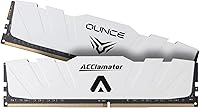
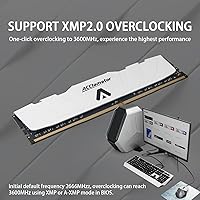
The Acclamator OUNCE 32GB DDR4 Desktop RAM enters a crowded market with a straightforward pitch: solid dual-channel performance at a price that does not require a second thought. Running at 3600MHz with XMP 2.0 support, the specs compete comfortably with kits from much better-known names. Acclamator is not a brand you have heard of before — that is fair to acknowledge — but anonymity alone is not a reason to walk away. The white aluminum heatsink actually stands out at this price tier, where most competitors ship plain black sticks. Just know that hitting 3600MHz will require enabling XMP in your BIOS, which not all boards do automatically.

Features & Benefits

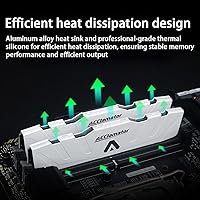
The 2x16GB configuration is the right way to run 32GB — two sticks in dual-channel mode push noticeably more bandwidth than a single 32GB module would. At 3600MHz with CL18 timings and 1.35V, this Acclamator memory kit sits in a well-tested stability zone that works reliably on both Ryzen and Intel platforms. XMP 2.0 means you can load the speed profile directly from BIOS in one step, though on some boards you will need to hunt for that setting manually — it is not always obvious to new builders. The heatsink is not just cosmetic; aluminum does genuinely help with heat management during long sessions, and JEDEC and RoHS compliance confirms the kit was built to recognized industry standards.

Best For

This 32GB desktop RAM makes the most sense for builders who want capable memory without paying the brand premium that Corsair or G.Skill commands. AMD Ryzen users in particular will appreciate the 3600MHz speed, which is widely recognized as the sweet spot for Ryzen's Infinity Fabric architecture. The clean white heatsink is a genuine draw if you are putting together a white-themed build and do not want to spend extra on aesthetics. It also works well for secondary machines, home-office workstations, or any setup where you need plentiful RAM but brand recognition simply does not matter. First-time builders who just want to enable XMP and move on will find the process refreshingly straightforward.

User Feedback

With a 4.6 out of 5 rating across 168 reviews and a top-100 Best Sellers rank in Computer Memory, the OUNCE DDR4 kit has earned more traction than its brand obscurity might suggest. Buyers frequently cite easy installation and the XMP profile working as expected right after enabling it in BIOS. The heatsink gets consistent praise for looking better in person than in product photos. On the critical side, a handful of users note confusion about the XMP enabling step — if your board defaults to JEDEC speeds, do not panic, just head into BIOS. The warranty terms are worth reading carefully: coverage requires proof of purchase and does not extend to physical damage, so keep your order confirmation handy.

Pros

  • Runs at 3600MHz in dual-channel mode, a genuinely useful speed for Ryzen-based desktops.
  • The 2x16GB configuration maximizes bandwidth compared to running a single 32GB stick.
  • XMP 2.0 profile makes BIOS setup a one-step process for most modern motherboards.
  • White aluminum heatsink looks polished and suits themed builds without any extra cost.
  • CL18 at 1.35V offers a stable, low-voltage profile that should run cool under sustained workloads.
  • JEDEC and RoHS compliance provides at least baseline assurance of build quality and safety standards.
  • Holds a 4.6 out of 5 rating from over 168 buyers, strong traction for an emerging brand.
  • Ranks in the top 100 best-selling memory kits, suggesting broad real-world acceptance.
  • Unlimited US warranty duration is a meaningful commitment, rare at this price point.
  • Compact form factor fits tighter cases where bulkier heatsinks would cause clearance issues.

Cons

  • Acclamator has no established reputation, making long-term reliability harder to predict than with major brands.
  • CL18 timings are looser than premium 3600MHz kits, which can matter in latency-sensitive workloads.
  • The warranty requires a saved purchase history and excludes physical damage, limiting its practical scope.
  • Some motherboards do not auto-enable XMP, and new builders may not realize they are running at slower default speeds.
  • No compatibility list is published, so confirming support with your specific motherboard requires independent research.
  • The brand has a limited track record of customer service responsiveness if a warranty claim becomes necessary.
  • Only suitable for desktop platforms — laptop users or NUC builders cannot use this kit.
  • 168 total reviews is a relatively thin sample size for confidently judging long-term durability trends.
  • No RGB lighting option exists in this series, which may disappoint builders wanting illuminated memory.
  • Resale value is likely lower than equivalent kits from Corsair or G.Skill due to lower brand recognition.

Ratings

The scores below reflect an AI-assisted analysis of verified buyer reviews for the Acclamator OUNCE 32GB DDR4 Desktop RAM, with spam, incentivized, and bot-generated feedback actively filtered out before scoring. Each category is rated independently to give you a granular, honest picture of where this kit genuinely delivers and where real-world frustrations emerge. Both the strengths that push it toward the top of its Best Sellers category and the recurring pain points raised by critical buyers are transparently reflected throughout.

Value for Money
88%
Builders consistently note that the OUNCE DDR4 kit punches above its price bracket, offering 3600MHz dual-channel performance that would cost noticeably more from a Corsair or G.Skill equivalent. For anyone assembling a mid-range gaming rig or home-office workstation on a tight budget, the performance-per-dollar ratio is genuinely hard to argue with.
The savings come with the implicit trade-off of buying from an unproven brand, which introduces a real question about long-term consistency across production batches. A handful of buyers noted that the value equation shifts if you factor in the uncertainty surrounding warranty service and the lack of a published compatibility list.
Performance at Speed
79%
21%
At 3600MHz, this Acclamator memory kit delivers bandwidth numbers that align closely with what more expensive kits produce in real desktop and gaming workloads. Ryzen users in particular see tangible gains over slower default JEDEC speeds, especially in open-world games and workloads that benefit from tighter CPU-to-memory communication.
The CL18 latency is noticeably looser than the CL14 or CL16 timings found on premium 3600MHz kits, which matters in latency-sensitive benchmarks and competitive gaming scenarios. Users who want to manually tighten sub-timings can recover some ground, but that requires a level of BIOS confidence most casual builders simply do not have.
Compatibility
74%
26%
The kit ran without issue on a wide range of Intel and AMD boards covering mainstream Z490, Z590, B450, and B550 platforms according to buyer reports. Most users confirm the XMP profile loads correctly once manually enabled, with no persistent POST failures or prolonged memory training loops on common consumer motherboards.
There is no official compatibility list published, leaving buyers to independently verify support for their specific board before purchasing. Some budget B-series motherboards with limited XMP implementation struggled to hold 3600MHz stably, requiring users to drop to 3200MHz or manually adjust voltages to achieve a reliable boot.
XMP Reliability
78%
22%
The vast majority of buyers confirm the XMP 2.0 profile holds 3600MHz reliably once enabled in BIOS, with no widespread reports of repeated training failures or random reboots on mainstream platforms. For a budget kit, this consistency is exactly the core promise buyers are paying for, and it largely delivers.
On certain older or budget motherboards with limited XMP support, achieving a stable 3600MHz required additional BIOS tuning or a firmware update to resolve. A small but notable subset of users found their specific hardware would only POST stably at 3200MHz, effectively leaving rated performance on the table without a clear fix.
Brand Reliability
57%
43%
The existing review pool — over 168 ratings averaging 4.6 out of 5 — provides reasonable confidence that kits leaving the factory are consistently functional. JEDEC and RoHS certifications confirm the product was manufactured to recognized industry standards, which is more assurance than many no-name alternatives on the same shelf can offer.
Acclamator has no meaningful track record outside this product line, making it impossible to assess long-term reliability with confidence. Unlike brands stress-tested by the enthusiast community over many years, there is simply no deep failure-rate history or multi-year stability data to draw from when evaluating this kit against established alternatives.
Installation Ease
83%
Physically seating both sticks is as straightforward as any standard DDR4 kit, with most buyers reporting a smooth experience from unboxing to first boot within minutes. The XMP profile handles timing configuration automatically once enabled, sparing users from manually entering frequencies and voltages in BIOS.
The consistent stumbling block is that new builders do not realize they need to manually enable XMP — the system simply boots at slower default speeds with no error or prompt to indicate anything is wrong. A small setup card in the packaging explaining this single step could eliminate the majority of confused support questions.
Build Quality
76%
24%
The aluminum heatsink feels solid and well-attached, with no reported instances of it shifting or loosening after installation — a problem that does occasionally surface on cheaper clip-on designs. The overall finish quality is noticeably cleaner than bare-PCB budget sticks, lending the kit a more premium appearance in person than its price suggests.
The heatsink construction is not as robust as what you find on Corsair Vengeance or G.Skill Trident kits at a slightly higher spend. A few buyers received units with minor cosmetic scuffs on the aluminum surface straight out of the box, suggesting edge protection inside the retail packaging could be improved.
Thermal Management
71%
29%
Under sustained workloads including long gaming sessions and parallel browser-heavy multitasking, the aluminum heatsink keeps module temperatures within a stable and comfortable operating range. Buyers running memory-intensive productivity tasks report no thermal throttling or heat-related instability over extended use.
DDR4 memory rarely runs hot enough to throttle under typical desktop workloads, so the heatsink delivers limited measurable thermal benefit in everyday scenarios. The heat spreader here is functional but not exceptional — adequate for casual to moderate use, but not in the same league as the thick copper-core spreaders found on enthusiast-tier kits.
Aesthetics
84%
The white aluminum heatsink has drawn consistent praise from builders working on light-themed systems, with buyers noting it integrates cleanly with white cases, neutral motherboards, and silver accents without looking out of place. At this price tier, most competing kits arrive in plain black, making the visual differentiation here genuinely meaningful.
The design is clean but conservative — no RGB lighting option exists in this series, which will disappoint builders wanting illuminated memory as part of a dynamic lighting setup. The single white colorway also limits flexibility for themed builds centered around colors other than white or neutral grey.
Dual-Channel Efficiency
82%
18%
Running as a matched 2x16GB pair, this 32GB desktop RAM delivers the bandwidth headroom that modern Ryzen and Intel platforms require for smooth multitasking, gaming, and content creation. Buyers switching from single-stick configurations consistently report noticeable improvements in frame-rate stability and application responsiveness.
Dual-channel performance is only realized when sticks are installed in the correct paired slots — an easy mistake for first-time builders who seat them in adjacent slots instead. There is no slot-guidance marking on the modules themselves, meaning the user must consult their motherboard manual to avoid an unintentionally single-channel setup.
Warranty & Support
62%
38%
An unlimited-duration warranty is genuinely uncommon in the budget memory segment, and at face value it signals a willingness to stand behind the product over time. Buyers who retain their purchase confirmation are in a reasonable position to initiate a claim if a defect surfaces well after the typical return window closes.
The warranty's practical usefulness is constrained by two firm conditions: it requires documented purchase history and explicitly excludes any module with visible external damage. Community knowledge about Acclamator's actual RMA responsiveness and turnaround speed remains thin, leaving real uncertainty for anyone who may eventually need to use the coverage.
Long-term Stability
73%
27%
Buyers who have been running the kit for several months report consistent performance with no degradation, unexpected system crashes, or memory errors surfacing in standard diagnostic tools. For a daily gaming or productivity machine, the kit appears to hold its rated settings reliably across extended periods of continuous use.
The review sample remains relatively modest at 168 ratings, and the product is still relatively new to market, so durability beyond the one-to-two-year mark has not been tested at meaningful scale. There is simply not enough longitudinal community data to make confident multi-year reliability claims for this specific kit.
Packaging
69%
31%
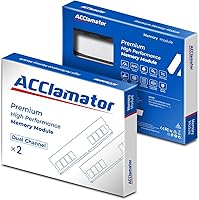
The retail box is compact and functional, keeping both modules securely housed during standard shipping scenarios. Most buyers received the kit without physical damage to the modules, suggesting the internal insert provides adequate protection for typical transit conditions.
Several buyers noted minor cosmetic scuffs on heatsink edges upon unboxing, pointing to insufficient padding around the aluminum finish inside the packaging. The overall unboxing experience feels purely utilitarian — functional but unremarkable compared to the thoughtful presentation that comes with premium-tier memory brands at a modest step up in price.

Suitable for:

The Acclamator OUNCE 32GB DDR4 Desktop RAM is a practical choice for budget-conscious desktop builders who want a capable dual-channel 32GB kit without absorbing the price premium attached to well-known brands. AMD Ryzen users will find it particularly well-matched, since 3600MHz is widely regarded as the optimal speed for Ryzen's Infinity Fabric, meaning you are not paying for headroom you will never use. It also appeals to anyone assembling a white-themed or clean-aesthetic build, where the aluminum heatsink pulls its weight visually without requiring a separate purchase. First-time builders who feel intimidated by manual memory tuning will appreciate that XMP 2.0 handles the heavy lifting once enabled in BIOS. Home-office machines, secondary workstations, and mid-range gaming rigs are all scenarios where this kit delivers solid value without asking you to compromise on capacity or speed.

Not suitable for:

Buyers who prioritize long-term brand accountability and established warranty infrastructure may want to look elsewhere, as the Acclamator OUNCE 32GB DDR4 Desktop RAM comes from a relatively unknown manufacturer with a warranty that, while unlimited in duration, requires proof of purchase and excludes any externally visible damage. Enthusiasts chasing tighter timings — CL14 or CL16 at 3600MHz — will find the CL18 rating leaves noticeable performance on the table compared to premium kits in the same speed class. Laptop users or anyone on a small-form-factor platform that requires SO-DIMM modules cannot use this kit at all, as it is strictly a 288-pin desktop DIMM. If your motherboard has no XMP support or limited BIOS options, you may be stuck running the kit at default JEDEC speeds well below 3600MHz, which undercuts the main reason to buy it. Those who have had frustrating experiences with lesser-known brands and value the peace of mind that comes with Corsair, Kingston, or G.Skill's customer service should factor that intangible cost into their decision.

Specifications

  • Capacity: This kit provides 32GB of total memory across two 16GB modules configured for dual-channel operation.
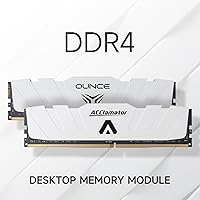
  • Memory Type: The modules use DDR4 technology, the standard for modern desktop platforms before DDR5 adoption.
  • Clock Speed: Rated at 3600MHz (PC4-28800), achievable via XMP 2.0 profile on compatible motherboards.
  • CAS Latency: CAS latency is rated at CL18, a common trade-off at this speed tier for stability at an accessible price.
  • Voltage: Operates at 1.35V, which is within the low-voltage DDR4 specification and helps keep thermal output in check.
  • Form Factor: Standard 288-pin DIMM format, compatible with full-size ATX, micro-ATX, and mini-ITX desktop motherboards that accept DDR4.
  • XMP Support: Includes an XMP 2.0 profile that allows the motherboard BIOS to automatically apply the 3600MHz speed setting in one step.
  • Heatsink: Each module is fitted with a white aluminum heatsink designed to aid heat dissipation and complement white or neutral-toned builds.
  • Compliance: Certified to both JEDEC standards for electrical consistency and RoHS regulations for restricted hazardous substances in manufacturing.
  • Compatibility: Designed exclusively for desktop PCs; not compatible with laptops, all-in-ones, or any platform requiring SO-DIMM modules.
  • Warranty: Covered by an unlimited-duration warranty for US buyers, conditional on providing purchase history and subject to exclusion of externally damaged units.
  • Package Weight: The complete kit weighs 3.84 ounces, reflecting the compact and lightweight nature of the aluminum-clad modules.
  • Package Dimensions: The retail packaging measures 5.91 x 4.88 x 0.63 inches, compact enough for easy storage or resale.
  • Module Count: Ships as a matched pair of two 16GB sticks, intended to be installed together in the correct dual-channel slots.
  • Brand & Series: Manufactured by Acclamator under the OUNCE product line, positioned as a value-oriented performance memory series.

Related Reviews
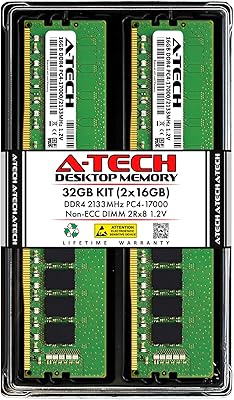
A-Tech 32GB DDR4 2133MHz Desktop RAM
79%
88%
Value for Money
94%
Installation Ease
69%
Compatibility
86%
Stability & Reliability
61%
Memory Speed
More
D DUOMEIQI 32GB Kit DDR4 3200MHz Desktop RAM
87%
91%
Performance for Gaming
88%
Ease of Installation
85%
System Compatibility
92%
Value for Money
87%
Multitasking & Productivity Performance
More
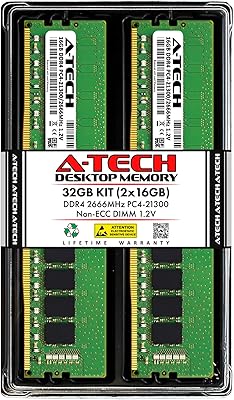
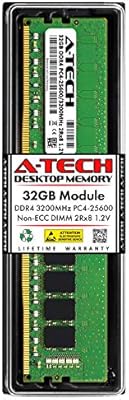
A-Tech 32GB DDR4 2666MHz Desktop RAM Kit
81%
88%
Value for Money
71%
Compatibility
93%
Ease of Installation
82%
Performance Improvement
84%
Build Quality
More
A-Tech 32GB DDR4 3200MHz Desktop RAM
81%
91%
Installation Ease
74%
System Compatibility
83%
Performance at Rated Speed
86%
Value for Money
82%
Long-term Reliability
More
Acclamator DDR4 32GB Kit Laptop RAM
77%
88%
Value for Money
91%
Ease of Installation
74%
Compatibility
79%
Performance
76%
Reliability
More
Wlizedle DDR4 3200MHz 32GB Desktop RAM Kit
79%
91%
Value for Money
88%
Installation Ease
74%
XMP & BIOS Compatibility
83%
System Performance Impact
81%
Thermal Performance
More
Samsung M471A4G43MB1 32GB DDR4 Laptop RAM
80%
94%
Reliability & Longevity
96%
Installation Ease
81%
Compatibility Range
72%
Value for Money
83%
Performance at Rated Speed
More
Timetec 32GB Kit (2x16GB) DDR4 2666MHz SODIMM
83%
91%
Value for Money
78%
Compatibility
93%
Installation Experience
82%
Performance Impact
87%
Long-Term Reliability
More
NVTEK 8GB DDR4 2666MHz Desktop RAM
71%
83%
Value for Money
78%
Compatibility
88%
Ease of Installation
71%
Reliability & Stability
74%
Performance at Rated Speed
More
Crucial 16GB DDR4 3200MHz Desktop RAM
78%
93%
Ease of Installation
88%
Compatibility Range
79%
Real-World Performance
91%
Long-Term Reliability
74%
Value for Money
More

FAQ

Yes, and this trips up a lot of first-time builders. Most motherboards will boot the kit at a slower default JEDEC speed — often 2133MHz or 2400MHz — until you manually enable the XMP profile in BIOS. Just enter your BIOS setup on first boot, find the memory or XMP setting (sometimes labeled DOCP on AMD boards), enable it, save, and restart. That is all it takes on most boards.

It should work well. The 3600MHz speed is widely recognized as the sweet spot for Ryzen processors because it aligns closely with the Infinity Fabric clock, which can meaningfully improve system responsiveness and gaming performance. Just make sure your motherboard supports DDR4 and has XMP or DOCP support to unlock the full rated speed.

Technically yes, but you would lose the dual-channel benefit until both sticks are installed. Running a single stick puts the memory in single-channel mode, which roughly halves available bandwidth. For best performance from day one, install both sticks in the correct paired slots as indicated in your motherboard manual.

That is a fair question to ask. Acclamator is not a household name like Corsair or G.Skill, but the Acclamator OUNCE 32GB DDR4 Desktop RAM has accumulated over 168 ratings averaging 4.6 out of 5, which is solid evidence that real buyers are having positive experiences. The kit also carries JEDEC and RoHS compliance certifications, which at least confirms it was built to recognized industry standards. The main risk with lesser-known brands is post-purchase support, so save your order confirmation in case you ever need to use the warranty.

For dual-channel operation, you generally do not install them in adjacent slots. Most motherboards want you to use slots 2 and 4 (sometimes labeled A2 and B2). Check your motherboard manual for the recommended dual-channel configuration, as getting this wrong will leave you running in single-channel mode without any error message.

The package dimensions are 5.91 x 4.88 x 0.63 inches for the retail box, but individual module height with the heatsink attached is typical for a standard low-profile DDR4 stick. That said, if you are using a large tower cooler that overhangs the first DIMM slot, it is worth checking the cooler clearance spec against the module height before purchasing.

It works with Intel platforms too. The XMP 2.0 profile is an Intel-originated standard, so Intel Z-series boards in particular handle it natively. AMD boards use a version called DOCP or EXPO, but they read XMP profiles without issue. The 3600MHz speed is simply more impactful on Ryzen architecturally, but Intel users will still benefit from the dual-channel bandwidth.

The warranty is described as unlimited in duration for US buyers, which sounds generous, but there are real conditions to know about. It requires you to provide your purchase history when making a claim, and it does not cover modules with visible external damage. Keep your Amazon order confirmation or receipt saved somewhere accessible. If you need support, Acclamator asks you to contact them directly with that documentation.

It does both. Aluminum is a decent thermal conductor, so the heatsink helps draw heat away from the memory chips during sustained workloads like long gaming sessions or heavy multitasking. That said, RAM rarely runs hot enough to throttle under normal desktop use, so the thermal benefit is modest. The bigger practical win for most buyers is aesthetic — the white finish genuinely looks sharp in a light-themed build.

It is possible to experiment with higher speeds manually in BIOS, but the kit is rated and tested at 3600MHz with CL18 timings, so stability at higher frequencies is not guaranteed. If you push past 3600MHz and encounter system instability or boot failures, you would likely need to dial timings back or drop the speed. For most users, sticking to the XMP profile is the safest and most reliable approach.