ACASIS DS0202 14-in-1 USB-C Docking Station
Overview
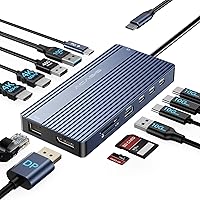
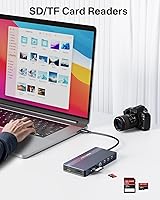
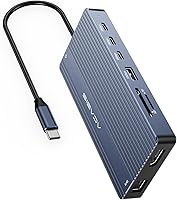
The ACASIS DS0202 14-in-1 USB-C Docking Station is a compact hub that plugs into a single USB-C port and hands you back fourteen connections — two HDMI outputs, a DisplayPort, Ethernet, five high-speed data ports, card readers, and audio, all packed into a body barely larger than a deck of cards. ACASIS isn't a household name yet, but they're building a real presence in the peripheral space, and this dock launched in late 2024 as a clear attempt to undercut the bigger brands on price without gutting the port count. At roughly 5 by 2.4 inches, it slides easily into a laptop bag, making it practical for home office use and travel alike.
Features & Benefits
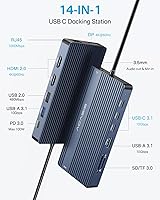
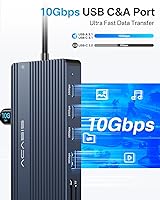
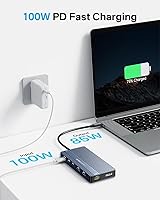
The port lineup on this USB-C hub is genuinely impressive for what you are paying. You get two HDMI outputs and one DisplayPort, each capable of 4K at 60Hz — meaning crisp, high-resolution monitors without color compromise on a properly specced machine. The three USB-C and two USB-A data ports all hit 10Gbps throughput, fast enough that a large 4K video file transfers in seconds rather than minutes. A 100W Power Delivery port keeps your laptop charged while every other port is in use, and the Gigabit Ethernet connection means a stable wired network instead of wrestling with Wi-Fi on important calls. SD, microSD, and a 3.5mm audio jack handle the rest.
Best For
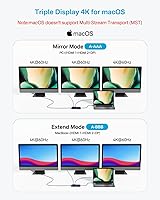
This docking station makes the most sense for Windows laptop users who want a triple-monitor workstation without a large budget. It is also a natural fit for video editors and content creators who constantly move large files and need fast, reliable data ports right at their fingertips. Remote workers who have been juggling a bag full of separate dongles will appreciate consolidating everything into one connection. MacBook users can benefit here — dual monitors and fast data transfer work fine — but anyone banking on three screens on a Mac will be disappointed, as this hub does not support MST on macOS. The ACASIS dock is equally practical for students and freelancers who want real desktop connectivity without a permanent setup.
User Feedback
With a 4.2-star average across more than 220 ratings, this USB-C hub sits in solid but not exceptional territory. Buyers consistently highlight the ease of setup — plug in and it works — and many say they replaced several individual adapters with this single dock. The recurring complaint is heat: units can get noticeably warm when multiple displays and heavy data transfer run simultaneously for extended periods. Charging performance earns qualified praise; the 100W pass-through works, but real-world speeds vary by laptop model. The most avoidable frustration belongs to Mac users who expected three monitors and skipped the fine print. For a newer brand, the two-year warranty adds meaningful reassurance and is worth factoring into the buying decision.
Pros
- Fourteen ports from a single USB-C connection genuinely replaces a pile of separate adapters.
- Dual HDMI and one DisplayPort output all run at 4K 60Hz — no resolution compromise on any screen.
- Five 10Gbps data ports mean large files move fast, whether you are using USB-C or USB-A drives.
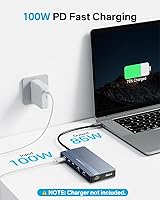
- 100W Power Delivery keeps your laptop charged while every other port is busy.
- Built-in Gigabit Ethernet removes the need for a separate network adapter entirely.
- Both SD and microSD card slots are included, useful for photographers and video shooters.
- The slim, 3.5-ounce build makes this USB-C hub practical for travel, not just desk use.
- Plug-and-play setup with no driver installation required on most modern operating systems.
- Thunderbolt 3 and 4 host compatibility broadens the range of laptops it works with.
- A two-year warranty is a meaningful commitment for a brand still building its reputation.
Cons
- Noticeable heat build-up occurs during extended heavy use across multiple ports and displays.
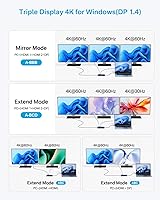
- Triple-monitor mode is locked to Windows only — Mac users are capped at two screens.
- Actual laptop charging speed through the 100W PD port varies significantly by device model.
- ACASIS has limited brand recognition, making long-term support harder to predict than with established names.
- Triple-display performance can be inconsistent even on Windows, with some users reporting dropped connections.
- Mac buyers who miss the MST fine print face a frustrating and non-refundable surprise.
- Only one USB 2.0 port is included, which can bottleneck older peripherals like some webcams or keyboards.
- No included cable management or docking arm mount option for permanent desk installations.
- The dock has no physical power switch, so it stays active whenever the host laptop is on.
Ratings
The scores below reflect our AI-driven analysis of verified global buyer reviews for the ACASIS DS0202 14-in-1 USB-C Docking Station, with spam, incentivized, and bot-generated feedback actively filtered out before scoring. We weighted real-world usage patterns — home offices, creative workflows, travel setups — to ensure every number reflects genuine hands-on experience. Both the standout strengths and the honest frustrations are captured here so you can make a fully informed call.
Value for Money
Port Selection & Count
Multi-Monitor Performance
Ease of Setup
Data Transfer Speed
Charging Performance
Thermal Management
Build Quality & Materials
macOS Compatibility
Ethernet Reliability
Card Reader Performance
Audio Jack Quality
Portability
Brand Trust & Support
Suitable for:
The ACASIS DS0202 14-in-1 USB-C Docking Station is a strong match for Windows laptop users who want a proper multi-monitor workstation without spending a lot of money. If you are a remote worker tired of carrying four separate dongles — an HDMI adapter, an Ethernet dongle, a card reader, and a USB hub — this single plug-in replacement genuinely simplifies your desk. Video editors and creative professionals will appreciate having five 10Gbps data ports available simultaneously, since moving large project files between drives and card readers at that speed saves real time across a working day. Students and freelancers who set up and break down their workspace regularly will find the slim, lightweight build easy to toss into a bag. Even MacBook users who only need dual-monitor output alongside fast data transfer and wired Ethernet will find this docking station a capable and affordable fit.
Not suitable for:
Anyone expecting three-monitor support on a Mac should walk away from this USB-C hub — it simply does not work that way, and no amount of cable-swapping will change it, since macOS does not support the MST technology required for that configuration. Power users running intensive workloads across all ports simultaneously for hours on end should be cautious too, because heat build-up under heavy sustained load is a documented and recurring concern. If you need guaranteed, consistent charging speeds — say, for a high-wattage gaming laptop — the 100W Power Delivery pass-through may fall short of expectations depending on your specific machine. Buyers who prioritize established brand trust and long-term after-sales support should also note that ACASIS is still a relatively young name in the market, and while the two-year warranty helps, the ACASIS DS0202 14-in-1 USB-C Docking Station is not backed by the same ecosystem of support as entrenched brands like CalDigit or Anker. Finally, anyone needing USB4 or Thunderbolt 4 certified bandwidth for professional A/V workflows will need to look at a higher-tier product.
Specifications
- Brand: Manufactured by ACASIS, a growing peripheral brand that entered the docking station market in 2024.
- Model Number: The official model designation for this unit is DS0202.
- Total Ports: This docking station provides 14 ports in total across video, data, networking, audio, and charging functions.
- Video Outputs: Three video outputs are included: two HDMI and one DisplayPort, each supporting up to 4K at 60Hz.
- Triple Display: Triple-monitor output via MST is supported on Windows only; macOS is limited to dual-display mode.
- USB-C Data Ports: Three USB 3.1 Type-C data ports deliver transfer speeds of up to 10Gbps each.
- USB-A Data Ports: Two USB 3.1 Type-A ports are included, also rated for 10Gbps data transfer speeds.
- USB 2.0 Port: One USB 2.0 Type-A port is available for lower-bandwidth peripherals such as keyboards or mice.
- Power Delivery: A dedicated USB-C Power Delivery port supports up to 100W pass-through charging for connected laptops.
- Ethernet: One RJ-45 Gigabit Ethernet port supports 1000BASE-T wired networking at up to 1Gbps.
- Card Readers: Integrated SD and microSD card slots support UHS-I 3.0 speeds for fast media transfers.
- Audio: A 3.5mm combo jack handles both headphone output and microphone input from a single port.
- Host Connection: The dock connects to a host laptop via a USB-C 3.1 cable and is compatible with Thunderbolt 3 and 4 ports.
- Dimensions: The unit measures 5.12 inches long by 2.4 inches wide by 0.61 inches tall.
- Weight: This USB-C hub weighs 3.53 ounces (100 grams), making it light enough for daily travel use.
- Color: Available in a neutral grey finish that suits most laptop aesthetics.
- Warranty: ACASIS covers this docking station with a two-year manufacturer warranty against defects.
- Compatibility: Compatible with USB-C equipped laptops from major brands including MacBook, Dell, HP, Lenovo ThinkPad, and Microsoft Surface.
Related Reviews
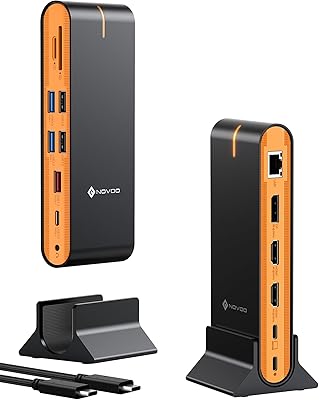
NOVOO 15-in-1 USB C Docking Station
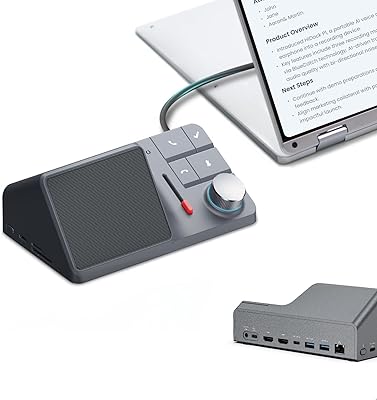
HiDock H1 11-in-1 USB-C Docking Station
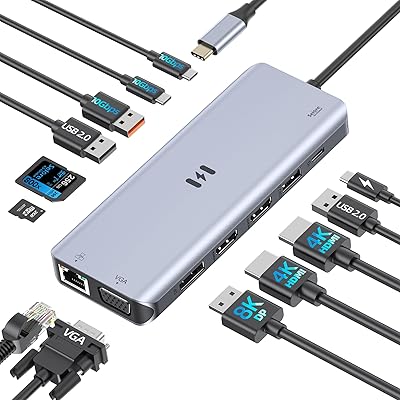
Selore 13-in-1 USB-C Quad Monitor Docking Station
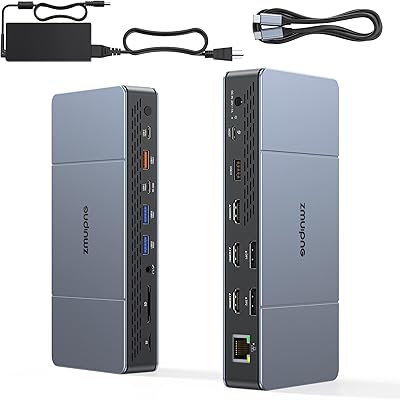
ZMUIPNG 18-in-1 DisplayLink Docking Station
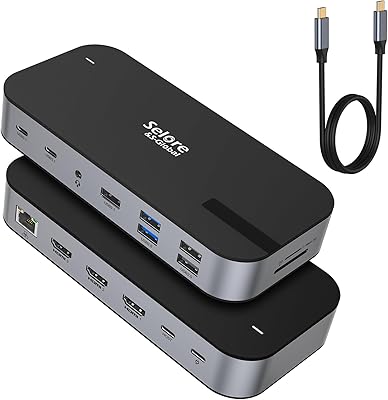
Selore&S-Global 16-in-1 USB-C Docking Station with Triple HDMI
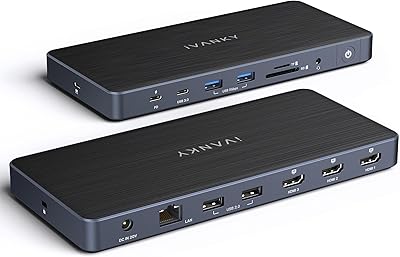
iVANKY FusionDock Pro 1+ 14-in-1 Docking Station

Plugable UD-3900Z

WAVLINK WL-ST334UA Dual-Bay USB 3.0 Hard Drive Docking Station

StarTech DK31C3HDPD USB-C USB-A Docking Station