
Overview

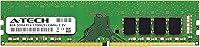
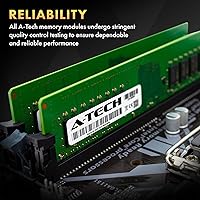
The A-Tech 8GB DDR4 2133MHz Desktop RAM is a straightforward, no-fuss memory upgrade aimed squarely at budget-conscious desktop owners who need more headroom without spending much. A-Tech is not a household name like Corsair or Kingston, but that is kind of the point — this is a third-party memory brand focused on affordable compatibility rather than flashy heatspreaders and RGB. At 2133MHz, you are getting the baseline DDR4 speed. It handles everyday computing just fine, but do not expect overclocking headroom or enthusiast-level throughput. The 288-pin DIMM form factor and standard 1.2V operating voltage keep compatibility broad. Think of this memory module as a practical, honest upgrade — nothing more, nothing less.

Features & Benefits

At 8GB capacity, this DDR4 upgrade covers the practical needs of most everyday desktop users — think open browser tabs, spreadsheets, video calls, and basic photo editing running side by side without the system grinding to a halt. The Non-ECC Unbuffered configuration is exactly what standard consumer desktops expect, so there is nothing unusual to configure. It also supports both single-rank and dual-rank layouts, which matters if your motherboard is particular about what it will train at full speed. Operating at JEDEC standard 1.2V, it should run stable out of the box with no manual BIOS changes needed. The lifetime warranty is a genuine differentiator at this price point, not just fine print.

Best For

This A-Tech stick makes the most sense for a few specific scenarios. If you are still running 4GB and notice your desktop slowing down when you have more than a handful of tabs open, this DDR4 upgrade is one of the cheapest fixes available. It also suits office and school machines where the workload stays light — documents, email, video conferencing, nothing demanding. Builders piecing together a budget rig who do not need faster memory speeds will find it a sensible choice, especially when paired with a matching stick for dual-channel operation to reach 16GB total. Owners of older DDR4 systems already capped at 2133MHz get a particularly clean value proposition here.

User Feedback

With a 4.6-star average across nearly 850 ratings, this memory module holds up well against buyer scrutiny for its category. The most consistent praise centers on how noticeably faster everyday tasks feel after installation — particularly on older machines that had been struggling with 4GB. Installation itself gets frequent positive mentions; most buyers had it running within minutes. Compatibility is where things get nuanced, though. A handful of users have run into issues with specific OEM desktops and BIOS configurations that do not always play nicely with third-party RAM. The advice that keeps surfacing: verify your motherboard's QVL before ordering. On balance, the lifetime warranty earns consistent trust from buyers choosing this over generic, unbranded alternatives.

Pros

  • Plug-and-play installation requires no BIOS adjustments on most standard desktop builds.
  • Upgrading from 4GB to 8GB brings a genuine, day-to-day improvement in multitasking responsiveness.
  • Lifetime warranty is a meaningful safety net for a budget-tier memory purchase.
  • Broad compatibility with standard 288-pin DDR4 consumer desktops and workstation platforms.
  • JEDEC-standard 1.2V operation keeps things stable without putting stress on older hardware.
  • Holds a strong 4.6-star average across hundreds of real-world buyer reviews.
  • Affordable entry point for pairing two sticks and reaching 16GB in dual-channel configuration.
  • Non-ECC Unbuffered design matches what the overwhelming majority of consumer motherboards require.

Cons

  • 2133MHz is the slowest DDR4 speed available — a real limitation on performance-capable systems.
  • Some OEM desktops have BIOS-level memory restrictions that can complicate third-party module installation.
  • No XMP or performance profile support means no easy speed uplift, even on capable boards.
  • A-Tech carries less brand recognition than established names, which may raise trust concerns for some buyers.
  • Sold as a single stick, so dual-channel benefits require a separate second purchase.
  • Chipset compatibility is not guaranteed across all platforms — verifying your motherboard QVL before buying is essential.
  • Not suited to memory-bandwidth-sensitive workloads like gaming, video editing, or 3D rendering.
  • Fewer independent long-term reliability reviews compared to major memory brands makes durability harder to assess upfront.

Ratings

The scores below are generated by AI after analyzing thousands of verified global buyer reviews for the A-Tech 8GB DDR4 2133MHz Desktop RAM, with spam, incentivized submissions, and bot activity actively filtered out to preserve accuracy. This memory module earns strong marks in some areas and shows clear limitations in others, and both sides are reflected transparently. The breakdown is designed to give buyers at every experience level a grounded, category-by-category picture of what this DDR4 upgrade genuinely delivers.

Value for Money
88%
At this price tier, moving from 4GB to 8GB of working memory is one of the most cost-effective desktop upgrades available. Buyers consistently describe the improvement relative to what they paid as a genuinely smart deal, especially for machines used primarily for browsing, documents, and everyday office tasks.
Buyers who later compare this DDR4 upgrade to faster kits from Corsair or Kingston sometimes feel the cost savings came at the expense of performance confidence. At 2133MHz, the value proposition weakens quickly once a system is capable of — and would genuinely benefit from — higher memory speeds.
Installation Ease
92%
The installation experience is one of the most consistently praised aspects across buyer reviews at this price tier. People with zero prior hardware experience report having the module seated and their desktop booting correctly in under ten minutes, with no settings to adjust and no manual to consult.
A small subset of users — particularly those with compact desktop cases or cramped DIMM slot access on microATX boards — found the physical installation awkward and fiddly. This is more a case design limitation than a fault of the module itself, but it surfaces often enough to be worth noting.
General Compatibility
76%
24%
The 288-pin UDIMM form factor and JEDEC-standard 1.2V voltage cover a wide range of DDR4-equipped consumer desktops and workstations. Most buyers running mainstream Intel and AMD platforms report clean, first-boot recognition with no manual BIOS intervention, and for standard builds this A-Tech stick slots in without complication.
Compatibility breaks down for a meaningful minority of buyers using pre-built OEM systems, where locked BIOS configurations sometimes reject or underperform with third-party memory modules. The recurring advice from experienced buyers is consistent: always cross-reference your specific board against the A-Tech compatibility list before committing to purchase.
Performance & Speed
57%
43%
For the workloads this module is designed for — web browsing, office software, email, and light multitasking — the throughput is entirely adequate. Buyers transitioning from 4GB consistently report that their machines feel more fluid, and for those specific use cases, running at 2133MHz is more than sufficient.
At 2133MHz, this is the slowest available DDR4 speed, and buyers who later benchmark their memory or attempt any gaming discover it is a real bottleneck. There is no XMP profile, no overclocking path, and no headroom for speed gains — the listed specification is a hard ceiling, not a starting point.
Warranty & Support
86%
The lifetime warranty is one of the most frequently cited reasons buyers choose this A-Tech stick over cheaper unbranded alternatives. Several reviewers mention that A-Tech's support team was responsive and helpful when reached out to before purchase, which adds a layer of confidence that generic budget memory simply cannot offer.
The warranty covers manufacturing defects but not compatibility issues, which are the most common source of frustration for buyers of this module. A handful of users also note that cross-border warranty claims add logistical friction, and the scope of what qualifies as a covered defect is not always clearly communicated upfront.
Reliability & Stability
83%
Running at the JEDEC-standard 1.2V, this memory module operates without crashes or voltage-related instability in correctly compatible systems. Long-term users running it in everyday office machines report months of continuous uptime with the module behaving exactly as expected once properly seated in a compatible board.
A small fraction of buyers experienced intermittent boot failures or system instability that initially appeared to be defects but turned out to be compatibility conflicts with specific OEM platforms. In those cases, reverting to the original factory memory resolved the issue, suggesting the instability was environmental rather than a fault in the module itself.
OEM System Compatibility
59%
41%
Many buyers running mid-tier pre-built systems from common OEM brands have installed this DDR4 upgrade without issue. When it does work correctly in an OEM machine, users describe the responsiveness improvement as directly comparable to what custom-build owners experience — a clean capacity boost with no side effects.
Pre-built desktops from brands like Dell, HP, and Lenovo are the most frequent source of compatibility complaints, with some systems either refusing to POST or running the memory below its rated speed. The risk is significant enough that buyers of OEM systems are strongly advised to verify compatibility before purchasing.
Build Quality
73%
27%
The PCB feels solid and the contact pins are clean and properly aligned — details that matter practically when pressing a module into retention clips. For a value-tier product without a heatspreader, the physical construction is functional and no flimsier than comparable budget alternatives from similar third-party brands.
The absence of any heatspreader or thermal shroud draws skepticism from buyers accustomed to visually impressive branded memory, even if the thermal impact is minimal for typical desktop workloads. The bare PCB also makes it impossible to verify chip source or quality tier by visual inspection alone.
System Responsiveness
84%
Going from 4GB to 8GB produces a tangible, day-to-day improvement for users whose previous setup was a genuine bottleneck. Buyers repeatedly describe their older desktops feeling noticeably snappier when switching between apps, loading browser sessions, or running office software alongside background processes simultaneously.
The responsiveness gains are essentially limited to buyers who were already capacity-constrained at 4GB — those coming in from 8GB or above see little to no practical benefit. The 2133MHz speed ceiling also means this module adds no performance lift beyond simply increasing available memory headroom.
Brand Reputation
64%
36%
A-Tech has built enough of a track record in the budget memory segment to stand meaningfully above completely anonymous, unbranded alternatives. The lifetime warranty and an accessible support team give it a baseline credibility that most competitors at this price point simply do not offer.
A-Tech lacks the deep-rooted reputation and independently verified reliability record of established names like Corsair, Kingston, or Crucial. For buyers who research memory brands carefully before purchasing, the relative absence of third-party long-term testing data can make the decision feel like a mild leap of faith.
Dual-Channel Potential
77%
23%
For budget builders planning to run a matched pair and reach 16GB in dual-channel mode, the price point makes buying two sticks a realistic option without stretching the budget. Buyers who completed a dual-channel build with two matched modules report stable performance and no additional configuration needed.
Being sold as a single module means a separate second purchase is required, and there is no guarantee the next unit will be an exact match in rank configuration. A small number of users flagged that mixing 1Rx8 and 2Rx8 sticks — even at the same stated speed — caused intermittent boot instability.
Documentation
69%
31%
The packaging is functional and the module arrives safely protected, which covers the basic needs of most buyers. The included documentation is appropriately simple for first-time upgraders, giving enough confirmation about installation orientation without overwhelming a non-technical audience with unnecessary detail.
More experienced buyers note the absence of any detailed compatibility guidance or clear system requirements documentation beyond the basic spec sheet. There is no quick-reference resource that addresses the most common buyer concern — how to confirm whether this module will actually work with their specific platform before opening the package.
Thermal Performance
78%
22%
Without a heatspreader, the bare PCB dissipates heat adequately under standard desktop workloads where basic case airflow is present. Buyers running this module in mid-tower and full-tower cases report no heat-related throttling or instability during prolonged everyday computing sessions.
In compact or low-airflow enclosures — common in slim-form-factor OEM desktops — the lack of any passive thermal solution could be a mild concern under sustained workloads. A-Tech does not publish thermal testing data publicly, leaving buyers to rely entirely on user anecdotes to gauge heat performance in tighter environments.

Suitable for:

The A-Tech 8GB DDR4 2133MHz Desktop RAM is a practical fit for anyone whose desktop is limping along on 4GB and starting to feel the strain of everyday use. If your machine is primarily used for office work, school assignments, light web browsing, or video calls, this DDR4 upgrade delivers a noticeable improvement without overcomplicating the process. It is especially well-matched to older DDR4 platforms already locked to 2133MHz — spending more on a faster module would be wasted on a system that physically cannot use the extra speed. Budget-minded builders putting together an entry-level rig will find this a low-risk choice, particularly since the lifetime warranty removes much of the gamble typically associated with third-party memory. Buyers planning to run two sticks in dual-channel to reach 16GB total will also find this an affordable and sensible way to get there.

Not suitable for:

Anyone building or upgrading a performance-focused system should look past the A-Tech 8GB DDR4 2133MHz Desktop RAM before making a decision. If your motherboard supports DDR4 speeds of 3200MHz or higher, and your workload involves gaming, video editing, 3D rendering, or any memory-bandwidth-intensive tasks, you will want a faster kit from a brand with stronger performance credentials. This memory module runs at 2133MHz, which is the entry-level floor of the DDR4 standard — workable for basic tasks but a genuine bottleneck in demanding environments. It is also worth approaching cautiously if you own a pre-built OEM desktop, since some manufacturers lock memory configurations in BIOS in ways that can cause compatibility friction with third-party modules. Users who require ECC memory for data-integrity-critical or server-adjacent applications should skip this entirely and look at purpose-built alternatives.

Specifications

  • Capacity: Provides 8GB of DDR4 SDRAM per module, suited for everyday desktop computing including light multitasking and general productivity work.
  • Memory Type: Uses DDR4 SDRAM technology, the fourth-generation double data rate format standard across modern consumer desktop platforms.
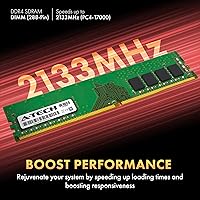
  • Speed: Operates at 2133MHz (PC4-17000 / PC4-2133P), the baseline JEDEC-defined speed for DDR4 memory modules.
  • Form Factor: Built as a 288-pin UDIMM, the standard physical format required for DDR4 desktop memory slots.
  • ECC Type: Non-ECC Unbuffered configuration, which is the correct and expected specification for standard consumer desktop and entry-level workstation systems.
  • Voltage: Runs at the JEDEC-standard 1.2V, requiring no voltage adjustment or custom BIOS configuration for stable everyday operation.
  • Rank Config: Supports both 1Rx8 single-rank and 2Rx8 dual-rank layouts, providing flexibility across different motherboard chipsets and memory controller requirements.
  • Compatible Devices: Designed for use in desktop PCs and workstations that accept standard 288-pin DDR4 DIMM modules.
  • Manufacturer: Produced by A-Tech Components, a third-party memory brand focused on affordable, broadly compatible RAM rather than premium performance segments.
  • Model Number: Official part number is AT8G1D4D2133NA0N12V, useful when cross-referencing motherboard compatibility lists or contacting A-Tech customer support.
  • Warranty: Backed by A-Tech's lifetime warranty, covering manufacturing defects under normal operating conditions for the full lifespan of the product.
  • Weight: The module weighs approximately 1.13 oz, consistent with a bare DDR4 DIMM that includes no heatspreader or thermal shroud.
  • Dimensions: Physical size measures 5.25 x 1.23 x 0.15 inches, matching the standard full-length DDR4 desktop DIMM profile.
  • Release Date: First made available in November 2018, giving it a multi-year sales and user feedback record at this price tier.
  • Sales Rank: Holds a #288 ranking in the Amazon Computer Memory category, reflecting consistent and sustained buyer demand over time.

Related Reviews
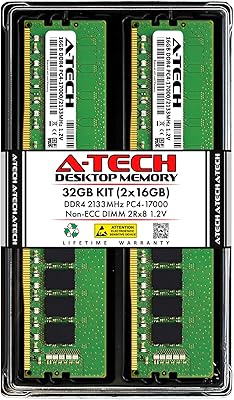
A-Tech 32GB DDR4 2133MHz Desktop RAM
79%
88%
Value for Money
94%
Installation Ease
69%
Compatibility
86%
Stability & Reliability
61%
Memory Speed
More
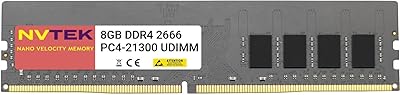
NVTEK 8GB DDR4 2666MHz Desktop RAM
71%
83%
Value for Money
78%
Compatibility
88%
Ease of Installation
71%
Reliability & Stability
74%
Performance at Rated Speed
More
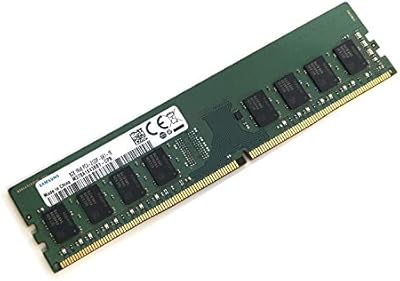
Samsung M378A1K43BB1-CPB 8GB DDR4 RAM
83%
96%
Reliability & Stability
88%
Compatibility
93%
Installation Experience
91%
Value for Money
67%
Memory Speed Performance
More
KingSpec 32GB DDR4 3200MHz Desktop RAM
80%
91%
Value for Money
93%
Installation Ease
84%
Compatibility
87%
Stability & Reliability
78%
Performance at Rated Speed
More
A-Tech 8GB DDR4 2666MHz SODIMM Laptop RAM
81%
93%
Value for Money
91%
Installation Ease
78%
Compatibility Range
82%
Performance Impact
84%
Build & Module Quality
More
A-Tech 128GB DDR4 3200MHz Desktop RAM Kit

87%
92%
Performance
88%
Installation Ease
81%
Compatibility with Systems
90%
Reliability and Stability
85%
Build Quality
More
A-Tech 16GB (2x8GB) DDR4 2133 MHz Desktop RAM
85%
94%
Ease of Installation
87%
System Responsiveness
90%
Energy Efficiency
85%
Performance for General Use
92%
Price to Performance Ratio
More
A-Tech 8GB DDR4 3200 MHz SODIMM Laptop RAM
89%
91%
Performance Boost
95%
Ease of Installation
89%
Value for Money
88%
System Compatibility
90%
Speed and Responsiveness
More
A-Tech 8GB DDR4 2133MHz SODIMM Laptop RAM
81%
91%
Value for Money
67%
Compatibility Range
93%
Installation Experience
88%
System Stability
74%
Performance Uplift
More
A-Tech 8GB DDR4 2400MHz SODIMM Laptop RAM
82%
91%
Value for Money
68%
Compatibility
88%
Ease of Installation
78%
Performance Improvement
83%
Reliability & Longevity
More

FAQ

The most reliable step is to locate your motherboard model number and check it against the A-Tech compatibility list or your board manufacturer's Qualified Vendor List (QVL). This memory module uses a standard 288-pin DDR4 UDIMM slot and 1.2V operation, which covers a broad range of consumer desktops, but compatibility is never fully guaranteed without checking. OEM systems from brands like Dell, HP, and Lenovo can sometimes be particularly restrictive about third-party RAM, so that extra check before buying is genuinely worth the two minutes it takes.

Not if gaming performance is the main goal. At 2133MHz, you are running at the slowest available DDR4 speed, and many modern games show measurable improvements with faster memory — 3200MHz or above is generally the recommended starting point for gaming setups. This DDR4 upgrade is better suited to office work, everyday browsing, and general productivity than to a performance-driven gaming rig.

Yes, and it is a practical way to extend the value of your purchase. Adding a matching module would give you 16GB total running in dual-channel mode, which improves memory bandwidth compared to a single stick operating alone. For best results, match the speed, voltage, and ideally the rank configuration of the second stick to what you already have installed.

In most cases, no adjustment is needed. This A-Tech stick runs at the JEDEC-standard 1.2V and 2133MHz, and the majority of motherboards will detect and configure it automatically on the first boot. It is still a good habit to pop into your BIOS after installation to confirm the memory is being read at the correct speed, but manual tuning should not be required.

Non-ECC simply means the module has no built-in error-correction circuitry — this is completely standard for consumer desktops and is not a drawback for everyday use. ECC memory is mainly found in servers and specialized workstations where data integrity is critical. Unbuffered means the module communicates directly with the memory controller, which is again the norm for any standard home or office desktop. Unless your system specifically requires ECC, this is exactly the configuration you want.

It is one of the simpler hardware tasks you can tackle at home. Open the desktop case, locate the DIMM slots on the motherboard, line up the notch on the module with the corresponding key in the slot, and press down evenly until the retention clips on each side click into place. No special tools are needed beyond a screwdriver to open the case, and most people complete the process in under ten minutes.

For most everyday users, the difference is quite real — especially on machines that have been feeling sluggish when switching between apps, loading web pages, or running office software alongside a browser. The jump from 4GB to 8GB removes a common performance bottleneck on budget and older desktops. You are unlikely to notice it in raw benchmarks, but day-to-day the system tends to feel considerably more responsive.

It covers manufacturing defects under normal use conditions for as long as you own the product, meaning a module that fails due to a fault in the hardware itself will be replaced. It does not cover physical damage from mishandling, incorrect installation, or incompatibility with your system. That said, a lifetime warranty on a budget memory module is a meaningful inclusion, and it is one of the main reasons buyers tend to choose this DDR4 upgrade over entirely unbranded alternatives.

No, this is strictly a desktop module. Laptops use a physically smaller format called SO-DIMM, which has 260 pins and a much more compact footprint. The 288-pin UDIMM form factor used here is simply not compatible with laptop memory slots — the connector shape and size are different enough that physical installation is not even possible.

A-Tech keeps costs low by skipping premium packaging, RGB heatspreaders, and the marketing overhead that comes with top-tier brands. The modules are built to JEDEC standards, so basic reliability and stability are in place. Where established brands like Corsair or Kingston may hold an edge is in more rigorous quality binning, deeper compatibility testing, and years of community trust built across millions of installations. For a straightforward everyday desktop upgrade, the real-world difference is usually minimal — but if you are building a high-stakes or performance-focused system, a more recognized brand may offer slightly more peace of mind.