Overview

The YoLink Uno Indoor Wi-Fi Security Camera sits in a practical sweet spot for anyone who wants dependable home monitoring without overcomplicating their setup. It belongs to the broader YoLink smart home ecosystem, designed to work alongside locks, sensors, and sirens rather than operate in isolation. The camera runs on corded power, so placement depends on outlet proximity — no battery option exists. One standout detail: a 64GB SD card ships in the box, genuinely uncommon at this price tier where competitors often push paid cloud plans. It is strictly an indoor unit and connects only over 2.4GHz Wi-Fi, both worth knowing before committing.
Features & Benefits

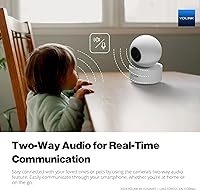
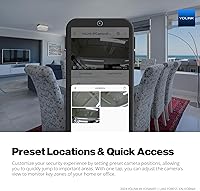
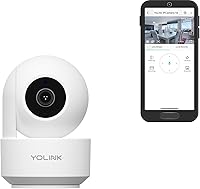
The 1080p sensor delivers usable, clear footage — sharp enough to check on a sleeping infant or confirm the dog hasn't caused trouble across the room. The motorized 360-degree pan covers an entire space from one mount point, and the preset position shortcuts let you jump to a saved zone instantly rather than manually steering every time. Two-way audio is responsive enough for quick real-world interactions — redirecting a pet or soothing a toddler without being in the room. Motion and sound alerts reach your phone promptly, though sensitivity tuning matters; factory defaults can generate unnecessary notifications. Alexa compatibility adds hands-free viewing on compatible smart displays.

Best For

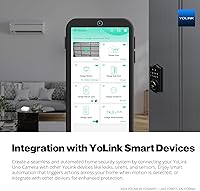
This home monitoring camera earns its place in a few specific situations. Parents setting up a nursery will appreciate the pan-tilt range and remote app access without disturbing the room. Pet owners find the two-way audio particularly practical for checking in from work and actually communicating with their animals. Renters benefit from the low-impact wall-mount approach. Existing YoLink users get the most mileage here — chaining this camera into automation routines, like triggering a siren on motion detection, is straightforward. Anyone wanting local-only storage without a recurring subscription will also find the bundled SD card a refreshingly practical inclusion rather than an upsell.

User Feedback

Buyers consistently point to quick, painless setup as a genuine strength, with the YoLink app earning praise for its clean layout and stable performance. Night vision works adequately in dim nurseries and living rooms, though to be fair, the infrared mode produces black-and-white footage and fine detail does soften in near-total darkness. The most repeated complaint involves the 2.4GHz-only connection — households with congested wireless networks or 5GHz-primary routers occasionally experience dropped feeds. False motion alerts near windows are another common frustration. Long-term reliability reports are generally positive, though a portion of reviewers mention slow support responses when hardware issues do surface.

Pros

  • 64GB SD card ships in the box, eliminating the need for a paid cloud storage plan.
  • 360-degree motorized pan covers an entire room from a single mounting point.
  • Preset position shortcuts let you jump to key zones instantly without manual steering.
  • Two-way audio is responsive enough for real interactions with pets or young children.
  • Setup is consistently reported as quick and straightforward, even for non-technical users.
  • The YoLink app is stable and well-organized, with a clean interface buyers frequently praise.
  • Native YoLink ecosystem integration enables genuine automation workflows with locks, sensors, and sirens.
  • Amazon Alexa support allows hands-free viewing on compatible smart displays.
  • Compact dome form factor keeps the camera unobtrusive on a shelf or wall.

Cons

  • 2.4GHz-only Wi-Fi causes connectivity issues on congested or modern 5GHz-primary networks.
  • No battery option means placement is limited to wherever a power outlet is accessible.
  • Infrared night vision produces black-and-white footage and softens detail in near-total darkness.
  • Motion alert sensitivity defaults can trigger excessive false positives, especially near windows.
  • Customer support response times have been flagged as slow when hardware problems surface.
  • Indoor-only design means it cannot double as an outdoor or porch monitoring solution.
  • Full value depends on owning other YoLink devices; standalone buyers miss most automation features.
  • No native 5GHz band support limits future-proofing as Wi-Fi 6 routers become standard.

Ratings

The scores below were generated by AI after analyzing thousands of verified global buyer reviews for the YoLink Uno Indoor Wi-Fi Security Camera, with spam, bot activity, and incentivized feedback actively filtered out. Every category reflects the honest consensus of real users — the genuine strengths and the recurring frustrations alike. Nothing has been softened or inflated to favor the product.

Ease of Setup
88%
The majority of buyers, including those with little technical experience, report having the camera live and connected within ten minutes. The QR-code pairing process through the YoLink app removes most of the guesswork, and the physical installation is straightforward enough for a renter who cannot drill into walls.
A consistent minority of users hit a wall when their router requires manual 2.4GHz band separation before the camera can even attempt to connect. For anyone unfamiliar with router settings, this step can turn a quick install into a frustrating thirty-minute troubleshooting session.
App Experience
83%
The YoLink app earns genuine praise for its clean layout and reliable performance during day-to-day use — switching between live view, playback, and preset positions feels intuitive once you have spent a few minutes with it. Push notifications arrive promptly, and the interface does not feel bloated or ad-driven the way some competing apps do.
Some users report occasional lag when loading the live feed remotely, particularly over cellular data rather than home Wi-Fi. A handful of reviewers also mention that app updates have occasionally reset their notification settings, which is a minor but annoying recurring complaint.
Video Quality
76%
24%
At 1080p, the daytime image is sharp enough to clearly identify faces, read text on a package, and monitor a baby or pet with confidence from a connected smartphone. Most buyers describe the picture as noticeably better than older budget cameras they had previously owned.
The image quality is solid for the price tier but does not compete with higher-end cameras that offer 2K or 4K resolution. Users who zoom in on recorded footage to check fine details — like reading a label or identifying a visitor — often find the image softens quickly at higher zoom levels.
Night Vision Performance
67%
33%
In a nursery or bedroom with even minimal ambient light — a nightlight, a streetlight through curtains — the infrared mode produces clear enough black-and-white footage to monitor breathing, movement, and position reliably. Parents checking on sleeping infants generally find it adequate for the task.
In genuine near-total darkness, fine detail deteriorates noticeably and the image takes on a grainy quality that makes identifying specifics harder. The black-and-white-only output also disappoints buyers who expected color night vision, which has become increasingly common even in budget cameras from competing brands.
Pan and Tilt Control
81%
19%
The motorized 360-degree rotation is one of the features buyers appreciate most, allowing a single camera to cover an entire living room or nursery without any blind spots. The preset position system is practically useful — parents set one preset for the crib and another for the door, toggling between them with a single tap.
The panning motor produces a faint mechanical noise during rotation that can be picked up on the audio feed, which a few light-sleeping parents flagged as occasionally waking an infant. There is also no automated patrol mode, so the camera stays put wherever you last positioned it until you manually redirect it.
Motion Detection Accuracy
61%
39%
When sensitivity is properly tuned down from the factory defaults, the motion detection becomes reasonably reliable for flagging genuine activity — a pet crossing the room or a person entering the frame — without constant unnecessary pings.
At default sensitivity settings, false positives are one of the most frequently cited complaints: light shifts through windows, ceiling fan shadows, and minor vibrations all trigger alerts. Users who do not spend time adjusting the sensitivity often end up disabling notifications entirely out of frustration, which defeats the purpose.
Two-Way Audio
78%
22%
The two-way audio is genuinely functional and responsive enough for everyday use — redirecting a dog away from the couch, soothing a toddler, or letting a family member know you are on your way home all work reliably without significant delay. The speaker volume is sufficient to be heard clearly across a standard-sized room.
Some users note a slight echo effect during conversations, particularly in rooms with hard floors or minimal furnishings. The microphone also picks up ambient noise fairly aggressively, meaning background sounds on your end — traffic, a TV, other voices — are clearly audible to whoever is in the camera room.
Wi-Fi Connectivity
57%
43%
For users with a stable, dedicated 2.4GHz network and a router positioned reasonably close to the camera, connectivity is consistent and the feed stays live without frequent interruptions during normal home use.
The 2.4GHz-only limitation is a genuine weakness in 2024 and beyond, when most modern households run heavily loaded 2.4GHz bands and increasingly default to 5GHz for primary device connections. Dropped feeds and reconnection issues are disproportionately common among users with crowded networks, and there is no fix beyond improving your router setup externally.
Local Storage Value
91%
Including a 64GB SD card in the box is a straightforwardly good decision that buyers notice and appreciate, particularly when comparable cameras at similar price points ship with no storage and immediately push a cloud subscription. The loop-recording system means coverage is continuous without manual management.
The camera does not offer any redundancy if the SD card fails or is corrupted, and there is no cloud backup option enabled by default. A small number of buyers also reported receiving units where the pre-inserted SD card was not recognized, requiring a reformat before it functioned properly.
Smart Home Integration
74%
26%
For buyers already in the YoLink ecosystem, the integration depth is genuinely impressive at this price point — triggering a siren when the camera detects motion, or linking it to a door sensor for entry alerts, works reliably and adds real security value beyond what a standalone camera can offer. Alexa compatibility adds a convenient second access layer.
Buyers without any existing YoLink devices miss out on essentially all of the automation value, leaving them with a capable but unremarkable standalone camera. The broader YoLink ecosystem is less widely adopted than platforms like Google Home or SmartThings, which creates a moderate lock-in risk if you invest heavily.
Build Quality
69%
31%
The compact dome housing feels solid enough for a camera that sits on a shelf or mounts to a wall and is rarely touched. The plastic casing is lightweight without feeling flimsy, and the rotational mechanism operates smoothly in normal use.
Buyers expecting premium materials will be underwhelmed — the all-plastic construction has a budget feel that does not inspire long-term confidence in heavy-use scenarios. A small number of reviewers reported that the pan mechanism developed intermittent hesitation after several months of daily operation.
Value for Money
79%
21%
When you factor in the included 64GB SD card, the motorized pan coverage, two-way audio, and YoLink ecosystem integration, the overall package offers more functional value per dollar than most direct competitors at the same price point. For nursery monitoring or pet surveillance, it covers the core use cases without requiring any add-on purchases.
Buyers who hit the connectivity or false-alert issues quickly feel that the value proposition erodes, since workarounds require time and effort that undercut the simplicity the camera promises. At its price, expectations are reasonable — but the 2.4GHz limitation and inconsistent night vision do hold back the overall score.
Long-Term Reliability
63%
37%
The majority of buyers who have owned the camera for six months or more report it working consistently without hardware failures, which is a reasonable baseline for a product in this category. The app also receives periodic updates that have addressed some earlier stability complaints.
A meaningful subset of longer-term reviews mention the pan motor degrading or the camera developing intermittent connectivity issues after the first year. Customer support response times have been flagged repeatedly as slow, which compounds frustration when hardware problems do arise outside the return window.
Customer Support
54%
46%
When support responses do arrive, buyers generally describe the guidance as technically knowledgeable and relevant to the specific problem rather than generic scripted replies. YoLink also maintains a community forum that helps users troubleshoot common issues peer-to-peer.
Slow response times are the dominant complaint — multiple reviewers describe waiting several days for a first reply, which is particularly frustrating when a camera failure leaves a nursery or home unmonitored. The support experience appears inconsistent depending on when and how the issue is submitted.

Suitable for:

The YoLink Uno Indoor Wi-Fi Security Camera makes the most sense for a fairly specific type of buyer, and for those people it delivers real, practical value. Parents setting up a nursery will find the 360-degree pan coverage and remote app access genuinely useful — you can check on a sleeping baby, hear if they stir, and even talk to them without stepping into the room. Pet owners working from home or commuting will appreciate being able to visually check in and use two-way audio to redirect a restless dog or anxious cat. The included 64GB SD card is a meaningful perk for anyone tired of cameras that lock footage behind a monthly cloud subscription. Renters benefit from the straightforward wall-mount setup that avoids permanent installation. Anyone already invested in the YoLink ecosystem gets the most out of it, since connecting this camera to existing locks, sensors, and sirens unlocks automation routines that a standalone camera simply cannot replicate.
Not suitable for:

The YoLink Uno Indoor Wi-Fi Security Camera will frustrate buyers who expect it to perform outside its clearly defined lane. It is strictly an indoor unit with no weather resistance for outdoor placement, so if your primary concern is monitoring a driveway, porch, or backyard, this is the wrong tool. The 2.4GHz-only Wi-Fi connection is a genuine obstacle in modern homes where routers are congested with devices or configured primarily for 5GHz bands — expect potential dropped feeds if your network fits that profile. Anyone wanting a wire-free, battery-powered camera for flexible placement will need to look elsewhere, since this one requires a constant power source. Buyers expecting premium night vision with full color in darkness should recalibrate; the infrared mode captures black-and-white footage and loses fine detail in near-total darkness. Finally, users who have no interest in the YoLink platform and just want a simple plug-and-play camera may find the ecosystem-dependent features more complicated than their needs require.
Specifications

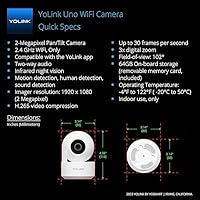
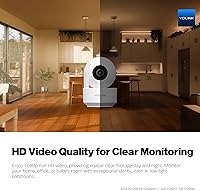
  • Video Resolution: Records and streams at 1080p Full HD using a CMOS image sensor for clear daytime and low-light footage.
  • Field of View: Motorized 360-degree pan rotation covers an entire room from a single fixed mounting position.
  • Night Vision: Infrared night vision captures black-and-white footage in low-light and dark conditions without an additional light source.
  • Two-Way Audio: Built-in microphone and speaker support real-time two-way voice communication through the YoLink mobile app.
  • Wi-Fi Band: Connects exclusively over the 2.4GHz Wi-Fi band; 5GHz networks are not supported.
  • Local Storage: Includes a 64GB microSD card in the box for on-device footage storage without a cloud subscription.
  • Power Source: Operates via corded electric power only; no rechargeable battery or battery-backup option is available.
  • Form Factor: Ultracompact dome design measuring 4.53 x 3.1 x 3.1 inches, suited for shelf or wall placement.
  • Weight: Weighs 13.1 ounces (approximately 0.37 kg), making it lightweight enough for standard wall-mount hardware.
  • Mounting Type: Designed for wall mounting; hardware and placement flexibility support most standard indoor surfaces.
  • Smart Home: Compatible with Amazon Alexa for voice control and integrates natively with YoLink locks, sensors, and sirens.
  • Alert Types: Sends push notifications to a paired smartphone when motion or sound activity is detected by the camera.
  • Video Format: Footage is recorded and stored in MPEG-4 format for broad compatibility with common media players.
  • IP Rating: Carries an IP65 rating, though the unit is designated for indoor use only and should not be exposed to outdoor weather.
  • App Control: Managed entirely through the YoLink mobile app, which supports live viewing, playback, alerts, and preset position configuration.
  • Material: Housing is constructed from plastic, keeping the unit lightweight and the profile compact on any surface.
  • Indoor/Outdoor: Rated and designed for indoor use only; outdoor installation is not supported or recommended by the manufacturer.

Related Reviews

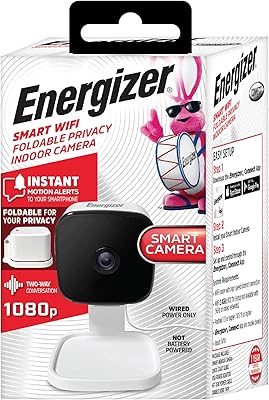
Energizer Smart Wi-Fi Indoor Security Camera
84%
91%
Value for Money
94%
Ease of Setup
88%
Video Quality
87%
Motion Detection Performance
85%
Audio Quality
More
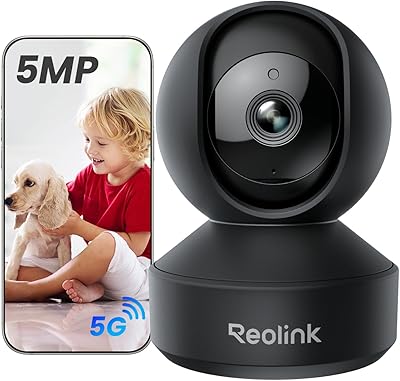
Reolink E1 Pro 5MP Pan-Tilt Indoor Camera
78%
88%
Image Quality
79%
Night Vision
76%
Auto-Tracking
73%
AI Detection Accuracy
62%
App Experience
More
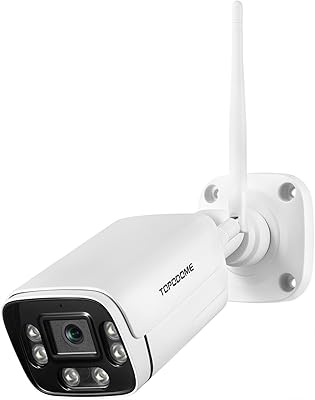
Topodome TD-J10A Outdoor Wi-Fi Bullet Camera
72%
83%
Build Quality
81%
Value for Money
71%
Night Vision
74%
Motion & Humanoid Detection
58%
App Experience
More
YEEWISE 2K 12″ Monitor Security Camera System
78%
88%
Ease of Setup
83%
Video Quality
79%
Dual-Lens Performance
74%
Night Vision
57%
Remote App Access
More
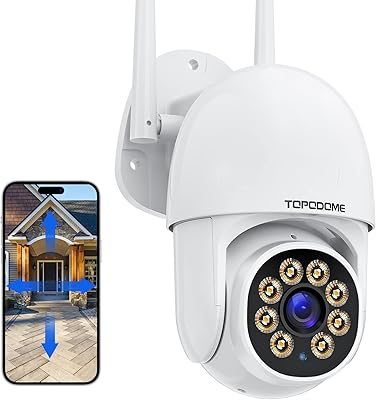
Topodome TD-S50B Wi-Fi Security Camera Outdoor 1080P
81%
89%
Video Quality
85%
Night Vision Performance
88%
Pan/Tilt Functionality
90%
Weatherproofing & Durability
75%
Ease of Setup
More
Geeni Glimpse Indoor Security Camera
81%
91%
Value for Money
96%
Ease of Installation
88%
Wi-Fi Connectivity
85%
Motion Detection
65%
Two-Way Audio Quality
More
Canary Pro Indoor Home Security Camera
73%
91%
Ease of Setup
78%
Video Quality
63%
Motion Detection
61%
App Experience
87%
Siren Effectiveness
More
aosu 4MP 360° Indoor Security Camera
76%
83%
Image Quality
78%
Motion Tracking
71%
Night Vision
88%
Setup & Connectivity
74%
One-Touch Call Feature
More
kelucimy H1 Indoor Security Camera
85%
91%
Value for Money
88%
Ease of Setup
93%
Video Quality
84%
Motion Detection Accuracy
86%
Night Vision Performance
More
Gaiexce 2K Security Camera Indoor
83%
91%
Video Quality
88%
Motion Detection Accuracy
90%
Night Vision Performance
85%
Ease of Setup
80%
App Functionality
More

FAQ

No, and this is one of the more practical aspects of the camera. A 64GB SD card comes included in the box, so footage saves locally without any monthly fee. Cloud storage may be available optionally, but it is not required to get full use out of the camera.

Unfortunately, no. The YoLink Uno Indoor Wi-Fi Security Camera only connects over the 2.4GHz band. If your router broadcasts both bands under the same network name, your phone may handle the connection automatically, but if your home runs a 5GHz-only setup, you will need to enable a 2.4GHz band separately before the camera can connect.

It is functional but not exceptional. In a dimly lit nursery or room with some ambient light filtering in, the infrared mode produces reasonably clear black-and-white footage — enough to see movement and identify your child or pet without issue. In near-total darkness, fine detail like facial features softens noticeably, which is typical for infrared cameras in this price range.

Yes, it works as a standalone indoor camera through the YoLink app. You get full access to live video, pan controls, two-way audio, and motion alerts without needing any other YoLink hardware. That said, the automation features — like triggering a siren when motion is detected — only activate if you have compatible YoLink devices paired to your account.

It is motorized and controlled through the app. You can manually drag to pan the view, set preset positions for zones you check frequently, and jump between those presets with a single tap. There is no continuous auto-patrol mode that rotates on its own, so you are in control of where the camera points at any given time.

Yes, the YoLink app includes sensitivity controls for both motion and sound detection. The factory defaults tend to run on the sensitive side, which is a common complaint — especially for cameras placed near windows where passing cars or shifting light can trigger alerts. Dialing down the sensitivity or creating activity zones usually reduces the noise significantly.

Yes, Alexa compatibility is built in. Once you link your YoLink account to Alexa, you can ask your Echo Show or other compatible smart display to pull up the live feed by voice. It is a convenient option if you want a quick glance without reaching for your phone.

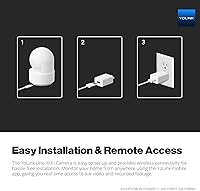
Most buyers find it straightforward. You plug the camera in, download the YoLink app, scan the QR code on the device, and follow the prompts to connect it to your Wi-Fi. The whole process typically takes under ten minutes. The main friction point some users encounter is getting the 2.4GHz band sorted on their router if it is not already broadcasting one.

The manufacturer designates this as an indoor-only unit, so outdoor installation is not recommended even in a sheltered spot. While it carries an IP65 rating, that certification does not override the indoor-use classification, and placing it outside could void any warranty coverage. For outdoor monitoring, a purpose-built weatherproof camera would be the safer choice.

The camera uses a loop recording system, meaning once the 64GB card reaches capacity, the oldest footage is automatically overwritten by new recordings. You will not lose continuous coverage, but you will lose older clips, so if you need to save specific footage, it is worth downloading it to your phone through the app before it gets overwritten.