Overview

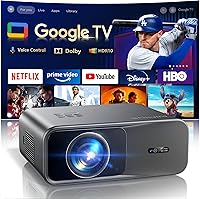
The WiMiUS G1 Google TV Smart Projector sits in an interesting spot for cord-cutters who want a big screen without a TV. Unlike the flood of budget Android-based projectors that technically stream but feel half-baked, this Google TV projector runs a fully licensed Google TV OS — real app store, real recommendations, real interface. Native resolution is 1080P, full stop. It can handle 4K content signals, but the image outputs at 1080P, so don't let the marketing blur that line. At 5.5 lbs and compact enough to carry between rooms or out to the backyard, it's a practical choice — as long as you're watching in a dark or dim environment, not a sunlit living room.
Features & Benefits

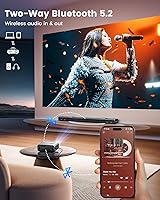
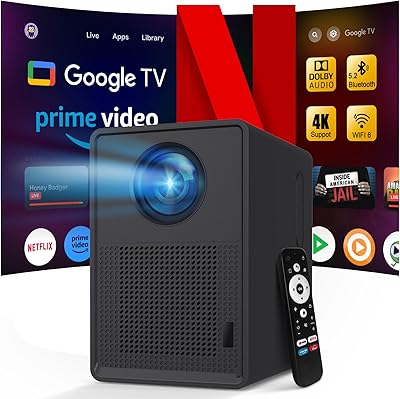
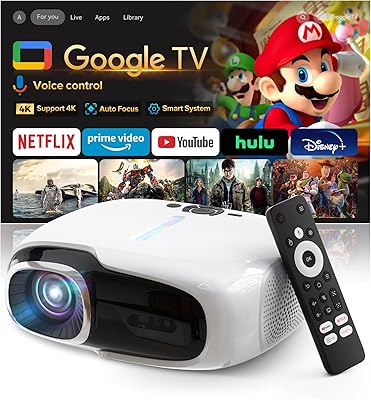
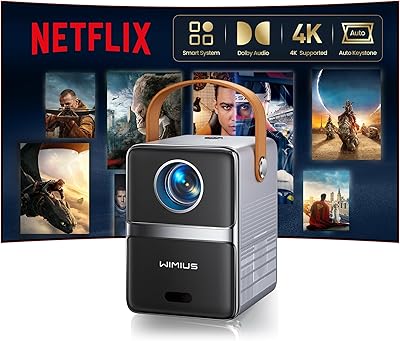
Where the WiMiUS G1 earns its keep is in how little friction it creates day-to-day. Point it at a wall, and Auto Focus with Keystone Correction kicks in automatically — no manual tweaking required. The Google TV layer handles content discovery intelligently, surfacing shows across your subscriptions rather than forcing you to hop between apps. Audio is where this projector genuinely surprises: Dolby Audio certification at this price tier is uncommon, and the dual 10W speakers deliver room-filling sound without obvious distortion. WiFi 6 keeps streams stable, and two-way Bluetooth 5.2 means you can pair external speakers or use this smart projector as a standalone speaker. HDMI ARC/CEC makes soundbar hookups clean and simple.

Best For

This Google TV projector clicks into place for a fairly specific kind of buyer. Families will appreciate the multi-user profiles and Kids Mode — being able to set up separate watchlists and lock down approved apps for younger viewers is genuinely useful when one device serves the whole household. Cord-cutters will love skipping the external streaming stick entirely. It's also well-suited to renters who can't mount a TV or don't want one cluttering a wall — set it on a shelf or table and get a screen as large as your space allows. Casual gamers wanting a bigger display on a budget will find it functional, though input lag isn't something the spec sheet addresses directly.

User Feedback

Buyers who've picked up the WiMiUS G1 tend to praise how quickly it gets up and running — the auto-correction features actually work, and the Google TV interface feels polished rather than tacked on. The built-in speakers get favorable mentions, especially from users who weren't expecting much from a projector in this price range. That said, common criticisms aren't hard to find. The 1080P native ceiling frustrates buyers who read the 4K marketing language too literally. Brightness is also a recurring complaint — in a partially lit room, the image washes out noticeably. Long-term reliability and support responsiveness are harder to judge given the product's recent launch, but early impressions around build quality have been mostly positive.

Pros

  • Official Google TV licensing means a real app store, real recommendations, and a polished interface — not a stripped-down Android workaround.
  • Auto Focus and Auto Keystone Correction genuinely work, getting you to a usable image in seconds without manual fiddling.
  • Dolby Audio certification is rare at this price tier, and the built-in speakers are strong enough for outdoor group viewing without external help.
  • WiFi 6 keeps streaming stable even in congested network environments, which cheaper projectors with older wireless chips cannot claim.
  • Two-way Bluetooth 5.2 lets you pair wireless headphones or an external speaker without cables — a practical touch for late-night or shared-space use.
  • Multi-user profiles and Kids Mode make this one of the more family-ready projectors available without jumping to a significantly higher budget.
  • The WiMiUS G1 weighs just 5.5 lbs and moves between indoor and outdoor setups without requiring a dedicated carry case or mounting hardware.
  • HDMI ARC/CEC support means connecting a soundbar takes seconds with no extra cables cluttering the setup.
  • HDR10 support adds visible depth to contrast-heavy content in dark viewing environments where the projector genuinely performs well.

Cons

  • Native resolution is 1080P only — 4K content is downscaled, and the marketing language around this is consistently misleading to buyers.
  • Brightness falls short in any room that is not actively darkened, limiting practical use to evenings or rooms with blackout curtains.
  • No built-in battery means outdoor use always requires a power source, which cuts against the portable, take-anywhere pitch.
  • Auto-focus can struggle at steep angles or on textured surfaces, occasionally requiring manual intervention that defeats the hands-free appeal.
  • The remote control feels underwhelming in build quality relative to what the rest of the device promises, with a layout that takes time to adjust to.
  • Customer support quality from WiMiUS is inconsistent — some buyers get fast, helpful responses while others report slow or unhelpful service for hardware issues.
  • The HDMI port count is limited, which becomes frustrating quickly if you want to connect both a game console and another source device simultaneously.
  • Long-term reliability is genuinely unknown given how recently this model launched, so early adopters carry more risk than buyers of more established units.
  • Maximum volume introduces audible distortion in bass-heavy scenes, and the speaker projection does not fill larger outdoor spaces the way a soundbar would.

Ratings

The WiMiUS G1 Google TV Smart Projector scores below are generated by AI after analyzing thousands of verified global user reviews, with spam, bot-submitted, and incentivized feedback actively filtered out. This smart projector lands in a competitive mid-range segment where strengths and trade-offs both matter, and the scores here reflect that honestly — no inflated averages, no glossing over the friction points real buyers encounter.
Smart TV Integration
88%
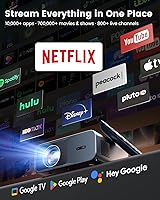
Having a fully licensed Google TV OS — not a stripped Android clone — is a real advantage that users notice immediately. App availability, content recommendations, and account syncing work the way they do on a proper smart TV, which removes a lot of the workarounds budget projector owners typically deal with.
A handful of users report occasional sluggishness in the interface when multiple apps are running, and software update behavior has been inconsistent for some early adopters. It is polished, but not quite at the responsiveness level of a dedicated streaming device.
Image Sharpness & Clarity
74%
26%
At typical living room throw distances, the 1080P native output looks clean and detailed enough for movie watching and casual gaming. HDR10 adds noticeable depth to contrast-heavy content, and the five picture presets give users a reasonable degree of control over the final image.
The 4K marketing language creates genuine confusion — this projector outputs at 1080P regardless of the source signal, and buyers expecting visible 4K sharpness are routinely disappointed. Fine text and sharp motion sequences reveal the resolution ceiling more than casual viewing does.
Brightness & Ambient Light Performance
61%
39%
In a properly darkened room — think curtains drawn, lights off — the image holds up well at standard throw distances, and the high brightness mode adds useful headroom for slightly dim rather than pitch-black environments. The ECO mode is appreciated for quieter late-night sessions.
This is where the most consistent criticism lands. In a room with daylight or even moderate indoor lighting, the picture washes out significantly. It is genuinely not suited for daytime use, and buyers who expect otherwise based on the marketing language tend to leave frustrated reviews.
Auto Focus & Keystone Correction
83%
Most users are pleasantly surprised by how reliably the auto-focus and keystone correction perform out of the box. Placing the unit on a coffee table or outdoor surface and getting a usable image within seconds — without manual adjustments — is a meaningful quality-of-life improvement over manual-only alternatives.
Auto-focus occasionally struggles with heavily textured projection surfaces or when the projector is placed at more extreme angles. A few users note it needs a manual nudge in non-ideal setups, which undercuts the hands-free convenience that is a core part of the appeal.
Audio Quality
81%
19%
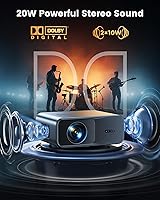
Dolby Audio certification is not common at this price point, and it shows — the dual 10W speakers produce fuller, more balanced sound than most competing projectors manage. For backyard movie nights without external speakers, the built-in audio is genuinely adequate, which is a bar many rivals fail to clear.
At maximum volume, some users detect distortion, particularly in bass-heavy scenes. The speakers also project sound toward the viewer rather than filling a space the way a soundbar does, so larger outdoor environments can expose the limits of the onboard audio.
Setup & Ease of Use
86%
First-time setup follows the familiar Google TV onboarding flow, which most buyers already know from Android TV devices. Connecting to WiFi, signing into accounts, and getting to the first stream typically takes under ten minutes — a low barrier that non-technical users specifically call out positively.
The physical remote has received mixed feedback on button layout and build feel, with a few users finding it less intuitive than the Google TV interface it controls. Initial firmware setup occasionally requires a software update before everything functions as expected.
Portability & Form Factor
79%
21%
At 5.5 lbs and with a footprint comparable to a hardcover book, this smart projector moves between rooms and outdoor settings without hassle. Users who take it camping or to backyard gatherings specifically appreciate not needing a dedicated cart or heavy carry case.
There is no built-in battery, so outdoor use requires an extension cord or a high-capacity power bank — a constraint that limits true portability compared to battery-equipped rivals. The power cable management in tight setups is a minor but recurring annoyance.
Connectivity
82%
18%
WiFi 6 support provides noticeably stable streaming compared to older WiFi standards, and two-way Bluetooth 5.2 is a practical touch — users can pair wireless headphones for late-night viewing without disturbing others. HDMI ARC/CEC makes hooking up a soundbar straightforward.
The HDMI port count is limited, which frustrates users running multiple source devices like a game console and a streaming stick simultaneously. USB connectivity is functional but primarily useful for media playback rather than device charging.
Multi-User & Family Features
77%
23%
Individual user profiles with separate watchlists work reliably, and Kids Mode gives parents a genuinely usable layer of control over content and screen time. Families sharing one projector across multiple users find the profile switching practical and fast.
Kids Mode content library depends on what parents manually approve, which requires upfront configuration time that some users find tedious. The parental control tools are functional but lack the granularity that dedicated family-focused platforms offer.
Zoom & Placement Flexibility
71%
29%
The 50%–100% zoom range gives users reasonable flexibility in how far from the wall they can position the unit, which matters in rooms where furniture or layout limits ideal throw distances. Most common living room and backyard setups fall comfortably within its usable range.
At shorter throw distances with the zoom scaled back, image brightness takes a hit that is noticeable in practice. Users with very small rooms sometimes find the minimum projection size larger than they want, limiting close-range use cases.
Voice Control & Smart Home Integration
76%
24%
Google Assistant works as expected — searching for content, adjusting volume, and pulling up information by voice all function reliably. Google Home app integration means users already in the Google ecosystem can control the projector from their phone without learning a new system.
Voice control is less useful when background noise is present, which is precisely when outdoor or party setups call for it most. Users outside the Google ecosystem get less value here, and there is no native Alexa or Apple HomeKit support.
Build Quality & Materials
68%
32%
The chassis feels reasonably solid for a value-tier brand, and early users report no structural issues after regular transport between indoor and outdoor setups. The matte gray finish resists fingerprints well and does not look obviously cheap on a shelf.
The plastics do not communicate premium construction, and the lens cover mechanism feels less precise than projectors at higher price points. Long-term durability is still an open question given the product launched recently with limited ownership history.
Value for Money
78%
22%
Relative to what buyers would spend to replicate the same setup — a basic projector plus a streaming stick plus a decent portable speaker — the all-in-one package represents real savings. The Google TV licensing alone adds tangible value that cheaper rivals skip.
Buyers comparing it to premium projector brands will find the brightness and resolution trade-offs harder to accept at this price. It is strong value within its category, but only if buyers understand they are getting a capable mid-range device rather than a flagship-adjacent one.
Customer Support & After-Sales
63%
37%
WiMiUS provides a direct support email and users report receiving responses within a reasonable window for a smaller brand. Some buyers cite helpful guidance on setup issues and firmware-related problems that resolved their concerns without requiring a return.
Support quality appears inconsistent — positive experiences are not universal, and a segment of users describe slow or unhelpful responses when dealing with hardware defects. As a value-oriented brand, after-sales infrastructure is noticeably thinner than established names.

Suitable for:

The WiMiUS G1 Google TV Smart Projector is a strong fit for cord-cutters who want a single, self-contained streaming device that does not require an external stick or box to function properly. Families in particular get real mileage out of it — the combination of individual user profiles, Kids Mode with app controls and screen time limits, and a shared watchlist system makes it more household-friendly than most projectors at this price. Renters and apartment dwellers who cannot or do not want to mount a large TV will appreciate how easily this smart projector repositions between a bedroom, living room, or patio without any permanent installation. For backyard movie nights or camping trips where you have access to power and can control the lighting conditions, the image and audio package holds up well enough to genuinely entertain a group. Casual gamers wanting a larger display on a budget will find it serviceable, provided they are not chasing low input lag for competitive play.
Not suitable for:

The WiMiUS G1 Google TV Smart Projector is a poor match for anyone who plans to watch in a room with natural light, overhead lighting, or any significant ambient brightness — the image degrades noticeably in those conditions, and no amount of brightness mode adjustment fully compensates. Buyers who see the words 4K supported and expect to see a true 4K image should look elsewhere; the native output is 1080P, and the marketing language around 4K on this device is genuinely misleading. Videophiles or anyone who has used a mid-to-high-range dedicated projector before will likely find the contrast, color accuracy, and sharpness disappointing by comparison. This smart projector is also not the right call for anyone who needs reliable outdoor portability without access to a power outlet, since there is no battery. Finally, buyers who prioritize long-term after-sales support from an established brand with a proven service track record may find the WiMiUS ownership experience less reassuring than they would like.
Specifications

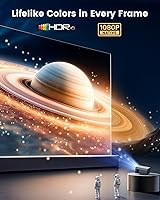
  • Native Resolution: The projector outputs at a native resolution of 1920×1080 (1080P); 4K content is accepted as an input signal but rendered at 1080P.
  • HDR Support: HDR10 is supported, delivering improved contrast and color depth compared to standard dynamic range content in compatible streaming titles.
  • Brightness Modes: Three brightness levels are available — High Brightness, Standard, and ECO — allowing adjustment based on ambient lighting conditions and power preferences.
  • Picture Presets: Five picture presets are built in to optimize the image for different content types including movies, sports, and presentations.
  • Audio Output: Total audio output is 20W delivered through dual 10W high-fidelity drivers, with Dolby Audio certification for improved sound processing.
  • Bluetooth: Bluetooth 5.2 operates in two-way mode, supporting both incoming audio from devices and outgoing audio to external Bluetooth speakers or headphones.
  • WiFi Standard: WiFi 6 (802.11ax) is supported for faster, more stable wireless connectivity compared to projectors using older WiFi 5 or WiFi 4 chipsets.
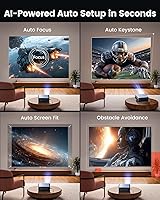
  • Focus & Correction: Auto Focus, Auto Keystone Correction, Smart Obstacle Avoidance, and Smart Screen Alignment are all handled automatically without manual adjustment.
  • Zoom Range: An optical and digital zoom range of 50%–100% provides flexibility in throw distance and projected image size for different room configurations.
  • HDMI: HDMI ARC and CEC are supported, enabling simplified audio routing to compatible soundbars or AV receivers through a single HDMI cable.
  • Smart OS: The projector runs an officially licensed Google TV OS with full access to the Google Play Store, Google Assistant, and the Google Home app.
  • User Profiles: Multiple independent user accounts can be created, each with separate watchlists and viewing history, plus a dedicated Kids Mode with parental controls.
  • Connectivity Ports: Physical connectivity includes HDMI (with ARC/CEC), USB, and a 3.5mm audio jack for wired audio output to headphones or external speakers.
  • Dimensions: The unit measures 10×7.6×4.3 inches, making it compact enough to carry between rooms or pack for outdoor use without a large carry case.
  • Weight: At 5.5 lbs, the projector is light enough for regular repositioning between indoor and outdoor setups without significant physical effort.
  • ECO Mode: ECO mode reduces fan speed and power draw simultaneously, resulting in a quieter and more energy-efficient operation during extended viewing sessions.
  • Voice Control: Google Assistant is built in and responds to voice commands for content search, volume control, and smart home device interaction.
  • Power Source: The projector requires a wired power connection and does not include a built-in battery, meaning outdoor use requires access to a power outlet or external power bank.

Related Reviews

QIAOLET Google TV 4K Smart Projector
76%
91%
Streaming Platform Integration
72%
Image Brightness & Clarity
67%
Native Resolution Accuracy
74%
Built-in Audio Quality
88%
Smart OS & App Experience
More
ANSFIL Google TV 1080P Smart Projector
80%
88%
Setup & First Use
76%
Picture Quality
91%
Streaming & Smart TV Experience
83%
WiFi & Connectivity Stability
71%
Voice Control
More
WiMiUS P61 Pro Native 1080P Mini Projector
79%
83%
Image Clarity
61%
Brightness Performance
88%
Streaming & Smart OS
86%
Setup & Ease of Use
74%
Audio Quality
More
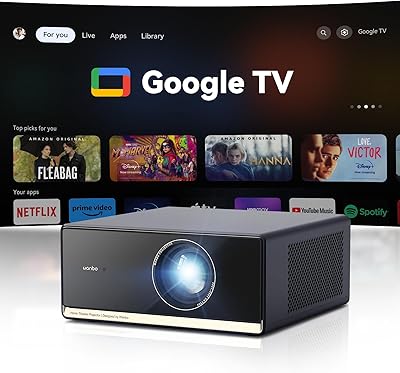
Wanbo X5 Pro 2025 Google TV Projector
86%
90%
Picture Quality
88%
Ease of Setup
85%
Brightness for Daylight Use
83%
Sound Quality
89%
Portability
More
Hisense 55A6H 55-Inch 4K UHD Smart Google TV
84%
94%
Display Quality
88%
Smart Features (Google TV & Alexa)
90%
Gaming Performance
85%
Sports Mode Optimization
92%
Value for Money
More
TCL 50S446 50″ 4K UHD HDR Smart Google TV
86%
92%
Value for Money
89%
Picture Quality
86%
Smart Features & Integration
93%
Ease of Setup
75%
Sound Quality
More
TCL 43S446 43-inch 4K UHD HDR Smart Google TV
85%
91%
Display Quality
88%
Ease of Setup
85%
Voice Control Functionality
92%
Streaming Performance
89%
HDR Performance
More
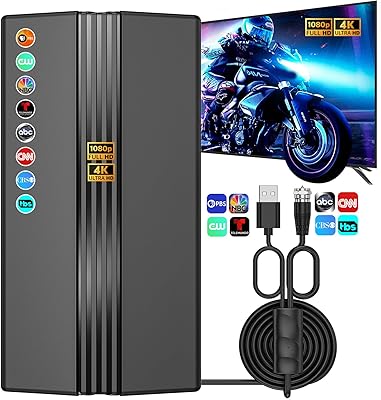
Bahouloer Indoor Outdoor TV Antenna
71%
72%
Signal Reception Quality
41%
Range Accuracy
91%
Ease of Installation
88%
Cable Length & Flexibility
63%
Build Quality & Durability
More
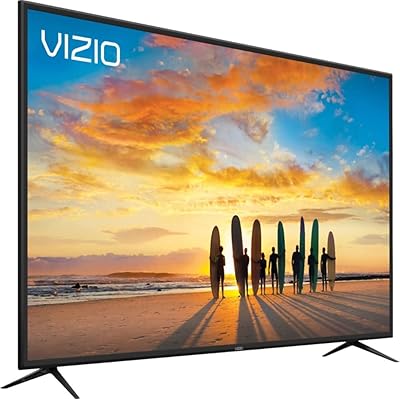
VIZIO M658-G1 M-Series Quantum 65” 4K HDR Smart TV
83%
91%
Display Quality
86%
Smart Features & Usability
88%
Gaming Performance
68%
Sound Quality
94%
Ease of Setup
More
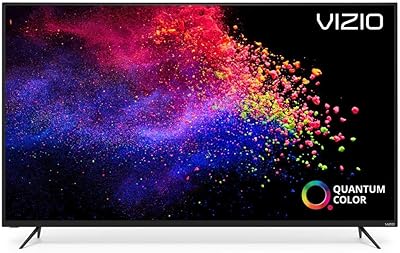
VIZIO M558-G1 M-Series Quantum 55-inch 4K HDR Smart TV
86%
94%
Picture Quality
88%
Ease of Setup
90%
Gaming Performance
85%
Smart TV Features
87%
Voice Control Experience
More

FAQ

It is primarily marketing language. The WiMiUS G1 Google TV Smart Projector accepts 4K content signals, but it renders everything at its native 1080P resolution. If you are streaming a 4K title from Netflix, the projector will display it at 1080P — which still looks good in a dark room, but is not a true 4K image. Go in with that expectation and you will not be disappointed.
Realistically, you need a dark or at least very dim environment to get a satisfying image. Daytime use with natural light coming through windows will wash the picture out considerably, even on the highest brightness setting. Evening use with the lights off or curtains drawn is where this projector genuinely delivers. Think of it as a proper projector, not a display that competes with ambient light the way a TV does.

It is a fully licensed Google TV installation — not a cut-down version or a generic Android TV fork. You get the real Google Play Store, the standard Google TV content discovery interface, Google Assistant, and Google Home app compatibility. Apps like YouTube, Netflix, Disney Plus, and Prime Video are all available through the official store, and the AI-driven recommendations work across your subscriptions just as they do on a Google TV-certified television.

For the majority of standard setups — flat wall, reasonable throw distance, projector on a table or shelf — the auto-focus and keystone correction work reliably and quickly. Where it can struggle is on heavily textured surfaces or at steep projection angles, in which case you may need a manual adjustment to finish what the auto system started. It is genuinely better than most rivals in this category, but not infallible in non-ideal conditions.

For a small to medium outdoor group in a reasonably quiet setting, the dual 10W speakers with Dolby Audio processing are adequate — this is one area where the projector punches above its price. In a larger open space with background noise, or if you want cinema-level bass, connecting an external Bluetooth speaker will make a clear difference. The good news is two-way Bluetooth 5.2 makes that pairing fast and reliable.

Yes on both counts. The Google TV OS supports multiple independent user accounts, each with its own watchlist and viewing history — so your kids will not ruin your recommendations queue. Kids Mode lets parents select which apps are accessible, set daily screen time limits, and define a bedtime cutoff. It takes a few minutes to configure properly upfront, but once set it works without needing constant adjustments.

Not directly — there is no built-in battery, so it always needs a power source. That said, some buyers pair it with a high-capacity portable power station, which works for camping setups as long as the power bank has sufficient wattage to run the projector continuously. It is worth checking the wattage requirements against your power bank specs before assuming it will work.

HDMI ARC with CEC is a genuine convenience here. If your soundbar supports CEC, you can control volume through the projector remote without needing a separate soundbar remote, and the audio handshake happens automatically when you switch inputs. It removes the cable clutter of a separate optical or 3.5mm audio run, which is particularly useful when setting up outdoors or in a room where cable management matters.

WiMiUS is a value-tier brand, not a consumer electronics giant, and that shows in after-sales support. Some buyers report prompt and helpful responses through their official support email; others have had slower or less satisfying experiences, particularly with hardware defect claims. It is a reasonable risk for the price point, but if reliable brand support is a priority for you, that is worth factoring into your decision.

For most common setups, yes. The HDMI port with ARC/CEC handles soundbar integration cleanly, and a game console connects via the standard HDMI input. The main limitation to know going in is that there is only one HDMI port, so if you want both a console and another source connected simultaneously, you will need an HDMI switch. The USB port handles media playback from a flash drive but is not designed for device charging.