

Overview

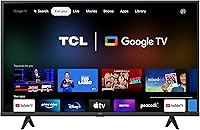
The TCL 43S446 43-inch 4K Smart TV sits squarely in budget-friendly territory, making it a practical choice for a bedroom, guest room, or any secondary space where you want a capable screen without overspending. Running Google TV rather than the Roku OS found on older TCL models, the 43S446 feels more current and better organized. Being a 2022 model means it still receives software updates and benefits from a mature app ecosystem. Honest expectations matter here: this is a strong value pick, not a premium display, and understanding that distinction will shape how satisfied you end up being with it.

Features & Benefits

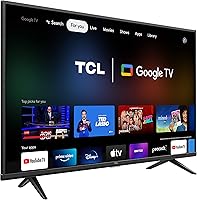
The 4K UHD panel produces noticeably sharper detail than a 1080p set — text is crisper, distant background elements have definition, and nature documentaries genuinely pop. HDR adds some punch to highlights and colors, though keep in mind this is LED HDR, not OLED; the improvement is real but measured. Google TV organizes your streaming apps into a single clean interface drawing from hundreds of thousands of titles across Netflix, YouTube, Disney+, and more. The built-in Chromecast lets you cast directly from your phone without fumbling through menus. One honest caveat: the 60Hz refresh rate is perfectly fine for movies and shows but noticeably limits fast-motion clarity.

Best For

Cord-cutters and streamers will find this Google TV a natural fit, particularly if you are already deep in the Google or Android ecosystem — your phone, smart speakers, and compatible apps all connect with minimal setup. Apartment dwellers outfitting a bedroom or home office on a tight budget get a lot of screen for the money. First-time smart TV buyers will appreciate how low-friction the whole experience is, with voice search that responds reliably. Where it falls short: dedicated gamers and sports fans who care about motion clarity will likely want a higher refresh rate panel instead.

User Feedback

Owners of this TCL set tend to be pleasantly surprised by how good the picture looks relative to what they paid — that is consistently the top compliment. The Google TV setup process draws praise for being straightforward, and the voice assistant responds quickly. On the flip side, built-in audio quality is a frequent complaint; many buyers end up adding a soundbar within a few weeks. Some users report occasional OS slowdowns after extended use, and the remote feels functional but cheap. Long-term software update cadence has been inconsistent for some. Still, overall satisfaction skews positive for buyers who go in with realistic expectations.

Pros

  • Picture quality noticeably surpasses 1080p sets at the same size, making 4K streaming content look genuinely sharper.
  • Google TV interface keeps all your streaming apps organized in one place without needing extra hardware.
  • Built-in Chromecast lets you cast from a phone or laptop instantly, with no additional setup.
  • Google Assistant responds quickly and handles voice search, content discovery, and smart home commands reliably.
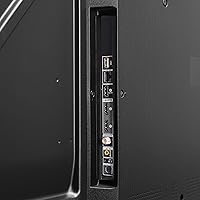
  • Full connectivity suite — HDMI, USB, Wi-Fi, Bluetooth, and Ethernet — covers virtually every setup scenario.
  • Lightweight at 15.4 pounds, making wall mounting or repositioning straightforward.
  • HDR support adds real improvement to color brightness and highlight detail for streaming content.
  • Easy out-of-box setup makes it accessible even for buyers with limited tech experience.
  • Well-suited for Google and Android ecosystem users who want everything to connect without friction.
  • Competitive value for a 43-inch 4K smart TV with a current-generation operating system.

Cons

  • 60Hz refresh rate produces visible motion blur during fast sports, action movies, or competitive gaming.
  • Built-in speakers are thin and lack bass — most buyers will eventually want an external soundbar.
  • LED panel delivers mediocre black levels and contrast compared to OLED or higher-end displays.
  • HDR performance is modest; do not expect the dramatic impact you would see on a premium screen.
  • The included remote feels cheap and plasticky, which can be annoying for daily use.
  • Occasional OS slowdowns and interface lag have been reported after extended periods of use.
  • Software update support over the long term is uncertain for a budget-tier 2022 model.
  • 43 inches may feel undersized if used as a primary living room TV in a larger space.
  • No high-refresh gaming mode or variable refresh rate support, limiting appeal for console gamers.
  • App load times can lag behind more powerful smart TV platforms during peak usage.

Ratings

Our AI rating engine analyzed thousands of verified global user reviews for the TCL 43S446 43-inch 4K Smart TV, actively filtering out incentivized, bot-generated, and duplicate feedback to surface what real buyers actually experience. The scores below reflect both the genuine strengths and the recurring frustrations reported across diverse household setups and viewing habits. Nothing is padded — where this Google TV earns praise, the numbers show it, and where it falls short, that is reflected too.

Value for Money
88%
Buyers consistently single out the price-to-performance ratio as the defining reason they chose this set over competitors. Getting a 4K Google TV with Chromecast built in at this price tier genuinely surprised many users who expected to compromise more on features.
A small segment of buyers who came from premium brands felt the overall experience did not match their elevated expectations, making the value feel relative to prior experience. Those upgrading from a very recent mid-range set reported less of a wow factor.
Picture Quality
76%
24%
For streaming HD and 4K content in a normally lit bedroom or kitchen, the image clarity is a clear step up from older 1080p sets. Colors look lively on well-mastered content, and fine detail in landscapes or text-heavy scenes comes through crisply.
Black levels are mediocre — dark scenes in movies tend to look more grey than deep, which is a common LED panel limitation at this price. HDR impact is modest rather than dramatic, and viewers accustomed to OLED displays will notice the difference immediately.
Smart TV Interface
83%
Google TV's unified home screen impressed users who previously juggled multiple apps manually. The personalized content recommendations get noticeably smarter over a few weeks of regular use, and the overall layout felt intuitive even to first-time smart TV owners.
Some users reported occasional sluggishness when switching between apps or returning to the home screen after extended sessions. A handful of buyers found the volume of content recommendations on the home screen overwhelming rather than helpful.
Streaming Performance
86%
Netflix, YouTube, and Disney+ all load quickly and play without buffering on a stable Wi-Fi connection, which is where most users spend the bulk of their time. Built-in Chromecast works reliably, letting users cast from their phones mid-stream without dropping the connection.
A few users on slower home networks reported that the TV took longer to load apps compared to a dedicated streaming stick. The built-in Wi-Fi antenna performs adequately at close range but can struggle if the router is several rooms away.
Voice Control
81%
19%
The Google Assistant button on the remote works well in practice — searching for a specific title, switching inputs, or adjusting volume via voice feels natural and saves real time during daily use. Integration with existing Google Home devices was a bonus many users appreciated.
Voice recognition occasionally misidentifies titles with unusual spellings or less common names, requiring a manual search as a fallback. Users in noisier households noted that the remote microphone requires speaking more clearly and closely than expected.
Gaming Performance
47%
53%
For slow-paced single-player games, puzzle titles, or older console games, the set performs adequately and the 4K resolution adds some visual benefit. Casual gamers who play occasionally rather than competitively reported no major complaints.
The 60Hz refresh rate is a hard ceiling that affects fast-action games noticeably — motion blur is visible in shooters, racing games, and sports titles. There is no variable refresh rate or dedicated game mode that meaningfully compensates for the panel's limitations.
Audio Quality
52%
48%
Built-in audio covers basic dialogue and everyday TV watching without sounding tinny at low volumes. For a bedroom TV watched at moderate volume levels, most users found it acceptable for casual viewing.
Bass response is nearly absent, and at higher volumes the speakers distort and sound strained. This is one of the most consistent complaints across user reviews — the majority of buyers who use this as a main TV end up purchasing a soundbar within weeks.
Remote Control
61%
39%
The remote is straightforward to use, with clearly labeled buttons and a Google Assistant shortcut that genuinely gets used daily. Button layout is logical, and the included batteries mean you are up and running immediately out of the box.
Build quality feels noticeably cheap — the plastic flexes when gripped firmly and the buttons have a soft, mushy feedback that wears on users over time. Several buyers reported the remote feeling disproportionately basic for a TV that otherwise has capable technology.
Setup Experience
89%
Out-of-box setup is one of the most praised aspects of this set. Signing in with a Google account automatically restores apps, preferences, and even some settings, which makes the initial experience feel polished and well thought out.
A small number of users experienced login loops or Wi-Fi connection issues during the first setup that required a restart to resolve. Those without a Google account found the onboarding process slightly less smooth, as it is clearly designed around the Google ecosystem.
Build & Design
67%
33%
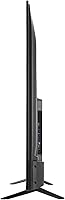
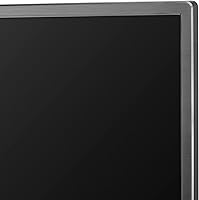
The slim profile and relatively light weight make wall mounting or moving the TV between rooms easy for a single person. The matte black bezel blends into most room aesthetics without drawing attention to itself.
The stand design is narrow and can feel less stable on uneven surfaces or glass furniture tops. Chassis flex when carrying the TV is noticeable, and the overall material quality signals budget origins more than some competing sets at a similar price.
Connectivity Options
82%
18%
Having HDMI, USB, Ethernet, Bluetooth, and Wi-Fi all covered means most users never run into a missing port situation. Ethernet availability is a practical bonus for users who prefer a wired connection for reliability during streaming.
The exact HDMI version may limit bandwidth for users who want to pass high-frame-rate 4K signals from newer consoles. Users with many devices may find the port count tight if they want everything connected simultaneously.
Long-term Reliability
63%
37%
Many buyers reported the TV running without hardware issues through one to two years of regular use, which is a positive sign for a budget-tier product. The Google TV OS has received updates that kept core functionality working as expected.
Software update frequency has been inconsistent, and there is no clear commitment from TCL regarding how many years of OS support this 2022 model will receive. A subset of users reported gradual performance degradation and more frequent OS lag as the device aged.
HDR Performance
58%
42%
HDR-enabled content does display with more pop than standard dynamic range on this set, and casual viewers switching from non-HDR TVs notice the improvement in bright scenes. Sunset shots, product packaging in commercials, and sports jerseys look more vivid.
The LED panel lacks the local dimming capability needed to make HDR truly impactful — bright highlights bloom into surrounding dark areas rather than staying contained. Viewers who have used a proper HDR display will find the experience closer to enhanced SDR than genuine HDR.
App Ecosystem
84%
Access to the Google Play store means the app selection is extensive and growing, covering streaming, news, fitness, music, and kids content without needing any additional hardware. Popular apps are regularly updated and run without crashes on the Google TV platform.
Some niche or regional apps are absent from the Google TV store even when available on other smart TV platforms. A few users noted that certain apps, particularly older ones, ran noticeably slower than on a dedicated streaming device like a Chromecast dongle.

Suitable for:

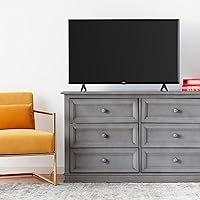
The TCL 43S446 43-inch 4K Smart TV is a smart pick for anyone who needs a capable, modern screen without stretching their budget. It fits naturally into bedrooms, studio apartments, guest rooms, or kitchens where a mid-size display covers the space well and 4K content looks noticeably better than what an older 1080p set could deliver. Cord-cutters will appreciate how Google TV centralizes all their streaming apps in one organized place, removing the need for separate dongles or external devices. If you already use Android phones, Google Home speakers, or Chromecast-enabled apps, this set plugs into that ecosystem with very little friction. First-time smart TV buyers also get a lot of practical value here — the interface is approachable, voice search actually saves time, and the out-of-box setup is refreshingly straightforward.

Not suitable for:

Buyers with higher performance expectations should think carefully before choosing the TCL 43S446 43-inch 4K Smart TV. Serious gamers, in particular, will run into the hard ceiling of a 60Hz refresh rate — fast-paced titles and competitive multiplayer will feel noticeably less fluid compared to a 120Hz panel. Sports fans watching live action on a big screen may notice similar motion limitations during quick camera pans or fast plays. Home theater enthusiasts who have experienced OLED or high-end QLED displays will find the LED panel underwhelming in terms of black levels, contrast depth, and overall HDR impact. The built-in speakers are also genuinely thin — anyone who cares about audio quality without a separate sound system will likely feel shortchanged. Finally, buyers hoping for years of robust software updates should temper expectations, as long-term OS support on budget-tier sets has historically been inconsistent.

Specifications

  • Screen Size: The display measures 43 inches diagonally, making it well-suited for bedrooms, kitchens, or smaller living areas.
  • Resolution: 4K UHD resolution at 3840 x 2160 pixels delivers four times the detail of a standard 1080p panel.
  • Display Type: LED panel technology provides adequate brightness for typical indoor viewing environments.
  • Refresh Rate: The native refresh rate is 60Hz, which handles everyday streaming and casual viewing comfortably but limits fast-motion clarity.
  • HDR Support: HDR is supported, offering improved highlight brightness and color range compared to standard dynamic range content.
  • Operating System: Google TV serves as the smart platform, providing a unified content interface and access to a broad app ecosystem.
  • Voice Assistant: Google Assistant is built into the remote, enabling hands-free search, app launching, and smart home device control.
  • Chromecast: Chromecast is built in, allowing direct casting from Android devices, iPhones, and Chrome browsers without additional hardware.
  • Connectivity: The set includes HDMI, USB, Ethernet, Bluetooth, and dual-band Wi-Fi ports for versatile wired and wireless connections.
  • Aspect Ratio: Standard 16:9 widescreen aspect ratio matches the format of virtually all modern streaming and broadcast content.
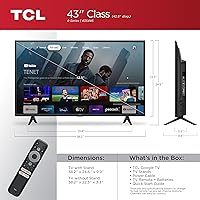
  • Dimensions: The TV measures 3.3″ deep, 38.2″ wide, and 22.3″ tall with the stand attached.
  • Weight: The unit weighs 15.4 pounds, making solo wall mounting or repositioning manageable for most people.
  • Model Number: The official model designation is 43S446, part of TCL's 4-Series lineup released in 2022.
  • In the Box: Each unit ships with a power cable, remote control, two AAA batteries, a stand, and a quick start guide.
  • Speaker Type: Built-in speakers are integrated directly into the TV chassis, with no dedicated external speaker system included.

Related Reviews
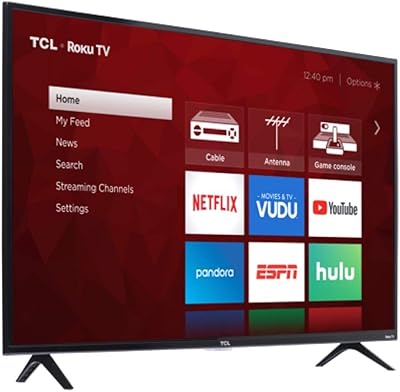
TCL 43S450R 43-inch 4K Smart TV
79%
83%
Picture Quality
91%
Smart TV Interface
88%
Value for Money
61%
Audio Performance
78%
Gaming Performance
More
TCL 43S425 43-inch 4K Smart Roku TV
74%
84%
Value for Money
91%
Smart Platform (Roku OS)
67%
Picture Quality
93%
Ease of Setup
54%
Audio Quality
More
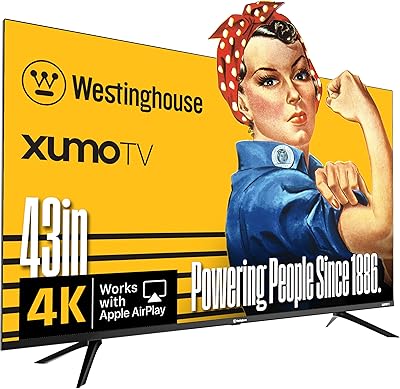
Westinghouse 43-inch Xumo 4K UHD Smart TV

71%
74%
Picture Quality
67%
Smart Platform (Xumo)
81%
Value for Money
83%
Setup & Ease of Use
53%
Audio Performance
More
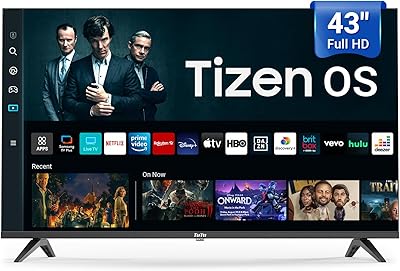
TuTu 43Q1 43-inch 4K Smart TV
66%
74%
Picture Quality
81%
Smart TV Experience
67%
Motion Handling
62%
Audio Performance
78%
Value for Money
More
TCL 85-Inch QM7 QLED 4K Smart TV
80%
88%
Picture Quality
91%
Brightness & HDR
74%
Local Dimming & Contrast
86%
Motion & Refresh Rate
84%
Gaming Performance
More
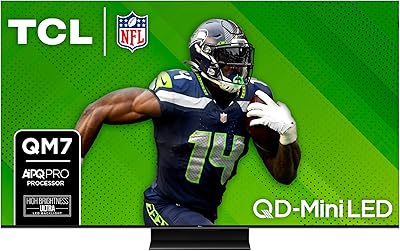
TCL 115-Inch QM891G QD-Mini LED TV
78%
93%
Picture Quality
96%
Brightness & HDR
88%
Gaming Performance
84%
Contrast & Black Levels
97%
Screen Size & Immersion
More
VIZIO V-Series 43-inch 4K Smart TV
67%
74%
Picture Quality
61%
Smart Platform (SmartCast)
88%
AirPlay & Chromecast
82%
Value for Money
91%
Ease of Setup
More
TCL 55-inch QM751G QLED Mini LED TV
80%
88%
Picture Quality
91%
Brightness & HDR
79%
Contrast & Black Levels
83%
Color Accuracy
87%
Gaming Performance
More
TCL 43S325 43-inch Smart Roku TV
72%
91%
Smart Platform (Roku)
93%
Ease of Setup
67%
Picture Quality
84%
Value for Money
52%
Gaming Performance
More
TCL 65A300W NXTVISION 65-inch QLED Smart TV
79%
93%
Design & Aesthetics
88%
Anti-Glare Performance
76%
Picture Quality
84%
Ambient & Art Display
89%
Installation & Setup
More

FAQ

Yes, the Google TV platform comes with all the major streaming apps pre-installed or available for download, including Netflix, Disney+, YouTube, HBO Max, and many others. You just sign in and start watching.

Absolutely. Chromecast is built into this TCL set, so any app that supports casting — YouTube, Netflix, Chrome browser tabs, and more — will show the cast icon automatically when your phone is on the same Wi-Fi network.

It works fine for casual gaming, but competitive or fast-action gamers will notice the 60Hz refresh rate as a real limitation. If you play slower-paced games or older titles, it handles those without issue. For shooters or sports games where motion clarity matters, a 120Hz panel would serve you better.

Google TV organizes content around your preferences and watch history rather than just listing apps. It pulls recommendations from across multiple services into one feed, and ties in Google Assistant for voice control. Roku is simpler and snappier on low-end hardware, but Google TV feels more capable and connected overall.

For casual background TV use or a guest bedroom, the built-in speakers are passable. However, most people who use this as a primary TV find the audio flat and lacking in bass. A basic soundbar makes a noticeable difference and is worth considering if sound quality matters to you.

The 43S446 includes multiple HDMI ports, which is enough to connect a streaming stick, gaming console, and cable box simultaneously. Check the current product listing for the exact port count and HDMI version specifications to confirm compatibility with your devices.

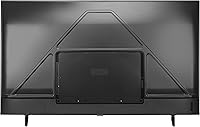
Yes, the TV is VESA mount compatible. At 15.4 pounds it is light enough for most standard mounts. You will need to purchase a compatible wall mount bracket separately, as one is not included in the box.

Yes, Bluetooth is built in, so you can pair compatible Bluetooth speakers, soundbars, or headphones directly from the TV settings menu without needing an audio cable.

TCL has continued pushing Google TV updates to the 43S446, though the frequency and longevity of updates for a 2022 budget model is not guaranteed long-term. As of recent user reports, the OS is functional and reasonably current, but it is fair to expect support to taper off eventually.

Setup is genuinely straightforward. You plug it in, follow the on-screen prompts, sign into your Google account, and the TV handles the rest — pulling in your apps and preferences automatically. Most people have it running in under 15 minutes without needing to consult a manual.

Where to Buy