Overview

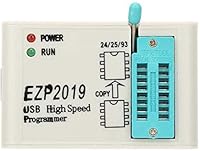
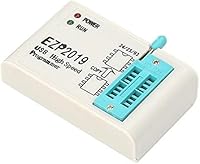
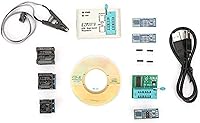
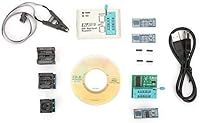
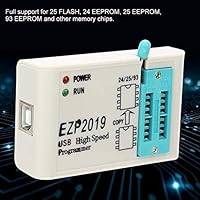
The Walfront EZP2019 USB EEPROM Flash Programmer is a surprisingly capable little tool for anyone who regularly works with BIOS chips, memory modules, or firmware on consumer electronics. It fits in a shirt pocket — roughly the size of a business card — yet handles a broad range of 24, 25, and 93 series chip families, which covers the vast majority of what repair technicians encounter day to day. The offline copy function is a genuine differentiator at this price tier, letting you duplicate a chip without keeping a laptop tethered to the bench. For a budget-friendly entry point into chip flashing, it punches well above its weight.
Features & Benefits

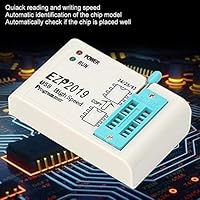
Speed is where this EEPROM flash tool earns real respect on the workbench. Reading an EN25T80 chip takes around three seconds; writing one finishes in about nine. Those numbers are competitive for the price category — not record-breaking, but fast enough that you won't be watching a progress bar crawl for minutes. The automatic chip detection is a practical touch, especially for users who don't want to cross-reference datasheets before every job. Connectivity runs through USB 2.0 Type-A, and at under four ounces the unit disappears into any toolkit. Chip support spans 25 FLASH, 24 EEPROM, 25 EEPROM, and 93 EEPROM families — broad enough to handle most real-world repair scenarios without reaching for a second programmer.

Best For

This USB programmer makes most sense for electronics repair technicians who reflash BIOS chips on motherboards or hard drives as part of routine work. It is also a solid pick for DIY hobbyists trying to recover a bricked device — the kind of person who would rather rewrite firmware than buy a replacement board. Appliance repair shops dealing with DVD controllers or color-chip rewrites will find the chip family coverage genuinely useful. Occasional-use buyers who need something portable and low-cost for field repairs will appreciate the compact build. And if you are new to chip programming, automatic identification removes a lot of the guesswork that normally slows down first-timers.

User Feedback

Across roughly 91 ratings, the EZP2019 programmer holds a 4.2 out of 5, and the feedback is fairly consistent. Buyers highlight fast chip detection and the offline copy feature as practical strengths — the kind of things that actually matter mid-repair. The less flattering notes center on the bundled software, which several users found confusing to configure without clear documentation; having a community forum or tutorial handy during initial setup is genuinely worth the time. A handful of reviewers also noted that some uncommon chip variants were not reliably recognized. Neither issue is a dealbreaker. Most buyers treat this EEPROM flash tool as a dependable secondary programmer or a capable first unit at an accessible price.

Pros

  • Automatic chip identification gets you working quickly without needing to consult datasheets.
  • Read and write speeds are genuinely fast for a programmer in this price range.
  • Supports 24, 25, and 93 series chip families, covering the majority of everyday repair jobs.
  • The offline copy function lets you duplicate chips without a connected PC — a real time-saver.
  • Compact, business-card size build is easy to slip into any repair toolkit or laptop bag.
  • At under four ounces, it travels well for technicians who work across multiple sites.
  • USB 2.0 Type-A interface works with virtually any Windows PC without adapter hassles.
  • Buyers consistently rate it as a dependable first programmer or a practical backup unit.
  • The price point makes it accessible for hobbyists who only need a programmer occasionally.

Cons

  • Bundled software lacks clear documentation, and initial setup can be confusing without external guidance.
  • Some uncommon or niche chip variants are not reliably detected, limiting versatility on unusual jobs.
  • No official detailed user manual is included, which raises the barrier for complete beginners.
  • Software interface feels dated and less intuitive compared to higher-end programmer tools.
  • Long-term driver and software support from Walfront is uncertain for future operating system updates.
  • The unit has a limited track record for heavy daily use in high-volume professional environments.
  • Community support and troubleshooting resources specific to this model are still relatively thin online.
  • Users who encounter unrecognized chips have limited recourse beyond seeking third-party firmware updates.

Ratings

Based on AI analysis of verified global user reviews — with spam, bot, and incentivized feedback actively filtered out — the Walfront EZP2019 USB EEPROM Flash Programmer earns a solid overall standing for its price tier, reflecting consistent satisfaction among repair technicians and hobbyists alike. The scores below transparently capture both what this EEPROM flash tool genuinely delivers and where real buyers have run into friction, so you can make an informed decision before purchasing.
Read & Write Speed
83%
For a programmer in this price range, the read and write times are genuinely impressive. Technicians working through a stack of EN25T80 chips on a repair bench report that the turnaround per chip feels fast enough to keep work moving without frustrating delays.
The speed advantage is most noticeable on common chip types; with less mainstream variants, some users report slower or inconsistent performance that undercuts the headline numbers somewhat.
Chip Compatibility
74%
26%
The coverage of 24, 25, and 93 series chip families handles the vast majority of everyday BIOS and EEPROM repair jobs, which is exactly what most buyers need. Appliance repair shops and motherboard technicians find the breadth reassuring when working across different hardware generations.
A meaningful minority of buyers have flagged that less common or newer chip variants simply do not appear in the library, making the tool a poor fit for anyone whose work regularly ventures outside mainstream chip families.
Automatic Chip Detection
86%
Auto-identification is the feature buyers mention most positively, especially those new to chip programming. Plugging in a chip and having it recognized instantly — without cross-referencing a datasheet — removes a real barrier and keeps the repair workflow moving.
Detection is not infallible; a handful of reviewers note that certain chips are misidentified or not detected at all, which can cause confusion if you are not experienced enough to catch the error before writing.
Offline Copy Function
81%
19%
The ability to duplicate a chip without keeping a PC connected is a practical and well-executed feature, particularly for bench repairs where desktop space is limited or a laptop is not available. Users working on-site at client locations find it especially valuable.
The offline copy workflow is not well-documented in the included materials, and a few buyers note that figuring out the correct button sequence took some trial and error before it worked reliably.
Software Quality
51%
49%
The software does function and supports the core read, write, and erase operations that most buyers need. Once configured correctly, the majority of users report stable sessions without crashes during normal chip operations.
The bundled software feels dated, lacks clear setup documentation, and the initial configuration process frustrates a notable share of buyers. Several reviewers specifically mention that finding a community guide or tutorial was necessary just to get past the first-run setup.
Build Quality
72%
28%
The unit feels solid enough for everyday bench use and field repairs, and buyers who carry it in a toolkit report no issues with the housing or connector after extended use. The compact construction does not feel flimsy despite the low price point.
At this price tier the materials are functional rather than premium, and a few long-term users have raised questions about connector durability after heavy repeated insertion cycles.
Portability
89%
The business-card footprint and sub-four-ounce weight make this one of the easiest programmers to travel with. Technicians who work across multiple client sites consistently call out the form factor as a genuine practical advantage over bulkier alternatives.
The compact size means the chip socket area can feel fiddly when handling small chips, particularly for users with larger hands working under poor lighting conditions.
Value for Money
88%
Buyers across skill levels agree that the price-to-capability ratio is strong, especially for occasional-use scenarios or as a secondary unit. Getting reliable BIOS reflashing capability at this price point is difficult to match with competing options.
The value equation weakens if you frequently encounter unsupported chips, since the tool becomes a workaround rather than a solution and may push you toward a more expensive programmer anyway.
Ease of Setup
57%
43%
Once the drivers and software are correctly installed, the overall workflow is straightforward and the auto-detection feature reduces the number of manual steps required. Experienced users with prior programmer exposure tend to get up and running without major issues.
First-time setup is a consistent pain point in the reviews, with multiple buyers reporting that the included documentation is too sparse to guide a true beginner through the process without external help.
Driver & OS Compatibility
63%
37%
The programmer works reliably on Windows 10 for the majority of users, and most report that the USB device is recognized without requiring exotic workarounds once the correct driver version is installed.
Windows 11 compatibility is inconsistently reported, and there is no official macOS or Linux support, which narrows the audience and creates uncertainty for users planning future operating system upgrades.
Chip Socket Quality
69%
31%
The ZIF-style socket handles chip insertion and removal well for standard packages, and buyers performing multiple read-write cycles on the same chip report consistent contact without obvious degradation.
A small number of users note contact inconsistencies after extended use, and the socket design does not accommodate every chip package without an adapter, which is not always included in the base package.
Documentation & Support
44%
56%
The core functionality is intuitive enough that experienced technicians can work through the tool without relying heavily on documentation, and community forums have produced some useful third-party guides over time.
Official documentation is genuinely thin, and Walfront does not appear to provide active customer support or updated guides for newer operating systems. Buyers who need hand-holding through setup are likely to feel underserved.
Offline Workflow Clarity
61%
39%
The offline copy hardware capability itself works as advertised once the correct procedure is understood, and users who take the time to learn the button sequence find it a reliable part of their duplication workflow.
The lack of a clear printed or digital guide for the offline copy process means many buyers discover this feature only after reading community posts rather than from the product itself.

Suitable for:

The Walfront EZP2019 USB EEPROM Flash Programmer is a strong fit for electronics repair technicians who regularly reflash BIOS chips on motherboards, hard drives, or consumer appliances and need something portable enough to take on-site. DIY hobbyists trying to recover a bricked router, TV, or DVD player will appreciate how automatic chip identification removes the guesswork from identifying unfamiliar chips mid-project. Beginners stepping into chip programming for the first time will find the detection feature especially forgiving — you plug in the chip, and the tool figures out what it is rather than requiring you to dig through datasheets. Appliance repair shops that occasionally need to duplicate a working chip for a replacement job will find the offline copy function genuinely practical, since it removes the need to keep a computer involved in every duplication task. Anyone who wants a low-cost, portable programmer to keep in a field repair kit alongside other tools will find the compact form factor a real convenience.
Not suitable for:

The Walfront EZP2019 USB EEPROM Flash Programmer is not the right choice for professionals who work with a wide variety of obscure or less common chip variants, since several buyers have reported that recognition is inconsistent outside the mainstream chip families. If your workflow demands bulletproof software reliability and polished documentation out of the box, this tool may frustrate you — the bundled software has a learning curve that Walfront does not fully address with clear setup guides. High-volume production environments or benches where turnaround time is critical should look at more established, commercially supported programmers rather than this entry-level unit. Users who exclusively work on modern UEFI-based systems with newer chip architectures may find compatibility gaps that this programmer cannot bridge. It is also not ideal for anyone unwilling to do a bit of independent research to get the software configured correctly on first use.
Specifications

  • Brand: Manufactured and sold under the Walfront brand.
  • Model: The unit is designated as the EZP2019, a USB-based EEPROM and BIOS flash programmer.
  • Interface: Connects to a host computer via USB 2.0 Type-A, compatible with standard PC ports.
  • Chip Families: Supports 25 FLASH, 24 EEPROM, 25 EEPROM, and 93 EEPROM series memory chips.
  • Read Speed: Reads an EN25T80 chip in approximately 3 seconds under normal operating conditions.
  • Write Speed: Writes an EN25T80 chip in approximately 9 seconds under normal operating conditions.
  • Write Throughput: Sustained write throughput is rated at 12 MB per second.
  • Offline Copy: Includes a standalone offline copy function that duplicates chips without a connected host computer.
  • Auto Detection: Automatically identifies the chip model upon insertion, reducing the need for manual configuration.
  • Operating Voltage: The programmer operates at 1V, appropriate for the low-voltage memory chips it targets.
  • Form Factor: Compact design approximately the size of a standard business card for easy portability.
  • Item Weight: Weighs 3.88 ounces, light enough to carry in a pocket or small toolkit pouch.
  • Platform: Designed for use with Windows-based PCs; not officially supported on macOS or Linux.
  • Applications: Compatible with BIOS chips, DVD controller memory, computer motherboard chips, and hard disk memory modules.
  • First Available: The EZP2019 was first listed for sale in May 2020.

Related Reviews
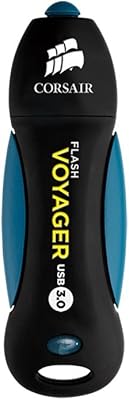
Corsair Flash Voyager 256GB USB 3.0 Flash Drive
89%
88%
Performance
93%
Durability
90%
Compatibility
72%
Speed (Write)
89%
Water Resistance
More
Corsair Flash Survivor Stealth 256GB USB Drive
82%
94%
Build Quality
91%
Waterproofing
89%
Durability Over Time
67%
Transfer Speed
88%
Storage Capacity
More
Corsair Flash Voyager GTX 1TB Flash Drive
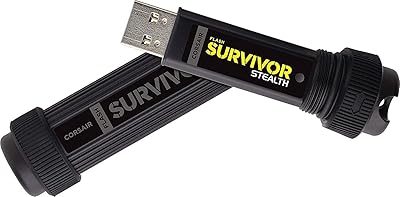
78%
93%
Transfer Speed
88%
Build Quality
61%
Value for Money
91%
Portability
86%
Real-World Reliability
More
Corsair Flash Voyager GTX 256GB USB 3.1 Flash Drive
86%
91%
Performance
94%
Speed
89%
Durability
87%
Portability
88%
Compatibility
More
Corsair Flash Voyager GTX 512GB USB 3.1 Flash Drive
88%
94%
Performance
91%
Build Quality
82%
Value for Money
89%
Portability
96%
Transfer Speed
More
AOIRHLA 512GB USB Flash Drive
87%
87%
Performance
89%
Data Transfer Speed
82%
Compatibility
91%
Encryption and Security
95%
Portability and Size
More
SSK SD300 256GB USB Flash Drive
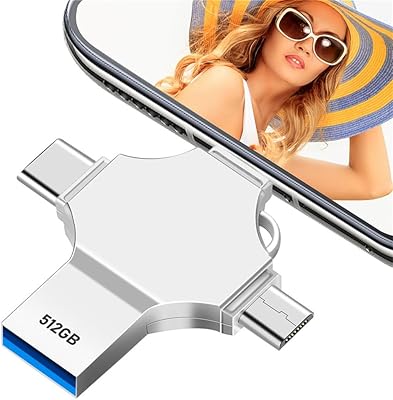
82%
83%
Transfer Speed
88%
Build Quality
79%
Value for Money
72%
USB-C Compatibility
92%
Plug-and-Play Setup
More
ThePhotoStick Omni 128GB USB Flash Drive
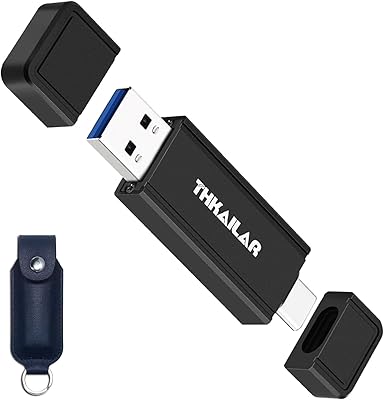
72%
88%
Multi-Device Compatibility
63%
Ease of Setup
54%
Transfer Speed
71%
Storage Capacity
61%
Build Quality & Durability
More
THKAILAR T7 2TB Portable SSD
80%
83%
Transfer Speed
88%
Build Quality
91%
Dual-Port Convenience
86%
Cross-Platform Compatibility
79%
Storage Capacity
More
GARMESE 256GB Dual USB-C Flash Drive
78%
73%
Transfer Speed
91%
Dual Connector Design
84%
Build Quality
78%
Compatibility
76%
Value for Money
More

FAQ

Most users report no issues running the software on Windows 10. Windows 11 compatibility is less consistently documented, so it is worth checking community forums for the latest driver notes before buying if you are exclusively on Windows 11.

Yes, you will need to install the bundled software and associated drivers before the programmer is recognized by your PC. The included documentation is minimal, so searching for a setup walkthrough from other EZP2019 users online will save you real time during the first install.

Yes, that is exactly what it is designed for. You insert the source chip, copy its contents to the programmer’s buffer, then insert the blank target chip and write to it — no laptop required. It is genuinely useful when you are duplicating chips at a repair bench that does not have a PC nearby.

It covers the most common 24, 25, and 93 series chip families, which handles the majority of consumer motherboard BIOS chips. That said, a handful of less common or newer chip variants have been reported as unrecognized by some users, so checking a compatibility list before purchasing for a specific chip is a good precaution.

Once you seat the chip in the socket and connect the programmer to your PC, the software reads the chip’s ID and matches it against its internal library to identify the model automatically. It is not foolproof with obscure chips, but for mainstream repairs it works reliably and saves the step of manually selecting the chip type.

For single-chip repair and reflashing tasks it is plenty fast — reading takes a few seconds and writing finishes in under ten seconds for common chips like the EN25T80. If you are running a high-volume operation flashing dozens of chips per hour, a more industrial programmer would serve you better, but for bench repairs this speed is more than adequate.

The automatic chip identification does lower the bar considerably compared to older programmers that required manual selection. That said, you should have a basic understanding of what EEPROM and BIOS chips are before attempting any real repair job, since writing wrong data to a chip can damage the device you are working on.

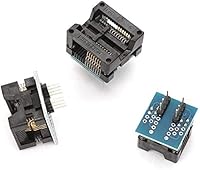
The standard package is focused on the programmer unit itself; in-circuit clip accessories are not consistently included and may need to be sourced separately depending on your repair needs. Check the specific listing contents carefully before purchasing if an SOP8 clip or similar is essential for your work.

If the auto-detection fails, you can try manually selecting the chip type from the software’s chip library. If it still does not appear in the list, the chip may simply not be supported by this tool, and you would need a programmer with a broader or more current chip database.

It is a reasonable secondary unit to keep on hand for common chip jobs, especially given its compact size and low cost. Many technicians who own higher-end primary programmers keep something like the EZP2019 programmer in their travel kit for on-site work where bringing expensive equipment is impractical.