

Overview

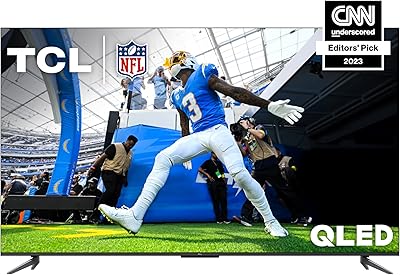
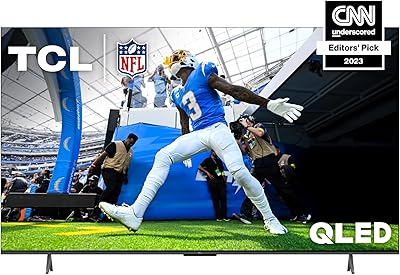
The TCL 55-Inch Q6 QLED 4K TV lands in a competitive mid-range space where picture quality and smart platform matter as much as the price tag. Released in 2023, it sits comfortably in TCL's Q-series lineup — a step above their basic LED models but without the premium price of flagship displays. Google TV sets it apart from many rivals at this tier, offering a cleaner, more intuitive experience than generic Android TV builds. The 55-inch size hits a practical sweet spot for most living rooms. Just go in with calibrated expectations: this is a strong value performer, not a reference-grade display.

Features & Benefits

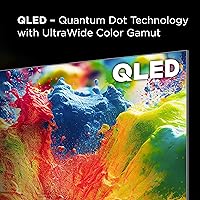
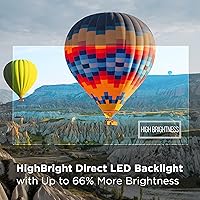
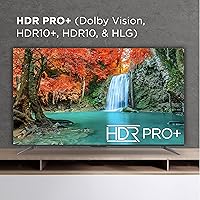
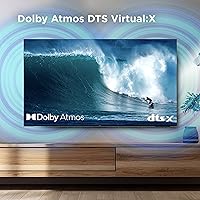
The Quantum Dot panel produces noticeably punchy colors and handles bright, well-lit rooms confidently thanks to the HighBright Direct LED backlight. HDR coverage is genuinely broad — Dolby Vision, HDR10, HDR10+, and HLG mean you won't hit format compatibility issues across Netflix, Disney+, or physical media. For gaming, Game Accelerator 120 with AMD FreeSync keeps things responsive; console players get reduced input lag, while PC users with AMD GPUs benefit from adaptive sync. Worth noting: the native panel is 60Hz, and the Motion Rate 240 figure reflects MEMC processing, not a true high-refresh panel. Dolby Atmos adds decent spatial audio depth without demanding an external sound bar.

Best For

This 55-inch set makes most sense for buyers who want capable performance without overextending their budget. Casual gamers and mid-core console players will appreciate the 120Hz mode and FreeSync support, which genuinely reduces frustration during fast-paced titles. If your household runs on Google services — YouTube, Google Photos, Chromecast — the native OS integration feels natural rather than bolted on. Cord-cutters benefit from having major streaming apps pre-loaded and easy to navigate. It also works well for sports fans who care more about smooth motion during live broadcasts than cinematic black levels. Not the right pick for dedicated home theater setups prioritizing dark-room contrast.

User Feedback

Owners consistently highlight out-of-box brightness and color accuracy as immediate strengths — most find it impressive without touching picture settings. The recurring criticism involves dark room performance: the direct LED backlight produces visible blooming around bright objects on dark backgrounds, which bothers viewers watching dimly lit content. The Google TV interface draws mixed reactions; content discovery is praised, but several users flag the volume of promoted content and ads in the home screen layout. The included remote feels slightly plasticky to some. MEMC motion smoothing divides opinion sharply — sports fans tend to love it, while those watching films often prefer switching it off to avoid the artificial soap-opera effect.

Pros

  • Quantum Dot colors look vivid and punchy right out of the box with minimal calibration needed.
  • Full HDR format coverage — Dolby Vision, HDR10, HDR10+, and HLG — means no compatibility headaches across streaming platforms.
  • Game Accelerator 120 with AMD FreeSync genuinely reduces input lag and screen tearing for console players.
  • Google TV interface is polished, fast, and integrates streaming discovery better than most budget smart TV platforms.
  • Chromecast built-in makes casting from phones and laptops effortless for households already on Android or Chrome.
  • The HighBright backlight holds up well in daytime viewing conditions where many QLED competitors wash out.
  • Dolby Atmos processing adds surprising audio width without immediately requiring a separate sound bar.
  • The 55-inch form factor fits comfortably in medium to large living rooms without overwhelming the space.
  • Alexa and Google Assistant support gives flexible voice control options depending on your smart home setup.

Cons

  • Direct LED backlight produces visible blooming around bright elements during dark or night-heavy content.
  • The native panel refresh rate is 60Hz; Motion Rate 240 is MEMC interpolation, not true hardware performance.
  • AMD FreeSync benefits are limited to AMD GPU users on PC — other setups won't see adaptive sync advantages.
  • The Google TV home screen surfaces promoted content and ads prominently, which some users find cluttered.
  • Remote control feels lightweight and plasticky relative to what competitors offer at a similar price tier.
  • MEMC motion smoothing creates an artificial look on film content and needs to be manually disabled for cinematic viewing.
  • Local dimming performance lags behind full-array LED models, limiting contrast depth in mixed lighting scenes.
  • Built-in speakers, while Dolby Atmos-processed, lack bass and volume headroom for larger room environments.

Ratings

The TCL 55-Inch Q6 QLED 4K TV scores below are generated by AI after analyzing thousands of verified buyer reviews from global markets, with spam, bot-generated, and incentivized feedback actively filtered out. The ratings reflect the full picture — where this mid-range QLED genuinely delivers and where real owners have run into friction. Strengths and shortcomings are weighted equally so you can make an informed call before buying.

Picture Quality
78%
22%
Quantum Dot color reproduction earns consistent praise from owners who use the Q6 series TV in normally lit rooms — colors read as vivid and well-saturated on streaming content without needing manual calibration. Dolby Vision and the full HDR PRO+ stack means most Netflix, Disney+, and Prime Video content displays noticeably better than on a standard LED set at the same price.
Dark scene performance is the most frequently cited disappointment: the direct LED backlight lacks zone-level local dimming, so blooming around bright objects on dark backgrounds is visible and distracting during night-heavy films or dim atmospheric content. Buyers upgrading from an OLED or a full-array LED will feel the contrast gap immediately.
Gaming Performance
83%
Console gamers with a PS5 or Xbox Series X report a genuinely responsive feel in Game Accelerator mode — input lag drops to competitive levels that hold up well in fast-paced shooters and sports titles. AMD FreeSync adaptive sync is a real, functional benefit for PC gamers running AMD GPUs, keeping frame pacing smooth without screen tearing.
PC gamers using Nvidia graphics cards get no adaptive sync benefit, which is a meaningful gap for that audience. Some users also note that activating Game Mode disables certain picture processing features, so the trade-off between visual quality and responsiveness requires manual juggling depending on what you are playing.
Smart TV Experience
74%
26%
Google TV earns genuine appreciation for how well it consolidates streaming libraries and surfaces content recommendations in a single feed. Chromecast built-in is a daily-driver feature for Android phone households, making it easy to throw YouTube videos or photos to the screen without fumbling with HDMI cables or switching inputs.
A recurring complaint is the density of promoted and sponsored content rows on the Google TV home screen, which feels intrusive to users who just want quick access to their own apps. The interface can also feel slightly sluggish when rapidly switching between apps on the Q6 series TV compared to Roku or Fire TV interfaces at a similar price point.
Motion Handling
69%
31%
Sports fans are the clearest beneficiaries of the MEMC motion processing — live football, basketball, and fast-cut broadcasts look noticeably cleaner and less blurry than on a standard 60Hz set running without interpolation. For this specific use case, the Motion Rate 240 marketing label translates into a tangible real-world improvement.
Film and TV drama viewers overwhelmingly report needing to disable motion smoothing to avoid the well-known soap-opera effect, where cinematic content looks artificially hyperreal and cheap. The fact that the native panel is 60Hz — not a true 120Hz hardware display — becomes apparent when frame interpolation is switched off and motion reverts to standard smoothness.
Value for Money
81%
19%
The combination of Quantum Dot color, full Dolby Vision support, Google TV, and gaming features packed into a 55-inch set at this price tier is hard to match with comparable alternatives. Owners who evaluated multiple options in the same budget range consistently describe the Q6 as the most feature-complete choice available without jumping a significant price bracket.
A handful of buyers feel the value perception shifts once they start comparing it against slightly pricier sets with full-array local dimming, noting that the picture quality gap in dark rooms is large enough to potentially justify the extra spend for the right viewer. Value satisfaction correlates strongly with room lighting conditions and viewing habits.
Build Quality
66%
34%
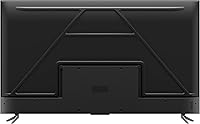
The overall cabinet finish is clean and understated — the slim bezel and black matte frame look appropriate in most living room setups and do not draw attention to themselves. Stand assembly is straightforward and the TV feels stable once mounted on its base.
The plastic construction on both the frame and the included remote feels noticeably budget-grade when handled up close, especially compared to metal-framed competitors at nearby price points. Some owners report minor flex in the lower corners of the bezel, which, while not a functional problem, reinforces the perception of cost-cutting in materials.
Audio Quality
61%
39%
Dolby Atmos and Dolby Virtual:X processing does a decent job of widening dialogue and ambient sound beyond what a basic stereo speaker setup typically delivers, which works well for casual daytime viewing. For a TV this size and price, the built-in speakers handle voice-forward content like news and talk shows clearly enough.
Action films, music content, and anything bass-heavy quickly expose the limitations of the built-in drivers — volume ceiling is low and low-frequency response is thin. Most owners in larger rooms end up pairing this 55-inch set with an external sound bar within a few months of ownership, which adds to the effective total cost.
Remote Control
57%
43%
Voice search via the dedicated button is genuinely useful for quickly finding content across apps, and the Google TV remote layout is intuitive enough that most users get comfortable with it within a day or two. Button placement is logical, with shortcuts to popular streaming services easily accessible.
The physical quality of the remote is a consistent source of criticism — the lightweight plastic construction and slightly mushy button feel do not match the expectations set by the TV itself. Several users report that voice control reliability dips in rooms with background noise, requiring multiple attempts to register commands correctly.
HDR Performance
76%
24%
Format compatibility is a genuine strength: Dolby Vision, HDR10, HDR10+, and HLG together cover the full range of streaming and physical media sources, so there are no awkward fallback situations where content plays in SDR because the TV lacks a required format. HDR highlights in bright daylight scenes pop noticeably with the HighBright backlight engaged.
The dynamic range ceiling is limited by the direct LED backlight's luminance output compared to higher-end sets — peak HDR brightness is competitive but not class-leading, meaning Dolby Vision content does not always achieve the full contrast punch the format is capable of delivering. Dark HDR scenes suffer from the same local dimming shortcomings as standard content.
Setup & Installation
86%
Google TV's initial setup is guided and quick — signing into a Google account populates apps automatically and the whole process from unboxing to watching content takes most users under 20 minutes. Stand hardware is included and clearly labeled, and the physical assembly requires no special tools.
A small number of owners report that initial Wi-Fi connectivity during setup can be finicky, requiring a router restart or manual IP entry before the connection stabilizes. The initial Google account sign-in is effectively mandatory to unlock the full interface, which is a friction point for buyers who prefer a non-account setup experience.
App Ecosystem
79%
21%
The Google TV Play Store covers essentially every major streaming service — Netflix, YouTube, Disney+, Prime Video, Peacock, Apple TV, and beyond are all available and well-optimized for the platform. The unified search across services is one of the more practical features for households subscribed to multiple platforms simultaneously.
Niche or regional streaming apps are occasionally absent or poorly maintained compared to what is available on Roku or Fire TV, which have larger installed bases and more developer attention. App update rollouts on Google TV can also lag behind other platforms, meaning occasional bugs in specific apps persist longer than users would like.
Viewing Angles
62%
38%
For direct or near-direct viewing positions — within about 30 degrees off-center — color and brightness hold up reasonably well and most users seated in a standard living room arrangement have no complaints. The QLED panel handles off-axis color shift better than budget VA-panel TVs at the same screen size.
Wide-angle viewing past 40 degrees off-center shows perceptible color washout and brightness drop, which becomes a real issue in wide living rooms where seating is spread across different positions. Families watching together from varied seating angles occasionally note that corner seats see a noticeably different image than the center of the couch.
Connectivity
77%
23%
The port selection covers the core bases well — multiple HDMI ports including one HDMI 2.1 for high frame rate gaming, USB ports for media playback, and optical audio out for connecting a sound bar without using HDMI ARC. Dual-band Wi-Fi is stable across typical home network environments.
Users with complex setups — running a console, a streaming stick, a cable box, and a sound system simultaneously — sometimes find the port count falls short and requires a switch. Ethernet is available but the port placement on the back panel is positioned in a way that makes cable management slightly awkward depending on wall mount configuration.

Suitable for:

The TCL 55-Inch Q6 QLED 4K TV is a strong fit for practical buyers who want a noticeable step up from basic LED sets without committing to a premium price. Households deeply embedded in the Google ecosystem will feel right at home — Chromecast, Google Assistant, and the unified Google TV interface work together without friction. Casual and mid-core console gamers benefit from the 120Hz Game Accelerator mode and AMD FreeSync support, which keeps fast gameplay feeling responsive. Sports fans who watch a lot of live broadcasts will appreciate how MEMC processing handles motion during fast-paced action. Cord-cutters consolidating streaming services onto one screen will find the broad app library and clean interface genuinely useful on a daily basis.

Not suitable for:

Buyers who do most of their watching in a completely dark room should approach the TCL 55-Inch Q6 QLED 4K TV with realistic expectations. The direct LED backlight lacks the zone-based local dimming found on pricier full-array sets, which means bright objects on dark backgrounds can produce noticeable blooming — a real distraction during night scenes or moody films. Serious cinephiles chasing accurate black levels and shadow detail will find this tier of backlight technology falls noticeably short. PC gamers without AMD GPUs won't get the full benefit of FreeSync, and those expecting a true native 120Hz panel should note that the Motion Rate 240 figure refers to frame interpolation, not the panel's actual refresh hardware. Anyone prioritizing a flagship home theater experience would be better served looking further up the market.

Specifications

  • Screen Size: The panel measures 55 inches diagonally, suited for medium to large living rooms at typical viewing distances of 7 to 10 feet.
  • Display Type: QLED Quantum Dot technology extends the color gamut beyond standard LED panels, producing over a billion colors with greater saturation and accuracy.
  • Resolution: Native 4K Ultra HD resolution at 3840 x 2160 pixels delivers four times the detail of a standard 1080p display.
  • Refresh Rate: The native panel refresh rate is 60Hz; Motion Rate 240 is achieved through MEMC frame interpolation processing, not a higher-spec hardware panel.
  • Backlight: HighBright Direct LED backlighting improves overall luminance for well-lit rooms, though it lacks zone-based local dimming found on full-array models.
  • HDR Support: HDR PRO+ covers Dolby Vision, HDR10, HDR10+, and HLG, ensuring compatibility across virtually all streaming services and physical media formats.
  • Gaming Features: Game Accelerator 120 enables a 120Hz mode with reduced input lag, and AMD FreeSync support eliminates screen tearing for compatible console and PC setups.
  • Smart Platform: Google TV is the operating system, with Chromecast built-in, Google Assistant voice control, and broad access to major streaming apps pre-installed.
  • Audio: Built-in speakers support Dolby Atmos and Dolby Virtual:X processing to widen the perceived soundstage beyond what standard stereo TV audio typically delivers.
  • Voice Assistants: The Q6 series TV is compatible with both Google Assistant natively and Amazon Alexa via external Echo devices or the included voice remote.
  • Connectivity: Wireless connectivity includes dual-band Wi-Fi, and physical ports cover multiple HDMI inputs, USB ports, and optical audio output for external devices.
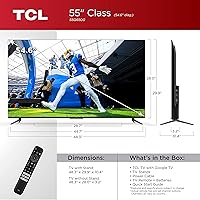
  • Dimensions: With stand, the unit measures 48.3″ wide, 29.9″ tall, and 3.2″ deep, making it compatible with most standard TV stands and entertainment units.
  • Weight: The set weighs 35.9 pounds with stand attached, which is manageable for a two-person wall-mount or placement installation.
  • Model Number: The official TCL model number is 55Q650G, which is the identifier to use when searching for compatible mounts, firmware updates, or accessories.
  • Release Year: This is a 2023 model, positioned as a mid-cycle refresh within TCL's Q-series 4K lineup.
  • Aspect Ratio: Standard 16:9 widescreen aspect ratio is consistent with all modern broadcast, streaming, and gaming content formats.
  • In the Box: The package includes the TV, a voice remote control, two AA batteries, a stand with hardware, a power cable, and a printed quick start guide.
  • Power Supply: The unit operates on standard AC power with a bundled cable; no external power brick is required.

Related Reviews
TCL 55QM751G 55-Inch QLED 4K Smart TV
88%
93%
Display Quality
88%
Gaming Performance
91%
Picture Brightness
83%
Sound Quality
86%
User Interface
More
TCL 65Q650G 65-Inch Q6 QLED 4K Smart TV
83%
91%
Picture Quality
88%
Gaming Performance
74%
Sound Quality
68%
Ease of Setup
92%
Value for Money
More
TCL Q6 75-Inch QLED 4K Smart TV
74%
78%
Picture Quality
58%
Contrast & Black Levels
81%
Color Accuracy
83%
Brightness
67%
Motion Handling
More
Samsung Q60D 55-inch QLED 4K TV
83%
88%
Picture Quality
91%
Color Accuracy
82%
HDR Performance
84%
Motion Handling
70%
Audio Performance
More
Samsung The Serif 55-inch QLED 4K TV
79%
96%
Design & Aesthetics
78%
Picture Quality
91%
Anti-Glare Performance
88%
Stand & Placement Flexibility
74%
Smart Platform & App Support
More
SAMSUNG 55-Inch QN85D Series 4K QLED TV
87%
94%
Picture Quality
87%
Sound Quality
88%
Ease of Use
90%
Design & Build Quality
92%
Gaming Performance
More
TCL 115-Inch QM89 QLED 4K Smart TV
87%
94%
Picture Quality
88%
Sound Quality
92%
Gaming Performance
85%
Smart TV Features
91%
Build Quality
More
TCL 85-Inch QM7 QLED 4K Smart TV
80%
88%
Picture Quality
91%
Brightness & HDR
74%
Local Dimming & Contrast
86%
Motion & Refresh Rate
84%
Gaming Performance
More
Samsung 55-Inch QLED 4K TV Q80A Series
86%
94%
Picture Quality
91%
Gaming Performance
88%
Smart Features and Usability
76%
Sound Quality
89%
Setup and Installation
More
Roku Pro Series 55-inch 4K QLED TV
83%
83%
Picture Quality
88%
Motion & Refresh Rate
86%
Smart Platform (Roku OS)
91%
Remote Control
84%
Value for Money
More

FAQ

It holds up well for casual and mid-core gaming. The Game Accelerator 120 mode is real and measurably reduces input lag, which makes a noticeable difference in fast-paced titles. If you are using a PlayStation 5 or Xbox Series X, you will get the most out of it. AMD FreeSync adaptive sync works for PC gamers with AMD graphics cards, but Nvidia GPU users won't benefit from that specific feature.

No, the native panel runs at 60Hz. Motion Rate 240 is TCL's marketing label for a combination of MEMC frame interpolation and backlight scanning techniques that simulate smoother motion. It can look good for sports and live TV, but for films and scripted content, many people prefer turning motion smoothing off entirely to avoid an artificial, over-processed look.

Dark room performance is one of the genuine trade-offs at this price tier. The direct LED backlight does not have zone-based local dimming, so bright objects against dark backgrounds — think subtitles on a black screen or stars in a space scene — can show a soft glow or halo effect around them. It is not severe enough to ruin casual viewing, but if you watch a lot of dark, atmospheric content in a blacked-out room, it is worth knowing upfront.

This is a common complaint, and it is fair. Google TV surfaces promoted content and sponsored rows on the home screen, which some users find cluttered. You cannot fully remove these, but you can customize the home screen layout to prioritize your own apps and watchlists, which helps. If you are already a Google ecosystem user, the content discovery features generally outweigh the ads for most people.

Both work, but in different ways. Google Assistant is built directly into the remote and the TV itself. Alexa works through an external Echo device on the same Wi-Fi network, or through the remote's voice button if you configure it in the settings. You won't get the same deep integration with Alexa as you do with Google Assistant, but basic voice commands for switching inputs or adjusting volume work fine.

The Q6 series TV includes HDMI 2.1 on at least one port, which supports the bandwidth needed for 4K at 120Hz from a PS5 or Xbox Series X. Make sure you are plugging your console into the correct HDMI port labeled for high frame rate input — not all ports on the TV are equal in that regard. Check the user manual or TCL's support page to confirm which specific port supports the highest bandwidth on your unit.

The remote gets the job done, but it does feel lightweight and a bit plasticky compared to what you get with higher-end TVs. Voice control is functional and convenient for quick searches. If you already have a Google Home setup or prefer controlling things from your phone, the Google Home app works well as an alternative. A universal remote is also an easy upgrade if the stock remote bothers you.

For a 55-inch 4K panel, the general recommendation is to sit between 4.5 and 7 feet away to appreciate the full resolution. At greater distances, the difference between 4K and 1080p becomes less perceptible to the naked eye. If your couch is 10 or more feet away, you will still benefit from the wider color gamut and HDR, just less from the raw pixel density.

Yes, the Q6 is VESA mount compatible. The standard VESA pattern for this model is 200 x 200mm, which is widely supported by most third-party wall mounts in its size class. At 35.9 pounds, it is well within the weight range of typical mid-size TV wall mounts. Just confirm your specific mount's compatibility with the 55Q650G model number before purchasing.

For casual watching and everyday streaming, the built-in speakers are passable. Dolby Atmos processing adds some width to dialogue and ambient effects. That said, if you watch a lot of action films, listen to music through the TV, or use it in a larger room, the built-in speakers will run out of headroom and bass fairly quickly. A budget sound bar would make a meaningful improvement to the audio experience without requiring a major additional investment.