
Overview

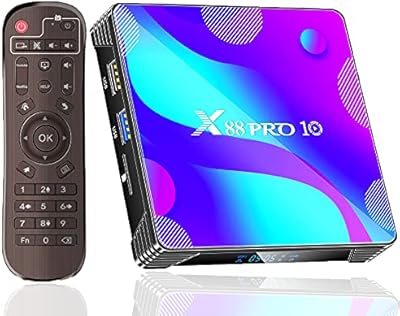
The SUSAY MxIII Pro X4 Android TV Box enters a crowded budget streaming market with a spec sheet that punches noticeably above its price tier. Running Android 11.0 on a quad-core processor with a generous 4GB of RAM and 64GB of built-in storage, this Android TV box is clearly aimed at cord-cutters who want more flexibility than a basic smart TV interface provides. If you're comfortable doing a bit of initial setup and don't expect a polished certified experience right out of the box, there's real value here. Heavy gamers or buyers chasing certified Netflix HD should probably look elsewhere.

Features & Benefits

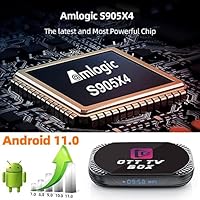
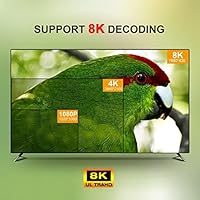
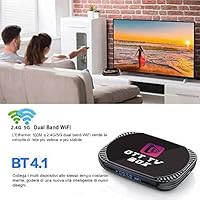
At the heart of this streaming box is the Amlogic S905X4 chip — a quad-core processor that handles 4K playback, app switching, and casual browsing without noticeable lag. The headline 8K decode capability sounds impressive, but be realistic: virtually no consumer streaming service delivers true 8K content yet, so treat it as future-proofing rather than a day-one feature. Dual-band Wi-Fi covers both the crowded 2.4GHz band and the faster 5GHz option, while the Gigabit Ethernet port is the real connectivity standout for anyone who prefers a wired connection. A USB 3.0 port handles external drive playback nicely, and the onboard storage is genuinely roomy for this price class.

Best For

This Android TV box makes the most sense for people who are already somewhat tech-comfortable and want to break free from a sluggish built-in smart TV interface. It's a solid pick for households that want Netflix, YouTube, and side-loaded apps all in one place, without paying a premium for a branded streaming stick. The Gigabit Ethernet connection makes it especially useful if you're streaming 4K content and Wi-Fi dead spots are a real concern in your home. Buyers upgrading from an older or slower media stick will likely notice an immediate bump in responsiveness. Complete beginners expecting a fully plug-and-play experience may find the initial setup a little involved.

User Feedback

Buyers who've spent time with the MxIII Pro X4 tend to praise how quickly it gets up and running, and many are genuinely impressed by how smooth everyday navigation feels at this price point. App compatibility is widely appreciated, though some users note that without full Google Play certification, a handful of popular apps require manual sideloading. The included remote draws consistent criticism for feeling cheap and lightweight — a fair gripe for a device that costs more than a basic streaming dongle. A smaller number of users mention occasional Wi-Fi drops during long sessions and note the unit runs warm after extended use. Overall, buyer satisfaction leans positive for what this box costs.

Pros

  • Responsive Android 11 performance handles everyday streaming and app use without noticeable slowdown.
  • Generous onboard storage means most users won't run out of space for installed apps.
  • Gigabit Ethernet delivers rock-solid wired connectivity for stable 4K playback.
  • Dual-band Wi-Fi gives flexibility to connect on whichever frequency works best in your home.
  • USB 3.0 port supports fast external drive playback for local media libraries.
  • Bluetooth 4.0 lets you pair a wireless keyboard or gamepad without a dongle.
  • TF card slot offers an easy way to expand storage if needed down the line.
  • Open Android environment allows sideloading apps that certified boxes typically block.
  • Compact form factor fits easily behind a TV or inside an entertainment unit.
  • Strong value proposition for buyers stepping up from an older or slower media stick.

Cons

  • Lack of Google Play certification means some popular apps require manual sideloading to install.
  • The bundled remote feels cheap and lightweight, undermining an otherwise decent hardware package.
  • 8K marketing is largely aspirational — real 8K streaming content is nearly nonexistent for consumers today.
  • The unit can run noticeably warm during extended streaming sessions, raising questions about long-term reliability.
  • Wi-Fi stability issues have been reported by a subset of users during prolonged use.
  • Setup involves more manual steps than a certified streaming device, which may frustrate less tech-savvy buyers.
  • No guarantee of regular software or security updates from a lesser-known brand.
  • App compatibility can be hit or miss depending on which streaming services you rely on most.

Ratings

The scores below reflect AI analysis of verified global user reviews for the SUSAY MxIII Pro X4 Android TV Box, with spam, bot activity, and incentivized feedback actively filtered out to ensure the ratings represent genuine buyer experiences. Both the strengths that keep users satisfied and the friction points that generate complaints are transparently reflected in every category. Whether you are on the fence or nearly decided, these scores are designed to give you an honest, ground-level picture of what owning this streaming box actually feels like day to day.

Value for Money
78%
22%
For buyers stepping up from a years-old media stick or a sluggish built-in smart TV interface, the hardware on offer here represents genuinely strong bang for the spend. The combination of a capable quad-core processor, ample onboard storage, and Gigabit Ethernet at this price point is hard to match from more established brands.
The overall value calculation gets murkier once you factor in the need to potentially replace the underwhelming remote and troubleshoot app compatibility issues. Buyers who factor in that extra effort and possible accessory spend may feel the headline price is slightly less compelling than it first appears.
Streaming Performance
82%
18%
Day-to-day 4K streaming is where this Android TV box earns its strongest marks. Users consistently report fluid playback with minimal buffering when connected via Ethernet, and the processor handles switching between apps and navigating menus without the stuttering common in older or cheaper devices.
Performance is less consistent on Wi-Fi, particularly on the 2.4GHz band in busier households. A handful of users have noted occasional frame drops during high-bitrate content when the network environment is congested, which can be frustrating during a binge-watching session.
App Compatibility
61%
39%
The open Android 11 environment genuinely rewards users who are comfortable sideloading apps, giving access to a broader software library than locked-down certified sticks allow. Kodi, VLC, and a wide range of streaming APKs install and run without issues for most users.
The absence of full Google Play certification is a recurring pain point. Certain major streaming apps either refuse to install via the Play Store, display in lower quality than on certified devices, or require workarounds that non-technical users find difficult to navigate reliably.
Setup Experience
67%
33%
Users who have handled an Android smartphone before generally find the initial setup process manageable and relatively quick. Connecting to Wi-Fi or Ethernet, signing into a Google account, and getting a basic streaming setup running can be done within fifteen to twenty minutes for most people.
Those without Android familiarity often report confusion around enabling sideloading, adjusting developer options, or troubleshooting apps that do not appear in the Play Store. The included documentation does not provide enough guidance for these scenarios, leaving some buyers to rely on YouTube tutorials.
Build Quality
58%
42%
The compact chassis is tidy enough to sit unobtrusively behind a TV or on a media shelf without drawing attention, and the port layout is sensible for everyday use. Most users report no obvious structural defects out of the box.
The overall feel of the unit is firmly in budget territory — plastics feel lightweight, and the fit of the casing is noticeably less refined than similarly priced units from better-known manufacturers. Long-term durability is a genuine unknown given the brand's limited track record.
Remote Control
41%
59%
The remote covers the basic navigation functions needed to move around the home screen and control playback, which is sufficient for users who plan to pair a Bluetooth keyboard or use a phone-based app for most interactions.
The included remote is consistently one of the most criticized aspects of this streaming box. Buyers describe it as plasticky, light to the point of feeling empty, and with a button travel that lacks satisfying feedback. It is functional in the strictest sense but noticeably below the standard of competing devices.
Connectivity Options
86%
The Gigabit Ethernet port is a standout feature that many buyers specifically call out as a deciding factor. Paired with dual-band Wi-Fi, this streaming box covers virtually every connection scenario a household might have, from a wired home theater setup to a bedroom TV relying on a 5GHz wireless connection.
Bluetooth 4.0 is functional but not the latest standard, meaning some newer wireless peripherals may have limited compatibility. A small number of users also report that the 2.4GHz Wi-Fi connection can be unstable in environments with heavy wireless traffic nearby.
Local Media Playback
83%
For users with large personal video libraries stored on external hard drives, the MxIII Pro X4 handles local playback impressively well. The USB 3.0 port transfers data quickly, and apps like VLC or Kodi play a wide range of file formats without requiring re-encoding or file conversion.
Navigation of large local libraries can feel clunky without a proper input device, since the standard remote is not well-suited for typing or scrolling through long file lists. Users without a Bluetooth keyboard may find managing a big media collection more tedious than expected.
Thermal Management
55%
45%
Under typical streaming conditions — an hour or two of 4K playback — the unit stays warm but manageable, and most users do not report any performance throttling or shutdowns during casual use sessions.
Extended use, particularly when running demanding apps back to back or during lengthy streaming marathons, pushes surface temperatures to a level that several buyers describe as uncomfortably hot to the touch. Placing the unit in an open, well-ventilated area rather than inside a cabinet is essentially mandatory for heavy users.
8K Capability
37%
63%
The hardware chip does genuinely support 8K video decoding, which means locally stored 8K sample files play back correctly — a useful proof of concept for enthusiasts who want to test the hardware ceiling.
In real-world use, 8K capability is almost entirely irrelevant today. No mainstream streaming platform delivers true 8K content reliably, and most buyers who purchased this expecting an 8K streaming experience have come away feeling the marketing overpromised. This score reflects how little practical value the feature adds right now.
Storage Adequacy
81%
19%
Sixty-four gigabytes of onboard storage is meaningfully above average for a streaming box at this price, leaving plenty of usable space after the OS takes its share. Users who sideload several apps and store some local content rarely report running out of room during normal use.
Power users who sideload heavily, store large app caches, or use the box as a media hub alongside a microSD card may still find the combined storage limiting over time. The microSD expansion helps, but card read speeds are slower than the internal storage for apps that depend on fast data access.
Software Stability
63%
37%
For the most common use cases — launching streaming apps, browsing the web, or playing local files — Android 11 on this hardware runs reliably day to day. Many buyers report weeks of use without a significant crash or freeze.
Less common workflows can expose instability: some users report certain apps crashing on launch, the launcher occasionally resetting preferences, or Bluetooth peripherals disconnecting without warning. Long-term software support from SUSAY is also uncertain, leaving open questions about security patches down the road.
Audio-Video Output
74%
26%
HDMI output delivers clean, sharp 4K picture quality on compatible displays, and most users report no issues with color accuracy or audio synchronization during standard streaming and local playback scenarios.
HDR support behavior has generated some mixed reports, with a few users noting inconsistent HDR handshake behavior depending on the display and HDMI cable used. Dolby audio format support is also limited compared to premium streaming devices, which may matter to home theater enthusiasts with higher-end speaker setups.

Suitable for:

The SUSAY MxIII Pro X4 Android TV Box is a genuinely practical pick for tech-comfortable cord-cutters who want to escape the sluggish, walled-off interfaces that come baked into most budget smart TVs. If your household streams a mix of mainstream services alongside sideloaded apps and you want everything in one small box without a monthly subscription fee, this streaming box checks the right boxes. The Gigabit Ethernet port makes it especially well-suited for anyone in a larger home where Wi-Fi signal is inconsistent — wired 4K streaming just works, no signal hunting required. Buyers upgrading from an aging media stick or a first-generation Android box will notice a real improvement in responsiveness and available storage. It also appeals to tinkerers who enjoy customizing their Android experience, since the open nature of the OS leaves plenty of room to install launchers, emulators, and apps that more locked-down devices would never allow.

Not suitable for:

The SUSAY MxIII Pro X4 Android TV Box is not the right call for buyers who expect a fully polished, plug-and-play experience straight out of the box. Without Google Play certification, some popular streaming apps either behave unexpectedly or require manual sideloading — a dealbreaker if you rely heavily on services like Disney+ or Amazon Prime Video in their standard app forms. The 8K branding on the box should not be taken at face value; virtually no mainstream streaming platform delivers true 8K content today, so anyone purchasing this specifically to watch 8K video will be disappointed. The included remote has drawn consistent criticism for its flimsy feel, and buyers who want a premium control experience will likely need to budget for a third-party option. Anyone looking for a device to handle casual gaming, intensive local video processing, or professional media production should look at more capable hardware in a higher price bracket.

Specifications

  • Operating System: Runs Android 11.0, providing access to a wide range of apps and a relatively modern interface for a device in this category.
  • Processor: Powered by the Amlogic S905X4 64-bit quad-core ARM Cortex-A55 CPU, which is well-suited for smooth 4K playback and general app navigation.
  • Graphics: The ARM G31 MP2 GPU handles video decoding and light graphical tasks without significant performance bottlenecks during typical streaming use.
  • RAM: Equipped with 4GB of LPDDR3 memory, allowing multiple apps to run in the background with minimal slowdown during everyday use.
  • Storage: Includes 64GB of onboard ROM, which is notably generous for this price tier and leaves ample room for apps, cached data, and sideloaded content.
  • Max Resolution: Supports video decode up to 8K, though this is primarily a hardware capability rather than a reflection of available streaming content at this resolution.
  • Wi-Fi: Dual-band Wi-Fi covers both 2.4GHz and 5GHz frequencies, giving users the option to connect on whichever band delivers better signal in their home.
  • Ethernet: Features a Gigabit Ethernet port (10/100/1000Mbps) via standard RJ-45, enabling fast and stable wired connections for uninterrupted 4K streaming.
  • Bluetooth: Bluetooth 4.0 support allows pairing of wireless peripherals such as keyboards, mice, and compatible gamepads.
  • USB Ports: Includes one USB 3.0 port and one USB 2.0 port, supporting external hard drives and flash drives for local media playback.
  • Memory Expansion: A built-in TF (microSD) card reader allows users to expand available storage beyond the onboard 64GB if needed.
  • Dimensions: The package measures 7.28 x 5 x 2.05 inches, making this a compact unit that fits easily behind most televisions or inside media cabinets.
  • Weight: The unit weighs 12 ounces, keeping it lightweight enough to mount discreetly behind a TV with basic adhesive strips or a VESA adapter.
  • Control Method: Comes with an infrared remote control and also supports app-based control via a compatible smartphone application.
  • Brand: Manufactured and sold under the SUSAY brand, a third-party electronics label specializing in budget Android media players.

Related Reviews
Sidiwen X88 Pro 13
Sidiwen X88 Pro 13
72%
83%
Value for Money
51%
Streaming App Compatibility
88%
Setup & Ease of Use
74%
Performance & Speed
69%
Video & Picture Quality
More
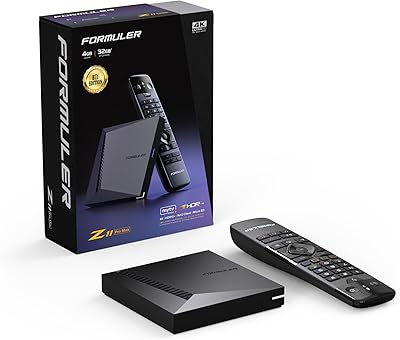
Formuler Z11 Pro Max
79%
93%
IPTV Streaming Performance
91%
Network Connectivity
88%
Hardware Specifications
86%
4K & Video Quality
83%
Build Quality & Design
More
BOXY Android TV Streaming Box
76%
91%
Streaming Quality
88%
Local Media Playback
63%
Setup & Ease of Use
83%
Value for Money
67%
Performance & Speed
More
BuzzTV X5 Android TV Box
86%
91%
4K Streaming Quality
88%
Android OS Performance
92%
Value for Money
87%
Ease of Setup
83%
Parental Controls
More
IDEALROYAL Android 14.0 2GB/16GB TV Box
66%
78%
Value for Money
63%
Streaming Performance
51%
App Ecosystem
61%
4K and Video Quality
44%
RAM and Multitasking
More
EASYTONE X88 Pro 10 Android TV Box 2GB/16GB
69%
78%
Value for Money
84%
Setup & Ease of Use
54%
Streaming App Compatibility
76%
Video & Picture Quality
58%
Performance & Speed
More
RUPA PRO13 Android 13 TV Box
68%
83%
Value for Money
88%
Ease of Setup
71%
Streaming Performance
52%
RAM & Multitasking
63%
Build Quality
More
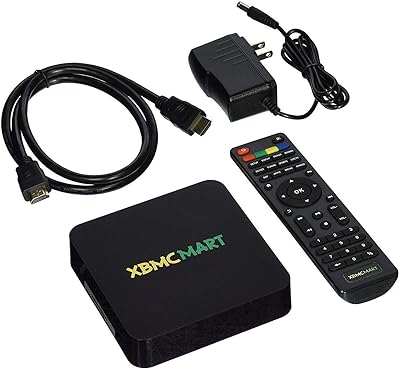
XBMCMart S905X Android TV Box
67%
88%
Ease of Setup
71%
Streaming Performance
74%
4K Video Quality
76%
Audio Quality
68%
App Compatibility
More
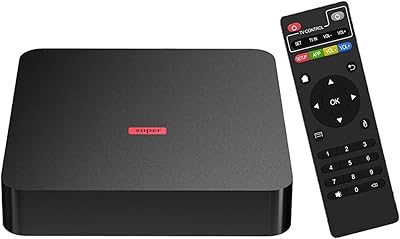
EASYTONE T95Super 2GB Android TV Box
57%
83%
Value for Money
79%
Ease of Setup
61%
Streaming Performance
58%
4K Output Quality
56%
App Compatibility
More
Raxxio RAX2100 Android TV Box
66%
67%
Streaming Performance
61%
4K & HDR Quality
71%
Processor & Speed
48%
Software & OS
81%
Storage & Expandability
More

FAQ

It can run Netflix and similar services, but there is an important caveat: this streaming box is not Google Play certified, which means some apps may not appear in the Play Store or may have limited functionality. Netflix, for example, often restricts playback quality on uncertified devices. You can typically sideload the APK manually, but certified HD or 4K playback through Netflix is not guaranteed on hardware like this.

Technically, the chip inside can decode 8K video files, but in practice there is almost no mainstream 8K streaming content available on services like YouTube or Netflix at this level. Think of the 8K capability as future-proofing rather than something you will use today. For now, it handles 4K content well, and that is where you will get the most out of it.

It is more involved than a plug-and-play device like a Chromecast or Fire Stick. You will need to sign in with a Google account, potentially adjust developer settings to allow sideloading, and in some cases manually install apps that are not available on the Play Store. If you are comfortable with Android smartphones, setup is manageable. Complete beginners may find the process a little frustrating at first.

For 4K streaming, absolutely. The Gigabit Ethernet port provides a noticeably more stable connection than Wi-Fi, especially in homes where the router is several rooms away. If your TV is near your router and you can run a cable, it is the most reliable way to prevent buffering during high-bitrate content.

Yes, the built-in Bluetooth 4.0 supports standard wireless peripherals including keyboards, mice, and some gamepads. This is particularly useful if you plan to use the browser or manage files, since typing with the included remote is tedious.

The device comes with 64GB of built-in storage, but the Android system and pre-installed apps will consume a portion of that. Realistically, you should expect around 50GB or more to be freely available depending on pre-loaded software. You can also insert a microSD card or connect a USB drive if you need more space.

Some users have reported that the unit runs noticeably warm after extended use, which is fairly common among compact Android boxes with active processors. It is not typically described as dangerously hot, but placing it in a well-ventilated spot rather than inside an enclosed cabinet is a sensible precaution to keep temperatures in check.

Honestly, the included remote is one of the weaker points of this package. User feedback consistently describes it as feeling lightweight and cheap, with an unremarkable button layout. It gets the job done for basic navigation, but if you want a better experience, pairing a Bluetooth keyboard or a universal remote is worth considering.

Yes, and this is actually one of the more practical strengths of this Android TV box. The USB 3.0 port handles fast data transfer from external drives, and with a media player app like VLC or Kodi installed, it can play a wide range of file formats including MKV, MP4, and AVI. If you have a large local media library, this works well.

SUSAY is a smaller, lesser-known brand, so long-term software update support is less certain than you would get from a major manufacturer like NVIDIA or Amazon. The device ships with Android 11, which is functional, but do not count on regular security patches or major OS upgrades down the road. This is a common trade-off with budget Android boxes from third-party brands.