Overview

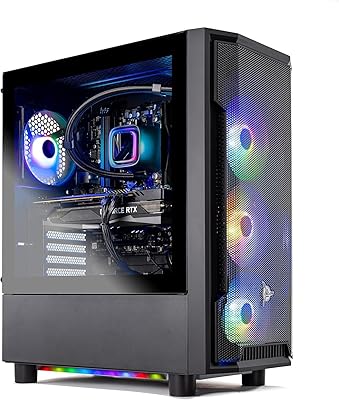
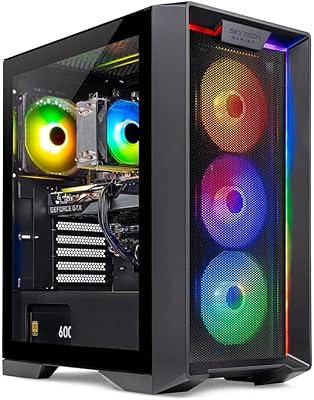
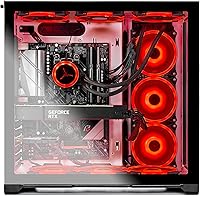
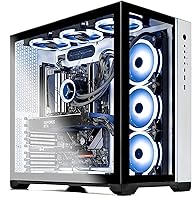
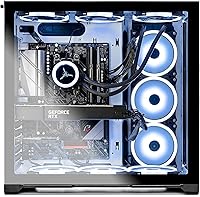
The Skytech Gaming Prism II Gaming Desktop PC lands in a crowded prebuilt market with a clear pitch: serious 1440p and 4K gaming power, without the research and assembly time a custom build demands. Housed in the Phanteks Qube case — a genuinely striking white chassis loaded with RGB fans — it carries a desk presence that cheaper prebuilts can't match. Skytech backs it with USA assembly, a one-year parts and labor warranty, and lifetime technical support, which carries real weight at this price point. A keyboard and mouse are tossed in as a bonus, useful as a stopgap but unlikely to impress long-term.

Features & Benefits

At the heart of the Prism II desktop is the Ryzen 7 5800X, an 8-core chip that holds up well in both fast-paced competitive titles and workloads like streaming or light video editing. The RTX 3080 Ti handles Ultra settings at 1440p with ease and pushes credible 4K frame rates across most modern titles. Storage is a Gen4 NVMe SSD, meaning near-instant load times — a real difference you notice every session. Cooling is managed by a 360mm AIO alongside six RGB fans, keeping temperatures in check under sustained load. The 850W Gold PSU provides stability now and room for future upgrades. One honest caveat: the built-in Wi-Fi is 802.11ac, a full generation behind the current Wi-Fi 6 standard.

Best For

This gaming tower makes the most sense for players who want a genuine step up to 1440p or 4K gaming without spending weekends sourcing components and troubleshooting builds. If you're coming from a console or a mid-range PC that's several years old, the performance gap will be immediately obvious. The 8-core CPU also makes this a reasonable pick for part-time streamers or creators who occasionally edit video — you're not boxed in purely to gaming. That said, buyers comfortable building their own rig will likely find a custom approach delivers more hardware per dollar. The warranty and support structure make this Skytech prebuilt a stronger fit for those who value reliability and backup over raw cost optimization.

User Feedback

Buyers consistently praise the out-of-box experience — setup is straightforward and real-world performance matches the spec level without surprises. The Phanteks Qube case draws compliments for its look, though a handful of users note the internal cable routing could be tidier. A recurring technical point worth flagging: RAM in many prebuilts ships running at base clock speeds rather than the full XMP profile, so a quick BIOS adjustment is often needed. GPU brand variability is a legitimate concern — the listing openly discloses the brand may differ, and some buyers report receiving cards they weren't anticipating. Skytech support generally earns positive marks for responsiveness, though warranty repair turnaround times occasionally draw criticism.

Pros

  • RTX 3080 Ti handles Ultra settings at 1440p without breaking a sweat across most modern titles.
  • The Ryzen 7 5800X holds its own well beyond gaming, supporting streaming and light creative workloads.
  • Gen4 NVMe SSD delivers noticeably fast boot and game load times compared to older SATA drives.
  • 360mm AIO cooler keeps thermals in check even during long, demanding gaming sessions.
  • 850W Gold-certified PSU provides stable power delivery and genuine headroom for future hardware upgrades.
  • Phanteks Qube case is a standout in the prebuilt segment — genuinely good-looking with solid RGB presentation.
  • USA assembly and a one-year parts-and-labor warranty offer stronger buyer protection than many competitors.
  • Lifetime technical support is a meaningful long-term perk, especially for less experienced PC users.
  • Out-of-box setup is straightforward — plug in and play without any driver hunting or complicated configuration.
  • An entry-level keyboard and mouse are included, which covers the basics while you shop for upgrades.

Cons

  • Prebuilt pricing means paying a noticeable convenience premium compared to sourcing equivalent parts independently.
  • RAM frequently ships running at base 2133 or 2666 MHz speeds rather than the advertised 3200 MHz XMP profile.
  • Built-in 802.11ac Wi-Fi is one generation behind Wi-Fi 6, which matters in congested or bandwidth-heavy households.
  • GPU brand is not guaranteed — the card installed may differ from what buyers see in product images.
  • 1TB of storage fills up quickly for gamers with large libraries; a second drive is often a near-immediate purchase.
  • Internal cable management inside the Phanteks Qube has drawn criticism from users who open the side panel.
  • The included keyboard and mouse are basic entry-level accessories unlikely to satisfy anyone beyond casual use.
  • Warranty repair turnaround times have occasionally frustrated buyers who needed faster hardware resolution.
  • The Prism II desktop is large and heavy at nearly 49 pounds, making desk placement and moving it genuinely awkward.
  • No Wi-Fi 6 or Bluetooth specification is listed, leaving wireless peripheral options less clear than they should be.

Ratings

The scores below reflect AI-driven analysis of verified global buyer reviews for the Skytech Gaming Prism II Gaming Desktop PC, with spam, bot activity, and incentivized submissions actively filtered out before scoring. Each category captures both what buyers genuinely praised and the friction points that surfaced repeatedly across thousands of real-world experiences. Nothing is softened — where users ran into consistent frustrations, those concerns are reflected directly in the numbers.

Gaming Performance
91%
Buyers upgrading from mid-range rigs or consoles describe the performance jump as immediately striking — games that previously struggled at 1080p now run at Ultra settings in 1440p with smooth, consistent frame rates. The RTX 3080 Ti handles demanding modern titles without thermal throttling thanks to the robust cooling setup.
A small group of buyers pushing maximum 4K settings in the most demanding current titles — particularly open-world games with heavy ray tracing — noted occasional frame dips that required quality adjustments to maintain a stable experience.
Value for Money
71%
29%
For buyers who factor in the warranty, lifetime support, and the convenience of a professionally assembled and tested system, the pricing feels justifiable. Those coming from console gaming in particular tend to feel the raw performance-to-dollar ratio compares favorably against next-gen console alternatives.
Experienced PC builders consistently point out that equivalent components sourced independently would cost noticeably less, and this gap is hard to ignore at the pricing tier this system occupies. Buyers who do their homework often feel the convenience premium is steeper than it needs to be.
Build & Cooling Quality
84%
The 360mm AIO liquid cooler keeps the Ryzen 7 5800X running at genuinely low temperatures even during extended gaming marathons, a real improvement over the cheap air coolers that plague many competing prebuilts at this tier. Users report the system stays quiet enough during casual play that it does not become a distraction.
Several users who opened the side panel to inspect or upgrade internals were disappointed by the cable management — wiring inside the Phanteks Qube is functional but not neatly routed, which can complicate future upgrades or RAM swaps.
Case Aesthetics
88%
The Phanteks Qube in white is one of the better-looking cases shipped with any prebuilt in this segment — buyers frequently call it a highlight of the purchase, noting the six RGB fans create a clean, vibrant light show that holds up well on a desk or open shelf.
The white finish, while striking out of the box, attracts dust and fingerprints more visibly than darker alternatives, and a few users noted that the RGB fan colors are not as deeply customizable as they had hoped without third-party software.
Setup Experience
89%
First-time PC buyers and console converts specifically praise how simple the unboxing and setup process is — plug in the monitor, keyboard, and mouse, power on, and you are gaming within minutes. No driver hunting, no Windows activation headaches, and no assembly anxiety.
A recurring frustration for technically aware buyers is discovering the RAM is running below its rated speed out of the box, requiring a BIOS adjustment that should not be necessary on a premium prebuilt shipped at this price point.
RAM Configuration
58%
42%
The 16GB DDR4 kit is an adequate starting point for current gaming workloads, and buyers who go into the BIOS and manually enable the XMP profile report noticeable improvements in overall system responsiveness and frame consistency in CPU-sensitive titles.
Shipping RAM at base JEDEC speeds rather than the advertised 3200 MHz XMP profile is a well-documented prebuilt shortcut, and it is disappointing to encounter at this price tier. Buyers who do not know to check this are quietly leaving performance on the table from day one.
Storage
76%
24%
The Gen4 NVMe SSD delivers fast boot times and snappy game load performance — buyers coming from systems with SATA SSDs or spinning hard drives notice the improvement right away, particularly in open-world games with extensive streaming assets.
1TB runs out faster than most heavy gamers expect, especially with modern AAA titles routinely occupying 80 to 150GB each. A meaningful portion of buyers reported needing to add secondary storage within the first few months of ownership.
GPU Consistency
62%
38%
The RTX 3080 Ti itself — regardless of which board partner card arrives — performs consistently well, and buyers who care only about frame rates and rendering quality tend to be satisfied once the system is up and running.
The listing's disclosure that the GPU brand may vary has generated genuine frustration among buyers who expected a specific card based on product images and received a different brand entirely. This lack of transparency around a flagship component in a premium system erodes confidence at purchase.
Wireless Connectivity
61%
39%
For buyers in smaller apartments or those whose desks are within reasonable range of a router, the built-in 802.11ac adapter performs adequately for online gaming and general use without needing any additional hardware.
802.11ac is a Wi-Fi 5 standard and trails meaningfully behind the Wi-Fi 6 adapters now standard in competing systems and modern routers, leading to reduced throughput and higher latency in busier network environments — a real limitation for competitive online gamers.
Warranty & Support
79%
21%
Lifetime technical support is a genuine differentiator in the prebuilt space, and buyers dealing with software issues, BIOS questions, or performance troubleshooting report that Skytech support agents are responsive and knowledgeable in most cases.
Warranty hardware repairs tell a more mixed story — some users praise fast turnaround while others describe multi-week wait times for parts resolution, suggesting the experience varies considerably depending on the nature of the issue and timing.
Upgrade Potential
82%
18%
The 850W Gold PSU gives the system real headroom for future GPU swaps or additional storage drives, and the AM4 platform the Ryzen 5800X sits on is well-supported with accessible upgrade paths that do not require a full system overhaul.
The messy internal cable routing noted by several users makes upgrades more involved than they need to be, and the limited number of confirmed USB expansion ports may frustrate buyers who run multiple peripherals and capture devices simultaneously.
Noise Levels
78%
22%
Under everyday gaming loads the system stays at a low to moderate noise floor, and the AIO cooler fan ramp behavior is gradual enough that sudden loud spin-ups are rare during normal play sessions with a headset on.
During sustained heavy loads — extended rendering sessions, long gaming sessions in demanding titles, or stress testing — the six case fans become audibly noticeable, which some buyers in quieter environments found more intrusive than expected.
Included Peripherals
53%
47%
Having a keyboard and mouse in the box means buyers can power on and start gaming immediately without a separate peripheral purchase on day one, which is a small but practical convenience for first-time PC buyers.
The bundled keyboard and mouse are entry-level in every meaningful way — the mouse in particular draws criticism for feeling cheap — and the vast majority of buyers replace them quickly, making the bundle feel more like a checkbox feature than a genuine value add.
Long-term Reliability
74%
26%
Buyers who have owned the Prism II desktop for a year or more largely report stable, consistent performance with no major component failures, and the USA assembly process appears to result in a reasonably well-tested unit out of the box.
A subset of longer-term owners have flagged minor issues surfacing after the one-year warranty window closes — most commonly around fan noise increasing and thermal paste degradation — which underscores the importance of occasional maintenance on any high-performance system.

Suitable for:

The Skytech Gaming Prism II Gaming Desktop PC is built for gamers who want high-tier performance at 1440p or 4K without the time, research, and risk that come with assembling a custom rig. If you are upgrading from a console or a mid-range PC that is several years old, the jump in frame rates and visual fidelity will be immediately noticeable. The 8-core Ryzen 7 CPU also makes this a practical option for part-time streamers or creators who need more than a pure gaming box — encoding a stream or doing light video work will not grind things to a halt. Buyers who genuinely value having a warranty, live technical support, and USA assembly backing their investment will find more peace of mind here than with a self-built system. The Phanteks Qube case is legitimately attractive, so anyone who cares about a clean, RGB-ready desktop presence in their setup will appreciate the extra attention to aesthetics.

Not suitable for:

Buyers who are comfortable sourcing their own components should think carefully before choosing the Skytech Gaming Prism II Gaming Desktop PC, because the convenience of a prebuilt comes at a real cost premium over a comparable DIY build. If squeezing maximum performance out of every dollar is the priority, that gap is hard to ignore. Network-dependent gamers or those in larger homes should note that the built-in Wi-Fi is 802.11ac — a standard that trails behind current Wi-Fi 6 adapters in speed and congestion handling, so a wired Ethernet connection or an upgrade may be necessary. Buyers who want precise control over which GPU brand is installed will find the listing's open disclosure that the card brand may vary frustrating — this is not a minor footnote if brand consistency or specific cooler designs matter to you. Anyone needing substantial local storage for a large game library will also want to budget for an additional drive, as 1TB fills up faster than most heavy users expect.

Specifications

  • CPU: AMD Ryzen 7 5800X 8-core, 16-thread processor running at 3.8 GHz base clock with a maximum boost of 4.7 GHz.
  • GPU: Nvidia GeForce RTX 3080 Ti with 12GB of GDDR6X video memory for high-fidelity gaming at 1440p and 4K resolutions.
  • RAM: 16GB of DDR4 memory rated at 3200 MHz, installed in the system at time of assembly.
  • Storage: 1TB PCIe Gen4 NVMe solid-state drive providing fast sequential read and write speeds for quick boot and game load times.
  • Cooling: 360mm all-in-one liquid cooler handles CPU thermal management, supplemented by six RGB case fans for overall airflow.
  • Power Supply: 850-watt 80 Plus Gold certified power supply delivers efficient, stable power delivery under sustained gaming and compute loads.
  • Wireless: 802.11ac (Wi-Fi 5) adapter is built in, providing wireless connectivity without a separate card or dongle.
  • Operating System: Windows 11 Home 64-bit comes pre-installed and activated at time of shipping.
  • Case: Phanteks Qube mid-tower case in white houses the system, featuring tempered glass paneling and integrated RGB lighting support.
  • Display Output: Both DisplayPort and HDMI outputs are available directly from the GPU for monitor connection flexibility.
  • Dimensions: The tower measures 21.1 x 20 x 14 inches (length x width x height), requiring meaningful desk or floor clearance.
  • Weight: Fully assembled unit weighs approximately 48.7 pounds, making it a heavy system to reposition or transport.
  • USB Ports: At least one USB 2.0 and one USB 3.0 port are included; total port count may vary by exact configuration.
  • Warranty: Skytech covers parts and labor for one year from purchase, with lifetime free technical support provided via their customer service team.
  • Assembly: Each unit is assembled in the USA by Skytech Gaming technicians before shipping.
  • Included Extras: A basic gaming keyboard and mouse are included in the box as a starter peripheral bundle.
  • GPU Brand: The RTX 3080 Ti installed may be sourced from various board partners; Skytech explicitly states the GPU brand can vary per unit.
  • Chipset: The system is built on an AMD platform compatible with the Ryzen 5000 series CPU family.

Related Reviews
Skytech Gaming Azure Gaming PC Desktop
83%
89%
Value for Money
85%
Gaming Performance
92%
Setup and Ease of Use
84%
Build Quality
80%
Cooling and Thermals
More
Skytech Nebula GTX 1650 Gaming Desktop PC
76%
72%
Gaming Performance
74%
Value for Money
91%
Out-of-Box Readiness
78%
Build Quality
76%
Thermal Management
More
Skytech Gaming Shadow Gaming PC Desktop – Intel Core i7 13700F, NVIDIA RTX 4060, 1TB SSD, 16GB RAM
88%
94%
Performance
91%
Graphics Quality
89%
Storage Speed
87%
Multitasking Ability
85%
Build Quality
More
Skytech Gaming Chronos Mini Gaming Desktop PC
72%
73%
Gaming Performance
91%
Out-of-Box Setup
69%
Value for Money
48%
Storage Adequacy
57%
RAM Performance
More
Skytech King 95 RTX 5070 Gaming Desktop
79%
93%
Gaming Performance
88%
Thermal Management
91%
Out-of-Box Experience
71%
Value for Money
82%
Build Quality
More
Empowered PC Panorama Gaming Desktop (RTX 5080, i9-14900KF, 96GB DDR5, 4TB)
83%
94%
Gaming Performance
91%
Out-of-Box Experience
67%
Value for Money
72%
Thermal Management
88%
Build & Component Quality
More
Skytech Shiva Gaming PC Desktop, Ryzen 5 5600GT, 16GB RAM, 500GB SSD
84%
87%
Gaming Performance
92%
Value for Money
83%
Build Quality
90%
Ease of Setup
89%
Design and Aesthetics
More
Skytech Gaming Nebula Gaming Desktop PC
76%
91%
Out-of-Box Experience
68%
Gaming Performance
57%
GPU Capability
83%
CPU Performance
86%
RAM & Memory
More
Skytech Shadow 3.0 Gaming Desktop PC
74%
84%
1080p Gaming Performance
76%
Value for Money
91%
Out-of-Box Setup Experience
54%
RAM Adequacy
49%
Storage Capacity
More
Skytech Gaming Rampage Desktop PC, Ryzen 7 9700X, AMD RX 9070XT, 32GB DDR5, 2TB SSD
87%
95%
Gaming Performance
92%
Multitasking Efficiency
87%
Cooling System Effectiveness
90%
Build Quality
88%
Value for Money
More
Skytech Storm RTX 5060 Gaming Desktop
73%
91%
1080p Gaming Performance
67%
CPU Performance
88%
Out-of-Box Experience
74%
Value for Money
78%
Build Quality & Cable Management
More

FAQ

The RTX 3080 Ti is genuinely capable at 4K — you can expect smooth, playable frame rates at high to ultra settings in most current titles. That said, extremely demanding games at maximum 4K settings may dip below 60 fps, so keeping a few quality sliders just short of maximum is a reasonable trade-off for a consistently smooth experience.

A monitor is not included and will need to be purchased separately. The Prism II desktop does come with a basic keyboard and mouse in the box, which is enough to get started, though most serious gamers will want to swap them out for dedicated peripherals fairly quickly.

Nothing is broken. This is a very common prebuilt quirk where the RAM ships at its default JEDEC speed rather than the rated XMP profile. You can fix it yourself in the BIOS by enabling the XMP or DOCP profile, which takes about two minutes and requires no technical expertise beyond knowing how to navigate the BIOS menu.

Skytech is upfront that the GPU brand varies depending on availability at the time your unit is assembled. You cannot specify a preferred brand, and there is no guarantee of which partner card you will receive. If a particular cooling design or brand reputation matters to you, that is worth factoring into your buying decision.

The built-in Wi-Fi is 802.11ac (Wi-Fi 5), which handles everyday gaming and streaming without major issues in most home setups. That said, if you game competitively, live in a household with heavy network traffic, or your router is far from your setup, a wired Ethernet connection will always be more stable and lower latency.

Yes, the Ryzen 7 5800X has 8 cores and 16 threads, which gives it enough headroom to run a game and an encoder like OBS simultaneously without choking. Most streamers running at 1080p60 output will find the experience perfectly manageable, especially when using hardware encoding through the RTX 3080 Ti's NVENC.

It depends on how many games you keep installed at once. Modern AAA titles routinely occupy 80 to 150GB each, so 1TB fills up faster than you might expect for a heavy gamer. The good news is that adding a second NVMe or SATA drive later is straightforward, and the system has the PSU headroom to support it.

Skytech's one-year warranty covers parts and labor, and after that period expires you are responsible for component repair or replacement costs. The silver lining is that the lifetime technical support remains available indefinitely, so you can still get guidance on diagnosing issues or sourcing replacement parts even outside the warranty window.

The 360mm AIO cooler keeps the CPU temperatures low enough that fan speeds stay relatively controlled during most gaming sessions. Six case fans running simultaneously do produce an audible hum under full load, but users generally report noise levels are acceptable and not distracting during regular play with headphones on.

If you are a confident builder with time to research parts, a DIY build with equivalent specs will typically cost less. The premium you pay with the Prism II desktop goes toward USA assembly, warranty coverage, lifetime support, and the convenience of a tested, ready-to-run system — all of which carry genuine value for the right buyer. If you have never built a PC or simply do not want the hassle, that premium is easy to justify.