Overview

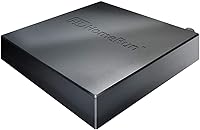
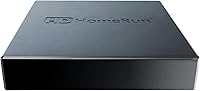
The SiliconDust HDHomeRun Flex Duo 2-Tuner is a network-based OTA tuner that takes your antenna signal and distributes it to every device in your home over your existing Ethernet connection. Rather than running coaxial cable to each room, you plug this OTA streaming device into your router and your TV signal becomes available on phones, tablets, smart TVs, and computers alike. It sits unobtrusively near your router — the physical footprint is compact enough that it barely registers. Since its 2021 release, it has earned a spot in the top 10 of its category, backed by close to 900 verified reviews, which makes it a proven rather than experimental choice for anyone serious about cord-cutting.
Features & Benefits

Two ATSC 1.0 tuners mean you can watch one channel while recording another simultaneously — a practical detail that matters more than it sounds in a multi-person household. The device compatibility is genuinely broad: Android, Roku, Fire TV, Apple TV, Xbox, iOS, Windows, and Mac all work natively, which is rarer than it might seem at this price tier. The connection is Ethernet-only, and that is actually a strength — wired signal distribution stays stable in ways Wi-Fi alternatives simply cannot guarantee. DVR recording works through a USB hard drive, but know upfront that a paid guide subscription is required to activate it. DLNA support also adds flexibility beyond the official app for those who prefer it.

Best For

This network tuner suits households that have already dropped cable and want live local channels accessible on every screen without routing new coaxial cable through walls. It also works well for families with a genuine mix of devices — Roku in the living room, iPad in the bedroom, Windows PC in the office — since the HDHomeRun Flex Duo handles all of them from a single box. Be honest with yourself about your comfort level with home network setup, though; this is not a plug-in-and-done device. For light DVR use without committing to a full TiVo-style system, it is a reasonable fit. Those in fringe signal areas should sort out their antenna situation first.

User Feedback

Across close to 900 reviews, this OTA streaming device holds a 4.2-out-of-5 rating — solid, but worth reading into. Buyers with good antenna reception and networking confidence consistently report reliable whole-home performance and value the single-device solution across all their screens. The most common frustrations involve two things: setup complexity for less technical users, and the realization that DVR use requires an ongoing subscription beyond the hardware purchase. A smaller portion of reviewers mention occasional app disconnects needing a router or device restart. Signal quality feedback is almost entirely location-dependent, so take both the glowing and critical antenna-related comments with that context in mind.

Pros

  • Streams live OTA TV to every device in your home over a single Ethernet connection.
  • Compatible with virtually every major platform: Roku, Apple TV, Fire TV, Xbox, iOS, Android, and more.
  • No monthly fee for basic live TV — the hardware cost covers ongoing use.
  • Wired Ethernet connection delivers stable, consistent signal without Wi-Fi interference.
  • Compact enough to tuck next to your router and forget about after setup.
  • DLNA support and third-party app compatibility give technically inclined users real flexibility.
  • Ranked in the top 10 of its category with close to 900 verified reviews behind it.
  • DVR recording works reliably with a USB hard drive for light time-shifting needs.
  • SiliconDust has an active user community and a track record of long-term firmware support.

Cons

  • Setup requires genuine home networking familiarity — expect configuration time, not instant results.
  • DVR functionality requires a paid guide subscription on top of the hardware purchase.
  • Only two tuners means three simultaneous viewers will immediately run into conflicts.
  • App quality varies noticeably across platforms, with some feeling less polished than others.
  • Occasional app disconnects requiring restarts are a recurring complaint among long-term users.
  • Signal quality is entirely dependent on your antenna — this device cannot compensate for weak reception.
  • No ATSC 3.0 support means it will not receive next-generation 4K OTA broadcasts.
  • Included documentation is minimal, pushing users toward forums for troubleshooting.
  • Guide data coverage is inconsistent in smaller markets, reducing DVR subscription value.
  • The enclosure feels utilitarian and plasticky for a mid-range networking device.

Ratings

The SiliconDust HDHomeRun Flex Duo 2-Tuner scores below were generated by our AI rating engine after analyzing verified buyer reviews from multiple global platforms, with spam, bot-submitted, and incentivized responses actively filtered out. What remains reflects genuine hands-on experience from real cord-cutters and home network enthusiasts. Both the standout strengths and the recurring frustrations are weighted honestly in every category.
Device Compatibility
93%
Buyers with mixed device households consistently report that this network tuner just works across all their screens without workarounds. Roku in the living room, an iPhone upstairs, and a Windows laptop on the desk can all pull the same live signal simultaneously, which is exactly what most cord-cutters are hoping for.
A small but vocal group found that app behavior varies noticeably by platform, with the Fire TV and some Android TV implementations feeling less polished than the Windows or Apple TV experience. First-time setup on certain devices requires more troubleshooting than the packaging implies.
Network Streaming Stability
88%
Users who connect the HDHomeRun Flex Duo via Ethernet rather than relying on Wi-Fi bridges report very consistent, low-dropout streaming even when two tuners are running at once. The wired-only design is frequently cited as a genuine advantage over competing devices that depend on wireless connections.
A recurring complaint involves occasional app disconnects that require restarting the router or the app itself, which is frustrating mid-program. These issues appear more common in homes with older routers or more complex network configurations.
Setup & Installation
61%
39%
For users comfortable with home networking basics — assigning IPs, checking router settings, downloading platform-specific apps — the setup process is described as logical and reasonably well-documented. The SiliconDust support forums are an active resource that many buyers credit for getting them through initial configuration.
Less tech-savvy buyers are the most disappointed segment in the review pool. Multiple reviewers describe confusion around app selection, network discovery failures, and unclear instructions, with a notable number saying setup took far longer than expected. This is not a device you hand to someone unfamiliar with home network gear.
DVR Functionality
66%
34%
When configured correctly with a USB hard drive, the DVR capability works reliably for basic recording needs. Buyers who wanted a lightweight, no-subscription-box alternative to TiVo for catching local news or sports found it a practical solution without a large recurring commitment.
The requirement for a paid guide subscription to enable DVR catches many buyers off guard after the hardware purchase. Several reviewers felt this should be disclosed more prominently upfront, and a few considered it a dealbreaker once they realized the additional ongoing cost.
Signal & Picture Quality
74%
26%
In strong OTA signal areas, reviewers describe the picture quality as clean and fully comparable to what a direct coaxial connection would deliver. The device itself introduces no noticeable compression or quality degradation when the antenna signal coming in is solid.
Signal quality is almost entirely dependent on the user's antenna and geographic location, and the device cannot compensate for weak OTA reception. Buyers in fringe zones or those using low-quality antennas reported frustrating results, though this is an inherent antenna limitation rather than a hardware flaw.
Value for Money
79%
21%
As a one-time hardware purchase for live TV distribution across an entire home, the HDHomeRun Flex Duo represents a reasonable investment for anyone who would otherwise pay for multiple cable boxes or streaming subscriptions. The absence of monthly fees for basic live TV is a tangible long-term saving.
When DVR use is factored in alongside the guide subscription cost, the overall value calculation becomes less straightforward. Buyers who assumed the hardware price covered everything were the most likely to rate value poorly.
Build Quality & Design
71%
29%
The unit is compact and unobtrusive, fitting easily on a shelf near a router or in a media cabinet without drawing attention. The construction feels appropriately sturdy for a set-it-and-forget-it device that rarely needs to be handled after initial setup.
A few reviewers noted the enclosure feels plasticky relative to the price point, and there is no visual status indicator beyond basic LED lights. It is functional rather than premium in feel, which is fine for most buyers but noticeable if you are used to higher-end networking hardware.
App Experience
63%
37%
The official HDHomeRun app works well on most platforms when the device is properly discovered on the network, and third-party app support through Plex, Emby, and Channels DVR gives technically inclined users meaningful flexibility beyond the default experience.
App quality is inconsistent across platforms, and the interface on some devices feels dated. Buyers using the app on Fire TV or certain Android devices reported UI quirks and slower channel load times compared to the Apple TV or desktop versions.
Multi-Room Performance
84%
Running two simultaneous streams across different rooms and devices is where this OTA streaming device earns its strongest praise. Families with separate viewing preferences in different rooms found the dual-tuner setup handled concurrent use without conflict or quality degradation.
With only two tuners, three-person households with different viewing schedules will hit the ceiling quickly. Buyers who later needed more simultaneous streams had to look at the four-tuner Flex Quatro, effectively making this a stepping stone rather than a final solution for larger families.
DLNA & Third-Party Integration
76%
24%
DLNA support gives the device a longer useful life by integrating with existing media center setups, and compatibility with platforms like Plex and Emby is frequently praised by home theater enthusiasts who already have those ecosystems running.
Third-party integration, while functional, requires additional setup effort that not all buyers are prepared for. DLNA discovery can behave inconsistently on some network configurations, and official documentation on third-party compatibility is limited.
Channel Guide Accuracy
67%
33%
In markets with strong local broadcast coverage, the channel guide populates reliably and updates consistently. Buyers in mid-to-large metro areas reported a smooth guide experience with accurate program data once the subscription was active.
Guide data quality drops noticeably in smaller markets or rural areas, where channel listings can be incomplete or slow to update. A handful of reviewers noted that the guide subscription cost felt harder to justify when the data coverage in their area was inconsistent.
Antenna Compatibility
78%
22%
The device works with virtually any standard antenna setup, whether a rooftop directional antenna or a simple flat indoor unit. Buyers who already had a functioning antenna in place reported a straightforward connection process with no additional hardware required.
The device does not include a signal amplifier or any means of boosting weak antenna input, so buyers with marginal reception need to address that at the antenna level first. Expecting the network tuner itself to improve poor over-the-air reception leads to disappointment.
Long-Term Reliability
81%
19%
Many reviewers who have used the HDHomeRun Flex Duo for one to two years report that it simply keeps working without intervention, which is exactly what you want from a background network device. SiliconDust has a track record of supporting older devices with firmware updates, which adds to buyer confidence.
A small portion of long-term owners reported that app updates occasionally broke functionality temporarily, requiring firmware or app rollbacks. These incidents are infrequent but highlight a dependence on continued software support that hardware-only buyers sometimes underestimate.
Documentation & Support
58%
42%
The SiliconDust community forums are genuinely useful and active, with experienced users and occasionally staff helping troubleshoot complex setups. For buyers willing to dig into online resources, answers to most configuration questions are findable.
The included documentation is minimal, and official support response times receive mixed feedback. Buyers who prefer a guided setup experience or direct customer service contact were among the most critical reviewers, particularly when facing network discovery issues.

Suitable for:

The SiliconDust HDHomeRun Flex Duo 2-Tuner is built for households that have already committed to cutting the cord and want a single, centralized solution for distributing live local TV to every screen under one roof. If you have a solid over-the-air antenna signal in your area and a reasonably modern home network, this device does exactly what it promises — one antenna input, live TV available across Android, Roku, Fire TV, Apple TV, Xbox, iOS, and Windows simultaneously. It suits tech-comfortable buyers who are not intimidated by router settings and app configuration, and who understand that getting the most out of a network-based tuner takes an initial investment of time. Smaller households with one or two simultaneous viewers will find the dual-tuner setup more than adequate for daily use. It also works well for people who want light DVR capability without subscribing to a cloud service or buying a standalone DVR box, as long as they go in aware that a paid guide subscription is part of that equation.
Not suitable for:

The SiliconDust HDHomeRun Flex Duo 2-Tuner is a poor fit for anyone who expects a plug-in-and-watch experience with no network configuration involved. If terms like IP address, router settings, or network discovery feel unfamiliar or anxiety-inducing, the setup process will likely be frustrating rather than rewarding. Buyers in weak OTA signal areas should also think carefully — this device distributes whatever signal your antenna provides, and it cannot fix poor reception at the source. Larger families with three or more people wanting to watch different channels at the same time will hit the two-tuner ceiling quickly and should consider the four-tuner Flex Quatro instead. Anyone hoping to avoid all ongoing costs after the hardware purchase should know upfront that DVR functionality requires a recurring guide subscription, which changes the total cost picture. Finally, households looking for next-generation ATSC 3.0 compatibility for future-proof 4K OTA broadcasts will need to look at the Flex 4K model rather than this one.

Specifications

  • Brand: Manufactured by SiliconDust, a company focused exclusively on network tuner hardware and software.
  • Model Number: The official model identifier is HDFX-2US.
  • Tuner Count: Includes 2 independent ATSC 1.0 tuners, allowing two channels to be used simultaneously.
  • Broadcast Standard: Supports ATSC 1.0 only; ATSC 3.0 (NextGen TV) is not supported on this model.
  • Dimensions: The unit measures 7″ long by 5″ wide by 2.2″ high.
  • Weight: The device weighs 13.4 ounces, making it light enough to sit on a shelf or mount unobtrusively.
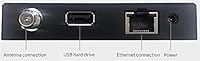
  • Connectivity: Connects to the home network exclusively via a wired RJ45 Ethernet port; no Wi-Fi radio is included.
  • Antenna Input: Accepts a standard coaxial antenna connection for receiving free over-the-air broadcast signals.
  • DVR Support: DVR recording is supported via an attached USB hard drive, but requires a separate paid TV guide subscription to function.
  • DLNA: DLNA is supported, enabling playback through compatible media players and home theater software beyond the official app.
  • Compatible Platforms: Natively supported on Android, Fire TV, Apple TV, Roku, Sony smart TVs, Xbox, iPhone, iPad, Windows 10 and 11, and Mac.
  • Free OTA TV: Live over-the-air television is available at no ongoing cost once the hardware is connected to an antenna.
  • Release Date: The product was first made available in April 2021.
  • BSR Ranking: Currently ranked in the top 10 of the External TV Tuners category on Amazon.
  • Network Protocol: Uses standard IP-based network streaming to distribute the tuner signal to all devices on the local network.
  • Power: The device is powered via an included AC adapter and does not draw power from USB or the connected network.
  • USB Port: One USB port is included on the device, used exclusively for attaching an external hard drive for DVR storage.
  • App: The primary companion app is the HDHomeRun app, available on all supported platforms and required for initial device setup.

Related Reviews
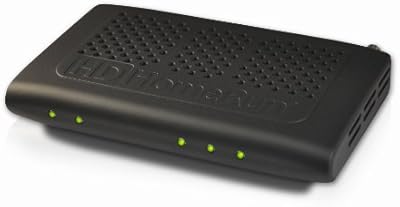
SiliconDust HDHomeRun PRIME HDHR3-CC
73%
58%
Setup & Installation
88%
Stream Reliability
71%
Channel Compatibility
84%
Value for Money
86%
Multi-Room Streaming
More
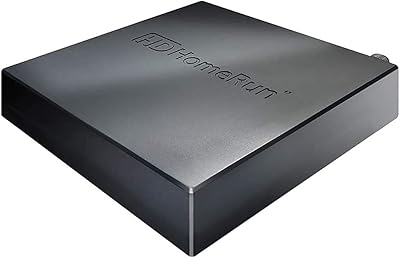
SiliconDust HDHomeRun Flex Quatro 4-Tuner
76%
88%
Channel Reception Quality
91%
Multi-Room Streaming Performance
63%
DVR Functionality
93%
Device Compatibility
74%
Setup & Installation Ease
More
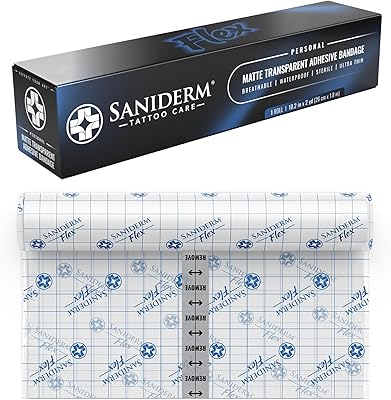
Saniderm Flex Tattoo Aftercare Bandage 10.2 in x 2 yd
89%
88%
Ease of Use
91%
Flexibility for High-Movement Areas
93%
Waterproof Protection
89%
Comfort
85%
Adhesion/Stickiness
More
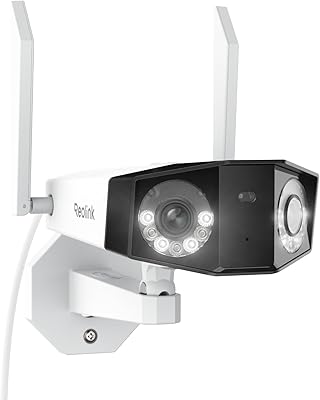
Reolink Duo 2 WiFi 4K Security Camera
86%
91%
Video Quality
88%
Night Vision Performance
85%
WiFi Connectivity & Range
87%
Motion Detection Accuracy
92%
Ease of Setup
More
Blackmagic Design DeckLink Duo 2 PCIe Capture and Playback Card
86%
94%
Video Capture Performance
88%
Installation & Setup
83%
Compatibility with Software
91%
Multi-Stream Capabilities
90%
Low-Latency Performance
More
JBL Tune Flex 2
JBL Tune Flex 2
78%
88%
Call Quality
86%
Battery Life
67%
Noise Cancellation
79%
Sound Quality
83%
Comfort & Fit
More
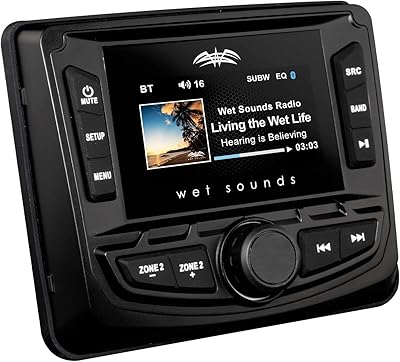
Wet Sounds WS-MC-2 AM/FM/Weather Band Tuner
85%
92%
Weather Resistance
88%
Connectivity Options
85%
Ease of Use
91%
Build Quality
84%
Sound Quality
More
TGIN Honey Miracle Hair Mask Duo, 12 oz (Pack of 2)
88%
88%
Effectiveness for Dry Hair
91%
Moisturizing Performance
85%
Frizz Control
92%
Texture and Feel
87%
Ease of Use
More
HOMMEFACE Men’s Easy Duo 2-Step Daily Routine Set
86%
91%
Effectiveness for Oily Skin
89%
Hydration and Moisture Retention
85%
Gentleness for Sensitive Skin
93%
Ease of Use
88%
Ingredient Quality
More
Tablo 4th Gen 2-Tuner OTA DVR (128GB)
77%
88%
Ease of Setup
84%
App Interface & Usability
72%
Streaming Reliability
67%
OTA Signal & Channel Capture
83%
DVR Recording Performance
More

FAQ

No subscription is required for basic live TV streaming. You connect an antenna, plug the device into your router, install the HDHomeRun app on your preferred device, and you can watch free over-the-air channels at no ongoing cost. The subscription only becomes relevant if you want DVR recording functionality.

The paid guide subscription provides the program schedule data that the DVR uses to know what to record and when. Without it, the DVR feature is essentially non-functional. SiliconDust offers this through their own service, and the cost is separate from the hardware purchase — so factor that in before assuming DVR is fully included out of the box.

The device itself connects to your router via Ethernet only — there is no built-in Wi-Fi. That said, the devices you watch on (phones, tablets, Roku, etc.) can absolutely be on Wi-Fi; the tuner just needs a physical cable connection to your network for reliable performance.

Yes, the HDHomeRun Flex Duo is well-supported by third-party platforms including Plex DVR, Emby, and Channels DVR. Many technically inclined users actually prefer these over the official app for a richer interface and more control over recordings. Setup requires some extra configuration, but it is well-documented in the SiliconDust community forums.

Yes, that is exactly the scenario this device is designed for. As long as you are only watching or recording two streams at once, both devices can pull live TV simultaneously without any conflict. If a third person wants to watch a different channel at the same time, that is where the two-tuner limit becomes an issue.

No, this model supports ATSC 1.0 only and does not receive ATSC 3.0 signals, which are the basis for next-generation 4K over-the-air broadcasts. If ATSC 3.0 compatibility is important to you, you would need to look at the HDHomeRun Flex 4K model instead.

It depends heavily on your comfort level with home networking. If you know your way around a router, understand how devices discover each other on a local network, and are comfortable installing apps across different platforms, setup is manageable and well-documented. If those concepts feel unfamiliar, expect a steeper learning curve than the packaging suggests, and plan to spend time in the SiliconDust support forums.

Most standard USB external hard drives work fine. The device is not picky about brand, but you want a drive that is formatted correctly (the app will guide you through this) and large enough for your recording needs. A dedicated drive is recommended over one you use for other purposes, since the DVR software manages the storage in its own way.

Either will work, but the quality of your reception is entirely determined by the antenna and your distance from broadcast towers — the network tuner itself plays no role in signal strength. If you already get solid reception with an indoor antenna, the device will work well. If reception is marginal, no tuner hardware will fix that; you would need to improve the antenna situation first.

Remote access is possible but not a straightforward out-of-the-box feature. Some third-party apps like Channels DVR offer remote streaming capabilities with additional configuration. The official HDHomeRun app is primarily designed for local network use, so if out-of-home access is a priority for you, it is worth researching the specific third-party app setup before committing to this device.