Overview

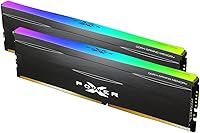
The Silicon Power Zenith RGB 32GB DDR4 RAM is a mid-range memory kit aimed at builders who want solid performance without overspending on flagship-tier branding. Running in dual-channel at 3600MHz, it hits a frequency that AMD Ryzen systems particularly appreciate — fast enough for modern gaming and heavy multitasking without pushing into premium territory. SP is a Taiwanese brand with a quiet but genuine track record in DRAM and storage; they don't get the marketing spotlight that Corsair or G.Skill enjoy, but the hardware tends to hold its own. The lifetime warranty sweetens the deal, especially for first-time builders who want some peace of mind before committing.
Features & Benefits

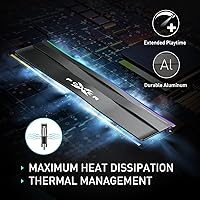
The aluminum heatsink does more than look the part — in tighter cases where airflow is limited, having a proper thermal spreader on your RAM actually matters for sustained stability. Operating at 1.35V, this SP memory kit draws less power than older standard DDR4 configurations, a small but real efficiency difference. The RGB syncs with major platforms like ASUS Aura Sync and MSI Mystic Light, though it can occasionally need a software or driver check on less common boards. Timings land at CL18 (18-22-22-42), which is not the tightest at 3600MHz, but for gaming workloads the gap versus CL16 is rarely noticeable in practice. One critical point: you must enable XMP or DOCP in your BIOS — without it, these sticks default to 2133MHz regardless of what the box says.

Best For

This Zenith RGB kit makes the most sense for a few specific types of buyers. If you are building a gaming PC and want 32GB without stretching into premium RAM pricing, it fits the bill cleanly. AMD Ryzen builders in particular will appreciate the 3600MHz frequency, which aligns well with what the Infinity Fabric architecture responds to best. Students and light content creators who need headroom for browser-heavy workflows, virtual machines, or casual video editing will find 32GB comfortably capable. It also suits anyone upgrading from a 16GB single-stick setup — dropping these two sticks in activates dual-channel mode without requiring any platform changes.

User Feedback

With over 2,000 ratings averaging 4.7 stars and a top-60 ranking in Computer Memory, the Zenith RGB sticks have clearly found a comfortable audience. Most positive reviewers highlight easy installation and reliable operation at rated speeds once XMP is toggled on in BIOS — things that matter far more than benchmark splits for the average builder. Longer-term users report stable performance across extended gaming sessions without throttling or instability issues. On the critical side, a handful of buyers mention that RGB sync can be finicky depending on motherboard brand and software version, and a few note XMP did not auto-apply on first boot. Neither issue appears systemic, but if you are running a less common board, it is worth checking compatibility beforehand.

Pros

  • Runs at 3600MHz, a sweet spot for AMD Ryzen builds that balances speed and cost effectively.
  • 32GB dual-channel capacity handles gaming, multitasking, and light creative workloads without feeling cramped.
  • Low 1.35V operating voltage draws less power than many comparable DDR4 kits on the market.
  • Aluminum heatsink helps manage thermals in compact or poorly ventilated cases during long sessions.
  • RGB lighting syncs with major motherboard ecosystems out of the box without extra software installation.
  • Lifetime warranty provides genuine long-term peace of mind, which is rare at this price tier.
  • High average rating across over 2,000 reviews points to consistent, reliable real-world performance.
  • Unbuffered, non-ECC design ensures broad compatibility with mainstream consumer desktop motherboards.
  • Competitive price-per-gigabyte ratio makes this SP memory kit a practical choice for budget-aware builders.
  • Straightforward dual-channel drop-in configuration means upgrading from a single-stick setup requires zero platform changes.

Cons

  • CL18 timings are not the tightest available at 3600MHz — memory tuners and overclockers will notice the gap.
  • XMP must be manually enabled in BIOS; out of the box, these sticks default to a much slower 2133MHz.
  • RGB sync can be unreliable on less common motherboards, sometimes requiring driver updates or manual workarounds.
  • Silicon Power's brand visibility is lower than Corsair or G.Skill, which can make community support resources harder to locate.
  • Some buyers report XMP profiles failing to load on first boot, requiring a manual BIOS re-entry to resolve.
  • No DDR5 variant exists, making this kit a non-starter for anyone building on a next-generation platform.
  • Not appropriate for workstation or server environments — the non-ECC, unbuffered design rules out error-corrected memory use cases.
  • RGB lighting software depth is more limited compared to dedicated lighting ecosystems from more established memory brands.

Ratings

The scores below reflect an AI-driven analysis of verified purchase reviews for the Silicon Power Zenith RGB 32GB DDR4 RAM, drawing on thousands of real buyer experiences worldwide while actively filtering out incentivized and bot-generated feedback. Each category score is calibrated to capture both what this SP memory kit genuinely delivers and where real buyers ran into friction, giving you a transparent and unvarnished picture before you commit.

Value for Money
88%
Buyers consistently highlight how much performance they get relative to what they paid. At a mid-range price, landing 32GB at 3600MHz with an aluminum heatsink and a lifetime warranty is a combination that is hard to match from better-known brands at the same tier.
A handful of users feel they could have stretched a little further for a CL16 kit with tighter timings, arguing the latency gap — while small in gaming — does show up in memory-sensitive productivity benchmarks. The value equation weakens slightly for benchmark-focused builders.
Installation Ease
91%
Most buyers report a genuinely smooth setup experience — the sticks seat firmly, the system posts on the first try, and the only configuration step needed is toggling XMP in BIOS. First-time builders particularly praise how predictable the process is from unboxing to first boot.
A segment of users ran into the common pitfall of not enabling XMP, leaving the kit running at 2133MHz and mistakenly assuming a performance problem. While not unique to this kit, clearer in-box guidance about BIOS activation would prevent a lot of initial confusion.
Performance at Rated Speed
83%
Once XMP is enabled and the sticks settle at 3600MHz, real-world performance is strong for the target use cases — gaming frame pacing holds steady, browser-heavy multitasking stays responsive, and users handling light editing workloads report no bottlenecks tied to memory throughput.
Power users running memory-intensive applications like large dataset processing or RAM-heavy virtual machine stacks may find the CL18 timings introduce a ceiling that tighter kits avoid. Performance is solid for gaming but does not fully satisfy workloads where raw bandwidth and low latency both matter simultaneously.
Latency & Timings
69%
31%
At 3600MHz, CL18 timings are entirely adequate for the vast majority of gaming and everyday productivity tasks. Buyers who simply want reliable, fast memory for daily gaming sessions consistently find the Zenith RGB sticks responsive with no perceptible lag under normal workloads.
The 18-22-22-42 timing stack is a clear step behind competing CL16 kits at the same speed, and buyers who specifically researched timings before purchasing often note the trade-off. Memory tuners looking to tighten sub-timings manually also report limited additional headroom on these modules.
Thermal Management
78%
22%
The aluminum heatspreader does a functional job of keeping temperatures manageable during extended gaming sessions and sustained workloads. Users in mid-tower builds with decent airflow report the modules running comfortably cool even after several consecutive hours of heavy use.
In tighter cases with poor airflow — compact ITX builds with restricted ventilation, for instance — some users noted temperatures crept up more than expected under sustained loads. The heatsink is functional but offers no meaningful advantage over premium spreaders found on higher-end competing kits.
RGB Lighting Quality
74%
26%
The RGB illumination on the Zenith series is genuinely attractive for its price tier — colors are vibrant and the lighting zone coverage runs cleanly across the top of each module. Buyers who wanted a visually cohesive build without paying a premium for it are generally satisfied.
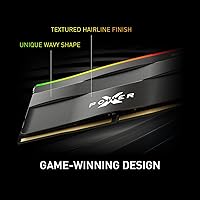
The lighting zone is limited to the top edge of the module and is not as diffuse or polished as RGB implementations on premium kits. A few users found the default lighting modes repetitive and wished for finer-grained zone control available in higher-end competing products.
RGB Software Compatibility
61%
39%
On popular motherboard platforms — particularly ASUS and MSI — RGB sync works as expected once the relevant lighting software is installed and up to date. Builders on mainstream boards who simply want their RAM to match their motherboard theme find the experience generally adequate.
This is the most frequently mentioned pain point in lower-star reviews. On less common motherboards or with older firmware versions, RGB sync fails outright or requires a series of driver reinstalls, and a notable minority report that even after troubleshooting, sync remained inconsistent across subsequent software updates.
Build Quality
84%
The physical construction of the Zenith RGB sticks earns consistent praise — the PCB feels solid, contacts are clean, and the aluminum heatspreader is attached firmly without any flex or rattle. Users handling the modules describe them as feeling well-built relative to what they paid.
A small number of buyers noted minor cosmetic inconsistencies in the heatspreader finish, such as slight anodization variation between the two sticks in a kit. These are aesthetic issues only and do not affect function, but they suggest quality control is not as rigorous as on premium-tier products.
BIOS Compatibility
73%
27%
On the most widely used platform combinations — AMD Ryzen on B550 and X570, or Intel on Z690 — the XMP profile loads reliably and the kit posts cleanly on first boot. The majority of buyers report straightforward compatibility with no manual configuration required beyond enabling XMP.
Compatibility issues surface more frequently on budget motherboards with less refined memory training algorithms. On a handful of AMD 400-series boards, users reported needing to set timings manually rather than relying on the XMP profile — a real friction point represented disproportionately in the lower-rated reviews.
Long-term Stability
86%
Extended-use reliability is one of the stronger suits here — users who have run these sticks for 12 months or more consistently report zero hardware failures, no memory-related blue screens, and stable operation across gaming marathons and overnight rendering sessions alike.
A small fraction of users encountered early-life failures where one stick stopped being recognized after a few weeks of use. While the lifetime warranty covers these cases, the replacement process requires direct contact with Silicon Power support, which some international buyers found slower than expected.
Dual-Channel Efficiency
85%
Running the kit in dual-channel mode as intended delivers a meaningful bandwidth improvement over single-channel configurations. Ryzen users in particular notice the difference in system responsiveness and game load times when both sticks are correctly seated in the paired memory slots.
Users who installed both sticks in adjacent rather than alternating slots experienced single-channel operation without realizing it, and several blamed the kit rather than the installation. The packaging does not include a simple slot placement guide, which would spare first-time builders this entirely avoidable frustration.
Power Efficiency
82%
18%
Operating at 1.35V, this SP memory kit draws meaningfully less power than older 1.5V DDR4 modules — a detail that adds up in systems running continuously, including always-on workstations and gaming rigs that log long daily hours where reduced draw compounds over time.
The efficiency advantage, while real, is incremental rather than transformative. Users hoping for a noticeable reduction in overall system power consumption found that memory accounts for a small fraction of total system draw, limiting the practical real-world impact of the voltage difference.
Warranty & Support
87%
The lifetime warranty is a genuine differentiator at this price point, and buyers who needed to use it generally report that Silicon Power honored the coverage without argument. The reassurance it provides is especially meaningful for first-time builders nervous about making a costly hardware mistake.
Support response times have been a recurring criticism from buyers outside the US and Taiwan, with international customers occasionally reporting multi-week waits on RMA processing. The support infrastructure is functional but lacks the speed and polish of Corsair or G.Skill's customer service operations.
Overclocking Headroom
57%
43%
Buyers who enable XMP and leave the kit at its rated 3600MHz are consistently satisfied — the sticks run stably at that speed without any manual coaxing needed. For the majority of users who have no interest in pushing beyond rated speeds, the overclocking ceiling is entirely irrelevant.
Manual overclocking beyond 3600MHz has proven frustrating for enthusiasts who attempted it. Memory chips on these modules are not binned for high-frequency headroom, and users report instability or failure to POST at speeds above 3733MHz. Those chasing 4000MHz+ DDR4 territory should look at kits engineered specifically for that purpose.
Brand Recognition
66%
34%
Buyers who researched SP Silicon Power before purchasing were consistently reassured by the brand's reliability record and established standing in the DRAM market. Those already familiar with SP from flash drives or SSDs approached the purchase with well-calibrated expectations and were generally not disappointed.
Silicon Power lacks the brand presence of Corsair, G.Skill, or Kingston among casual buyers, and that unfamiliarity creates hesitation at the point of purchase. Some buyers admitted they nearly chose a different brand on name recognition alone and later wished they had compared specifications more carefully.

Suitable for:

The Silicon Power Zenith RGB 32GB DDR4 RAM is a strong pick for value-focused PC builders who need a capable, reliable kit without paying flagship prices. It fits AMD Ryzen-based builds particularly well, since 3600MHz is a historically efficient frequency for Ryzen's Infinity Fabric — you get tangible performance without spending extra chasing faster tiers. The 32GB dual-channel configuration is genuinely useful for anyone juggling gaming with multitasking, running virtual machines, or doing light video editing on the side. First-time builders will appreciate the plug-and-play nature here; enable XMP or DOCP in BIOS once and the kit runs at its rated speed without further fiddling. Students assembling a capable desktop on a budget, and anyone upgrading from a 16GB single-channel setup, are exactly the kind of buyer this Zenith RGB kit was designed to serve.
Not suitable for:

The Silicon Power Zenith RGB 32GB DDR4 RAM is not the right call for builders who prioritize tight memory timings or serious overclocking headroom. The CL18 latency, while perfectly acceptable in everyday use, puts it behind tighter-tuned kits that competitive overclockers and benchmark-focused users tend to prefer. If your platform is Intel-based and you are chasing maximum memory controller efficiency, there are kits at similar speeds with tighter primary timings that may suit you better. This SP memory kit is standard DDR4, so it is entirely irrelevant to anyone building on a platform that requires DDR5. Buyers who need error-corrected memory for workstation or server-grade tasks should also look elsewhere — this is an unbuffered, non-ECC consumer kit, full stop. And if you want deep, friction-free RGB software integration across every lighting zone without any troubleshooting, the Zenith RGB sticks may occasionally frustrate you depending on your specific motherboard brand and firmware version.
Specifications

  • Total Capacity: Ships as a dual-channel kit containing two 16GB sticks for a combined 32GB of DDR4 SDRAM.
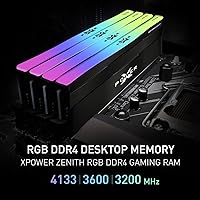
  • Memory Speed: Rated at 3600MHz (PC4-28800), which is achievable after enabling the XMP or DOCP profile in your motherboard BIOS.
  • Latency Timings: Primary timings run at 18-22-22-42 at the rated 3600MHz frequency, classified as CL18.
  • Operating Voltage: Each module operates at 1.35V, which is lower than the 1.5V found on older DDR4 kits, resulting in modestly reduced power consumption.
  • Memory Type: Uses DDR4 SDRAM technology, the fourth-generation double-data-rate standard widely supported by current desktop platforms.
  • Configuration: Unbuffered and non-ECC, confirming compatibility with mainstream consumer desktop motherboards rather than workstation or server platforms.
  • Form Factor: Standard full-size DIMM form factor designed exclusively for desktop PC motherboards.
  • Heatsink: Each stick is equipped with an aluminum heatspreader that houses the integrated RGB lighting elements along the top edge.
  • Dimensions: Each module measures 5.25 x 1.52 x 0.31 inches, a standard profile height suited to most mid-tower desktop builds.
  • Weight: Each individual stick weighs approximately 2.96 oz, consistent with a standard heatsink-equipped DDR4 DIMM.
  • RGB Lighting: Integrated RGB LEDs are designed to sync with major motherboard lighting platforms including ASUS Aura Sync and MSI Mystic Light.
  • Series: Part of Silicon Power's Zenith RGB lineup, which pairs aluminum thermal management with addressable RGB illumination.
  • Brand: Manufactured by SP Silicon Power, a Taiwanese company with an established track record in DRAM and flash storage products.
  • Model Number: The official model identifier for this kit is SP032GXLZU360BDD.
  • Warranty: Covered by Silicon Power's lifetime warranty, which includes technical support for the duration of the product's usable life.
  • Compatible Devices: Designed for standard desktop PCs only and is not compatible with laptops or devices that require SO-DIMM modules.

Related Reviews

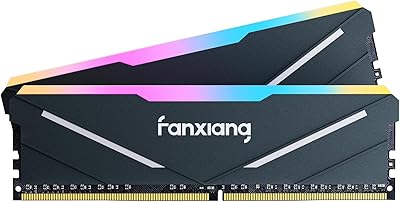
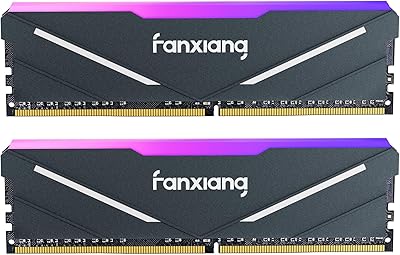
fanxiang RGB DDR4 32GB 3600MHz RAM
80%
88%
Value for Money
91%
Installation Ease
79%
XMP & BIOS Compatibility
82%
Gaming Performance
84%
RGB Aesthetics
More
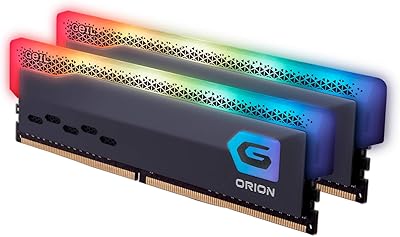
GeIL Orion RGB DDR4 RAM 32GB (2x16GB) 3600MHz
88%
92%
Gaming Performance
89%
RGB Customization
88%
Ease of Installation
87%
Value for Money
85%
Multitasking Performance
More
fanxiang RGB DDR4 32GB Desktop RAM
76%
91%
Value for Money
88%
Installation Ease
79%
XMP Performance
83%
RGB Lighting Quality
54%
RGB Software Integration
More
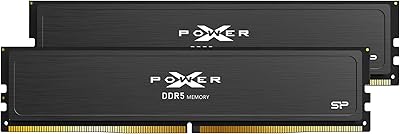
Silicon Power Value Gaming DDR5 32GB RAM
76%
84%
Value for Money
81%
Performance at Rated Speed
58%
Compatibility
89%
XMP & EXPO Activation
83%
Thermal Management
More
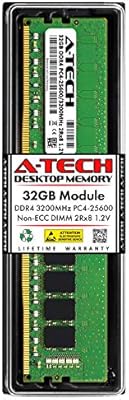
A-Tech 32GB DDR4 3200MHz Desktop RAM
81%
91%
Installation Ease
74%
System Compatibility
83%
Performance at Rated Speed
86%
Value for Money
82%
Long-term Reliability
More
Silicon Power DDR4 16GB Kit Desktop RAM
79%
93%
Value for Money
91%
Installation Ease
89%
System Stability
78%
Motherboard Compatibility
74%
Memory Speed Performance
More
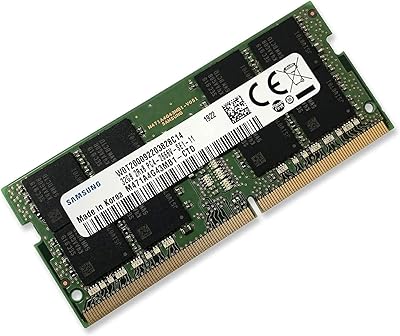
Samsung M471A4G43MB1 32GB DDR4 Laptop RAM
80%
94%
Reliability & Longevity
96%
Installation Ease
81%
Compatibility Range
72%
Value for Money
83%
Performance at Rated Speed
More
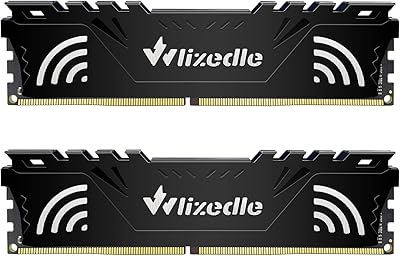
Wlizedle DDR4 3200MHz 32GB Desktop RAM Kit
79%
91%
Value for Money
88%
Installation Ease
74%
XMP & BIOS Compatibility
83%
System Performance Impact
81%
Thermal Performance
More
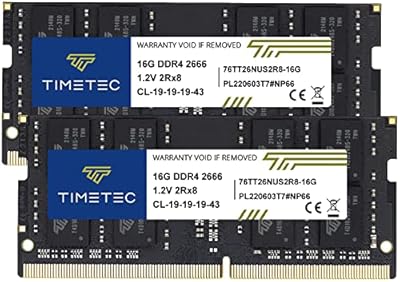
Timetec 32GB Kit (2x16GB) DDR4 2666MHz SODIMM
83%
91%
Value for Money
78%
Compatibility
93%
Installation Experience
82%
Performance Impact
87%
Long-Term Reliability
More
TEAMGROUP T-Create Expert 32GB DDR4 Desktop RAM
81%
93%
Overall Stability
88%
XMP Compatibility
79%
Thermal Performance
91%
Build Quality
74%
Value for Money
More

FAQ

Not right away. Like most high-speed DDR4 kits, these sticks will default to the JEDEC standard speed of 2133MHz on first boot. To hit the advertised 3600MHz, you need to enter your BIOS and enable the XMP profile on Intel boards, or DOCP on AMD boards. It takes about 30 seconds and only needs to be done once.

It is actually one of the better frequency choices for Ryzen. AMD's Infinity Fabric, which links the processor cores internally, runs most efficiently when memory is in the 3200MHz to 3600MHz range. This SP memory kit lands right in that window, so Ryzen users tend to get a noticeable benefit compared to running slower default speeds.

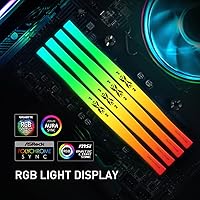
It supports the major ecosystems — ASUS Aura Sync and MSI Mystic Light are both broadly compatible. That said, sync behavior can depend on your specific board model and the version of the lighting software you have installed. A small number of users have needed a driver update to get full sync working, so if you have a less common motherboard, it is worth checking the manufacturer's compatibility list beforehand.

You can, but you will be running in single-channel mode until the second stick goes in, which significantly reduces memory bandwidth. For the best performance — particularly on Ryzen — you want both sticks installed in the correct paired slots from the start. Your motherboard manual will show you which slots to populate for dual-channel operation.

In real-world gaming and everyday productivity tasks, the difference between CL16 and CL18 at 3600MHz is rarely noticeable. Synthetic benchmarks will show a gap, but frame rates and application responsiveness are barely affected for most users. Unless you are specifically tuning for competitive benchmarking or extremely latency-sensitive workloads, CL18 at this frequency is a perfectly solid choice.

Yes, it is compatible with Intel desktop platforms that support DDR4, including LGA1200 and LGA1700 boards. On Intel, you enable the XMP profile in BIOS rather than DOCP. One thing to check is whether your specific Intel board's memory controller supports 3600MHz — some older models top out at lower speeds, so glancing at the board's memory compatibility list first is a smart move.

Each stick stands 1.52 inches tall, which is a pretty standard height for a heatsink-equipped DDR4 module. Most mid-tower builds will have no issue. If you are running a large low-profile air cooler or building in a very compact case, measure the gap between your cooler's base and the top of the first memory slot before ordering — it is a quick check that can save a headache.

The Silicon Power Zenith RGB 32GB DDR4 RAM is backed by a lifetime warranty covering manufacturing defects and hardware failures under normal operating conditions. If a stick fails outside of physical damage or misuse, Silicon Power's support team handles the replacement process. Compared to kits that only offer two or three years of coverage, lifetime protection is a meaningful reassurance, especially for a long-term build.
Possibly, but it is not guaranteed. The Zenith RGB sticks are validated at 3600MHz, and going beyond that requires manual BIOS tuning that may or may not be stable depending on your specific memory chips and your motherboard's memory controller tolerance. If overclocking above rated speeds is a priority, kits specifically binned for higher frequencies from other brands may give you better headroom.

No — this is a full-size DIMM designed only for standard desktop motherboards. Laptops use a physically smaller SO-DIMM format, and most mini-PCs do too. Unless you are building into a standard ATX, Micro-ATX, or Mini-ITX desktop case with full-size DIMM slots, these sticks will not fit.