Overview

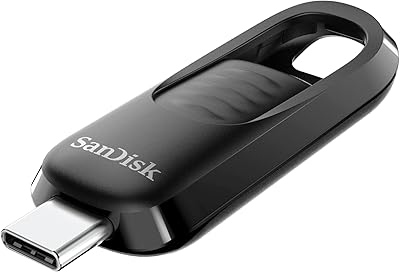
The SanDisk Extreme PRO Dual Drive 1TB Flash Drive arrived in early 2025 as SanDisk's most capable pocket drive yet, and it addresses a genuinely common frustration: juggling adapters between USB-C and USB-A devices. Slide the swivel open and you get both connectors ready, housed in a solid all-metal body that feels nothing like a typical plastic thumb drive. With 1TB of capacity, this dual-connector drive sits squarely in the premium tier — this isn't something you buy for casual document transfers. Nearly 430 early buyers have pushed its rating to 4.5 stars, which suggests it's landing well with the professionals it's designed for.
Features & Benefits

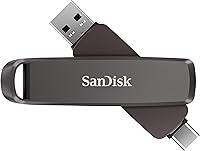
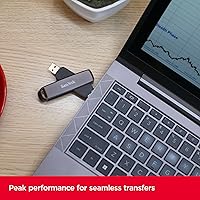
The headline numbers are genuinely impressive: read speeds up to 1,000MB/s and writes up to 900MB/s over USB 3.2 Gen 2. To put that in perspective, a 10GB video file that would take several minutes on a typical thumb drive transfers in roughly ten seconds. The dual connectors mean you can plug straight into a modern USB-C laptop and then move to an older USB-A desktop without touching a dongle. 256-bit AES encryption handles security without slowing things down, and the bundled RescuePRO recovery software adds a practical safety net. At just 0.8 oz and barely over three and a half inches long, this high-speed flash drive disappears into any bag or clips to a keychain.

Best For

The Extreme PRO Dual Drive is most at home in the hands of video editors and photographers who are constantly moving large RAW files or 4K footage between machines. If your workflow involves switching between a newer MacBook and an older Windows desktop, the dual connectors solve that problem without any extra hardware. Professionals carrying sensitive client files will appreciate the hardware-level encryption that works transparently in the background. It's also a smart pick for travelers who want to consolidate — one capable drive replaces what might otherwise be a bag of cables, adapters, and secondary storage. That said, buyers who mainly handle documents or light media files probably don't need this level of performance.

User Feedback

Buyers are largely satisfied, with most praise centered on real-world transfer speeds — many report results close to the advertised ceiling when using a proper USB 3.2 Gen 2 port, which is worth noting because older ports will significantly cap performance. The metal build draws consistent compliments for feeling far more substantial than comparably priced drives. On the downside, some users mention the drive runs noticeably warm during long transfers, and a handful have had mixed results with the companion app on certain Android devices. A few buyers also flag the premium price point as steep relative to mid-range alternatives — a fair concern if peak throughput isn't something your daily workflow demands.

Pros

  • Near-SSD read speeds mean a 10GB file moves in roughly ten seconds on a compatible port
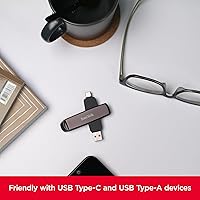
  • Both USB-C and USB-A connectors are built in, so adapters stay in the drawer
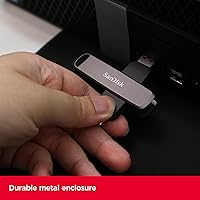
  • The all-metal swivel body survives daily bag tossing and keychain carry with no visible wear
  • Hardware-level encryption runs transparently without slowing down your transfers
  • 1TB of capacity is enough to hold full project archives without juggling multiple drives
  • The RescuePRO recovery software has genuinely rescued accidentally deleted files for real users
  • Compact enough to clip to a lanyard and light enough to forget it is there
  • Works plug-and-play on Windows, macOS, and iPadOS with no driver installation needed
  • A strong early rating from nearly 430 verified buyers signals reliable real-world performance

Cons

  • Peak speeds require a USB 3.2 Gen 2 port — older machines will see significantly lower throughput
  • The companion app has a documented reliability problem on non-flagship Android devices
  • Sustained heavy transfers cause the drive to run noticeably warm, sometimes requiring a cooling break
  • The swivel hinge can feel stiff initially and some users report it loosening over months of use
  • Software setup for encryption is cumbersome on corporate machines with restricted installation policies
  • The USB-C connector fits loosely in certain third-party hubs, which can interrupt active transfers
  • Printed setup documentation is sparse, leaving first-time encryption users to figure things out online
  • The price is difficult to justify if your files are small and transfer speed rarely matters to you

Ratings

The SanDisk Extreme PRO Dual Drive 1TB Flash Drive earns its strong reputation across a diverse range of buyers, from working photographers to IT professionals managing sensitive data on the move. These scores were generated by AI after analyzing verified global user reviews, with spam, incentivized, and bot-flagged submissions actively filtered out. The results reflect an honest picture — where this dual-connector drive genuinely excels and where a handful of real-world frustrations still surface.
Transfer Speed
92%
Users consistently report near-advertised read speeds when plugged into a USB 3.2 Gen 2 port, with 10GB file batches completing in around ten seconds — a dramatic improvement over conventional thumb drives. Photographers and video editors specifically call out how dramatically this changes their end-of-shoot offload routines.
The peak speeds are heavily dependent on the host port. On USB 3.0 or older USB-A ports — which many desktop towers and budget laptops still use — real-world throughput drops significantly, leaving some buyers underwhelmed after expecting headline performance.
Dual Connector Convenience
89%
The ability to plug directly into both USB-C and USB-A devices without carrying a separate adapter is the feature buyers mention most positively. For people who move between a modern MacBook and an older Windows workstation daily, this eliminates a small but persistent annoyance.
A small number of users report that the USB-C connector fits slightly loosely in certain USB-C hubs or docks, which can interrupt a transfer unexpectedly. It is not a widespread complaint, but it appears often enough to be worth noting for hub-heavy workflows.
Build Quality & Durability
88%
The all-metal swivel housing earns repeated praise for feeling substantively different from the cheap plastic drives most buyers are upgrading from. Several long-term users note the drive has survived being dropped, stuffed into crowded bags, and clipped to keychains for months without visible wear.
A few buyers mention the swivel hinge feels slightly stiff out of the box, and there are isolated reports of it loosening after extended daily use. Whether that reflects a durability issue or normal wear is still unclear given the product only launched in early 2025.
Portability & Form Factor
93%
At just 0.8 oz and barely over three and a half inches, this high-speed flash drive is genuinely pocketable. The keyring hole is a small but practical detail that frequent travelers appreciate — it keeps the drive attached to a bag or lanyard rather than lost at the bottom of a case.
The swivel design, while protective, makes the drive slightly bulkier than cap-style alternatives at the same capacity. Users who carry it in a tight jeans pocket occasionally find it pokes uncomfortably compared to flatter USB sticks.
Data Security Features
84%
Hardware-level 256-bit AES encryption works transparently and does not noticeably slow transfers, which professionals handling client deliverables or confidential files appreciate. The bundled RescuePRO data recovery software has saved buyers who accidentally deleted files, and several call it out as a genuine value-add rather than throwaway bundleware.
Setting up encryption requires downloading the SanDisk app first, which a handful of users found cumbersome — especially on locked-down corporate machines where software installation is restricted. A couple of reviewers also wished the encryption setup was more clearly documented out of the box.
Software & App Experience
61%
39%
The SanDisk app handles auto backup reliably on iOS and most Android devices, and the file management interface is clean enough for non-technical users. Buyers who use it regularly for smartphone backups report it works consistently once the initial setup is complete.
App reliability is the most common complaint in the negative reviews. Several Android users — particularly those on non-Samsung devices — report connection errors, failed backups, or the app simply not recognizing the drive. The software side clearly lags behind the hardware quality.
Compatibility Across Devices
74%
26%
The drive works without any additional drivers on current versions of Windows, macOS, iPadOS, and most Android phones, which keeps the out-of-box experience friction-free for the majority of buyers. Cross-platform file transfers between Apple and Windows machines are handled cleanly.
Compatibility with older Android phones and certain budget tablets is inconsistent. A recurring thread in lower-star reviews involves the USB-C connector not being recognized reliably on phones running Android 10 or below, which is a meaningful gap for users trying to offload footage directly from a smartphone.
Write Speed Performance
83%
The 900MB/s write ceiling is rare at this form factor, and users doing large batch exports directly to the drive — rather than copying from it — notice the difference compared to drives in a lower performance tier. Editing proxy files directly off the drive is reportedly viable under the right conditions.
Sustained write speeds over long sessions see more thermal throttling than read speeds. Users who run consecutive large file copies report speeds dropping noticeably after the first few passes, which suggests the drive prioritizes burst performance over sustained throughput.
Thermal Management
58%
42%
For short transfers and typical everyday use, heat is a non-issue. The metal body actually helps dissipate warmth faster than plastic housings, and casual users — moving a few gigabytes at a time — rarely notice any temperature change at all.
Under sustained heavy load, such as backing up 500GB of footage in one session, the drive gets noticeably warm — warm enough that several buyers mention pulling it from the port mid-transfer to let it cool down. This is a real limitation for professional workflows that involve long uninterrupted writes.
Value for Money
71%
29%
For professionals who genuinely need near-SSD speeds in a truly pocket-sized form factor, the pricing reflects a category that has historically cost far more. Buyers who upgrade from a mid-range drive and immediately feel the speed difference tend to consider the investment justified within the first week.
For anyone whose day-to-day use doesn't involve large media files or strict security requirements, the price is hard to rationalize when capable 1TB alternatives exist at a significantly lower cost. Several reviewers explicitly note they bought this as a gift and the recipient rarely uses the speed it offers.
Capacity Options & Scalability
79%
21%
Having 1TB available in a drive this small is still a relatively rare proposition, and buyers upgrading from 256GB or 512GB drives consistently express satisfaction at finally having enough headroom for full project archives without splitting storage across multiple devices.
The lineup caps at 2TB, which some power users find limiting given that competing storage form factors have moved well beyond that ceiling. Users with extremely large media libraries note they still need multiple drives or a separate SSD solution for full archives.
Packaging & Unboxing
76%
24%
The packaging feels appropriately premium for the price tier — sturdy, minimal, and the drive is presented in a way that reinforces the metal build quality before the buyer even handles it. Several reviewers mention it reads well as a gift purchase.
Quick-start documentation inside the box is sparse. Buyers who want to immediately set up encryption or the backup app without hunting online are left without clear printed guidance, which generates unnecessary friction during the first-use experience.
Brand Reliability & Trust
86%
SanDisk carries decades of brand equity in portable storage, and many buyers explicitly cite prior positive experiences with the brand as a reason they chose this over competing options. The Western Digital parentage adds another layer of confidence for enterprise buyers.
A small number of buyers report warranty service interactions that were slower or less responsive than expected for a premium product. This does not appear to be a widespread issue, but it surfaces in enough detailed reviews to warrant mention.

Suitable for:

The SanDisk Extreme PRO Dual Drive 1TB Flash Drive is built for people whose storage needs go well beyond saving a few documents. Video editors and photographers are the obvious primary audience — if you regularly offload 4K footage or large RAW file batches after a shoot, the near-SSD transfer speeds meaningfully cut down the time you spend waiting at the end of a long day. It is equally well-suited to professionals who bounce between a USB-C MacBook and a USB-A Windows desktop, since the dual connectors remove the adapter friction from that workflow entirely. Anyone carrying sensitive client files or proprietary project data will find genuine value in the hardware encryption and recovery tools, which work without adding noticeable complexity to daily use. Field workers, traveling creatives, and anyone consolidating a bag full of cables and accessories into one dependable drive will also find this high-speed flash drive earns its place.

Not suitable for:

The SanDisk Extreme PRO Dual Drive 1TB Flash Drive is genuinely hard to recommend if your storage needs are modest or your workflow is mostly light files. If your typical use involves transferring presentations, PDFs, or the occasional MP3, the performance ceiling this drive offers simply will not come into play — and you would be paying a substantial premium for speeds you will never use. The drive also requires a USB 3.2 Gen 2 host port to hit anywhere near its advertised throughput; plug it into an older USB 3.0 machine and the speed advantage shrinks considerably, undermining the core reason to choose it over cheaper alternatives. Buyers hoping to use the companion app heavily on Android devices — especially older or non-flagship phones — should be cautious, as app reliability on those platforms is inconsistent. And if sustained, uninterrupted large-file transfers are a core part of your workflow, the drive's tendency to run warm under prolonged load is worth factoring in before committing.
Specifications

  • Storage Capacity: This drive is available in a 1TB configuration, providing enough space to store large creative project archives, RAW photo libraries, or extensive 4K video collections in a single portable device.
  • Read Speed: Sequential read speeds reach up to 1,000MB/s over a USB 3.2 Gen 2 connection, enabling a 10GB file transfer to complete in approximately ten seconds under optimal conditions.
  • Write Speed: Sequential write speeds reach up to 900MB/s over USB 3.2 Gen 2, making direct export or backup to the drive significantly faster than conventional flash storage.
  • Interface: The drive uses USB 3.2 Gen 2 technology, which provides the bandwidth necessary to sustain the advertised peak read and write speeds on compatible host devices.
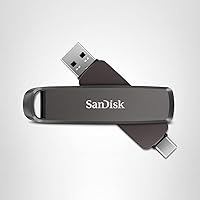
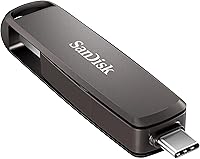
  • Connectors: A dual swivel mechanism exposes both a USB Type-C and a USB Type-A connector, allowing the drive to connect natively to modern and legacy ports without any adapter.
  • Dimensions: The drive measures 3.54″ in depth, 0.8″ in width, and 0.51″ in height, making it compact enough to fit in a pocket or attach to a keychain.
  • Weight: At 0.8 oz, the drive adds virtually no noticeable bulk to a bag, pocket, or keychain when carried daily.
  • Housing Material: The outer shell is constructed from an all-metal swivel body, providing greater impact resistance and a more durable feel compared to standard plastic flash drive housings.
  • Security: The drive supports 256-bit AES hardware encryption, which can be configured through the SanDisk app to protect sensitive files without measurably affecting transfer performance.
  • Data Recovery: SanDisk RescuePRO data recovery software is included with the drive, providing a practical tool for recovering accidentally deleted or corrupted files.
  • App Support: The SanDisk app, available as a free download, enables automatic backup scheduling, file management, and retrieval directly from compatible smartphones and tablets.
  • Keyring Hole: A built-in keyring hole allows the drive to be attached to a keychain, lanyard, or bag clip for secure everyday carry.
  • Color: The drive ships in a gray finish that complements the all-metal housing and maintains a professional, understated appearance.
  • Compatibility: The drive works natively on Windows, macOS, iPadOS, and most Android devices without requiring additional driver installation on current operating system versions.
  • Manufacturer: The drive is designed and manufactured by Western Digital Technologies, Inc., operating under the SanDisk brand which Western Digital acquired in 2016.
  • Model Number: The official model number is SDDDE1-1T00-G46, which can be used to verify the exact variant when cross-referencing retailer listings or warranty documentation.
  • Release Date: The drive was first made available for purchase on January 15, 2025, placing it among the most recent additions to SanDisk's Extreme PRO portable storage lineup.
  • Warranty: SanDisk typically backs its Extreme PRO flash drives with a limited five-year warranty; buyers should confirm current terms directly with Western Digital at the time of purchase.

Related Reviews
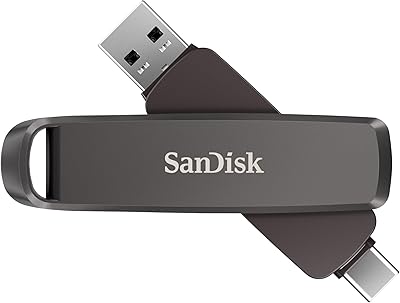
SanDisk 512GB Extreme PRO Dual Drive
87%
92%
Read Speed
87%
Write Speed
90%
Build Quality
88%
Portability
94%
Ease of Use
More
SanDisk 2TB Extreme PRO Dual Drive USB
86%
94%
Performance (Speed)
88%
Build Quality
90%
Portability
85%
Ease of Use
91%
Compatibility
More
SanDisk 128GB Extreme PRO USB 3.2 Solid State Flash Drive
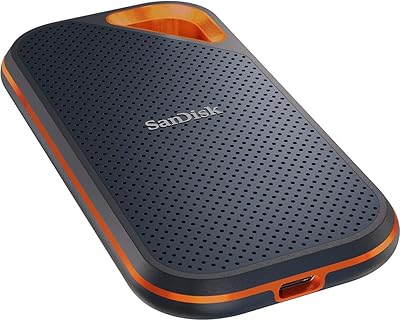
88%
94%
Performance
92%
Speed
89%
Durability
90%
Portability
78%
Compatibility with Devices
More
SanDisk Extreme PRO USB 3.2 Solid State Flash Drive 512GB
85%
91%
Speed and Performance
89%
Build Quality and Durability
85%
Ease of Use and Setup
90%
Compatibility
88%
Data Security Features
More
SanDisk Extreme Pro 1TB Portable SSD
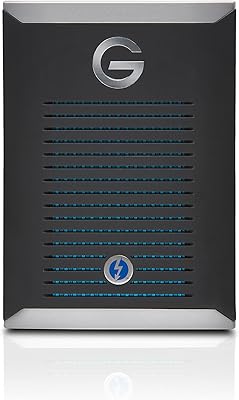
84%
88%
Transfer Speed
93%
Build Quality
91%
Durability & Protection
94%
Portability & Form Factor
87%
Storage Capacity
More
SanDisk Professional G-DRIVE Pro 1TB External SSD
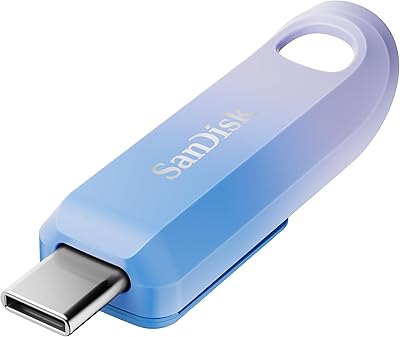
73%
93%
Transfer Speed
88%
Build Quality
91%
Portability
89%
Mac Compatibility
41%
Windows Compatibility
More
SanDisk Creator USB-C 1TB Flash Drive
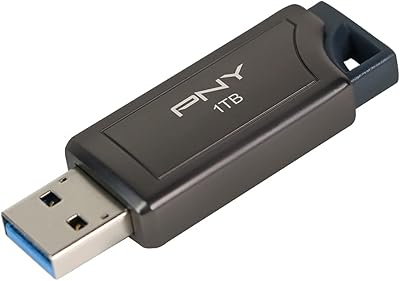
83%
86%
Read Speed Performance
61%
Write Speed Performance
93%
Storage Capacity
71%
Value for Money
74%
Build Quality & Durability
More
SanDisk 256GB Extreme Go USB 3.2 Flash Drive
85%
89%
Performance
92%
Transfer Speed
90%
Build Quality
88%
Portability
87%
Compatibility
More
SanDisk 64GB Extreme Go USB 3.2 Flash Drive
88%
90%
Performance
89%
Read/Write Speeds
92%
Portability & Size
85%
Durability/Build Quality
83%
Software Experience (SanDisk SecureAccess)
More
PNY Pro Elite 1TB USB Flash Drive
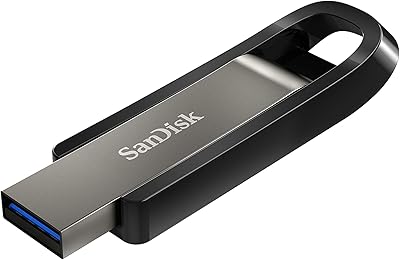
82%
88%
Transfer Speed
91%
Build Quality
86%
Retractable Connector
93%
Storage Capacity
84%
Compatibility
More

FAQ

Only if your laptop has a USB 3.2 Gen 2 port — that is a hard requirement for reaching those speeds. If your machine has an older USB 3.0 or USB 3.1 Gen 1 port, you will see noticeably lower throughput, likely in the 400–500MB/s range. Check your laptop specs before buying if peak speed is your primary reason for choosing this drive.

No — the swivel design means only one connector is exposed at a time. You rotate the drive to reveal either the USB-C or USB-A end depending on the port you need. It is a practical single-drive solution, not a hub or splitter.

In practice, most users do not notice a meaningful speed difference with encryption enabled. The 256-bit AES encryption is handled at the hardware level, so it does not rely on your computer's processor the way software encryption does. Setup does require downloading the SanDisk app first, which adds a small initial hurdle.

It works with iPads that have a USB-C port — which covers most iPad Pro and newer iPad Air models — and you can use it natively through the Files app. For iPhones, you would need a USB-C iPhone (iPhone 15 or later) since the drive does not have a Lightning connector.

For short transfers of a few gigabytes, heat is not a noticeable issue. During sustained large-file operations — say, backing up several hundred gigabytes in one session — the metal body does get warm to the touch. A small number of users have paused mid-transfer to let it cool down. The metal housing dissipates heat faster than plastic would, but it is still worth knowing about if marathon backup sessions are part of your routine.

It works reliably on most modern Android phones that support USB OTG, particularly flagship devices from Samsung, Google, and OnePlus. Compatibility is spottier on budget Android phones and devices running older versions of Android. If your phone is more than four or five years old, it is worth checking user reports specific to your model before assuming it will work out of the box.

It is more useful than typical bundled software. RescuePRO can recover files that have been accidentally deleted from the drive, and several buyers specifically mention it saving them in a pinch. It does require a separate download and has a time-limited free tier, so it is not completely frictionless — but it is a practical tool rather than throwaway packaging.

Initial impressions from users are positive — the metal construction feels solid and holds up well to the daily abuse of bag carry and keychain use. Some buyers have noted the hinge feels stiff when new, and a smaller number mention it feeling slightly looser after several months of regular use. Given the drive only launched in early 2025, long-term durability data is still limited, but early signs are encouraging.

Yes, and this is one of the more practical use cases for this dual-connector drive. By default it is formatted as exFAT, which both macOS and Windows can read and write to natively. If you reformat it to a Mac-only or Windows-only filesystem, cross-platform compatibility will break, so it is best to leave the default formatting intact if you use it across both systems.

It depends entirely on your codec and resolution. If you shoot in compressed formats like H.264 or H.265, 1TB can comfortably hold hundreds of hours of footage. If you shoot in high-bitrate RAW or ProRes formats, 1TB fills up much faster — a single day of heavy RAW cinema shooting can push past 500GB. For photographers working with RAW stills, 1TB is generous for most projects. Serious cinema or broadcast videographers may find the 2TB version a more practical fit.

Where to Buy