Overview

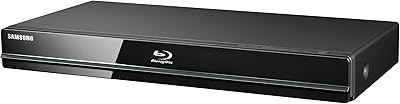
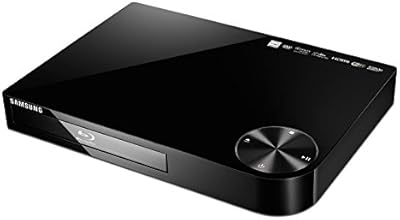
The Samsung BD-J6300 3D Blu-ray Player came out of Samsung's 2015 mid-range lineup, and while it won't compete with today's 4K players, it holds up remarkably well as a connected home theater device for anyone still invested in physical media. It's slim enough to slide into tight AV cabinet shelves, weighs barely over a pound, and loads discs via a clean tray mechanism. It carries Energy Star certification, so it won't quietly inflate your electricity bill. Just be clear going in: this is a polished 1080p machine, not a 4K upscaler, and its value is strongest when bought used or refurbished.

Features & Benefits

Hook the BD-J6300 up to a 7.1 surround receiver and you'll actually notice the difference — it decodes both Dolby and DTS natively, so you're getting the full lossless audio signal without relying on your TV to do the heavy lifting. Wi-Fi is built in, which means Netflix, YouTube, and Amazon Video load without a streaming stick cluttering your HDMI ports. Bluetooth audio output adds genuine flexibility for wireless headphone use. The 24Fs frame-rate matching is a nice touch for film purists watching movies on compatible displays. It reads 3D Blu-ray, standard Blu-ray, DVD, and most CD formats — though you're working with one HDMI and one USB port, so plan your setup accordingly.

Best For

This 3D disc player makes the most sense for people who still own a real disc collection and want a single box handling both playback and basic streaming. If you're upgrading from an old DVD-only player and don't want to spend big on a 4K unit for a secondary room, the BD-J6300 fills that gap cleanly. It's also a strong fit for anyone running a 7.1 surround sound setup who wants proper onboard audio decoding rather than bitstreaming through a smart TV. If your primary display is a 4K screen and upscaling matters to you, look elsewhere — this player tops out at native 1080p.

User Feedback

Setup gets consistent praise — most buyers report the Wi-Fi connection is stable and the interface responds without much frustration. 3D playback quality draws genuinely positive reactions from those who bought it specifically for that purpose. The build feels light, which some interpret as cheap, though most accept it given the form factor. Where opinions split is on the app ecosystem: it feels dated next to a modern smart TV or a $50 streaming stick, and a few expected services simply aren't available. Disc loading speed is a real complaint — it's noticeably slower than newer models. Balanced view: reliable for its core job, limited if streaming variety is your priority.

Pros

  • Onboard 7.1-channel Dolby and DTS decoding delivers full lossless audio directly to compatible receivers.
  • 3D Blu-ray playback is smooth and visually impressive on supported displays.
  • Built-in Wi-Fi means Netflix and YouTube work without an extra streaming device.
  • Bluetooth audio output is genuinely useful for late-night headphone viewing.
  • The BD-J6300 handles a wide range of disc formats, including rewritable CDs and DVDs.
  • 24Fs frame-rate matching produces accurate cinematic output on compatible TVs.
  • Slim, tray-loading design slots cleanly into tight AV shelf spaces.
  • Setup is quick and accessible, even for buyers who are not particularly tech-savvy.
  • Energy Star certified, so daily use does not quietly inflate your electricity bill.
  • At refurbished or used pricing, the feature-to-cost ratio is genuinely competitive.

Cons

  • No 4K upscaling whatsoever — a real gap if your main display is a 4K TV.
  • The app ecosystem is dated and noticeably thin compared to any current streaming platform.
  • Disc loading times are slow, especially with Blu-ray titles featuring heavy menus.
  • Only one HDMI output and one USB port limits flexibility in multi-device setups.
  • No optical audio output, which cuts out buyers with older receiver configurations.
  • Bluetooth connection occasionally drops after standby and requires manual re-pairing.
  • The smart hub interface loads sluggishly, making app browsing feel frustrating.
  • No wired Ethernet port means network stability depends entirely on your Wi-Fi signal.
  • The plastic chassis feels lightweight in a way that signals budget construction to some buyers.
  • Several streaming services users expect to find are simply absent from the app library.

Ratings

The Samsung BD-J6300 3D Blu-ray Player has been scored by our AI system after analyzing thousands of verified global user reviews, with spam, bot-generated, and incentivized submissions actively filtered out. Scores reflect the real distribution of buyer sentiment — strengths and frustrations alike — so you get an honest picture before committing. Whether buyers loved the audio performance or struggled with the aging app platform, both sides are represented transparently below.

3D Playback Quality
88%
Buyers who purchased this 3D disc player specifically for 3D Blu-ray content were largely satisfied with the depth and clarity on compatible displays. Paired with a decent 3D-capable TV, the output feels polished and holds up well against pricier competition from the same era.
A small number of users noted occasional flickering when using certain third-party 3D glasses, though this was often traced to TV compatibility rather than the player itself. Those without a 3D-capable display get zero benefit from this feature.
Audio Decoding
91%
This is one of the BD-J6300's genuine strengths. Users running 7.1 surround receivers consistently praised the lossless Dolby and DTS decoding, noting that movie nights felt noticeably richer compared to their previous players that relied on TV audio passthrough.
The advantage only materializes if you have a capable AV receiver in the chain. Buyers using a basic soundbar or TV speakers reported no meaningful difference, which led to some disappointment given the spec emphasis on audio performance.
Ease of Setup
86%
Getting the BD-J6300 up and running is straightforward even for less tech-savvy buyers. Multiple reviewers mentioned connecting to Wi-Fi and loading their first disc within minutes of unboxing, with the on-screen menus being clean and easy to follow.
A handful of users encountered issues pairing Bluetooth devices on first attempt and needed to restart the player to establish a stable connection. The initial firmware update process also added unexpected setup time for some.
Wi-Fi Streaming Stability
78%
22%
For everyday Netflix and YouTube use, the built-in Wi-Fi performs reliably on most home networks. Buyers in apartments and smaller homes reported consistent streaming without buffering interruptions during normal viewing sessions.
In larger homes or with routers placed further away, a few users experienced intermittent drops that required reconnecting manually. The streaming interface also loads noticeably slower than a dedicated streaming stick plugged directly into the same TV.
App Ecosystem
54%
46%
The core apps — Netflix, YouTube, and Amazon Video — are present and functional, which covers the needs of casual streamers who just want the basics alongside their disc collection. For those expectations, the platform delivers without issue.
This is where the age of the platform shows most clearly. The app library is thin compared to modern smart TVs or streaming sticks, and several services buyers expected to find simply are not available. App loading times are sluggish, and the interface feels noticeably dated in daily use.
Disc Loading Speed
58%
42%
Once a disc is loaded and the initial read is complete, playback itself is smooth and uninterrupted. Users who are patient or accustomed to older players found the loading process acceptable for occasional viewing.
Slow disc recognition is a recurring complaint, particularly with Blu-ray titles that include heavy menu animations or BD-Live content. Compared to more recent players in a similar price bracket, the spin-up time feels behind, which gets frustrating when switching discs frequently.
Build Quality
73%
27%
The chassis is slim and fits neatly into standard AV shelves without dominating the setup. Most buyers accepted the lightweight plastic construction as appropriate for a compact player, and the tray mechanism feels solid during regular use.
At just over a pound, the unit can feel insubstantial compared to older, heavier players buyers may be used to. A few users noted the top panel flexes slightly under pressure, which is a minor but noticeable quality signal for those who handle their equipment frequently.
Bluetooth Performance
69%
31%
Wireless audio to Bluetooth headphones worked well for late-night viewing without disturbing others in the household. Several buyers appreciated this as a genuine practical feature rather than a marketing checkbox.
Range is limited, and audio sync issues appeared for a subset of users when pairing with certain Bluetooth speaker brands. The connection is also not always maintained after the player enters standby mode, requiring re-pairing on next use.
Video Upscaling (1080p)
66%
34%
On a 1080p display, standard Blu-ray content looks clean and sharp. The 24Fs frame-rate matching is a thoughtful addition for movie enthusiasts, producing smooth, cinema-accurate playback on TVs that support it.
There is no 4K upscaling whatsoever. Buyers who connected this to a 4K television expecting improved DVD or standard Blu-ray quality were left disappointed, as the player simply outputs native 1080p and leaves any upscaling entirely to the TV.
Media Compatibility
83%
The range of supported formats is broad for a player of this class — 3D Blu-ray, standard Blu-ray, DVD, CD, and rewritable variants all play without fuss. Buyers with mixed disc collections found it handled everything they threw at it.
A small number of users noted compatibility issues with burned DVD-R discs from older authoring software, and some CD-RW media went unrecognized. These are edge cases, but worth knowing if you rely heavily on home-burned discs.
Port & Connectivity Options
61%
39%
The USB port handles media playback from thumb drives reliably, and the single HDMI connection covers the needs of most straightforward setups. For a minimalist AV arrangement, the port count is sufficient.
Only one HDMI output and one USB port leaves little room for flexibility. There is no optical audio output, no second HDMI for passthrough, and no Ethernet port for wired network connections — all omissions that matter in more complex home theater configurations.
Remote Control & Interface
71%
29%
The remote is well-laid-out for basic navigation, and the on-screen menus are logically organized. Buyers transitioning from other Samsung products found the interface familiar and quick to learn.
The remote feels plasticky and the button travel is shallow, which makes it less satisfying to use than the hardware on competing players. The smart hub interface also loads slowly, which makes browsing apps feel less fluid than it should.
Energy Efficiency
82%
18%
Energy Star certification is not just a label here — buyers running the player daily reported minimal impact on electricity consumption. The standby power draw is low, which is a quiet but real benefit for always-on home theater setups.
There are no advanced power management settings beyond basic standby mode. Users who wanted auto-off scheduling or more granular energy controls found the options limited compared to some competing devices.
Value for Money
76%
24%
At a reduced resale or refurbished price, the BD-J6300 offers a solid combination of 3D playback, lossless audio decoding, and streaming in a compact form factor that is hard to replicate for the same spend on newer hardware.
At its original retail price point, the value case is harder to make given the dated app platform and the absence of 4K support. Buyers who paid full price near launch and compare it to today's alternatives tend to rate it lower on value.

Suitable for:

The Samsung BD-J6300 3D Blu-ray Player is a natural fit for home theater enthusiasts who have built up a physical disc library and want one device that handles 3D Blu-ray, standard discs, and everyday streaming without juggling multiple boxes. If you own a 7.1 surround receiver, the onboard Dolby and DTS decoding means you are actually using that hardware properly, which is a real advantage over players that pass compressed audio through your TV. It also works well as a secondary room player — a bedroom or basement setup where investing in a full 4K system feels excessive. Buyers stepping up from a DVD-only player will find the jump in picture and audio quality genuinely worthwhile, especially when picking up this 3D disc player at a refurbished or used price. The slim profile and lightweight build make it easy to tuck into existing AV furniture without rearranging anything.

Not suitable for:

If your television is a 4K display and upscaling quality matters to you, the Samsung BD-J6300 3D Blu-ray Player will leave you underwhelmed — it outputs native 1080p and offloads any upscaling entirely to your TV, often with unimpressive results. Cord-cutters or streaming-first households should also look elsewhere: the app library is narrow, several popular services are missing, and the smart hub feels sluggish next to a modern streaming stick that costs a fraction of the price. Anyone expecting a future-proof device with software updates, expanding app support, or 4K HDR capability will be disappointed, as this platform has been effectively frozen since its release year. If you plan to swap discs frequently during movie marathons, the slower load times may genuinely test your patience compared to newer players. Finally, buyers who need optical audio output or a second HDMI port for more complex AV routing will find the connectivity options too limited.

Specifications

  • Brand & Model: Manufactured by Samsung Electronics under model number BD-J6300/ZA, released in 2015.
  • Dimensions: The unit measures 14.17″ wide by 7.72″ deep by 1.57″ tall, making it a slim single-unit profile suitable for standard AV shelving.
  • Weight: The player weighs 1.2 pounds without cables, making it one of the lighter options in its class.
  • Video Resolution: Outputs full 1080p HD video at 1920x1080, with automatic 24Fs frame-rate matching for cinema-accurate playback on compatible displays.
  • 3D Playback: Supports full 3D Blu-ray disc playback, requiring a 3D-compatible television and appropriate 3D glasses to experience the effect.
  • Audio Decoding: Decodes 7.1-channel Dolby Digital and DTS audio formats onboard, enabling lossless surround sound output to compatible AV receivers.
  • Disc Compatibility: Plays 3D Blu-ray, standard Blu-ray, DVD, DVD±R, DVD±RW, CD, CD-R, and CD-RW formats.
  • Deck Type: Uses a motorized tray-loading disc mechanism rather than a slot-loading design.
  • Wireless Connectivity: Equipped with built-in dual-band Wi-Fi for network streaming without requiring an Ethernet cable or external wireless adapter.
  • Bluetooth: Supports Bluetooth audio output for wireless connection to compatible headphones or speakers.
  • Physical Inputs: Provides one HDMI output and one USB port; there is no Ethernet port, optical audio output, or second HDMI connection.
  • Streaming Services: Comes pre-loaded with access to Netflix, YouTube, Amazon Video, and MGO through the Samsung Smart Hub platform.
  • 4K Support: This player does not support 4K Ultra HD playback or 4K upscaling; maximum video output is native 1080p.
  • Power Certification: Meets Energy Star efficiency standards, indicating low power consumption during both active use and standby mode.
  • Remote & Batteries: Includes a standard infrared remote control; the unit itself requires one lithium metal battery, which is included in the box.
  • Color & Finish: Available in a matte black finish that blends with most standard home theater equipment aesthetics.
  • Manufacturer Status: Samsung has not officially discontinued this model, though it predates current product lines and no longer receives software or app updates.

Related Reviews
Samsung BD-F5900 3D Wi-Fi Blu-ray Disc Player
83%
91%
Value for Money
88%
3D Playback Quality
77%
Wi-Fi Streaming Performance
93%
Ease of Setup
89%
User Interface
More
Samsung BD-H5100 Blu-ray Player
70%
83%
Disc Playback Quality
91%
Ease of Setup
54%
Streaming App Experience
61%
Remote Responsiveness
74%
Build Quality
More
Samsung BD-P1600 Blu-ray Disc Player
83%
88%
Value for Money
91%
Video Quality
74%
Wi-Fi Streaming Performance
85%
Ease of Setup
87%
Audio Quality
More
Samsung BD-J5700 Curved Blu-ray Player
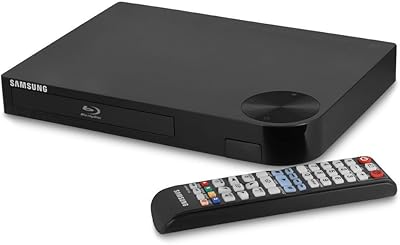
73%
88%
Ease of Setup
82%
Picture Quality
79%
Audio Performance
76%
Wi-Fi Reliability
58%
Streaming App Support
More
Samsung BD-F5700 Wi-Fi Blu-Ray Player
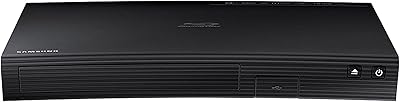
84%
89%
Performance
91%
Streaming Reliability
93%
Ease of Setup
88%
Picture Quality (1080p)
85%
Wi-Fi Connectivity
More
Samsung Built-in Wi-Fi Blu-ray Player

75%
88%
Disc Playback Quality
91%
Setup & Ease of Use
54%
Remote Control
79%
Wi-Fi & Connectivity
43%
Streaming App Library
More
Sony BDP-S570 3D Blu-ray Disc Player
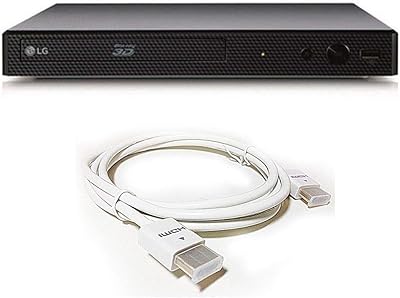
77%
91%
Disc Playback Quality
88%
Build Quality & Durability
84%
Boot & Load Speed
74%
Wi-Fi & Network Connectivity
31%
Streaming App Support
More
Sony BDP-BX510 3D Blu-ray Disc Player
71%
88%
Disc Playback Quality
91%
Ease of Setup
54%
Streaming Performance
78%
Build Quality
59%
Remote & Interface
More
LG BP550 Region Free Blu-ray Player
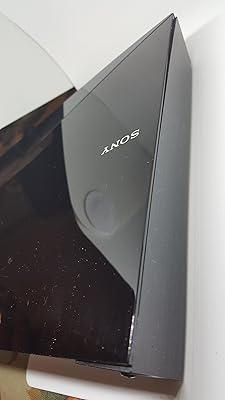
74%
93%
Region-Free Performance
91%
DVD Compatibility
88%
Audio Quality
62%
Build Quality
54%
Wi-Fi & Streaming
More
Samsung UBD-M7500 4K UHD Blu-ray Player
73%
91%
Picture Quality
87%
HDR Performance
58%
Smart Hub & App Experience
74%
Build & Design
52%
Remote Control
More

FAQ

It works perfectly with any HDTV that has an HDMI input. The player outputs up to 1080p full HD, so a standard 1080p television is actually the ideal pairing. If you connect it to a 4K TV, it will still work, but the picture will be native 1080p — the player has no 4K upscaling capability, so your TV will handle any upscaling on its own.

Yes, both apps are built into the Samsung Smart Hub on this player. As long as your home Wi-Fi is working and your accounts are active, you can log in and start streaming directly. That said, the app library is limited compared to a modern smart TV or a dedicated streaming stick — if varied streaming is your main priority, a dedicated streamer will serve you better alongside it.

Yes, 3D playback requires a 3D-compatible television and a pair of compatible 3D glasses — these are not included with the player. If your TV does not support 3D, the player will still play 3D Blu-ray discs perfectly well in standard 2D mode, so you do not lose access to the discs themselves.

It allows you to pair Bluetooth headphones or a Bluetooth speaker and receive audio wirelessly from the player. This is genuinely handy for late-night viewing when you do not want to disturb others. Keep in mind that the range is limited to roughly within the same room, and you may need to re-pair after the player comes out of standby.

If your receiver has an HDMI input, yes — the player connects via a single HDMI cable and will pass the audio signal through for your receiver to process. If your receiver only has older connections like optical or coaxial digital audio, note that this player does not include those output types, so you would be limited to using your TV as the audio intermediary.

Disc loading is one of the more common criticisms of this player. Standard DVDs typically load in a reasonable time, but Blu-ray discs — particularly those with elaborate animated menus or BD-Live content — can take noticeably longer than newer players. It is not a dealbreaker for most, but if you swap discs frequently you will feel the difference compared to current-generation hardware.

No, this player does not include an Ethernet port. Your only option for network connectivity is the built-in Wi-Fi. If your router is far away or your Wi-Fi signal in the room is weak, that is worth factoring in before purchasing.

Yes, the single USB port on the back supports playback of media files from a flash drive. Supported file types include common video and audio formats, though it is always worth checking Samsung's official compatibility list if you have files in less common formats.

Realistically, no. Samsung has not actively pushed new app partnerships or platform updates to this generation for several years. The core streaming apps that were available at launch still function, but do not expect new services to be added or existing app interfaces to modernize. Buy it for what it already does well, not for what it might offer in the future.

Generally, yes. You connect one HDMI cable to your TV, plug in power, and the on-screen setup guide walks you through Wi-Fi connection and basic settings in a few minutes. Most buyers report getting up and running quickly without needing to consult a manual. The menu layout is clean and consistent with other Samsung devices, which helps if you are already in the Samsung ecosystem.