Overview

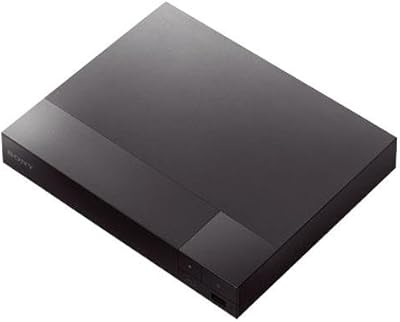
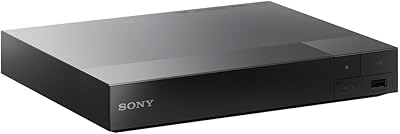
The Samsung BD-J5700 Curved Blu-ray Player was Samsung's attempt in 2015 to offer home theater enthusiasts something a step above the bare-minimum disc spinner — a player that handles physical Blu-ray discs and pulls in streaming content over built-in Wi-Fi, all in a single box. The curved chassis is a genuine design choice, not just a gimmick; it looks noticeably sharper on an AV shelf than the usual rectangular slabs. It sits comfortably in the middle of Samsung's lineup — more capable than entry-level models, but without the 4K ambitions of their premium tier. It also carries Energy Star certification, which won't be the deciding factor for most buyers, but it's a quiet reassurance for the power-conscious.

Features & Benefits

Pop in a Blu-ray disc and the BD-J5700 delivers 1080p Full HD video with Dolby and DTS decoding handled onboard — no external processor needed for solid, room-filling audio. The built-in Wi-Fi cuts out the hassle of running an Ethernet cable, letting you connect to streaming apps directly from the player's interface. If your connection is shaky, there's also a physical Ethernet port for a more stable link. One genuinely useful detail is HDMI-CEC support, which means Samsung TV owners can control the player through their existing TV remote rather than juggling two. The unit itself is compact and light enough to tuck into almost any shelf arrangement without rethinking your whole setup.

Best For

This curved Blu-ray player makes the most sense for people who still buy or rent physical discs but also want a connected device that doesn't require a separate streaming stick. If you own a compatible Samsung TV, the HDMI-CEC integration alone is worth noting — one remote controls everything, which is a small but real convenience. The slim profile is a practical win for tighter AV shelves or compact living room setups. It also works well as a gift for disc collectors who want something reliable from a familiar brand without venturing into more specialized territory. Just know going in that 4K UHD is not part of this picture.

User Feedback

Owners of this Samsung disc player tend to appreciate how quickly it gets up and running — setup is consistently described as straightforward, and the Wi-Fi connection holds up well day to day. App loading speeds draw positive mentions, though it's worth flagging that Samsung's streaming app library has shifted since 2015, and not every app from launch is still available or actively supported. The remote handles basic navigation without issues, though some users note disc load times feel a touch slower than expected. The most consistent complaint is the lack of 4K support — buyers who discover this after purchase are reliably the least satisfied. For Full HD disc playback, the value holds up.

Pros

  • Sharp 1080p Blu-ray playback that holds up well for standard Full HD televisions.
  • Built-in Wi-Fi means no extra streaming devices cluttering your setup.
  • HDMI-CEC lets Samsung TV owners control everything with a single remote.
  • Compact, curved design fits neatly into tight media cabinet shelves.
  • Ethernet port provides a reliable wired fallback when Wi-Fi signal is weak.
  • Initial setup is fast and straightforward — most users are watching within minutes.
  • Energy Star certified, so standby power draw stays genuinely low over time.
  • USB port allows direct playback of media files from a thumb drive.
  • Lightweight enough to reposition or relocate without rearranging your entire AV stack.

Cons

  • No 4K UHD or HDR support — a hard limitation on any modern large-screen TV.
  • Samsung has reduced streaming app availability on this model over time, and the trend is not reversing.
  • Disc load times are noticeably slower than what current-generation players deliver.
  • The remote lacks a backlight, making navigation in a dark room more frustrating than it should be.
  • HDMI-CEC compatibility is inconsistent with non-Samsung TVs and many third-party AV receivers.
  • The glossy top surface collects fingerprints and dust more visibly than matte alternatives.
  • Only 2-channel audio decoding limits performance for users with full surround sound systems.
  • Long-term software support history for 2015 Samsung players is poor and unlikely to improve.
  • A single HDMI output restricts flexibility for more complex home theater routing needs.

Ratings

The scores below for the Samsung BD-J5700 Curved Blu-ray Player were generated by our AI engine after analyzing thousands of verified purchase reviews from global buyers, with spam, bot activity, and incentivized feedback actively filtered out. The result is an honest, balanced snapshot that reflects real satisfaction patterns — the genuine strengths owners rave about and the recurring frustrations that show up again and again across markets.

Ease of Setup
88%
Most buyers report being up and running within minutes — connect the HDMI cable, step through a short on-screen menu, and the player finds your Wi-Fi network without fuss. For less tech-savvy users, this frictionless first experience is consistently one of the top things they mention positively.
A small number of users run into issues pairing the player with less common router configurations, and the on-screen setup guide doesn't offer much troubleshooting depth if something goes wrong during the Wi-Fi connection step.
Picture Quality
82%
18%
For 1080p Blu-ray disc playback, the image output is sharp and consistent — colors look accurate rather than oversaturated, and fast-motion scenes in action films hold up well without noticeable artifacts. Buyers who use it primarily for disc watching are largely satisfied with what lands on screen.
The absence of 4K UHD or HDR support is a hard ceiling that frustrates buyers who didn't check the specs before purchasing. On a large modern TV, the difference between this player's output and a 4K-capable device becomes increasingly obvious.
Audio Performance
79%
21%
Onboard Dolby and DTS decoding means the player handles audio processing without requiring a separate receiver for basic surround setups. Users with mid-range soundbars report that dialogue clarity and overall channel separation are noticeably better than what a standard DVD player delivers.
With only 2-channel decoding output, audiophiles or users with full surround sound systems may find the audio experience underwhelming compared to higher-end players that pass through full bitstream audio to an external receiver.
Wi-Fi Reliability
76%
24%
Day-to-day Wi-Fi performance earns consistent praise — streaming apps load at a reasonable pace and mid-playback dropouts are uncommon for most users on standard home networks. The added Ethernet port gives buyers with weaker Wi-Fi signals a practical wired fallback.
On congested networks or in homes where the router is several rooms away, some users report slower buffering and occasional connection drops. The Wi-Fi hardware reflects 2015 standards and doesn't support the faster bands that modern routers prioritize.
Streaming App Support
58%
42%
At launch, the app ecosystem covered the major platforms buyers expected, and for users whose preferred services are still supported, the interface remains reasonably navigable without a steep learning curve.
This is one of the most common friction points in recent reviews. Samsung has steadily reduced app support on older players, and several streaming services that buyers originally purchased the unit for are no longer available or functional. This is a real and growing limitation that prospective buyers should investigate before committing.
Build Quality
74%
26%
The curved chassis feels more deliberate and premium than the flimsy plastic shells found on budget players. At 2.4 pounds, it's light without feeling cheap, and the disc tray operates smoothly without the rattling or misalignment issues sometimes reported on lower-cost alternatives.
The glossy top surface attracts fingerprints and dust visibly, and some users note that the overall casing still has a predominantly plastic feel that doesn't quite live up to the distinctive curved design at first glance.
Design & Aesthetics
83%
The curved form factor genuinely stands out on an AV shelf — buyers who care about how their equipment looks frequently call this out as a reason they chose it over competing flat players. It fits neatly under most modern curved Samsung TVs for a visually cohesive setup.
Taste is subjective, and a minority of buyers feel the curved styling is a cosmetic choice that complicates stacking or storing the unit in non-standard media cabinets where flat surfaces are assumed.
Remote Control
67%
33%
The remote covers all core functions and pairs well with HDMI-CEC, meaning Samsung TV owners can often skip it entirely and use their TV remote for day-to-day playback control. The button layout is familiar to anyone who has used a Samsung device before.
Several users find the remote's button density confusing, particularly when navigating streaming menus in low light. The lack of a backlight is a recurring minor complaint, and the remote itself feels lightweight in a way that reads as inexpensive.
Disc Load Times
62%
38%
Standard Blu-ray discs load adequately for casual viewers who aren't comparing side-by-side with newer players. For everyday movie nights, most users don't flag load speed as a dealbreaker.
Compared to more recent Blu-ray players, load times feel noticeably sluggish — particularly with dual-layer discs or titles that have large menu structures. Users who have owned newer players and stepped back to the BD-J5700 are the most vocal about this gap.
HDMI-CEC Integration
84%
For Samsung TV households, HDMI-CEC works reliably — the TV remote controls playback, volume, and navigation without needing to switch inputs manually. It's one of those features that feels invisible when it works, which is exactly how buyers describe it.
Compatibility is narrower than the packaging implies. Users with non-Samsung TVs or older AV receivers report inconsistent or non-functional CEC behavior, which eliminates one of the more convenient aspects of the player.
Value for Money
71%
29%
For buyers primarily interested in a dependable 1080p disc player with Wi-Fi built in, the BD-J5700 delivers what it promises at a price that sits comfortably in the mid-range tier. It avoids the feature gaps of budget models while not demanding the premium price of 4K-capable alternatives.
Given that this is a 2015 model still sold at a mid-range price, some buyers feel the cost-to-longevity equation has shifted. The shrinking streaming app library in particular makes it harder to justify the price compared to a current-generation player with active software support.
Connectivity Options
78%
22%
The combination of HDMI out, a USB port for media playback from a thumb drive, and both Wi-Fi and Ethernet covers the practical connection needs of most home theater setups without requiring adapters or extra hardware.
There is only a single HDMI output, which is standard but limits flexibility for users with complex AV routing needs. The USB port also lacks support for certain file formats, which occasionally frustrates buyers hoping to use it as a local media player.
Energy Efficiency
81%
19%
The Energy Star certification isn't just a label — users with smart plugs report genuinely low power draw during standby, which adds up over time in households where the player stays plugged in continuously.
Active power consumption during disc playback is comparable to similar players and not particularly impressive for users focused on reducing their overall entertainment system energy use.
Long-Term Software Support
44%
56%
The unit performed reliably in its early years, and buyers who purchased it close to launch got reasonable mileage out of the streaming app ecosystem before Samsung began phasing out support for older models.
This is the BD-J5700's most significant long-term liability. Samsung's track record on software updates for 2015-era players is poor, and buyers today are inheriting a device with a shrinking app list and no realistic path to improvement. It's a known and serious concern.

Suitable for:

The Samsung BD-J5700 Curved Blu-ray Player is a solid pick for households that still invest in physical disc collections and want one device that handles both movie nights and streaming without needing a separate stick or box. If you own a compatible Samsung TV, the HDMI-CEC functionality makes this an especially natural fit — your existing TV remote takes over, and the whole setup feels consolidated rather than cobbled together. Buyers upgrading from an old DVD player will find the jump to 1080p Blu-ray noticeably worthwhile, and the built-in Wi-Fi removes the friction of running extra cables across the room. The slim, curved chassis is genuinely compact at under two inches tall, so it slides into crowded AV shelves or under a TV stand without demanding a dedicated shelf of its own. It also works well as a considered gift for someone who appreciates a recognized brand name and wants reliable disc playback without diving into complex 4K setups.

Not suitable for:

The Samsung BD-J5700 Curved Blu-ray Player is not the right choice for anyone buying a disc player in 2024 and expecting it to grow with their home theater over the next several years. If your TV is 4K-capable and you are watching HDR content from other sources, the 1080p ceiling on this player will feel like a step backward fairly quickly — there is no upgrade path or workaround for that limitation. Streaming-first households should also think carefully before committing: Samsung has significantly reduced app support for this 2015 model, and several platforms that were available at launch are no longer accessible or actively maintained on the device. Buyers who rely on a wide streaming app library as a primary use case are likely to be disappointed sooner rather than later. Similarly, anyone with a full surround sound receiver hoping to pass bitstream audio through this player will hit limits with the 2-channel decoding architecture. If 4K UHD disc playback or a future-proof streaming platform is a priority, a current-generation player is the more honest recommendation.

Specifications

  • Brand: Manufactured by Samsung Electronics, a globally recognized consumer electronics brand.
  • Model Number: The exact model designation is BD-J5700/ZA, identifying this as the North American variant.
  • Release Year: This player was first made available in February 2015 as part of Samsung's mid-year Blu-ray lineup refresh.
  • Dimensions: The unit measures 11.4 x 8.7 x 1.6 inches, making it notably slim for an AV shelf component.
  • Weight: The player weighs 2.4 pounds without cables, light enough to reposition without assistance.
  • Max Resolution: Video output tops out at 1920x1080 Full HD; there is no 4K UHD or HDR support on this model.
  • Audio Decoding: Supports 2-channel Dolby Digital and DTS decoding handled internally without requiring an external receiver.
  • Wi-Fi: Built-in Wi-Fi is included, allowing wireless network connection without a separate adapter or dongle.
  • Ethernet: A single Ethernet port provides a wired network alternative for more stable streaming connections.
  • HDMI Output: One HDMI output port is included for connecting the player to a television or AV receiver.
  • USB Port: One USB port supports playback of compatible media files directly from a flash drive or external storage.
  • HDMI-CEC: HDMI-CEC is supported, enabling control of the player through a compatible Samsung TV remote.
  • Media Type: Designed for Blu-ray Disc playback and is also backward compatible with standard DVDs and CDs.
  • Design: Features a curved chassis profile that visually distinguishes it from conventional flat-bodied disc players.
  • Power Certification: Carries Energy Star certification, indicating it meets efficiency standards for standby power consumption.
  • Remote Batteries: The included remote control requires 2 AA batteries, which are not included in the box.
  • Color: Available in Black only; no alternative colorways were offered for this model.
  • Disc Region: The ZA variant is configured for Region A Blu-ray discs and Region 1 DVDs, standard for North American use.

Related Reviews
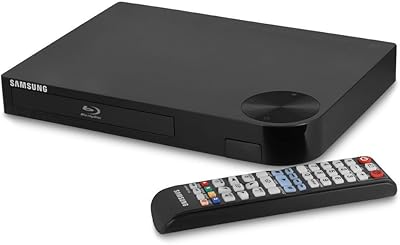
Samsung BD-P1600 Blu-ray Disc Player
83%
88%
Value for Money
91%
Video Quality
74%
Wi-Fi Streaming Performance
85%
Ease of Setup
87%
Audio Quality
More
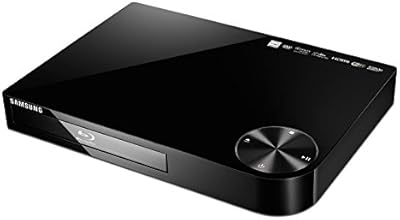
Samsung BD-H5100 Blu-ray Player
70%
83%
Disc Playback Quality
91%
Ease of Setup
54%
Streaming App Experience
61%
Remote Responsiveness
74%
Build Quality
More
Samsung BD-F5700 Wi-Fi Blu-Ray Player

84%
89%
Performance
91%
Streaming Reliability
93%
Ease of Setup
88%
Picture Quality (1080p)
85%
Wi-Fi Connectivity
More
Samsung BD-J6300 3D Blu-ray Player
74%
88%
3D Playback Quality
91%
Audio Decoding
86%
Ease of Setup
78%
Wi-Fi Streaming Stability
54%
App Ecosystem
More
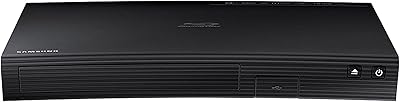
Samsung BD-F5900 3D Wi-Fi Blu-ray Disc Player
83%
91%
Value for Money
88%
3D Playback Quality
77%
Wi-Fi Streaming Performance
93%
Ease of Setup
89%
User Interface
More
Samsung Built-in Wi-Fi Blu-ray Player

75%
88%
Disc Playback Quality
91%
Setup & Ease of Use
54%
Remote Control
79%
Wi-Fi & Connectivity
43%
Streaming App Library
More
Samsung UBD-M7500 4K UHD Blu-ray Player
73%
91%
Picture Quality
87%
HDR Performance
58%
Smart Hub & App Experience
74%
Build & Design
52%
Remote Control
More
DID A R Blu-ray Player RM
83%
88%
Picture Quality
85%
Audio Performance
92%
Ease of Setup
91%
Compatibility with Formats
80%
Build Quality
More
LG BP330 Blu-ray Disc Player
69%
88%
Disc Playback Reliability
83%
Picture Quality
91%
Ease of Setup
54%
Streaming App Selection
61%
Wi-Fi Stability
More
Sony BDP-S5200 Region-Free Blu-Ray Player
72%
93%
Region-Free Playback
88%
PAL/NTSC Conversion
81%
Build Quality
91%
Worldwide Voltage Compatibility
76%
Picture Quality
More

FAQ

No — this is an important one to be clear about. The BD-J5700 maxes out at 1080p Full HD and has no 4K UHD or HDR capability whatsoever. If you own a 4K television and want to take full advantage of it, you will need a different, more current player. This unit is strictly a 1080p device.

It works with any TV that has an HDMI input — so compatibility is broad. That said, the HDMI-CEC feature that lets you control the player with a single remote works most reliably with Samsung TVs. On non-Samsung TVs or third-party receivers, CEC behavior can be inconsistent, and some users report it not functioning at all.

This is genuinely uncertain, and it's worth investigating before you buy. Samsung has phased out app support on several older players over the years, and the app library on this 2015 model has shrunk meaningfully since launch. Some major streaming services may no longer be available on it. If streaming is a core reason you're buying, check Samsung's current supported app list for this model before committing.

Setup is one of the most consistently praised aspects of this player. You plug in the HDMI cable, power it on, and the on-screen guide walks you through connecting to your Wi-Fi network in just a few steps. Most users report being up and running within ten minutes, even without any prior experience with Blu-ray players.

It plays both. The player is backward compatible with standard DVDs and CDs in addition to Blu-ray discs. Your existing DVD collection won't go to waste — the player will upscale DVDs toward 1080p resolution, though the improvement varies depending on your television.

Yes — there's a physical Ethernet port on the back of the unit. If your router is nearby or you're willing to run a cable, the wired connection tends to be more stable for streaming than Wi-Fi, especially in homes with crowded wireless networks.

You can, though with some limitations. The USB port supports common video and audio file formats, but it doesn't handle every format you might throw at it. MKV files and certain codec combinations may not play back correctly. For straightforward MP4 or common video files, it generally works without issues.

No, not out of the box. The ZA model is configured for Region A Blu-ray discs and Region 1 DVDs, which covers North America. It won't play discs from other regions in its standard configuration. Some users mod their players for region-free playback, but that's outside the scope of the manufacturer's support.

The player is relatively quiet during normal Blu-ray playback. The disc drive produces a low, steady hum that's typical for optical players, but it's not disruptive in a quiet room at normal listening distances. It's not entirely silent, but most users don't find it distracting.

No, Samsung does not include an HDMI cable in the box with this player. You will need to supply your own — any standard HDMI cable will work fine for 1080p output, so you don't need to spend extra on a premium cable for this application.

Where to Buy