Overview

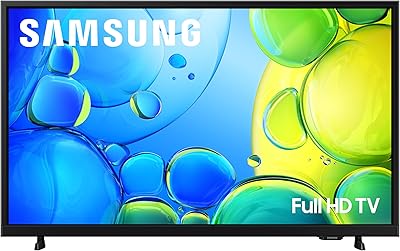
The Samsung 40-inch F6000 Full HD Smart TV is Samsung's 2025 refresh of its value-tier F-series lineup, aimed squarely at buyers who need a capable, no-fuss screen for a bedroom, kitchen, or dorm room. This isn't a flagship — and it doesn't pretend to be. At 13 pounds with a slim bezel design, it's genuinely practical for tighter spaces and easy to mount or stand without help. The 1080p resolution remains a reasonable choice in 2025 for screens this size, especially when viewing distances are short. Sitting close to a 40-inch panel, the difference between Full HD and 4K is minimal. Solid, straightforward, and sensibly priced.

Features & Benefits

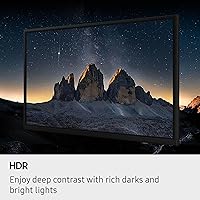
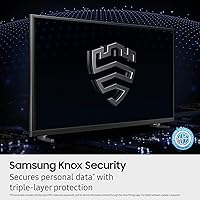
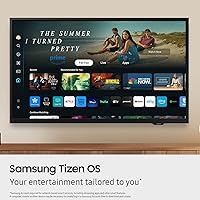
The F6000 packs in several features that punch above its entry-level label. HDR is included, though it's worth being clear: at this tier, HDR support delivers improved contrast versus standard displays but falls noticeably short of what QLED or OLED panels produce. The Object Tracking Sound Lite system attempts to match audio position to on-screen movement — it adds some spatial dimension, but a soundbar will still make a meaningful difference for most listeners. Samsung Knox provides genuine IoT security, which matters if the TV connects to a broader smart home setup. Samsung TV Plus gives access to 2,700-plus free channels with no subscription, and the Tizen-based One UI interface is clean, quick, and easy to navigate.

Best For

This entry-level smart TV makes the most sense for buyers who don't need a main living room centerpiece. It's a natural fit for bedroom or kitchen use, where a 40-inch 1080p screen at typical viewing distances looks sharp and perfectly adequate. College students or first-apartment renters will appreciate the smart functionality without a steep spend. Cord-cutters who rely on Samsung TV Plus free channels will find the built-in content library surprisingly deep. It also integrates well within the Samsung SmartThings ecosystem, making it a convenient addition for households already running Galaxy devices. Just don't expect it to satisfy a serious sports viewer or gamer — the 60 Hz panel is a real ceiling.

User Feedback

Owners consistently mention how straightforward setup is — out of the box and ready in minutes. Picture quality earns praise for daily streaming at this screen size, and buyers note the Tizen interface is among the more responsive in this price bracket. On the downside, built-in audio is a common sticking point; many owners suggest budgeting for a soundbar early rather than as an afterthought. The 60 Hz refresh rate gets flagged by sports fans and casual gamers who notice motion blur during fast scenes. Voice control and the remote work reliably for everyday use, though some users wish for stronger long-term app library guarantees. Overall, the consensus leans positive for the value delivered.

Pros

  • Setup takes minutes straight out of the box — no technical knowledge required.
  • 1080p resolution looks sharp and detailed at typical close-range bedroom viewing distances.
  • The Tizen interface is among the most responsive and polished in this price bracket.
  • Samsung TV Plus delivers 2,700-plus free channels with zero subscription cost.
  • Knox Security adds meaningful protection for smart home IoT devices connected through the TV.
  • At 13 pounds, this 40-inch Samsung is light enough to wall-mount solo without extra help.
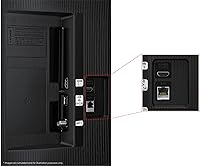
  • Full connectivity suite covers HDMI, USB, Bluetooth, Wi-Fi, and Ethernet for flexible device hookups.
  • PurColor processing produces noticeably vibrant colors for everyday streaming content.
  • Slim bezels keep the design clean and unobtrusive in tighter spaces.
  • SmartThings integration works reliably for households already running Samsung devices.

Cons

  • The 60 Hz refresh rate causes visible motion blur during fast sports broadcasts and action-heavy games.
  • Built-in audio is thin and underwhelming — a soundbar is almost a required add-on for comfortable listening.
  • HDR performance is basic; the contrast and highlight improvement is modest compared to mid-range sets.
  • The entry-level smart TV has no 4K output, which limits future-proofing as streaming content shifts toward higher resolutions.
  • Long-term app support and software update commitments on the F-series are uncertain compared to Samsung's premium lines.
  • The F6000 is too small for living rooms where normal seating distances make a 40-inch screen feel cramped and distant.
  • PurColor is a software processing layer, not a hardware panel upgrade — color accuracy has real limits at this tier.
  • The included remote is functional but basic, lacking the shortcuts and build quality found on pricier Samsung remotes.
  • No local dimming means blacks appear grayish in dark scenes rather than deep or inky.
  • Voice control works for basic commands but struggles with nuanced requests compared to dedicated smart speakers.

Ratings

Our AI rating system analyzed thousands of verified global user reviews for the Samsung 40-inch F6000 Full HD Smart TV, actively filtering out incentivized, bot-generated, and duplicate submissions to surface what real buyers genuinely think. Scores reflect an honest synthesis of both enthusiastic praise and recurring frustrations, weighted by how frequently each sentiment appeared across independent purchasers. Strengths and shortcomings are represented transparently so you can make a fully informed decision.

Picture Quality
74%
26%
For a bedroom or kitchen TV watched at close range, owners consistently describe the image as clean, well-lit, and sharp enough for daily streaming. Colors from PurColor processing look vibrant on standard content, and daytime viewing in normally lit rooms holds up well without much glare.
In darker scenes, the lack of local dimming becomes obvious — blacks look more like a washed-out gray than true black, which undermines movie watching at night. HDR content shows only modest improvement over standard dynamic range, and the gap versus QLED or OLED displays is hard to ignore once you have seen both.
Smart Platform
83%
Tizen with One UI is one of the more polished smart TV interfaces in this price range — menus load quickly, app switching is snappy, and the layout is intuitive enough that most users are navigating confidently within minutes of setup. Samsung TV Plus free channel access adds genuine depth with no login or credit card required.
Some owners report that the app library, while solid for major platforms, has occasional gaps for niche streaming services that Android TV handles more completely. There are also lingering questions about how long Samsung will push meaningful software updates to the F-series compared to its flagship lines.
Value for Money
88%
The consensus among buyers is that this 40-inch Samsung delivers a surprisingly complete package at its price point — a trusted brand name, a fluid smart platform, built-in Knox security, and a full connectivity suite are not things you typically get all at once in this tier. For secondary room use, most owners feel they got exactly what they paid for and then some.
A handful of buyers argue that spending slightly more opens the door to 4K resolution or a 120 Hz refresh rate, making the value calculation less clear-cut for anyone who watches sports regularly or games casually. If your expectations drift toward primary TV territory, the value proposition weakens noticeably.
Motion & Refresh
58%
42%
For slow-paced content — drama series, news, talk shows, documentaries — the 60 Hz panel handles motion smoothly and without any obvious judder. Buyers who primarily stream standard content report no complaints about the refresh performance in typical daily use.
Sports fans and gamers flag motion blur as a real problem. Fast panning during football or basketball broadcasts produces a smearing effect that higher-refresh panels eliminate cleanly. This is probably the F6000's single most frequently cited limitation, and it is worth taking seriously before purchasing.
Audio Quality
54%
46%
The Object Tracking Sound Lite system does a reasonable job of placing audio relative to on-screen action, giving dialogue-heavy content a serviceable presence. For casual daytime viewing or background TV in a kitchen, the built-in speakers get the job done without much complaint.
At any elevated volume or with music-heavy content, the limitations of the built-in speakers become hard to ignore — thin sound, weak bass, and a tendency to distort slightly at higher levels. Many owners explicitly recommend budgeting for even an entry-level soundbar from the start rather than treating it as an optional upgrade.
Setup & Ease of Use
91%
Buyers across age groups consistently praise how quickly this entry-level smart TV gets from box to first use — stand assembly is tool-free in most configurations, and the on-screen guided setup walks through Wi-Fi and app connection in well under ten minutes. The lightweight build makes solo installation genuinely manageable.
A small portion of users report that initial account prompts and Samsung sign-in requests feel pushy during setup, adding unwanted friction before getting to the content. Voice setup worked reliably for most, but a few noted the guided flow assumes a faster internet connection than some households have.
Build & Design
79%
21%
The slim bezel design looks noticeably cleaner than older budget TVs with chunky frames, and the overall profile sits low-profile on a stand or flush against a wall. Owners in smaller apartments appreciate how unobtrusive it looks when not in use.
The back panel and stand feel noticeably plastic-heavy compared to mid-range Samsung sets, and a few buyers describe a slight flex when applying pressure during installation. At this price tier it is understandable, but it does make the TV feel less premium in hand than it looks from the front.
Connectivity
86%
The full suite of HDMI, USB, Ethernet, Bluetooth, and Wi-Fi covers virtually every connection scenario a secondary room TV encounters — soundbars, gaming consoles, streaming sticks, and laptops all connect without adapters or workarounds. Bluetooth pairing with headphones and speakers is stable and quick.
Buyers who run multiple devices simultaneously note that HDMI port count could be tighter for a fully loaded entertainment setup. Ethernet speeds are reliable, but Wi-Fi connectivity has drawn occasional complaints about maintaining a stable signal in larger apartments with the router in another room.
Remote Control
67%
33%
The included remote is responsive and covers all essential functions without feeling cluttered. Battery life is decent, and the overall layout is familiar enough that most users adapt to it within a day or two of regular use.
Compared to Samsung's premium Solar Remote bundled with higher-end models, this remote feels noticeably cheap in the hand and lacks dedicated shortcut buttons for popular apps. Voice control works for basic commands but stumbles with more nuanced searches, leaving some users reaching for their phone instead.
Samsung Ecosystem Integration
82%
18%
For households already running Galaxy phones or SmartThings devices, the F6000 slots in cleanly — screen mirroring, remote control via the Galaxy app, and SmartThings device management from the TV interface all work reliably. Knox Security adds a layer of IoT protection that buyers with connected home devices genuinely appreciate.
Users outside the Samsung ecosystem get significantly less value from these integration features, and some find the Samsung account prompts and SmartThings nudges within the UI mildly intrusive. The experience is clearly optimized for Samsung households, which can feel exclusionary if you are mixing device brands.
Free Content Access
84%
Samsung TV Plus earns consistent praise from cord-cutters who find real depth in the 2,700-plus channel lineup — local news, sports, classic movies, and kids content are all covered with no account creation or subscription required. Buyers who were skeptical going in often describe it as a pleasant surprise.
Channel quality varies considerably across the library, and some of the filler channels cycle repetitive content that feels more like padding than programming. A few owners note that the free content interface can surface Samsung TV Plus channels more prominently than users want, requiring some navigation to reach subscribed apps.
Color Accuracy
71%
29%
PurColor processing produces punchy, vibrant colors on streaming content that look appealing to most casual viewers — skin tones read naturally on dramas, and animated content looks lively without obvious oversaturation. Out-of-the-box settings satisfy the majority of buyers without any manual calibration.
Enthusiasts who calibrate their displays will find the color gamut coverage is limited by the underlying LED panel rather than the software layer. Side-angle viewing shifts color noticeably, which matters in rooms where seating isn't directly centered in front of the screen.
Security Features
87%
Knox Security runs quietly in the background and provides genuine protection against malicious apps and phishing attempts — something buyers with smart home cameras or locks connected through the TV specifically call out as reassuring. It requires no configuration and does not visibly impact system performance.
For buyers using the TV purely as a standalone screen with no smart home integration, Knox's benefits are largely invisible and may feel like a feature they are paying for without a use case. There is also no granular user control over what Knox monitors, which privacy-conscious buyers occasionally flag as a concern.

Suitable for:

The Samsung 40-inch F6000 Full HD Smart TV is built for buyers who need a reliable, no-frills screen for a secondary space rather than a living room showpiece. It fits naturally in a bedroom, kitchen, or dorm room where viewing distances are short and 1080p resolution looks genuinely crisp without needing the jump to 4K. College students and first-apartment renters will find it a smart spend — capable smart TV features without overspending on specs they won't fully use. Cord-cutters get real value from Samsung TV Plus, which bundles over 2,700 free channels with no monthly fee. It also slots neatly into existing Samsung households, working with SmartThings and Galaxy devices in a way that feels cohesive rather than bolted on.

Not suitable for:

Buyers expecting a premium viewing experience should look elsewhere before committing to the Samsung 40-inch F6000 Full HD Smart TV. The 60 Hz panel is a genuine limitation for sports fans and gamers — fast motion produces visible blur that higher-refresh sets handle cleanly. The HDR implementation is entry-level at best; it improves on standard LED output, but it won't come close to what a QLED or OLED panel delivers in terms of contrast and highlight detail. Anyone planning to use this as their primary living room TV in a larger space will likely find the 40-inch size and 1080p resolution underwhelming, especially from normal couch distances. Built-in audio is thin and uninspiring, so buyers who care about sound quality and aren't planning to add a soundbar should temper expectations considerably.

Specifications

  • Screen Size: The panel measures 40 inches diagonally, making it well-suited for bedrooms, kitchens, and other secondary spaces.
  • Resolution: Native resolution is 1080p Full HD (1920 x 1080 pixels), delivering clear detail at typical close viewing distances.
  • Display Type: Uses LED display technology, which provides adequate brightness and color for everyday streaming and broadcast viewing.
  • Refresh Rate: The panel runs at a native 60 Hz refresh rate, which handles standard content well but shows limitations during fast motion.
  • HDR Support: HDR is supported at an entry-level implementation, improving contrast over standard dynamic range but not comparable to QLED or OLED HDR performance.
  • Color Tech: PurColor is a Samsung software processing layer that expands the visible color range beyond what the raw LED panel produces natively.
  • Audio System: Object Tracking Sound Lite uses a virtual top channel to position sound relative to on-screen movement, providing a modest spatial audio effect.
  • Operating System: Runs Samsung Tizen OS with One UI, offering an intuitive smart TV interface with access to major streaming apps and the Samsung TV Plus library.
  • Free Content: Samsung TV Plus provides access to over 2,700 free channels, including 400-plus premium channels, requiring only a Wi-Fi connection and no subscription.
  • Security: Samsung Knox Security is built in to guard against malicious apps and phishing, and to protect sensitive data and connected IoT devices.
  • Connectivity: Ports and wireless options include HDMI, USB, Ethernet, Wi-Fi, and Bluetooth, covering the full range of common device hookups.
  • Dimensions: The TV measures 36.3 x 6.7 x 21.8 inches with stand, keeping a slim profile suited to tighter rooms and media consoles.
  • Weight: At 13 pounds, this 40-inch Samsung is light enough for a single person to wall-mount or reposition without assistance.
  • Aspect Ratio: Standard 16:9 widescreen aspect ratio, compatible with all modern broadcast, streaming, and gaming content formats.
  • In the Box: Package includes the TV, power cable, remote control, stand, user manual, and two AAA batteries for the remote.
  • Model Number: The official Samsung model number is UN40F6000FFXZA, which can be used to verify part compatibility and warranty registration.
  • Availability: This 2025 model became available in April 2025 and ranks among the top ten LED and LCD TVs on Amazon by sales volume.

Related Reviews
Samsung 32-Inch F6000 Smart TV
79%
78%
Picture Quality
88%
Smart Platform & Interface
91%
Value for Money
61%
Audio Performance
82%
Build Quality & Design
More
VIZIO VFD40M-08 40-inch Smart TV
72%
78%
Picture Quality
71%
Smart Platform (VIZIO OS)
86%
Value for Money
54%
Audio Performance
74%
Gaming Performance
More
VIZIO VFD32M 32-inch 1080p Smart TV
75%
74%
Picture Quality
81%
Smart Platform
88%
Connectivity
63%
Gaming Performance
61%
Audio Quality
More
VIZIO D24f-J09 24-inch Smart TV
76%
81%
Picture Quality
77%
Smart Platform (SmartCast)
88%
Wireless Casting (AirPlay & Chromecast)
47%
Audio Quality
74%
Gaming Performance
More
TCL 40S334 40-inch Smart Android TV
72%
84%
Value for Money
63%
Picture Quality
88%
Smart TV Platform
51%
Wi-Fi Reliability
91%
Setup & Ease of Use
More
INSIGNIA 32-inch FE Series Smart Fire TV
74%
88%
Value for Money
72%
Picture Quality
74%
Smart TV Interface
83%
Alexa Voice Remote
51%
Audio Quality
More
FPD CG40-P3 40-inch Google TV
73%
84%
Value for Money
71%
Picture Quality
88%
Smart TV Software (Google TV)
91%
Setup & Ease of Use
57%
Audio Quality
More
Samsung RU8000 55-inch 4K UHD Smart TV
76%
83%
Picture Quality
81%
Motion Handling
72%
HDR Performance
76%
Smart TV Interface
54%
Audio Performance
More
VIZIO VHD32M-08 32-inch 720p Smart TV
70%
91%
Value for Money
73%
Picture Quality
77%
Smart Platform & App Experience
84%
Setup & Ease of Use
78%
Bluetooth Headphone Performance
More
TCL 40S350R 40-Inch Roku LED Smart TV
75%
74%
Picture Quality
91%
Smart TV Experience (Roku OS)
88%
Value for Money
93%
Ease of Setup
79%
Build Quality & Design
More

FAQ

For a 40-inch screen, 1080p is genuinely fine — especially if you're sitting within 6 to 8 feet of it, which is typical for a bedroom setup. At that distance, the human eye struggles to distinguish 4K from 1080p on a screen this size anyway. If this were a 55-inch or larger living room TV, the 4K argument would be stronger. For secondary spaces, the resolution trade-off is hard to notice in daily use.

Yes, all three are available directly through the Tizen OS app store and come pre-installed or are easy to add. The Samsung TV Plus free channel library is also built in and requires no login at all. The app selection on Tizen is solid for the major streaming platforms most people use.

Setup is straightforward — the stand screws in without tools in most configurations, and the on-screen guided setup walks you through Wi-Fi connection and app sign-ins in a few minutes. At 13 pounds, it's light enough to handle alone. Wall mounting follows standard VESA patterns, though you would want a second pair of hands for that part.

Absolutely, and many owners recommend doing exactly that. The built-in speakers are adequate for casual viewing but lack real depth or volume headroom for movies and music. You can connect a soundbar via HDMI ARC or the optical output, or pair Bluetooth speakers wirelessly. A basic soundbar makes a noticeable difference.

For casual gaming — think puzzle games, RPGs, or slower-paced titles — the 60 Hz panel handles things comfortably. Where it falls short is fast-action gaming: first-person shooters, racing games, and sports titles will show some motion blur that higher-refresh TVs handle more cleanly. If gaming is a primary use case, a 120 Hz panel would be a better fit.

Knox was originally developed for Samsung's mobile devices, and it works similarly here — it monitors for malicious apps, blocks phishing attempts, and protects any sensitive data like account credentials stored on the TV. If you have smart home devices like cameras or door locks connected through SmartThings, Knox adds a security layer around those connections as well. It runs quietly in the background and doesn't require any setup.

The 2025 refresh brings the updated One UI interface built on Tizen, which is noticeably cleaner and faster than earlier versions. Knox Security integration is also newer to this tier. The core panel specs — 1080p, 60 Hz, LED — are consistent with previous F-series sets, so the main improvements are on the software and smart platform side rather than raw display hardware.

Yes, integration with Samsung's ecosystem is one of the F6000's genuine strengths. You can use your Galaxy phone to mirror content, use it as a remote, or receive notifications on screen. SmartThings compatibility lets you control and monitor connected home devices directly from the TV interface. It works reliably for households already invested in the Samsung ecosystem.

The quality varies, but Samsung TV Plus has improved significantly and now includes over 2,700 channels spanning news, sports, movies, kids programming, and niche interest categories. There are dedicated channels for local news and major free-to-air content, along with on-demand options. It is genuinely useful for cord-cutters and adds real value with no subscription cost required.

Honest answer: it is somewhere in between. HDR on this entry-level smart TV does produce a visible improvement in contrast compared to non-HDR content — bright highlights pop slightly more and dark areas retain more detail. But if you have ever seen HDR on a high-end QLED or OLED display, this won't match that. Think of it as a meaningful step above standard range, not a transformative visual upgrade.

Where to Buy