PlexCopier PLEX-S7T-DVD-BK 1 to 7 DVD Duplicator



Overview
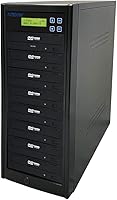
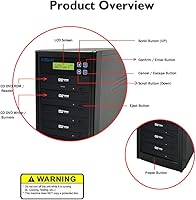
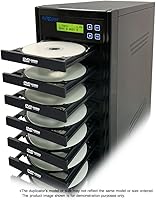
The PlexCopier PLEX-S7T-DVD-BK 1 to 7 DVD Duplicator is a robust piece of hardware built for anyone needing to churn out physical media in volume without tying up a primary computer. Since it functions as a completely standalone unit, you don’t need to install drivers or deal with software crashes on your PC. It features a vertical 1 to 7 target configuration, allowing you to produce seven identical copies from a single master disc simultaneously. At 22 pounds, the standalone tower feels incredibly solid, featuring an industrial-grade chassis that minimizes the vibrations which often lead to failed burns. Measuring about 18 inches deep, you will want to clear some dedicated shelf space for it, but the trade-off is a reliable, high-capacity workflow that handles continuous operation with ease.
Features & Benefits
Performance is the main draw here, as this 7-target duplicator pushes write speeds up to 24x for DVDs and a blistering 52x for CDs. Beyond raw speed, the inclusion of M-Disc support is a standout feature for long-term archiving, ensuring your data remains readable for centuries rather than years. Security-minded users will appreciate the ability to set up password-protected accounts for up to 64 different operators, which is perfect for shared workspaces. Additionally, the system includes integrated copy protection for video projects, helping creators prevent unauthorized redistribution of their original work. Because the drives are firmware updateable, the machine stays current even as media manufacturing standards change over time. This flexibility keeps the hardware relevant and productive for several years of heavy use.
Best For
Given its high-volume capacity, this disc copier is a natural fit for churches and nonprofits that need to distribute hundreds of weekly service recordings quickly. Independent filmmakers also find it indispensable for creating screeners or selling physical copies of their documentaries at festivals without paying for professional pressing plants. Small businesses that rely on physical software backups or data distribution will find the speed and reliability far superior to using a single external burner. For those focused on archival-grade storage, the synergy with specialized media makes it an essential tool for protecting family histories or sensitive legal records. It bridges the gap between consumer-grade drives and expensive industrial replication services, offering professional-level output right from your own office desk or storage room.
User Feedback
Most long-term users highlight the intuitive LCD interface, which makes the learning curve virtually nonexistent for new staff members. The thermal management is frequently cited as a major plus, as the fans keep the drives cool even during back-to-back burning sessions that last all day. While the standalone tower earns high marks for reliability, some buyers are surprised to find it strictly adheres to copyright standards and refuses to copy retail movies. This is not a flaw but a legal necessity. There is also consistent praise for the heavy steel frame, which provides enough mass to keep the unit from sliding or vibrating during peak operation. It is generally viewed as a workhorse that does one job exceptionally well without requiring constant troubleshooting or technical intervention.
Pros
- Operates as a completely standalone unit without the need for a computer connection or software installation.
- Produces seven simultaneous copies to significantly cut down on production time for large distribution projects.
- Supports archival-grade M-Disc media for data storage that can last up to 1000 years.
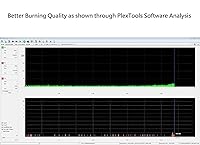
- Features a heavy-duty steel chassis that dampens vibrations and ensures high-quality, error-free burns.
- Includes built-in copy protection options to help creators secure their original video content from unauthorized duplication.
- Allows for 64 individual password-protected user accounts to maintain security in shared work environments.
- Equipped with firmware-updateable drives to maintain compatibility with various brands of blank media over time.
- The PlexCopier PLEX-S7T-DVD-BK 1 to 7 DVD Duplicator manages heat effectively through high-quality internal cooling fans.
Cons
- The 18-inch depth makes it difficult to fit on standard shallow desks without significant overhang.
- Cooling fans are noticeably loud during high-volume burning sessions, which can be distracting in quiet offices.
- The two-line LCD interface feels archaic and requires excessive scrolling to navigate through deeper configuration menus.
- Applying firmware updates is a manual process that requires burning files to a disc since the tower lacks internet connectivity.
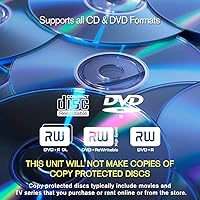
- The unit is strictly compliant with copyright laws and will not duplicate any encrypted retail discs.
- At 22 pounds, the tower is quite heavy and lacks handles, making it difficult to move safely once set up.
- Requires a high-quality master disc to work correctly, as the system is sensitive to even minor read errors.
- Setup of user accounts via the physical buttons is tedious and time-consuming compared to a PC interface.
Ratings
Our team analyzed thousands of global verified reviews for the PlexCopier PLEX-S7T-DVD-BK 1 to 7 DVD Duplicator to provide a transparent look at its real-world performance. These scores are generated using advanced AI that filters out incentivized feedback and spam, ensuring you see the genuine strengths and pain points experienced by actual owners.
Standalone Efficiency
Burning Speed
Build Quality & Stability
Archival Reliability (M-Disc)
Interface & Ease of Use
Thermal Management
Security & Account Management
Copyright Compliance
Firmware Support
Physical Workspace Impact
Error Rate & Buffer Protection
Value for Volume
Suitable for:
The PlexCopier PLEX-S7T-DVD-BK 1 to 7 DVD Duplicator is an ideal choice for organizations like churches, schools, or local nonprofits that frequently distribute physical recordings of events or services to their community. Independent filmmakers and software developers will find it incredibly efficient for creating small batches of master discs without the high cost of industrial replication. Its standalone nature means it is perfect for high-traffic offices where workers need to burn discs while keeping their primary computers free for other intensive tasks. Additionally, professional archivists will benefit from the M-Disc support, which provides a reliable method for preserving sensitive data or family histories for decades to come.
Not suitable for:
This PlexCopier PLEX-S7T-DVD-BK 1 to 7 DVD Duplicator is not intended for home users looking to backup their personal retail movie collections, as the hardware strictly adheres to copyright laws and will not bypass encryption. Those working in cramped home offices or with shallow shelving might find the 18-inch depth and 22-pound weight too cumbersome for their available workspace. It is also overkill for the casual user who only needs to burn one or two discs per month, as the price point is aimed at professional production volumes. Furthermore, if you require a modern touch-screen interface or a wireless connection to manage your files, this utilitarian, button-operated tower will likely feel outdated for your workflow.
Specifications
- Configuration: Features a single master reader drive and seven simultaneous target writer drives.
- Operational Mode: Functions as a fully standalone tower requiring no connection to a computer or external software.
- DVD Write Speed: Supports maximum recording speeds of up to 24x for standard DVD media.
- CD Write Speed: Achieves high-speed data transfer reaching up to 52x for CD-R formats.
- Archival Support: Compatible with M-Disc archival media for permanent data storage lasting up to 1000 years.
- Physical Dimensions: The tower measures approximately 8″ wide by 17″ deep by 18″ tall.
- Unit Weight: The total weight of the hardware is approximately 22 pounds.
- User Accounts: Internal controller supports password protection for up to 64 individual user accounts.
- Internal Interface: Utilizes SATA hardware connections for high-speed data communication between drives.
- Firmware Support: Drives are firmware updateable to ensure ongoing compatibility with new media manufacturing standards.
- Video Protection: Includes integrated software capable of applying copy protection to original DVD video masters.
- Display Type: Features a back-lit two-line LCD interface for status monitoring and menu navigation.
- Power Source: Requires a standard 110V/220V AC power outlet for operation.
- Supported Formats: Handles CD-TEXT, ISRC, and over-burned CD formats for professional audio production.
Related Reviews
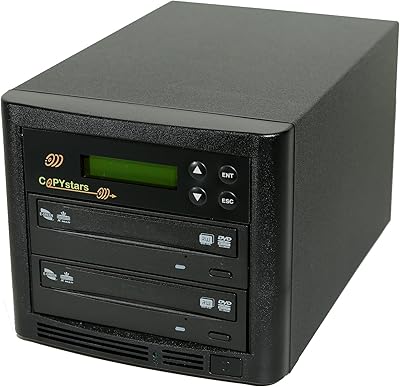
Copystars SYS-1-1 1-to-1 DVD Duplicator Tower
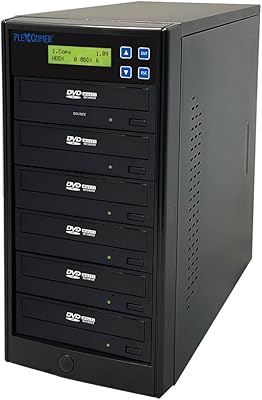
PlexCopier PLEX-S5T-DVD-BK 1 to 5 DVD Duplicator
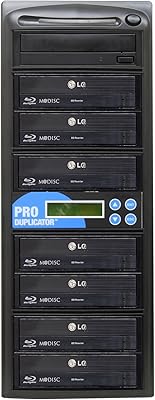
Produplicator 1-to-7 Blu-ray CD DVD Duplicator Tower
Magnavox MTFT716N 7-Inch Portable DVD Player
Magnavox MTFT750-BK 7-inch Portable DVD Player
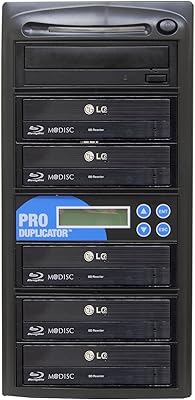
Produplicator ESBR05 1-to-5 Blu-ray Disc Duplicator
StarTech SATDUP11IMG Standalone Hard Drive Duplicator

Olay Super Serum 1.7 Oz Face Serum

RoC Multi Correxion 5-in-1 Moisturizer 50ml