Overview

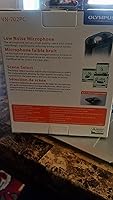
The Olympus VN-702PC Digital Voice Recorder is a no-frills, dependable device that has quietly served students, office workers, and casual note-takers since 2010. That kind of longevity in a crowded market says something — this isn't a flash-in-the-pan gadget but a proven tool that keeps turning up in people's bags. It sits in the budget-to-mid-range tier, so you get genuine everyday utility without overspending. A 2.4-inch screen and built-in stand push it beyond the most bare-bones options, and the AA battery setup means you're never hunting for a proprietary charger. Straightforward, pocket-friendly, and quietly reliable.
Features & Benefits

The VN-702PC ships with 2GB of onboard storage and a microSD slot, so running out of space mid-semester is unlikely. What really stands out is the 823-hour recording capacity — even heavy users will rarely need to manage files on the fly. It records in MP3 and WMA, and connecting via USB to archive or edit files on a PC takes seconds. A 3.5mm headphone jack lets you review recordings directly on the device, handy when you need to hunt down a specific moment fast. At 2.5 ounces and barely wider than a thumb, portability is effortless — it disappears into a jacket pocket without a second thought.

Best For

This Olympus recorder is a natural fit for students in lecture halls who need something they can grab, press record, and forget about — no fussing with apps or settings. Professionals who jot down meeting notes on the go will appreciate how instantly it's ready to use. Journalists conducting one-on-one interviews will find the PC-compatible formats make post-session workflow much smoother. It is also worth flagging for older users or anyone who finds smartphone recording apps unnecessarily complicated — the physical button layout here is refreshingly intuitive. If you want a dedicated recording device with zero distractions, this is a practical, sensible choice.

User Feedback

Buyers consistently praise this voice recorder for clear voice capture in quiet environments — lectures, interviews, and one-on-one conversations come through with solid intelligibility. Battery life earns positive marks too, though real-world results tend to fall a bit short of the headline figure, which is typical at this level. Where people push back is in noisier settings: background chatter or ambient hum can muddy recordings noticeably. The USB transfer process gets mixed reviews — straightforward for most Windows users, but occasionally finicky on newer systems. Build quality generally holds up well over time, and microSD expansion works reliably. Overall, user sentiment leans positive, with most frustrations being situational rather than deal-breaking.

Pros

  • Clean, intelligible voice capture makes it dependable for lectures, interviews, and verbal notes in quiet settings.
  • The microSD expansion slot means you are unlikely to ever run out of recording space mid-session.
  • AA batteries are universally available, so you are never left scrambling for a proprietary charger.
  • USB-to-PC transfer is quick and works reliably for most Windows users without extra software.
  • At 2.5 ounces, this voice recorder is light enough to forget it is in your bag until you need it.
  • The built-in stand is a small but genuinely useful touch for hands-free desk recording.
  • Physical button controls make operation intuitive, even for users who are not comfortable with tech-heavy devices.
  • The 3.5mm headphone jack lets you review recordings on the spot without needing a separate device.
  • Proven reliability over more than a decade of production gives it a track record most newer budget recorders cannot claim.
  • The combination of onboard storage and expandable memory offers flexibility that similarly priced devices often skip.

Cons

  • Recording quality degrades noticeably in noisy environments, making it unreliable for crowded or loud spaces.
  • Real-world battery life tends to fall short of the advertised maximum, especially on older units.
  • No Bluetooth or Wi-Fi means file transfers require a physical USB connection every single time.
  • USB compatibility can be finicky on newer operating systems, occasionally requiring driver troubleshooting.
  • Mac users may find the WMA format less convenient to work with compared to more universal audio formats.
  • There is no external microphone input, so audio quality is entirely dependent on the built-in mic.
  • The 2.4-inch screen is functional but small, making navigation through long file lists a bit tedious.
  • No voice activation feature means recordings can include long stretches of silence if left unattended.
  • The design and feature set have not changed meaningfully since launch, so it lacks any modern smart features.
  • Transcription or speech-to-text integration requires third-party software, as no native app support is included.

Ratings

The scores below reflect an AI-driven analysis of verified global user reviews for the Olympus VN-702PC Digital Voice Recorder, with spam, bot-submitted, and incentivized feedback actively filtered out before scoring. Every category captures what real buyers praised and what genuinely frustrated them — nothing is smoothed over or inflated. Both the strengths that keep this Olympus recorder in shopping carts after 15 years and the limitations that push some buyers toward alternatives are represented honestly.

Audio Clarity (Quiet Environments)
83%
In controlled settings — a classroom, a conference room, a one-on-one interview — the built-in microphone captures speech with solid intelligibility. Students and journalists consistently report that recordings are clear enough to transcribe without repeated replaying, which is ultimately what this recorder was designed to deliver.
Clarity is heavily dependent on environment, and even mild acoustic challenges like an air conditioning unit or distant chatter can introduce noticeable artifacts. Users who expected broadcast-level crispness were routinely disappointed, and a handful noted the microphone picks up handling noise if the device is not rested on a surface.
Audio Quality (Noisy Environments)
51%
49%
A small subset of users recording in moderately busy offices found the voice capture acceptable when the speaker was close to the device and speaking clearly. At short distances with a dominant sound source, the recorder manages to isolate the primary voice reasonably well.
This is the category where the VN-702PC receives the most consistent criticism. Cafes, open-plan offices, outdoor settings, and any room with significant background noise tend to produce recordings where voices compete with ambient sound and intelligibility suffers measurably. Users hoping to record panel discussions or group conversations found the results unreliable.
Ease of Use
91%
The button-driven interface is one of this recorder's most universally praised traits. Users with no prior experience with dedicated voice recorders — including older buyers and less tech-comfortable professionals — report being able to record, playback, and manage files within minutes of unboxing. There are no complicated menus or paired apps to navigate.
The 2.4-inch display, while functional, makes scrolling through a large library of recordings mildly tedious, particularly for users who accumulate files over weeks or months. A few buyers noted that labeling or organizing files on the device itself is cumbersome compared to doing so after transferring to a computer.
Battery Life
74%
26%
The AA battery format earns consistent goodwill — being able to swap in a fresh pair at any pharmacy, airport kiosk, or convenience store is genuinely useful for travellers and commuters. Most users report comfortably getting through several full recording sessions before needing new batteries.
The headline 823-hour figure is a low-quality-mode ceiling that real-world use rarely approaches. Several buyers noted batteries draining faster than expected during sustained daily use, and the device offers no battery percentage indicator, just a basic icon that gives little warning before power cuts out.
Build Quality & Durability
78%
22%
For a budget-to-mid-range device, the physical construction holds up well over extended daily use. Users who have carried this recorder in bags, pockets, and laptop cases for a year or more frequently report no significant wear, loose buttons, or structural failure, which speaks to Olympus quality control at this price tier.
The plastic casing feels noticeably light and inexpensive to the touch, and a few buyers reported the microSD card slot feeling slightly flimsy after repeated insertions. It is not a device that inspires confidence if dropped, and some users felt the build quality lagged behind the brand name.
Storage & Expandability
87%
Having both 2GB onboard and a microSD expansion slot is a genuine advantage over comparably priced recorders that offer one or the other. For students with semester-long recording needs or professionals archiving months of meeting audio, the ability to expand capacity without buying a new device is a practical win.
The microSD slot, while reliable for most users, has generated occasional reports of cards not being recognized after a format change or system update. A small number of buyers also noted the slot does not accept higher-capacity SDXC cards, limiting the maximum expansion available.
PC Connectivity & File Transfer
72%
28%
On a standard Windows system, plugging in the VN-702PC via USB and dragging files off works immediately without drivers or software installation. Journalists and office professionals who just need to move files to a laptop and open them in standard media players find the workflow fast and frictionless.
Compatibility issues surface regularly on newer Windows versions and appear more frequently on macOS, where the WMA format requires a third-party player or conversion step. A handful of users also reported the device not being recognized consistently by certain USB hubs, requiring a direct port connection to resolve.
Portability
93%
At 2.5 ounces and slim enough to sit flat in a shirt pocket, this is one of the least intrusive recorders in its class. Commuters and students who carry it daily barely register its presence, and the compact footprint means it does not take up meaningful bag space even when packed alongside a laptop and charger.
The slim profile, while excellent for portability, means the buttons are closely spaced and can be slightly fiddly for users with larger hands. A few buyers noted accidentally pressing the wrong button during one-handed operation, occasionally stopping or starting a recording unintentionally.
Value for Money
81%
19%
Given the long production history and stable performance in its intended use case, this Olympus recorder delivers solid returns for buyers who need a dedicated speech recorder and nothing more. Students and infrequent users in particular tend to feel they got a fair deal, especially given the included batteries and functional onboard stand.
As the market has evolved, similarly priced competitors now offer features like voice activation, Bluetooth transfer, and higher-sensitivity microphones. Buyers who research the category thoroughly sometimes feel the VN-702PC is priced slightly ahead of where its feature set now sits relative to newer alternatives.
Playback Experience
76%
24%
The 3.5mm headphone jack means users can review recordings anywhere without needing a laptop or phone. Playback controls are intuitive, and the ability to quickly scrub back through a recording to catch a missed detail is appreciated by students reviewing lecture content.
The on-device speaker, when used without headphones, is thin and low-volume — adequate in a quiet room but inadequate in any environment with competing sound. There is no equalizer or playback enhancement, so what was captured is what you hear, for better or worse.
Microphone Sensitivity
58%
42%
For a single speaker positioned within a few feet of the recorder, microphone sensitivity is adequate and picks up voice reliably. Users who place it on a desk during one-on-one meetings report satisfactory pickup without needing to adjust positioning mid-session.
The microphone struggles noticeably beyond a few feet of the primary speaker, and group conversations where participants are spread across a table often result in uneven audio where some voices are clear and others barely audible. There is no option to adjust sensitivity through an external mic input.
Setup & Out-of-Box Experience
89%
Batteries are included, which removes a common frustration with budget electronics. The device is ready to record within about 60 seconds of opening the box, with no account creation, app pairing, or firmware update required — a refreshingly immediate experience compared to modern smart devices.
The included documentation is sparse, and navigating the menu system for less obvious functions — like adjusting recording quality settings — requires some trial and error or a download of the manual. New users occasionally miss the quality setting entirely and record everything at the default, which may not suit their needs.
Software & File Format Support
63%
37%
MP3 support ensures recordings open immediately in virtually any media player on any platform. For Windows users archiving lecture content or meeting notes, the file formats are practical and do not require any conversion before editing in standard tools.
WMA as a primary format feels dated in 2024, and Mac users in particular face extra steps to make files usable in their typical workflows. There is no companion mobile app, no cloud upload feature, and no transcription integration, leaving users to manage all post-recording tasks manually with external tools.

Suitable for:

The Olympus VN-702PC Digital Voice Recorder is a strong match for anyone who needs a reliable, low-maintenance recording tool for structured, quieter environments. Students are probably the most natural fit — drop it on a desk before a lecture, press one button, and let it run for hours without worrying about storage or battery. Working professionals who take verbal notes during one-on-one meetings or phone calls will also find the simplicity genuinely useful, particularly those who do not want to fiddle with smartphone apps mid-conversation. Journalists conducting sit-down interviews will appreciate that recorded files transfer cleanly to a PC in standard formats, making transcription workflows straightforward. It also works well for older users or anyone who simply wants a physical device with tactile buttons rather than a touchscreen, keeping the learning curve minimal and the day-to-day experience stress-free.

Not suitable for:

Buyers expecting studio-grade or even prosumer audio quality will be disappointed — this voice recorder was designed for speech intelligibility in calm settings, not for capturing music, ambient soundscapes, or complex audio environments. If you frequently record in noisy spaces like crowded cafes, open-plan offices, or outdoor events, the built-in microphone will struggle, and background noise can overwhelm the voice you are trying to capture. Content creators, podcasters, or field journalists who need directional microphone control or external mic input should look elsewhere, as this Olympus recorder does not offer those capabilities. The WMA and MP3 formats are practical for PC users but can be mildly inconvenient for Mac-heavy workflows or anyone working with professional audio software expecting higher-fidelity input formats. It is also worth noting that, as a device first launched in 2010, it lacks Bluetooth, Wi-Fi, or any wireless transfer capability — if modern connectivity matters to you, this will feel dated quickly.

Specifications

  • Brand: Manufactured by Olympus, now marketed under the OM SYSTEM brand name.
  • Model Number: The exact model designation is VN-702PC.
  • Dimensions: The unit measures 4.3 x 1.5 x 0.7 inches, making it slim enough to slide into a shirt pocket.
  • Weight: At 2.5 ounces including batteries, it is light enough to carry all day without noticing it.
  • Internal Memory: Comes with 2GB of built-in storage, sufficient for hundreds of hours of speech-quality recordings.
  • Expandable Storage: Accepts microSD cards for additional recording capacity beyond the onboard 2GB.
  • Recording Formats: Captures audio in both MP3 and WMA formats, compatible with standard PC media players and editing software.
  • Max Recording Time: Rated for up to 823 hours of total recording time, though real-world duration varies by quality setting.
  • Microphone: Features a built-in microphone, requiring no external accessories to begin recording immediately.
  • Headphone Jack: Equipped with a 3.5mm headphone jack for direct on-device audio playback.
  • Connectivity: Connects to a PC via USB for straightforward file transfer, archiving, and audio editing.
  • Display: A 2.4-inch screen displays recording status, file information, and navigation menus.
  • Built-In Stand: Includes an integrated stand that props the device upright for hands-free desktop recording sessions.
  • Battery Type: Powered by 2 AA batteries, which are included in the box at purchase.
  • Compatible Devices: Designed primarily for use with Windows-based personal computers for file management and editing.
  • Available Since: This model has been available on the market since February 15, 2010, indicating a long production run.

Related Reviews
Olympus VN-7200 Digital Voice Recorder
82%
93%
Recording Time
89%
Portability
85%
Audio Quality
88%
Ease of Use
91%
Value for Money
More
Olympus VN-7000 Digital Voice Recorder
84%
88%
Ease of Use
85%
Recording Quality
90%
Portability & Size
94%
Battery Life
92%
Value for Money
More
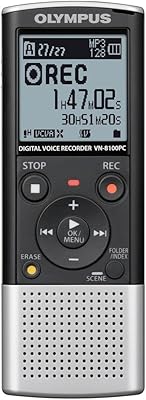
Olympus VN-8100PC Digital Voice Recorder 2GB
84%
82%
Recording Quality
90%
Ease of Use
88%
Battery Life
76%
Build Quality
91%
Portability
More
OM SYSTEM VN-541PC
OM SYSTEM VN-541PC
77%
93%
Ease of Use
71%
Audio Recording Quality
68%
Noise Cancellation
84%
Battery Life
62%
Build Quality & Durability
More
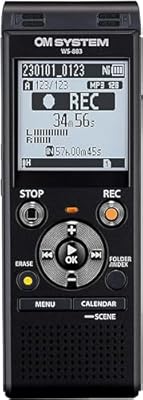
Olympus WS-883 Digital Voice Recorder
84%
91%
Sound Quality
95%
Portability
63%
Battery Life
85%
Ease of Use
90%
Recording Time
More
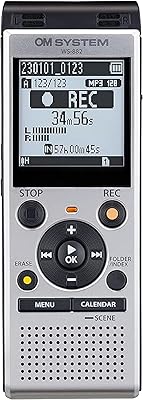
OM System WS-882 Digital Voice Recorder
78%
88%
Audio Clarity (PCM Mode)
63%
Background Noise Handling
84%
Battery Life
74%
Ease of Use
77%
Build Quality & Durability
More
OM Digital Solutions WS-500 Digital Voice Recorder
81%
94%
Battery Life
91%
Ease of Use
78%
Sound Quality
96%
Recording Time
85%
Portability
More
Vormooi O1 160GB Digital Voice Recorder
78%
93%
Battery Life
88%
Storage Capacity
81%
Audio Recording Quality
67%
Noise Reduction Performance
84%
External Microphone Usefulness
More
Escytegr Digital Voice Recorder 144GB
84%
88%
Recording Quality
92%
Battery Life
84%
Voice Activation
85%
Portability
91%
Storage Capacity
More
Xelarvex 136GB Digital Voice Recorder
75%
91%
Ease of Setup
84%
Voice Activation
89%
Battery Life
67%
Noise Reduction
74%
Audio Clarity
More

FAQ

It is officially listed as PC-compatible, meaning Windows is the primary supported platform. That said, the device will typically show up as a USB storage drive on a Mac, so you can drag and drop files manually. The WMA format, however, is less native to macOS, so you may need a converter or third-party player for smooth playback.

Olympus does not publish a hard ceiling in the standard product listing, but cards up to 32GB in standard microSD or microSDHC format are generally compatible with devices of this generation. It is worth sticking to a reputable brand and formatting the card in the recorder before first use to avoid compatibility hiccups.

That figure represents the maximum under ideal, low-quality recording settings — think the most compressed audio mode possible. In practice, at sensible quality levels for clear voice recordings, expect significantly fewer hours. Most everyday users find the storage more than adequate, but treat that headline number as a ceiling rather than a typical result.

No, this voice recorder does not have an external microphone input. The built-in mic handles all recording, which works well in quiet, controlled environments but does limit your options if you need upgraded audio capture for noisier situations.

You connect the recorder to your PC using a standard USB cable, and it mounts as a removable storage device. From there, you can copy, move, or delete files just as you would with a USB flash drive. No specialist software is required for basic transfers, though Olympus did offer companion PC software for more advanced file management.

The Olympus VN-702PC Digital Voice Recorder does not include a voice-activated recording mode that automatically stops during silence, so it will continue recording until you manually stop it or storage runs out. If you want to avoid capturing long stretches of silence, you will need to manage start and stop manually.

Battery life is one area where user experience varies. Under moderate use at standard recording quality, most people report getting several hours of active recording per set of batteries, though heavy daily use will drain them faster. Carrying a spare pair of AAs is a good habit given how inexpensive and widely available they are.

Honestly, not really. The built-in microphone performs best in quiet or semi-quiet environments. In spaces with significant background noise — conversations, music, HVAC hum — the recordings can become muddied and harder to parse. For noisy environments, a recorder with a more directional or higher-sensitivity microphone would serve you better.

Yes, the 3.5mm headphone jack lets you plug in any standard earbuds or headphones and play back recordings directly on the device. The 2.4-inch screen displays file information while you navigate, so reviewing a specific recording on the go is straightforward.

According to current product listings, it has not been discontinued by the manufacturer. However, given that it launched in 2010, it is a mature product with a stable feature set — do not expect firmware updates or new software tools. What you see is what you get, and for many users that is perfectly fine.

Where to Buy