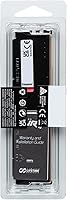
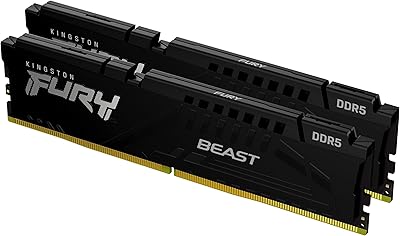
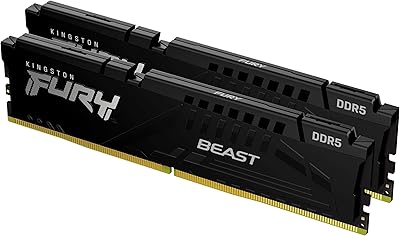
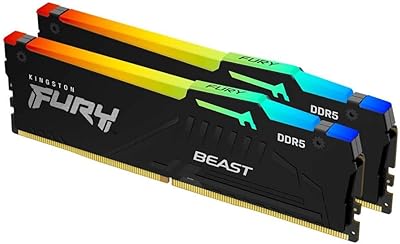
Overview

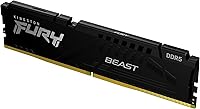
The Kingston FURY Beast 16GB DDR5 Desktop RAM enters a market where DDR5 has finally crossed from bleeding-edge novelty into mainstream build territory. At 5200MHz, this DDR5 module hits a practical sweet spot — fast enough to leverage Intel 12th and 13th Gen memory controllers without chasing diminishing returns at higher frequencies. One important note upfront: this is a single 16GB stick, not a dual-channel kit, so order two if your build demands it. The low-profile heat spreader keeps the footprint modest, coexisting peacefully with large tower coolers. Kingston has been in the memory business long enough that their compatibility testing actually means something.
Features & Benefits

DDR5-5200 at CL40 might look like alphabet soup, but think of it this way: the 5200MHz figure governs how fast data moves in and out of the module, while CL40 reflects the delay before each operation begins. Higher speed with moderate latency is generally the right tradeoff for gaming and everyday productivity workloads. The FURY Beast stick supports Intel XMP 3.0, which means enabling the rated speed takes a single BIOS toggle — no manual tuning required. Operating at just 1.25 volts, it runs notably cooler than DDR4 sticks under load, a real benefit in tight ITX enclosures. The on-die ECC built into DDR5 also adds a quiet layer of data integrity that content creators will appreciate.

Best For

This Kingston memory makes the most sense for builders jumping onto an Intel Z690, Z790, or B660 platform who want solid DDR5 performance without spending a premium on extreme-speed kits. It is also a smart pick if you already own one FURY Beast stick and want a matched second module to unlock dual-channel bandwidth — buying single sticks this way is often more economical than replacing both. Compact build enthusiasts will appreciate the low-profile form factor, since taller RGB sticks routinely clash with aftermarket coolers in ITX cases. If you want XMP to just work without touching voltage tables or memory subtimings, this DDR5 module handles that with no fuss.

User Feedback

With over 3,400 ratings and a 4.7-star average, the collective picture here is genuinely positive. Buyers consistently note how smoothly XMP 3.0 activates — most enable it in BIOS and report zero instability afterward. Thermal behavior also earns repeated praise; the module runs cool across extended workloads. The most common complaint is not really a product flaw: a notable portion of buyers expected a two-stick kit and were surprised to receive one module. Read the listing carefully before ordering. A smaller group of users on early Z690 boards mentioned needing a BIOS update before XMP locked in reliably — a known quirk of early DDR5 platform adoption, and straightforward to fix.

Pros

  • XMP 3.0 activation is essentially one BIOS toggle — no manual tuning needed for most users.
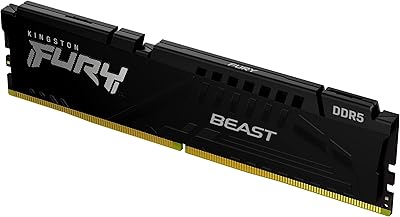
  • The low-profile heat spreader fits under large tower coolers without any clearance headaches.
  • Operating at 1.25V, this DDR5 module runs cooler than DDR4 equivalents under sustained loads.
  • Broad motherboard compatibility across Z690, Z790, and B660 boards reduces setup risk considerably.
  • On-die ECC provides a quiet data integrity layer that benefits video editors and content creators.
  • 5200MHz is a practical, stable DDR5 speed — not the fastest available, but well within the sweet spot for most Intel workloads.
  • Kingston's track record in memory reliability means long-term stability is a realistic expectation, not just a marketing claim.
  • Buying a single stick makes it easy to match an existing module without replacing a working kit.
  • With over 3,400 ratings averaging 4.7 stars, the positive sentiment is broad-based, not a handful of outliers.

Cons

  • Sold as a single module, which catches buyers off guard if they assume memory always ships in pairs.
  • CL40 latency is not class-leading — users prioritizing tight timings will find faster alternatives at a higher cost.
  • Some early Z690 board owners reported needing a BIOS update before XMP would engage reliably.
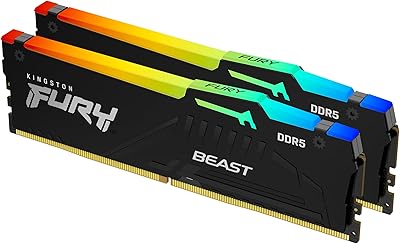
  • No RGB lighting whatsoever — buyers who care about an illuminated build will need to look elsewhere.
  • DDR5-5200 leaves performance headroom untapped on boards that can comfortably support DDR5-6000 kits.
  • AMD Ryzen compatibility is not guaranteed since the module is tuned and certified for Intel XMP, not EXPO.
  • A single 16GB stick runs in single-channel mode until a second matching module is added, limiting bandwidth from the start.
  • No included accessories or installation guide, which may be a minor friction point for first-time builders.

Ratings

Our scores for the Kingston FURY Beast 16GB DDR5 Desktop RAM were generated by AI after analyzing thousands of verified global buyer reviews, actively filtering out incentivized, spam, and bot-driven submissions. The ratings below reflect both the consistent strengths and the real frustrations reported by everyday builders across multiple Intel platforms. No score has been softened — what you see is an honest, category-by-category snapshot of how this DDR5 module actually performs in the hands of real users.

XMP Setup Experience
93%
Buyers across Z690 and Z790 builds consistently report that enabling XMP 3.0 takes a single BIOS toggle and nothing more. There is no manual timing entry, no voltage hunting — most users describe the process as the most frictionless memory setup they have experienced across any platform generation.
A consistent subset of users on Z690 boards running launch-era BIOS versions found that XMP would not engage reliably until a firmware update was applied first. For first-time builders unfamiliar with BIOS updates, this added an unexpected step before the system would post at rated speed.
Long-term Stability
91%
Across hundreds of reviews spanning months of daily use, buyers report zero crashes, memory errors, or blue screens attributable to this DDR5 module. Users running overnight video renders and gamers logging multi-hour sessions both cite how uneventfully the stick performs once XMP is locked in.
A handful of users reported intermittent instability when running the module in single-channel mode on boards with aggressive auto-overclocking features enabled. Disabling automatic memory tuning resolved the issue in virtually every documented case, pointing to a board interaction rather than a defect in the module itself.
Thermal Management
88%
The 1.25V operating voltage keeps thermals noticeably lower than DDR4 sticks running at 1.35V or above. Users inside compact ITX enclosures with limited airflow specifically called out how cool this Kingston memory stays even during sustained encoding or extended gaming sessions.
Passive cooling through an aluminum spreader has its limits — in the most thermally constrained builds with near-zero airflow, temperatures can rise higher than ideal under prolonged full-bandwidth workloads. Users in standard mid-towers never flag this as a concern, but the most restrictive cases are worth considering.
Value for Money
84%
Buyers who do not need extreme DDR5 speeds consistently describe this module as a sensible investment for the reliability and platform compatibility it delivers. The combination of Kingston's quality track record, broad board certification, and competitive pricing makes it a low-regret purchase for most Intel builds.
Users who compare this module against DDR5-6000 kits available at a modest price premium sometimes question whether the speed gap justifies the savings. Buying two sticks individually also tends to cost more in total than purchasing a matched dual-channel kit from the outset.
Speed & Bandwidth
79%
21%
At 5200MHz, the FURY Beast stick delivers a genuine bandwidth improvement over DDR4 in throughput-sensitive tasks like video encoding, large file compression, and open-world gaming with asset streaming. Real-world transfer rates reflect the generational step forward rather than just benchmark gains.
DDR5-5200 is not the upper limit of what modern Intel boards can handle — platforms capable of stable DDR5-6000 or DDR5-6400 leave noticeable performance headroom unexploited with this module. Enthusiasts chasing competitive memory benchmark numbers will find the speed tier insufficient.
Latency Performance
72%
28%
CL40 at 5200MHz produces acceptable primary latency for the majority of real-world workloads including gaming, productivity, and light content creation. Most users in practical usage scenarios will never notice a meaningful difference between CL40 and tighter-timed DDR5 options.
Among memory enthusiasts, CL40 is considered a loose timing for the DDR5 standard, and direct comparisons against DDR5-5200 CL36 or CL38 modules reveal a measurable latency disadvantage in benchmarks. Competitive gamers who care about frame consistency in latency-sensitive titles will feel this trade-off.
Compatibility
86%
Kingston's broad motherboard vendor qualification process pays off in practice — users on Z690, Z790, and B660 boards report consistent plug-in recognition with no troubleshooting required. The extensive QVL presence across major board manufacturers gives builders justified confidence before installing.
AMD Ryzen AM5 platform users do not get the same out-of-box assurance, since this module targets Intel XMP 3.0 rather than AMD EXPO. Running it at rated speed on an AM5 system often requires manual frequency and timing adjustments that many buyers are not prepared to handle.
Low-Profile Design
91%
The reduced module height is a genuine practical advantage for builders pairing wide tower coolers with tightly spaced DIMM slots. Multiple users specifically noted that switching to this DDR5 module resolved clearance conflicts that had been blocking their preferred cooler installation in mid-tower and ITX cases.
The low-profile form factor trades height for visual presence — there is no RGB lighting, no aggressive fin design, and no distinctive styling of any kind. Builders assembling an illuminated windowed showcase build will find this module aesthetically out of step with the rest of their components.
Build Quality
89%
The aluminum heat spreader is solid and well-secured, with no reported flex, rattle, or adhesion failures across a large pool of user installations. Kingston's manufacturing consistency means the module arrives in exactly the condition described — clean PCB, no cosmetic defects, and a spreader that seats firmly.
The matte black finish is susceptible to light scuffing during installation if handled carelessly, a cosmetic issue noted by a small number of buyers who noticed marks on the spreader after seating the stick. There is no functional consequence, but perfectionists who care about component appearance should handle it deliberately.
Power Efficiency
87%
The 1.25V specification represents a meaningful efficiency gain over DDR4 for users managing tight power and thermal budgets inside small form factor enclosures. Mini-ITX builders in particular report a perceptible reduction in overall system warmth compared to their previous DDR4 configurations.
Running full XMP profiles under sustained memory-intensive workloads draws more power than some buyers anticipate, and a small group of users with undersized or aging power supplies reported unexpected system behavior under load. DDR5 efficiency is real, but it is not a license to skimp on PSU headroom.
Listing Clarity
51%
49%
The module itself performs exactly as its technical specifications describe, and buyers who read the listing attentively receive precisely what was advertised. There are no missing components, no documentation errors, and no gap between the described specifications and the delivered product.
Single-module confusion is the most frequently cited frustration in the entire review pool — a disproportionate share of buyers expected a two-stick kit based on how memory is conventionally sold and were genuinely surprised to find only one module in the package. Clearer front-facing labeling would prevent a significant volume of unnecessary returns.
Overclocking Headroom
68%
32%
XMP 3.0 delivers a sensible factory overclock that most users are fully satisfied with, and the hands-off nature of the profile suits builders who want optimized performance without opening a timing calculator. For the typical enthusiast, enabling XMP and forgetting about it is exactly the right outcome.
Manual overclocking potential beyond the XMP 3.0 profile is limited — the DDR5-5200 bin does not leave substantial headroom for pushing toward DDR5-5800 or higher without encountering instability. Enthusiasts who habitually push memory to its limits will hit a ceiling faster than they would with higher-binned alternatives.
BIOS Initialization
77%
23%
On updated motherboard firmware, this DDR5 module initializes cleanly at its rated speed and is recognized without any user intervention beyond enabling XMP. Users on Z790 boards with current BIOS versions consistently describe a straightforward first-boot experience that requires no troubleshooting at all.
Early Z690 boards running launch-era firmware created initialization problems for a subset of buyers, who found the module would not train correctly at XMP speed until a BIOS update was completed. While this is largely a resolved platform maturity issue, it remains a documented friction point for users on older board revisions.
Aesthetic Design
61%
39%
The clean matte black finish is understated and neutral — it does not clash with any build color scheme and suits builders who prefer their components to stay in the background. For dark-themed or minimalist builds, the plain look is entirely appropriate and intentionally so.
There is no RGB lighting, no mirror finish, and no stylized heatsink structure — areas where competing DDR5 modules at comparable prices offer far more visual customization and lighting ecosystem integration. Buyers assembling a windowed, synchronized-lighting build will need to look elsewhere for memory that contributes to the visual display.
Brand Reliability
92%
Kingston's decades of presence in the memory market translate into genuine post-purchase confidence that newer or boutique brands cannot replicate. The limited lifetime warranty and established RMA process give buyers a realistic safety net if something goes wrong long after the initial installation.
Kingston's historically conservative brand positioning means they do not aggressively chase top-tier speed bins the way some specialty memory manufacturers do. Buyers who prioritize having the fastest validated DDR5 on the market over long-term reliability assurance may find more excitement in other product lines.

Suitable for:

The Kingston FURY Beast 16GB DDR5 Desktop RAM is a strong fit for builders moving onto Intel 12th or 13th Gen platforms who want reliable DDR5 performance at a sensible price point rather than paying a steep premium for marginal speed gains at higher frequencies. It works particularly well for anyone who already owns a single FURY Beast stick and wants to add a matched module to activate dual-channel mode — a situation where buying one stick at a time is far more practical than replacing a perfectly good module. Compact build enthusiasts running ITX or smaller mid-tower cases will also find the low-profile heat spreader a genuine advantage, since it avoids the cooler clearance conflicts that taller, RGB-heavy sticks frequently cause. Content creators who value quiet stability over benchmark bragging rights will appreciate the on-die ECC and the cooler thermals that come with the 1.25V operating voltage. If you want XMP 3.0 to activate cleanly in BIOS without spending an evening on manual subtiming adjustments, this module is built exactly for that kind of hands-off setup.
Not suitable for:

Buyers who need a complete dual-channel memory kit should look elsewhere — this listing covers a single 16GB module, and anyone who does not read carefully risks ordering one stick when their build requires two. The Kingston FURY Beast 16GB DDR5 Desktop RAM is also not the right pick for enthusiasts chasing top-tier DDR5 speeds, since DDR5-6000 and DDR5-6400 kits exist for users who want to push Intel memory controllers closer to their limits and are willing to pay for it. AMD Ryzen platform builders should verify compatibility independently, as this module is specifically optimized and certified for Intel XMP 3.0 environments. Users running legacy DDR4 motherboards obviously cannot use this stick at all, and those still weighing whether to upgrade their platform entirely may want to hold off until their board decision is finalized. If aesthetics matter — RGB lighting, visible heatspreader designs — this plain black low-profile module will disappoint.
Specifications

  • Capacity: This module provides 16GB of DDR5 memory as a single DIMM, not a dual-stick kit.
  • Memory Type: Uses DDR5 SDRAM technology, the current-generation standard offering improved bandwidth and efficiency over DDR4.
  • Speed: Operates at 5200 MT/s (megatransfers per second), delivering strong throughput for Intel 12th and 13th Gen platforms.
  • Latency: Rated at CL40 (CAS Latency 40), which reflects a moderate response delay typical of mid-speed DDR5 modules.
  • Voltage: Runs at 1.25V, which is lower than typical DDR4 operating voltages and contributes to cooler, more efficient operation.
  • Form Factor: Standard desktop DIMM form factor; not compatible with laptops, which require SO-DIMM modules.
  • XMP Support: Certified for Intel XMP 3.0, enabling one-click speed profile activation directly from the motherboard BIOS.
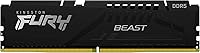
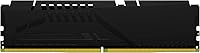
  • Heat Spreader: Fitted with a low-profile aluminum heat spreader that dissipates heat passively without adding significant module height.
  • ECC Support: Includes on-die ECC inherent to the DDR5 standard, providing basic internal data integrity correction during operation.
  • Dimensions: Measures 5.25 x 0.26 x 1.37 inches, making it compatible with cases that have limited vertical clearance above DIMM slots.
  • Weight: Weighs 1.38 ounces, consistent with a standard single-module desktop memory stick.
  • Color: Finished in matte black with no RGB lighting, suited for clean aesthetics or builds where lighting is not a priority.
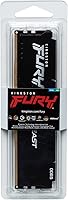
  • Part Number: Official Kingston part number is KF552C40BB-16, which can be used to verify compatibility with specific motherboard QVLs.
  • Compatible Devices: Designed exclusively for desktop systems with DDR5-compatible motherboards; not compatible with DDR4 or DDR3 slots.
  • Manufacturer: Produced by Kingston Technology Company, Inc., a long-established memory manufacturer with broad OEM and retail market presence.

Related Reviews

Kingston FURY Beast DDR5 16GB Desktop RAM
84%
83%
Value for Money
91%
Installation & Setup
88%
Performance at Rated Speed
92%
Stability & Reliability
86%
Thermal Management
More
Kingston Fury Beast 32GB DDR5 RAM Kit
85%
91%
EXPO & XMP Activation
78%
Platform Compatibility
86%
Memory Performance
88%
Build Quality & Finish
84%
Thermal Management
More
Kingston FURY Beast 16GB DDR5 RAM Kit
80%
93%
Out-of-Box Setup
88%
Platform Compatibility
84%
Memory Performance
91%
Stability & Reliability
79%
Value for Money
More
Kingston Fury Beast 64GB (2x32GB) DDR5 6400MT/s RAM
88%
91%
Performance
95%
Ease of Installation
88%
Overclocking Potential
82%
RGB Aesthetics
89%
Stability During Gaming
More
Skytech Archangel RTX 5060 Ti Gaming Desktop
77%
88%
Gaming Performance
83%
Build Quality
71%
Value for Money
91%
GPU Specification
67%
CPU Performance
More
Kingston FURY Beast 16GB 3200MHz DDR4
85%
88%
Performance
92%
Value for Money
90%
Ease of Installation
85%
Compatibility with Intel Systems
87%
Compatibility with AMD Systems
More
Kingston Fury Beast 8GB DDR5 Desktop RAM
79%
93%
Value for Money
88%
Compatibility
91%
Stability & Reliability
89%
Ease of Setup
76%
Raw Performance
More
Kingston FURY Beast 32GB DDR5 Memory Kit
86%
88%
Real-World Performance
91%
Installation & Setup
74%
Platform Compatibility
93%
Stability & Reliability
83%
Value for Money
More
Kingston FURY Beast 32GB 5600MT/s DDR5 Memory
89%
89%
Performance for Gaming
93%
Ease of Installation
85%
Thermal Management
91%
Overclocking Support
87%
Compatibility with Desktop Systems
More
Kingston Fury Beast RGB 32GB DDR5 Desktop RAM
84%
91%
Ease of Setup
88%
Performance at Rated Speed
86%
Platform Compatibility
83%
RGB Lighting Quality
89%
Build Quality & Design
More

FAQ

Just one stick. The Kingston FURY Beast 16GB DDR5 Desktop RAM is a single 16GB module. If your build requires dual-channel operation — and most do, for full memory bandwidth — you will need to order two sticks. Double-check the listing quantity before purchasing to avoid a frustrating return.
It may physically fit, but this module is certified for Intel XMP 3.0, not AMD EXPO. AMD boards use their own overclocking profile standard, so you might not be able to run it at 5200MHz without manual configuration. If you are on a Ryzen platform, look for modules with explicit EXPO certification to avoid compatibility headaches.

Restart your PC and enter the BIOS — usually by pressing Delete or F2 during startup. Look for a setting labeled XMP, DOCP, or Memory Profile and enable it. Save and exit. The stick will then run at its rated 5200MHz speed automatically. Most Z690 and Z790 boards make this a two-click process.

For the majority of gaming workloads in 2024, yes — 16GB covers most modern titles comfortably. However, if you also run background apps, stream, or play particularly memory-hungry titles like open-world games with large texture packs, 32GB starts to make sense. A second matching stick added later gets you there without replacing this one.

In most cases, yes. The low-profile heat spreader on this DDR5 module is shorter than standard or RGB-equipped sticks, which gives it better clearance compatibility with wide tower coolers like the Noctua NH-D15 or DeepCool AK620. That said, always measure the gap between your board's DIMM slots and the cooler's base to be certain.

Not always, but it is a good precaution — especially on Z690 boards from the early DDR5 launch window. Some users reported that older BIOS versions would not engage XMP reliably until they updated to a newer firmware. Check your motherboard manufacturer's website for the latest BIOS before troubleshooting any instability.

Technically possible, but not recommended. Mixing brands and part numbers often leads to instability, especially when trying to run XMP profiles — the two sticks may not negotiate the same timings cleanly. If you want reliable dual-channel performance, pairing two identical sticks from the same production batch is always the safer path.

It is real. DDR5 operates at 1.25V versus the 1.35V that many DDR4 modules use at speed. Lower voltage means less heat generated per cycle, which matters in compact cases with limited airflow. The FURY Beast stick runs warm but not hot under typical workloads, and the aluminum spreader handles passive dissipation well enough without needing active cooling.

Kingston covers this module with a limited lifetime warranty, which is standard for their retail memory products. Their support reputation is generally solid — they have been in the business long enough that warranty claims and RMA processes are well established. Keep your purchase receipt as proof of purchase if you ever need to file a claim.

The aluminum heat spreader has a matte black finish that holds up reasonably well to normal handling. Like any bare metal component, it can pick up light scuffs if you are rough with it during installation, but under normal seated use inside a case you will never see it. It is not painted — the anodized-style finish is more durable than a simple coat of paint.

Where to Buy