Overview

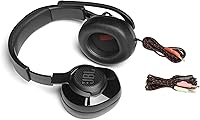
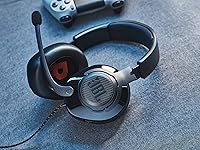
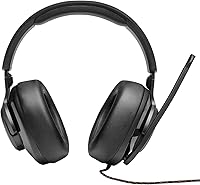
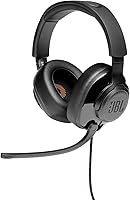
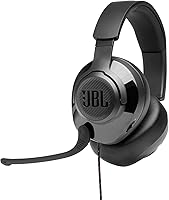
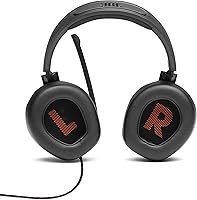
The JBL Quantum 200 Wired Over-Ear Gaming Headset sits at the more accessible end of JBL's Quantum lineup, offering a straightforward entry point for gamers who want a recognizable brand without a hefty price tag. It connects via a standard 3.5mm jack, meaning you can plug it into virtually anything — PC, PlayStation, Xbox, Nintendo Switch, or even your phone — without any drivers or setup fuss. The lightweight frame and memory foam cushions make it genuinely comfortable for extended sessions. Just be clear on what it isn't: there's no wireless option, no active noise cancellation, and no companion software to tweak the sound.
Features & Benefits

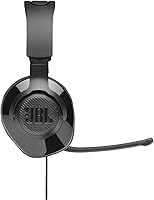
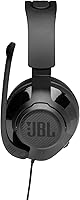
The 50mm dynamic drivers deliver a sound profile JBL calls QuantumSOUND — in practice, it's a reasonably wide soundstage with decent positional cues, helpful for tracking footsteps or pinpointing gunfire direction. The flip-up boom mic is one of the more thoughtful touches here; flipping it up automatically mutes it, so you're not fumbling for a button mid-match. At 32 Ohms, this wired headset doesn't need an amp — any console controller or phone output drives it without issue. Windows Sonic support adds simulated surround sound on compatible Windows 10 and Xbox systems, which isn't transformative but gives the audio a bit more depth.

Best For

This JBL gaming headset makes the most sense for console and PC gamers who want something reliable straight out of the box — no app to install, no Bluetooth pairing to troubleshoot, just plug in and play. It's a smart pick for students or anyone bouncing between devices daily; one headset covering a laptop, a Switch, and a phone covers real ground. If your current setup is a TV speaker or a basic earbuds-with-mic combo, the Quantum 200 is a meaningful upgrade. That said, if wireless freedom or granular EQ control is important to you, this wired headset isn't the right call.

User Feedback

Owners of the Quantum 200 consistently highlight long-session comfort as a standout quality — the memory foam holds up well over hours, and the overall build feels sturdier than expected for the price. Mic clarity earns positive marks too, particularly for voice chat in team-based games. Where feedback gets more divided is on audio depth: buyers comparing it to higher-tier headsets often find the sound a bit flat and lacking bass punch. Some users also note that the mic picks up ambient noise more than they'd prefer. Fit can vary — those with larger heads occasionally mention the headband feeling snug after extended wear.

Pros

  • Memory foam ear cushions hold up well during multi-hour gaming sessions without causing ear fatigue.
  • The flip-up mic mutes automatically when raised, so cutting yourself off mid-game takes a single motion.
  • Universal 3.5mm connectivity means it works across PC, console, Switch, and mobile without adapters.
  • At 245 grams, this JBL gaming headset feels genuinely light on the head compared to bulkier competitors.
  • The included PC audio splitter adds practical value straight out of the box for desktop users.
  • Windows Sonic support gives console and PC players a simulated surround sound option at no extra cost.
  • 32 Ohm impedance means any device — phone, controller, laptop — can drive it to a comfortable volume.
  • Build quality feels solid and durable for the price tier, not cheap or flimsy.
  • Voice chat clarity is consistently praised by users in team-based and squad communication scenarios.
  • Broad platform compatibility covers PC, Mac, PS4, Xbox, Nintendo Switch, Mobile, and VR in one headset.

Cons

  • Bass response is noticeably thin compared to headsets even slightly higher up the price ladder.
  • The fixed, non-detachable cable is a hassle if it snags or if you prefer swapping cables.
  • Some users with larger heads report the headband feels uncomfortably tight during longer sessions.
  • The boom mic captures ambient background noise more than expected in open or noisy environments.
  • There is no in-line volume control or mute button on the cable itself.
  • No EQ customization or companion app means you get exactly one sound profile with no adjustment options.
  • A few verified buyers have flagged durability concerns around the headband and hinge points over time.
  • Audio soundstage, while functional, lacks the precision and layering that more serious gamers will want.
  • The wired-only design limits freedom of movement, especially for console gamers playing from a distance.

Ratings

The scores below reflect an AI-driven analysis of verified global buyer reviews for the JBL Quantum 200 Wired Over-Ear Gaming Headset, with spam, bot-generated, and incentivized feedback actively filtered out to ensure accuracy. The resulting ratings capture both what this wired headset genuinely does well and where real users consistently run into friction. Strengths and shortcomings are weighted equally — no glossing over the trade-offs.

Comfort & Fit
83%
The memory foam ear cushions are one of the most praised aspects across verified reviews, with many users specifically noting they can wear the Quantum 200 through multi-hour gaming sessions without the ear fatigue that plagues cheaper foam-padded competitors. The lightweight frame at 245 grams reinforces this, keeping neck and head strain minimal even during long evenings.
Users with larger heads or wider skull shapes report the headband can feel noticeably tight after extended wear, creating pressure at the crown. A handful of reviewers also note that the clamping force, while fine initially, becomes noticeable after the two-hour mark if you have a broader head.
Audio Quality
67%
33%
For a wired headset at this price tier, the 50mm drivers produce a soundstage that is wide enough to give useful positional cues during gameplay — identifying footsteps from the left or tracking gunfire direction is genuinely functional. Casual gamers upgrading from TV speakers or basic earbuds notice a meaningful improvement in audio layering.
The sound profile skews mid-heavy with a noticeably thin bass response, which disappointed users who expected a punchier low-end for action games and music. Compared to even modestly pricier competitors, the overall audio feels flat and lacks the dynamic range that more critical listeners will want.
Microphone Quality
71%
29%
Voice clarity during team-based game sessions is consistently praised — squadmates report that communication comes through clean and intelligible without the muffled quality common on budget boom mics. The auto-mute flip mechanic works reliably and is appreciated by users who want a fast, tactile way to cut their audio mid-match.
Background noise pickup is a recurring complaint, particularly in open rooms with keyboard clicks, fans, or ambient chatter bleeding into the signal. The directional design helps somewhat, but it is not a noise-rejecting mic by any stretch, and streamers or anyone recording in untreated spaces will find it limiting.
Build Quality
72%
28%
For an entry-level headset, the physical construction feels more substantial than the price suggests — the plastic used in the headband and earcup housing has a density that does not feel hollow or brittle on first impression, and most users report no obvious rattles or creaks out of the box.
Long-term durability is where some concern surfaces in verified feedback, with a subset of users flagging wear and stress cracking around the headband adjustment points and hinge areas after several months of daily use. The fixed, non-detachable cable is also a structural vulnerability — if it snags or frays, the whole headset is compromised.
Value for Money
86%
The Quantum 200 punches above its weight as a budget buy — broad cross-platform compatibility, a functional mic, and genuine comfort features like memory foam cushions are not always guaranteed at this price, making it a convincing upgrade over the most basic headset options on the market.
A small but vocal group of reviewers feel the value proposition weakens when comparable options from other brands offer detachable cables or slightly better audio tuning for a similar outlay. It is excellent value for what it is, but it is not unchallenged in its segment.
Platform Compatibility
91%
The universal 3.5mm connection is a genuine strength here — plug it into a PS5 controller, a Nintendo Switch, a laptop, a smartphone, or a VR headset and it simply works every time without adapters, drivers, or pairing steps. The included PC splitter adds meaningful practical value for desktop users with split mic and audio ports.
The one consistent friction point is that some platforms require manual input source switching in the system audio settings after plugging in, which can catch first-time users off guard. There is also no USB connection option for users who prefer digital audio output on PC.
Ease of Setup
94%
Reviewers almost universally highlight how refreshingly straightforward the setup process is — connect the 3.5mm jack, select the audio source in system settings if needed, and you are gaming. There is no software to install, no firmware to update, and no Bluetooth pairing sequence to navigate, which resonates strongly with users who want simplicity.
The only setup friction tends to come from the PC splitter, which can confuse users unfamiliar with split audio jacks if their desktop does not immediately recognize both the mic and headphone channels. The documentation included in the box is minimal, which occasionally leads to troubleshooting for first-time buyers.
Microphone Design
78%
22%
The flip-up boom arm is a well-designed physical solution — it stays securely positioned when angled for use and the auto-mute on rotation is a feature users genuinely rely on rather than dismiss as a gimmick. The arm length and angle are adjustable enough to position the mic close to the mouth without feeling intrusive.
The mic arm is not as flexible as gooseneck designs found on pricier headsets, limiting fine positional adjustments. Some users also find the boom sits slightly too far from the mouth at its default angle, requiring manual bending of the arm over time.
Cable & Connectivity
58%
42%
The 3.5mm cable is long enough for most seated gaming setups and sits neatly without excessive bulk or tangling during casual use. For users who game close to their device, the fixed wired connection also means zero latency — something wireless options still occasionally struggle with.
The non-detachable fixed cable is a consistent frustration point — if it becomes damaged or frays at the jack end, there is no way to replace just the cable, effectively rendering the headset unusable. Users who game from a couch or at a distance from their console also frequently cite the cable length as restrictive.
Passive Noise Isolation
61%
39%
The over-ear memory foam design provides a reasonable seal around the ear, which naturally blocks out a modest amount of ambient sound — enough to stay focused during gaming in a quiet to moderately noisy room without active cancellation technology.
In louder environments — shared living spaces, open offices, or rooms with loud cooling fans — the passive isolation falls short, and external sounds bleed in noticeably. Users expecting meaningful sound blocking without ANC will need to keep volume higher to compensate, which is not ideal for long-term hearing health.
Weight & Portability
77%
23%
At 245 grams, this wired headset is light enough to wear comfortably without noticeable neck fatigue, and the compact folding profile makes it reasonably easy to pack into a bag for students or commuters who carry it between home, campus, and library.
The fixed cable makes on-the-go use more cumbersome than it needs to be — there is no cable management solution included, and wrapping the cord neatly for transport is awkward without a carry case, which is not provided in the box.
Headband Durability
62%
38%
The padded headband distributes weight evenly across the crown during use, which most short- to medium-term owners find comfortable and adequate for daily sessions without obvious padding compression or wear.
Longer-term verified reviews flag the headband adjustment mechanism and hinge connection points as weak spots — stress marks, loosening sliders, and in some cases cracking have been reported after six or more months of regular use, suggesting durability may not match initial impressions.
Windows Sonic Support
74%
26%
For PC and Xbox users, the native Windows Sonic integration provides a noticeable widening of the soundstage without any additional hardware or paid software, giving the Quantum 200 a spatial audio edge over competing headsets at a similar price that lack this compatibility.
The feature is platform-locked to Windows 10 and Xbox One ecosystems, meaning PlayStation and Nintendo Switch users get no benefit from it whatsoever. Even on compatible platforms, the effect is subtle rather than transformative and may disappoint users expecting a dramatic surround sound experience.

Suitable for:

The JBL Quantum 200 Wired Over-Ear Gaming Headset is a strong fit for casual and mid-level gamers who want a reliable, no-setup-required audio solution across multiple platforms. If you regularly switch between a PC, a PlayStation or Xbox controller, and a Nintendo Switch, the universal 3.5mm connection means this wired headset travels with you without compatibility headaches. Students living in dorms or shared spaces will appreciate the memory foam cushions and lightweight frame for hours of comfortable use during both gaming and video calls. It also makes a compelling first real headset for anyone currently relying on TV speakers or bundled earbuds — the jump in voice chat clarity and positional audio awareness is immediately noticeable. Buyers who simply want plug-and-play simplicity, with no apps to install or firmware to update, will find the Quantum 200 refreshingly low-maintenance.
Not suitable for:

The JBL Quantum 200 Wired Over-Ear Gaming Headset is not the right choice for gamers who prioritize rich, bass-heavy audio or studio-quality sound reproduction. If you're a competitive player who relies on a dedicated DAC, amplifier, or per-game EQ tuning, the lack of any companion software will feel like a real limitation. Streamers and content creators who need a mic that rejects background noise — keyboard clicks, room echo, or ambient chatter — may find the directional boom mic picks up more than they'd like. Those who want to move freely around their setup, or who game from a couch at a distance from their console, will be frustrated by the fixed wired cable and the absence of any Bluetooth or wireless option. If you're already gaming with a mid-range or premium headset, the step down in audio fidelity here will be hard to overlook.
Specifications

  • Driver Size: The headset uses 50mm dynamic drivers, which are on the larger end for this price tier and help produce a wider soundstage for gaming.
  • Impedance: At 32 Ohms, the headset is easy to drive from any standard audio output, including console controllers, laptops, and smartphones.
  • Sensitivity: Rated at 100 dB, the headset reaches comfortable listening volumes without requiring any amplification.
  • Frequency Response: The drivers cover a range of 20Hz to 20kHz, spanning the full spectrum of human hearing.
  • Connectivity: The headset connects via a standard 3.5mm analog jack, with a PC audio splitter included for separating headphone and microphone channels on desktop systems.
  • Microphone: A flip-up directional boom microphone is built in, with an auto mute function that activates when the mic arm is rotated upward.
  • Cable Type: The cable is fixed and non-detachable, meaning it cannot be swapped out if damaged or if you prefer a different length.
  • Ear Cushions: The ear cups are lined with memory foam cushioning, designed to conform to the shape of the ear for comfort during extended wear.
  • Headband: The headband features lightweight padding intended to distribute weight evenly and reduce pressure during long gaming sessions.
  • Item Weight: The complete headset weighs 245 grams (8.6 oz), keeping it on the lighter side for an over-ear gaming model.
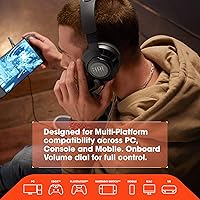
  • Platform Support: The headset is compatible with PC, Mac, PlayStation, Xbox, Nintendo Switch, mobile devices, and VR headsets via the 3.5mm connection.
  • Surround Sound: The headset supports Windows Sonic spatial audio on Windows 10 PCs and Xbox One consoles without any additional hardware.
  • Noise Cancellation: There is no active noise cancellation; the headset relies solely on passive sound isolation provided by the over-ear design and memory foam cushions.
  • Wireless Support: The headset is wired only and does not support Bluetooth or any other wireless connectivity.
  • Software: No proprietary companion app or PC software is required or available for this headset; all audio settings are managed through the operating system.
  • Dimensions: The headset measures approximately 9.65 x 3.94 x 9.06 inches in its packaged form.
  • In the Box: The package includes the Quantum 200 headset and a PC audio splitter cable; no carrying case or additional accessories are included.
  • Water Resistance: The headset carries no water or sweat resistance rating and should be kept away from moisture.

Related Reviews
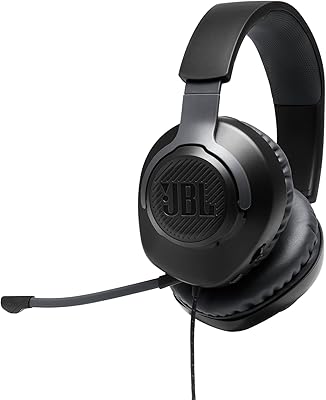
JBL Quantum 100
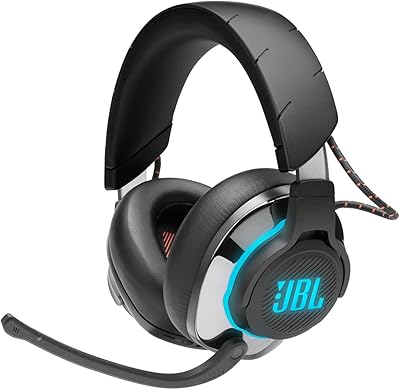
JBL Quantum 100
76%
74%
Audio Quality
81%
Microphone Performance
83%
Comfort & Fit
61%
Build Quality
88%
Value for Money
More
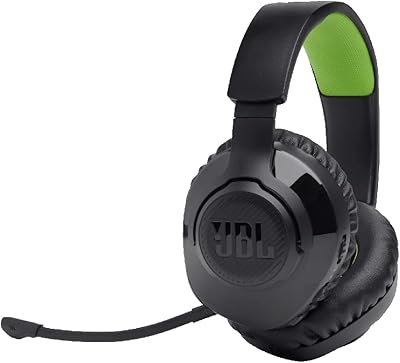
JBL Quantum 810 Wireless Gaming Headset
78%
91%
Wireless Performance
88%
Sound Quality
74%
ANC Effectiveness
93%
Battery Life
58%
Microphone Quality
More
JBL Quantum 360X Wireless Gaming Headset
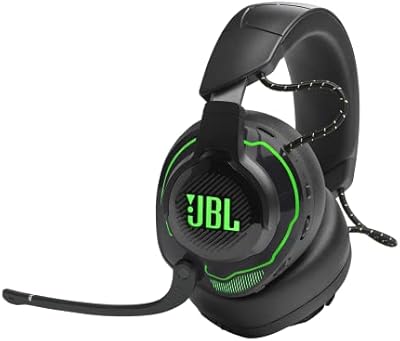
77%
91%
Wireless Reliability
88%
Battery Life
79%
Comfort & Fit
74%
Microphone Quality
76%
Audio Quality
More
JBL Quantum 910X Wireless Gaming Headset
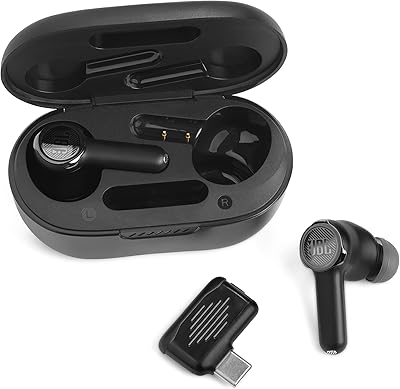
76%
91%
Spatial Audio Quality
88%
Wireless Stability
86%
Battery Life
78%
Comfort & Fit
73%
Active Noise Cancellation
More
JBL Quantum TWS
JBL Quantum TWS
73%
83%
Low-Latency Gaming Connection
67%
Noise Cancellation (ANC)
74%
Microphone Quality
86%
Dual Source Connectivity
71%
Battery Life
More
Alienware AW520H
Alienware AW520H
75%
88%
Wearing Comfort
83%
Audio Quality
74%
Positional Audio & Dolby Atmos
69%
Microphone Quality
77%
Build Quality & Durability
More
ASUS ROG Delta S Core Gaming Headset
75%
74%
Audio Quality
83%
Microphone Performance
81%
Comfort & Fit
67%
Build Quality
88%
Multi-Platform Compatibility
More
Logitech G Pro X SE Gaming Headset
79%
91%
Build Quality
84%
Sound Quality
88%
Microphone Performance
76%
Comfort & Fit
78%
Surround Sound & Spatial Audio
More
JBL Tune 310C Wired USB-C In-Ear Headphones
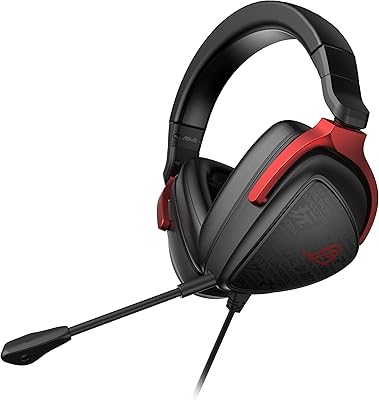
78%
83%
Sound Quality
88%
Value for Money
86%
Cable Quality
74%
Comfort & Fit
79%
Inline Remote
More
Razer Kraken V4 X Pokémon Edition
78%
83%
Audio Quality
71%
Microphone Performance
88%
Comfort & Fit
67%
Build Quality
74%
7.1 Surround Sound
More

FAQ

Yes, it works with both — but through the 3.5mm jack on the controller, not directly into the console. As long as your controller has a headphone port, you are good to go. Audio and mic both function, though you may need to adjust input settings in the console menu.

No, nothing to install. The Quantum 200 is plug-and-play on Windows and Mac. Just connect it via the included PC splitter and your system should recognize it immediately as an audio device.

Standard 3.5mm jacks on desktops typically have separate ports for headphones and microphones. The included splitter takes the single 3.5mm plug from the headset and splits it into two — one for audio out and one for mic in — so both functions work properly on a desktop PC.

Honestly, it is solid for casual voice chat and squad communication, but it is not a streaming microphone. It picks up ambient noise more than a dedicated cardioid mic would, so if you are streaming or recording, a standalone USB microphone would serve you much better. For everyday gaming calls, it does the job fine.

When you flip the boom arm up, the microphone automatically mutes itself — no button required. Flip it back down and it activates again. It is a simple but genuinely useful feature for quickly cutting your audio mid-session.

Yes, the 3.5mm connection works with any smartphone that still has a headphone jack. For phones without one, you would need a USB-C or Lightning to 3.5mm adapter, which is not included. Music playback and calls both work fine once connected.

Many users who wear glasses find over-ear memory foam designs more comfortable than on-ear styles because the cushion surrounds the ear rather than pressing on it. That said, comfort varies — thicker frames can still create pressure points over long sessions, so your experience may differ.

It is competent for casual and mid-level competitive play. The positional audio gives you a reasonable sense of direction for footsteps and in-game cues, which is more than enough for most players. If you are grinding ranked matches at a high level and need pinpoint audio precision, you will eventually want to invest in something higher-tier, but for most gamers this headset holds its own.

JBL does not officially sell replacement ear cushions for this model as a standard accessory. Some third-party options may fit, but compatibility is not guaranteed. If cushion longevity is a major concern for you, it is worth factoring that in before purchasing.

No, Windows Sonic is a Microsoft feature built into Windows 10 and Xbox One systems. On PlayStation or Nintendo Switch, the headset still works perfectly well in standard stereo — you just do not get that simulated surround sound processing unless you are on a compatible Windows or Xbox platform.

Where to Buy