Overview

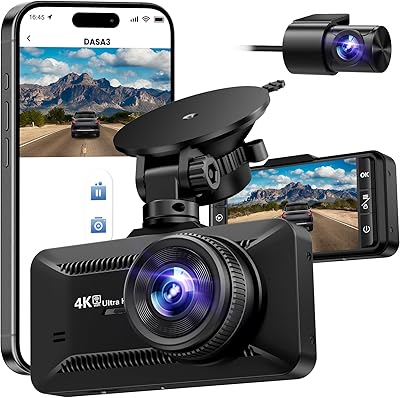
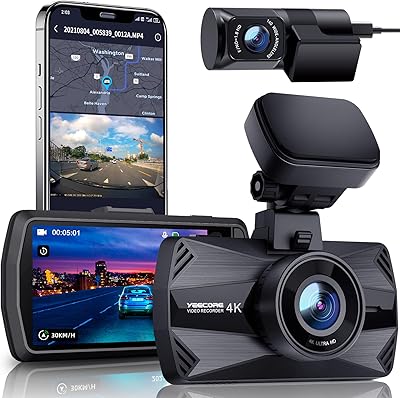
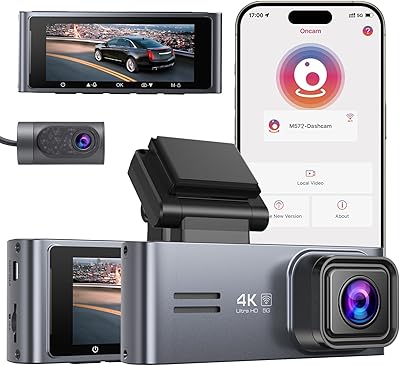
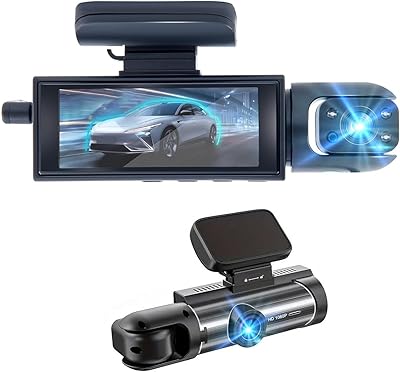
The GMAIPOP G900 4K Dual Dash Camera sits squarely in the mid-range dash cam market, aimed at everyday drivers who want front-and-rear coverage without paying a premium. One thing worth calling out immediately: despite WiFi appearing in the name, this is not a wireless camera. Both cameras require physical cable connections — the WiFi is purely for app control. That said, setup is refreshingly straightforward thanks to the 64GB SD card pre-inserted in the unit. The 3-inch IPS screen is compact enough to avoid blocking your sightlines, and the overall build feels appropriate for its price tier.
Features & Benefits

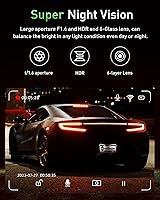
The front lens captures at true 4K resolution — 3840x2160 at 30fps — which is genuinely useful when you need to read a license plate or road sign in post-incident footage. The rear camera records in 1080P and can be mounted on the rear windshield or angled inside the cabin, giving drivers a real choice based on their priorities. HDR and a six-element glass lens help in low-light conditions, though night results are decent rather than exceptional. The built-in G-sensor locks collision clips instantly, preventing loop recording from overwriting them. WiFi must be toggled on manually after every restart — a genuine usability quirk worth knowing before you buy.

Best For

This front-and-rear camera makes the most sense for rideshare and commuter drivers who need documented coverage of both the road ahead and the cabin interior. First-time dash cam buyers will appreciate receiving a complete kit out of the box — SD card, dual mounts, cable clips, and a trim tool all included. The 170-degree front angle suits larger vehicles like SUVs and trucks where forward blind spots are a practical concern. Drivers who dislike removing SD cards from tight windshield mounts will find the app-based download convenient. If you want 4K front recording without stretching your budget into flagship territory, the G900 covers that ground capably.

User Feedback

Buyers consistently praise daylight video clarity and how little friction the initial setup involves, especially compared to similarly priced competitors that skip the SD card entirely. Night performance earns more mixed reactions — plates are readable under streetlights, but in genuinely dark conditions the footage loses some detail. The most repeated complaint centers on WiFi: every time the camera restarts, you have to manually re-enable it from the menu, which gets tedious on short trips. Parking mode feedback is split, and notably, many frustrated users had not purchased the separately sold hardwire kit that the feature actually requires — a gap the product listing could communicate more clearly.

Pros

  • Front camera delivers genuine 4K clarity — license plates and road signs are readable at distance in daylight.
  • Rear camera doubles as an interior cabin monitor, giving rideshare drivers real flexibility without extra hardware.
  • 64GB SD card comes pre-inserted, so the setup experience is faster than most competing kits.
  • G-sensor reliably locks collision clips before loop recording can overwrite them — no manual action needed.
  • The full accessory kit includes cable clips, a trim pry tool, and dual mount options right out of the box.
  • 170-degree front field of view covers road shoulders and adjacent lanes well, particularly useful in larger vehicles.
  • App-based clip download is a genuine convenience for drivers who dislike removing SD cards from windshield mounts.
  • HDR on the front lens handles high-contrast lighting transitions better than many cameras in this price range.
  • Supports SD cards up to 256GB, giving plenty of headroom if you want longer rolling footage retention.
  • Compact body keeps windshield obstruction minimal — the 3-inch screen stays readable without dominating the view.

Cons

  • WiFi turns off at every restart and must be manually re-enabled — a small but daily annoyance for regular users.
  • 24/7 parking mode requires a separately purchased hardwire kit that is not included or clearly flagged at purchase.
  • Night footage quality on unlit roads is mediocre — grain and loss of plate detail are common complaints.
  • The G-sensor triggers false locks on rough roads or speed bumps, requiring periodic manual cleanup of locked files.
  • Rear camera resolution at 1080P looks noticeably softer than the front when reviewing side-by-side footage.
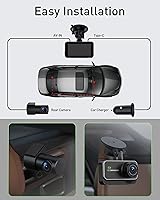
  • Running the rear cable cleanly through headliner trim takes real time — the install is not as quick as advertised.
  • The companion app feels less refined than competing apps, with occasional lag and a menu structure that buries key settings.
  • Adhesive mount can lose grip over time when exposed to sustained dashboard heat during summer months.
  • The product listing uses the word wireless in a misleading way — both cameras require physical cable connections to operate.
  • Onboard menu navigation is functional but unintuitive, and the button feel does not inspire confidence in long-term durability.

Ratings

The GMAIPOP G900 4K Dual Dash Camera earned its scores through AI-driven analysis of verified global buyer reviews, with spam, bot submissions, and incentivized feedback actively filtered out before any scoring was applied. The result reflects what real drivers experienced across daily commutes, rideshare shifts, and long road trips — strengths and frustrations weighted equally. Where this front-and-rear camera genuinely delivers, the scores reflect it; where it falls short, those gaps are represented just as honestly.
Daytime Video Clarity
88%
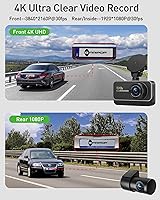
In good light, the 4K front footage is sharp enough to clearly read license plates and road signs at highway distances — exactly the kind of detail that matters when filing an insurance claim. Buyers upgrading from 1080P cameras frequently noted the visible jump in quality during daytime recording.
A handful of users found that heavy contrast scenes — such as driving out of a tunnel into bright sunlight — caused brief overexposure before HDR compensation kicked in. It is not a constant issue, but worth knowing for drivers in highly variable lighting environments.
Night Vision Performance
71%
29%
Under streetlit urban roads, the six-element glass lens and HDR combination does a respectable job keeping plate numbers legible and reducing headlight glare from oncoming traffic. Many city commuters found nighttime footage usable as genuine evidence without heavy post-processing.
On unlit rural roads or poorly lit parking lots, the footage loses meaningful detail and can appear grainy. Night performance is decent for the price bracket but should not be compared to premium cameras with larger sensors — expectations need to be calibrated accordingly.
Rear Camera Versatility
83%
The ability to mount the rear unit either on the back windshield or aimed inside the cabin is a practical advantage that rideshare and delivery drivers specifically called out. Having that flexibility without needing a separate accessory purchase added real value for buyers with varied use cases.
The 1080P rear resolution is noticeably softer than the front when comparing footage side by side, and some drivers found the 160-degree angle introduced slight distortion at the edges of the frame. For rear-facing evidence capture, it is functional but not as forensically sharp as the front.
Installation Experience
74%
26%
The included accessory kit is genuinely comprehensive — cable clips, a trim pry tool, dual mount options, and a pre-inserted SD card mean most buyers could complete the install in under an hour without a separate trip to the auto parts store. First-timers in particular appreciated having everything in one box.
Running the 19.5-foot rear cable cleanly along headliner trim and door seals is time-consuming, and a few buyers with certain vehicle models found the cable length only just sufficient. The install is not difficult, but calling it quick would be an overstatement for most vehicles.
WiFi and App Usability
62%
38%
When the WiFi connection is active, the companion app makes downloading clips and adjusting settings noticeably more convenient than pulling the SD card — especially appreciated by rideshare drivers who need to grab footage quickly between trips without fumbling with card readers.
The WiFi turns off every time the camera restarts, requiring a manual re-enable from the menu each session. Several users described this as the single most frustrating aspect of daily use, and the app itself received criticism for occasional lag and an interface that feels less polished than competing apps at this price point.
Parking Mode Effectiveness
58%
42%
When properly set up with a hardwire kit, the time-lapse parking mode provides continuous overnight coverage without draining the car battery — a setup that buyers who invested in the full install genuinely praised for catching door dings and lot incidents.
The hardwire kit is sold separately and not included, which caught a significant number of buyers off guard. Many one-star reviews specifically traced back to parking mode not functioning as expected, not because the feature itself is broken, but because the prerequisite hardware was missing from their setup.
G-Sensor and Incident Lock
84%
The automatic incident detection works reliably in real collisions and hard braking events, locking the relevant clip immediately so loop recording cannot erase it. Drivers who experienced minor fender-benders reported that the locked footage was ready to share with insurers without any manual intervention.
Sensitivity calibration is basic, and on rougher road surfaces or speed bumps, false triggers can accumulate locked files that eat into available storage. Users who drive on unpaved or heavily potholed roads may need to manually clear false-locked clips more often than expected.
Loop Recording Reliability
86%
Automatic overwriting of older footage works quietly in the background without any driver action required. Paired with the included 64GB card, most users found they had several hours of rolling footage available at any time without ever thinking about storage management.
A small number of buyers reported occasional file corruption on the SD card after extended use, which interrupted loop recording until a card reformat. This appears to be infrequent but is worth noting for drivers who rely on uninterrupted coverage.
Build Quality and Durability
73%
27%
The housing feels solid for a camera in this segment, and the 3-inch IPS screen stays readable in direct sunlight without significant washout. Most buyers who had been using the unit for several months reported no physical degradation to the casing or mount hardware.
The plastic finish shows fingerprints easily and a few users noted that the adhesive mount began losing grip after prolonged exposure to dashboard heat in summer months. The suction mount option holds better in high-heat conditions, which is worth factoring into the initial install decision.
Screen and Onboard Controls
77%
23%
The 3-inch IPS display is clear enough for reviewing clips directly on the unit without needing the app, and the menu navigation is straightforward enough that most buyers figured out core settings without consulting the manual.
Button feedback feels slightly cheap, and the menu structure buries some settings — like WiFi toggle and sensitivity adjustment — deeper than they need to be for features drivers adjust regularly. It is functional, not intuitive.
Value for Money
87%
The combination of 4K front recording, a dual-camera setup, pre-installed SD card, and a complete accessory kit at this price point is genuinely difficult to match from established brands. Buyers who compared it directly against similarly priced alternatives frequently cited the G900 as the stronger overall package.
The value equation weakens slightly once you factor in that the full parking mode functionality requires an additional purchase. Buyers who budget only for the camera itself and expect every advertised feature to work out of the box may feel the effective cost is higher than initially presented.
Wide-Angle Coverage
81%
19%
The 170-degree front field of view captures both shoulders of the road and adjacent lane activity without requiring any manual adjustment, which proved especially useful for SUV and truck drivers where forward blind spots are wider than average passenger cars.
At the extreme edges of the 170-degree frame, some barrel distortion is visible. It does not affect the usable center of the footage where most relevant detail lives, but drivers who examine wide-angle clips closely will notice the effect on peripheral objects.
Compatibility and Mount Options
79%
21%
Support across cars, minivans, trucks, and SUVs combined with both suction and adhesive mount options means the G900 adapts to a wide range of windshield shapes and driver preferences without additional purchases. The dual-mount inclusion in the box is a small but meaningful differentiator.
A few buyers with steeply raked windshields found the suction cup mount angle required some creative positioning to avoid obstructing the driver sightline. The adhesive mount solves this more cleanly but removes the option to reposition the camera later without residue.
Setup Documentation
68%
32%
The physical user manual covers the basic install steps clearly enough that most buyers completed the front camera setup without confusion. The included wiring diagrams for the rear cable run were appreciated by first-time installers who had no prior dash cam experience.
Instructions around parking mode setup are vague and do not explicitly state that a hardwire kit is required — a gap that generated a disproportionate share of negative feedback. The WiFi setup steps also lack clarity around the manual restart behavior, leaving buyers to discover it on their own.

Suitable for:

The GMAIPOP G900 4K Dual Dash Camera is a strong fit for daily commuters and rideshare drivers who need documented front-and-rear coverage without the complexity or cost of a flagship system. If you drive for Uber, Lyft, or a similar platform, the option to point the rear camera inside the cabin rather than at the back windshield is a practical liability safeguard that most cameras at this price point simply do not offer. First-time dash cam buyers will find the out-of-box experience unusually complete — the SD card is already installed, the mount hardware covers both adhesive and suction options, and the full cable kit means you are unlikely to need a separate parts run. SUV and truck owners benefit meaningfully from the 170-degree front angle, which captures more of the road shoulders and adjacent lanes than narrower lenses manage. Drivers who want to share or review footage quickly without removing a card from a tight windshield mount will find the app-based download workflow a genuine convenience, as long as they understand the WiFi toggle requires a manual re-enable after each restart.

Not suitable for:

The GMAIPOP G900 4K Dual Dash Camera is not the right choice for drivers who want a truly set-and-forget parking surveillance system without additional investment. The 24/7 parking mode requires a hardwire kit that is sold separately, and buyers who skip that step will find the feature non-functional — a source of real frustration that shows up consistently in negative reviews. If you frequently drive on unlit rural roads and need reliable low-light footage for evidence purposes, the night vision performance here will likely disappoint compared to cameras with larger image sensors. Drivers who expect always-on wireless connectivity will also be caught off guard — this camera requires physical cable installation for both units, and the WiFi exists only for app-based control, not for streaming or remote access. Professional fleet operators or anyone who needs backend video management software, cloud storage, or tamper-proof logging should look at purpose-built commercial dash cam solutions rather than this consumer-tier device.
Specifications

  • Front Resolution: The front camera records at 4K (3840×2160) at 30 frames per second, capturing fine details like license plates and road signage with high clarity.
  • Rear Resolution: The rear or interior camera records at Full HD 1080P (1920×1080) at 30 frames per second, delivering solid detail for cabin or rear-facing footage.
  • Display: A 3″ IPS screen is built into the main unit, offering clear playback and menu navigation directly on the camera without needing the app.
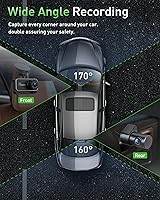
  • Front Field of View: The front lens covers a 170-degree wide angle, capturing both road shoulders and adjacent lane activity in a single frame.
  • Rear Field of View: The rear camera offers a 160-degree field of view, suitable for monitoring the full width of the road behind the vehicle or the interior cabin.
  • Lens Construction: Both cameras use a 6-element all-glass lens with HDR processing to reduce glare and improve contrast in challenging lighting conditions.
  • Connectivity: WiFi is built in for app-based control and clip download via iOS or Android, but must be toggled on manually after each camera restart.
  • Included Storage: A 64GB SD card comes pre-inserted in the camera body, with support for cards up to 256GB for extended rolling footage retention.
  • Loop Recording: When the SD card reaches capacity, the oldest unlocked footage is automatically overwritten so recording continues without any driver intervention.
  • G-Sensor: A built-in G-sensor detects sudden impacts or sharp braking and instantly locks the current clip to prevent it from being overwritten by loop recording.
  • Parking Mode: A 24/7 time-lapse parking surveillance mode is supported, but requires a separately purchased hardwire kit to function — it is not included in the box.
  • Mount Options: Both a suction cup mount and an adhesive mount are included, allowing drivers to choose the attachment method that best suits their windshield angle.
  • Rear Cable Length: A 19.5-foot cable is included for routing from the main unit to the rear windshield-mounted camera along the headliner and door trim.
  • Interior Cable: A 1-foot cable is included as an alternative for mounting the secondary camera facing inside the cabin rather than toward the rear exterior.
  • Body Dimensions: The main camera unit measures 3.5 × 2 × 1.5 inches, keeping the windshield footprint compact and the forward sightline largely unobstructed.
  • Weight: The complete unit weighs 1.1 pounds, which is typical for a dual-camera system with a built-in screen at this size.
  • Power Source: The camera is powered via the included car charger that connects to the vehicle's 12V accessory socket — it does not operate on an internal battery alone.
  • Compatible Vehicles: The G900 is designed for use in cars, minivans, trucks, and SUVs, with the wide-angle lens and long rear cable accommodating both compact and larger vehicle formats.
  • What's Included: The box contains the main camera, rear camera, 64GB SD card, car charger, 19.5ft rear cable, 1ft interior cable, suction mount, adhesive mount, wiring trim tool, cable clips, and user manual.
  • App Compatibility: The companion app is available for both Android and iOS and supports live preview, settings configuration, and direct download and sharing of recorded footage.

Related Reviews
Nezion D3 4K Dual Dash Cam
77%
83%
Video Quality (Front Camera)
71%
Video Quality (Rear Camera)
67%
Night Vision Performance
91%
Ease of Setup
88%
Value for Money
More
Meiqils Dual 1080P Front and Inside Dash Cam
73%
91%
Value for Money
89%
Ease of Installation
82%
Video Quality (Daytime)
63%
Night Vision Performance
78%
G-Sensor Reliability
More
Kingslim D6 4K Dual Dash Cam
84%
91%
4K Video Quality
88%
Night Vision Performance
84%
Ease of Setup
89%
WiFi & GPS Functionality
82%
Build Quality & Durability
More
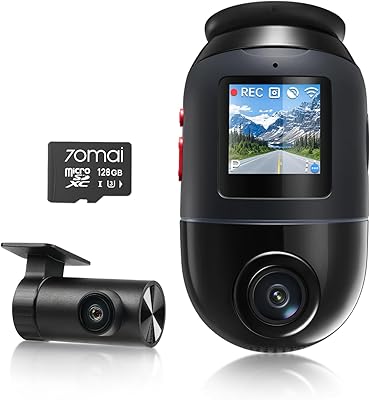
70mai 4K Omni X800 Dual Dash Cam
80%
91%
Night Vision Quality
93%
Video Clarity (Daytime)
88%
Rotating Camera Design
79%
4G LTE Remote Monitoring
67%
Parking Mode Usability
More
Miden MIDEN 2K Dual Dash Camera
84%
90%
Video Quality
85%
Ease of Setup
88%
Night Vision Performance
92%
Build Quality
87%
Parking Mode Effectiveness
More
IIWEY N2 4K Dual Dash Cam
83%
92%
Video Quality
84%
Ease of Use
89%
Durability
60%
Installation Process
90%
Wi-Fi Functionality
More
DDPAI N5 Dual Front and Rear Dash Cam
77%
88%
Video Quality (Front)
71%
Video Quality (Rear)
74%
Parking Mode & Surveillance
82%
Wi-Fi Speed & App Experience
83%
GPS Accuracy & Logging
More
Kingslim D4 Dual Dash Cam
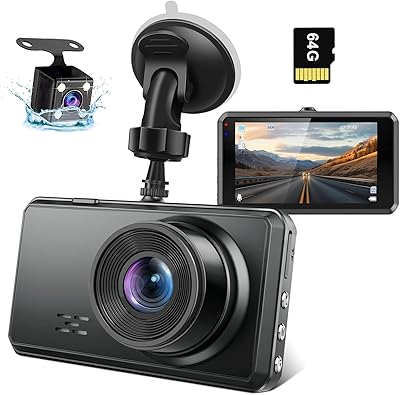
75%
88%
Daytime Video Quality
71%
Night Vision Performance
84%
GPS Accuracy
57%
App & WiFi Connectivity
76%
Ease of Installation
More
YEECORE D22 4K Dual Dash Cam
85%
91%
4K Video Quality
88%
Night Vision Performance
85%
Ease of Installation
80%
App Control & Wi-Fi Connectivity
87%
Camera Field of View
More
Thinkware U3000 4K Dual Dash Cam
86%
93%
Video Quality (4K Performance)
90%
Night Vision Performance
88%
Ease of Installation
85%
Radar Parking Mode
70%
App Connectivity & Control
More

FAQ

You still need to run physical cables. Both the front and rear cameras require wired connections for power and video — the WiFi is only used for controlling the camera and downloading clips through the smartphone app. It does not replace any of the cabling.

That is a known behavior of the G900. The WiFi module turns off automatically whenever the camera restarts, and you have to go into the menu and re-enable it manually each time. It is a bit tedious if you connect frequently, but since the WiFi is mainly used for downloading files rather than continuous streaming, many drivers just turn it on when they actually need it and leave it off otherwise.

Yes, that is a built-in option. The short 1-foot cable included in the box is specifically for positioning the secondary camera to face the interior cabin — useful for rideshare drivers who want to document passenger interactions. The longer 19.5-foot cable is for the traditional rear windshield installation.

The parking mode requires a hardwire kit, which is sold separately and not included in the box. This connects the camera directly to your vehicle's fuse box so it receives a low-level power feed even when the ignition is off. Without the hardwire kit, the camera simply loses power when you turn off your car and cannot monitor anything.

4K genuinely helps when you need to read fine details in footage — license plate numbers at distance, road sign text, or identifying features on other vehicles. That said, 1440P is also very capable for most accident evidence purposes. The real-world difference becomes most apparent when you need to zoom into a clip after the fact, where 4K gives you more usable detail before the image degrades.

Plan for at least 30 to 60 minutes if you want a clean install with the cable tucked behind the headliner and door trim. The included wiring trim tool helps, but fitting the full 19.5-foot cable neatly through the trim panels of an SUV or truck takes patience. If you just tape or clip the cable along the window seal, the job goes faster but looks less finished.

The camera ships with a 64GB card already inserted, so you do not need to buy one to get started. If you want more rolling storage, the G900 supports cards up to 256GB. Stick to Class 10 or UHS-I rated cards for reliable continuous recording performance — cheap or slow cards can cause recording interruptions.

On lit roads and streetlit parking lots, the footage is generally clear enough to read plates and identify vehicles. In genuinely dark or unlit environments, though, the image gets noticeably grainier and fine detail becomes harder to pull out. It performs at a level that is reasonable for the price, but if low-light evidence capture is a top priority for you, cameras with larger sensors and wider apertures will do better.

The suction mount generally holds better in high-heat conditions than the adhesive mount, which can soften and lose grip when dashboards get very hot during summer. If your car sits in direct sun regularly, the suction cup option is the safer long-term choice. A few buyers have reported the adhesive mount shifting after several months of summer heat exposure.

Yes, that is exactly what the app is for. Once you enable WiFi on the camera, connect your phone to the camera's network, and open the app, you can browse, preview, and download clips directly to your phone. It is convenient for sharing footage quickly — just remember you need to re-enable the WiFi from the menu after each restart before the app can connect.