Overview

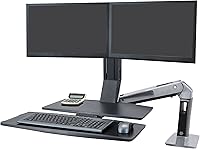
The Ergotron WorkFit-A Dual Monitor Standing Desk Converter is built for one specific job: turning a desk you already own into a real sit-stand station, no replacement furniture required. Clamp it to the edge of your desktop and you have a self-contained unit that lifts your monitors and keyboard together, rather than forcing you to juggle separate gadgets. It is clearly aimed at people running two screens side by side, since the whole arm is engineered to move both displays in sync. The aluminum frame and black finish give it a sturdy, office-grade look rather than a flimsy add-on feel. At this price point, you are paying for professional-grade hardware, not a budget riser, and it shows in the build quality from the moment you unbox it.
Features & Benefits

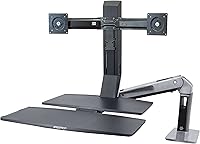
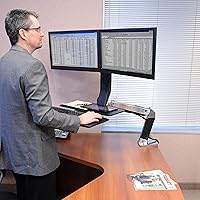
Once it is mounted, this standing desk arm lets you raise or lower your monitors independently from the keyboard tray, so you can get your eye line right without throwing off your typing position. The vertical lift covers a wide range, which matters if more than one person shares the desk or if you simply want flexibility between sitting and standing throughout the day. The keyboard tray slides along with the worksurface, so your hands stay in the same relative spot whether you are seated or upright. VESA-compatible mounts handle a variety of monitor sizes and weights without extra brackets, and a built-in cable wrap keeps cords from turning into a tangled mess as the arm travels up and down. Installation is tool-free, using a clamp instead of drilled holes.

Best For

This setup makes the most sense for remote workers or office employees who live in two monitors all day and do not want to abandon a desk they already like. If you have a solid desktop and just need the sit-stand piece, this dual-monitor converter solves that without a full furniture overhaul. People who prefer tool-free adjustments will appreciate not dealing with hand cranks or finicky pneumatic levers. It is also a better fit for buyers who think in terms of long-term value, since the upfront cost only makes sense if you plan to use it daily for years. On the other hand, single-monitor users or anyone working on a small desk may find the footprint more than they actually need.

User Feedback

Real owners land this around the mid-4-star mark, which lines up with what you would expect from gear in this category. The most common compliment is how smoothly this sit-stand workstation setup glides between sitting and standing heights, with several people noting it feels sturdier than cheaper alternatives they had tried before. The most common complaint is patience: getting both monitors aligned during initial setup takes longer than buyers expect, and a few mention double-checking their desk thickness and clamp fit before ordering to avoid surprises. Interestingly, satisfaction seems to grow over time, with multiple reviewers saying the price felt steep at first but reasonable after months of daily use.

Pros

  • Lets both monitors move together smoothly, so you never have to readjust one screen after lifting the other.
  • Independent height control means you can dial in your eye line without messing up your keyboard position.
  • Tool-free clamp installation skips the drilling and crank-turning that other standing desk arms still require.
  • Aluminum construction feels sturdy and office-grade rather than flimsy or plasticky.
  • Wide vertical lift range works well whether you are tall, short, or sharing the desk with someone else.
  • Built-in cable management keeps cords from tangling as the arm rises and falls.
  • VESA-compatible mounting fits a broad range of monitor sizes and weights without buying extra brackets.
  • Backed by a 5-year warranty, which signals real confidence in long-term durability.
  • Owners consistently describe the sit-to-stand transition as smooth rather than jerky or unstable.

Cons

  • Initial setup takes real patience, especially when aligning two monitors at the same height and angle.
  • The price tag puts it well above basic single-monitor risers, which may deter budget-conscious shoppers.
  • Footprint is large enough that it can feel oversized on a small or shallow desk.
  • You need to measure your desktop thickness and clamp clearance carefully before ordering to avoid fit problems.
  • Heavier overall weight of the unit makes it less convenient to relocate once it is mounted.
  • Not a practical option for anyone running a single-monitor setup, since the design centers on two screens.
  • Some reviewers say the value only becomes obvious after months of daily use, not right out of the box.
  • Assembly instructions could be clearer for buyers who are not used to mounting hardware like this.

Ratings

Every score below for the Ergotron WorkFit-A Dual Monitor Standing Desk Converter comes from an AI analysis of verified buyer reviews collected from real owners worldwide, with spam, bots, and incentivized feedback filtered out before scoring. The goal is to reflect both what people genuinely love about this dual-monitor converter and the friction points they ran into, side by side, without softening either one.
Build Quality
91%
The aluminum frame and sturdy clamp give this dual-monitor converter a planted, office-grade feel that buyers consistently praise after months of daily lifting and lowering. People running it eight hours a day report no wobble, even with two larger monitors mounted at once.
A few owners note the unit's overall weight makes it awkward to move once installed, which can be a hassle if you rearrange your office often. The black finish also shows fingerprints and dust more visibly than a lighter-colored alternative would.
Ease of Setup
69%
31%
Tool-free clamp installation means most people get the base mounted to their desk within minutes, without drilling or extra hardware lying around. Reviewers who have used crank-based converters before describe this as a noticeable step up in convenience.
Aligning both monitors evenly takes longer than expected for first-timers, with several buyers mentioning trial and error before everything sits level. Anyone unfamiliar with VESA mounting may want to set aside an extra twenty or thirty minutes.
Height Adjustability
89%
With independent monitor and worksurface adjustment, users can dial in a setup that actually matches their eye line and elbow height instead of settling for one-size-fits-all. People sharing a desk with a partner or roommate especially value being able to reset the height quickly.
The adjustment range, while wide, still may not suit extremely tall or short users at the very edges of typical height charts. A small number of reviewers wished the lowest seated position went even closer to standard desk height.
Sit-Stand Transition Smoothness
87%
This is the category owners rave about most, repeatedly describing the motion between sitting and standing as fluid rather than jerky or effortful. Daily users say it genuinely encourages more frequent position changes throughout a workday.
A handful of buyers mention the arm feels slightly resistant when fully loaded with two larger monitors at once. Over time, a small number of long-term owners have noticed minor stiffness creeping into the lift mechanism.
Value for Money
79%
21%
Owners who use this sit-stand workstation setup daily for months tend to feel the upfront cost evens out compared to constantly replacing cheaper, less durable converters. The five-year warranty also reassures buyers that they are paying for long-term reliability, not a disposable gadget.
Budget-focused shoppers still flinch at the price tag compared to basic single-monitor risers, and the value only becomes obvious with sustained daily use. Casual or occasional users may not get enough mileage to justify the investment.
Monitor Mounting & VESA Compatibility
84%
Standard VESA mounting patterns mean most monitors attach without needing extra brackets or adapters, which simplifies the entire setup process considerably. Reviewers appreciate not having to hunt down specialty hardware just to get both screens mounted properly.
Monitors outside the 4.5 to 10 pound range per arm or larger than 24 inches simply will not work with this mount, ruling out some ultrawide or heavier display setups. A few buyers learned this the hard way after measuring their monitors too late.
Keyboard Tray Comfort
82%
18%
The keyboard tray's generous size comfortably fits a full keyboard and mouse side by side without feeling cramped, even for people who type for hours straight. Because it moves with the worksurface, typing posture stays consistent whether seated or standing.
A few reviewers note the tray sits slightly lower than their previous separate keyboard stand, requiring a short adjustment period. Anyone using a large mechanical keyboard with a wrist rest may find the available depth tighter than expected.
Desk & Clamp Compatibility
71%
29%
The clamp accommodates a wide range of common desktop thicknesses, which lets most buyers mount it without buying a new desk just for compatibility's sake. Reviewers with standard office and home desks generally report a secure, no-wobble fit.
Desks outside the 0.8 to 2.6 inch thickness range, or with unusual edge shapes, can cause real fitment headaches that a few buyers only discovered after unboxing. Double-checking desk specs beforehand would clearly save some owners a frustrating return process.
Cable Management
78%
22%
The built-in cable wrap does a solid job keeping cords from swinging loose or tangling as the arm rises and falls throughout the day. Owners managing multiple monitor and peripheral cables appreciate not having a mess dangling behind their desk.
The wrap handles standard cable loads well, but a few reviewers running extra peripherals or thicker cables wish there was more room to route everything cleanly. It is functional rather than especially elegant, and a bit basic compared to pricier alternatives.
Durability Over Time
86%
Long-term owners frequently report that the mechanism still feels as smooth after a year or more of daily use as it did on day one. The aluminum build holds up well against the wear and tear of constant height adjustments.
A small subset of reviewers mention minor stiffness developing in the lift mechanism after extended heavy use, though this is not a widespread complaint. Without lubrication or maintenance, some buyers worry about long-term performance beyond the warranty period.
Warranty & Support
88%
The five-year manufacturer warranty stands out compared to many competing standing desk converters, giving buyers real confidence in long-term ownership. Reviewers who have contacted support describe the experience as straightforward and genuinely helpful rather than a runaround.
A few buyers note that warranty claims still require some patience and paperwork, which can feel slow if you are dealing with a defective unit. Support quality seems solid, but it is not instantaneous, and response times can vary.
Footprint & Space Efficiency
63%
37%
For larger desks or dedicated home offices, this standing desk arm's footprint is rarely an issue and actually helps organize a cluttered dual-monitor setup. People with deep desks appreciate having both screens and the keyboard consolidated onto one adjustable system.
On smaller or shallow desks, the combined worksurface and keyboard tray can eat up more usable space than buyers initially expect. Reviewers with compact home office setups sometimes find it feels oversized for the room available.

Suitable for:

The Ergotron WorkFit-A Dual Monitor Standing Desk Converter is the right call for anyone running two monitors who has grown tired of sitting through an entire workday without options. Remote employees and office workers who depend on a dual-screen setup will get the most value, since the arm is built specifically to move both displays together rather than treating a second monitor as an afterthought. It also makes sense for people who already like their current desk and have no interest in replacing it just to gain sit-stand functionality. Buyers who prefer tool-free, lever-based adjustments over hand cranks or pneumatic lifts will appreciate how smoothly it transitions between heights throughout the day. Because the investment is sizable, it suits people who plan to use it daily for years rather than occasionally, treating it as long-term ergonomic equipment rather than a quick fix.
Not suitable for:

On the other hand, the Ergotron WorkFit-A Dual Monitor Standing Desk Converter is not a great match for anyone working with a single monitor, since much of its design and cost goes toward syncing two screens at once. Owners of small desks should also think twice, as the worksurface and keyboard tray together take up more real estate than many compact setups can spare. Buyers expecting a quick, plug-and-play experience may be frustrated, since several reviewers mention that aligning dual monitors during setup takes more patience than expected. Anyone shopping strictly by budget will likely find better value in simpler, single-monitor risers or basic standing desk converters. Finally, people who have not measured their desktop thickness or clamp clearance beforehand risk compatibility issues that are easy to avoid with a bit of upfront checking.
Specifications

  • Monitor Support: Supports two monitors up to 24 inches diagonal each.
  • Monitor Weight Limit: Each monitor arm holds between 4.5 and 10 pounds.
  • VESA Compatibility: Compatible with 75x75mm and 100x100mm VESA mounting patterns.
  • Worksurface Size: The main worksurface measures 22.6 by 9.7 inches.
  • Keyboard Tray Size: The keyboard tray measures 27 by 10.7 inches.
  • Vertical Lift Range: The worksurface lifts up to 20 inches for sit-stand transitions.
  • Monitor Height Adjustment: Monitors adjust independently by up to 5 inches beyond the worksurface lift.
  • Monitor Height Range: Monitor height adjusts from 13.4 inches up to 38.4 inches.
  • Arm Extension: The arm extends up to 42 inches from the back of the desk to the front of the keyboard tray.
  • Clamp Compatibility: The desk clamp fits desktops between 0.8 and 2.6 inches thick.
  • Frame Material: Constructed from aluminum with a black finish.
  • Load Capacity: Overall load capacity is rated at 24.9 pounds.
  • Unit Weight: The unit itself weighs 45.3 pounds.
  • Warranty: Backed by a 5-year manufacturer warranty.
  • Installation Method: Uses a tool-free clamp installation that requires no drilling.
  • Cable Management: Includes a built-in cable wrap to route cords along the arm.

Related Reviews
Ergotron WorkFit-S LD Single Monitor Standing Desk Converter
86%
94%
Ease of Adjustment
88%
Ergonomics & Comfort
85%
Build Quality
91%
Space-Saving Design
89%
Assembly & Setup
More
Mount-It! MI-7934 36″ Dual Monitor Desk Converter
77%
88%
Ease of Assembly
83%
Monitor Arm Stability
79%
Gas Spring Height Adjustment
91%
Work Surface Size
71%
Keyboard Tray Usability
More
MOUNT PRO Freelift Dual Monitor Stand
82%
93%
Height Reach
88%
Ease of Assembly
82%
Gas Spring Performance
79%
Build Quality
71%
Monitor Compatibility
More
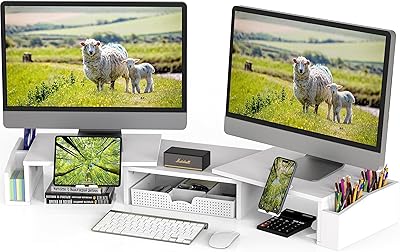
Mount-It! MI-7983 Triple Monitor Electric Desk Converter
69%
74%
Build Quality & Stability
82%
Electric Height Adjustment
86%
Monitor Arm Flexibility
47%
Assembly Experience
61%
Footprint & Desk Compatibility
More
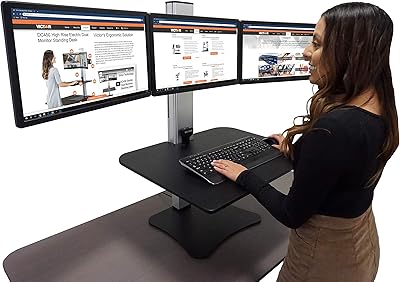
Simple Houseware Dual Monitor Stand Riser
80%
91%
Storage Functionality
88%
Adjustable Width
74%
Build Quality
86%
Value for Money
67%
Ease of Assembly
More
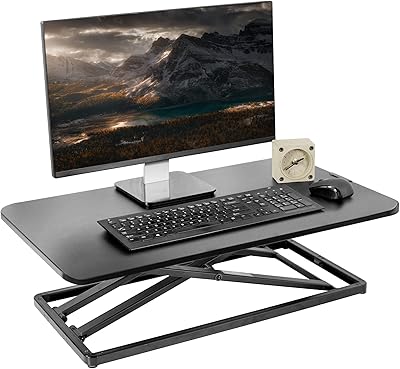
Victor DC475 Triple Monitor Standing Desk Converter
73%
88%
Motorized Lift Performance
84%
Monitor Stability
91%
Independent Monitor Adjustment
83%
Build Quality
54%
Assembly Experience
More
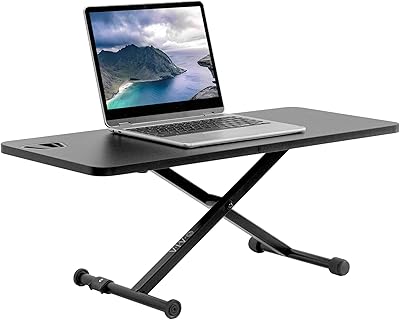
VIVO DESK-V000U 29-inch Standing Desk Converter
81%
93%
Ease of Use
96%
Assembly & Setup
81%
Build Quality & Sturdiness
78%
Height Range & Adjustability
67%
Surface Area & Workspace
More
VIVO DESK-V011F 28″ Standing Desk Riser
77%
96%
Ease of Setup
83%
Stability at Low to Mid Height
78%
Height Adjustment Range
61%
Weight Capacity
74%
Build Quality
More
gianotter D1-2B Dual Monitor Stand Riser
78%
88%
Build Quality
81%
Stability & Wobble Resistance
74%
Storage Functionality
94%
Ease of Setup
67%
Pen Holder Performance
More
AFOOYO Rainbow Cloud Dual Monitor Stand
72%
93%
Aesthetic Design
81%
Build Quality
67%
Assembly Experience
72%
Ergonomic Benefit
76%
Value for Money
More

FAQ

As long as your desktop is between 0.8 and 2.6 inches thick, the clamp should fit, no special desk needed. This dual-monitor converter is designed to attach to a wide range of standard desks without drilling.

It supports two monitors at once, each up to 24 inches diagonal and weighing between 4.5 and 10 pounds. If your monitors fall outside that range, this is not the right model for the job.

No, as long as your monitors use standard VESA mounting patterns of 75x75mm or 100x100mm, they will attach directly to this standing desk arm. Most modern monitors already support one of those patterns out of the box.

Setup is tool-free thanks to the desk clamp, so you will not be drilling into your desktop. That said, several owners mention that aligning both monitors evenly takes a bit of patience the first time around.

The worksurface itself lifts up to 20 inches, and you get another 5 inches of independent monitor adjustment on top of that. Combined, monitor height can range from about 13.4 inches up to 38.4 inches.

Yes, the keyboard tray measures 27 by 10.7 inches, which comfortably fits a full-size keyboard and mouse side by side. It moves in tandem with the worksurface, so your typing position stays consistent whether you are sitting or standing.

The overall load capacity is rated at 24.9 pounds, which covers two monitors plus the worksurface accessories. Just make sure each individual monitor stays within the 4.5 to 10 pound range per arm.

It depends on how much you use it daily, since this sits closer to professional-grade ergonomic gear than a budget riser. Owners tend to feel the investment pays off after months of regular use rather than right out of the box.

There is a built-in cable wrap included specifically to route cords as the arm moves up and down. It keeps things from tangling or snagging during height adjustments.

This sit-stand workstation setup comes with a 5-year manufacturer warranty, which is a strong sign of build confidence. Reviewers generally describe the build as sturdy enough to handle daily adjustments without issues over time.