Overview

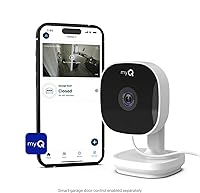
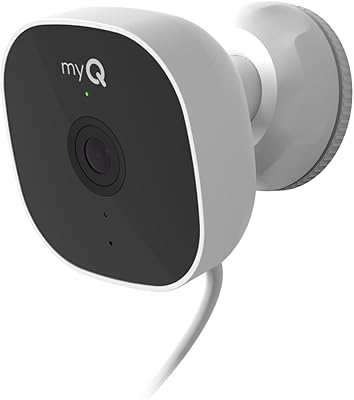
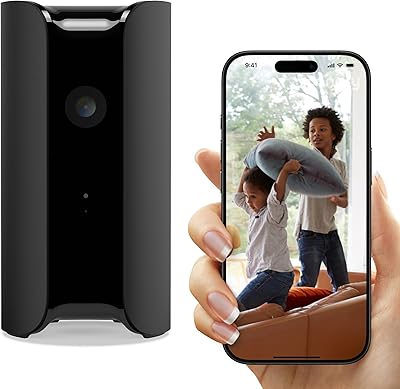
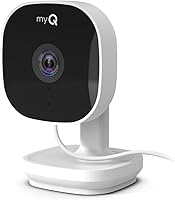
The Chamberlain myQ Smart Indoor Security Camera is Chamberlain's push into home surveillance, built around their established myQ smart home ecosystem. It's compact enough to sit on a shelf or countertop without a single screw, which makes it genuinely appealing for renters who can't put holes in walls. Setup is straightforward, and the myQ app handles everything from live viewing to notification management. That said, buyers should know upfront that some key features — video storage, smart detection, and preview notifications — sit behind a paid subscription. The free tier covers the basics, but if you want more than a live feed, the ongoing costs are worth factoring in before buying.
Features & Benefits

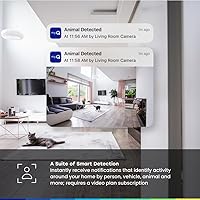
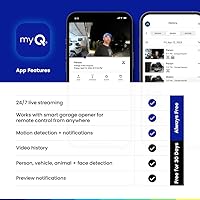
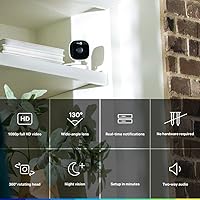
The 1080p video holds up well in bright conditions — you get clear, detailed footage during the day. The 130-degree wide-angle lens means one camera can reasonably cover a living room or open kitchen without needing to pan or tilt. Night vision is present, and while it handles dimly lit rooms adequately, don't expect crisp clarity in complete darkness. Motion detection sends real-time alerts, and you can customize which times or conditions trigger notifications. Two-way audio works reliably for talking to a family member or directing a delivery person. Everything runs through the myQ app, which is clean and responsive on both iOS and Android.

Best For

This myQ camera is a natural fit for renters and apartment dwellers who want basic security monitoring without landlord negotiations or wall damage. If you already own a Chamberlain myQ garage system, adding this camera keeps everything in one app — genuinely convenient. Parents checking on a napping child, or caregivers monitoring an elderly relative in another room, will find the live view and two-way audio useful day-to-day. It's also a reasonable first step for anyone new to smart home devices, since the setup takes minutes and the interface stays accessible. Just don't expect it to replace a full security system.

User Feedback

Buyers consistently highlight easy setup and clear daytime video as the standout positives — the plug-and-play experience appears to meet expectations for most people, and the myQ app draws praise for being intuitive and stable. However, a recurring frustration surfaces around the subscription model: without paying, there's no way to review past footage, which some buyers only discover after purchase. Motion detection sensitivity gets mixed marks, with occasional false alerts. Night vision performs acceptably in partially lit rooms but tends to disappoint in true low-light conditions. A few users also flag limited compatibility outside the myQ ecosystem, making this smart security cam feel somewhat locked in.

Pros

  • Setup takes minutes — just plug in, download the myQ app, and you're live.
  • 1080p daytime video is clear and detailed enough to identify faces and read text.
  • The 130-degree wide-angle lens covers large open rooms with a single camera.
  • Two-way audio is responsive and useful for communicating across the home.
  • The myQ app is well-designed, stable, and easy to navigate for non-technical users.
  • Motion alert customization lets you tune notification timing to reduce unnecessary interruptions.
  • Compact tabletop form factor means no drilling, no tools, and no landlord negotiations.
  • An affordable entry point for basic indoor monitoring without a long-term hardware commitment.
  • Works well as an add-on for existing Chamberlain myQ garage system users.

Cons

  • Video storage requires a paid subscription — without it, there is no way to review past footage.
  • Night vision struggles in fully dark rooms, despite marketing implying otherwise.
  • No native support for Alexa, Google Home, or Apple HomeKit limits smart home flexibility.
  • Motion detection is limited to movement only — no person, package, or pet differentiation on the free tier.
  • Ecosystem lock-in means switching away from myQ later means starting your setup from scratch.
  • Occasional false motion alerts have been reported, which can erode trust in notifications over time.
  • The camera is strictly indoor-only, ruling it out for any porch or entryway monitoring needs.
  • No pan or tilt capability means repositioning requires physically moving the camera.
  • Wi-Fi reliability can vary, with some users reporting intermittent disconnections in larger homes.

Ratings

The scores below reflect an AI-driven analysis of verified global buyer reviews for the Chamberlain myQ Smart Indoor Security Camera, with spam, bot activity, and incentivized feedback actively filtered out to ensure accuracy. Each category score is built from real purchase experiences, capturing both what this smart security cam does well and where it falls short for everyday users. The result is a transparent, balanced picture that helps you buy with confidence rather than guesswork.

Ease of Setup
91%
Buyers consistently report being up and running in under ten minutes — plug in the camera, open the myQ app, and Bluetooth handles the pairing automatically. For first-time smart home users, the step-by-step in-app guidance removes nearly all friction from the process.
A small number of users on older Android devices experienced app glitches during initial pairing that required restarting the process. Those without a stable 2.4GHz Wi-Fi band nearby occasionally hit connectivity snags that delayed setup.
Daytime Video Quality
83%
In well-lit rooms, the 1080p feed delivers sharp, detailed footage — facial features are distinguishable from across a standard living room, and text on packages or labels is generally readable. For a camera at this price tier, daytime clarity earns genuine praise from the majority of buyers.
Color accuracy can look slightly washed out in rooms with strong overhead lighting or mixed light sources. A few users noted minor motion blur when people move quickly through the frame, which can affect the usefulness of individual still captures.
Night Vision Performance
58%
42%
In rooms with some residual light — a hallway nightlight, a TV on standby, or ambient street glow through a window — the infrared night vision produces usable footage that can identify general movement and shapes. It handles typical bedroom or nursery monitoring conditions reasonably well.
In truly dark environments, image quality drops considerably, with visible grain and loss of fine detail. A meaningful number of buyers felt the marketing overpromised on low-light performance, and those relying on this camera for overnight monitoring in windowless rooms were frequently disappointed.
Motion Detection Accuracy
62%
38%
Real-time push alerts arrive quickly when motion is detected, and the ability to schedule notification windows helps reduce alert fatigue during busy parts of the day. For basic use cases like knowing when someone enters a room, it works as intended.
False alerts from shifting sunlight, ceiling fans, or pets are a recurring complaint, and without a subscription there is no way to filter by subject type. Some users also reported missed events when motion occurred at the edges of the camera frame, reducing confidence in the alerts.
Two-Way Audio
78%
22%
The two-way audio performs reliably for in-home communication — talking to a family member in another room or directing a visitor at the door feels natural and responsive through the myQ app. Audio latency is low enough for back-and-forth conversation without noticeable delay.
In louder environments, the microphone picks up background noise that can muffle voices on the receiving end. A handful of buyers also noted that the speaker volume, while adequate for quiet rooms, is not loud enough to be clearly heard across a larger open-plan space.
App Experience
81%
19%
The myQ app draws consistent praise for its clean layout and quick load times — live video starts within a few seconds of opening, and notification management is intuitive even for users new to smart home platforms. Both iOS and Android versions receive generally positive feedback on stability.
Users who want deeper customization or third-party integrations find the app limiting. The subscription upsell is prominent within the interface, which some buyers describe as feeling pushy rather than helpful, particularly early in the ownership experience.
Value Without Subscription
54%
46%
For buyers who only want live monitoring and basic motion alerts, the free tier delivers functional value at a reasonable upfront price point. Parents checking in on a napping child or caregivers doing occasional room checks get genuine utility without spending anything beyond the hardware cost.
The absence of video history on the free tier is a significant functional gap that many buyers only discover after purchase, leading to real frustration. Compared to competing cameras that offer free local storage via microSD, this myQ camera feels notably limited for subscription-free use.
Subscription Value
67%
33%
For users who commit to the paid plan, smart detection, video storage, and preview notifications meaningfully expand the camera experience — transforming it from a basic live viewer into something closer to a full monitoring tool. The subscription cost is competitive relative to similar services from Blink or Wyze.
Requiring a paid tier for what many buyers consider basic functionality — specifically video history — is a sticking point, and some users feel the free-to-paid feature split is weighted too aggressively toward the subscription. Those who cancel after trying it often revert to using the camera as little more than a live feed.
Build Quality & Design
74%
26%
The compact, cylindrical design fits neatly on a bookshelf, kitchen counter, or side table without looking out of place, and the white finish suits most neutral interiors. The unit feels solid in hand despite its lightweight build, with no creaking or cheap-feeling parts.
The power cable exits from a fixed point that can look untidy depending on placement, and there is no cable management solution included. A few buyers noted the tabletop base is not particularly heavy, meaning the camera can be nudged out of position more easily than expected.
Wi-Fi Stability
71%
29%
In smaller apartments and homes with the camera positioned within reasonable range of the router, Wi-Fi performance is generally stable across extended daily use. Most buyers in standard-sized living spaces report few to no unexpected disconnections under normal network conditions.
Users in larger homes or those with crowded 2.4GHz networks report intermittent dropouts that interrupt live viewing and delay motion alerts. The camera does not support 5GHz Wi-Fi, which limits options for households where the 2.4GHz band is congested.
Smart Home Compatibility
39%
61%
For existing Chamberlain myQ ecosystem users — particularly those with a myQ-connected garage door system — the integration is genuinely convenient, keeping all smart home controls consolidated inside a single familiar app with no additional configuration required.
Beyond the myQ ecosystem, compatibility is extremely limited — there is no support for Amazon Alexa, Google Home, or Apple HomeKit, which is a significant drawback for buyers already invested in any of those platforms. This lock-in makes the camera a poor fit for anyone who wants their devices to work together across different ecosystems.
Wide-Angle Coverage
79%
21%
The 130-degree lens covers a wide swath of a standard room from a single fixed position, reducing the need for multiple cameras in typical apartment layouts. Buyers monitoring kitchens, living rooms, or open-plan spaces appreciate that they can capture meaningful coverage without repositioning frequently.
Without pan or tilt capability, dead zones exist in corners or along walls directly adjacent to the camera's placement, and repositioning the unit is the only way to address them. Users with L-shaped rooms or unusually narrow sightlines found the fixed angle limiting.
Notification Customization
72%
28%
Being able to schedule alert windows — silencing notifications during work hours or overnight — is a genuinely useful feature that most competing cameras at this price tier do not offer on the free plan. Buyers appreciate having some control over when they are interrupted.
Customization is limited to timing rather than event type on the free tier, meaning you cannot differentiate between a person walking through and a shadow passing the lens. More granular filtering, which many users expected at this price, requires the paid subscription.
Portability & Repositioning
84%
The lightweight tabletop design makes it easy to move the camera from room to room as needs change — something permanently wall-mounted cameras cannot offer. Renters in particular appreciate being able to take the camera with them when they move without leaving any trace behind.
The need to stay tethered to a power outlet limits where the camera can realistically be placed, particularly in rooms where outlets are spaced far from ideal monitoring positions. There is no battery-powered mode or backup, so any outlet disruption cuts the feed entirely.

Suitable for:

The Chamberlain myQ Smart Indoor Security Camera is a practical choice for renters and apartment dwellers who want real monitoring capability without touching a wall. Because it sits on any flat surface and plugs into a standard outlet, there's zero installation friction — ideal for people who move frequently or simply can't modify their living space. It also makes strong sense for anyone already invested in the Chamberlain myQ ecosystem, like those using a myQ-connected garage door opener, since everything consolidates into one familiar app. Parents who want to keep an eye on a playroom or nursery, and caregivers monitoring a family member in another room, will find the live view and two-way audio genuinely useful without needing technical knowledge. First-time smart home buyers who feel intimidated by more complex systems will appreciate how quickly this camera gets up and running.
Not suitable for:

The Chamberlain myQ Smart Indoor Security Camera is likely to frustrate buyers who expect a complete, subscription-free security experience out of the box. Without a paid plan, there is no video history — meaning if something happens and you weren't watching live, the footage is simply gone. People who want their camera to integrate with Google Home, Amazon Alexa, or Apple HomeKit will also hit a wall, since the myQ ecosystem keeps things fairly closed off from third-party platforms. Night vision performs adequately in dim rooms but falls short in truly dark environments, so it's not the right pick for anyone who needs reliable low-light monitoring as a core use case. Those who want outdoor coverage, pan-and-tilt functionality, or a camera that can anchor a serious home security setup should look elsewhere — this smart security cam is built for casual indoor monitoring, not comprehensive protection.
Specifications

  • Video Resolution: Records and streams in 1080p Full HD, delivering clear footage suitable for identifying faces and objects in well-lit conditions.
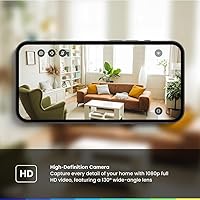
  • Viewing Angle: Equipped with a 130-degree wide-angle lens that covers broad interior spaces without requiring the camera to pan or tilt.
  • Night Vision: Infrared night vision is included, performing adequately in dimly lit rooms but with reduced clarity in complete darkness.
  • Motion Detection: Detects motion-only events and sends real-time push notifications to your smartphone via the myQ app.
  • Two-Way Audio: Built-in microphone and speaker allow live two-way voice communication through the myQ app on iOS or Android.
  • Connectivity: Connects to your home network via Wi-Fi and uses Bluetooth for initial device pairing during setup.
  • Power Source: Powered by a USB AC adapter and cable, both of which are included in the box — no batteries required.
  • Mounting Type: Designed as a freestanding tabletop unit; no wall mounting, drilling, or permanent installation is required.
  • Dimensions: Measures 2.66 x 2.64 x 4.13 inches, making it compact enough to sit discreetly on a shelf, desk, or countertop.
  • Weight: Weighs 10.5 ounces, light enough to reposition easily around the home as monitoring needs change.
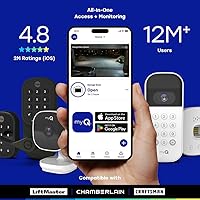
  • App Compatibility: Controlled exclusively through the myQ app, which is available for both iOS and Android smartphones.
  • Video Format: Captured footage is encoded in MPEG-4 format, a widely compatible standard for playback and storage.
  • Subscription: A myQ subscription is optional but required to access video history, smart detection, and preview notifications.
  • Indoor Use: Rated for indoor use only and is not weatherproofed or designed for outdoor, porch, or garage installation.
  • Color: Available in white, with a clean, minimal design that blends into most home interiors without drawing attention.
  • Alert Type: Sends motion-triggered alerts only; person, package, and pet differentiation require an active myQ subscription.
  • Included Items: Package includes the camera unit, a USB power adapter, and a USB cable — no additional accessories are needed to get started.
  • Compatible Devices: Works with smartphones running the myQ app; does not natively support Amazon Alexa, Google Home, or Apple HomeKit.

Related Reviews

CHAMBERLAIN myQ Smart Outdoor Wired Camera
82%
87%
Video Quality
91%
Night Vision
78%
Motion Detection
82%
App Integration
85%
Build Quality
More
SimpliSafe Smart Alarm Indoor Security Camera
79%
91%
Image Quality
78%
Motion Detection Accuracy
93%
Professional Monitoring Integration
89%
Privacy Shutter
83%
Two-Way Audio
More
Energizer Smart Wi-Fi Indoor Security Camera
84%
91%
Value for Money
94%
Ease of Setup
88%
Video Quality
87%
Motion Detection Performance
85%
Audio Quality
More
Kasa Smart EC71 Pan-Tilt Security Camera
78%
91%
Value for Money
88%
Setup & Ease of Use
74%
Video Quality
86%
Pan-Tilt Performance
79%
Night Vision
More
Chamberlain myQ-G0401-ES Smart Garage Controller
77%
88%
Ease of Setup
74%
App Performance
67%
Compatibility Range
81%
Remote Access Reliability
91%
Value for Money
More
Geeni Glimpse Indoor Security Camera
81%
91%
Value for Money
96%
Ease of Installation
88%
Wi-Fi Connectivity
85%
Motion Detection
65%
Two-Way Audio Quality
More
Owltron 5MP Indoor Security Camera
85%
91%
Night Vision Performance
89%
Motion Detection Accuracy
75%
Wi-Fi Connectivity
92%
Ease of Setup
80%
Audio Quality
More
Gaiexce 2K Security Camera Indoor
83%
91%
Video Quality
88%
Motion Detection Accuracy
90%
Night Vision Performance
85%
Ease of Setup
80%
App Functionality
More
aosu 4MP 360° Indoor Security Camera
76%
83%
Image Quality
78%
Motion Tracking
71%
Night Vision
88%
Setup & Connectivity
74%
One-Touch Call Feature
More
kelucimy H1 Indoor Security Camera
85%
91%
Value for Money
88%
Ease of Setup
93%
Video Quality
84%
Motion Detection Accuracy
86%
Night Vision Performance
More

FAQ

No, you can use the Chamberlain myQ Smart Indoor Security Camera without paying for anything beyond the hardware. The free tier gives you live video, motion alerts, and two-way audio. What you lose without a subscription is video history — so if you miss a live alert, there is no way to go back and review the footage. For some buyers that trade-off is fine; for others, it is a dealbreaker worth knowing about upfront.

It is genuinely straightforward. You download the myQ app, create or log into your account, plug in the camera, and follow the in-app steps to connect it to your Wi-Fi. Most people report having it fully running within five to ten minutes. Bluetooth handles the initial pairing, so you do not need to manually enter network credentials on the camera itself.

Unfortunately, no. The Chamberlain indoor cam operates exclusively within the myQ ecosystem, and it does not currently integrate with Amazon Alexa, Google Home, or Apple HomeKit. If a unified smart home experience across platforms matters to you, this is a meaningful limitation to weigh before buying.

It works well enough in rooms with some ambient light — a nightlight, a streetlamp coming through a window, or an LED standby light on another device all help it produce watchable footage. In a completely dark room, the image gets grainy and detail drops noticeably. It is honest night vision for the price, but do not expect it to match cameras in a higher price bracket.

The 130-degree wide-angle lens covers a solid amount of ground, and for typical living rooms or studio apartments it should capture most of the space from a single well-placed position. For very large or irregularly shaped rooms, one camera may leave blind spots, and you may want to consider a second unit or a camera with pan-and-tilt capability.

The camera is designed specifically as a tabletop unit and does not include wall-mounting hardware. Some buyers improvise with third-party adhesive mounts, but that is not an officially supported setup. If wall or ceiling mounting is important to you, a different camera model would be a better fit.

No, this smart security cam does not include a microSD card slot or any form of local storage. Video is only accessible through cloud storage, which requires an active myQ subscription. Without a subscription, you only get the live feed with no way to save or revisit footage.

Some users report occasional false positives — things like sunlight shifting across the room or a pet moving in frame. The app lets you customize notification schedules, so you can limit alerts to specific hours and reduce interruptions. If you want more precise filtering, such as only being alerted for people rather than general motion, that requires the paid subscription tier.

For most users in small to mid-sized spaces, the connection is reliable. A handful of buyers in larger homes or those with congested networks have reported occasional dropouts. Keeping the camera within reasonable range of your router and on a 2.4GHz network tends to produce the most consistent results.

It is probably the most natural fit for that scenario. If you already use the myQ app to manage your garage, adding this camera means no new apps, no new accounts, and no learning curve. Everything sits in one place, which makes the experience notably more convenient than it would be for someone starting from scratch with the myQ platform.

Where to Buy