Overview

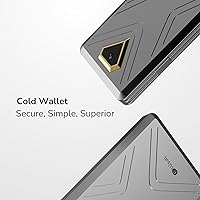
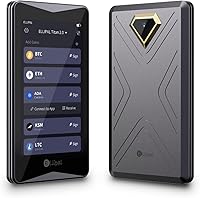
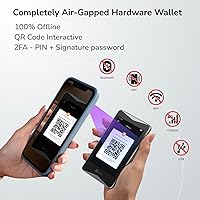
The ELLIPAL Titan 2.0 Hardware Crypto Wallet takes a hard stance on security: it has no USB port, no Bluetooth, no WiFi, and no network connectivity of any kind. Every transaction is signed by scanning QR codes between the device and the companion app, which means your private keys never touch an internet-connected surface. The body is fully sealed metal — not plastic with a metal finish — giving it a noticeably solid feel compared to most competitors. At this price point, it sits alongside Ledger and Trezor as a serious cold storage option, though its approach to isolation is considerably more radical than either.
Features & Benefits

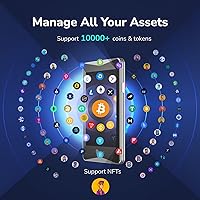
What sets this air-gapped wallet apart is how thoroughly it removes any attack vector that relies on data connectivity. The CC EAL5+ secure element handles key storage at the chip level, so even if someone gained physical access, extracting keys without the correct PIN would trigger a full data wipe. Firmware updates happen via MicroSD card, keeping the entire process offline. The 4-inch touchscreen makes navigating accounts and confirming transactions far more comfortable than squinting at a tiny OLED on competing devices. Through the companion app, it covers over 10,000 coins, tokens, and NFTs — a genuinely broad multi-chain range for a single device.

Best For

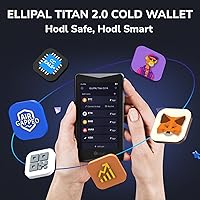
This cold storage device makes the most sense for people holding crypto long-term who are not moving funds daily. If you trade actively, the QR-code workflow adds friction that can feel slow compared to a USB-based wallet. But for someone stacking Bitcoin, ETH, or a mix of altcoins for months or years, that friction is exactly the point — it forces deliberate action. It also suits users managing assets across multiple blockchains, since broad coin support reduces the need for several devices. NFT collectors who want on-device confirmation before signing are another natural fit for this kind of hardware.

User Feedback

Owners consistently praise the build quality — the all-metal body feels more like a premium gadget than a security dongle, and the large touchscreen gets credit for making daily interaction less tedious. Where opinions divide is the QR-code workflow: experienced users accept the tradeoff, but newcomers often find the back-and-forth between device and phone unintuitive at first. The companion app has drawn complaints about occasional bugs and inconsistent update cadence. A recurring debate is whether the Titan 2.0 justifies its cost over a solid USB-based alternative like a Ledger Nano. For most reviewers, the answer hinges entirely on how much they value true air-gap isolation.

Pros

  • True air-gapped isolation removes the entire class of remote attack vectors that affect USB-connected wallets.
  • The all-metal sealed body feels premium and has proven durable in real-world drops and daily handling.
  • A 4-inch IPS touchscreen makes verifying transaction details far easier than on most competing devices.
  • Supports over 10,000 coins, tokens, and NFTs, reducing the need for multiple separate wallets.
  • Firmware updates via MicroSD card keep the entire maintenance process fully offline.
  • The hidden secondary wallet feature provides plausible deniability in high-risk physical scenarios.
  • CC EAL5+ secure element certification reflects a serious, hardware-level approach to key protection.
  • Multiple authentication layers — numeric PIN, gesture PIN, and 2FA — give users real flexibility in access control.

Cons

  • The QR code signing workflow frustrates new users and slows down anyone making frequent transactions.
  • The companion app has documented stability issues, with crashes and slow loading reported across both Android and iOS.
  • Customer support response times are inconsistent and fall short of what Ledger or Trezor typically offers.
  • No protective case or sleeve is included in the box, which feels like an oversight at this price tier.
  • DeFi and WalletConnect integration works, but compatibility with newer protocols lags behind dedicated software wallets.
  • The device is heavier than most alternatives, making it less convenient for anyone who wants true pocket portability.
  • NFT display and metadata rendering in the app is inconsistent, especially for non-standard token formats.
  • The learning curve for first-time hardware wallet buyers is steeper here than on more beginner-oriented competitors.

Ratings

The ELLIPAL Titan 2.0 Hardware Crypto Wallet has been evaluated by our AI rating system after parsing verified purchase reviews from buyers worldwide, with spam, bot-generated, and incentivized feedback actively filtered out. The scores below reflect a honest synthesis of real ownership experiences — covering everything users love and the friction points that genuinely frustrate them. Both sides of the story are represented here, so you can make an informed call before spending your money.
Security Architecture
93%
Users who understand cold storage consistently single out the fully air-gapped design as the Titan 2.0's strongest argument. Having zero wireless or wired data ports means remote attack vectors that affect USB-connected wallets simply do not apply here, and buyers with a security-first mindset find that reassurance worth every penny.
A handful of technically minded reviewers note that air-gap security is only as strong as the QR code scanning process itself, and poorly lit environments or damaged screens could theoretically introduce friction that leads to user errors. No hardware wallet eliminates all risk — seed phrase storage remains entirely the owner's responsibility.
Build Quality & Durability
89%
The all-metal sealed enclosure earns consistent praise from owners who have previously used plastic-bodied alternatives. It feels dense and well-machined in hand, and several reviewers mention dropping it without any visible damage, which builds confidence for long-term storage use.
The metal body adds noticeable weight compared to lighter competitors, which a small segment of users finds inconvenient when traveling. A few buyers also noted that fingerprints accumulate quickly on the smooth surface, which, while cosmetic, can feel at odds with the premium price.
Display & On-Device Interface
86%
The 4-inch IPS touchscreen is a meaningful upgrade over the tiny screens on most competing hardware wallets, and reviewers frequently mention how much easier it is to verify transaction details at a glance. The touch response is described as smooth and reliable, reducing the fumbling that comes with physical buttons.
Some users report that direct sunlight washes out the display, making outdoor QR code scanning tricky. A minor subset of reviewers also noted that the screen-to-body ratio leaves thick bezels that make the device feel larger than necessary for everyday carry.
QR Code Transaction Workflow
67%
33%
Experienced users who understand the security rationale behind QR-based signing generally appreciate the deliberate, friction-heavy process — it forces conscious authorization rather than one-click confirmations. Once the muscle memory is established, most long-term holders describe it as a non-issue.
New users consistently report a steep initial adjustment period, with several reviews describing the back-and-forth scanning between phone and device as tedious compared to simply plugging in a Ledger. In low-light conditions or when the phone camera struggles, the process can become genuinely frustrating and slow.
Coin & Token Support
91%
Support for over 10,000 coins, tokens, and NFTs through the companion app is one of the broadest ranges available in this hardware wallet category. Multi-chain holders who previously juggled two or three separate devices find they can consolidate everything into the Titan 2.0 without compromise.
While the headline number is impressive, a small number of users discovered that certain newer or niche tokens required app updates before appearing, and support for some obscure Layer-2 assets arrived later than expected. The coin list is deep but not always immediately current with emerging ecosystems.
Companion App Quality
62%
38%
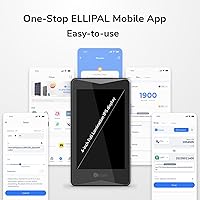
The mobile app covers a wide range of functions — buying, swapping, staking, and NFT management — and its WalletConnect V2 support means users can interact with DeFi protocols without compromising the device's offline status. On a good day, the experience feels well-integrated and intuitive.
App stability is the most frequently cited complaint in negative reviews, with users reporting occasional crashes, sluggish loading, and inconsistent behavior after updates. The update cadence has also drawn criticism, with some users waiting several weeks for bug fixes that impacted daily usability on both Android and iOS.
Setup & Initial Onboarding
74%
26%
Creating an account is straightforward for anyone with prior hardware wallet experience, and the on-screen prompts walk through seed phrase generation clearly. The large display makes reading and verifying the 24-word recovery phrase considerably less error-prone than on smaller-screen competitors.
First-time hardware wallet buyers often describe the overall setup as more intimidating than expected, particularly the QR code pairing step between the device and the app. The manual could be clearer in explaining the security model to newcomers who do not yet have a mental framework for air-gapped devices.
Firmware Update Process
78%
22%
Updating via a MicroSD card keeps the entire process offline, which is a deliberate and sensible security choice. Most users report that updates complete in a few minutes and do not disrupt saved accounts or settings, making it a low-stress maintenance task once you know the steps.
The MicroSD-based update approach is less intuitive than an automatic over-the-air process, and a small number of users reported confusion about which card format was required or experienced failed update attempts due to incompatible card sizes. It is a one-time learning curve, but one that trips up beginners.
NFT Management
71%
29%
Hardware-level signing for NFT transactions is a genuine differentiator for collectors who are wary of browser wallet exploits. Being able to visually confirm what you are signing on a 4-inch screen before approving adds a layer of confidence that software wallets cannot replicate.
The NFT display experience within the app is functional but not polished — images sometimes load slowly or fail to render on older phones, and metadata display for certain non-standard NFTs is inconsistent. Collectors managing large portfolios may find the organizational tools less developed than dedicated NFT platforms.
DeFi & WalletConnect Integration
63%
37%
WalletConnect V2 support means users can connect to decentralized exchanges and lending protocols without ever exposing their private keys to a browser environment. For users who participate in DeFi occasionally rather than daily, this integration works reliably for the major protocols.
Power users who interact with DeFi frequently report that the QR code confirmation loop adds enough latency to make time-sensitive transactions like liquidity management feel cumbersome. Compatibility with newer or less mainstream DeFi protocols is inconsistent, and a learning curve exists for setting up MetaMask integration via the browser extension path.
Value for Money
68%
32%
For buyers whose primary concern is maximum offline isolation, the price reflects a genuinely differentiated product — the all-metal build, large display, and true air-gap architecture are not available at this combination elsewhere. Long-term holders who treat this as infrastructure rather than a gadget feel it is well justified.
Compared to a Ledger Nano X or Trezor Model T, the price difference is significant enough that casual or beginner users frequently question whether the extra security is worth it for smaller portfolios. The app instability issues make the value proposition harder to defend when the hardware experience is undermined by software friction.
Portability & Form Factor
72%
28%
At roughly the size of a short smartphone, the Titan 2.0 fits in a jacket pocket or a bag without issue, and its solid construction means it does not feel fragile during travel. Users who store it in a home safe report that the dimensions are practical and easy to organize alongside other documents.
Daily carry is not this device's natural use case, and its 140-gram weight is noticeable compared to lighter plastic-bodied wallets. The lack of a carry case or protective sleeve in the box is a recurring minor complaint, particularly given the price tier.
Authentication & Access Security
84%
The combination of a numeric PIN, gesture PIN, and optional two-factor authentication gives users meaningful flexibility in how they layer access protection. The hidden account feature — which allows a secondary wallet accessible only via a separate passphrase — is praised by privacy-conscious users as a smart plausible-deniability tool.
Some users found the gesture PIN to be less reliable to reproduce consistently, leading to accidental lockouts during initial setup. The self-destruct trigger, while a strong security feature, has caused anxiety among a small number of users who fear accidental wipes during legitimate use.
Customer Support & Documentation
57%
43%
ELLIPAL maintains a knowledge base and active social channels, and some users report satisfactory resolution of issues through official support tickets within a few business days. Community forums provide supplementary guidance that fills gaps in the official documentation.
A recurring theme in lower-rated reviews is slow or unhelpful responses from the official support team, particularly for app-related bugs. The product documentation shipped in the box is minimal, and the online resources, while improving, still lag behind the depth offered by Ledger or Trezor for troubleshooting edge cases.

Suitable for:

The ELLIPAL Titan 2.0 Hardware Crypto Wallet is built for a specific kind of buyer: someone who holds crypto for the long term and genuinely loses sleep over the idea of a remote hack draining their wallet. If you are accumulating Bitcoin, ETH, or a broad mix of altcoins and NFTs with no intention of touching them frequently, the deliberate friction in this device's design is a feature, not a flaw. It suits intermediate-to-advanced users who already understand seed phrases and private key management, and who want to go further than a USB-connected device allows. Portfolio holders spread across multiple blockchains will appreciate the wide coin support, which removes the need to manage several separate devices. Anyone who has read about supply-chain attacks or USB exploit vectors and decided they want nothing to do with either will find the fully sealed, port-free design genuinely reassuring.
Not suitable for:

The ELLIPAL Titan 2.0 Hardware Crypto Wallet is a poor fit for anyone who trades actively or needs to move funds quickly on a regular basis, because the QR code signing workflow adds real friction to every transaction. Beginners who are setting up their first cold storage solution may find the onboarding process and the underlying security model harder to grasp without strong prior knowledge. If your portfolio is relatively modest and you are weighing value carefully, a USB-based alternative like a Ledger Nano will provide solid security at a meaningfully lower price point. Users who rely heavily on DeFi protocols for time-sensitive operations — liquidity management, yield farming — will find the back-and-forth confirmation loop genuinely slowing them down. Anyone who depends on responsive customer support or polished software should also be cautious, as the companion app has a track record of instability that the hardware itself cannot compensate for.
Specifications

  • Connectivity: The device is fully air-gapped with no WiFi, Bluetooth, USB, or any other wired or wireless data connection of any kind.
  • Transaction Method: All transactions are signed exclusively via QR code exchange between the device and the companion mobile app.
  • Secure Element: A CC EAL5+ certified secure element is embedded in the hardware to protect private keys at the chip level.
  • Display: A 4-inch HD IPS true-color touchscreen is used for all on-device navigation and transaction confirmation.
  • Coin Support: The companion app supports over 10,000 coins, tokens, and NFTs across multiple blockchains.
  • Body Material: The enclosure is fully sealed metal with no exposed ports, designed to resist physical tampering and environmental damage.
  • Anti-Tamper: The device automatically wipes all stored data if a physical breach or disassembly attempt is detected.
  • Seed Phrase: Recovery seed phrases of 12, 15, 18, 21, or 24 words are supported, with an optional 25th-word passphrase for added protection.
  • Authentication: Access is secured via a numeric PIN, a gesture PIN, and optional two-factor authentication for layered login protection.
  • Firmware Updates: Firmware is updated using a MicroSD card, keeping the entire update process fully offline with no internet connection required.
  • Hidden Wallet: A secret secondary wallet (hidden account) can be created, accessible only via a separate passphrase for plausible deniability.
  • Dimensions: The device measures 118 x 66 x 9.7 mm, roughly the footprint of a short, slim smartphone.
  • Weight: The unit weighs 140 g, reflecting its all-metal construction.
  • Battery: A built-in lithium polymer rechargeable battery is included in the box and powers the device.
  • App Compatibility: The companion ELLIPAL mobile app is compatible with both Android and iOS operating systems.
  • WalletConnect: The app supports WalletConnect V2, enabling interaction with DeFi protocols and browser extension wallets such as MetaMask.
  • Account Capacity: Up to 10 separate accounts can be managed simultaneously on a single device.
  • Update Duration: A typical firmware update via MicroSD card takes approximately 3 minutes to complete.

Related Reviews

ELLIPAL X Card Crypto Cold Wallet
86%
94%
Security Features
88%
Ease of Use
91%
Backup and Redundancy
85%
Compatibility
80%
Transaction Speed
More
Trezor Safe 3 Crypto Hardware Wallet
86%
94%
Security Features
88%
Ease of Use
92%
Setup Process
91%
Cryptocurrency Support
87%
Build Quality
More
Ledger Nano X Crypto Hardware Wallet
77%
96%
Security & Key Protection
74%
Bluetooth Connectivity
71%
Companion App (Ledger Live)
67%
Ease of Setup
93%
Coin & Token Support
More
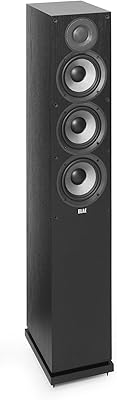
ELAC Debut 2.0 F5.2 Floorstanding Speaker
82%
91%
Sound Quality
78%
Bass Performance
88%
Treble & High-Frequency Detail
86%
Midrange Clarity
89%
Soundstage & Imaging
More
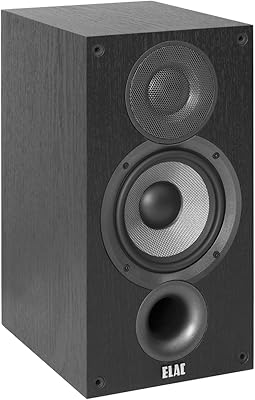
ELAC Debut 2.0 B5.2 Bookshelf Speakers
82%
93%
Sound Quality
71%
Bass Performance
89%
Treble Clarity
88%
Soundstage & Imaging
84%
Build Quality
More
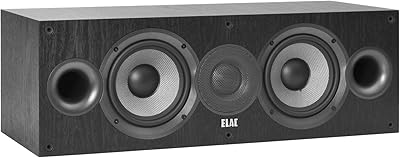
ELAC Debut 2.0 C5.2 Center Channel Speaker
85%
94%
Dialogue Clarity
91%
Vocal Midrange
87%
High-Frequency Detail
83%
Off-Axis Performance
61%
Bass Extension
More
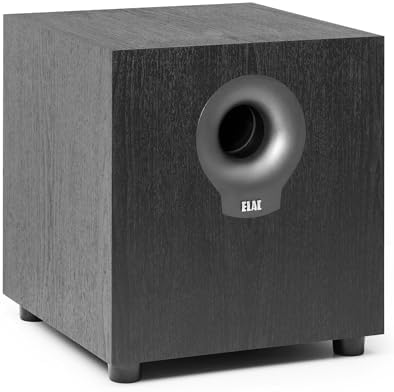
ELAC Debut 2.0 S10.2 10″ Powered Subwoofer
86%
92%
Bass Performance
89%
Sound Clarity
85%
Ease of Setup
88%
Build Quality
90%
Size & Portability
More
Elizabeth Arden PREVAGE Under Eye Serum 2.0, 0.6 oz
85%
87%
Effectiveness in Reducing Puffiness
82%
Effectiveness in Reducing Dark Circles
91%
Cooling Tip Functionality
89%
Skin Compatibility (Sensitive Skin)
85%
Absorption and Finish
More
Nailtiques Nail Protein Formula 2, 0.25 oz (Pack of 2)
84%
92%
Effectiveness in Strengthening Nails
88%
Quick Drying Formula
90%
Durability of Finish
84%
Ease of Application
87%
Value for Money
More
Zero Shine SMP Matte 2.0 Anti-Shine Scalp Lotion 2.6oz
86%
88%
Effectiveness in Controlling Shine
85%
Waterproof Performance
90%
Non-Greasy Finish
87%
Long-Lasting Matte Effect
92%
Post-SMP Care
More

FAQ

No, never. The device has no WiFi, Bluetooth, USB port, or any other communication interface. Even firmware updates are loaded via a MicroSD card so the hardware itself stays completely offline throughout its entire lifespan.

You initiate a transaction in the ELLIPAL Titan 2.0 Hardware Crypto Wallet companion app on your phone, which generates a QR code containing the unsigned transaction data. You scan that code with the device's camera, review the details on the 4-inch screen, confirm it, and the device displays a signed QR code that your phone scans back to broadcast. It sounds more complex than it is, but after a few attempts it becomes routine.
Your funds are not stored on the device itself — they live on the blockchain. As long as you have your seed phrase safely stored somewhere offline, you can restore your wallet on a new device. The Titan 2.0 also wipes itself if tampered with, so a thief cannot simply open it and extract your keys.

Yes, your seed phrase — and your optional 25th-word passphrase if you set one — is the only backup that matters. Keep it written on paper or engraved on metal and stored in a secure physical location. Losing the seed phrase means losing access to your funds permanently, and no hardware manufacturer can recover it for you.

Yes, the companion app supports WalletConnect V2 and browser extension wallet integration, including MetaMask. You interact with DeFi protocols through the app, and transaction approvals are still handled through the QR code process, so your private keys never touch a browser environment.

The companion app supports over 10,000 coins and tokens, covering most major blockchains and a wide range of Layer-2 assets and NFT standards. That said, support for very new or niche tokens sometimes lags slightly behind their launch, so if you hold something obscure it is worth checking the ELLIPAL coin list before purchasing.

The hidden account function lets you set up a second wallet that is only accessible via a separate passphrase — separate from your main PIN. It is mainly useful if you are ever in a situation where someone forces you to unlock the device, since you can hand over access to a secondary wallet holding a small balance while your main holdings stay concealed. Most users will never need it, but it is a reassuring option to have.

It is manageable but not entirely beginner-friendly. Creating an account and pairing with the app takes about 5 to 10 minutes, and the on-screen prompts are reasonably clear. Where new users tend to struggle is understanding the QR code signing flow and grasping why the device behaves the way it does — a bit of background reading on cold storage basics before you start will save frustration.

A Ledger connects via USB or Bluetooth, which makes transactions faster and more familiar to most users. The Titan 2.0 trades that convenience for a stricter security posture — no data connection at all, ever. If you move funds frequently, a Ledger will feel less cumbersome. If you are holding long-term and want maximum isolation from remote attacks, the Titan 2.0 makes a stronger case.

No subscription or licensing fees are required. The companion app is free to download and use, and firmware updates are provided at no cost via MicroSD card. The only potential ongoing cost would be network transaction fees when you send crypto, which are standard blockchain fees unrelated to ELLIPAL.

Where to Buy