Overview

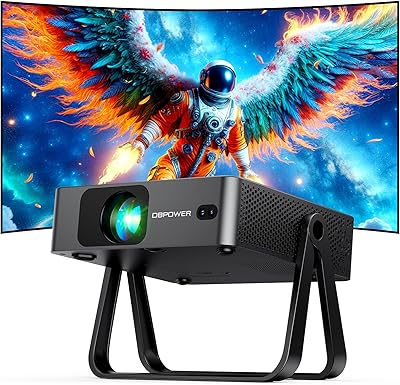
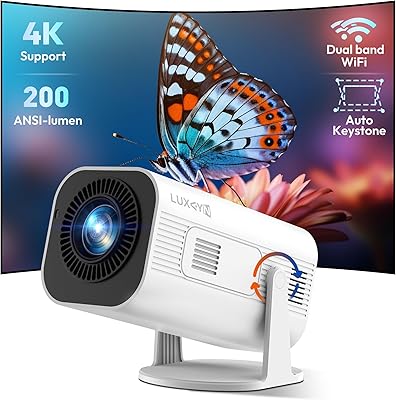
The DBPOWER E2 Smart Projector sits in an interesting spot for cord-cutters who want a real streaming setup without paying TV prices. Unlike the flood of cheap mini projectors that force you to sideload apps or buy a separate streaming stick, the E2 carries official Netflix certification — a genuinely rare feature at this price tier. It runs on the Whale TV OS, which feels roughly comparable to a lightweight Android TV experience. Compact enough to fit in its included carrying case, it travels well. Just keep one thing in mind: at 300 ANSI lumens, this is a dark-room projector. Dim the lights and it delivers; leave them on and you will be disappointed.
Features & Benefits

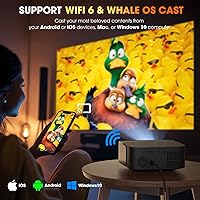
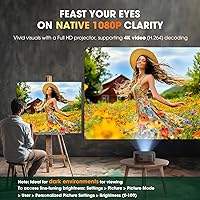
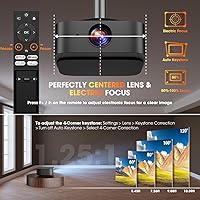
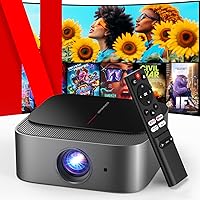
The picture outputs at a true 1080p, and while the E2 can decode 4K video files, the image itself renders in full HD — worth clarifying if you were hoping for a native 4K display. In practice, the picture looks sharp and detailed for the price. Wi-Fi 6 dual-band connectivity keeps streaming smooth even in crowded networks, and two-way Bluetooth 5.2 means you can pair a soundbar or external speaker for far better audio than the built-in unit provides. Setup is fast thanks to auto keystone correction and electronic focus buttons — no manual fiddling required. The center-mounted lens is a small but smart design choice that makes ceiling mounting considerably less of a headache.

Best For

This smart streaming projector is a natural fit for bedroom movie nights and small home theaters where you can control the lighting. Renters and apartment dwellers who want a big-screen experience without drilling a single hole in the wall will appreciate the flexible mounting options and compact footprint. It packs well for camping trips or travel, especially with the carrying case included. Anime fans get native Crunchyroll access right out of the box, and Spanish-language viewers will find Canela TV and Tubi ready to go. Families with young kids can feel comfortable too — the low blue light design helps reduce eye strain during longer viewing sessions.

User Feedback

Buyers consistently highlight easy setup and the broad range of built-in apps as standout strengths — getting this mini projector running apparently takes minutes, not hours. The value relative to what you get is a recurring theme in positive reviews. On the flip side, the built-in speaker draws frequent criticism for thin, low-volume audio, and brightness limitations in lit rooms come up often enough to take seriously. Some users initially encountered a confusing prompt about YouTube needing an update — it sounds alarming but resolves quickly. A Hulu stability issue reported by early buyers was addressed through an over-the-air update, which signals that the brand actually monitors and responds to real user problems.

Pros

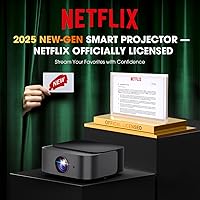
  • Officially licensed Netflix app works natively — no sideloading or streaming sticks required.
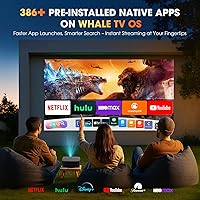
  • Over 386 built-in apps cover virtually every major streaming service in one device.
  • Wi-Fi 6 dual-band keeps playback smooth even on congested home networks.
  • Auto keystone correction and electronic focus get you a sharp image in minutes, not hours.
  • The E2 can fill a screen well over 100 inches from a short distance, ideal for small rooms.
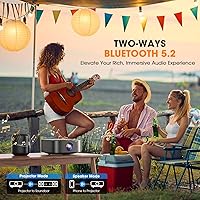
  • Two-way Bluetooth lets you pair external speakers or use it as a standalone audio device.
  • Included carrying case makes this mini projector genuinely portable for travel and camping.
  • OTA software updates have already fixed real user-reported issues like Hulu instability.
  • Center-mounted lens design simplifies ceiling mounting without complex alignment adjustments.
  • Low blue light technology makes extended family viewing noticeably more comfortable.

Cons

  • Built-in speaker sounds thin and struggles at higher volumes — an external speaker is nearly essential.
  • Brightness is only sufficient in dark or fully light-controlled rooms; daytime use is a real challenge.
  • Only one HDMI port means juggling cables when switching between multiple devices.
  • App update prompts can interrupt viewing unexpectedly and confuse less tech-savvy users.
  • The Whale TV OS interface has a learning curve for anyone coming from Roku or Fire TV.
  • Plastic construction feels lightweight and less durable compared to mid-range competitors.
  • Maximum screen sizes approach 200 inches, but brightness and edge sharpness drop noticeably at that scale.
  • Bluetooth is audio-only — wireless video casting requires a Wi-Fi connection, which surprises some buyers.

Ratings

The DBPOWER E2 Smart Projector scores below were generated by AI after analyzing verified global buyer reviews, with spam, bot activity, and incentivized feedback actively filtered out. The results reflect a candid picture of where this smart streaming projector genuinely earns its praise and where real-world limitations show up. Both strengths and frustrations are weighted equally so you can make an informed call before buying.
Picture Clarity
78%
22%
For a compact projector at this price tier, buyers are regularly surprised by how sharp the image looks in a darkened room. True 1080p output handles streaming content, sports, and movies with solid detail, and most users say it holds up well on screens well above 100 inches when properly focused.
Brightness is the ceiling here — once ambient light creeps in, contrast and color depth drop noticeably. Buyers who expected a vivid image in a normally lit living room were let down, and some noted the picture feels slightly washed out compared to mid-range projectors in brighter environments.
Brightness & Ambient Light Performance
54%
46%
In a properly darkened bedroom or blacked-out home theater setup, the light output is adequate for an immersive viewing experience at moderate screen sizes. Users who primarily use it at night or with blackout curtains tend to report high satisfaction with how the image comes across.
Three hundred ANSI lumens is genuinely limited, and this is the most frequent complaint across buyer reviews. Afternoon use or any room with windows and daytime light makes the image hard to see clearly. This is not a projector for bright living rooms or outdoor daytime events, full stop.
Built-in App Selection
91%
The officially licensed Netflix app alone sets this mini projector apart from a large portion of its competition. Having Disney+, Hulu, Max, Prime Video, Crunchyroll, and dozens more natively installed means most buyers never needed to plug in an external streaming device, which was a recurring highlight in positive reviews.
A handful of users ran into app version prompts — particularly with YouTube — that caused brief confusion. The fix is straightforward once you know where to update, but the experience felt disjointed for less tech-savvy buyers who expected everything to just work out of the box.
Ease of Setup
88%
Auto keystone correction and electronic focus buttons genuinely reduce the friction that plagues so many budget projectors. Buyers consistently mention getting a sharp, well-aligned image within minutes of unboxing, with no manual lens adjustments or tedious trial-and-error positioning required.
A small group of users found the initial Whale TV OS navigation slightly unfamiliar if they were coming from a standard Android TV background. The learning curve is short, but the interface is not identical to what most people know from Roku or Fire TV, which tripped up a few first-time users.
Streaming & Wi-Fi Performance
83%
Wi-Fi 6 dual-band support makes a real difference for buyers in apartments with congested networks. Users streaming 1080p content over the 5GHz band reported smooth playback with minimal buffering, and screen mirroring from phones and laptops worked reliably for most reviewers.
A smaller number of users on older routers or 2.4GHz-only networks noticed occasional stutters during high-bitrate content. The projector itself is capable, but performance is naturally tied to the quality of the home network it connects to.
Built-in Speaker Quality
47%
53%
The built-in speaker handles casual background viewing and low-demand use cases well enough. For quick YouTube clips or informal presentations, it gets the job done without requiring an external audio setup, and volume levels are adequate for a small bedroom.
Audio quality is one of the most consistently criticized aspects across user reviews. The speaker sounds thin and lacks bass, and at higher volumes distortion becomes noticeable. Most buyers who wanted a real home theater experience connected a Bluetooth speaker or soundbar fairly quickly after setup.
Bluetooth & External Audio
81%
19%
Two-way Bluetooth 5.2 pairing worked reliably for the majority of buyers who connected external speakers or headphones. The ability to also play music directly from a phone through the projector speaker was a small but appreciated bonus for casual use cases like backyard gatherings.
Bluetooth supports audio only, which means wireless video streaming from a phone via Bluetooth is not possible — a point that confused some buyers expecting full wireless casting. Screen mirroring for video requires Wi-Fi, which is a limitation worth knowing before purchase.
Portability & Build Quality
76%
24%
The compact footprint and included custom carrying case make this smart streaming projector genuinely easy to bring to a friend's place, a camping trip, or a vacation rental. Build quality feels solid for the price tier, and the case protects the unit well during transport.
It is plastic throughout, and the construction does not feel premium when handled alongside mid-range competitors. The carrying case is a nice inclusion, but a few buyers noted it fits snugly with little room for accessories, making cable management slightly awkward on the road.
Keystone & Image Alignment
84%
Six-axis auto keystone correction handles angled projection scenarios that would require tedious manual adjustment on most competing mini projectors. Users mounting to ceilings or projecting from off-center positions found the auto-correction fast and accurate enough to avoid constant readjustment.
In extreme off-angle situations, the auto correction does crop the image slightly to maintain a rectangular frame. Buyers who frequently project from very steep angles noticed a small reduction in usable screen real estate, though this is a fairly niche complaint.
App Stability & Software Updates
73%
27%
The OTA update system is one of the more underrated strengths here. When Hulu stability issues were reported by early adopters, a fix was pushed automatically to connected units — no manual intervention needed for most users. This kind of post-purchase software support is not guaranteed at this price point.
App update prompts can appear unexpectedly and briefly interrupt use, which frustrated buyers who did not expect a projector to require software maintenance. The update process itself is not difficult, but the experience adds a layer of upkeep that some users did not anticipate.
Value for Money
89%
When you factor in official Netflix licensing, Wi-Fi 6, a full app ecosystem, auto keystone, and a carrying case, the overall package represents strong value at this price. Buyers who understood what they were getting — a dark-room entertainment hub — consistently rated it as one of the better purchases they made.
Buyers who expected performance on par with a dedicated home cinema projector or a large-screen TV were disappointed. The value story depends heavily on setting the right expectations upfront; those who pushed brightness or audio quality beyond its limits felt the trade-offs more acutely.
Connectivity & Port Selection
77%
23%
HDMI, USB, and a 3.5mm audio jack cover the essentials well. Connecting a gaming console, a laptop, or a USB drive all worked without issue for the majority of buyers, and the HDMI cable included in the box is a genuinely useful addition rather than a token accessory.
There is only one HDMI port, which means swapping between multiple devices requires unplugging and replugging. For buyers running a console, a streaming stick, and a laptop simultaneously, this becomes a minor but recurring inconvenience without an HDMI switch.
Eye Comfort & Long Viewing Sessions
74%
26%
Low blue light technology and a relatively soft color temperature made this projector a comfortable choice for families and for longer watching sessions. Parents appreciated the reduced eye strain factor when kids watched extended content, and a number of reviewers mentioned it felt noticeably easier on the eyes than a direct TV screen.
At maximum brightness settings, a few sensitive viewers still noted mild eye discomfort during sessions exceeding two hours. The eye-friendly features help but do not eliminate the issue entirely, particularly when projecting at shorter distances.
Screen Size Flexibility
79%
21%
The short throw ratio allows the E2 to fill a large screen from a relatively close distance, which is a real advantage in compact rooms where backing the projector far away is not an option. Buyers in studios and small apartments found the image size flexibility genuinely useful.
At maximum screen sizes approaching 200 inches, brightness drops further and the image softens at the edges. Most users found the sweet spot to be between 80 and 120 inches, where sharpness and brightness held up better under realistic room conditions.

Suitable for:

The DBPOWER E2 Smart Projector is a strong fit for anyone who wants a proper big-screen streaming setup without spending TV money or drilling holes in a wall. Renters, dorm students, and apartment dwellers will appreciate how quickly it transforms a blank wall into a functional home theater with zero permanent installation. If your viewing happens mostly in the evening or in a room where you can draw the curtains, the image quality punches well above what the price suggests. Travelers and campers who want a portable entertainment hub will find the included carrying case and compact footprint genuinely practical. Anime fans and Spanish-language viewers get dedicated native apps — Crunchyroll and Canela TV — right out of the box without workarounds. Families with younger children benefit from the low blue light design during longer viewing sessions, and anyone tired of juggling multiple streaming dongles will appreciate having Netflix, Disney+, Hulu, and dozens more already built in.

Not suitable for:

If you plan to use a projector in a bright room — a sunlit living room, an open-plan kitchen, or anywhere with windows you cannot fully cover — the DBPOWER E2 Smart Projector will likely leave you frustrated. The light output is tuned for dark environments, and no amount of adjusting settings will make it compete with ambient daylight or strong indoor lighting. Buyers hoping for true 4K picture quality should also look elsewhere; the projector decodes 4K source files but renders the image at 1080p, which is a meaningful distinction. Audiophiles or home theater enthusiasts who expect room-filling sound from the built-in speaker will be let down — external audio is essentially a requirement for a satisfying experience. Hardcore gamers who need ultra-low input lag or a high refresh rate display for competitive play will find this mini projector is not built for that use case. If you already own a premium smart TV and are looking for an upgrade in visual fidelity, this smart streaming projector belongs in a different category entirely.
Specifications

  • Native Resolution: The projector outputs a true 1920x1080 (full HD) image natively, delivering crisp detail for movies, shows, and gaming content.
  • 4K Decoding: H.264 4K video decoding is supported, meaning 4K source files are processed and downscaled to the 1080p native output.
  • Brightness: Rated at 300 ANSI lumens under ISO/IEC 21118 standardized testing conditions, optimized for dark or light-controlled environments.
  • Operating System: Runs on the Whale TV OS, a smart platform designed for quick app launches, content search, and over-the-air system updates.
  • Built-in Apps: Comes with 386+ pre-installed apps including officially licensed Netflix, Disney+, Hulu, Max, Prime Video, Peacock, Crunchyroll, and Canela TV.
  • Wi-Fi: Supports dual-band Wi-Fi 6 on both 2.4GHz and 5GHz bands for faster, more stable wireless streaming compared to older Wi-Fi standards.
  • Bluetooth: Equipped with two-way Bluetooth 5.2, supporting audio-only connections to external speakers or headphones and music streaming from a phone.
  • Throw Ratio: Features a 1:1.25 short throw ratio, allowing the projector to fill a large screen from a relatively close distance in compact rooms.
  • Max Display Size: Capable of projecting an image up to 200 inches diagonally, with optimal sharpness typically achieved between 80 and 120 inches.
  • Keystone Correction: 6D auto keystone correction electronically adjusts the image geometry in seconds to compensate for angled or off-center projection placement.
  • Focus System: Electronic focus is controlled via dedicated F+ and F- buttons on the remote, eliminating the need for manual lens ring adjustment.
  • Lens Design: Center-mounted lens placement ensures natural alignment with ceiling mounts, tripods, and projection screens without requiring lens shift compensation.
  • Ports: Connectivity includes one HDMI port, one USB port, and one 3.5mm audio jack for wired connections to external devices and speakers.
  • Dimensions: The unit measures 7.7 x 7.9 x 3.3 inches, making it compact enough for a nightstand, shelf, or travel bag.
  • Mounting: A standard 1/4-inch threaded mounting hole on the base provides compatibility with most tripods and universal ceiling mount brackets.
  • Eye Protection: Low blue light technology and a tuned color temperature are built in to reduce eye strain during extended or family viewing sessions.
  • Zoom Range: Optical zoom adjustability spans from 50% to 100%, giving users flexibility to fine-tune the image size without repositioning the unit.
  • In the Box: Package includes the projector, IR remote control, HDMI cable, power cable, and a custom-fitted carrying case for portability.

Related Reviews

DBPOWER N5 Smart Mini Projector
77%
91%
Ease of Setup
78%
Image Quality
74%
Built-in App Experience
88%
Portability & Design
71%
WiFi Performance
More
Salange P92MAX Smart Projector
83%
88%
Picture Quality
94%
Ease of Setup
82%
Streaming Performance
90%
Portability & Design
87%
Connectivity (WiFi/Bluetooth)
More
Salange HY260MAX Smart Projector
82%
91%
Image Quality
87%
Ease of Setup
88%
Connectivity (WiFi/Bluetooth)
90%
Portability & Size
75%
Sound Quality
More
OWNKNEW GC357 Native 1080P Smart Projector
72%
83%
Value for Money
74%
Picture Quality
88%
Ease of Setup
86%
Built-in Netflix
61%
Brightness Performance
More
PANSEBA Smart WiFi Portable Projector
73%
88%
Setup & Ease of Use
83%
Built-in Streaming Apps
61%
Image Quality
46%
Brightness & Ambient Light Performance
86%
Portability & Form Factor
More
VISSPL H86 Smart Mini Projector
76%
91%
Ease of Setup
88%
Auto-Focus Performance
63%
Image Brightness & Clarity
82%
WiFi & Streaming Stability
57%
Built-in Speaker Quality
More
WiMiUS G1 Google TV Smart Projector
76%
88%
Smart TV Integration
74%
Image Sharpness & Clarity
61%
Brightness & Ambient Light Performance
83%
Auto Focus & Keystone Correction
81%
Audio Quality
More
Salange HY260Pro Smart Projector
85%
88%
Image Quality
92%
Ease of Setup
90%
Portability
85%
Streaming Capabilities
78%
Sound Quality
More
AGIMA X3 Smart Projector
81%
88%
Display Quality
92%
Portability
85%
Ease of Setup
75%
Connectivity (WiFi/Bluetooth)
60%
Sound Quality
More
Aurzen BOOM 3 Smart Projector
74%
88%
Audio Quality
79%
Image Clarity
58%
Brightness
86%
Setup & Ease of Use
67%
Smart OS & App Ecosystem
More

FAQ

No, and that is actually one of the bigger selling points here. The E2 carries official Netflix licensing, so the app is pre-installed and runs natively. You do not need any external streaming device to get started.

Realistically, you want the room fairly dark — think bedroom with the lights off or curtains drawn. This is not a projector that competes with daylight or bright living room lighting. In a properly darkened space, the image looks great; in a well-lit room, it struggles noticeably.

It is a bit of both. The DBPOWER E2 Smart Projector can decode 4K video files, so it will process 4K content from a USB drive or streaming source. However, the image itself is rendered at 1080p, which is the native output resolution. It looks sharp, just not true 4K.
Yes, through the HDMI port. Gaming consoles connect without issue, and the short throw ratio means you can set up a large screen even in a small room. Keep in mind the projector is designed for home entertainment rather than competitive gaming, so input lag may not satisfy serious gamers.

This is a known issue that comes up occasionally when streaming apps release new versions. The fix is simple: open the Play Store on the projector, find the app, and run the update. It sounds more alarming than it is, and after updating everything works normally again.

For casual background viewing it gets the job done, but if you care about audio quality at all, connecting a Bluetooth speaker or a soundbar through the 3.5mm jack makes a substantial difference. Most buyers who use it for regular movie nights end up pairing it with external audio.

Yes, wireless screen mirroring works over Wi-Fi for both iPhones and Android devices. Note that Bluetooth on this mini projector handles audio only, so video mirroring specifically requires a Wi-Fi connection rather than a Bluetooth link.

Actually better than most projectors in this category. The center-mounted lens design means the image aligns naturally when mounted overhead, without the off-axis distortion you sometimes get from projectors with edge-mounted lenses. The auto keystone correction handles any remaining geometric adjustments automatically.

Early batches did have a Hulu stability issue related to the app's memory demands, but DBPOWER pushed an automatic OTA fix that resolved it for connected units. If you buy now and connect to Wi-Fi during setup, the update will apply on its own without any manual steps.

Genuinely, yes. The unit is compact and light, and the included custom carrying case keeps it protected in a backpack. You need a power outlet to run it, so fully off-grid use is not possible, but for a campsite with power hookups or a road trip to a rental cabin it works well.