Overview

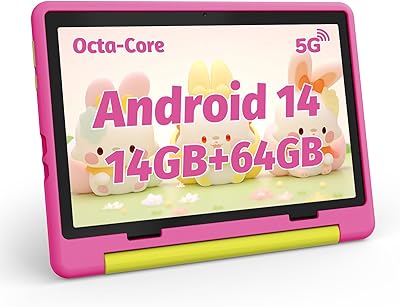
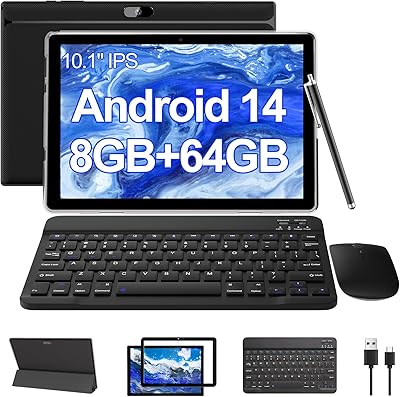
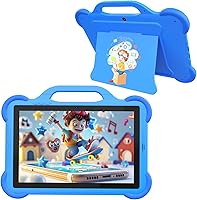
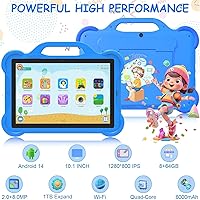
The CUPEISI AT11K 10-inch Android 14 Kids Tablet is a budget-priced entry into the crowded kids-tablet space, and it makes a reasonable case for itself. CUPEISI isn't a brand most parents will recognize, but that's not automatically a reason to walk away. Running Android 14, the tablet arrives with a 10.1-inch IPS screen, a quad-core processor clocked at 1.8GHz, and 64GB of onboard storage. One thing worth clarifying upfront: the listed 8GB of RAM includes 6GB of virtual expansion, so the actual physical RAM is 2GB. For a young child's everyday use — educational apps, videos, light games — that's generally enough.
Features & Benefits

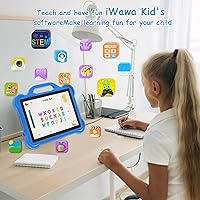
Android 14 is a meaningful upgrade for a kids device — it brings tighter privacy settings and a more stable app environment than what older budget tablets typically offered. The iWawa app, pre-installed and ready to go, gives parents real control tools: password protection, remote screen locking, and a curated content library sorted by age. The 10.1-inch IPS display isn't stunning by any measure, but the 1280×800 resolution is crisp enough for educational videos and storybooks, and the eye-care coating is a thoughtful touch for kids who lose track of time. Battery life is a genuine strong point — around six hours of real-world use is achievable, and the 8MP rear camera handles video calls without trouble.

Best For

This kids tablet makes the most sense as a first device for younger children — think ages three to eight — where the stakes of a scratch or a drop aren't going to ruin your week. Parents who want built-in parental controls without paying extra for a separate app subscription will appreciate iWawa being ready on day one. It also works well as a travel companion: the battery holds up through most long flights, and the lightweight build is easy to pack. That said, this toddler tablet isn't the right pick for older kids who want to run demanding apps or heavier games. Think of it as a starter device, not a long-term workhorse.

User Feedback

Parents who've picked up this kids tablet tend to highlight iWawa's setup as relatively painless — getting controls in place doesn't require a technical background. Battery performance draws praise too, with most users reporting it holds through a full afternoon of use. On the flip side, some buyers have noted that app switching can feel sluggish, which tracks with the 2GB physical RAM ceiling. A handful of reviews raise concerns about Google Play access or app compatibility, suggesting the experience isn't always plug-and-play out of the box. The included Type-C cable gets mixed marks — functional, but not impressive. Build quality is considered acceptable given the price point, though a protective case is probably worth adding.

Pros

  • Android 14 brings better privacy controls and a more stable experience than most budget kids tablets offer.
  • The iWawa app is ready to configure on day one — no extra purchases or downloads required.
  • A 6,000mAh battery realistically gets through a long afternoon or a cross-country flight.
  • The 10.1-inch IPS screen is a comfortable size for young kids watching videos or working through learning apps.
  • MicroSD support up to 1TB means storage won't become a problem as the child's app library grows.
  • The 8MP rear camera handles video calls well enough for kids to stay connected with family.
  • At its price point, the risk of handing it to a toddler is genuinely low.
  • Android 14 compatibility keeps the device relevant and reasonably secure for the near term.
  • The Type-C charging port is a practical, modern choice that works with cables already in most homes.

Cons

  • Only 2GB of physical RAM means app switching can feel sluggish, especially as kids add more content.
  • Google Play access and app compatibility are not always reliable out of the box, based on user reports.
  • CUPEISI has no established support network — warranty service or troubleshooting help may be hard to find.
  • The included charging cable is functional but quality feels basic for what should be a complete package.
  • Virtual RAM expansion is a marketing-friendly way to pad specs; real-world performance reflects the 2GB physical ceiling.
  • No mention of a protective case included, which matters a lot for a device aimed at young children.
  • Build quality is acceptable but not confidence-inspiring — the plastic housing feels its price.
  • The brand's short track record makes long-term software updates and security patches uncertain.
  • Screen resolution at 1280×800 is adequate but noticeably behind what pricier kids tablets offer at the same size.

Ratings

Our AI rating system analyzed verified global buyer reviews for the CUPEISI AT11K 10-inch Android 14 Kids Tablet, actively filtering out incentivized, bot-generated, and suspicious feedback to surface what real parents actually experienced. The scores below reflect an honest picture — the genuine strengths that made buyers happy and the friction points that came up repeatedly across households worldwide. Nothing has been softened or inflated.

Value for Money
81%
19%
For the price tier this tablet occupies, parents consistently felt they got more than expected. Features like Android 14, a usable IPS display, and a pre-loaded parental control app would cost noticeably more on a brand-name device, and that gap resonates with budget-conscious buyers.
A few buyers felt the value equation weakens once you account for the cost of adding a protective case and possibly a better microSD card. Without those additions, the out-of-box experience feels a little incomplete for the stated price.
Parental Controls
78%
22%
The iWawa app stood out as a genuine convenience — parents appreciated having controls ready to configure on day one without hunting for third-party apps or paying for subscriptions. Password protection and remote screen locking were called out specifically as features that worked reliably in daily use.
Some parents found iWawa's content library limited compared to more established platforms, and a handful noted that the app's interface feels dated. It covers the essentials but doesn't match the depth of Google Family Link or Amazon's Kids+ ecosystem.
Battery Life
74%
26%
Real-world battery performance tracked reasonably close to the advertised figure for most users, with many parents reporting the tablet surviving a full afternoon of kid use or a medium-length flight without needing a charge. That reliability for travel situations earned consistent positive mentions.
Heavy streaming or bright-screen gaming drained the battery faster than the 8-hour claim suggests, and a few users reported degraded capacity after several months of daily charging cycles. The included cable also drew criticism for feeling flimsy during frequent use.
Performance & Speed
58%
42%
For a single-app session — watching a learning video, working through an alphabet game, or video calling a grandparent — the tablet runs acceptably. Young children using one app at a time rarely pushed it to its limits, and in those scenarios parents reported no major frustrations.
The 2GB physical RAM ceiling is a real constraint, and multitasking exposed it quickly. App switching produced noticeable lag, and a few heavier educational apps stuttered or crashed. Parents of older kids who use tablets more intensively flagged performance as a meaningful disappointment.
Display Quality
72%
28%
The 10.1-inch IPS screen was well-received for everyday use — colors looked acceptable for kids' content and the eye-care coating was appreciated as a thoughtful design choice for a device young children stare at for extended periods. Brightness was considered sufficient for indoor use.
Outdoor visibility in direct sunlight was weak, and the 1280×800 resolution looks noticeably softer when compared side-by-side with tablets even slightly higher in price. It's a functional screen rather than an impressive one.
Build Quality
61%
39%
The plastic housing holds together adequately under normal everyday handling, and several parents noted it survived minor drops without cracking. For a device given to young children, basic structural durability is the main requirement and it mostly meets that bar.
The overall build feels distinctly budget-grade in hand — the plastic flexes slightly, the screen bezel is thicker than modern standards, and there's no ruggedized design or reinforced corners. Parents of very young children stressed the importance of adding a case immediately.
Ease of Setup
77%
23%
Most parents reported a relatively painless first-time setup experience, with Android 14's familiar interface making account configuration straightforward. The iWawa app launches with a guided setup that doesn't require any technical knowledge to get through.
A subset of users ran into friction with Google account verification steps or found that certain app store features didn't activate as expected. The initial Wi-Fi and account setup occasionally required a second attempt before everything connected cleanly.
App Compatibility
59%
41%
The GMS certification means the device has passed Google's baseline requirements, and popular children's apps like YouTube Kids and common learning platforms installed without issues for most buyers. For straightforward educational use, compatibility was generally fine.
Several users flagged that specific apps either weren't available through the Play Store or behaved unexpectedly after installation. App compatibility inconsistencies came up frequently enough in reviews to suggest it's not a rare edge case, particularly with newer or less common apps.
Camera Usability
63%
37%
The 8MP rear camera performs well enough for what kids actually use it for — video calls with family and casual snapshots. Parents noted that video call quality over a stable Wi-Fi connection was clear enough to satisfy young children connecting with grandparents.
The camera falls short for anything beyond basic use — low-light photos are grainy, and the front camera quality drew complaints from parents who found the image noticeably soft during video calls. It's serviceable but shouldn't be a deciding factor.
Storage & Expandability
83%
64GB of onboard storage is a reasonable starting point, and the microSD slot supporting up to 1TB takes future storage concerns almost entirely off the table. Parents appreciated not having to think about running out of space as their child's app library grows.
The storage headline is one of the product's stronger suits, though buyers noted that large downloaded video files consume the base 64GB faster than expected. A microSD card is not included, so expansion requires an additional purchase.
Weight & Portability
69%
31%
At 2.33 pounds, this kids tablet is manageable enough to slip into a backpack without adding much bulk, and older children can hold it comfortably for reasonable reading or viewing sessions. It travels well as a carry-on companion.
For toddlers or very young children, 2.33 pounds starts to feel heavy during extended handheld use. Parents noted that young kids often needed to prop it against something rather than hold it, which limits how flexibly it can be used in different settings.
Brand Reliability
52%
48%
The device itself functions as advertised for most buyers, and there's no widespread pattern of early hardware failures in the review pool. For the intended use case, it delivers on its basic promises consistently enough to earn cautious confidence.
CUPEISI carries no meaningful brand history or established support infrastructure, and that gap shows when something goes wrong. Several buyers mentioned difficulty reaching customer support or finding answers to post-purchase questions, which is a real concern for a device given to children.
Accessories Included
47%
53%
The inclusion of a USB Type-C cable at least means the tablet is ready to charge out of the box, and Type-C compatibility means most families can swap in a sturdier cable they already own without needing an adapter.
The bundled charging cable was one of the most consistent complaint points across reviews — described as thin, short, and prone to feeling unreliable during repeated use. The absence of a protective case for a kids-targeted device is a meaningful omission that adds to the total cost of ownership.

Suitable for:

The CUPEISI AT11K 10-inch Android 14 Kids Tablet is a practical choice for parents who want to hand a young child their own device without spending a lot or worrying too much about damage. It fits best in households with kids roughly between the ages of three and eight — the age range where simple educational apps, drawing tools, and video calls with grandparents cover most of what a child actually wants to do. The built-in iWawa parental control app means a parent can lock things down from day one without needing to research third-party software or pay for a subscription. It also works well as a travel device — the battery holds up long enough for most flights, and if it picks up a few scuffs in a backpack, it's not a devastating loss. Gift-givers shopping for a holiday or birthday present on a tighter budget will find it covers the basics without looking like a compromise.
Not suitable for:

The CUPEISI AT11K 10-inch Android 14 Kids Tablet is not the right fit for older children who have outgrown simple educational apps and want to run more demanding games or creative software. With only 2GB of physical RAM — the rest of the advertised 8GB is software-expanded virtual memory — multitasking and heavier apps can feel noticeably slow, which will frustrate a ten or twelve year old expecting smooth performance. Parents who prioritize brand reliability and long-term software support may also find this kids tablet underwhelming, since CUPEISI does not carry the same track record or ecosystem backing as established names. If your child already uses a tablet confidently and is ready to step up, this toddler tablet will likely feel like a downgrade rather than a gift. Buyers who need guaranteed Google Play compatibility out of the box should also read recent user feedback carefully before committing.
Specifications

  • Operating System: Runs Android 14, which brings improved app privacy controls and a more stable environment compared to older Android versions common on budget tablets.
  • Processor: Powered by a 1.8GHz quad-core ARM processor designed to handle everyday tasks like video playback, educational apps, and light games.
  • RAM: Features 8GB total RAM, comprised of 2GB fixed physical memory and 6GB of software-expanded virtual RAM — real multitasking performance reflects the 2GB physical ceiling.
  • Storage: Includes 64GB of onboard ROM, offering enough room for a solid library of apps, videos, and e-books before expansion is needed.
  • MicroSD Slot: Supports microSD cards up to 1TB, allowing families to expand storage significantly as the child's content library grows over time.
  • Display: Features a 10.1-inch IPS panel with a 1280×800 pixel resolution and an eye-care coating intended to reduce glare and visual fatigue during extended viewing sessions.
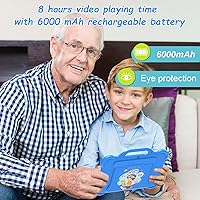
  • Battery: Houses a 6,000mAh lithium polymer battery rated for approximately 8 hours of mixed use on a single charge.
  • Charging: Charges via USB Type-C, compatible with most modern cables already found in family homes.
  • Rear Camera: Equipped with an 8MP rear-facing camera suitable for video calls, simple photography, and augmented reality-style educational apps.
  • Front Camera: Includes a front-facing camera to support video calling so children can connect with family members remotely.
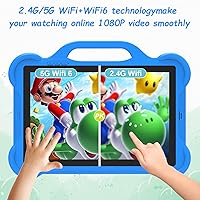
  • Wireless: Supports Wi-Fi 802.11ac (Wi-Fi 5), providing reliable connectivity on standard home networks.
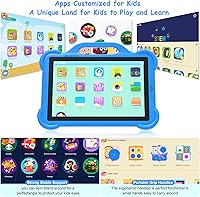
  • Pre-installed App: Comes with the iWawa parental control app pre-loaded, offering password locks, remote screen control, alarm settings, and a curated children's content library.
  • Dimensions: Measures 10 × 7.8 × 1 inches, making it a standard-sized 10-inch tablet that fits comfortably in a child's hands or a backpack side pocket.
  • Weight: Weighs 2.33 pounds, which is manageable for older kids but may feel slightly heavy for very young toddlers to hold unsupported for long periods.
  • Color: Available in Blue, with a design aesthetic aimed at appealing to younger children.
  • Target Age Range: Designed and marketed for children aged 3 to 15, though it is best suited in practice for younger children in the 3–8 age range based on performance capabilities.
  • Brand: Manufactured by CUPEISI, a lesser-known brand in the affordable kids-tech segment, launched in the North American market in late 2023.
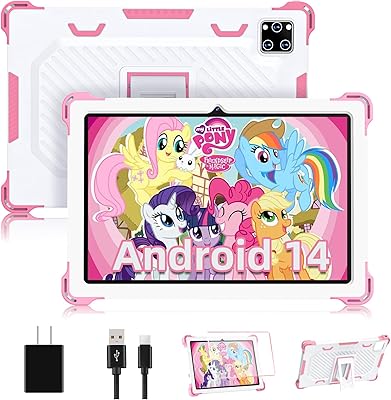
  • In the Box: Includes the tablet and a USB Type-C charging cable; a protective case is not included and is recommended for purchase separately.

Related Reviews

YACXBTK J10 10.1-inch Kids Tablet
70%
84%
Battery Life
81%
Value for Money
78%
Parental Controls
62%
Performance
67%
Display Quality
More
ZOFYWNAS 10-Inch Android 14 Kids Tablet
70%
83%
Value for Money
61%
Performance
67%
Display Quality
74%
Build Quality
77%
Parental Controls
More
YATIOM SS-35 10-inch Kids Tablet
70%
84%
Value for Money
61%
Performance & Speed
73%
Build Quality & Durability
78%
Parental Controls
69%
Battery Life
More
Fivahiva FF-35 Kids Tablet 10-inch, 10GB RAM, 64GB Storage, Android 14
85%
91%
Performance
88%
Parental Controls
86%
Durability & Build Quality
83%
Battery Life
74%
Display Quality
More
Topsand Android 14 Tablet 10-inch 10GB+32GB
84%
82%
Performance
88%
Build Quality & Durability
85%
Battery Life
70%
Display Quality
91%
Storage Capacity & Expandability
More
HAOVM G12PK14 10-inch Android 14 Tablet, 32GB
83%
91%
Value for Money
85%
Display Quality
88%
Battery Life
80%
Performance Speed
65%
Storage Capacity
More
BYANDBY BYCP10-PRO 10.1-inch Android 14 Tablet, 64GB Storage
80%
92%
Value for Money
89%
Battery Life
78%
Performance
87%
Portability/Size/Weight
76%
Build Quality/Durability
More
aiprotablet K12 10-inch Android Tablet
69%
83%
Value for Money
58%
Performance
63%
Display Quality
71%
Bundled Accessories
74%
Battery Life
More
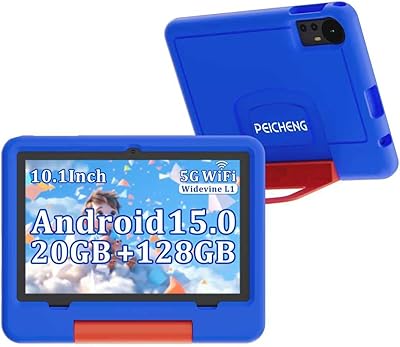
PEICHENG 10.1-inch Kids Tablet, 128GB Storage, Android 15.0
85%
93%
Durability & Build Quality
90%
Parental Control Features
76%
Battery Life
82%
Display Quality
88%
Ease of Use
More
ATOZEE RM 10.1-inch Android 14 Tablet, 6GB RAM, 32GB Storage
82%
83%
Performance
92%
Value for Money
80%
Display Quality
88%
Battery Life
75%
Build Quality
More

FAQ

Most parents find iWawa straightforward to configure — it walks you through the basics at first launch. You can set a password, restrict which apps are accessible, and lock the screen remotely without needing any technical background. It's not as polished as, say, Google Family Link, but for a built-in solution it gets the job done.

This is worth understanding before you buy. The tablet advertises 8GB of RAM, but only 2GB of that is real physical memory — the remaining 6GB is virtual, expanded through software. For a young child running one or two simple apps at a time, that's usually fine. If your child tries to switch between several apps quickly, things can slow down noticeably.

The tablet runs Android 14 and carries GMS certification, which means Google Play should be accessible. That said, some users have reported inconsistencies with app availability or compatibility, so it's worth checking after setup. If your child needs a specific app, confirm it's available before relying on it.

The CUPEISI AT11K 10-inch Android 14 Kids Tablet is rated for up to 8 hours of mixed use, and most user feedback suggests real-world battery life falls somewhere between 6 and 8 hours depending on what the child is doing. Streaming video will drain it faster than reading or using offline apps.
No, a case is not included in the box. Given that this is a kids tablet, buying a protective case separately is a smart move — especially for younger children who are more likely to drop it.

Yes, as long as the content is downloaded or available offline. Apps like certain educational games and downloaded videos work fine without a connection. Streaming services and anything browser-based will need Wi-Fi, so it's worth downloading content ahead of long trips.

For most kids, 64GB is a reasonable starting point. If they accumulate a lot of downloaded videos or games over time, you can expand storage with a microSD card up to 1TB, which keeps this from ever becoming a real bottleneck.

While the marketing targets ages 3 to 15, the hardware is honestly best matched to younger children — roughly 3 to 8 years old. Older kids who want to run more demanding apps or games will likely find the performance underwhelming and outgrow it fairly quickly.

The iWawa app includes remote screen monitoring and a one-button lock feature, so yes, you can check in and take control if needed. It's not a full-featured monitoring suite, but it covers the basics that most parents of young children will actually use.

It can be, particularly for younger children who don't yet have a tablet of their own. It looks like a complete, purposeful gift and arrives ready to use. Just set it up and configure the parental controls before wrapping it — first-time setup is smoother when an adult handles it rather than an excited six-year-old.