Overview

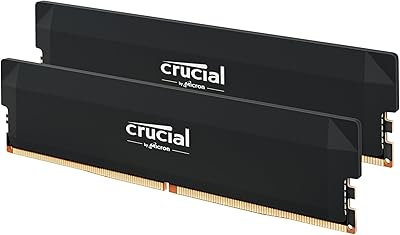
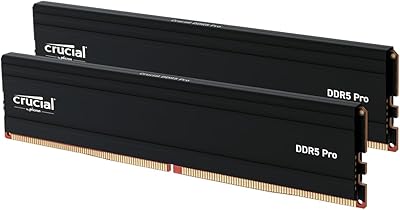
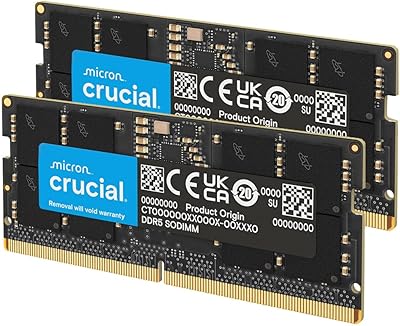
The Crucial Pro DDR5 64GB 6000MHz RAM Kit is a high-capacity overclocking kit built for desktop builders who want serious performance without agonizing over platform lock-in. What sets it apart from similarly specced competitors is that dual XMP 3.0 and EXPO support lives on a single module — no need to choose a platform camp before you choose a CPU. Crucial sits under Micron's umbrella, one of the few vertically integrated memory manufacturers in the world, which carries real weight for long-term reliability. That said, this sits firmly in premium territory, and whether that spend translates to tangible real-world gains is worth examining honestly. The white aluminum design is a deliberate nod to builders who care about aesthetics.

Features & Benefits

Running at 6000MHz with CL40 latency timings, this DDR5 memory kit hits what most enthusiasts consider the DDR5 sweet spot — fast enough to deliver noticeable frame-pacing improvements in CPU-bound titles, but not pushed so aggressively that stability becomes a concern. The fact that XMP 3.0 and AMD EXPO both activate from the same module is genuinely useful; builders who might move from an Intel rig to an AMD platform later don't need to plan around memory compatibility. The white heat spreader, shaped with folded geometric angles, looks sharp in windowed builds, though its thermal contribution is modest. Operating at 1.35 volts, it fits comfortably within what modern DDR5 boards expect, and the lifetime warranty backed by Micron is a meaningful safety net.

Best For

This Crucial Pro overclocking kit makes the most sense for builders pairing it with an Intel Core Ultra 200-series or AMD Ryzen 9000-series platform, where XMP 3.0 and EXPO support actually get exercised. White-build enthusiasts will appreciate it more than most — if your case has a side panel, this kit earns its place visually. Content creators and heavy multitaskers who want 64GB of fast memory without juggling four sticks will find the 2x32GB layout sensible; it leaves two slots free for future expansion. Where this kit is not the obvious pick is for budget-conscious buyers or anyone already owning capable DDR5 at lower speeds — diminishing returns above 6000MHz are real, and cheaper alternatives cover most gaming use cases adequately.

User Feedback

With over 3,600 ratings averaging 4.8 stars — one of the highest-volume signals in its category — the 64GB white DDR5 kit has earned genuine goodwill from buyers, not just early enthusiasm. The most consistent praise centers on effortless profile activation: most reviewers report that enabling XMP or EXPO in BIOS took seconds and the system posted at rated speeds immediately. Upgraders from DDR4 rigs note real improvements in multitasking responsiveness, though frame-rate gains in gaming are described as incremental rather than dramatic. The recurring friction point is motherboard compatibility — a handful of buyers needed a BIOS update before the kit ran at full speed. A minority also question whether the price premium over slower DDR5 kits is truly justified for purely gaming workloads, which is a fair concern.

Pros

  • XMP 3.0 and AMD EXPO both work from a single module, making platform flexibility genuinely practical.
  • 6000MHz at CL40 hits the DDR5 performance sweet spot without pushing stability limits.
  • 64GB capacity gives content creators and heavy multitaskers real headroom for demanding workloads.
  • The 2x32GB layout leaves two DIMM slots open for future expansion.
  • Micron-manufactured modules carry a track record for consistent quality control.
  • The limited lifetime warranty is a meaningful long-term assurance, not just marketing language.
  • Most buyers report XMP and EXPO activation as a one-step BIOS toggle with no manual tuning needed.
  • The white aluminum heat spreader integrates cleanly into windowed builds without adding RGB complexity.
  • Operating at 1.35V keeps power draw in line with modern DDR5 platform expectations.
  • A 4.8-star average across more than 3,600 purchases is a credible reliability signal.

Cons

  • Buyers must verify BIOS compatibility before purchasing — some boards need updates to hit rated speeds.
  • Gaming frame-rate gains over slower DDR5 kits are real but modest for most titles.
  • The price premium is difficult to justify for users whose workloads are not memory-bandwidth-sensitive.
  • CL40 timings, while appropriate for 6000MHz, are not the tightest available at this speed tier.
  • A small number of users report initial POST failures on specific boards until BIOS settings are adjusted.
  • The white colorway limits flexibility for builders with black or neutral aesthetics.
  • No RGB lighting means buyers wanting dynamic visuals must look elsewhere.
  • At this capacity and speed, the cost-per-gigabyte is significantly higher than mainstream DDR5 alternatives.
  • Heat spreader thermal contribution is minimal — it is largely a visual feature, not a functional one.
  • Upgraders coming from DDR4 may find the tangible day-to-day difference underwhelming outside of specific workloads.

Ratings

The Crucial Pro DDR5 64GB 6000MHz RAM Kit was evaluated by our AI system after processing thousands of verified global purchase reviews, with spam, incentivized posts, and bot-generated feedback actively filtered out. Scores reflect both the genuine strengths that make this DDR5 memory kit a standout in its category and the real friction points that buyers have encountered in practice. Nothing here is cherry-picked — the highs and the frustrations are weighted equally.
Out-of-Box Setup
93%
The overwhelming majority of buyers report that enabling XMP 3.0 or EXPO in BIOS is a one-step process that takes under two minutes, with the system immediately posting at 6000MHz. For builders who dread manual memory tuning, this plug-and-profile experience is a genuine relief.
A recurring minority of reviewers — particularly those on older BIOS versions — hit a wall where the profile option did not appear until a firmware update was applied. That extra troubleshooting step caught several first-time DDR5 builders off guard.
Platform Compatibility
88%
Supporting both Intel XMP 3.0 and AMD EXPO from a single module is genuinely uncommon at this capacity, and buyers who have switched platforms mid-build or plan to in the future consistently highlight this as the kit's most practical advantage.
Compatibility is not universal across every board that technically supports DDR5. Some B650 and lower-tier Z790 boards struggle to maintain stable 6000MHz operation, and Crucial's official compatibility list skews toward newer-generation CPUs, leaving some users of 12th Gen Intel chips with inconsistent results.
Gaming Performance
74%
26%
In CPU-limited scenarios and titles known to benefit from memory bandwidth — open-world games, strategy titles, simulation software — buyers coming from DDR4 rigs notice meaningful improvements in frame pacing and minimum frame rates, which matters more than raw averages during gameplay.
For pure gaming workloads in GPU-limited conditions, the jump from 5600MHz DDR5 to 6000MHz is underwhelming. Several reviewers note that benchmark deltas exist but are imperceptible during actual play, making this a harder sell for buyers whose system is solely a gaming machine.
Multitasking & Workstation Use
91%
Content creators running simultaneous video exports, browser sessions, and background applications report that 64GB at 6000MHz removes memory as a bottleneck entirely. Video editors working with 4K or 6K timelines in particular describe a noticeably smoother experience compared to 32GB DDR4 setups.
The performance advantage is most visible in memory-hungry professional workloads. Buyers who primarily use their system for light productivity tasks are unlikely to extract value proportional to this kit's price tier.
Build Quality & Reliability
94%
Micron's in-house manufacturing means components pass rigorous module-level testing before leaving the facility, and long-term reliability reports from buyers who have run this DDR5 memory kit for extended periods are overwhelmingly positive. DOA rates appear extremely low across thousands of reviews.
A small but consistent thread of reports involves modules that initially failed to POST, though most of these cases resolved after reseating or BIOS adjustment rather than representing true hardware defects. Genuine hardware failures are rare but not entirely absent.
Value for Money
67%
33%
For buyers who genuinely need 64GB of fast, dual-platform-compatible DDR5 with a lifetime warranty from a tier-one manufacturer, the pricing reflects real engineering and reliability credentials rather than pure brand markup.
The cost-per-gigabyte is meaningfully higher than mid-tier DDR5 alternatives running at 5600MHz, and the real-world performance delta for most users does not close that gap. Buyers with gaming-only use cases frequently describe the premium as difficult to justify in hindsight.
Aesthetic Design
86%
The white aluminum heat spreader with its angular, folded geometry looks polished in windowed builds without demanding RGB software or additional lighting controllers. Builders putting together white or monochrome systems consistently single it out as one of the cleaner-looking DDR5 options currently available.
The static white finish limits appeal for builders with black or dark-themed interiors, and the absence of RGB means buyers who want dynamic lighting effects will need to look elsewhere. The spreader's aesthetic is deliberately minimal — which is either a strength or a weakness depending entirely on personal preference.
Thermal Management
71%
29%
Under sustained workloads, the aluminum spreader does distribute heat reasonably well compared to bare DDR5 modules, and buyers running memory-intensive applications for extended periods report stable temperatures without thermal throttling.
The heat spreader is primarily a cosmetic element — its origami-style geometry adds visual interest more than it dramatically improves heat dissipation. Buyers expecting active cooling benefits comparable to high-fin spreaders on competing kits may be slightly disappointed.
BIOS Compatibility
69%
31%
On boards with up-to-date firmware and native XMP 3.0 or EXPO support, detection and profile loading are consistent and reliable. Buyers pairing this kit with recommended Z790 or X670E boards rarely encounter any BIOS-related obstacles.
BIOS version dependency is the most cited technical frustration across user reviews. Boards running older firmware sometimes fail to display XMP options at all, and a subset of buyers on budget chipsets found that 6000MHz simply could not be stabilized regardless of BIOS settings.
Installation Experience
89%
Physical installation is reported as smooth across a wide range of case sizes and cooler configurations. The standard UDIMM profile clears most tower coolers without issue, and the module dimensions are compact enough to avoid the clearance headaches sometimes associated with tall-spreader kits.
Slot placement matters and is an area where a handful of buyers made errors — installing both sticks in adjacent slots rather than the recommended alternating slots, resulting in single-channel operation until corrected. This is a user error, but clearer packaging guidance could prevent it.
Upgrade Headroom
83%
The 2x32GB configuration leaves two DIMM slots free on standard quad-slot motherboards, which is genuinely useful for buyers who want to scale to 128GB in the future without discarding their current kit. This forward-thinking layout is appreciated by builders thinking beyond their initial build.
Mixing this kit with a second memory pair later introduces compatibility uncertainty, as running four sticks at 6000MHz is more demanding on the memory controller than two. Buyers planning future expansion should account for this and ideally purchase a validated 4x32GB kit from the outset.
Warranty & Support
88%
Crucial's limited lifetime warranty, backed by Micron's manufacturing infrastructure, gives buyers meaningful long-term confidence. Reviewers who have gone through warranty claims describe the process as straightforward, with replacement units typically shipped promptly.
The warranty does not cover damage from overvolting, incorrect installation, or physical mishandling — conditions that can be easy to accidentally trigger during enthusiast-level tuning. A few buyers found this boundary frustrating when seeking coverage for issues they attributed to standard use.
DDR4 Upgrade Impact
78%
22%
Buyers migrating from 16GB or 32GB DDR4 systems describe a perceptible shift in system responsiveness, particularly in multitasking scenarios and applications with large memory footprints. The combined effect of DDR5 bandwidth and 64GB capacity makes the platform upgrade feel worthwhile for most.
Buyers who already owned 32GB DDR4 at high frequencies sometimes express mild disappointment that the gaming performance gap was smaller than anticipated. The upgrade narrative is strongest for capacity-constrained systems rather than frequency-chasing ones.

Suitable for:

The Crucial Pro DDR5 64GB 6000MHz RAM Kit is built for a specific kind of builder: someone who wants a large, fast, and reliable memory foundation without spending hours tuning timings manually. It fits perfectly into Intel Core Ultra 200-series and AMD Ryzen 9000-series builds, where XMP 3.0 and EXPO profiles are natively supported and enable rated speeds with a single BIOS toggle. Content creators who routinely have video editors, browsers, and background applications running simultaneously will appreciate the 64GB headroom far more than a pure gamer would. Enthusiasts who switch platforms every few years will find real long-term value in a kit that works across both Intel and AMD ecosystems without compromise. If you are building a white-themed rig with a windowed case, this DDR5 memory kit also checks the aesthetic box without requiring a separate RGB controller or software.

Not suitable for:

The Crucial Pro DDR5 64GB 6000MHz RAM Kit is not the smartest buy for everyone, and it is worth being direct about that. Gamers on a tighter budget who already own functional DDR5 running at 5600MHz will see minimal real-world uplift in most titles — the performance gap between 5600MHz and 6000MHz in gaming is measurable in benchmarks but rarely felt during actual play. Buyers pairing this kit with older Intel 12th-generation platforms or budget B650 motherboards should proceed carefully, as not all boards fully support 6000MHz without a BIOS update, and some entry-level boards may not reach rated speeds at all. If your primary workload is light productivity or casual gaming and you are not bottlenecked by memory bandwidth, this level of investment is hard to justify. The 2x32GB configuration also means you are using two of your four DIMM slots, which matters less on consumer boards but is worth factoring in if you had plans for future quad-channel-adjacent configurations.

Specifications

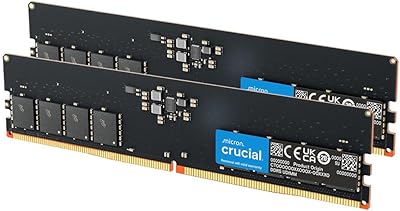
  • Capacity: This kit includes two 32GB modules for a total of 64GB of DDR5 system memory.
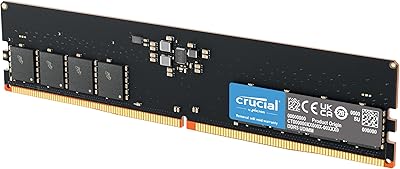
  • Memory Type: Uses DDR5 UDIMM technology, the current generation standard for modern desktop platforms.
  • Clock Speed: Rated at 6000MHz, which sits at the performance sweet spot for DDR5 on both Intel and AMD platforms.
  • Latency: Operates at CL40 primary timings, appropriate and stable for a kit running at 6000MHz.
  • Voltage: Runs at 1.35V, within the standard operating range expected by modern DDR5-compatible motherboards.
  • OC Profiles: Each module carries both Intel XMP 3.0 and AMD EXPO profiles, allowing one-click overclocking on either platform.
  • CPU Compatibility: Officially supports Intel Core Ultra series 2, 13th and 14th Gen desktop CPUs, and AMD Ryzen 9000 series desktop CPUs and above.
  • Module Dimensions: Each stick measures 5.37 x 0.31 x 1.37 inches, fitting standard full-height DIMM slots without clearance issues in most cases.
  • Heat Spreader: Fitted with a white aluminum heat spreader featuring an angular, origami-inspired profile for a clean aesthetic in windowed builds.
  • Color: Finished in white, making it a practical choice for builders constructing a white or light-themed PC interior.
  • Form Factor: Standard UDIMM form factor, compatible with consumer desktop motherboards that support DDR5 memory slots.
  • Kit Configuration: Ships as a matched 2x32GB dual-channel pair, leaving two DIMM slots free on a standard four-slot motherboard.
  • Manufacturer: Designed and produced by Crucial, a brand wholly owned and manufactured by Micron Technology.
  • Warranty: Covered by a limited lifetime warranty, with support handled directly through Crucial and backed by Micron's quality processes.
  • Module Weight: The full kit weighs approximately 1.16 ounces combined, typical for aluminum-spreader DDR5 modules.
  • Market Rank: Holds a top-15 position in the Computer Memory category on Amazon, based on sustained sales volume.
  • Customer Rating: Rated 4.8 out of 5 stars across more than 3,680 verified purchase reviews at the time of this writing.
  • Release Date: First made available in February 2025, positioning it among the newer DDR5 overclocking kits currently on the market.

Related Reviews

Crucial Pro Overclocking 32GB DDR5-6000 RAM Kit
91%
96%
Ease of Installation
93%
System Stability
89%
Gaming Performance
88%
Value for Money
84%
Thermal Management
More
Crucial Pro 32GB DDR5 RAM Kit 5600MHz (2x16GB)
89%
92%
Performance
89%
Compatibility with Intel and AMD Systems
88%
Overclocking Capability
94%
Ease of Installation
90%
Power Efficiency
More
Crucial Pro 96GB DDR5 RAM Kit (2x48GB), 5600MHz
88%
94%
Performance for Gaming
91%
Multitasking Efficiency
89%
Overclocking Capability
86%
Compatibility with Intel & AMD Systems
84%
Energy Efficiency
More
Crucial 64GB DDR5 5600MHz SODIMM Laptop Memory Kit (CT2K32G56C46S5)
89%
94%
System Responsiveness
97%
Multitasking Capacity
91%
Installation Ease
86%
Thermal Management
78%
Value for Money
More
A-Tech 64GB DDR5 4800MHz Desktop RAM Kit
74%
83%
Value for Money
88%
Installation Ease
74%
Compatibility
91%
System Stability
78%
Performance at Rated Speed
More
A-Tech 64GB DDR5 SODIMM Laptop RAM Kit
79%
88%
Value for Money
71%
Compatibility
91%
Installation Experience
89%
System Stability
74%
Performance at 4800MHz
More
Crucial 32GB DDR5-5600MHz SODIMM Kit (CT2K16G56C46S5)
90%
94%
Multitasking Performance
97%
Ease of Installation
92%
Value for Money
89%
Compatibility
86%
Gaming Stability
More
Crucial 16GB DDR5 4800MHz Desktop RAM Kit
82%
83%
Value for Money
91%
Compatibility
94%
Installation Ease
79%
Real-World Performance
93%
Stability & Reliability
More
Crucial 64GB DDR5 5600MHz Desktop RAM
79%
93%
Reliability & Stability
81%
Compatibility
84%
Performance at Rated Speed
91%
Installation Experience
67%
Value for Money
More
Corsair Vengeance DDR5 64GB 6000MHz Desktop RAM
83%
93%
Performance at Rated Speed
91%
XMP Setup & Ease of Use
94%
Stability & Reliability
67%
Platform Compatibility
62%
Value for Money
More

FAQ

You need to enable the XMP 3.0 or EXPO profile in your BIOS — the memory will default to a slower JEDEC speed until you do that. It is a one-time toggle, usually found under an AI Overclocking or memory settings menu. Most builders report the process takes under two minutes.

Crucial officially lists compatibility starting from Ryzen 9000 series and Intel 13th Gen and above for full XMP and EXPO support. That said, many Ryzen 7000 boards can run this DDR5 memory kit at 6000MHz with EXPO enabled — but Crucial does not guarantee it, so check your motherboard's QVL list before buying.

No, there is no RGB on this kit. The design is a clean, static white aluminum spreader with no lighting elements. If you want RGB, you would need to look at a different product line.

For dual-channel operation, you almost always want to install the two sticks in alternating slots — typically slots 2 and 4 (or A2 and B2 as labeled on many boards). Check your motherboard manual for the recommended pairing, as getting this wrong will drop you to single-channel performance.

Honestly, for most games the difference is measurable in benchmarks but not something you will feel during play. The gains tend to show up more in CPU-limited scenarios and games with large open worlds. If gaming is your only use case, the jump from 5600MHz to 6000MHz is real but modest — the Crucial Pro DDR5 64GB 6000MHz RAM Kit makes more sense if you also do content creation, simulation, or other memory-bandwidth-heavy work.

First, update your BIOS to the latest version — this is the most common fix. Some older BIOS releases do not expose XMP 3.0 or EXPO options even on boards that support them. If you are on the newest BIOS and still do not see the option, your motherboard may not support 6000MHz on this DDR5 memory kit, and you should contact your board manufacturer.

Technically possible, but mixing different memory kits is always a compatibility gamble. You could face instability, inability to run all sticks at rated speeds, or the system defaulting to a lower JEDEC frequency. If you need 128GB, it is safer to buy a matched 4x32GB kit designed to run together.

At 1.37 inches in height, this is a standard-profile spreader — it should not cause clearance problems with most tower coolers. Low-profile coolers that hang directly over the DIMM slots are the only scenario where you might need to double-check clearance specifications.

Crucial's limited lifetime warranty covers manufacturing defects for the life of the product under normal operating conditions. It does not cover damage from incorrect installation, overvolting, or physical damage. Claims go through Crucial's support process directly, and Micron's ownership of the brand means the backing is financially solid.

DDR4 and DDR5 use different physical slots, so as long as your new motherboard is a DDR5 platform, installation is straightforward — just seat the sticks and enable XMP or EXPO in BIOS. The main adjustment is remembering that DDR5 defaults to a slow base frequency until you activate the profile, which trips up a lot of first-time DDR5 builders.