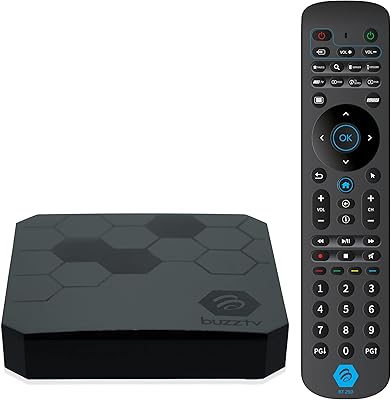
Overview

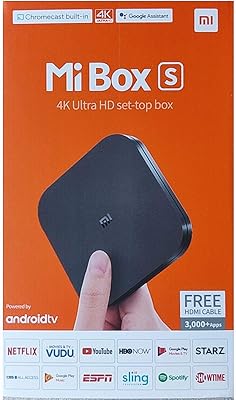
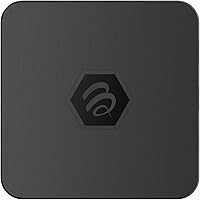
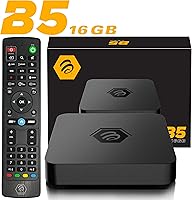
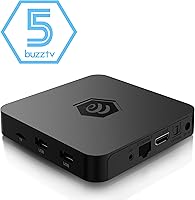
The BuzzTV B5 Android TV Streaming Box is a compact, no-frills streaming device built primarily for cord-cutters and IPTV users who want solid performance without spending flagship money. Powered by the Amlogic S905W2 quad-core processor, it handles 4K playback reliably enough for everyday use. BuzzTV isn't a household name like Amazon or Google in the streaming space, but within the IPTV community it carries real credibility — people who run subscription-based TV services know this brand. Think of it as sitting comfortably between a bare-bones dongle and a premium Android box. It won't outrun a Xiaomi Mi Box S on raw specs, but it competes honestly at its price tier.

Features & Benefits

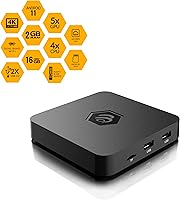
The BuzzTV B5's headline specs start with its Amlogic S905W2 chip, which handles 4K UHD content smoothly in typical streaming scenarios. Don't expect miracles running five apps at once — with 2GB of RAM, heavy multitasking will cause the occasional stutter. Storage sits at 16GB, which fills up faster than you'd expect once you start loading IPTV apps, utilities, and media players. Android 11 keeps things flexible, letting you install from the Play Store or sideload APKs without jumping through hoops. Two features genuinely worth noting: built-in PVR recording and TimeShift let you pause and record live TV — additions rarely found at this price point. Audio passes through at up to 5.1 surround sound via HDMI.

Best For

This Android TV box makes the most sense for IPTV subscribers who want a dedicated device rather than relying on a smart TV's sluggish built-in interface for third-party streaming apps. If you're a cord-cutter who prefers the open Android ecosystem over walled gardens like Fire OS, this is a practical choice. The compact footprint — barely larger than a coaster — makes it easy to tuck behind a monitor or inside a cramped entertainment unit. It also works well as a secondary bedroom device, where top-tier performance isn't essential but 4K and app access still matter. Buyers who expect to run multiple demanding apps simultaneously may find the hardware a bit limiting.

User Feedback

Across its 117 ratings, the B5 streaming box holds a 4.0 out of 5 — respectable, but the full picture is more nuanced. Users who buy it specifically for IPTV praise its reliable live TV performance and straightforward setup process, and the included remote gets positive mentions too. Where things get critical: storage fills up quickly for anyone installing more than a handful of apps, and some users report the box slows noticeably when switching between resource-heavy applications. Long-term confidence is a mild question mark — BuzzTV doesn't have the same software update track record as Google or Amazon. For its intended use case most buyers seem satisfied, but it's not without rough edges.

Pros

  • Built-in PVR and TimeShift let you record and pause live TV — rare features at this price point.
  • Runs Android 11 with full Play Store access and sideloading support for maximum app flexibility.
  • The Amlogic S905W2 processor handles 4K UHD content smoothly in typical day-to-day streaming.
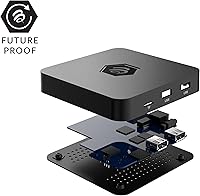
  • Extremely compact footprint makes it easy to place behind any TV or monitor without clutter.
  • HDMI audio output supports up to 5.1 surround sound, a genuine plus for home theater setups.
  • BuzzTV has a strong reputation within the IPTV community, adding credibility for its target audience.
  • The included remote works well out of the box with no complicated pairing process reported by users.
  • Android 11 keeps the OS modern enough to run most current streaming and media apps without issues.
  • At its price tier, the B5 streaming box offers a feature set that outpaces many competing dongles.

Cons

  • 2GB of RAM causes noticeable slowdowns when switching between multiple or resource-heavy applications.
  • 16GB of onboard storage fills up fast, especially for users with several IPTV and media apps installed.
  • No built-in Wi-Fi adapter confirmed in specs — wired-only connectivity limits flexible placement options.
  • BuzzTV's long-term software update track record is uncertain compared to Google or Amazon devices.
  • Only one HDMI port means no multi-display flexibility and a single point of connectivity failure.
  • 117 total ratings is a relatively small sample, making it harder to fully trust the overall score.
  • Users unfamiliar with Android device management may struggle to keep storage and performance optimized.
  • Customer support responsiveness from BuzzTV is not well-documented, which is a risk for post-purchase issues.

Ratings

Our AI-driven scoring for the BuzzTV B5 Android TV Streaming Box was built by analyzing verified global buyer reviews, with spam, bot activity, and incentivized feedback actively filtered out before any score was calculated. The result is an honest snapshot of real-world ownership — where the box genuinely earns its place and where it falls short. Both the strengths that keep buyers satisfied and the frustrations that surface over time are transparently reflected in every category below.

Streaming Performance
78%
22%
For its primary job — running IPTV services and 4K video streams — the B5 streaming box holds up well in everyday use. Most buyers report smooth, consistent playback without buffering interruptions when the content source is reliable, which is exactly what IPTV-focused users care most about.
Performance confidence drops when users push the box beyond single-stream tasks. Background processes occasionally compete for resources, and a small but consistent group of reviewers noted that switching between live TV and an on-demand app introduced perceptible lag.
Value for Money
74%
26%
Relative to what you get — 4K output, Android 11, PVR, and TimeShift — the price is genuinely competitive for the IPTV niche. Buyers who use it as a dedicated IPTV box feel the feature-to-cost ratio is fair, especially compared to more expensive options offering fewer live TV tools.
For general-purpose streaming users who don't use IPTV, the value case weakens considerably since mainstream alternatives at a similar price offer a more polished out-of-box experience. The storage limitation also means some buyers feel they are paying for capacity they cannot fully use without constant management.
RAM & Multitasking
52%
48%
For single-app sessions — an IPTV player, a YouTube session, or a Netflix queue — the 2GB of RAM is adequate and the box runs without obvious hiccups. Users who keep their usage focused and close apps when done report a noticeably smoother experience overall.
Two gigabytes of RAM is a real ceiling that buyers regularly bump into. Running an IPTV app alongside a browser or switching rapidly between two media apps is enough to trigger slowdowns, and several users specifically mentioned the box becoming sluggish after extended use without a reboot.
Storage Capacity
48%
52%
Sixteen gigabytes of eMMC storage is sufficient for a lean setup with three to five key apps installed. Users who treat this as a single-purpose IPTV device and resist the urge to fill it with extra apps find the storage holds up reasonably well in the short term.
Storage frustration is one of the most common themes in negative reviews. IPTV apps, their cached data, and even a couple of utility apps can eat through 16GB faster than expected, leaving buyers scrambling to uninstall things or manage files just to keep the device functional.
4K Picture Quality
81%
19%
When the source material is available in 4K, the output through HDMI looks sharp and detailed on compatible televisions. Users upgrading from older 1080p streaming sticks frequently mention being pleased by the visible improvement in image clarity during high-quality streams.
The actual HDR standard supported is not clearly specified in official documentation, which leaves some buyers uncertain whether they are getting true HDR performance or a softer implementation. A few users noted that HDR content looked inconsistent depending on the app and source.
Setup & Ease of Use
76%
24%
Initial setup is straightforward — plug in the HDMI cable, connect power, and follow the Android 11 onboarding steps. Most buyers describe getting up and running within minutes, and the included remote works immediately without complicated pairing procedures.
The experience gets less smooth for users who are not familiar with Android devices. Sideloading apps, adjusting display output settings, or managing storage requires navigating menus that can feel unintuitive to less technical buyers coming from simpler streaming sticks.
Remote Control
72%
28%
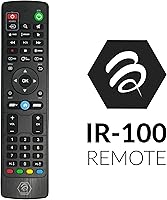
The included remote is functional and covers standard navigation needs well. Users appreciate that it works reliably from a reasonable distance and that no additional setup or app pairing is required to start using it right out of the box.
The remote is serviceable rather than impressive — it lacks voice control or shortcut buttons that users of Amazon or Google remotes have come to expect. A few buyers mentioned they quickly replaced it with a third-party option for a better overall experience.
Build & Design
77%
23%
The compact square footprint makes it genuinely easy to tuck behind a TV panel or mount discreetly in tight media cabinet spaces. Build quality feels solid for the price tier, and the low-profile design avoids the cheap plastic feel common in budget streaming hardware.
The aesthetic is purely utilitarian — there is nothing visually distinctive about the chassis, and the ventilation design means it can get noticeably warm during extended streaming sessions. Users with limited airflow around their entertainment setup should account for that.
App Compatibility
73%
27%
Android 11 opens access to the Google Play Store and sideloading, which means the overwhelming majority of streaming and IPTV apps install and run without compatibility issues. For cord-cutters who rely on a mix of official and third-party apps, this flexibility is a real practical benefit.
Not every Play Store app is optimized for Android TV, and some phone-oriented apps display awkwardly on a television screen. A handful of users also noted that certain popular apps — particularly those with aggressive device certification requirements — either ran with limitations or refused to install.
PVR & TimeShift
83%
PVR recording and TimeShift are genuinely useful features that set this box apart from most competitors in its price bracket. IPTV users in particular value the ability to pause live content mid-stream and pick up exactly where they left off, which works as intended when paired with a USB storage device.
The PVR functionality requires external USB storage to be practical, since recording to the internal 16GB drive fills it rapidly. Users who were not aware of this dependency before purchase expressed frustration, and the setup for scheduling recordings is not as intuitive as dedicated DVR hardware.
Software & Updates
54%
46%
Shipping with Android 11 means the operating system is modern enough to run current apps without compatibility concerns at the point of purchase. For buyers who use the device consistently and update apps regularly, day-to-day software performance is adequate.
BuzzTV does not have a well-documented history of pushing timely firmware or OS updates, which raises long-term reliability questions. Buyers who care about security patches or want the device to stay current over a two-to-three year ownership window may find the update cadence disappointing compared to Chromecast or Fire TV devices.
IPTV Suitability
84%
This is where the B5 streaming box earns its strongest marks. The combination of open Android, PVR support, and a stable processor makes it a well-matched device for IPTV subscribers who want a purpose-built box rather than a workaround on a locked-down platform.
The IPTV-centric design means the experience for mainstream streaming users — those primarily using Netflix, Disney+, or Apple TV+ — is less refined than competing devices purpose-built for those platforms. The box is optimized for a specific use case, and buyers outside that audience may not feel that focus.
Audio Performance
69%
31%
HDMI passthrough supports up to 5.1 surround sound, which is adequate for users with a soundbar or AV receiver in their setup. Buyers who route audio through a home theater system report clean, stable output without dropout issues during long streaming sessions.
There is no optical audio output, which limits connectivity options for older surround sound systems that rely on that connection type. Stereo-only setups will not hear a meaningful difference compared to much cheaper streaming devices, making audio a neutral rather than a selling point.

Suitable for:

The BuzzTV B5 Android TV Streaming Box was clearly designed with a specific type of buyer in mind, and it delivers best when matched to that audience. IPTV subscribers who want a stable, dedicated box for their streaming service — rather than cramming third-party apps onto a sluggish smart TV interface — will find it a practical and well-priced solution. Cord-cutters who value the open Android ecosystem will appreciate the ability to install apps freely from the Play Store or via sideloading, something locked-down platforms like Fire OS simply don't offer. The compact, unobtrusive design also makes it a natural fit for smaller rooms — a bedroom, a home office monitor, or a guest room TV where you still want 4K access without spending premium money. Anyone already comfortable with light Android device management, like clearing cache or using a file manager, will squeeze the most value out of this box.

Not suitable for:

Buyers expecting a polished, hands-off streaming experience comparable to an Apple TV or a high-end NVIDIA Shield will likely walk away disappointed with the BuzzTV B5 Android TV Streaming Box. The 2GB of RAM is the most honest limitation here — if your habits involve jumping between multiple demanding apps, running a browser, and streaming simultaneously, you will hit a wall. The 16GB of onboard storage sounds workable until you realize how quickly IPTV apps, media players, and cached content eat through it, leaving little breathing room without external storage or careful app management. Users who rely heavily on software support longevity and regular OS updates should also temper expectations, since BuzzTV doesn't have the same update infrastructure as Google or Amazon. If your primary use is mainstream platforms like Netflix or Disney+ and you expect everything to just work without any tinkering, a Chromecast with Google TV or a Fire Stick will serve you better.

Specifications

  • Processor: Runs on an Amlogic S905W2 Quad-Core Cortex A-35 chip, providing sufficient power for 4K UHD video decoding and standard app workloads.
  • RAM: Equipped with 2GB of DDR RAM, which supports routine streaming and single-app use but may show strain during heavy multitasking.
  • Storage: Includes 16GB of eMMC internal storage, enough for a moderate selection of apps though users with large app libraries will need to manage space carefully.
  • Operating System: Ships with Android 11, offering access to the Google Play Store and support for sideloading third-party APKs.
  • Resolution: Supports 4K UHD video output, delivering high-definition visuals when paired with a compatible 4K television.
  • Audio Output: Transmits audio via HDMI with support for stereo and 5.1 surround sound channel configurations.
  • HDMI Ports: Features one HDMI output port for connecting to a television or monitor.
  • Connectivity: Uses wired connectivity via HDMI; no built-in Wi-Fi or Ethernet adapter is listed in the official product specifications.
  • Special Features: Includes PVR (Personal Video Recorder) and TimeShift functionality, allowing users to record and pause live TV content.
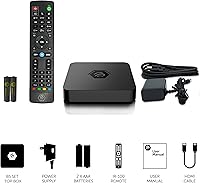
  • Remote Control: Comes with an included remote control compatible with standard television navigation and app interaction.
  • Dimensions: Measures 4.33 x 4.33 x 0.79 inches, making it one of the more compact Android TV boxes in its category.
  • Weight: Weighs 1.08 pounds, light enough to mount discreetly behind a TV or sit unobtrusively on an entertainment unit.
  • Compatible Devices: Designed for use with televisions that have an available HDMI input port.
  • Video Encoding: Supports RM video encoding format in addition to standard modern video codecs handled by the Amlogic S905W2 chip.
  • Model Number: Officially designated as model B5 by BuzzTV, part of the B5 Series line of Android streaming devices.
  • Availability Date: First became available for purchase in October 2022, making it a relatively recent entry in the BuzzTV product lineup.
  • Manufacturer: Produced by BuzzTV, a brand with an established presence in the IPTV and set-top box market.
  • Sales Ranking: Holds a Best Sellers Rank of approximately #344 in the Streaming Media Players category on Amazon.

Related Reviews
BuzzTV X5 Android TV Box
86%
91%
4K Streaming Quality
88%
Android OS Performance
92%
Value for Money
87%
Ease of Setup
83%
Parental Controls
More
Strong LEAP-NEVE 4K Streaming Stick
80%
91%
Picture Quality
84%
Streaming Stability
88%
Setup & Onboarding
83%
Audio Performance
79%
Google TV Interface
More
BuzzTV Classic 4GB/64GB
79%
88%
Streaming Performance
83%
Value for Money
74%
App Compatibility
91%
Setup & Ease of Use
79%
Build Quality & Design
More
Xiaomi Mi Box S Android TV 4K HDR Streaming Media Player
86%
90%
Value for Money
88%
Setup & Ease of Use
92%
Picture Quality (4K HDR)
89%
Google Assistant Voice Control
78%
App Performance
More
BOXY Android TV Streaming Box
76%
91%
Streaming Quality
88%
Local Media Playback
63%
Setup & Ease of Use
83%
Value for Money
67%
Performance & Speed
More
RUPA PRO13 Android 13 TV Box
68%
83%
Value for Money
88%
Ease of Setup
71%
Streaming Performance
52%
RAM & Multitasking
63%
Build Quality
More
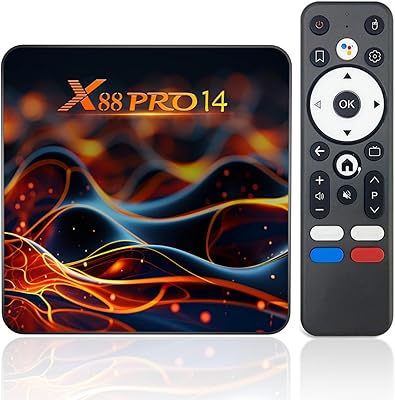
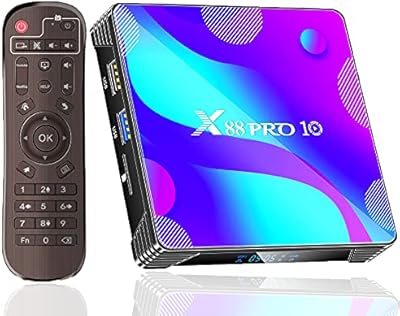
EASYTONE X88 Pro 10 Android TV Box 2GB/16GB
69%
78%
Value for Money
84%
Setup & Ease of Use
54%
Streaming App Compatibility
76%
Video & Picture Quality
58%
Performance & Speed
More
IDEALROYAL Android 14.0 2GB/16GB TV Box
66%
78%
Value for Money
63%
Streaming Performance
51%
App Ecosystem
61%
4K and Video Quality
44%
RAM and Multitasking
More
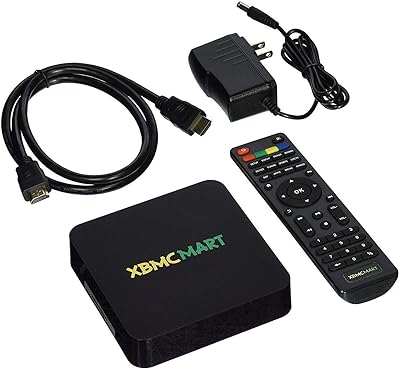
XBMCMart S905X Android TV Box
67%
88%
Ease of Setup
71%
Streaming Performance
74%
4K Video Quality
76%
Audio Quality
68%
App Compatibility
More
SUSAY MxIII Pro X4 Android TV Box
67%
78%
Value for Money
82%
Streaming Performance
61%
App Compatibility
67%
Setup Experience
58%
Build Quality
More

FAQ

It works with any television that has an HDMI input port — smart or not. You just plug it in via HDMI, power it up, and the box handles all the smart functionality itself. A basic flat-screen with an HDMI port is all you need.

Yes, Android 11 allows sideloading, which means you can install APK files from outside the Play Store. This is particularly useful for IPTV apps or media players that may not be officially listed. Just enable installation from unknown sources in the settings menu first.

Honestly, it depends on how you use it. For a focused setup with a handful of IPTV and streaming apps, 16GB is workable. If you plan to install a lot of apps or download media locally, you will run into the ceiling fairly quickly. Keeping an eye on storage and clearing app cache regularly helps stretch it further.

TimeShift lets you pause live TV and resume it from where you stopped — similar to how a DVR works. So if you step away mid-show, you don't miss anything. Combined with the PVR recording feature, it gives this box a meaningful edge over streaming sticks that offer no live TV management at all.

Based on the official product specifications, the B5 streaming box lists wired connectivity only. If your TV setup is far from a router, this is worth factoring in before buying. A wired Ethernet connection will generally give you more stable streaming anyway, but the lack of built-in Wi-Fi limits placement flexibility.

With 2GB of RAM, yes — pushing multiple demanding apps simultaneously will likely cause some sluggishness. For a single focused task like running an IPTV app or watching a 4K stream, performance holds up well. Think of it as a device that does one thing at a time reliably, rather than a multitasking powerhouse.

The Fire TV Stick 4K is more polished in terms of software experience and Amazon ecosystem integration, but it runs Fire OS, which restricts what you can install. The B5 gives you a more open Android environment and adds PVR and TimeShift capabilities that the Fire Stick doesn't have. If you're deep into IPTV, the B5 is likely the better fit; if you mostly use Netflix, Prime, and similar mainstream apps, the Fire Stick is a simpler experience.

The built-in PVR feature supports live TV recording, but you will typically need a USB storage device connected to hold your recordings since 16GB of internal storage would fill up very fast. The box handles the recording function itself — no separate tuner or recorder device required, assuming your IPTV service supports it.

It's manageable, but it helps to have a little comfort with Android devices. Basic setup is straightforward, and the remote works without any configuration. Where things get slightly more involved is optimizing storage, sideloading apps, or troubleshooting performance — tasks that require a bit of willingness to explore settings. If you want a completely plug-and-play experience with zero tinkering, a Chromecast with Google TV might suit you better.

This is one area where BuzzTV doesn't have as transparent a track record as larger brands like Google or Amazon. The box ships with Android 11, which is reasonably current, but long-term update frequency is not well-documented publicly. For buyers who prioritize ongoing software support and security patches, this uncertainty is worth keeping in mind before committing.