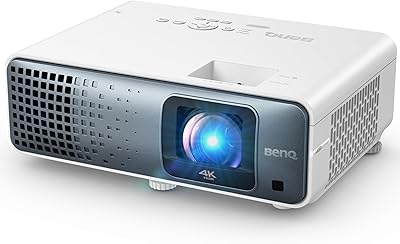
BenQ MS560 DLP Business Projector
Overview
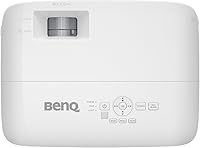
The BenQ MS560 DLP Business Projector occupies a practical middle ground in the projector market — capable enough for daily professional use, without the premium price of a full HD unit. BenQ has a solid track record in display technology, and the MS560 reflects that with a compact, lightweight build weighing just 5.51 pounds. The native SVGA resolution (800x600) is worth addressing upfront: it handles slides, spreadsheets, and dense text reliably, but it will disappoint anyone expecting crisp HD video or detailed imagery. For small-to-medium conference rooms, training spaces, and classrooms where 1080p is not a priority, this business projector holds its ground reasonably well.
Features & Benefits
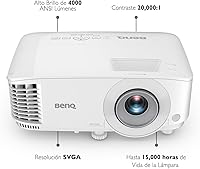
At 4000 ANSI lumens, the MS560 puts out a genuinely bright image — enough to work in a partially lit room, though full daylight will wash it out like any projector at this tier. The dual HDMI inputs are a real convenience; connect a laptop and a presentation device simultaneously without unplugging anything mid-meeting. BenQ's SmartEco mode trims lamp power by up to 70%, which matters less for occasional use but adds up fast in schools or offices running the unit several hours daily. Auto vertical keystone correction snaps the image into alignment with minimal fuss, the glass lens sharpens edges compared to plastic alternatives, and the dedicated Data Review Mode keeps text and numbers consistently crisp.
Best For
This BenQ projector is a natural fit for anyone who needs a dependable, no-fuss setup in a small meeting room or classroom. Educators, trainers, and small business owners who spend most of their time projecting slides, PDFs, and spreadsheets will get the most value here. It is less suited for detailed video content or creative presentations requiring high-resolution imagery. The VGA input is a quiet but genuine benefit for teams still using older laptops or shared equipment. Organizations running projectors for extended daily sessions will appreciate the energy-saving lamp mode, which helps reduce both electricity costs and lamp replacement expenses over time.
User Feedback
With a 4.4-star rating across over 460 verified reviews, the MS560 earns its standing as a reliable office workhorse. Buyers consistently highlight easy out-of-box setup, a noticeably bright image for a unit this size, and fan noise that stays unobtrusive during presentations. The most repeated criticism is the SVGA resolution — several reviewers note it looks soft compared to 1080p projectors available at a similar price point, particularly those upgrading from newer displays. Long-term owners mention lamp durability favorably, especially when SmartEco mode runs regularly. Taken together, the feedback is clear: capable and practical for everyday business use, but not the right choice if image sharpness is your top priority.
Pros
- Auto vertical keystone correction gets the image aligned in seconds — no manual tweaking needed.
- Dual HDMI ports let you keep two devices connected simultaneously, cutting dead time between speakers.
- The glass lens produces sharper edges and more accurate imagery than plastic-lens budget competitors.
- At 5.51 pounds, the MS560 is easy to carry between rooms or pack for off-site training sessions.
- SmartEco mode meaningfully reduces lamp wear for organizations running it several hours daily.
- Fan noise stays low enough during standard use to avoid distracting presenters or audiences.
- Text and spreadsheet data remain clear and legible thanks to the dedicated Data Review Mode.
- BenQ's brand reliability translates to consistent long-term performance when the unit is used within its intended parameters.
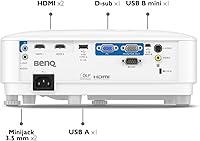
- The combination of HDMI, VGA, DisplayPort, and USB inputs covers a wide range of hardware without extra adapters.
Cons
- Native SVGA resolution looks visibly soft on larger screens, especially to audiences used to HD displays.
- No built-in wireless connectivity — a real gap in offices running modern wireless presentation systems.
- Brightness claims are lab-measured; real-world output in partially lit rooms is noticeably lower than advertised.
- SmartEco mode reduces image brightness enough to affect legibility in rooms with any ambient light.
- Horizontal keystone still requires manual adjustment, which slows setup in rooms with off-center mounting.
- No carry case is included, leaving buyers to source their own protection for transport.
- The remote control feels lightweight and has an inconsistent response range in larger rooms.
- Color reproduction for photos and video content is muted and underwhelming compared to 1080p alternatives.
- A small number of long-term buyers report lamp degradation appearing earlier than expected at full brightness settings.
- At this price point, competing 1080p projectors exist — making the SVGA resolution a harder trade-off to justify.
Ratings
The scores below are generated by AI after systematically analyzing verified buyer reviews for the BenQ MS560 DLP Business Projector from multiple global sources, with spam, bot activity, and incentivized feedback actively filtered out. Every category reflects the honest distribution of real-world experiences — strengths and frustrations weighted equally. Whether you are evaluating this projector for a small office, a school classroom, or a training facility, these ratings are designed to give you a transparent, ground-level picture before you commit.
Image Brightness
Image Resolution & Clarity
Brightness Consistency
Ease of Setup
Connectivity & Ports
Build Quality & Durability
Fan Noise
Energy Efficiency & Lamp Life
Value for Money
Portability
Color Accuracy
Contrast Performance
Remote Control & Interface
Throw Ratio & Placement Flexibility
Long-Term Reliability
Suitable for:
The BenQ MS560 DLP Business Projector is a strong match for educators, trainers, and small business owners who spend the majority of their time projecting slides, spreadsheets, and text-heavy documents in controlled environments. If your meeting room has blinds or your classroom can dim its overhead lights during presentations, this projector delivers a genuinely bright and stable image without demanding a complex setup process. Teachers who move between rooms, trainers who travel between facilities, and office managers equipping a dedicated conference space will all find the plug-and-play experience refreshingly straightforward. Organizations still running older laptops or shared AV equipment will appreciate the retained VGA port alongside the modern dual HDMI inputs — a combination that covers both legacy and current hardware without adapters. Teams running the projector for several hours daily will also benefit meaningfully from the SmartEco lamp-saving mode, which reduces operating costs and extends the time between lamp replacements.
Not suitable for:
The BenQ MS560 DLP Business Projector is not the right tool for anyone whose presentations rely heavily on high-resolution imagery, detailed graphics, or video content. The native SVGA resolution of 800x600 is a hard ceiling — it is a format designed for another era of computing, and modern audiences accustomed to 1080p displays will notice the softness immediately, especially on larger screens. Creative professionals, marketing teams showcasing visual campaigns, or anyone reviewing video footage should look at 1080p alternatives before committing here. This projector also lacks wireless connectivity, which makes it a poor fit for modern hybrid meeting setups where participants expect to cast wirelessly from phones or laptops. Buyers with a fully sunlit room or no ability to control ambient light will consistently struggle with image washout regardless of the lumen rating, as brightness specs are measured under optimized lab conditions that rarely reflect a real office environment.
Specifications
- Brand & Model: Manufactured by BenQ under model number MS560, a brand with an established reputation in professional display technology.
- Projection Tech: Uses Digital Light Processing (DLP) technology, which delivers consistent color uniformity and sharp edges suitable for data presentations.
- Native Resolution: Projects at a native SVGA resolution of 800x600 pixels, optimized for text, charts, and slide-based presentations.
- Brightness: Rated at 4000 ANSI lumens, providing a bright image in moderately lit environments under standard test conditions.
- Contrast Ratio: Offers a 20000:1 contrast ratio, supporting clear distinction between light and dark elements in projected content.
- Lens Type: Equipped with a glass lens element, which maintains image accuracy and edge sharpness better than comparable plastic-lens projectors.
- Keystone Correction: Features automatic vertical keystone correction, allowing the projector to self-align the image geometry without manual user adjustment.
- Connectivity: Includes 2x HDMI ports, 1x VGA input, 1x DisplayPort, and USB, supporting a wide range of modern and legacy source devices.
- Lamp Saving Mode: SmartEco mode reduces lamp power consumption by up to 70% compared to full brightness operation, extending lamp lifespan during regular use.
- Dimensions: Measures 11.65 x 8.7 x 6.69 inches, making it compact enough for desk placement, ceiling mounting, or transport between rooms.
- Weight: Weighs 5.51 pounds, which is notably light for a 4000-lumen projector and practical for users who carry it between locations.
- Data Review Mode: Includes a proprietary Data Review Mode that enhances the rendering of fine text, digits, and spreadsheet content for office presentations.
- Recommended Use: Designed for business, conference room, and classroom environments where reliable slide and document projection is the primary need.
- Amazon Rating: Holds a 4.4 out of 5 star rating based on 463 verified customer ratings on Amazon as of available data.
- Market Rank: Ranked #316 in the Amazon Video Projectors category, reflecting consistent sales volume within the business projector segment.
- Release Date: First made available for purchase on December 25, 2021, placing it in the current mid-generation business projector market.
- Manufacturer: Designed and manufactured by BenQ, a Taiwan-based display technology company with a dedicated line of business and education projectors.
Related Reviews
BenQ MW632ST Business Projector
BenQ MH733 1080P Business Projector
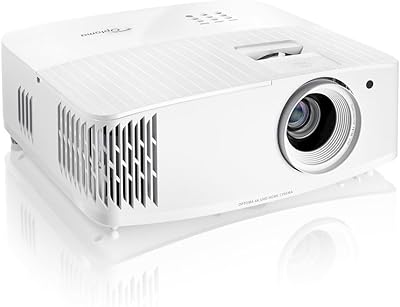
Optoma UHD35X 4K DLP Projector
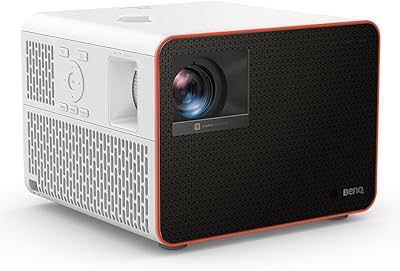
BenQ X3100i 4K Gaming Projector
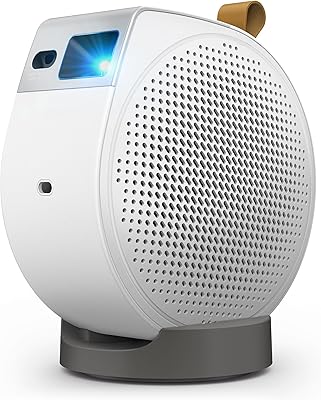
BenQ GV50 Laser Portable Projector
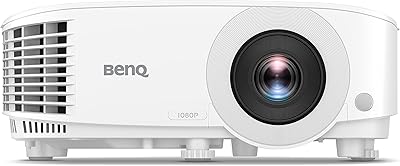
BenQ TH575 1080p Gaming Projector
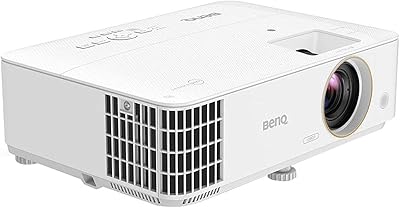
BenQ TH685 1080p Gaming Projector
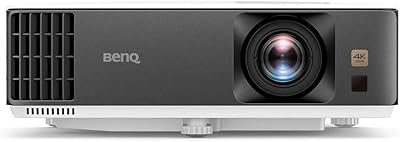
BenQ TK700 4K Gaming Projector
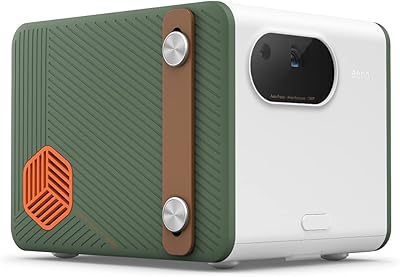
BenQ GS50 1080p Wireless Outdoor Projector