Overview

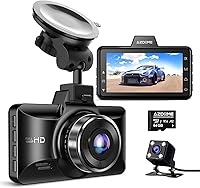
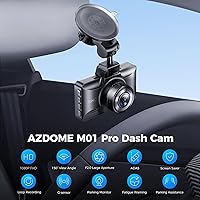
The AZDOME M01 Pro Dual Dash Cam enters a crowded budget segment with a clear pitch: front and rear coverage, a built-in 3-inch screen, and a 64GB card included right in the box. That last detail matters more than it sounds — most rivals at this price make you buy storage separately. Setup is genuinely simple; the IPS display handles configuration and on-device playback without ever needing a phone. It mounts to the dashboard via suction cup and fits comfortably in sedans and minivans alike. This is a no-frills approach done sensibly, not lazily.
Features & Benefits

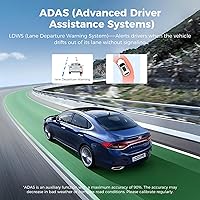
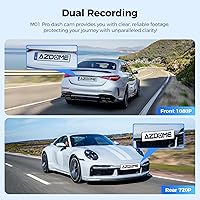
The front lens captures footage at full 1080p resolution with a 150-degree field of view, while the rear camera covers 120 degrees at 720p — wide enough to catch lane-change incidents but noticeably less sharp than the front. Both lenses use WDR processing to handle tricky lighting conditions, and the results at night are decent for the price tier. The G-sensor locks clips automatically when it detects a hard stop or collision, keeping key footage safe from loop overwriting. An ADAS system alerts to lane drift and potential forward collisions, and a fatigue driving reminder adds a background nudge for longer stretches behind the wheel.

Best For

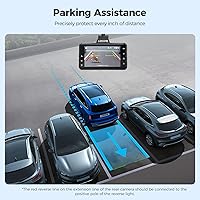
This dual dash cam is a natural pick for first-time buyers who want both channels covered without paying a premium. It's particularly well-suited to rideshare drivers and daily commuters who need reliable incident footage but have no use for GPS route logging or Wi-Fi connectivity — features this car camera simply does not offer. Owners of older vehicles tend to appreciate the wired, app-free setup since there's no Bluetooth pairing or smartphone dependency. The built-in parking mode also makes it appealing for anyone leaving their car in busy lots or on-street overnight, without needing a separate hardwire kit.

User Feedback

Buyers consistently praise ease of installation and genuinely appreciate the included SD card — it's a small gesture that removes a common friction point. Night vision gets reasonable marks for the price, though a fair share of reviewers note it struggles to compete with cameras in a higher bracket. The ADAS alerts divide opinion: some find them a useful nudge, others disable them within days because the sensitivity feels too aggressive. A few users have flagged G-sensor false locks, triggering clip protection during normal driving. Feedback on customer support is mixed, with response times varying noticeably.

Pros

  • Includes a 64GB SD card out of the box, so you can start recording immediately without extra purchases.
  • The 3-inch IPS screen makes solo setup and on-device playback straightforward — no phone required.
  • Front 1080p footage is crisp enough to capture plate numbers and road signs in good lighting.
  • The G-sensor reliably locks collision clips before loop recording can overwrite them.
  • 150-degree front field of view covers multiple lanes and roadside hazards without distortion.
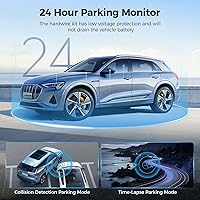
  • Built-in parking mode adds a layer of protection without requiring a separate hardwire kit.
  • Compact, suction-mount design fits unobtrusively on most windshields and dashboards.
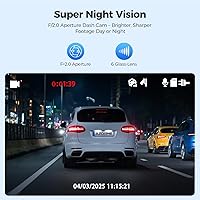
  • WDR processing helps the front camera handle backlit and low-light scenes better than raw specs suggest.
  • Fatigue driving reminders are a thoughtful touch for long-distance or late-night drivers.
  • The M01 Pro delivers dual-channel coverage at a price point that undercuts most comparable options.

Cons

  • Rear camera tops out at 720p, which can make it hard to read plates or fine details in footage.
  • No Wi-Fi means there is no way to pull clips to your phone without physically removing the SD card.
  • GPS route tracking is entirely absent, limiting the dash cam's usefulness for insurance or fleet documentation.
  • ADAS lane and collision alerts can be overly sensitive, with false triggers frustrating enough that some users turn them off.
  • G-sensor false locks during normal driving — speed bumps, potholes — can fill storage with unnecessary protected clips.
  • No companion app means there are no remote firmware updates or remote clip access of any kind.
  • Customer support response times have been inconsistent based on user reports, which matters if you hit a technical issue.
  • The 200mAh internal battery provides minimal buffer; it is not designed for extended power-off recording without a hardwire setup.

Ratings

The AZDOME M01 Pro Dual Dash Cam scores below are generated by AI after analyzing thousands of verified global user reviews, with spam, bot-submitted, and incentivized feedback actively filtered out. The result is an honest, balanced picture of where this dual dash cam genuinely delivers and where real buyers have run into frustration. Both strengths and recurring pain points are reflected transparently in every category score.
Video Quality (Front)
76%
24%
Most drivers are pleasantly surprised by the front camera's sharpness during daylight hours — 1080p footage is clear enough to read plates a few car lengths ahead, which is exactly what matters in a fender-bender situation. The 150-degree field of view keeps lane-change and intersection incidents well within frame.
In challenging lighting — heavy overcast, sunrise glare, or tunnels — WDR processing helps but does not fully eliminate washed-out highlights. Compared to front cameras on mid-tier rivals, fine detail at longer distances can start to soften noticeably.
Video Quality (Rear)
54%
46%
The rear lens covers a wide 120-degree angle, which is genuinely useful for capturing what happens directly behind the vehicle during reversing or tailgating incidents. For basic documentation of rear-end collisions, it gets the job done at this price level.
At 720p, the rear camera is a clear weak point — plate numbers beyond a couple of car lengths often blur into illegibility, which is a real problem if you need that footage for an insurance claim. Multiple users specifically called out rear resolution as the single biggest disappointment with this car camera.
Night Vision
67%
33%
WDR processing on the front camera handles typical urban night driving reasonably well — streetlit roads, parking lots, and lit intersections come through with acceptable detail. Drivers who mainly commute through cities tend to find the night footage usable and better than expected for the price.
On unlit rural roads or poorly lit highways, the front image gets noticeably grainy and the rear camera essentially struggles to capture anything reliably useful. Buyers expecting dashcam-quality night vision comparable to Sony Starvis-equipped cameras will be disappointed.
Ease of Installation
88%
This is consistently one of the highest-praised aspects across user feedback — the suction mount goes up in seconds, cable management clips are included, and the on-screen setup wizard walks through time, date, and basic preferences without any technical knowledge required. Most buyers report being fully operational in under 20 minutes.
Routing the rear camera cable neatly through the headliner to the back window takes more effort and patience than beginners expect, and the cable length can feel tight on longer vehicles like SUVs. A few users also noted the suction cup mount loses grip over time in high-heat environments.
ADAS Performance
58%
42%
Having lane departure and forward collision warnings at this price point is genuinely useful for newer or less experienced drivers who benefit from a passive heads-up during long commutes. When conditions are ideal — well-marked highways, clear daylight — the alerts do trigger accurately.
Real-world sensitivity is a significant complaint: false alerts on speed bumps, faded lane markings, and minor lane drifts frustrate a large share of users enough that they disable ADAS entirely. These are basic camera-based alerts, not calibrated driver assistance systems, and treating them as such avoids disappointment.
G-Sensor & Incident Lock
72%
28%
During genuine hard brakes or collisions, the G-sensor reliably locks the relevant clip before loop recording can overwrite it, which is the core function buyers need. Several users specifically credited this feature with preserving footage after minor accidents that would otherwise have been lost.
The sensitivity calibration tends to err on the aggressive side — speed bumps, potholes, and even aggressive door slams can trigger a lock, slowly filling up protected storage over time. Users who do not periodically clear old locked clips eventually find their card capacity consumed by false-trigger files.
Parking Mode
69%
31%
Built-in parking mode without needing a separate hardwire kit is a genuine convenience — for drivers who park on busy streets or in shared lots overnight, having any standby monitoring is better than none. Users in urban areas found it a meaningful differentiator at this price tier.
The 200mAh battery supporting parking mode is small, which limits how long the camera can stay active after the engine cuts off. Those expecting full overnight surveillance will find coverage time falls short, particularly in colder climates where battery performance degrades further.
Loop Recording
78%
22%
Automatic loop recording works reliably in normal daily use — the camera self-manages storage without any input from the driver, and the transition between clips is clean enough that there are no obvious gaps in continuous recording. Upgrading to a 128GB card noticeably extends retention time.
A recurring complaint involves loop recording pausing when too many G-sensor locked clips accumulate and fill the card, causing a brief recording gap until the user manually clears protected files. This is not unique to the M01 Pro but is a friction point that catches first-time buyers off guard.
Build Quality
63%
37%
The camera feels solid enough for daily use and sits securely on the mount during normal driving. The physical button layout is logical and the 3″ screen housing does not feel as hollow or cheap as some competing units at a similar price.
The plastic housing shows fingerprints and minor scuffs easily, and a handful of users reported the rear camera connection becoming intermittent after several months of vibration exposure on rougher roads. Long-term durability is an open question given the modest construction.
Screen & Interface
81%
19%
The 3-inch IPS screen is a genuine practical advantage — reviewing footage directly on the device without removing the card or opening an app is something buyers consistently appreciate, especially rideshare drivers who need quick access after an incident.
Touchscreen is not available; all navigation uses physical buttons, which can be fiddly when the camera is mounted at windshield height. Menu organization is functional but not particularly intuitive, and first-time users typically need to consult the manual for anything beyond basic settings.
Value for Money
84%
The combination of dual-channel recording, a bundled 64GB card, built-in screen, and parking mode at this price tier is hard to argue with for buyers whose primary need is basic incident documentation. Rideshare drivers and commuters consistently rate this as punching above its weight for the investment.
The value equation starts to wobble when you factor in the weak rear camera and absent Wi-Fi and GPS — features that are standard on only slightly more expensive competitors. Buyers who later realize they needed those capabilities often feel they should have stretched the budget.
Connectivity & App Support
31%
69%
The lack of wireless connectivity keeps the firmware footprint small and the device stable — some users who have been burned by app-dependent cameras that lost software support actually prefer the simplicity of a card-reader-only system.
With no Wi-Fi, no Bluetooth, and no companion app, accessing footage requires physically removing the SD card every single time — a real inconvenience for daily users. There is no path to remote monitoring, cloud backup, or future feature additions through software updates.
Audio Recording
71%
29%
The built-in microphone captures cabin audio cleanly enough to record conversations and road sounds, which can be useful context during incident playback. Users appreciate that audio can be toggled off in the menu for privacy without affecting video recording.
Wind noise and road vibration bleed into the audio noticeably at highway speeds, reducing the clarity of recorded speech in the cabin. The microphone is serviceable but not a standout feature, and sensitivity cannot be adjusted.
GPS & Route Tracking
18%
82%
The absence of GPS keeps the hardware cost down and removes one potential point of failure in the device — for buyers who genuinely only need video documentation and nothing else, the missing GPS is a non-issue.
There is simply no GPS in this car camera — no speed overlay, no route logging, and no location metadata embedded in footage. For insurance documentation or fleet use where time-stamped location data strengthens a claim, this is a hard limitation that cannot be worked around.
Customer Support
55%
45%
Users who reached AZDOME support for setup questions or initial troubleshooting generally report getting a response and a resolution path within a reasonable window. Basic replacement parts and guidance appear to be available through the brand for common issues.
Response times and resolution quality are inconsistent — a portion of users report extended wait times or unsatisfying canned replies, particularly for more complex technical issues like firmware problems or rear camera failures. There is no strong track record of proactive firmware updates improving the experience post-purchase.

Suitable for:

The AZDOME M01 Pro Dual Dash Cam is a strong fit for everyday drivers who want front and rear incident coverage without wading through a complex setup or paying a steep price. Rideshare drivers will particularly appreciate having both channels running automatically, giving them clear footage if a passenger dispute or road incident ever needs documentation. First-time dash cam buyers benefit from the included 64GB card — it genuinely removes a step that trips up new users, though formatting it before first use is essential. Commuters who drive in varied lighting conditions will find the WDR night vision adequate for most urban and suburban roads. Owners of older vehicles, or anyone who prefers a self-contained device over an app-dependent system, will feel right at home with this car camera's straightforward, screen-based interface. The built-in parking mode is a practical bonus for anyone who regularly parks in busy lots or on city streets overnight.
Not suitable for:

The AZDOME M01 Pro Dual Dash Cam is not the right tool for drivers who prioritize rear-camera sharpness — at 720p, the rear lens delivers noticeably softer footage than the front, which could matter in a close-call insurance dispute where detail is critical. Tech-forward buyers who want to pull clips wirelessly to their phone, track GPS-tagged routes, or monitor their vehicle remotely will hit a wall quickly, since this car camera offers none of those features. Anyone who relies heavily on driver assistance technology should temper expectations: the ADAS alerts here are basic sensitivity-based warnings, not the refined systems found in higher-priced cameras, and some users find them more distracting than helpful. Drivers who regularly record in challenging conditions — high-speed highways, heavy rain, or very dark rural roads — may find the image quality falls short of what they need for reliable documentation. If you want a dash cam that grows with you through app updates, cloud backup, or expandable smart features, this dual dash cam is likely to feel limiting within a year.
Specifications

  • Front Resolution: The front camera records at full HD 1920x1080p for clear daytime capture of road details and license plates.
  • Rear Resolution: The rear camera records at 720p, which provides adequate coverage but is noticeably softer than the front lens.
  • Front Field of View: A 150-degree wide-angle front lens covers multiple lanes and roadside areas with minimal fisheye distortion.
  • Rear Field of View: The rear lens spans 120 degrees, offering broad coverage of the road behind the vehicle.
  • Screen: A built-in 3″ IPS display allows on-device menu navigation, live preview, and direct clip playback without a smartphone.
  • Included Storage: A 64GB TF card is included in the box and must be formatted in the camera before first use.
  • Max Storage: The camera supports microSD cards up to 128GB, giving users the option to extend recording capacity.
  • Battery: A 200mAh lithium polymer internal battery provides brief power buffer during engine start and stop cycles only.
  • Dimensions: The unit measures 1.97 x 3.94 x 1.97 inches, keeping it compact enough to avoid blocking the driver's sightlines.
  • Weight: The camera weighs 13.4 ounces including mount hardware, which is typical for a dual-channel unit with a built-in screen.
  • Mount Type: Attaches to the windshield or dashboard via a suction cup mount included in the package.
  • Loop Recording: Loop recording continuously overwrites the oldest unprotected footage when the card is full, so the camera never stops recording.
  • G-Sensor: The built-in G-sensor detects sudden acceleration or impact and automatically locks the current clip to prevent overwriting.
  • Parking Mode: Parking mode keeps the camera active when the engine is off, recording when motion or vibration is detected nearby.
  • ADAS Features: The ADAS system provides lane departure warnings and forward collision alerts based on camera-detected road conditions.
  • Night Vision: Wide Dynamic Range (WDR) processing is applied to both lenses to improve exposure balance in low-light and high-contrast scenes.
  • Wi-Fi: This camera does not include Wi-Fi, so clips must be accessed by removing the SD card and using a card reader.
  • GPS: There is no built-in GPS module, meaning route data and speed overlays are not recorded or available in footage.
  • Connectivity: The camera connects to a computer or device via a card reader; no USB direct-transfer or app pairing is supported.
  • In-Box Contents: Package includes the main camera unit, rear camera, car charger, charging cable, cable clips, crowbar tool, and user manual.

Related Reviews
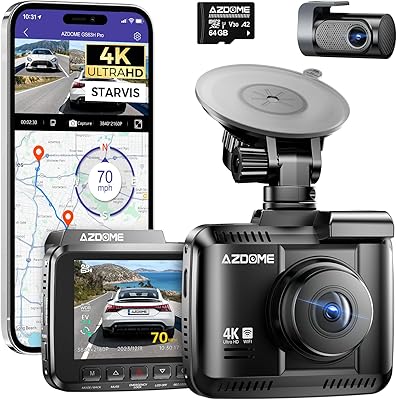
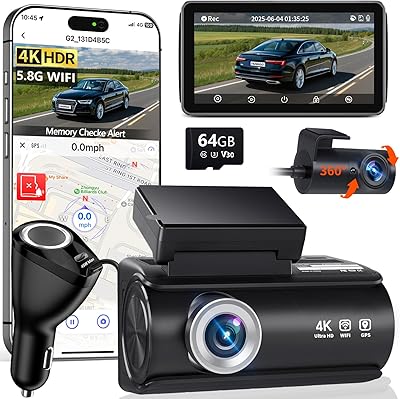
AZDOME GS63H Pro 4K Dual Dash Cam
86%
96%
Video Quality Front Camera
88%
Video Quality Rear Camera
91%
Night Vision Performance
89%
GPS Accuracy
84%
App & Wi-Fi Connectivity
More
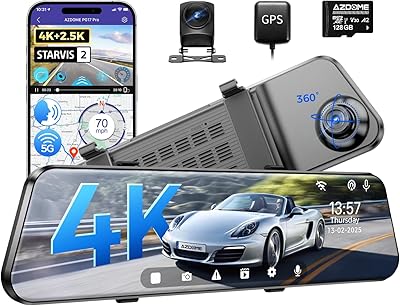
AZDOME PG17 Pro Mirror Dash Cam
78%
93%
Video Clarity (Front)
91%
Night Vision Performance
84%
Rear Camera Quality
71%
App & WiFi Experience
74%
Voice Command Accuracy
More
Faninso H200 Pro 4K Dual Dash Cam
84%
93%
Video Quality
88%
Night Vision Performance
75%
Wi-Fi Connectivity
90%
Wide Angle Coverage
86%
Ease of Installation
More
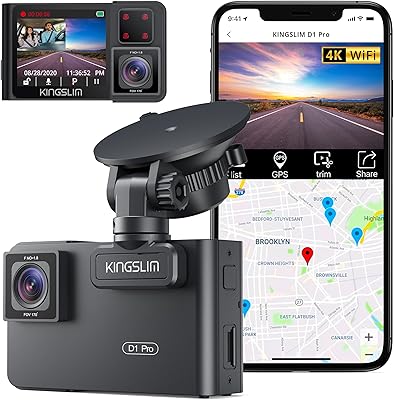
Kingslim D1 Pro 4K Dual Dash Cam
70%
83%
Front Video Quality
67%
Cabin Recording Quality
81%
Night Vision Performance
61%
GPS Accuracy & Usability
58%
WiFi & App Experience
More
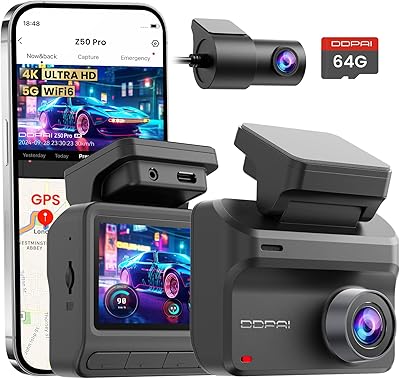
DDPAI Z50 Pro Dual Dash Cam
81%
91%
Video Quality – Front Camera
88%
Night Vision Performance
74%
Parking Mode
77%
App & Wireless Transfer
86%
GPS Accuracy & Data Logging
More
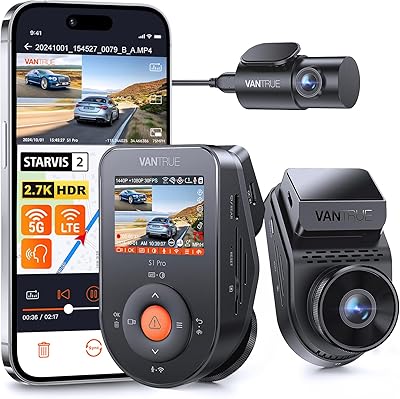
Vantrue S1 Pro Dual Dash Cam
77%
88%
Night Vision & Low-Light Performance
84%
Video Clarity & Resolution
67%
App & Wi-Fi Connectivity
71%
Parking Mode Reliability
82%
GPS Accuracy & Usefulness
More
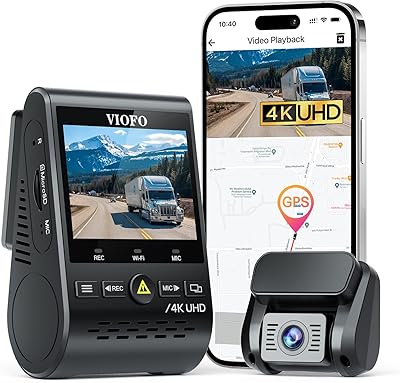
VIOFO A129 Pro Duo 4K Dual Dash Cam
85%
94%
Video Quality (4K Front, 1080p Rear)
88%
Parking Mode Performance
81%
Wi-Fi Connectivity
89%
Night Vision and Low-Light Footage
91%
GPS Accuracy and Data Logging
More
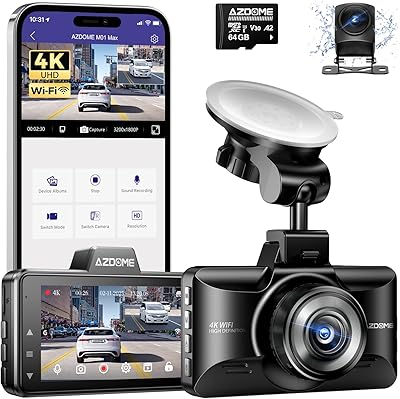
AZDOME M01 Max Front and Rear Dash Cam
76%
88%
Daytime Video Clarity
57%
Nighttime Video Quality
76%
App Experience
91%
Value for Money
87%
Rear Camera Durability
More
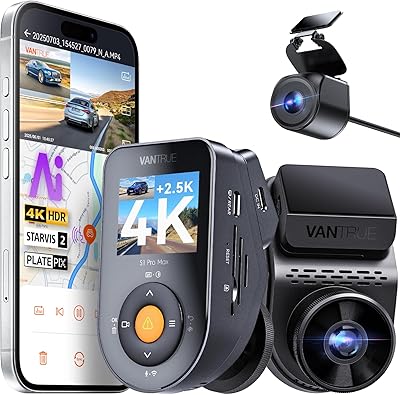
Vantrue S1 Pro Max 4K+2.5K Dual Dash Cam
87%
93%
Video Quality
88%
AI Safety Features (ADAS/BSD)
90%
Night Vision Performance
85%
Installation Ease
91%
Parking Mode Reliability
More
Thinkware Q200 2-Channel Dash Cam
76%
84%
Front Camera Clarity
67%
Rear Camera Clarity
72%
Night Vision Performance
76%
Parking Mode
63%
GPS Alert Accuracy
More

FAQ

No, the M01 Pro ships with a 64GB TF card already in the box. That said, you should format it inside the camera before recording anything — skipping this step can cause file errors or recording gaps down the line.

Not directly. This dual dash cam has no Wi-Fi and no companion app, so the only way to pull clips is to remove the SD card and plug it into a card reader on your computer or laptop. It is a minor inconvenience worth knowing about upfront.

The camera uses its small internal battery to stay in a low-power standby state when the engine is off. When it detects motion or a vibration near the vehicle, it wakes up and records a clip. Keep in mind that this battery is small, so parking mode coverage time is limited compared to cameras running off a hardwired constant power source.

At 720p it is serviceable for capturing the general situation behind you, but fine details like license plates at distance can be harder to make out. For most fender-bender or lane-change incidents it will hold up, but if rear footage quality is a top priority you may want to look at cameras with a 1080p rear lens.

Unfortunately, yes, for some drivers. The sensitivity on this car camera is not adjustable to a fine degree, and it can trigger on highway lane markings, road paint fading, or slight drifts during normal driving. Many users end up turning the ADAS alerts off entirely and just use the camera for recording. It is a useful feature in concept but the calibration is basic compared to higher-end systems.

Yes, the suction mount is fairly universal and works on flat or mildly curved glass. The unit itself is compact, so it should not obstruct your view in most vehicles. Just make sure you route the rear camera cable neatly along the headliner for a clean installation.

Loop recording only overwrites clips that are not locked. Any footage that the G-sensor has protected — for example, from a hard brake or a bump — stays safe until you manually delete it. If too many clips get locked over time, though, the card can fill up and recording may pause, so it is worth clearing old protected files periodically.

Yes, the built-in microphone records audio alongside video by default. Most users keep it on for incident documentation, but there is an option in the menu to disable audio recording if you prefer privacy or are in a jurisdiction with recording consent laws.

Most drivers get up and running in under 20 minutes. Mount the main unit on the windshield, run the rear camera cable along the headliner to the back window, plug the car charger into your 12V socket, and you are essentially done. The on-screen setup wizard walks you through time, date, and basic settings without needing any technical knowledge.

Yes, this car camera supports cards up to 128GB. If you want longer recording retention before loop overwrite kicks in, swapping to a 128GB card is straightforward — just make sure to format the new card in the camera first before use, the same way you would with the included card.

Where to Buy