Overview

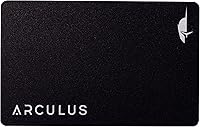
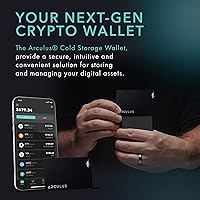
The Arculus Cold Storage Crypto Wallet takes a genuinely different approach to securing digital assets — instead of the familiar USB dongle you plug into a laptop, it's a metal credit card you tap against your phone. That distinction matters more than it sounds. Most cold wallet setups involve cables, firmware updates, and a learning curve that frustrates anyone who isn't already deep in the technical weeds. This NFC cold wallet strips that complexity away without cutting corners on protection. It sits squarely in the mid-to-premium tier, meaning you're paying for a polished experience, not just another piece of hardware.

Features & Benefits

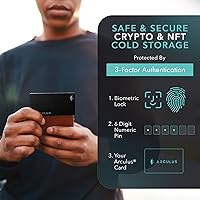
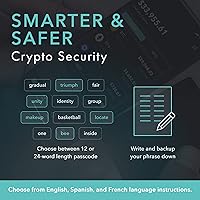
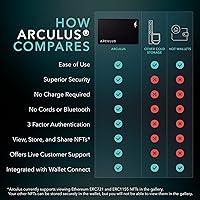
The security setup here is layered in a way that actually makes sense for daily use. To authorize any transaction, you need all three factors working together: biometric authentication, a six-digit PIN, and physical possession of the card itself. Lose one factor and nothing moves. The card houses a CC EAL6+ secure element — the same certification class used in passports and banking chips — which means private keys never leave the card during signing. Because everything runs over NFC, no internet connection is required at the transaction level. Coverage spans roughly 95% of the total crypto market cap, including Bitcoin, Ethereum, XRP, Cardano, and Litecoin among others.

Best For

This metal card wallet is a strong match for holders who already know they need cold storage but keep putting it off because every other option felt like too much friction. If you manage everything from your phone and prefer not to juggle USB adapters or dedicated desktop software, the Arculus card fits that workflow well. It also suits anyone building a diversified portfolio across major and mid-cap coins who wants multi-layer protection without a steep learning curve. Worth being upfront: if your priorities run toward DeFi integrations, hardware staking, or advanced coin support beyond top-tier assets, you will likely find this wallet's scope limiting.

User Feedback

Across more than 450 ratings, this NFC cold wallet holds a 4.4-star average — a score that reflects genuine satisfaction rather than novelty hype. Setup and app experience come up repeatedly as strengths; most buyers describe the onboarding as faster and less intimidating than competing devices. The tap interaction gets consistently positive mentions too. On the critical side, a real concern surfacing in reviews is app dependency — because there is no desktop client, anyone who loses phone access faces a recovery situation that feels less straightforward than with Ledger or Trezor. A handful of users also flagged gaps in altcoin support, and customer support response times appear mixed based on the feedback pattern.

Pros

  • Three-factor authentication — biometric, PIN, and physical card — makes unauthorized access genuinely difficult.
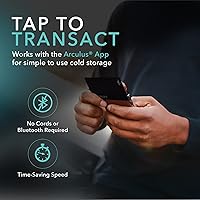
  • The NFC tap interaction requires no cables, adapters, or internet connection during transaction signing.
  • CC EAL6+ secure element certification puts private key protection on par with banking-grade hardware.
  • Setup is straightforward enough that first-time cold storage users rarely need outside help.
  • The metal card form factor fits in a standard wallet slot, making secure storage practical for everyday carry.
  • Asset coverage spans roughly 95% of total crypto market cap, covering most mainstream portfolio needs.
  • The companion app is consistently praised for clean design and intuitive navigation.
  • At its price point, the overall build quality and security architecture represent solid value for non-technical users.

Cons

  • Full reliance on a mobile app means there is no fallback if your phone is lost, damaged, or incompatible.
  • No desktop client exists, which cuts out a large segment of users who prefer computer-based management.
  • Altcoin support beyond top-tier assets has gaps that frustrate holders of smaller or newer tokens.
  • Customer support response times are inconsistent, with some users reporting slow resolution on replacement card requests.
  • Recovery and backup processes are less intuitive compared to the seed-phrase workflows most hardware wallet users already know.
  • Power users coming from open-source wallets will find the closed ecosystem limiting and harder to audit independently.
  • NFC-only communication can cause pairing friction depending on phone case thickness or device compatibility.

Ratings

The scores below reflect an AI-driven analysis of verified global buyer reviews for the Arculus Cold Storage Crypto Wallet, with spam, bot activity, and incentivized feedback actively filtered out before scoring. Every category was weighted against real purchase feedback, not manufacturer claims, so both the standout strengths and the recurring frustrations are represented honestly. The result is a transparent, balanced scorecard that cuts through the noise and focuses on what actually matters to buyers making this decision.

Security Architecture
93%
Reviewers consistently cite the three-factor authentication setup as one of the most reassuring security configurations they have used in a consumer crypto device. Knowing that a thief would need your phone, your PIN, and the physical card simultaneously to access anything gives users genuine peace of mind that software wallets simply cannot match.
A small number of technically advanced users raised concerns about the closed-source nature of the firmware, noting that independent security audits are harder to verify compared to open-source alternatives like Trezor. For most buyers this is not a dealbreaker, but it is a legitimate audit gap.
Ease of Setup
88%
The onboarding flow gets praised repeatedly for being the most approachable cold wallet setup buyers have encountered, with many first-timers reporting they were fully configured in under fifteen minutes without consulting any external guides. The app walks you through each step clearly, which removes most of the anxiety that usually comes with setting up self-custody storage.
A handful of users hit snags during NFC pairing on older Android phones or when using thick protective cases, requiring a case removal they had not anticipated. The recovery phrase backup step, while standard, occasionally confused buyers who were expecting a more guided explanation of why it matters.
App Experience
84%
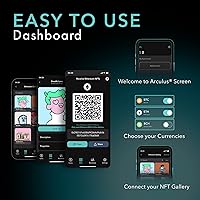
The companion app earns consistent praise for its clean layout and the fact that send, receive, and swap functions are all reachable within a couple of taps. Users transitioning from cluttered exchange interfaces tend to appreciate how much the app simplifies portfolio visibility without stripping out useful information.
The app has no desktop counterpart, which is a structural limitation that frustrates a notable segment of buyers who do at least some crypto management from a laptop or desktop. Occasional update-related glitches have been mentioned in reviews, with some users temporarily unable to access the wallet after an app update pushed without adequate warning.
NFC Reliability
79%
21%
When the tap works cleanly, users describe it as one of the most satisfying interactions in their daily crypto routine — fast, simple, and with no fiddling with ports or cables. On compatible phones with standard cases, the NFC connection is reported as consistent and quick.
Enough reviews mention intermittent NFC pairing failures to suggest this is a real-world issue rather than isolated bad luck, particularly with certain Android device models and metal or thick silicone cases. A few users reported needing multiple tap attempts before transactions would register, which undermines the frictionless experience the device is designed to deliver.
Coin & Token Coverage
74%
26%
For holders whose portfolios center on the major assets — Bitcoin, Ethereum, XRP, Cardano, Litecoin, Polkadot, and similar top-tier coins — the coverage is broad enough that most users never hit a wall during normal use. The roughly 95% market cap figure holds up in practice for mainstream diversified portfolios.
Users holding mid-to-low cap altcoins, newer Layer 2 tokens, or niche DeFi assets run into gaps that the market cap figure somewhat obscures. Several reviewers noted specific tokens they expected to find supported were absent, and the process for requesting new coin additions is not transparent.
Build Quality
91%
The metal card construction earns near-universal approval for feeling premium and durable compared to the plastic-bodied alternatives buyers may have handled before. Buyers who carry it daily in a wallet alongside credit cards report no visible wear or structural degradation after months of use.
The physical card has no screen or buttons, which some users initially found disorienting after coming from Ledger-style devices where transaction details appear on the hardware itself. A small number of buyers reported cosmetic scuffing on the card surface under heavy daily use, though no functional damage was noted.
Portability
92%
Fitting into any standard card slot in a wallet or a phone case is a genuine convenience advantage that traditional USB hardware wallets cannot match, and reviewers who travel frequently specifically call this out as a reason they chose this format. The lack of cables or dongles to track means one fewer item to lose in transit.
The portability advantage introduces a corresponding anxiety for some users — a card is easier to misplace in a wallet than a dedicated device kept in a specific location, and a few reviewers admitted losing their card before completing the recovery phrase backup. The thin form also means it is easier to accidentally hand over alongside a payment card.
Value for Money
71%
29%
For buyers who prioritize a polished, low-friction mobile cold storage experience, the pricing sits at a point that feels justified given the CC EAL6+ chip and the quality of the companion app. Users who converted from software wallets tend to view the cost as reasonable insurance for self-custody.
Buyers comparing directly against a Ledger Nano or Trezor at similar price points often feel the feature-to-cost ratio is narrower here, particularly given the app-only ecosystem and lack of desktop support. Power users who expected broader coin coverage or advanced features for the price point express the clearest dissatisfaction with what they received.
Customer Support
58%
42%
Some buyers report responsive and helpful interactions when reaching out about setup questions or card replacement requests, with resolutions handled without unnecessary friction. The in-app help resources are described as adequate for the most common onboarding issues.
Inconsistency is the dominant theme in support-related feedback, with a meaningful share of reviewers describing slow response times or feeling passed between support channels without resolution. Replacement card requests in particular seem to generate complaints about unclear timelines, which is a significant concern given that losing the card affects fund access.
Recovery Process
63%
37%
The recovery phrase system follows industry-standard practices that experienced self-custody users will recognize immediately, and when the backup is set up correctly from the start, restoring access is manageable. Some users appreciated that the app prompts recovery phrase verification during setup.
For less experienced buyers, the recovery process is not explained with enough depth during onboarding, and several reviewers only discovered the consequences of inadequate backup after a card loss or phone replacement. The absence of a hardware backup device or alternative recovery option beyond the seed phrase leaves some users feeling the safety net is thinner than expected.
Desktop Compatibility
31%
69%
There is no desktop client, so this score reflects the absence of a pain point for users who exclusively manage crypto from a smartphone and never need or want a computer interface. That subset of buyers reports zero friction related to this category.
For the substantial portion of buyers who discovered post-purchase that there is no desktop support at all, this is one of the most common sources of frustration in the review set. The complete reliance on a mobile app is a dealbreaker for users who manage larger portfolios from a computer or who work in environments where smartphone use is restricted.
DeFi & Advanced Features
38%
62%
Buyers who use the Arculus card purely as a cold storage and basic transaction device — its intended purpose — do not miss the advanced features and are generally satisfied within that defined scope. For straightforward hold, send, and receive workflows, the feature set is sufficient.
Any buyer approaching this device with expectations around DeFi integration, hardware staking, or Web3 browser connectivity will find the feature set significantly behind competitors at a comparable price. Multiple reviews from users migrating from Ledger or Trezor specifically name this gap as the reason they returned the product or kept both devices.
Initial Pairing Speed
82%
18%
On fully compatible devices with NFC enabled and a standard case, the initial pairing process is quick and the app guides users through each prompt without unnecessary steps. Most buyers report being past the pairing phase within the first few minutes of opening the box.
Device-specific NFC compatibility issues create an uneven first impression, with some buyers spending far more time troubleshooting the initial connection than the product's reputation for simplicity would suggest. The lack of a compatibility checker before purchase means some users only discover pairing problems after the return window has closed.

Suitable for:

The Arculus Cold Storage Crypto Wallet is built for crypto holders who have decided cold storage is non-negotiable but keep hitting a wall with the complexity of traditional hardware wallets. If you manage everything from your phone and have no interest in connecting a USB device to a desktop just to move funds, this metal card wallet removes that friction entirely. It works particularly well for people holding a spread of major coins — Bitcoin, Ethereum, XRP, Cardano, and similar assets — who want layered security without a technical setup process that takes an afternoon to figure out. The compact, card-sized form factor also appeals to minimalists who want their wallet to live alongside their credit cards rather than in a dedicated hardware pouch. For anyone stepping up from a software wallet for the first time, the guided app experience makes the transition far less intimidating than most alternatives.

Not suitable for:

The Arculus Cold Storage Crypto Wallet is a harder sell for power users who treat their hardware wallet as a full-featured platform rather than a secure signing device. If your workflow involves DeFi protocols, hardware-level staking, or holding a long tail of smaller altcoins beyond the top-tier assets, you will likely run into coverage gaps that this NFC cold wallet cannot resolve. The complete dependence on a companion mobile app is a genuine structural limitation — there is no desktop interface, so anyone who prefers or requires computer-based asset management will find the experience frustrating. Buyers migrating from Ledger or Trezor who are accustomed to open-source firmware, broad third-party integrations, or granular control over transaction details may find the Arculus card's feature set feels deliberately simplified to the point of being restrictive. If card loss or phone failure scenarios keep you up at night, the recovery process here warrants careful reading before you commit.

Specifications

  • Form Factor: The card is credit-card sized and constructed from metal, designed to fit standard wallet slots without any bulky casing.
  • Communication: All transaction signing uses NFC tap-to-transact technology, requiring no USB cables, Bluetooth, or Wi-Fi connections.
  • Authentication: Access requires three independent factors: a biometric lock, a six-digit PIN, and physical possession of the card.
  • Secure Element: The card embeds a CC EAL6+ certified secure element chip, the same certification tier used in modern banking cards and biometric passports.
  • Private Key Storage: Private keys are generated and stored entirely on the card's secure element and never transmitted to the companion app or any external server.
  • Asset Coverage: The wallet supports approximately 95% of total cryptocurrency market cap, including BTC, ETH, USDT, XRP, ADA, LTC, and DOT among others.
  • Companion App: The Arculus App is available on both iOS and Android and handles sending, receiving, and swapping assets via the tap interface.
  • Internet Requirement: No internet connection is needed at the card level during transaction signing; connectivity is only required by the app for broadcasting transactions.
  • Material: The wallet card is made from metal, offering greater physical durability than plastic alternatives in the same category.
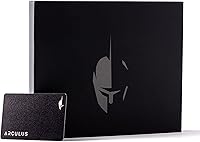
  • Package Weight: The full kit weighs 5.3 ounces as shipped, including the card and all included accessories.
  • Package Dimensions: The retail packaging measures 1 x 6 x 7 inches, with the card itself matching standard credit-card dimensions.
  • Color Option: This variant is available in black finish; other colorways may be offered separately by the manufacturer.
  • Availability: The product was first made available in February 2023, making it a relatively recent entrant in the hardware wallet category.
  • Platform Support: There is no official desktop client; the wallet is designed exclusively for use with a paired iOS or Android smartphone.
  • Certifications: The secure element meets CC EAL6+ standards, one of the highest Common Criteria evaluation levels available for consumer security hardware.

Related Reviews
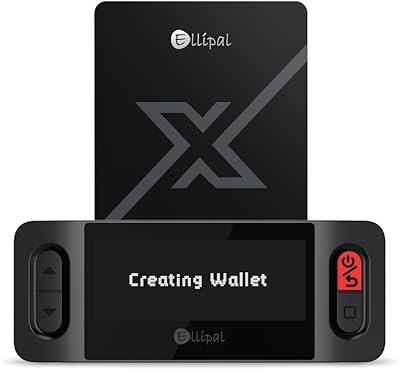
ELLIPAL X Card Crypto Cold Wallet
86%
94%
Security Features
88%
Ease of Use
91%
Backup and Redundancy
85%
Compatibility
80%
Transaction Speed
More
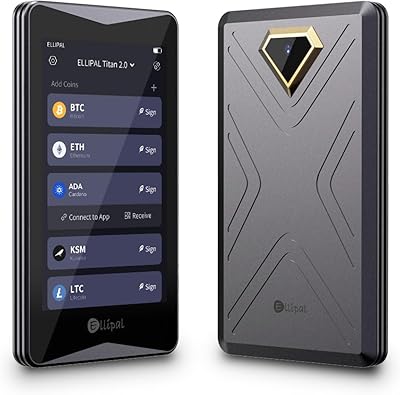
ELLIPAL Titan 2.0 Hardware Crypto Wallet
75%
93%
Security Architecture
89%
Build Quality & Durability
86%
Display & On-Device Interface
67%
QR Code Transaction Workflow
91%
Coin & Token Support
More
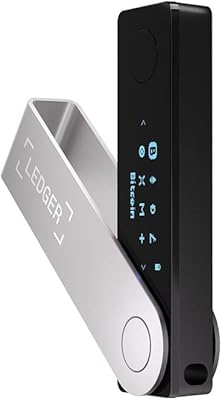
Ledger Nano X Crypto Hardware Wallet
77%
96%
Security & Key Protection
74%
Bluetooth Connectivity
71%
Companion App (Ledger Live)
67%
Ease of Setup
93%
Coin & Token Support
More
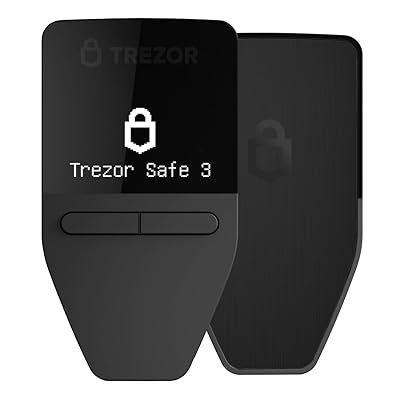
Trezor Safe 3 Crypto Hardware Wallet
79%
94%
Security Architecture
88%
Ease of Setup
72%
Build Quality
61%
Display & Interface
86%
Companion App
More
SecuX XSEED Bitcoin Wallet Seed Storage Steel Plate
86%
94%
Build Quality & Durability
91%
Fire & Water Resistance
89%
Compatibility with Wallet Formats
84%
Ease of Use
86%
Storage Capacity
More
KAIU 50-LP Vinyl Record Storage Stand
82%
96%
Ease of Assembly
89%
Aesthetic & Finish
78%
Build Quality
71%
Record Capacity
63%
Stability & Base Grip
More
FARM IN 5-Slot Farmhouse CD Storage Rack
82%
93%
Aesthetic Appeal
84%
Build Quality
78%
Slot Fit & Compatibility
71%
Stability
89%
Portability
More
FYSCKEJI Smart Card Android Wallet Tracker

79%
91%
Ease of Setup
88%
Google Find Hub Integration
72%
Bluetooth Range
78%
Speaker Volume & Audibility
83%
Battery Life
More
D'CENT iD Biometric Hardware Wallet
80%
91%
Biometric Authentication
93%
Security Architecture
68%
Bluetooth Connectivity
88%
Coin & Blockchain Coverage
74%
Mobile App Experience
More
DACK Record Player Stand with Storage
86%
88%
Build Quality & Durability
91%
Ease of Assembly
84%
Design & Aesthetics
78%
Storage Capacity
92%
Value for Money
More

FAQ

Not at the card level. The Arculus card itself signs transactions completely offline via NFC. Your phone does need internet access to broadcast the completed transaction to the blockchain, but your private keys are never exposed online during that process.

This is genuinely the most important question to think through before buying. Arculus provides a recovery phrase during setup, and you should store it somewhere secure and completely offline. If you lose the card but have your recovery phrase, you can restore access. Losing both the card and the recovery phrase means permanent loss of funds, so backup discipline is critical.

The Arculus app runs on both iOS and Android, and NFC is supported on most modern smartphones. That said, very thick or metal phone cases can sometimes interfere with NFC pairing, so you may need to remove the case when tapping. It is worth checking the app store listing for your specific OS version requirements before purchasing.

No. The metal card wallet is entirely dependent on the companion mobile app — there is no desktop software, browser extension, or standalone interface. If phone access is unavailable for any reason, you cannot initiate transactions until you resolve that.

To approve any transaction, the app first requires your biometric unlock (fingerprint or face ID depending on your phone), then prompts you to enter your six-digit PIN inside the app, and finally requires you to physically tap the card to your phone. All three steps must complete in sequence, which means someone with only your phone or only your card cannot move funds.

Not in any meaningful way at this time. The wallet is focused on secure storage and basic send, receive, and swap functionality. If DeFi integrations or native staking are central to how you use crypto, this device is likely too limited for your workflow.

Metal construction makes it significantly more resilient than plastic hardware wallets that can crack or warp. It is designed to be carried alongside regular cards. That said, like any NFC card, you should keep it away from strong magnets and avoid bending it, which could theoretically damage the internal chip.

Yes. The card supports a wide range of assets simultaneously — you are not limited to one coin per card. The companion app organizes your different holdings in a single interface, so managing a diversified portfolio does not require multiple cards.

This is a legitimate concern with any app-dependent wallet. Because your private keys live on the card and your recovery phrase gives you independent access to those keys, you could theoretically import your wallet into a compatible third-party app using the standard recovery phrase. However, this is worth researching further for your specific holdings before committing.

The main trade-off is simplicity versus depth. The Arculus card is considerably easier to set up and use day-to-day, especially on mobile, but it lacks the open-source ecosystem, desktop software, and advanced coin support that experienced Ledger or Trezor users rely on. If you want a cleaner, more mobile-focused experience and do not need those advanced features, this NFC cold wallet is a reasonable alternative. If you are a power user, the feature gap will likely frustrate you.

Where to Buy