Overview

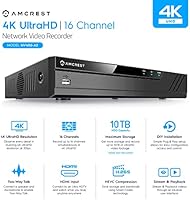
The Amcrest NV4116-A2 16-Channel 4K NVR is a mid-range security recorder built for homeowners and small businesses that want serious camera coverage without spending a fortune. It handles up to 16 IP cameras at full 8MP/4K resolution and real-time 30fps, which is genuinely impressive at this price point. That said, two things catch first-time buyers off guard: no PoE ports and no hard drive included. Cameras need their own power source and independent network connections. The unit itself is compact — roughly 10 by 9 by 2 inches — and must connect directly to your router via Ethernet. A USB mouse and network cable come in the box, but budget for a hard drive separately.

Features & Benefits

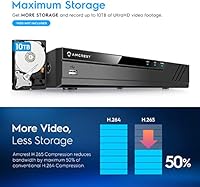
Where this 16-channel NVR earns its keep is in how efficiently it handles storage and footage retrieval. H.265 compression cuts file sizes significantly compared to H.264, meaning a single large-capacity drive can store weeks of footage without quality loss. It supports hard drives up to 10TB, which pairs well with the motion-triggered recording options. Hunting through hours of footage is less painful than you might expect — the motion detection search narrows results down to the exact second. One important clarification: any AI features like person or vehicle detection come entirely from the camera, not the recorder itself. The NVR simply passes that data through from compatible Amcrest models.

Best For

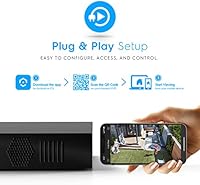
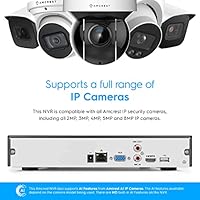
The Amcrest recorder makes the most sense if you are already using Amcrest IP cameras or planning to build a system around them — compatibility is tight and reliable within that ecosystem. It also suits small offices or shops that need multi-camera coverage and want room to scale, since you can start with just a few cameras and expand later without replacing the recorder. Those who prefer wired setups for dependability over Wi-Fi will feel right at home here. One honest note: this is not a plug-and-play consumer device. It rewards buyers who are comfortable with DIY setup and willing to spend time on proper network and camera configuration.

User Feedback

Sitting at 4.2 stars across over 200 ratings, this security recorder earns its score honestly. Setup within the Amcrest ecosystem draws consistent praise, and remote app reliability comes up frequently as a genuine strength. The friction points are real, though. Several users hit the bandwidth ceiling when attempting to run all 16 cameras at 4K on H.264 simultaneously — switching to H.265 resolves it, but that requires manual reconfiguration. Motion detection sensitivity is another sticking point, with a handful of reviewers needing to adjust thresholds before alerts became useful. Third-party camera compatibility is inconsistent; it works in certain cases but is far from guaranteed, so treat it as a bonus rather than a selling point.

Pros

  • Full 4K recording at real-time 30fps across all 16 channels is rare at this price point.
  • H.265 compression meaningfully extends how long footage can be stored on a single drive.
  • Supports hard drives up to 10TB, giving serious long-term recording headroom.
  • Motion detection search narrows footage down to the exact second, saving real time.
  • Remote viewing through the Amcrest app is consistently reliable according to most users.
  • USB backup port makes it easy to pull clips to an external drive without extra software.
  • Compact build fits neatly on a shelf or in a small rack without dominating the space.
  • Setup within the Amcrest camera ecosystem is clean and well-documented.
  • One-year US-based warranty provides a reasonable safety net for a mid-range investment.
  • The recorder handles up to 8 simultaneous 4K streams on H.265 without bandwidth issues.

Cons

  • No hard drive is included, adding an immediate extra cost before the system is functional.
  • No PoE ports means every camera needs its own power adapter and independent network drop.
  • Running all 16 cameras at 4K on H.264 hits the bandwidth ceiling — manual H.265 reconfiguration is required.
  • Third-party camera compatibility is unpredictable and unreliable enough that it should not factor into a buying decision.
  • Motion detection sensitivity requires manual tuning out of the box for accurate, useful alerts.
  • AI features are entirely dependent on the camera, which is easy to overlook when buying this security recorder.
  • Wired router connection is mandatory, making placement more restrictive than fully wireless alternatives.
  • No onboard storage whatsoever means a dead drive leaves the system completely non-functional until replaced.

Ratings

The scores below reflect our AI-driven analysis of verified global user reviews for the Amcrest NV4116-A2 16-Channel 4K NVR, with spam, bot activity, and incentivized feedback actively filtered out before scoring. Each category is rated independently to give you a transparent picture of where this recorder genuinely delivers and where real buyers have run into friction. Strengths and pain points are weighted equally so you can make a fully informed decision.

Video Quality
88%
Users consistently report sharp, detailed footage at 4K/8MP resolution, with real-time 30fps making motion review clear and usable. For home security and small retail environments, the image clarity holds up well even in lower-light conditions when paired with compatible Amcrest cameras.
Video quality is inherently tied to the camera being used — the recorder itself does not enhance image processing. A handful of users note that getting the full quality potential requires manually optimizing bitrate settings, which is not obvious at first.
Storage Efficiency
91%
H.265 compression is a genuine strength here, reducing file sizes substantially without visible quality degradation. Users managing large multi-camera setups appreciate that a single high-capacity drive can store weeks of footage, especially when combined with motion-triggered recording schedules.
Switching from the default H.264 to H.265 requires manual reconfiguration per camera, and some users do not realize this step is necessary until they run out of storage faster than expected. The process is not difficult, but the out-of-box default is not optimized for most setups.
Multi-Camera 4K Performance
73%
27%
Running eight cameras simultaneously at full 4K is achievable and stable once H.265 is properly configured, which satisfies most home and small-office users who are not pushing all 16 channels at maximum resolution at once.
The 80Mbps bandwidth ceiling is a real limitation that catches buyers off guard — on the default H.264 setting, only about eight cameras can stream at 4K at the same time. Unlocking full 16-channel 4K requires both switching compression formats and adjusting individual camera bitrates, a step that many users find unintuitive.
Ease of Setup
79%
21%
Within the Amcrest camera ecosystem, setup is clean and well-guided, with most users reporting a smooth experience connecting cameras, accessing the interface, and getting recording running. The included quick start guide handles the basics competently.
Setup complexity increases noticeably when buyers try to optimize for 4K across all channels, configure motion detection thresholds, or integrate non-Amcrest cameras. Users without prior NVR or networking experience often need to spend additional time troubleshooting before the system runs as expected.
Remote Viewing
84%
The Amcrest app earns consistent praise for reliable remote access, letting users check live feeds and review recorded clips from their phones without major connectivity issues. For a mid-range system, the remote viewing experience is considered above average by most reviewers.
A small number of users report occasional app disconnections or lag when accessing higher-resolution streams remotely on slower connections. Initial remote access setup requires some port configuration knowledge that can be a stumbling block for less technical buyers.
Third-Party Compatibility
52%
48%
Some users have successfully connected ONVIF-compliant cameras from other brands, which adds flexibility for buyers who have a mix of equipment and want to consolidate onto a single recorder.
Third-party compatibility is inconsistent enough that it cannot be considered a reliable feature. Real-world feedback is split — what works with one camera brand or model may not work with another, and there is no clear published list of confirmed compatible devices. Buyers should treat this as a bonus possibility rather than a guaranteed feature.
Motion Detection
67%
33%
When tuned correctly, the motion detection system is accurate down to the second, making event searches fast and targeted rather than requiring manual scrubbing through hours of footage. Users who invest time in setup find it genuinely useful for flagging incidents.
Default sensitivity settings generate too many false triggers for some users and too few for others, requiring a calibration period before alerts become reliable. A minority of reviewers report ongoing inconsistency even after adjustment, suggesting the detection engine has room for improvement.
Build Quality
76%
24%
The compact metal chassis feels appropriately solid for a shelf or rack-mounted device, and users generally report no hardware failures within the first year of use. The form factor is practical for discreet placement in a home office or back-room installation.
The unit feels functional rather than premium, which is appropriate for the price tier but may not satisfy buyers expecting a more robust or polished finish. Ventilation can be a minor concern in enclosed rack setups, though overheating issues are rarely reported.
Value for Money
86%
For a 16-channel 4K-capable recorder at this price point, the core feature set is difficult to match. Users who factor in the cost of a compatible hard drive and cameras still generally consider the total system cost competitive against alternatives with similar specifications.
The absence of both a hard drive and PoE ports means the real cost of getting operational is higher than the unit price suggests. Buyers who do not account for these additions up front often feel the overall value is lower than initially perceived.
AI Feature Support
58%
42%
For users running compatible Amcrest AI cameras, the recorder correctly captures and logs smart detection events like person and vehicle alerts, making the security system meaningfully more useful without needing a separate device to process that data.
The recorder has no onboard AI whatsoever, which is a common source of confusion among buyers who assume these features come from the NVR itself. If your cameras do not support AI detection natively, you will not get any smart alerts regardless of recorder settings.
Scalability
82%
18%
The 16-channel capacity gives buyers genuine room to grow, making this a practical long-term investment for homes or small businesses that plan to add cameras over time without replacing the central recorder. Starting with four or six cameras and expanding is a common and well-supported use pattern.
Scaling to full 16-channel 4K operation requires thoughtful network planning, bitrate management, and potentially a larger hard drive than first-time buyers anticipate. The scalability ceiling is also tied to Amcrest camera compatibility, limiting flexibility for buyers who want to diversify their camera brands later.
Footage Retrieval
83%
Second-accurate motion event search makes finding specific incidents fast and practical, especially for retail or office environments where reviewing a particular time window matters. USB backup makes extracting clips straightforward without additional software.
Bulk export of longer footage segments can be slow depending on drive speed and clip length, and the interface for managing backups is functional but not particularly intuitive for first-time users. Playback options are limited compared to some competing systems at higher price points.
Warranty and Support
74%
26%
A one-year warranty backed by US-based Amcrest support is a meaningful differentiator in this product category, where many competing brands offer minimal post-purchase assistance. Users report that Amcrest support is reachable and generally helpful for configuration questions.
One year is a relatively short coverage period for a core security infrastructure component, and extended warranty options are not prominently offered. Some users report slower response times during peak support periods, which can be frustrating when a recording system is down.

Suitable for:

The Amcrest NV4116-A2 16-Channel 4K NVR is a strong match for anyone who has already built — or is planning to build — a security setup around Amcrest IP cameras, since the ecosystem compatibility is tight and the configuration process is genuinely straightforward within it. Homeowners who want real 4K coverage across a larger property without paying enterprise-level prices will find the 16-channel capacity and H.265 storage efficiency a practical combination. Small retail shops, offices, or light commercial spaces that need scalable multi-camera surveillance will appreciate the ability to start with just a few cameras and expand over time without replacing the core recorder. Wired networking purists who distrust Wi-Fi for critical security infrastructure will be comfortable here, as the system is designed around stable Ethernet connections. DIY-minded buyers who are not afraid to spend an afternoon configuring network settings, adjusting bitrates, and selecting a compatible hard drive will get the most out of what this recorder offers.

Not suitable for:

The Amcrest NV4116-A2 16-Channel 4K NVR is not the right pick for buyers expecting a true plug-and-play experience out of the box — there is no included hard drive, no PoE ports, and no wireless operation, which means additional purchases and networking work are required before anything records. Anyone hoping to mix in a variety of third-party IP cameras should approach with caution, as ONVIF compatibility is inconsistent and real-world results vary enough that it cannot be relied upon. Users who want onboard AI features like person detection or vehicle alerts built directly into the recorder will be disappointed — all smart detection depends entirely on the connected camera model, not this unit. Buyers with a simple two- or four-camera setup may find a smaller, less expensive recorder a better fit for their actual needs. If your home or business has no practical way to run Ethernet directly to the recorder, this system simply will not work for you.

Specifications

  • Channels: This recorder supports up to 16 simultaneous IP camera inputs for live view and recording.
  • Max Resolution: Records and displays footage at up to 8MP/4K resolution at real-time 30 frames per second.
  • Playback: Supports 8-channel playback at 1080p, 4-channel at 4MP, or 2-channel at 4K simultaneously.
  • Compression: Supports both H.265 and H.264 video compression standards, with H.265 recommended for 4K multi-camera setups.
  • Bandwidth: Maximum incoming bandwidth is 80Mbps, which supports up to 8 cameras at 4K using H.264 or 16 cameras with optimized H.265 settings.
  • HDD Capacity: Supports a single internal hard drive of up to 10TB capacity; no hard drive is included in the box.
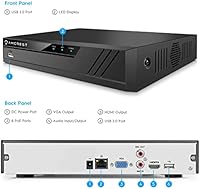
  • PoE Ports: This unit includes zero PoE ports; all cameras must be independently powered and connected via your existing network.
  • Connectivity: Connects to your network via Ethernet and includes USB ports for mouse input and local footage backup; Wi-Fi applies to camera network access only.
  • AI Support: AI-based detection features such as person or vehicle alerts are passed through from compatible Amcrest cameras only; the recorder has no onboard AI processing.
  • Dimensions: The unit measures 10.2″ long by 9.15″ wide by 1.9″ tall, making it suitable for shelf or rack placement.
  • In-Box Items: Includes a USB mouse, one network cable, and a printed quick start guide; no hard drive or cameras are bundled.
  • Certifications: Carries CE and FCC certifications, with a UL-compliant power supply included.
  • Warranty: Covered by a one-year limited warranty with support provided exclusively by the US-based Amcrest team.
  • Camera Compatibility: Fully supports all Amcrest wired and Wi-Fi IP cameras, with limited and variable compatibility for third-party ONVIF-compliant cameras.
  • Model Number: The official model designation is NV4116-A2, also referenced in some listings as NV4116-HS.

Related Reviews
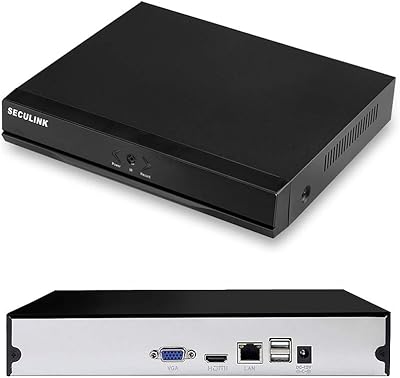
SECULINK NVR1116PF-4K 16-Channel 4K Network Video Recorder
67%
81%
Value for Money
78%
Video Quality Support
83%
Storage Efficiency
54%
Setup & Installation
58%
Remote Access & App Performance
More
SV3C A08 16-Channel 4K POE NVR
73%
78%
Ease of Installation
86%
Video Quality
89%
POE Port Performance
71%
Channel Capacity & Scalability
67%
AI Detection Accuracy
More
Lorex N800 16-Channel 4K NVR System
75%
88%
Video Clarity
83%
Hybrid Camera Support
86%
Local Storage
91%
No Subscription Model
74%
Smart Detection Accuracy
More
Swann NVR-8580 16-Channel 4K Security NVR
75%
88%
Video Recording Quality
74%
Storage & Retention
86%
PoE Setup & Installation
58%
Camera Ecosystem Compatibility
63%
Mobile App Experience
More
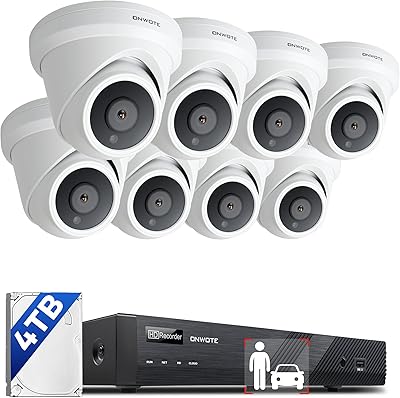
ONWOTE PKA801608S 16-Channel 4K PoE Security Camera System

78%
91%
Image Clarity
83%
Night Vision
74%
AI Detection Accuracy
67%
Ease of Installation
69%
Audio Recording
More
101AV UND-16 16-Channel Hybrid DVR/NVR
71%
88%
Hybrid Camera Compatibility
83%
Remote Viewing & Mobile App
79%
Value for Money
61%
Setup & Installation Experience
72%
Recording Quality
More
SANNCE N98PBD 8-Channel 4K PoE NVR
67%
78%
Video Image Quality
82%
PoE Port Reliability
51%
Remote App Experience
59%
Setup & Installation
57%
Third-Party Camera Compatibility
More
SECULINK 8-Channel 4K POE NVR
73%
83%
Video Quality
88%
POE Setup Experience
54%
Remote Access & App
71%
Third-Party Compatibility
67%
Build Quality
More
ONWOTE 8CH 4K NVR Security Camera System
79%
91%
Video Clarity
74%
AI Detection Accuracy
83%
Night Vision Performance
88%
Build Quality & Weatherproofing
71%
Installation Experience
More
Amcrest 4K 8 Channel AI DVR Security Camera System
86%
92%
Video Quality
88%
AI Features
85%
Setup & Installation
90%
Storage Capacity
89%
Motion Detection Accuracy
More

FAQ

No, it does not. The box includes a USB mouse, network cable, and quick start guide, but you will need to purchase a compatible internal hard drive separately. The unit supports drives up to 10TB, so you have plenty of flexibility depending on how much footage history you want to keep.

It does not include any PoE ports. Each camera needs its own power adapter and must connect to your network independently through a switch or router. If PoE is important to your setup, you would need to look at a different model specifically designed with built-in PoE.

That depends on your compression settings. On the default H.264 setting, the 80Mbps bandwidth ceiling limits full 4K recording to around 8 cameras simultaneously. To get all 16 channels recording at 4K, you need to switch each camera to H.265 compression and manually adjust the bitrate settings — it works, but it does require some configuration time.

Possibly, but it is not guaranteed. The recorder has limited ONVIF support, and some users have had success with certain third-party cameras while others have not. If you are heavily invested in a different camera brand, it is worth checking compatibility before purchasing rather than assuming it will work.

No, the recorder itself has no onboard AI. Any smart detection features — like identifying people, vehicles, or animals — come entirely from the camera being used. If you connect a compatible Amcrest AI camera, the NVR will display and log those alerts, but it is the camera doing the processing, not the recorder.

A wired connection directly to your router is required for the system to function properly. This recorder cannot operate as a standalone unit over Wi-Fi — it needs a physical Ethernet connection to your network. Keep that in mind when planning where to install it.

Yes, remote viewing is supported through the Amcrest app, and most users report it works reliably. You will need to set up remote access through the app after connecting the recorder to your network, which is a straightforward process for anyone reasonably comfortable with home networking.

That depends on your hard drive size, the number of cameras, resolution settings, and whether you record continuously or only on motion. With a large drive and H.265 compression, you can realistically store several weeks of footage. Running all 16 cameras at 4K continuously will naturally fill storage faster than motion-only recording at lower resolutions.

Within the Amcrest ecosystem it is reasonably approachable, and the quick start guide covers the basics. That said, getting 4K performance optimized across all channels, adjusting motion detection sensitivity, and configuring remote access does involve some manual steps. If you have set up a home router or basic network gear before, you will likely manage fine.

Yes. The USB port on the recorder lets you plug in a flash drive or external hard drive and export specific footage clips directly. It is a practical feature if you need to save a particular event or share footage without any additional software involved.