Overview

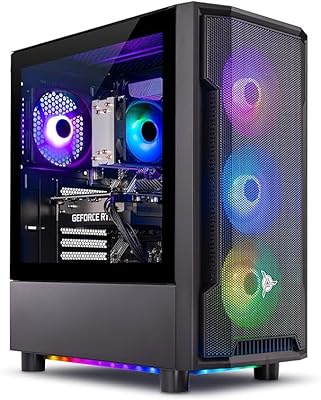
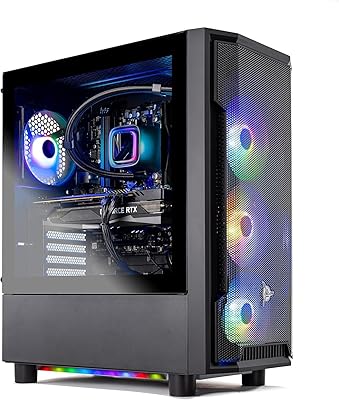
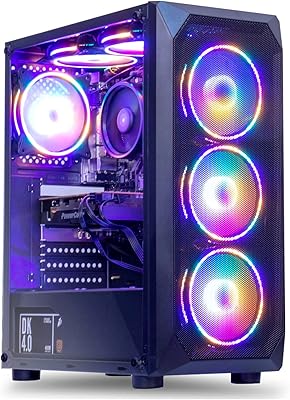
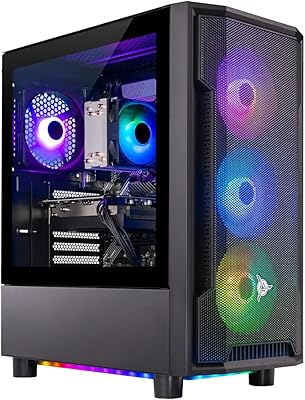
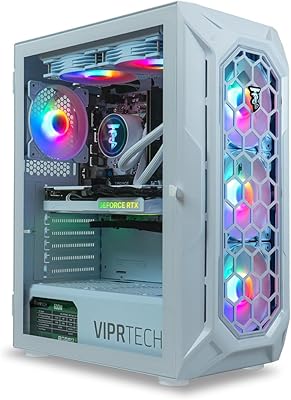
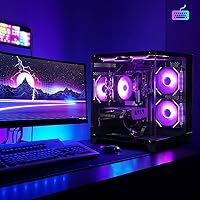
The ALCPOK GRX1 i5-13400F RTX 4060 Gaming Desktop enters a crowded prebuilt market as a relative newcomer, but it arrives with a hardware configuration that is hard to dismiss at this price point. Pairing Intel's 13th-gen i5-13400F with an RTX 4060 is a sensible choice for mid-range builds — you get a 10-core processor alongside a GPU built for modern 1080p gaming without paying a premium for top-tier silicon. The machine ships with Windows pre-installed, 32GB of DDR4 RAM, and a 1TB NVMe SSD, so it is genuinely plug-and-play. Five ARGB fans give it some visual personality. If you want a ready-to-game tower without touching a screwdriver, this is a reasonable starting point.
Features & Benefits

The i5-13400F is a real workhorse — its hybrid core layout handles gaming loads well and keeps up with everyday multitasking without complaint. The RTX 4060 8GB is the headline component: it runs demanding titles at 1080p on high settings comfortably, and lighter games at 1440p without much fuss. Thirty-two gigabytes of DDR4 is well above what most current games require, giving this mid-range gaming desktop some useful headroom as titles get heavier over the next few years. The 1TB NVMe SSD loads fast and stays silent. Built-in WiFi and Bluetooth mean no hunting for adapters, and the five cooling fans work together to keep thermals reasonable during longer sessions.

Best For

This prebuilt gaming tower makes the most sense for anyone who wants to skip the build process entirely. It is a solid fit for first-time PC gamers stepping up from a console, or someone running an older desktop that can no longer handle modern titles. The hardware hits a practical sweet spot for 1080p play — think Fortnite, Valorant, or Elden Ring at strong framerates without dialing down visual settings. It also holds up well as a dual-purpose home setup, productive enough for spreadsheets and video calls, capable enough for a gaming session afterward. One honest caveat: if 4K gaming is the goal, the RTX 4060 is not the right GPU for that target.

User Feedback

With roughly 55 reviews collected since its late-2024 launch, the feedback on the ALCPOK GRX1 is still fairly limited, so broad patterns should be read with some caution. The average sits at 3.8 out of 5, and the split reflects a familiar prebuilt story. Buyers who are happy point to easy out-of-box setup and solid 1080p performance. On the other side, some users have flagged untidy internal cable management that can hinder airflow, and a handful have raised concerns about thermals during extended sessions. Customer support responsiveness has drawn mixed reactions as well. None of these are automatic dealbreakers, but they are worth keeping in mind when buying from a brand this young.

Pros

  • Ships with Windows pre-installed and all core peripherals ready — zero assembly required.
  • The i5-13400F handles 1080p gaming and everyday multitasking without any noticeable bottleneck.
  • RTX 4060 delivers solid high-settings performance in competitive and AAA titles at 1080p.
  • 32GB of DDR4 RAM is genuinely generous for a prebuilt at this price tier and adds future headroom.
  • The 1TB NVMe SSD loads games fast and leaves enough room for a decent library without immediate expansion.
  • Built-in WiFi and Bluetooth remove the need for separate adapters right out of the box.
  • Five ARGB fans give the build a clean, customizable look that fits a proper gaming desk setup.
  • The mid-tower form factor is a standard size, making future upgrades like a GPU swap straightforward.

Cons

  • Internal cable management has drawn criticism from some buyers, which can affect airflow and long-term thermals.
  • Thermal performance under sustained, heavy gaming loads is not well-documented given the limited review base.
  • ALCPOK is a relatively new brand with little long-term track record, which adds uncertainty around reliability.
  • After-sales support responsiveness has received mixed feedback, which is a real concern for a no-name prebuilt.
  • Some users have reported questions around component authenticity and default BIOS configurations out of the box.
  • The review count is still low — under 60 entries since late 2024 — so failure patterns are not yet clear.
  • The RTX 4060 will struggle at 1440p in graphically demanding titles and is not a viable 4K option.
  • The listed 3840x2160 screen resolution spec on the product page is misleading and does not reflect the GPU's realistic performance target.
  • No mention of PSU wattage or brand transparency, which matters if you plan to upgrade the GPU later.

Ratings

The scores below were generated by AI after analyzing verified buyer reviews for the ALCPOK GRX1 i5-13400F RTX 4060 Gaming Desktop from multiple global sources, with spam, incentivized, and bot-pattern reviews actively filtered out before scoring. Because this machine launched in late 2024 and has accumulated a modest number of reviews so far, each category reflects what real buyers have genuinely experienced — both the highlights and the frustrations — without padding or false positivity.
Gaming Performance
81%
19%
At 1080p, buyers consistently report that popular titles like Fortnite, Valorant, and Elden Ring run smoothly on high settings without needing to tweak much out of the box. The RTX 4060 and i5-13400F work well together for the target use case, and first-time PC gamers in particular seem genuinely impressed by how capable it feels coming from a console.
Buyers who expected strong 1440p or any kind of 4K performance have been let down — the RTX 4060 starts to show its limits in graphically demanding titles above 1080p. Some users also note that extended gaming sessions push temperatures in ways that suggest the thermal headroom is tighter than expected.
Value for Money
74%
26%
When you factor in the included Windows license, 32GB of RAM, and a 1TB NVMe SSD, the overall component package is competitive for buyers who want to avoid building from scratch. Most satisfied buyers feel they got a functional gaming machine without paying a steep premium over the cost of individual parts.
Some buyers feel the price is harder to justify given the unknowns around the PSU quality and the brand's limited track record — established prebuilt competitors offer more transparency and warranty confidence at similar price points. A few users have questioned whether the internal components fully match the listed specifications.
Setup Experience
88%
Out-of-box setup is one of the most consistently praised aspects of this prebuilt gaming tower — buyers report connecting peripherals, powering on, and being in a game within minutes. The pre-installed Windows and included WiFi adapter mean there are genuinely no hidden steps for a typical new user.
A small number of buyers encountered BIOS configuration questions early on that required troubleshooting, which is unexpected for a plug-and-play system. Those with less technical experience found this frustrating, as the included documentation does not address it clearly.
Build Quality
66%
34%
The chassis feels reasonably solid for a mid-range tower, and the overall physical construction does not feel flimsy when moving or placing the unit on a desk. The ARGB fans and lighting elements are well-integrated and add a polished look to the finished setup.
Internal cable management is a recurring complaint — some buyers who opened the case found cables routed in ways that restrict airflow and look unfinished relative to what you would expect from a properly assembled prebuilt. This is not a cosmetic-only issue; it can contribute to higher internal temperatures over time.
Thermal Management
63%
37%
Under typical gaming loads — a couple of hours of 1080p play — the five ARGB fans keep things manageable, and most casual users have not flagged overheating as a day-to-day issue. The mid-tower form factor at least gives the cooling setup enough physical space to work with.
Under sustained, heavy workloads — long gaming sessions or tasks that peg both the CPU and GPU simultaneously — some buyers report temperatures that climb higher than expected. The cable routing issues inside the case compound this, and there is no aftermarket cooler or enhanced thermal pad configuration documented by the manufacturer.
CPU Performance
84%
The i5-13400F is a strong processor for this price tier — its 10-core layout handles background tasks, browser tabs, and streaming software running alongside a game without obvious stuttering. Buyers using the machine for both office work and gaming report it handles context-switching smoothly throughout a working day.
The CPU's base clock of 2.5GHz looks modest on paper, and a handful of technically minded buyers have noted that the full boost performance depends on whether the motherboard and BIOS are configured correctly — which has not always been the case out of the box.
Storage Speed
83%
The PCIe NVMe SSD makes a noticeable real-world difference — game load screens are fast, Windows boots quickly, and there is none of the mechanical noise or slowness you get from older HDD-based systems. Buyers upgrading from a system with a traditional hard drive consistently highlight this as one of the most satisfying improvements.
One terabyte fills up faster than many buyers anticipate once a handful of modern games are installed, and there is no secondary storage drive included to offset this. Expansion is possible, but it requires purchasing an additional drive independently.
RAM & Multitasking
87%
Thirty-two gigabytes of DDR4 is genuinely generous for a prebuilt in this range, and buyers who use the machine as both a work computer and a gaming rig find it handles having multiple applications open simultaneously without hesitation. It also means this mid-range gaming desktop is unlikely to need a RAM upgrade for several years.
The memory runs at 3200MHz, which is adequate but not the fastest DDR4 available — enthusiasts who expected higher-speed modules at this price point may feel the configuration is conservative. There are no user reports yet on whether dual-channel configuration is set up correctly by default.
Wireless Connectivity
79%
21%
Having WiFi and Bluetooth built in removes a common friction point for buyers who do not want to run an Ethernet cable or buy a separate adapter for wireless peripherals. Most users report the wireless connection is stable enough for online gaming without notable latency complaints.
The specific WiFi chipset and standard — whether it is WiFi 5 or WiFi 6 — are not disclosed, which matters for buyers with a modern router who expect the faster throughput of a WiFi 6 connection. This lack of transparency is a recurring issue with the ALCPOK brand's product listings.
ARGB Aesthetics
82%
18%
The five ARGB fans are one of the more praised visual elements — buyers setting up a dedicated gaming space appreciate the lighting without it feeling garish, and the effect through the case panel looks cohesive rather than thrown together. It is a legitimate part of the value pitch for buyers who care about desk aesthetics.
Software control for the ARGB lighting is not well-documented, and some buyers have struggled to customize or sync the effects without clear instructions. For buyers who want precise lighting control, this is a minor but persistent annoyance.
Brand Reliability
54%
46%
ALCPOK does advertise after-sales support, and some buyers have successfully resolved issues through their customer service channel. The product page makes promises around post-purchase assistance that suggest the brand is aware of the trust gap it needs to close as a newer entrant.
With a limited track record and a review base still under 100 entries, there is simply not enough long-term data to rate ALCPOK's reliability with confidence. Several buyers have raised questions about component authenticity and support responsiveness, and until more time passes and more buyers report back, the brand carries meaningful uncertainty for risk-averse shoppers.
Upgrade Potential
71%
29%
The standard ATX mid-tower layout means GPU swaps, additional storage drives, and RAM upgrades are all physically straightforward — this is not a locked-down proprietary system that traps you with the original specs. Buyers who view it as a starting point rather than a permanent configuration will appreciate this flexibility.
The undisclosed PSU wattage is the biggest obstacle to confident upgrading — without knowing the headroom available, buyers cannot safely plan a future GPU upgrade without first opening the case and checking the label manually. That is an unnecessary extra step that better-documented prebuilts avoid.
Port Selection
76%
24%
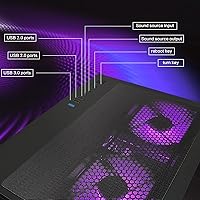
Nine total USB ports across the front and rear panels is a practical count for a gaming desktop — enough to cover a keyboard, mouse, headset, and a few additional peripherals without immediately reaching for a hub. The mix of USB 2.0 and USB 3.0 covers most peripheral needs.
The split of five USB 2.0 ports alongside four USB 3.0 feels dated given that most modern peripherals benefit from USB 3.0 speeds, and the listing does not confirm whether USB-C is available anywhere on the chassis — a noticeable omission for buyers with newer accessories.

Suitable for:

The ALCPOK GRX1 i5-13400F RTX 4060 Gaming Desktop is built for a specific kind of buyer, and it does that job well when matched correctly. If you are stepping into PC gaming for the first time and have no interest in learning component compatibility or cable routing, this tower gets you into modern games the same day it arrives. It suits 1080p gamers who want smooth, high-settings performance in popular titles without assembling anything from scratch. Home office users who also game casually will find the hardware more than sufficient for productivity apps, video calls, and an evening gaming session. It also makes a strong case for console converts who want modern GPU architecture and the flexibility of a full PC without the research overhead that a custom build demands.
Not suitable for:

Buyers with serious performance ambitions at higher resolutions should look elsewhere before committing to the ALCPOK GRX1 i5-13400F RTX 4060 Gaming Desktop. The RTX 4060 is a capable 1080p card, but it is not engineered to push 4K framerates in demanding titles, and anyone targeting that resolution will hit its ceiling quickly. Competitive streamers or content creators who need heavy sustained workloads — long encoding sessions, 3D rendering, or simultaneous high-bitrate capture — may also find the thermal headroom and PSU configuration limiting over time. Buyers who value brand track record and long-term after-sales confidence may feel uneasy with a manufacturer this new and a review base still under 100 entries. Finally, enthusiasts who enjoy upgrading components and tweaking BIOS settings will likely be frustrated by the uncertainties some users have reported around the default system configuration.

Specifications

  • CPU: Intel Core i5-13400F (13th Gen), 10-core hybrid architecture with 6 performance cores and 4 efficiency cores.
  • GPU: NVIDIA GeForce RTX 4060 with 8GB GDDR6 dedicated memory, optimized for 1080p high-settings gaming.
  • RAM: 32GB DDR4 SDRAM running at 3200MHz, installed and configured out of the box.
  • Storage: 1TB PCIe NVMe SSD connected via PCIe x4 interface, delivering fast read and write speeds with no mechanical noise.
  • Operating System: Windows comes pre-installed, so the system is ready to use without any additional software purchases.
  • Cooling: Five ARGB case fans provide active airflow throughout the mid-tower chassis and can be customized for lighting effects.
  • Connectivity: Built-in WiFi and Bluetooth are included, eliminating the need for separate USB adapters for wireless peripherals or networking.
  • USB Ports: Nine total USB ports are provided: five USB 2.0 and four USB 3.0, distributed across the front and rear of the chassis.
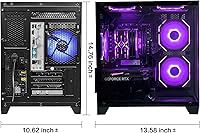
  • Form Factor: Standard mid-tower desktop chassis with a standard ATX power supply configuration, compatible with common aftermarket upgrades.
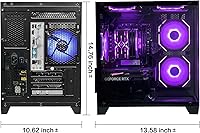
  • Dimensions: The packaged unit measures 19.9 x 17.5 x 14.2 inches and weighs approximately 23.1 pounds.
  • Model: This unit is designated the GRX1, manufactured and sold under the ALCPOK brand.
  • Launch Date: The GRX1 was first made available for purchase in November 2024.
  • Display Output: The RTX 4060 supports display outputs typical of modern NVIDIA Ada Lovelace cards; a monitor is not included.
  • Audio: No dedicated sound card is listed; the system relies on onboard audio routed through the motherboard.
  • Expandability: The standard ATX mid-tower layout allows for future component upgrades including GPU replacement, additional storage, and RAM expansion.

Related Reviews

Skytech Gaming Shadow RTX 4060 Desktop PC
77%
91%
1080p Gaming Performance
67%
1440p Gaming Performance
93%
Out-of-Box Setup Experience
84%
Build Quality & Assembly
78%
Cooling & Thermal Management
More
Skytech Archangel RTX 5060 Ti Gaming Desktop
77%
88%
Gaming Performance
83%
Build Quality
71%
Value for Money
91%
GPU Specification
67%
CPU Performance
More
Skytech Gaming Nebula RTX 3050 Gaming Desktop
75%
78%
1080p Gaming Performance
74%
Value for Money
91%
Setup & Out-of-Box Experience
82%
Build Quality
86%
CPU Performance
More
Skytech Gaming Shadow Gaming Desktop PC
80%
88%
Gaming Performance
91%
Out-of-Box Experience
84%
Thermal Management
74%
Value for Money
77%
Build Quality
More
MXZ R5 5500 RTX 4060 Gaming PC
71%
83%
1080p Gaming Performance
71%
Value for Money
74%
Out-of-Box Experience
63%
Build Quality
68%
CPU Performance
More
Skytech Gaming Shadow Desktop PC
74%
83%
Gaming Performance
91%
Out-of-Box Setup
74%
Value for Money
79%
Build Quality
87%
CPU Performance
More
MSI Aegis ZS Gaming Desktop
78%
91%
1080p Gaming Performance
84%
Value for Money
93%
Ease of Setup
88%
Upgradeability
79%
Thermal Management
More
ViprTech Ghost 4.0 AMD Ryzen 7 3700X RTX 4060 Ti 32GB 1TB SSD Gaming Desktop
87%
94%
Performance
91%
Gaming Experience
89%
VR Performance
87%
Build Quality
88%
Thermals and Cooling
More
Thermaltake LCGS Quartz i1460
79%
88%
Gaming Performance at 1080p
74%
Value for Money
86%
Build Quality & Fit
71%
Thermal Management
61%
Memory Configuration
More
Skytech Crystal Gaming Desktop RTX 5050
76%
88%
1080p Gaming Performance
81%
Value for Money
86%
Build Quality & Case Design
93%
Setup & Out-of-Box Experience
84%
CPU Performance
More

FAQ

No, the ALCPOK GRX1 i5-13400F RTX 4060 Gaming Desktop ships as a tower only. You will need to supply your own monitor, keyboard, and mouse separately.
The listing states Windows comes pre-installed, but it is worth confirming activation status when you first boot the machine. Some budget prebuilts ship with Windows in an unactivated state, so keep an eye on the activation prompt in Settings when you set it up.

The RTX 4060 can manage 1440p in less graphically intensive titles at reduced settings, but it is fundamentally a 1080p card. For demanding AAA games, expect to lower settings significantly at 1440p to maintain smooth framerates. If 1440p is your primary target, a step-up GPU would serve you better.

That listing appears to be a data entry error or a templated spec field, not a realistic performance claim. The RTX 4060 can technically output a 4K signal, but running modern games at 4K resolution on this GPU will result in poor framerates. Do not buy this machine expecting a 4K gaming experience.

The mid-tower chassis uses a standard ATX layout, so swapping in a newer GPU is technically straightforward from a compatibility standpoint. The main unknown is the power supply — the wattage and brand are not publicly disclosed, which matters when pairing a more power-hungry future card. Check the PSU label inside the case before committing to an upgrade.

For pure gaming in 2025, most titles run well on 16GB, so 32GB does exceed current requirements. That said, it means you are unlikely to face RAM bottlenecks for several years, and it is genuinely useful if you multitask heavily — streaming, having a browser open, or running background apps alongside your game.

It is a legitimate concern worth monitoring. Poor internal cable routing can restrict airflow, which puts more pressure on those five ARGB fans to compensate. After setting up the machine, it is worth opening the side panel to check whether cables are blocking any major airflow paths, and rerouting them if needed. It is a minor fix but can make a noticeable difference under sustained gaming loads.

No optical drive is listed or included. If you need one for disc-based software or media, you would need to add an external USB optical drive separately.

ALCPOK lists after-sales support as a feature, but the specific warranty terms and duration are not clearly detailed in the product listing. Some buyers have reported mixed experiences with support response times, which is a known risk with newer brands. It is worth reaching out to the seller directly before purchasing to confirm warranty coverage and support channels.

There is not enough independent data yet to give a precise noise level, given the relatively small number of reviews since launch. Based on comparable prebuilt configurations with five case fans, expect audible fan noise during intensive gaming sessions — it will not be silent, but it should not be disruptively loud under normal conditions.