

Overview

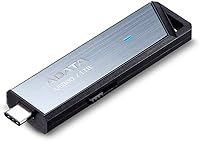
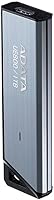
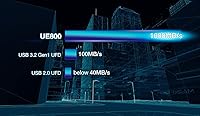
The ADATA Elite UE800 1TB Portable SSD sits in an interesting spot in the portable storage market — fast enough to satisfy demanding workflows, compact enough to forget it's in your pocket, and priced where you genuinely feel the choice between this and a more established brand. It runs on USB 3.2 Gen 2, which means symmetrical speeds in both directions up to 1,000MB/s — a spec you rarely see matched on both sides at this price point. The metallic housing feels more purposeful than the plastic shells on cheaper drives, and a 5-year warranty adds a layer of confidence that budget alternatives rarely offer.

Features & Benefits

What makes the UE800 stand out in practice is how that speed holds up beyond benchmarks. Transferring a batch of RAW photos or a 4K project folder — the kind of task where slower drives lose real time — this flash drive-sized SSD moves data quickly and consistently. The USB-C connector works with virtually any modern device without adapters, and backward compatibility with older USB 3.0 and 2.0 ports means you're not stuck when connecting to older hardware. At under half an ounce, it disappears into a bag pocket without a thought. The 1TB capacity is enough to hold a serious working library without constantly managing space.

Best For

This portable SSD makes the most sense for people whose storage needs cross device boundaries. iPhone 15 Pro owners can plug in directly and move large video files without a laptop in the loop — no adapters, no extra steps. PS5 users get a fast expansion option without the complexity of an internal drive swap, though it is worth checking your console's USB-C port placement before assuming everything lines up cleanly. Travelers and remote workers who need a reliable, lightweight backup will appreciate the minimal footprint. Video editors and photographers moving large project files between workstations regularly will also find the speed-to-size ratio genuinely practical.

User Feedback

With a 4.1-star average across 122 ratings, the UE800 earns genuine appreciation — but not without nuance. Buyers consistently highlight how fast and straightforward the experience is, especially for transferring files between phones and laptops. Where the score loses ground is in a handful of reports around sustained transfer heat and occasional speed dips that hint at throttling under prolonged load. A few users flagged inconsistent results with PS5 depending on port position and firmware version. Build quality draws mostly positive comments. The ongoing debate is whether the value proposition holds against better-known competitors at a comparable price — a fair concern that ultimately comes down to your priorities and brand preference.

Pros

  • Symmetrical 1,000MB/s read and write speeds make transfers fast in both directions, not just one.
  • The 1TB capacity gives photographers, videographers, and gamers serious working room without constant file management.
  • At under 0.4 oz, this flash drive-sized SSD is genuinely pocketable — most people forget it is in their bag.
  • Native USB-C connectivity works with iPhone 15 Pro, modern Android devices, Macs, and PCs without adapters.
  • Backward compatibility with USB 3.0 and 2.0 ports means it still functions on older hardware, just at reduced speeds.
  • The metallic build feels noticeably more solid than the plastic shells common on budget-tier flash drives.
  • A 5-year limited warranty is longer than most competitors offer at this size and price range.
  • Plug-and-play setup requires no drivers or software — it just works across supported platforms.
  • PS5 compatibility opens up a practical expanded storage path for gamers without requiring an internal drive swap.
  • Single-cable operation keeps the setup clean — no dongles, no USB-A adapters needed on current devices.

Cons

  • Sustained heavy transfers may cause thermal throttling, with some users reporting speed drops under prolonged load.
  • PS5 compatibility can be inconsistent depending on console firmware version and physical USB-C port placement.
  • ADATA carries less brand recognition than Samsung or SanDisk, which may affect buyer confidence and resale value.
  • No water resistance or drop rating makes it a poor choice for outdoor, industrial, or rugged-use scenarios.
  • The price point sits high enough that budget-conscious buyers may struggle to justify it over slower, cheaper alternatives.
  • Only 122 reviews on Amazon means the feedback pool is relatively thin compared to more established competitors.
  • No included carrying pouch or protective case — the metallic surface may accumulate scratches in daily pocket use.
  • Older USB 2.0 hosts will bottleneck the drive so severely that the performance advantage becomes entirely irrelevant.

Ratings

The ADATA Elite UE800 1TB Portable SSD earned its scores through AI-assisted analysis of verified buyer reviews collected globally, with spam, bot activity, and incentivized submissions actively filtered out before scoring. The ratings below reflect a transparent synthesis of what real users praised and where they ran into friction — nothing is softened to protect a good impression. Both the strengths and the genuine trade-offs are represented as honestly as the data allows.

Transfer Speed
88%
Buyers consistently praise how quickly large files move when the drive is connected to a capable USB 3.2 Gen 2 host. Photographers offloading RAW shoots and editors moving 4K project folders report noticeably faster turnaround compared to older USB-A drives they replaced. The symmetrical read and write rating is a genuine differentiator that users feel in practice.
A subset of users report that sustained, back-to-back transfers can cause speeds to taper off as the drive warms up, which is frustrating when processing large batches in one sitting. The top-rated speed is also only achievable on a host that supports the full 10Gbps bandwidth — older machines see a much more modest result.
Build Quality
79%
21%
The metallic housing draws consistent compliments from buyers who have previously owned plastic-shelled flash drives and felt the step up immediately. Most users describe it as feeling solid without being heavy, and the finish holds up reasonably well against the daily friction of bag and pocket use over several months.
Some longer-term owners note that the metallic surface picks up fine scratches over time, which dulls the initial premium appearance. A few buyers also flagged that there is no integrated lanyard loop or protective cap, leaving the USB-C port exposed during transport without an additional case.
Portability
93%
At under half an ounce, this flash drive-sized SSD barely registers in a bag or jacket pocket, which is genuinely appreciated by travelers and commuters who are already carrying a full kit. Several reviewers specifically noted switching from a larger external SSD to the UE800 and reclaiming meaningful bag space without sacrificing meaningful speed.
Its compact dimensions are a clear strength, but that same size means there is no room for any physical protection features — no rubberized bumper, no waterproofing, nothing to cushion an accidental drop. Users who need ruggedized storage for outdoor fieldwork will find it lacking on that front entirely.
iPhone 15 Pro Compatibility
74%
26%
For iPhone 15 Pro and Pro Max owners, the direct USB-C connection is a tangible upgrade from the adapter-dependent Lightning era. Videographers shooting ProRes footage reported that offloading directly to this portable SSD mid-shoot saves time and keeps their phone storage free without needing a laptop in the field.
Compatibility is real but not always frictionless — a handful of iPhone users reported that transfer speeds varied depending on cable quality and iOS version, and a few experienced intermittent recognition issues that required replugging the drive. The experience is good on average but not as consistently polished as some had expected.
PS5 Compatibility
67%
33%
PS5 owners who primarily want to offload and archive PlayStation 4 titles or manage game libraries report that the UE800 handles that task without issue. The plug-and-play setup on the console requires no configuration beyond formatting the drive when first connected, which most users found refreshingly straightforward.
The key limitation — that PS5-native titles cannot actually run from USB external storage — caught several buyers off guard, and some felt the product listing overstated the console use case. A few users also reported that the USB-C port position on their specific PS5 configuration made the connection feel awkward or prone to accidental disconnection.
Value for Money
71%
29%
Buyers who researched the category before purchasing generally feel the UE800 delivers fair speed performance for its price bracket, especially when factoring in the 5-year warranty that competitors at the same price point do not always match. For users who genuinely need the speed and compactness, the math works out reasonably well.
The debate over value is the most common source of friction in user reviews — a meaningful portion of buyers felt that comparable drives from Samsung or SanDisk offer similar performance with more established brand confidence for roughly the same outlay. ADATA's lower name recognition makes the price harder to justify for buyers who prioritize resale value or proven long-term reliability data.
Thermal Management
58%
42%
For short-burst transfers — the kind most everyday users actually perform, like moving a project folder or backing up a phone — the drive stays comfortable and maintains rated performance without issue. Casual users and students report no problems whatsoever during typical use sessions of under 15 to 20 minutes.
Users running extended, continuous data operations — large backup jobs, multi-hour archiving workflows — are the ones who surface the thermal throttling concern most often. When the drive heats up under sustained load, write speeds can drop noticeably, and without any ventilation or active cooling in such a compact enclosure, there is limited headroom to address it.
Plug-and-Play Ease
91%
Nearly every reviewer who commented on setup mentioned how frictionless the experience was — plug it in, it shows up, start transferring. No drivers, no companion apps, no formatting prompts on most operating systems. Travelers and remote workers in particular valued not having to troubleshoot anything when working from unfamiliar machines.
A small number of Windows users reported that the drive was not immediately recognized on the first connection and required a USB port swap or system restart to register correctly. This was not widespread, but enough to chip away at what would otherwise be a near-perfect setup score.
Backward Compatibility
83%
The fact that this portable SSD functions across USB 3.0 and even USB 2.0 ports broadens its practical usefulness significantly for people who work across devices of different generations. Users who carry the drive between a modern MacBook and an older work PC found it transitioned without any intervention needed.
Speed expectations need to be managed carefully here — on a USB 3.0 host, users will see perhaps a quarter of the rated throughput, and on USB 2.0 the drive becomes only marginally faster than a basic flash drive. The compatibility is genuine, but buyers who do not understand the host bottleneck may feel misled by the headline speed figure.
Multi-Device Versatility
82%
18%
The breadth of supported devices — Windows PCs, Macs, Android phones, iPhone 15 Pro, and PS5 — gives this portable SSD a legitimate claim as a single-drive solution for users who operate across multiple platforms. Content creators who move files between a phone, a laptop, and a desktop in the same workflow particularly appreciated not needing separate drives for each.
Real-world versatility has some asterisks — Android compatibility depends on the specific phone supporting USB OTG and having a USB-C port, and not all Android devices handle large external drives identically. A handful of users found that certain older Android models either did not recognize the drive or required manual file manager configuration to access it.
Warranty & Support
76%
24%
The 5-year limited warranty stands out as one of the strongest in this product category, and buyers who noticed it during research cited it as a meaningful factor in choosing the UE800 over alternatives that offer only 3 years. It signals a level of manufacturer confidence in the hardware longevity that resonates with users making a considered purchase.
Some buyers who needed to interact with ADATA support found the RMA and claims process slower or less intuitive than they expected from a brand at this price tier, and regional support availability is uneven depending on country. The warranty period is excellent on paper, but the practical experience of claiming it leaves room for improvement.
Cable Flexibility
77%
23%
USB-C universality means the UE800 works with the cable that already comes with most modern phones and laptops, which users consistently mention as a practical convenience. Not having to carry a proprietary cable reduces the risk of being stuck without the right accessory when traveling or working remotely.
The drive does not include a cable in the box, which surprised some buyers at this price point. While USB-C cables are widely available, users found that cable quality meaningfully affected transfer speeds — a cheap or older USB-C cable can bottleneck performance well below rated figures, which creates an invisible variable that not all buyers think to investigate.
Long-Term Reliability
69%
31%
Early indicators from users who have owned the drive for 12 months or more suggest it holds up well under typical daily use without performance degradation or data issues. The solid-state construction is inherently more resilient to the bumps and vibrations of transit than mechanical drives, which matters for users who transport it frequently.
The UE800 has a relatively limited long-term review pool given its 2023 debut, meaning multi-year reliability data is thinner than for drives with a longer market presence. Some caution is warranted around sustained heavy write workloads over time, as NAND endurance under demanding professional workflows remains less documented for this specific model compared to established competitors.

Suitable for:

The ADATA Elite UE800 1TB Portable SSD is a strong fit for anyone whose work or creative life constantly moves between devices. iPhone 15 Pro users who shoot heavy ProRes video will get the most direct benefit — native USB-C means plugging in and offloading without adapters or extra steps. Mobile photographers and videographers who work in the field and need to free up device storage quickly will find the transfer speeds genuinely reduce downtime. PS5 owners who have filled their internal storage and want a fast external option without cracking open the console will appreciate the plug-and-play simplicity, though port placement on the console is worth checking beforehand. Travelers and remote workers who prioritize a minimal, reliable setup — and need something that disappears into a bag without adding bulk — will find this portable SSD hits that balance well. Students and professionals regularly shuttling large project files between home and office setups will also benefit from the 1TB of headroom and the consistent speed across modern USB-C hosts.

Not suitable for:

The ADATA Elite UE800 1TB Portable SSD is not the right choice for every buyer, and it is worth being honest about where it falls short. If you plan to run sustained, intensive transfers — think hours-long video renders or large database backups — there are user reports suggesting the drive can throttle under prolonged thermal load, which matters if throughput consistency is non-negotiable for your workflow. Buyers on a tight budget who only need occasional file moving would likely be better served by a slower, less expensive drive where the speed premium does not justify the cost. If you are deeply invested in a brand ecosystem with established support infrastructure — Samsung, SanDisk, for example — ADATA carries less name recognition in some markets, which can affect resale value and perceived long-term support confidence. Users with older devices that lack USB 3.1 or higher will see significantly reduced speeds, making the flagship performance spec largely irrelevant for their setup. Finally, anyone who needs rugged, water-resistant, or drop-rated storage for outdoor or industrial environments should look elsewhere — this drive prioritizes form and speed, not physical resilience.

Specifications

  • Brand: Manufactured by ADATA, a Taiwanese storage and memory hardware company with broad consumer and professional product lines.
  • Model: The specific model identifier is AELI-UE800-1T-CSG, which denotes the Elite UE800 family in the 1TB USB-C metallic variant.
  • Capacity: Offers 1TB of solid-state storage, providing ample room for large media libraries, project archives, and game saves.
  • Interface: Uses a USB 3.2 Gen 2 interface, which supports a maximum theoretical bandwidth of 10Gbps for high-speed data transfers.
  • Connector: Equipped with a single USB Type-C port, compatible with modern laptops, smartphones, tablets, and gaming consoles.
  • Read Speed: Rated for sequential read speeds of up to 1,000MB/s under optimal conditions with a USB 3.2 Gen 2 host.
  • Write Speed: Rated for sequential write speeds of up to 1,000MB/s, offering symmetrical throughput for both reading and writing operations.
  • Backward Compatibility: Fully backward compatible with USB 3.1, USB 3.0, and USB 2.0 hosts, though speeds will be limited by the host port standard.
  • Flash Type: Uses NAND-based solid-state flash memory, delivering faster access times and greater shock resistance compared to traditional spinning hard drives.
  • Weight: Weighs just 0.352 oz (approximately 10 grams), making it one of the lightest options in the portable SSD category.
  • Dimensions: Measures 5.12 x 3.15 x 0.59 inches, a compact rectangular form factor that fits easily in a pocket or small bag compartment.
  • Finish: Features a metallic exterior finish that provides a more premium tactile feel than the plastic housings common on budget flash drives.
  • Device Compatibility: Officially compatible with Windows and macOS PCs, Android smartphones, iPhone 15 Pro series devices, and the PlayStation 5 console.
  • Warranty: Backed by a 5-year limited warranty from ADATA, covering manufacturing defects under normal use conditions.
  • Availability: First listed for sale in April 2023, placing it among ADATA's more recent portable storage releases.
  • Power Source: Bus-powered via the USB-C connection, requiring no external power adapter or charging cable for standard operation.

Related Reviews
ADATA SE880 1TB Portable External SSD
82%
83%
Transfer Speed
94%
Portability
88%
Build Quality
91%
Console Compatibility
89%
Plug-and-Play Setup
More
Emtec X210 Elite 1TB Portable SSD
87%
88%
Performance
94%
Portability & Size
86%
Durability
91%
Value for Money
85%
Transfer Speed
More
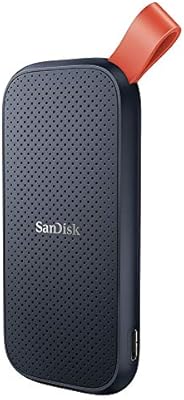
SanDisk Portable SSD 1TB External Drive
77%
88%
Transfer Speed
93%
Portability & Form Factor
79%
Build Quality & Durability
41%
Cable & Accessories
86%
Value for Money
More
Samsung T9 1TB Portable SSD
80%
92%
Transfer Speed
88%
Thermal Management
83%
Build Quality
91%
Portability
74%
Value for Money
More
Netac ZX20 512GB Portable SSD
75%
78%
Transfer Speed
93%
Portability
67%
Build Quality
84%
Value for Money
81%
Compatibility
More
Netac Z Slim 1TB Portable SSD
80%
93%
Portability & Form Factor
84%
Build Quality & Materials
79%
Transfer Speed — Read
74%
Transfer Speed — Write
88%
Value for Money
More
ADATA SE880 2TB Portable SSD
87%
95%
Performance (Speed)
91%
Portability (Size and Weight)
89%
Compatibility with Devices
88%
Build Quality
92%
Ease of Use (Setup and Setup Time)
More
ADATA Legend 900 1TB SSD
87%
93%
Performance
91%
Speed (Read/Write)
89%
Durability & Reliability
94%
PS5 Compatibility
90%
Ease of Installation
More
ORICO A20 512GB Portable External SSD
78%
78%
Transfer Speed Performance
83%
Build Quality & Durability
91%
Portability & Form Factor
86%
Apple Device Compatibility
84%
Time Machine Backup Reliability
More
SSK SD600 1TB Portable SSD
88%
96%
Transfer Speed
91%
Build Quality
94%
Portability
89%
Power Efficiency
92%
Device Compatibility
More

FAQ

Yes, it does — the iPhone 15 Pro and Pro Max both have a native USB-C port, so you can plug the UE800 directly in. That said, the transfer speed you get will depend on which iPhone 15 Pro model you have; the standard Pro supports USB 3 speeds, which is a meaningful improvement over older Lightning-based transfers. Just make sure you are using a good-quality USB-C cable.

You can use it as extended storage on the PS5, but there is an important distinction to understand. The PS5 only allows PlayStation 4 games and media files to run directly from USB storage — PlayStation 5 titles require installation on the internal NVMe SSD slot, not an external USB drive. So for PS5-native games, this drive works as a transfer and storage buffer, not a play-from location.

For sequential transfers — like moving a large video file or a folder of RAW photos in one go — you can get close to those rated speeds on a host that supports USB 3.2 Gen 2. In mixed real-world scenarios with lots of small files, speeds will drop, which is normal for any SSD. If your laptop or desktop only has a USB 3.0 port, you will see significantly lower throughput regardless of what the drive is rated for.

It can get warm during extended, sustained transfers — that is fairly typical for compact SSDs without active cooling. For most everyday tasks like offloading a memory card or backing up a project folder, it is not an issue. If you regularly run hours-long transfers, you may notice it throttle slightly to manage heat, which can reduce sustained speeds. It is not a defect, but it is worth knowing if your workflow involves continuous heavy data movement.

Not directly — it uses a USB-C connector, so you would need a USB-C to USB-A adapter or cable to connect it to a USB-A port. Those adapters are inexpensive and widely available. Keep in mind that older USB-A ports are typically USB 3.0 or lower, so you will not get anywhere near the 1,000MB/s rated speed — but it will still work for file transfers at the speed your port allows.

All three sit in the same general performance tier and capacity range. The Samsung T7 and SanDisk Extreme carry stronger brand recognition and have larger user review bases, which can make comparisons easier to research. The UE800 competes on speed specs and offers a similarly compact form factor, but ADATA has less established consumer visibility in some markets. If brand trust and resale value matter to you, Samsung and SanDisk have a slight edge purely on name recognition — but on raw specs, the UE800 holds its own.

No. It is plug-and-play on both macOS and Windows — the operating system recognizes it as a standard external storage device without any drivers or companion apps required. On a Mac, it will likely come formatted in a way that works across platforms, but if you want to use it exclusively with macOS you can reformat it to APFS for potentially better performance.

The metallic housing is more resistant to everyday scuffs and minor impacts than plastic alternatives, but it is not rated for drops, dust, or water resistance. Daily bag use should be fine for most people, but there is no IP rating here. If you want peace of mind, a small padded pouch — sold separately — would be a worthwhile addition for regular commuters or travelers.

ADATA typically ships the UE800 formatted in exFAT, which works across Windows, macOS, and Linux without reformatting. It also means it is compatible with devices like the PS5 and some Android phones. If you need a different file system for a specific use case, you can reformat it yourself — just back up any included content first.

ADATA does honor its warranty, but the process typically requires contacting their support team directly and following their RMA procedure, which involves shipping the drive in. The 5-year term is genuinely longer than many competitors offer at this size, which is a meaningful commitment. That said, response time and ease of the process can vary depending on your region, so it is worth checking ADATA's support availability in your country before purchasing.