

Overview

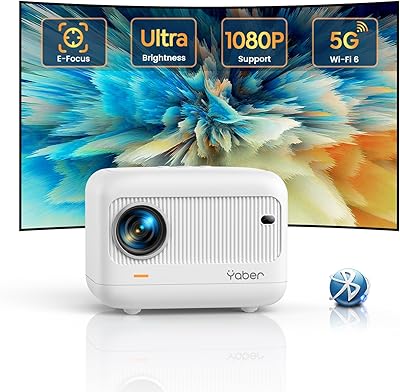
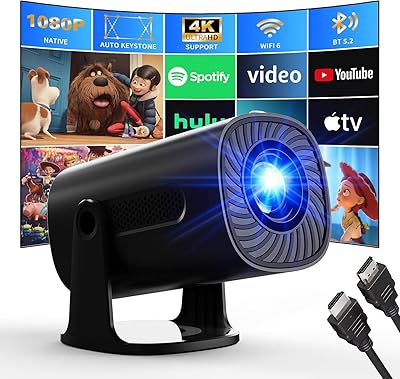
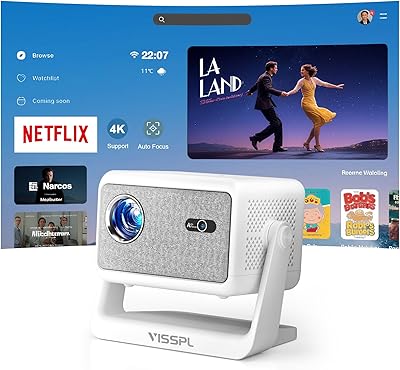
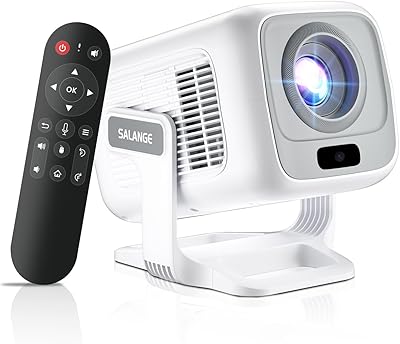
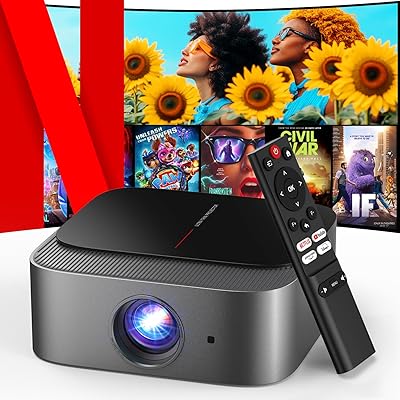
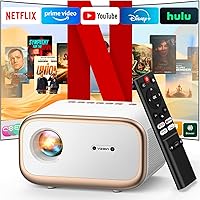
The VIZONY E1 Pro Smart Projector is a budget-friendly portable projector aimed squarely at cord-cutters who want access to Netflix, YouTube, and other major streaming platforms without plugging in a separate streaming stick. Running on Whale OS with a dedicated dual-core processor, it comes pre-loaded with over 300 certified apps — a meaningful step up from projectors that force you to sideload content or work around copyright restrictions. Native 1080P at 550 ANSI lumens is honest positioning for the price, though it sets real expectations: this is a dark-room performer. At under 3 pounds and barely 8 inches wide, the E1 Pro is genuinely built for room-to-room or outdoor use.

Features & Benefits

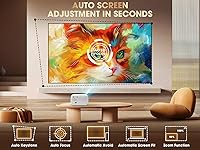
Where the E1 Pro punches above its weight is in the setup experience. Power it on, point it at a wall, and auto-focus and keystone both kick in — adjusting for angle, distance, and surface obstacles without you touching a thing. The ±45° four-point keystone correction also handles off-center setups that fixed projectors simply cannot. WiFi 6 dual-band connectivity keeps streams stable across both 2.4GHz and 5GHz bands, a real step up from older wireless standards common in this price range. The sealed optical engine blocks dust and holds operating noise under 30 decibels. One clarification worth making: Bluetooth 5.2 is audio-only here — useful for pairing a soundbar, but it will not mirror video wirelessly.

Best For

This portable projector makes the most sense in a few specific scenarios. Renters who want a big-screen experience without drilling into walls will find it practical — it sits on a table, mounts to a tripod, or hangs from the ceiling via a standard quarter-inch screw hole. Outdoor use is a natural fit too: the lightweight build and wireless streaming make it easy to take to the backyard or a camping trip. Cord-cutters who already rely on Netflix, Disney+, or YouTube daily will appreciate having everything accessible in one box. Casual gamers and small group viewing — dorm rooms, study halls, informal presentations — round out the strongest use cases.

User Feedback

Buyers consistently highlight the plug-and-play setup as the standout experience — most report the auto-correction features working reliably without manual tweaking, which is not always the case with similarly priced competitors. The Netflix certification also holds up in practice, addressing a real concern given how many budget projectors claim streaming support but quietly block it. Where feedback gets more mixed: brightness. At 550 lumens, even slight ambient light noticeably washes out the picture, and buyers in brighter rooms flag this regularly. The built-in speaker gets the job done for casual viewing, but many users end up pairing a Bluetooth soundbar for anything serious. A few buyers also note occasional WiFi hiccups and wish the remote layout were more intuitive.

Pros

  • Genuine Netflix certification means no workarounds or sideloaded apps — it just works.
  • Auto-focus and keystone correction activate on startup, cutting setup time to almost nothing.
  • WiFi 6 dual-band connectivity is a meaningful upgrade over the older wireless standards found at this price.
  • The sealed optical engine resists dust accumulation, which extends long-term image quality.
  • At under 3 pounds, the E1 Pro is light enough to move between rooms or pack for a trip.
  • Over 300 pre-installed certified apps cover nearly every major streaming platform in one device.
  • Operating noise stays below 30 decibels, so it never competes with the audio you are trying to hear.
  • The short-throw ratio lets you project a large image from a relatively close distance.
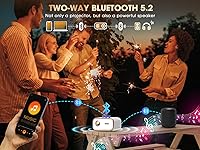
  • Two-way Bluetooth 5.2 allows pairing with a soundbar or headphones for a real audio upgrade.
  • Flexible mounting via tabletop, tripod, or ceiling screw fits a wide range of room configurations.

Cons

  • 550 ANSI lumens is insufficient for rooms with any meaningful ambient light.
  • The built-in speaker is adequate for background viewing but falls short for immersive movie audio.
  • Bluetooth supports audio transmission only — wireless video mirroring is not an option via Bluetooth.
  • Some buyers report occasional WiFi drops that require reconnecting mid-stream.
  • The remote control layout has drawn criticism for being unintuitive, especially for first-time users.
  • Digital zoom relies on software scaling, which can slightly soften image sharpness at extreme adjustments.
  • Whale OS, while functional, does not receive the same depth of app updates as established smart TV platforms.
  • No built-in battery means this is not truly cordless — a power outlet is always required.

Ratings

Our AI-generated scores for the VIZONY E1 Pro Smart Projector are built from thousands of verified global buyer reviews, with automated systems actively filtering out incentivized, duplicate, and bot-generated submissions before any score is calculated. The ratings reflect the honest consensus across independent purchases — genuine strengths are recognized, recurring frustrations are not softened, and the final numbers tell the real story of what buyers actually experience day to day.

Image Quality
78%
22%
For a darkened bedroom or patio after sunset, the 1080P picture holds up well — fine text in subtitles is legible, color reproduction is warmer than clinical but pleasing for movies, and the 20,000:1 contrast ratio keeps shadow detail visible in darker scenes.
The 550-lumen ceiling becomes apparent the moment ambient light enters the room — afternoon viewing with curtains open produces a flat, washed-out image. Users comparing this to higher-end projectors also note that motion clarity in fast sports scenes can soften slightly.
Brightness Performance
61%
39%
In genuinely dark environments — a blacked-out bedroom, a backyard after sunset, or a camping tent at night — the picture is comfortable and detailed enough for extended viewing without noticeable eye strain or color degradation.
At 550 ANSI lumens, this smart projector is not built for daylight or moderately lit rooms. Buyers who assumed they could use it in a living room with open windows frequently cite disappointment, and this is the single most common source of negative reviews across verified purchases.
Setup Experience
91%
The auto-focus and keystone correction are the features most buyers rave about — plug it in, point it at a surface, and the image squares itself up within seconds without touching a setting. For renters and non-technical users, this plug-and-play behavior is genuinely rare at this price.
Edge cases do exist: projecting onto non-white or textured surfaces can confuse the auto-alignment, and very steep vertical angles sometimes require a manual keystone tweak afterward. Tight room configurations can also occasionally trigger unnecessary obstacle-avoidance corrections that need to be overridden manually.
Streaming & Apps
83%
Official Netflix certification holds up in practice — no workarounds, no content blocks, and your full account history carries over cleanly. Having Disney+, YouTube, Prime Video, and Hulu all accessible without a separate streaming dongle genuinely simplifies the daily entertainment setup for cord-cutters.
Whale OS is functional but not as polished as Android TV or Roku. Some users report that less prominent apps load slowly or behave inconsistently, and the OS update frequency is uncertain compared to mainstream platforms, raising mild concerns about long-term app compatibility.
WiFi Performance
82%
18%
WiFi 6 dual-band is a meaningful spec at this price tier, where most rivals still ship with older WiFi 5 hardware. On a 5GHz network, buffering during 1080P streams is rare, and buyers in dense apartment buildings specifically note fewer dropout incidents compared to previous budget projectors they owned.
A consistent subset of buyers — particularly those with older or heavily congested routers — report occasional mid-stream disconnects that require a manual reconnect. The projector performs well with capable networking hardware but can expose existing router limitations that no firmware update will resolve.
Audio Performance
59%
41%
The built-in speaker handles voice-forward content reasonably well — dialogue in TV shows and YouTube videos comes through clearly at moderate volumes, and the sealed acoustic chamber avoids the tinny resonance that plagues many flat-chassis portable projectors at comparable price points.
For films with dynamic soundtracks or bass-heavy content, the built-in speaker falls noticeably short. A large portion of buyers end up pairing an external Bluetooth soundbar within the first week of ownership, an added cost that should be factored into the real-world budget from the start.
Build Quality
76%
24%
The sealed optical engine is the standout construction decision — it blocks the dust infiltration that progressively degrades image quality in open-chassis projectors. The copper radiator also contributes to consistent thermal management during extended viewing sessions, which is not a given at this price level.
The plastic shell is functional but does not convey a premium feel, and the rubber feet provide less grip than ideal on smooth surfaces — the unit can shift slightly during auto-correction cycles. Button labeling on the unit itself is also minimal, which adds to the learning curve for new users.
Portability
87%
At under 3 pounds and roughly the footprint of a thick hardcover book, this portable projector fits in a backpack without occupying meaningful space. Users who rotate it between rooms, bring it to campsites, or carry it to friends' houses consistently highlight the carry weight as a genuine daily advantage.
There is no built-in battery, so portability is always tethered to a power outlet — a real constraint for outdoor settings unless you have a high-wattage power bank on hand. The power cable is also not especially compact for tight packing, which is a minor but recurring complaint among campers.
Value for Money
84%
Stacking native 1080P, WiFi 6, official Netflix certification, hands-free auto setup, and a sealed optical engine against the asking price, the E1 Pro competes well against devices that charge significantly more for comparable core features. Buyers who understand the brightness limits upfront consistently rate it as money well spent.
The value calculation erodes if you need ambient-light performance or satisfying audio, because closing both gaps requires external purchases — a soundbar and a brighter projector — that quickly eliminate the initial cost advantage. Buyers who skip the research and purchase with inflated expectations drive a disproportionate share of the low ratings.
Projection Flexibility
79%
21%
The short-throw 1.25:1 ratio combined with ±45° four-point keystone correction and 50–100% digital zoom gives users meaningful adaptability in awkward or compact rooms. Ceiling mounting via the standard quarter-inch screw is a popular permanent configuration among bedroom theater enthusiasts who do not want to reposition the unit nightly.
Heavy use of digital zoom introduces visible softening compared to the native unzoomed image, since the scaling is software-driven rather than optical. Users projecting in very large rooms at or near the 200-inch limit also report that edge sharpness trails noticeably behind center-frame clarity.
Remote Usability
64%
36%
The four dedicated streaming hotkeys for Netflix, YouTube, Disney+, and Prime Video are consistently praised — one button takes you directly to your content without navigating a home screen, which is a small but meaningful time-saver for households that live inside those four platforms.
Beyond those hotkeys, the remote draws consistent criticism for unintuitive button placement and a steeper-than-expected learning curve. Navigating deeper Whale OS menus to adjust picture settings or toggle display modes is less straightforward than on mainstream smart TV remotes, and non-technical users in particular find this friction frustrating.
Noise Level
88%
Operating under 30 decibels puts this projector comfortably in the background during any content playback — quieter than most laptop fans and barely perceptible once a film's audio is running. Light sleepers and night-owl users specifically flag the quiet operation as a standout strength versus louder competing units.
While sub-30dB is impressive for the price tier, the fan is still audible in a completely silent room — pause a movie during a quiet moment and you will notice it. A small number of buyers also report intermittent fan speed spikes during extended high-brightness use that temporarily break the otherwise quiet baseline.
Bluetooth Audio
68%
32%
Bluetooth 5.2 pairing is quick and holds stable across a full movie session without dropouts, making it practical for connecting a soundbar or headphones without fumbling with cables. The reverse function — using the projector itself as a Bluetooth speaker for music — is a handy bonus that several buyers use regularly.
The audio-only Bluetooth limitation is the primary driver of mismatched expectations in this category. Buyers who assumed they could mirror phone screens wirelessly via Bluetooth feel genuinely misled, and the fact that this constraint is easy to overlook before purchase continues to generate a steady stream of disappointed reviews.
Long-term Durability
73%
27%
The sealed optical engine and copper radiator address the two most common long-term failure modes in budget projectors — dust infiltration and thermal stress. Users who have run the E1 Pro for six months or more generally report consistent image quality without the gradual brightness degradation typical at this price tier.
Whale OS longevity remains an open question, as the update cadence is not publicly documented and app compatibility may lag over a multi-year ownership window. Budget-tier components also carry statistically higher failure risk past the standard warranty period, which is worth considering for buyers planning a five-year or longer ownership horizon.

Suitable for:

The VIZONY E1 Pro Smart Projector is a strong fit for anyone who wants a large-screen streaming setup without the permanence or expense of a mounted TV. Renters and apartment dwellers in particular will appreciate that the whole experience — Netflix, Disney+, YouTube, and more — works right out of the box, no streaming stick required. It is equally well-suited to outdoor use: the compact build and wireless connectivity make it practical for backyard movie nights or camping trips where lugging extra gear is a real consideration. Cord-cutters who have grown frustrated with projectors that technically list streaming support but quietly restrict certain apps will find the certified access here a genuine advantage. Casual gamers looking for a large display on a limited budget, and students setting up a shared dorm or study room, round out the audience that will get the most out of this smart projector.

Not suitable for:

The VIZONY E1 Pro Smart Projector is not the right call for anyone planning to use a projector in a room with consistent ambient light. At 550 ANSI lumens, the image washes out noticeably in anything other than a properly darkened space — this is not a conference room or classroom projector. Home theater enthusiasts who prioritize color accuracy, HDR performance, or high-refresh gaming will find the feature set limiting regardless of the price point. Anyone expecting Bluetooth to carry video wirelessly will be disappointed; the connection handles audio only, so screen mirroring still requires a cable or WiFi casting. If you need a robust, future-proof OS with frequent updates and a deep app ecosystem on par with a smart TV, this portable projector may feel constrained over time.

Specifications

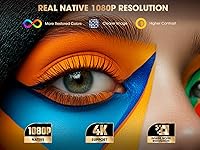
  • Native Resolution: The projector outputs a native 1920×1080 (1080P) image, with H.264 decoding support allowing playback of 4K-encoded video content.
  • Brightness: Rated at 550 ANSI lumens, this output level is best suited for darkened indoor rooms or outdoor use after sunset.
  • Contrast Ratio: A 20,000:1 contrast ratio helps maintain distinction between dark and bright areas of an image, particularly in low-light viewing conditions.
  • Processor: Powered by the Amlogic S950D4 dual-core chip, which handles operating system tasks, app processing, and streaming decoding simultaneously.
  • Operating System: Runs Whale OS, a smart TV platform with over 300 officially certified streaming apps pre-installed at the factory.
  • WiFi Standard: Supports WiFi 6 on both 2.4GHz and 5GHz bands, providing lower latency and better throughput than the WiFi 5 connections found in many competing devices at this price point.
  • Bluetooth: Bluetooth 5.2 enables two-way audio-only connections, meaning you can pair external speakers or use the unit itself as a Bluetooth speaker, but it cannot transmit video wirelessly.
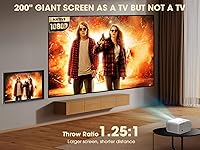
  • Throw Ratio: A 1.25:1 short-throw ratio means the projector can fill a reasonably large screen from a relatively close distance to the wall or surface.
  • Max Screen Size: The projected image can scale up to 200 inches diagonally, depending on throw distance and available surface area.
  • Digital Zoom: An onboard 50%–100% digital zoom function lets you resize the image without physically repositioning the unit, though heavy zoom reduction does apply software scaling.
  • Keystone Correction: Four-point keystone correction with a ±45° range adjusts the image geometry automatically on startup and can also be fine-tuned manually via the remote.
  • Auto Features: The unit includes automatic focus, automatic keystone correction, obstacle avoidance, and screen-edge alignment, all activating during the initial startup sequence.
  • Optical Engine: A fully sealed optical chamber paired with a copper radiator prevents dust from settling on internal components and aids in sustained heat dissipation during extended use.
  • Noise Level: Operational fan noise is rated at under 30 decibels, which is quiet enough to avoid distracting from standard movie or TV audio at normal listening volumes.
  • Connectivity Ports: Physical connections include one HDMI port, one USB port, and one 3.5mm audio output for wired headphones or external speakers.
  • Dimensions: The unit measures 7.8×6.1×4.5 inches, making it compact enough to fit in a backpack side pocket or on a small shelf.
  • Weight: At 2.98 lbs, this portable projector is light enough for single-hand carrying and practical for frequent relocation between rooms or outdoor settings.
  • Mounting Options: Supports tabletop placement, standard tripod mounting, and ceiling installation via a 1/4-inch screw thread built into the casing.
  • Built-in Apps: Comes pre-loaded with officially certified versions of Netflix, YouTube, Disney+, Prime Video, Hulu, Max, and more than 300 additional streaming and utility apps.

Related Reviews
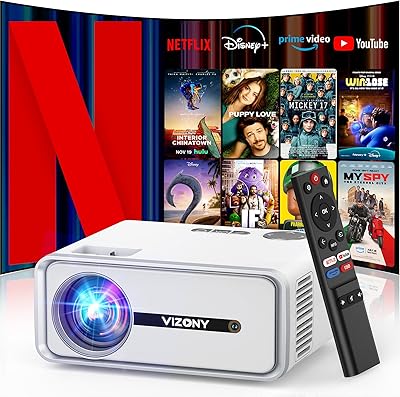
VIZONY DP04 Pro Smart Projector
78%
83%
Image Clarity
61%
Brightness Performance
91%
Built-in Streaming Apps
88%
Ease of Setup
86%
Portability & Build
More
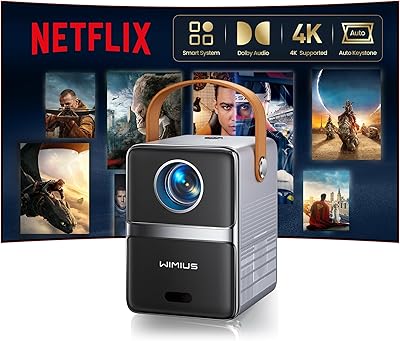
WiMiUS P61 Pro Native 1080P Mini Projector
79%
83%
Image Clarity
61%
Brightness Performance
88%
Streaming & Smart OS
86%
Setup & Ease of Use
74%
Audio Quality
More
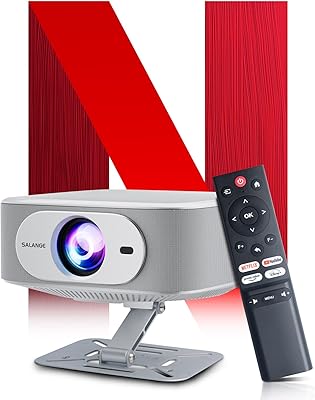
Salange P92 MAX Smart Projector
76%
78%
Image Quality
58%
Brightness
86%
Streaming Experience
89%
Setup & Ease of Use
54%
Audio Quality
More
OWNKNEW GC357 Native 1080P Smart Projector
72%
83%
Value for Money
74%
Picture Quality
88%
Ease of Setup
86%
Built-in Netflix
61%
Brightness Performance
More
Salange HY260Max Short Throw Smart Projector
73%
78%
Image Clarity
91%
Short-Throw Performance
47%
Brightness & Ambient Light
73%
Smart Platform & Apps
82%
Setup & Auto-Correction
More
PANSEBA Smart WiFi Portable Projector
73%
88%
Setup & Ease of Use
83%
Built-in Streaming Apps
61%
Image Quality
46%
Brightness & Ambient Light Performance
86%
Portability & Form Factor
More
DBPOWER E2 Smart Projector
77%
78%
Picture Clarity
54%
Brightness & Ambient Light Performance
91%
Built-in App Selection
88%
Ease of Setup
83%
Streaming & Wi-Fi Performance
More
YABER E1 Mini Projector
76%
88%
Autofocus Performance
76%
Image Clarity
54%
Brightness & Ambient Light
71%
WiFi & Streaming Stability
79%
Bluetooth Connectivity
More
AGIMA X3 Smart Projector
76%
88%
Value for Money
74%
Image Quality
83%
Setup & Ease of Use
58%
Brightness Performance
79%
Built-in Smart OS
More
Salange HY260Pro Short Throw Smart Projector
74%
91%
Ease of Setup
88%
Short Throw Performance
74%
Image Quality
53%
Brightness & Ambient Light Handling
79%
Smart Features & App Ecosystem
More

FAQ

The VIZONY E1 Pro Smart Projector carries official Netflix certification, which means the app is installed and approved at the platform level — not sideloaded or patched in. In practice, that translates to full access to your account, HD streaming where your plan supports it, and no region or content restrictions that sometimes appear on cheaper uncertified projectors.

Realistically, you want the room as dark as possible. At 550 ANSI lumens, the image looks solid with the lights off and curtains drawn, but even a lamp left on across the room will start washing out darker scenes. This is not a projector for a bright living room during the day — it is built for evening use or controlled lighting environments.

No — and this is worth understanding before you buy. The Bluetooth connection on this smart projector handles audio only, so you can pair it with a soundbar or use it as a speaker, but video from your phone needs to go through WiFi screen mirroring or a physical HDMI cable instead.

With a 1.25:1 throw ratio, you can get a 100-inch image from roughly 10 to 11 feet away. If your room is smaller, the short-throw design still gives you flexibility — closer distances naturally produce a smaller image, and the digital zoom lets you dial in the size without moving the unit.

For most setups, the automatic corrections work well on their own. Point it at a flat surface and it reads the geometry, adjusts the focus, and squares up the image within a few seconds. If you are projecting onto an unusual surface or at a steep angle beyond ±45°, you may need to touch up the keystone manually using the remote, but for typical use it genuinely requires no manual tweaking.

The built-in speaker is fine for casual viewing in a quiet room, but it lacks the low-end depth that makes movie audio feel full. If you plan to watch films regularly or in a larger space, pairing it with a Bluetooth soundbar or running audio out through the 3.5mm port makes a noticeable difference. It is not a dealbreaker, just a realistic expectation to set.

Yes. The HDMI port handles consoles like PS4, PS5, or Xbox, and the USB port supports flash drives for local media playback. For a laptop, HDMI is the most reliable wired connection, or you can use WiFi screen mirroring if your laptop supports Miracast or AirPlay.

Not comfortably. At 550 lumens, outdoor daylight will completely overpower the image. It works well outdoors after dark — backyard movie nights or camping after sunset are genuine sweet spots — but daytime outdoor use is not practical with this brightness level.

A sealed optical path means dust cannot settle on the lens or internal mirror elements the way it can in open-chassis projectors, where you eventually start seeing spots or haziness in the projected image. The copper radiator also helps manage heat without relying on large open vents, which is the main entry point for dust in cheaper designs. Long-term, this is one of the more meaningful durability features on the E1 Pro.

The fan noise is rated under 30 decibels, which in practical terms means it is audible if the room is completely silent, but disappears the moment any content audio is playing. It is quieter than most budget projectors in this category and should not be a distraction during movies or shows.