Overview

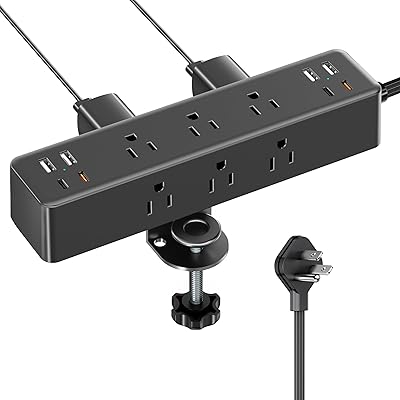
The TenTrend ZM1 Desk Clamp Surge Protector is TenTrend's answer to a problem most desk workers know well: too many devices, not enough outlets, and a tangle of cords running across the floor. This desk clamp power strip attaches directly to your tabletop edge without any drilling — just clamp, tighten, and you are done — and it ships with a 10-foot extension cord that gives you real flexibility in where you place it. TenTrend launched this model in 2023, making it a relatively new player in the accessories space, but it has gathered a notable following quickly. This review looks at build quality, port performance, installation ease, and real-world usability.
Features & Benefits

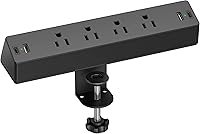
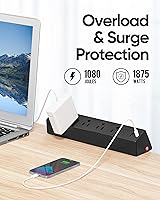
Pack eight connection points into a single clamp-on unit and you start to see why this desk outlet hub has resonated with so many buyers. You get four AC outlets, two USB-A ports, and two USB-C ports — all accessible from the edge of your desk. The surge protection is rated at 1080 joules, and a 1875W overload cutoff with a visible side reset button adds a practical safety layer. One detail worth noting: the total USB output across all four ports is 17W combined, so this is not the right pick if you need rapid charging for a power-hungry laptop. The flat plug design tucks behind furniture without blocking adjacent outlets, and the ABS+PC housing handles heat well.

Best For

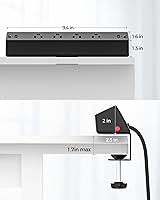
This clamp-on charging station is a natural fit for remote workers, students, and anyone who has looked at a crowded desk and wondered where to put the next power brick. It works especially well in spaces where drilling or permanent modifications are off the table — think dorm rooms, rental apartments, or shared office desks. If you are running a laptop, a phone, a monitor, and a desk lamp simultaneously, having four AC outlets within arm's reach changes how you organize your workspace. The 1.7-inch maximum clamp thickness is worth checking against your desk before buying; thicker tabletops simply will not work. For people who care about cord management and a cleaner aesthetic, this is a practical, low-cost solution.

User Feedback

With a 4.6-star rating across close to 1,000 reviews, this desk clamp power strip has a genuinely strong track record. The most consistent praise centers on easy installation — buyers report the clamp goes on in minutes with no tools and holds firm without shifting. The 10-foot cord gets specific mentions, with users noting it covers more distance than expected, helpful when the nearest outlet is not conveniently placed. On the downside, a recurring theme in critical reviews involves USB charging speeds; since the 17W total output is shared across all four USB ports, users with high-demand devices sometimes find it underwhelming. A handful of buyers mention the clamp leaving light marks on softer finishes, so protecting the surface on finished wood desks is worth considering.

Pros

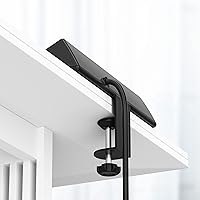
  • Clamps securely to desk edges up to 1.7 inches thick with zero tools and zero drilling required.
  • Four AC outlets and four USB ports give you eight connection points without adding floor clutter.
  • The 10-foot cord reaches farther than most competing strips, reducing the need for additional extension cords.
  • Surge protection rated at 1080 joules provides a meaningful safety buffer for connected electronics.
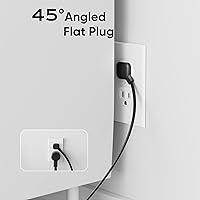
  • The flat plug design sits flush against the wall and does not block adjacent outlets.
  • Heat-resistant ABS and PC housing adds long-term durability for a product that runs continuously.
  • A visible side reset button makes overload recovery straightforward — no hunting for a hidden switch.
  • Installation takes just a few minutes, making it easy to move or reposition whenever your setup changes.
  • Close to 1,000 ratings averaging 4.6 stars reflects consistent satisfaction across a broad range of buyers.

Cons

  • The combined 17W USB output is shared across all four ports, making simultaneous fast charging impractical.
  • Desks thicker than 1.7 inches are incompatible — a hard limit that catches buyers off guard if they skip the spec sheet.
  • The clamp can leave light pressure marks or scuffs on softer or lacquered desk finishes over time.
  • TenTrend is a newer brand with a shorter track record than established names in power accessories.
  • No individual USB port delivers high-wattage output, so USB-C laptop charging via this hub is effectively not an option.
  • The unit is fixed to one spot on the desk edge, so repositioning mid-session requires loosening and re-tightening the clamp.
  • At 1.32 pounds, the unit is not heavy, but an unbalanced clamp position on a lightweight desk could cause minor tipping pressure.

Ratings

The scores below reflect an AI-driven analysis of verified global buyer reviews for the TenTrend ZM1 Desk Clamp Surge Protector, with spam, bot activity, and incentivized feedback actively filtered out to ensure the results represent genuine purchase experiences. Each category captures both what real users consistently praised and where frustrations surfaced, giving you an honest, unvarnished picture of how this desk outlet hub performs in everyday use.

Ease of Installation
93%
Across hundreds of reviews, setup speed is one of the most frequently praised aspects of this clamp-on charging station. Users working at standing desks, dorm rooms, and home offices repeatedly noted the clamp was ready in under five minutes with no tools involved — just position, tighten, and go.
A small but consistent group of buyers found the tightening knob stiff out of the box, requiring more hand strength than expected. Those with thicker or irregular desk edges also hit the 1.7-inch limit abruptly, turning what should be a quick install into a return shipment.
Port Selection & Layout
88%
Having four AC outlets, two USB-A ports, and two USB-C ports in a single desk-mounted unit is genuinely useful for anyone running multiple devices daily. Reviewers working from home specifically appreciated being able to power a monitor, laptop adapter, phone, and desk lamp from one clamp without reaching under the desk.
The physical spacing between AC outlets can make it awkward to use wide power adapters side by side without one blocking an adjacent socket. A handful of users wished the USB ports were positioned on the front face rather than the side for easier daily plug access.
USB Charging Speed
58%
42%
For lighter charging tasks — topping up a phone overnight, keeping wireless earbuds charged, or powering a small Bluetooth speaker — the USB ports handle the job reliably without issue. Users with modest charging needs reported no real complaints about the output in day-to-day use.
The 17W total output shared across all four USB ports is a genuine weak point that surfaces consistently in critical reviews. Anyone trying to fast-charge a modern smartphone or get meaningful power into a USB-C tablet while other devices are also connected will find the charging speed frustratingly slow.
Clamp Grip & Stability
84%
The clamp holds firm on standard desk edges, and the majority of reviewers — including those using motorized sit-stand desks that move multiple times daily — reported zero shifting or creep after the initial installation. The grip feels confident rather than tentative once properly tightened.
On thin or lightweight desk panels, a few users noted minor flex in the clamp mechanism when the cord was pulled at an angle. The clamp also does not include rubber padding thick enough to fully protect softer surfaces, which connects to the recurring surface marking complaints seen in a subset of reviews.
Surge & Overload Protection
81%
19%
A 1080-joule surge rating and a 1875W overload cutoff with a visible reset button offer more practical safety than a bare extension cord at this price point. Users who had previously fried peripherals from power spikes appreciated the added layer of protection, especially for desk setups housing monitors and laptops.
The surge protection rating is solid but not exceptional — heavy-duty workstation builders or users in areas with frequent power fluctuations may want a unit with a higher joule rating. The reset button, while visible, is positioned on the side rather than the front, which can be hard to reach depending on how the unit is clamped.
Build Quality & Materials
76%
24%
The ABS and PC housing feels sturdy enough for a consumer-grade accessory at this price, and the heat-resistant rating gives some confidence for a unit that may run continuously for long periods. Several reviewers noted the unit did not feel cheap or hollow when handling it during installation.
At close inspection, the finish quality shows its budget-tier origins — seams are visible and the plastic does not have the tactile refinement of pricier competitors. A few longer-term owners reported minor discoloration on the housing after several months of continuous use near a sunny window.
Cord Length & Flexibility
91%
Ten feet of cord is meaningfully longer than what most floor-level power strips offer, and users consistently highlighted this as a practical advantage in their reviews. It comfortably reaches wall outlets that are behind furniture, across a room corner, or low on a baseboard without needing a secondary extension.
The cord itself is not braided or reinforced on all versions, and a small number of buyers noted it feels thinner than expected for a 15A-rated product. There is also no cable management clip or velcro strap included to help tidy the excess cord length when it is not fully needed.
Flat Plug Design
86%
The flat plug sits flush against the wall outlet, which means furniture can be pushed much closer to the wall without bending or stressing the cord — something standard bulky plugs make nearly impossible. Users with desks positioned close to walls called this out as a small but genuinely practical design detail.
The flat plug design, while wall-friendly, limits the rotational flexibility you get with a rotating plug head. If your outlet is positioned at an awkward angle or partially obstructed, the flat profile can actually make insertion slightly harder compared to a standard plug.
Desk Surface Compatibility
67%
33%
For the majority of standard desks — particleboard, MDF, laminate-covered panels, and most metal-framed office desks — the clamp fits and grips without issue. Users with conventional IKEA-style or office furniture desks reported no compatibility concerns at all.
The 1.7-inch maximum thickness is a hard cutoff that eliminates solid hardwood, thick butcher-block, and many premium standing desk tops without warning in the product title. Additionally, the clamp's contact points can mark softer or lacquered finishes, which is a recurring complaint from users with higher-end desk surfaces.
Value for Money
89%
For the asking price, getting eight connection points, a 10-foot cord, surge protection, and a tool-free desk mount in one unit is a combination that most comparable products do not match without costing noticeably more. Buyers consistently describe it as one of the better-value desk accessories they have purchased.
The weak USB charging output does dent the value proposition for anyone who planned to use those ports for anything more demanding than trickle-charging. If fast USB charging is a priority, buyers may end up needing a separate charger anyway, which partly offsets the cost savings.
Cable Management
78%
22%
Mounting the power source at desk level rather than floor level naturally shortens the cable runs from devices to power, which several remote workers noted made their desk look noticeably tidier without any additional cable management accessories. The flat plug helps here too by removing the usual cord bulge at the wall.
The unit itself does not include any integrated cord clips, cable channels, or ties to help manage the 10-foot power cord when you do not need its full length. Users who want a truly clean setup will need to buy cable management accessories separately to handle the cord slack.
Port Accessibility
74%
26%
Having power and USB ports mounted at desk height rather than on a floor strip is the core convenience this design offers, and most users found day-to-day plug access noticeably easier than bending down to a floor strip. The unit position at the edge of the desk keeps ports within natural reach.
The exact angle and placement of ports varies depending on how the unit is clamped, and some users found the USB ports ended up facing in a direction that made cable insertion awkward given their specific desk layout. There is no swivel or adjustable head to correct for this once the unit is fixed.
Thermal Safety
82%
18%
The heat-resistant housing material held up well in extended-use scenarios according to reviewers who leave the unit powered continuously throughout a workday. No significant reports of unusual warmth or hot spots on the housing surface emerged from the main body of user feedback.
A small number of users reported that the area immediately around the AC outlets felt warmer than they expected when all outlets were in use simultaneously with a near-maximum load. This was not described as dangerous in any verified review, but it did make some users uncomfortable running it overnight.

Suitable for:

The TenTrend ZM1 Desk Clamp Surge Protector is a strong pick for anyone who wants to reclaim desk real estate without committing to permanent installation. Students in dorms, remote workers in home offices, and anyone in a rental space will appreciate that it mounts tool-free to any tabletop edge up to 1.7 inches thick — no landlord approval needed. If your typical desk setup involves a laptop, a phone, a tablet, and a lamp all competing for the same two-outlet strip on the floor, having four AC outlets and four USB ports within arm's reach at desk level is a genuine quality-of-life upgrade. It also suits people who care about cord organization, since the flat plug and 10-foot cord make it easy to route cables cleanly behind furniture. For the price, the 1080-joule surge protection adds a layer of safety that bare extension cords simply do not offer.

Not suitable for:

The TenTrend ZM1 Desk Clamp Surge Protector is not the right fit for everyone, and a few specific situations make that clear. If your desk is thicker than 1.7 inches — common with solid hardwood or heavy butcher-block tops — the clamp will not close properly, so measure before buying. Buyers who need fast charging for power-hungry devices like tablets or USB-C laptops should look elsewhere; the total USB output across all four ports is just 17W shared, which means slow top-ups if multiple devices are connected simultaneously. This desk outlet hub is also not built for heavy-duty or industrial use — it is a consumer-grade accessory with a modest wattage rating, so running power tools or high-draw appliances off it is not advised. Finally, if your desk has a delicate or soft lacquered finish, be aware that the clamp mechanism has caused light surface marks for some users, particularly on softer wood finishes.
Specifications

  • Brand: Manufactured and sold by TenTrend, a consumer electronics accessories brand that launched this model in 2023.
  • Model Number: The unit carries the model designation ZM1.
  • AC Outlets: Four standard AC outlets are included, rated collectively at 1875W, 125V, and 15A.
  • USB-A Ports: Two USB-A ports are available for charging smartphones, earbuds, and other standard USB devices.
  • USB-C Ports: Two USB-C ports are included, sharing a combined USB output of 17W at 5V and 3.4A across all four USB ports.
  • Surge Protection: The unit provides 1080 joules of surge protection to guard connected electronics against voltage spikes.
  • Overload Protection: A 1875W overload cutoff is built in, with a visible reset button located on the side of the housing.
  • Cord Length: The attached power cord measures 10 feet, providing extended reach from a single wall outlet.
  • Plug Type: The unit uses a flat plug design that sits flush against the wall without obstructing adjacent outlets.
  • Clamp Capacity: The desk clamp mechanism accommodates tabletop edges up to a maximum thickness of 1.7 inches.
  • Installation: No tools, screws, or drilling are required — the clamp tightens onto the desk edge via a hand-turned knob on the underside.
  • Housing Material: The outer shell is constructed from an ABS and PC heat-resistant polymer blend rated to withstand temperatures up to 1382°F.
  • Item Weight: The complete unit weighs 1.32 pounds, making it light enough not to destabilize most standard desk edges.
  • Dimensions: Packaged dimensions measure 10.43 x 5.35 x 2.95 inches.
  • Voltage Rating: Designed for use on standard North American 125V electrical systems only.
  • Total Ports: Eight connection points in total: four AC outlets, two USB-A ports, and two USB-C ports.
  • Color: The unit is available in red as the standard color option.
  • Safety Rating: Overload protection triggers automatically at 1875W and can be reset manually using the side button after the cause is resolved.

Related Reviews
Southwire Surge Guard 34931 30A Surge Protector
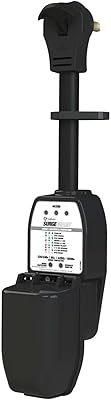
81%
93%
Surge Protection Effectiveness
89%
Build Quality
88%
LCD Display Clarity
91%
A/C Compressor Protection
86%
Ease of Setup
More
Southwire Surge Guard 50A Portable RV Surge Protector
85%
91%
Surge Protection Performance
88%
Ease of Use
87%
Build Quality and Durability
84%
Diagnostic Features
70%
Portability
More
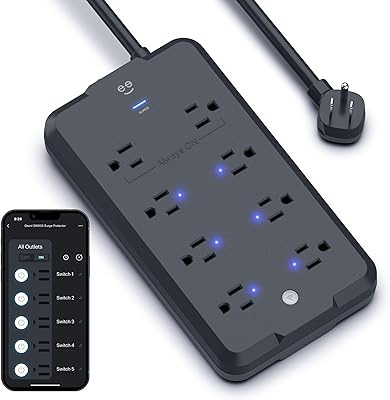
Geeni Surge Ultra 8-Outlet Smart Surge Protector
80%
88%
Ease of Setup
71%
App Performance
91%
Smart Outlet Control
84%
Voice Control
78%
Surge Protection
More
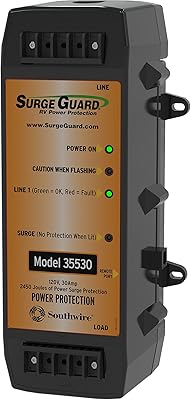
Southwire Surge Guard 35530 30 Amp Protector
79%
91%
Protection Reliability
82%
Installation Experience
67%
Value for Money
84%
Build Quality
89%
Compressor Protection
More
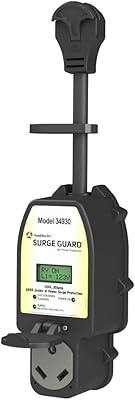
Surge Guard 34930 30A RV Surge Protector
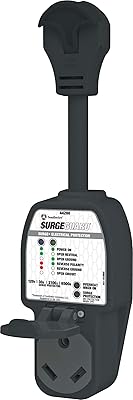
79%
93%
Surge Protection Effectiveness
91%
Fault Detection Accuracy
88%
LCD Display Usefulness
86%
Build Quality & Durability
89%
A/C Compressor Protection
More
Southwire Surge Guard 30 Amp RV Protector
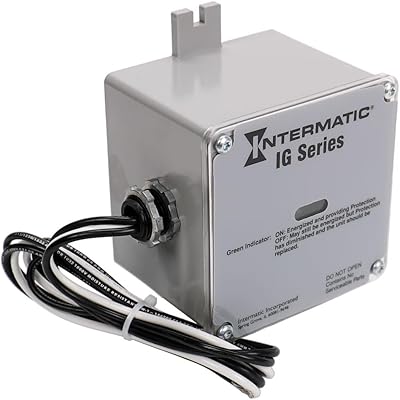
74%
91%
Diagnostic Accuracy
93%
Ease of Use
78%
Surge Protection
74%
Build Quality
43%
Weatherproofing
More
CyberPower CSP600WSURC5 6-Outlet Wall Tap Surge Protector
82%
86%
Surge Protection Reliability
91%
Outlet Design & Flexibility
71%
USB Charging Performance
67%
Physical Stability
78%
Build Quality & Materials
More
Intermatic IG1200RC3 Surge Protective Device
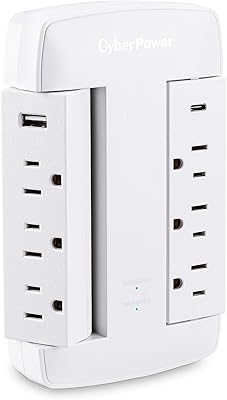
81%
91%
Surge Protection Performance
84%
Build Quality
78%
Ease of Installation
88%
Outdoor & Environmental Rating
86%
Status Indicator Usefulness
More
DEWENWILS 25FT Surge Protector Power Strip
81%
94%
Cord Length & Reach
91%
Flat Plug Design
71%
Surge Protection Effectiveness
83%
Outlet Spacing & Usability
82%
Build Quality & Materials
More
GE UltraPro 9-Outlet Surge Protector 8ft
81%
93%
Outlet Usability
91%
Cord Length & Flexibility
86%
Surge Protection Reliability
84%
Build Quality
58%
Indicator & Feedback Clarity
More

FAQ

It depends on your desk thickness. The clamp opens to a maximum of 1.7 inches, so if your desktop is thicker than that — which is common with solid hardwood or butcher-block tops — it simply will not close properly. Grab a ruler and measure the edge of your tabletop before ordering.

Technically you can plug a laptop in, but realistically the results will be disappointing for most modern laptops. The total USB output across all four ports combined is only 17W, which is far below the 45W to 100W that most laptops need for meaningful charging. It works fine for phones and tablets, but for laptop charging you are better off using the AC outlets with your standard power adapter.

A small number of users have reported light pressure marks on softer or lacquered finishes after extended use. If you have a delicate desk surface, placing a thin felt pad or rubber sheet between the clamp and the desktop is a simple precaution that most people find eliminates the issue entirely.

It is genuinely straightforward. You position the clamp on the desk edge, then turn the knob underneath until it is snug. Most buyers report it takes under five minutes and requires no tools at all. The only thing to double-check is that your desk edge falls within the 1.7-inch maximum thickness.

No, it is rated for 125V North American systems only. Do not use it with 220V to 240V outlets found in Europe, Asia, or other regions, as this could damage the unit or create a safety hazard.

That button is the overload protection reset. If too many high-draw devices are plugged in at once and the total wattage exceeds 1875W, the unit will cut power automatically as a safety measure. Once you unplug some devices and reduce the load, pressing that button restores power. Think of it as a built-in circuit breaker specifically for this unit.

Yes, and this is actually one scenario where this desk outlet hub works particularly well. The clamp holds firmly to the edge, so it moves up and down with the desk rather than trailing a floor-level power strip. Just make sure the cord has enough slack at its lowest and highest positions so it is not pulled taut.

The consensus from a large pool of reviews is that the clamp holds well once properly tightened. It is not going to shift from normal desk use or accidental bumps. That said, it is not rated as a permanent fixture, and on very thin or lightweight desk edges you may want to check the grip periodically.

For most setups, yes. Ten feet gives you significantly more flexibility than the three-to-six-foot cords that come with standard desktop strips. Many reviewers specifically call out the cord length as a highlight, noting it covers more ground than they expected. If your outlet is unusually far away, you could combine it with a longer extension cord, though that does reduce the effectiveness of the surge protection.

USB-A is the traditional rectangular connector found on older cables and accessories, while USB-C is the newer oval-shaped standard used on most modern phones, tablets, and accessories. Both port types share the same combined 17W output pool, so the physical connector type is the main practical difference here rather than any speed advantage for either one.