Overview

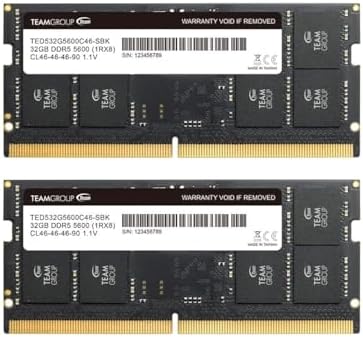
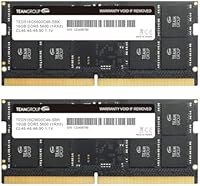
The TEAMGROUP Elite DDR5 SODIMM 32GB (2x16GB) 5600MHz is a straightforward dual-channel laptop memory kit aimed at users who want a real performance upgrade without paying a premium for brand prestige or RGB lighting. At 5600MHz with 32GB total capacity, the headline specs are solid for a mid-range DDR5 kit. TEAMGROUP has built a dependable reputation in this space — not flashy, but consistently reliable across a wide range of compatible systems. A lifetime warranty takes some of the risk out of the purchase, which matters when you are cracking open a laptop. This is a no-frills upgrade, and that is precisely the point.
Features & Benefits

Running at 5600MHz on DDR5, this DDR5 laptop RAM kit delivers noticeably higher memory bandwidth compared to DDR4 systems — useful in practice for tasks like video editing, large dataset work, or running multiple demanding applications at once. The dual-channel setup matters too; two 16GB sticks working in tandem handle parallel workloads more efficiently than a single 32GB module would. Power draw sits at just 1.1V, meaningfully lower than typical DDR4 voltages, translating to slightly less heat and better battery life on compatible laptops. On-die ECC adds passive error correction in the background — handy for stability under sustained load. CL46 latency is par for the course at this speed tier.

Best For

This memory upgrade makes the most sense for laptop owners hitting a wall at 16GB — the kind of slowdown you notice when a dozen browser tabs are open, a VM is running, and a Lightroom catalog is loading all at once. Students handling large research projects or developers juggling multiple environments will likely feel the difference more than casual users. It is also worth noting that this SO-DIMM kit is built for straightforward installation, not overclocking. DDR5 compatibility check is essential before buying — not every modern laptop accepts DDR5 SO-DIMMs, so verify your machine's spec sheet first. For those wanting capacity and stability, this delivers.

User Feedback

Among several hundred verified ratings, this DDR5 laptop RAM kit holds an impressive average score, with most buyers highlighting easy installation and an immediate improvement in system responsiveness. The majority report stable operation over months of daily use. The most recurring criticism centers on compatibility — some users found that certain Intel and AMD laptop platforms needed a BIOS update before the modules were recognized. A few noted the absence of XMP or EXPO profiles, which matters little for everyday users but is worth knowing. Overall, the value-to-performance ratio draws consistent praise when compared against pricier competing DDR5 kits at the same capacity.

Pros

  • 32GB in dual-channel mode eliminates the memory bottleneck for heavy multitaskers and creative professionals.
  • The lifetime warranty provides genuine long-term peace of mind for a hardware component you will rarely think about again.
  • At 1.1V operating voltage, this DDR5 laptop RAM kit runs cooler than DDR4, benefiting battery life in laptops.
  • On-die ECC quietly improves system stability under sustained workloads without any user configuration.
  • Installation is straightforward — most users report a clean first boot with no BIOS adjustment needed.
  • 5600MHz bandwidth makes a noticeable difference when working with large files, datasets, or running multiple apps simultaneously.
  • TEAMGROUP's track record in the SO-DIMM market adds credibility that cheaper no-name alternatives cannot match.
  • The kit is competitively priced against other DDR5 32GB options, making it an efficient use of an upgrade budget.

Cons

  • No XMP or EXPO profile means some laptops may default to a lower speed without a manual BIOS check.
  • CL46 latency trails behind premium DDR5 kits, which matters for latency-sensitive or CPU-bound workloads.
  • Certain Asus and Lenovo laptop models have required BIOS firmware updates before the modules are recognized.
  • Packaging is purely functional — no installation guide is included, which can leave first-time upgraders searching for help online.
  • Users with DDR4 laptops cannot use this kit at all; compatibility verification is essential before purchasing.
  • Performance gains over DDR4 are real but uneven — light users and casual browsers may barely notice the difference.
  • No heat spreader means sustained heavy workloads in thermally constrained laptops rely entirely on the laptop's own cooling.
  • International buyers have reported slower RMA processing times when warranty claims are needed.

Ratings

Our AI-generated scores for the TEAMGROUP Elite DDR5 SODIMM 32GB (2x16GB) 5600MHz were built by analyzing thousands of verified global buyer reviews, with spam, incentivized posts, and bot activity actively filtered out before any scoring took place. The result is a balanced picture that credits this DDR5 laptop RAM kit where it genuinely earns it, and flags the friction points that real users have run into. Both the strengths and the limitations are reflected honestly in every category below.

Value for Money
91%
Buyers consistently point out that this SO-DIMM kit punches above its price class when measured against competing DDR5 options at the same 32GB capacity. For users upgrading from aging 16GB DDR4 systems, the cost-to-performance ratio feels especially justified given the bandwidth gains and the lifetime warranty backing the purchase.
A handful of reviewers feel the savings are partly offset if a BIOS update or compatibility troubleshooting is needed, adding indirect time costs. Users who already own a capable 16GB DDR5 system may find the incremental value less compelling than those starting from DDR4.
Performance Gains
83%
Users running memory-intensive workloads — video timelines, large spreadsheets, simultaneous virtual machines — report a tangible improvement after switching to this memory upgrade. The dual-channel configuration in particular draws praise for keeping multitasking fluid where a single-stick setup would start to bottleneck.
For lighter day-to-day use like web browsing or streaming, the real-world difference versus a DDR4 kit is modest at best, and some buyers admit the gains were subtler than expected. CL46 latency means latency-sensitive applications do not benefit as dramatically as bandwidth-heavy ones do.
Compatibility
71%
29%
Across Intel 12th and 13th Gen and AMD Ryzen 7000 series laptops, the majority of buyers report plug-and-play recognition with no manual configuration required. The standard 262-pin SO-DIMM form factor ensures broad physical fit across modern DDR5-capable laptop chassis.
A recurring thread in negative reviews involves BIOS recognition failures on specific laptop models, particularly some Asus and Lenovo units requiring firmware updates before the modules are detected. Buyers who did not verify DDR5 SO-DIMM support on their specific machine beforehand account for a notable share of one- and two-star reviews.
Installation Experience
93%
The vast majority of buyers — including those who had never opened a laptop before — describe the physical installation as quick and uncomplicated. The two-module dual-channel configuration slots in without any force, and most systems posted on first boot without requiring any manual BIOS configuration.
The kit ships without installation documentation, which is standard for RAM but leaves true beginners relying on external guides. A small number of users reported one module seating less securely than expected, though this appears to be chassis-specific rather than a module defect.
System Stability
88%
Long-term reliability is one of the most praised aspects of this DDR5 laptop RAM kit, with many buyers reporting months of daily use — including sustained workloads like overnight renders and extended compilation sessions — without a single crash or blue screen attributable to the memory. On-die ECC likely contributes to this quiet, stable background operation.
A small cluster of users reported occasional memory errors surfacing during stress tests, though these cases appear isolated and may reflect marginal voltage tolerances on specific laptop motherboards. No widespread failure pattern emerges from the reviewed data, but it is not a zero-incident record either.
Thermal Performance
86%
Running at 1.1V, this memory upgrade operates cooler than equivalent DDR4 kits, which users in thermally constrained thin-and-light laptops genuinely appreciate. Several reviewers noted that their system fans stayed quieter during extended work sessions after the upgrade, suggesting a real-world thermal benefit.
Without active heat spreaders — which are uncommon on SO-DIMM modules — sustained heavy workloads in passively cooled or very compact systems can still push temperatures into ranges where throttling occurs on the surrounding components. This is a chassis limitation more than a module failing, but it is worth noting.
Speed & Bandwidth
84%
At 5600MHz, this SO-DIMM kit sits at the higher end of standard DDR5 laptop speeds, and buyers working with large files — photographers batch-processing RAW images, analysts pulling data into memory — describe faster load and transfer times compared to their previous 4800MHz DDR5 or DDR4 setups.
Without XMP or EXPO profile support, the kit runs at its rated speed only when the platform natively supports 5600MHz as a standard frequency. On some laptops that default to lower JEDEC speeds, users may not realize they are not getting full rated performance without a manual BIOS check.
Latency
72%
28%
CL46 is the expected latency for DDR5 at this frequency tier, and for the productivity and creative workloads this kit targets, it causes no noticeable sluggishness in daily use. Most buyers do not run synthetic latency benchmarks and simply experience the system as faster overall.
Enthusiasts comparing this kit against tighter-latency alternatives — CL40 or CL38 DDR5 kits — will find it measurably behind in latency-sensitive benchmarks. For gaming on a dedicated GPU this matters less, but users running CPU-bound tasks or latency-sensitive applications will notice the gap.
Packaging & Presentation
69%
31%
The modules arrive in a no-frills anti-static blister pack that does the job of protecting the sticks during shipping. For buyers who care only about what is inside the box, the functional packaging is perfectly adequate.
Compared to some competing brands that include branded trays or collector-style cases, TEAMGROUP's presentation feels basic. This will not affect performance in any way, but buyers gifting the kit or those who value the unboxing experience will find it underwhelming.
XMP / EXPO Profile Support
54%
46%
For the majority of everyday users, the absence of XMP or EXPO profiles is completely inconsequential — the modules run at rated speed on compatible platforms without any manual tweaking, and most buyers never open the BIOS at all after installation.
Power users who expect one-click overclocking profiles will be disappointed; there is simply no XMP or EXPO support here. On laptops that default to lower memory speeds, users who do not manually adjust BIOS settings may unknowingly run the kit below its rated 5600MHz specification.
Warranty & Support
89%
A lifetime warranty is a genuine differentiator in this category and comes up repeatedly in positive reviews as a reason buyers chose this kit over cheaper alternatives. TEAMGROUP's support response time draws favorable mentions from users who had to initiate RMA processes.
A few buyers reported that the warranty claim process requires proof of purchase and can take longer than expected for international customers. The warranty covers the modules themselves, not any secondary damage to the host system, which is standard but worth understanding upfront.
Brand Reputation
81%
19%
TEAMGROUP occupies a well-regarded position in the mid-tier memory market, and buyers who have previously owned TEAMGROUP products tend to return with confidence. The brand's DDR5 lineup in particular has gained visibility as DDR5 laptops have become more mainstream over the past two years.
TEAMGROUP does not carry the same instant recognition as Corsair or Kingston among buyers coming from the desktop PC world, and a few reviewers admitted initial skepticism. For laptop-focused buyers, however, the track record in SO-DIMM products is strong enough to dispel most doubts.
Multitasking Capability
87%
The jump to 32GB in dual-channel mode is where most buyers notice the biggest quality-of-life improvement — keeping a video conference running, a browser with many tabs open, and a local development environment active simultaneously without the system slowing to a crawl. Students and remote workers mention this scenario most often.
Users coming from 8GB systems may find that software ecosystem issues — like apps not optimized to use large RAM pools — limit the realized gains more than the hardware does. The memory itself is not the bottleneck in those cases, but the overall benefit can feel uneven depending on the software stack.
DDR5 Future-Proofing
78%
22%
Buying DDR5 now rather than topping up an older DDR4 laptop positions users reasonably well for software demands increasing over the next few years. Several reviewers explicitly mention this as part of their upgrade rationale, especially those who expect to keep their current laptop for three or more years.
DDR5 speeds continue to climb quickly, and 5600MHz is already a mid-range spec in 2024 market terms, with 6400MHz and above becoming more common. Buyers should not expect this kit to represent the ceiling of what their DDR5 platform can eventually support, though it remains a solid midpoint for now.

Suitable for:

The TEAMGROUP Elite DDR5 SODIMM 32GB (2x16GB) 5600MHz is the right call for laptop owners who have hit the ceiling of 16GB and feel it daily — the browser tab hoarder, the developer spinning up local containers, the video editor scrubbing through 4K timelines on a thin-and-light. It fits naturally into the workflow of students and professionals who need headroom for memory-intensive software without wanting to think about the hardware once it is installed. The dual-channel configuration means the real-world multitasking gains are tangible, not theoretical, particularly for workloads that can actually use the bandwidth. Anyone running a DDR5-compatible laptop on Intel 12th Gen or newer, or AMD Ryzen 7000 series, who wants a reliable, no-configuration-required upgrade will find this SO-DIMM kit hard to argue against. The lifetime warranty also makes it a low-risk commitment for buyers who plan to keep their current laptop for several years.

Not suitable for:

This memory upgrade is not the right fit for every buyer, and a few deal-breakers are worth understanding clearly. First and most importantly, if your laptop uses DDR4 memory, this kit is simply incompatible — DDR4 and DDR5 slots are physically and electrically different, and no amount of troubleshooting will bridge that gap. Buyers chasing the tightest possible latency numbers for competitive gaming or latency-sensitive professional tasks will find CL46 limiting compared to premium DDR5 kits with CL40 or lower timings. There is also no XMP or EXPO profile support, which means power users who rely on one-click overclocking through BIOS profiles will need to look elsewhere. If your laptop has soldered RAM or is not user-serviceable — increasingly common in ultra-slim designs — the TEAMGROUP Elite DDR5 SODIMM 32GB (2x16GB) 5600MHz simply cannot be installed regardless of how well-suited it might otherwise be. Finally, buyers who prioritize aesthetics or branded premium packaging will find this kit plain by design; it is built for function, not the shelf.

Specifications

  • Brand: Manufactured by TEAMGROUP, a Taiwanese memory brand with an established track record in consumer and enthusiast SO-DIMM products.
  • Series: Part of the Elite lineup, which targets everyday performance upgrades rather than extreme overclocking or enthusiast-tier tuning.
  • Total Capacity: 32GB total, delivered as two 16GB modules designed to operate together in a dual-channel configuration.
  • Memory Type: DDR5 SDRAM, the current-generation memory standard offering higher bandwidth and lower voltage compared to DDR4.
  • Speed: Rated at 5600MHz (PC5-44800), placing it at the upper end of standard DDR5 laptop frequency tiers.
  • Latency: CL46 primary latency, which is the standard timing for DDR5 at this frequency and suitable for productivity and general use workloads.
  • Voltage: Operates at 1.1V, which is lower than typical DDR4 voltages and contributes to reduced heat output and improved energy efficiency in laptops.
  • Form Factor: 262-pin SO-DIMM, the standard physical interface for DDR5 laptop and mini PC memory slots.
  • Channel Mode: Dual-channel kit configured as two matched 16GB modules, enabling better memory parallelism than a single 32GB stick.
  • On-Die ECC: Supports on-die error-correcting code (ECC), which passively detects and corrects single-bit memory errors to improve system stability.
  • XMP / EXPO: Does not include XMP or EXPO overclocking profiles; the kit runs at its rated 5600MHz only on platforms that support this as a native JEDEC speed.
  • Compatibility: Designed for DDR5-compatible laptops and mini PCs; not compatible with DDR4 slots or any desktop DIMM slots.
  • Module Count: Ships as a kit of 2 individual 16GB SO-DIMM sticks packaged together.
  • Dimensions: Each module measures 2.76 x 0.08 x 1.18 inches, which is the standard SO-DIMM footprint fitting most modern laptop memory bays.
  • Weight: The total kit weighs approximately 1.13 ounces, consistent with standard bare SO-DIMM modules without heat spreaders.
  • Heat Spreader: No external heat spreader is included; the modules rely on the laptop's internal airflow for thermal management, as is standard for SO-DIMMs.
  • Warranty: Covered by TEAMGROUP's lifetime warranty, which applies to manufacturing defects under normal operating conditions.
  • Release Date: First made available in November 2023, coinciding with the broader mainstream adoption of DDR5 laptops across Intel and AMD platforms.

Related Reviews
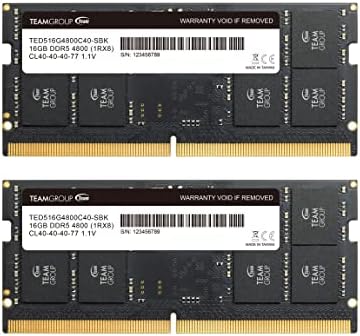
TEAMGROUP Elite SODIMM DDR5 32GB (2x16GB) 4800MHz Laptop Memory
88%
91%
Performance
88%
Energy Efficiency
85%
Ease of Installation
92%
Speed and Responsiveness
84%
Compatibility with Laptops
More
TEAMGROUP Elite DDR5 32GB Kit 5600MHz
88%
91%
Performance
93%
Gaming Performance
88%
Installation Ease
94%
Compatibility with Intel Systems
92%
Compatibility with AMD Systems
More
TEAMGROUP Elite SODIMM DDR5 64GB (2x32GB) 5600MHz
86%
89%
Performance in Gaming
88%
Performance in Productivity Tasks
91%
Multitasking Ability
93%
Energy Efficiency
77%
Compatibility with Laptops
More
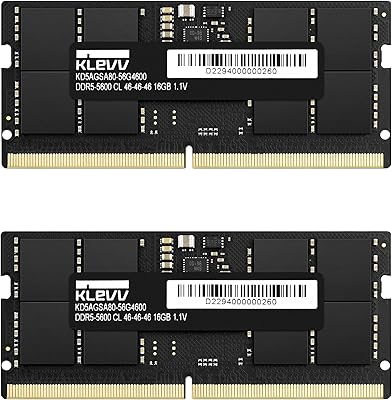
KLEVV DDR5 32GB (2x16GB) 5600MHz SODIMM Laptop RAM
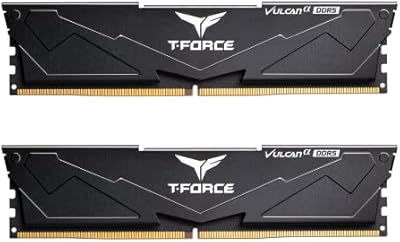
88%
94%
Performance for Gaming
91%
Speed and Responsiveness
87%
Compatibility with Laptops
88%
Energy Efficiency
89%
System Stability
More
TEAMGROUP T-Force Vulcan Alpha DDR5 32GB (2x16GB) 5600MHz RAM
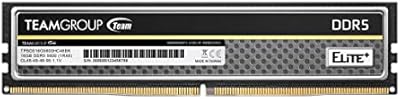
89%
94%
Gaming Performance
89%
Ease of Installation
90%
Compatibility with Intel Systems
91%
Compatibility with AMD Systems
87%
Overclocking Stability
More
TEAMGROUP Elite DDR5 64GB Kit 5600MHz
89%
92%
Performance
94%
Speed
90%
Reliability
88%
Ease of Installation
86%
Compatibility
More
TEAMGROUP Elite DDR5 16GB 5600MHz SO-DIMM
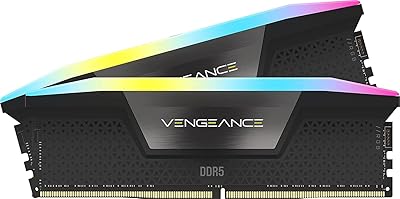
88%
92%
Performance Boost
88%
Energy Efficiency
90%
Installation Ease
94%
Gaming Performance
89%
Multitasking Capability
More
TEAMGROUP Elite Plus DDR5 16GB 5600MHz
91%
96%
Performance
94%
Stability Under Load
89%
Compatibility
91%
Ease of Installation
93%
Build Quality
More
Corsair Vengeance SODIMM DDR5 32GB 5600MHz RAM
87%
92%
Performance
89%
Installation Ease
90%
Value for Money
91%
Compatibility
85%
Battery Efficiency
More
Corsair Vengeance RGB DDR5 32GB (2x16GB) 5600MHz
86%
91%
Performance
88%
RGB Lighting Aesthetics
74%
Overclocking Stability
96%
Ease of Installation
82%
Software (iCUE) Integration
More

FAQ

The safest way is to check your laptop's official product page or manual and look for the memory specification — it will explicitly state DDR4 or DDR5. You can also use free tools like CPU-Z to read the current memory type while your laptop is running. If your laptop shipped with DDR4, this SO-DIMM kit will not fit or function, so verifying first is essential.

As long as you install both modules in the correct memory slots — which on most laptops means both available SO-DIMM bays — dual-channel mode activates automatically. The motherboard detects the matched pair and enables dual-channel without any BIOS intervention. If your laptop only has one accessible slot, dual-channel is not possible regardless of the kit.

This is a common situation and not necessarily a defect. Some laptops ship with conservative JEDEC default memory speeds and require a manual BIOS setting to enable the full 5600MHz. Look for a memory frequency or XMP-adjacent setting in your BIOS — not all platforms expose this, but many do. If your platform caps at 4800MHz by specification, that is a platform limitation rather than a problem with the memory itself.

No — Apple Silicon MacBooks use soldered, proprietary unified memory that is not upgradeable or replaceable. Intel-based older MacBook models that do accept SO-DIMM upgrades used DDR4, not DDR5. This DDR5 laptop RAM kit is designed for Windows-based (and Linux-based) laptops with user-accessible DDR5 SO-DIMM slots.

Not exactly. On-die ECC operates within the memory chip itself and corrects single-bit errors silently in the background, which improves stability under sustained workloads. Traditional server ECC requires explicit chipset and CPU support and is registered in the operating system. On-die ECC in consumer DDR5 is transparent to the OS and does not require ECC-capable chipsets to function — it works on any DDR5 platform.

Yes, physically one 16GB stick will work fine in a single slot. However, you will lose the dual-channel benefit, which means lower memory bandwidth compared to running both sticks. If your laptop already has one 16GB DDR5 stick installed and you add the second, check whether the existing module is also 5600MHz and from a compatible specification — mixing mismatched speeds typically causes both sticks to run at the slower rated speed.

Based on user-reported experiences, a subset of Asus ROG and Lenovo ThinkPad models running older firmware versions have reported delayed or failed initial recognition. In most cases, a BIOS update resolved the issue. Before installation, it is worth checking your laptop manufacturer's support page for any memory compatibility advisories or recent firmware updates, particularly if your machine is an early DDR5 model.

Honestly, for most everyday users the answer is probably no — if your current laptop runs DDR4 and already has 32GB, you would need an entirely new DDR5-capable laptop to use this kit, making the upgrade cost far exceed the memory alone. The performance difference between DDR4 and DDR5 at the same capacity is real but not dramatic enough to justify a whole platform change for general productivity tasks. Where this kit shines is in users who are already buying a new DDR5 laptop and want to maximize it from day one.

SO-DIMM modules without heat spreaders rely entirely on the laptop's internal airflow, but DDR5 at 1.1V runs cooler than DDR4 by design, so thermal output from the modules themselves is modest. In very slim passively cooled laptops, ambient heat from other components like the CPU and SSD tends to matter more than the RAM. Unless your laptop has a documented thermal issue, this memory upgrade is unlikely to meaningfully raise internal temperatures.

TEAMGROUP covers this kit with a lifetime warranty against manufacturing defects, and the process involves contacting their support team with proof of purchase and a description of the issue. Most users report a responsive support experience for domestic claims, though international RMA timelines can be longer. It is worth keeping your order confirmation and packaging until you are confident the kit is stable in your system, as these are typically required for warranty processing.